
What is Software Localization?
.avif)
Table of contents

Share:


What is Software Localization?
Localization in software refers to an application changing state based on the language settings selected by the user. Localization considerations can include currency denominations and all "local aspects" of a culture or geographic area that influence how successfully people can get things done using the software. This can include design and layout, however, the most important aspect of localization is obviously language. With localization, staff can interact with applications in the language they select.
Why is Software Localization Important for Workflow Management Software?
Keeping employees happy and motivated is a huge priority in manufacturing, construction and skilled trade-oriented organizations where hard-working and loyal staff can be hard to find. As a result, retention by ensuring they are happy and engaged is very important.
- Localization helps to increase the chances that employees will be successful in their role by offering tools and resources to them in the language they are most familiar with.
- Localization can foster a more inclusive culture by accommodating linguistic diversity in a workforce.
- Localization can lead to increased employee engagement metrics, such as employee satisfaction and retention.
- Localization is important for multinational organizations because it automates reporting processes, so country management can view insights in their local language.
Localization in Configurable Software
Configurable software is applications that provide software administrators with the ability to create and manage content. For this software, localization is not just about the platform, localization is only viable if there is also a way to translate user-generated content as well.
There are 3 factors to consider when selecting workflow management software that requires language localization:
consideration 1
Platform Localization
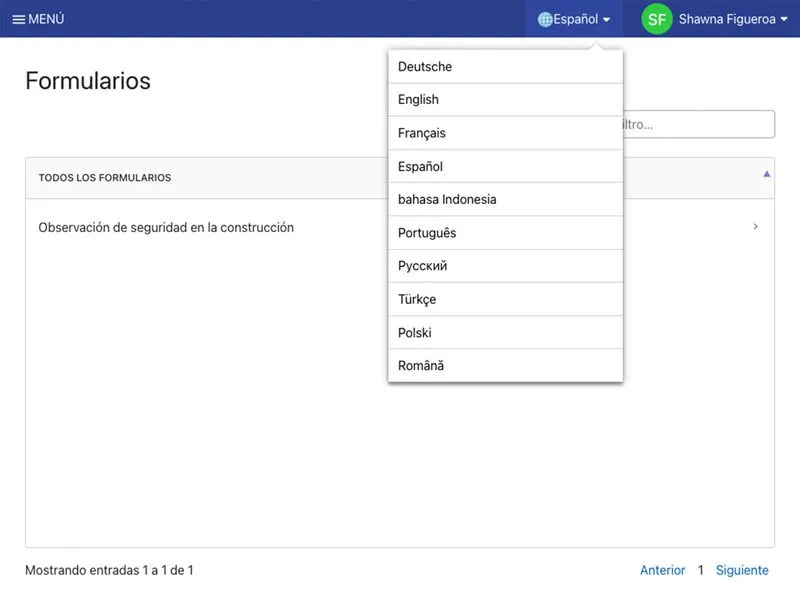
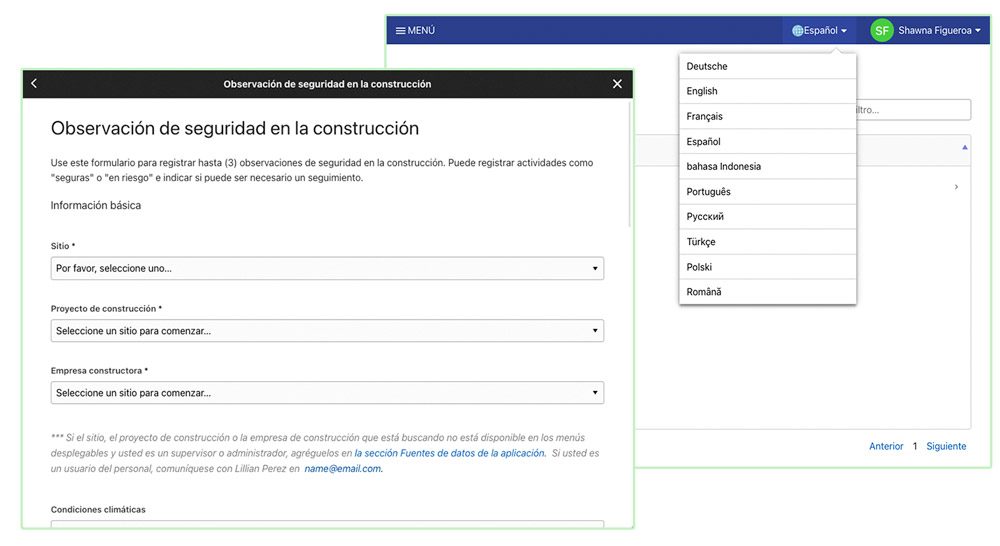
Platform localization is the most obvious version of localization. This is where the platform features are all translated, creating multiple different versions of the application.
Some applications will serve up an entirely different site for each language, which is not ideal if you want to amalgamate reporting because forms on different sites usually capture data in different reports. You can use data integrations, like OData with MS Power BI, to solve this issue.
consideration 2
User-Generated Content Localization
User-Generated Content, such as forms, assets and documents, needs to be translatable, which allows administrators to serve up application content based on the language the user selects.
This process usually involves an administrator creating the content in one language and then having it translated by regional administrators.
consideration 3
Site Associations
Site Associations allow for the application to understand a matrix including different regions, countries, company locations and languages and associate users to them. As a result, the application can be configured to save language preferences and show different localized reports to different regional and country managers.

.webp)

Spend Less Time on Admin. More Time Improving Operations.
See how Weever automates data entry, reporting, and action items so you can focus on improvement not admin.