
Blog
Filter your Skills Matrix Report by Shift, Role and Course

.avif)
Table of contents

Share:


Weever Skills Matrix Update
The Training Manager has been updated to allow administrators to filter and sort by Role, Shift and Course making it easier to identify skills gaps and training opportunities.
Here how you use the new filters:
Click on the Shift or Role sorting arrows to sort the list in ascending or descending order.
- Pro-Tip: you can sort by multiple columns by holding down the “shift” button.
You can view only “Active Users” (default) or view “All Users”, which includes inactive users.
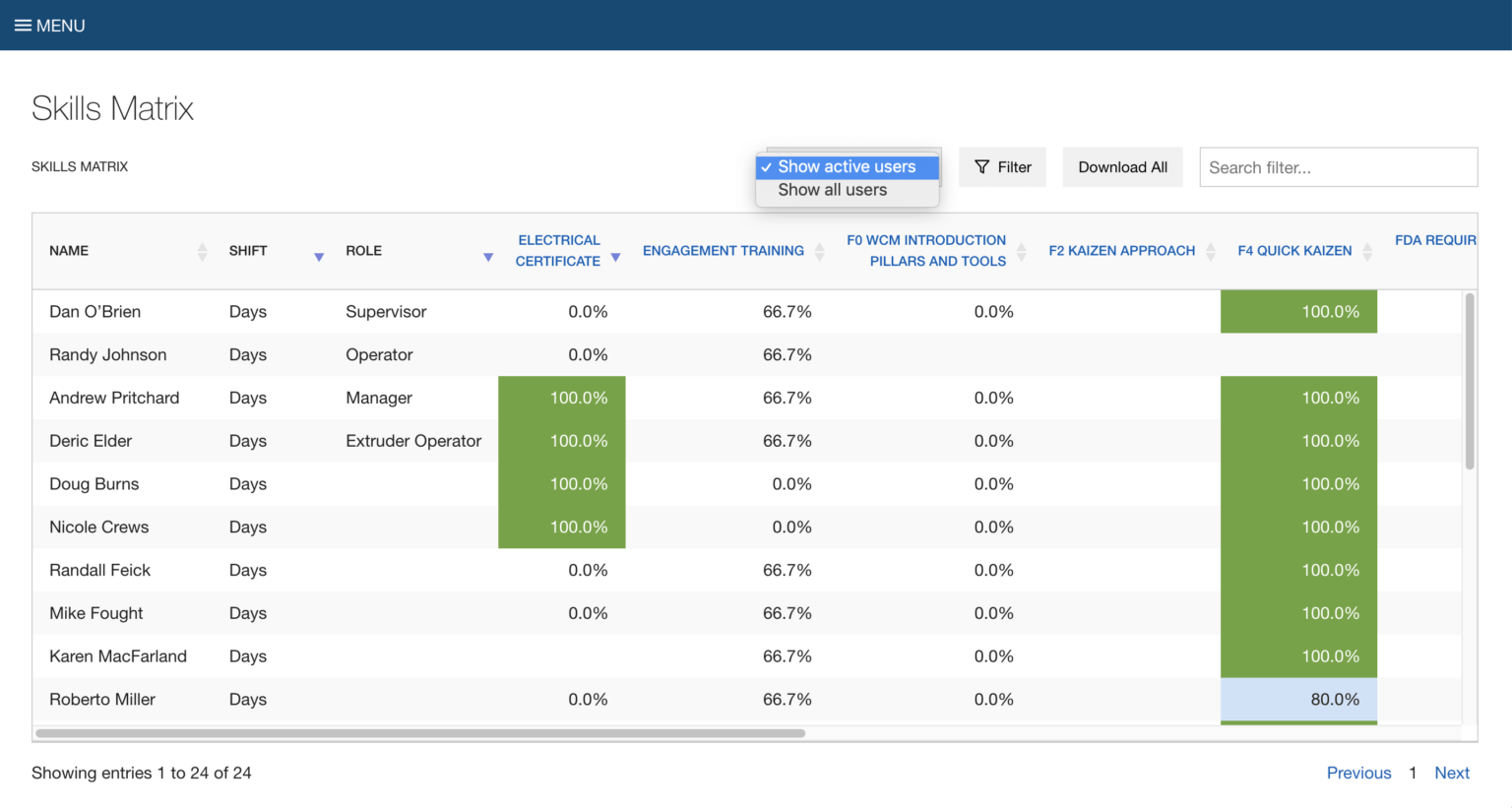
Click on the “Filter” button to filter the data table.
- You can filter by multiple roles and shifts.
- In the top Skills Matrix level, you can also filter the data table by multiple courses.
Note: Highlighted percentage scores are based on the user’s competency check scores.
- Green = the user scored 4 or 5 on over 94% of the tasks within the course.
- Blue = the user scored 4 or 5 on over 80% - 93% of the tasks within the course.

Click the “Download All” button to download a CSV of the complete, filtered and sorted data table.
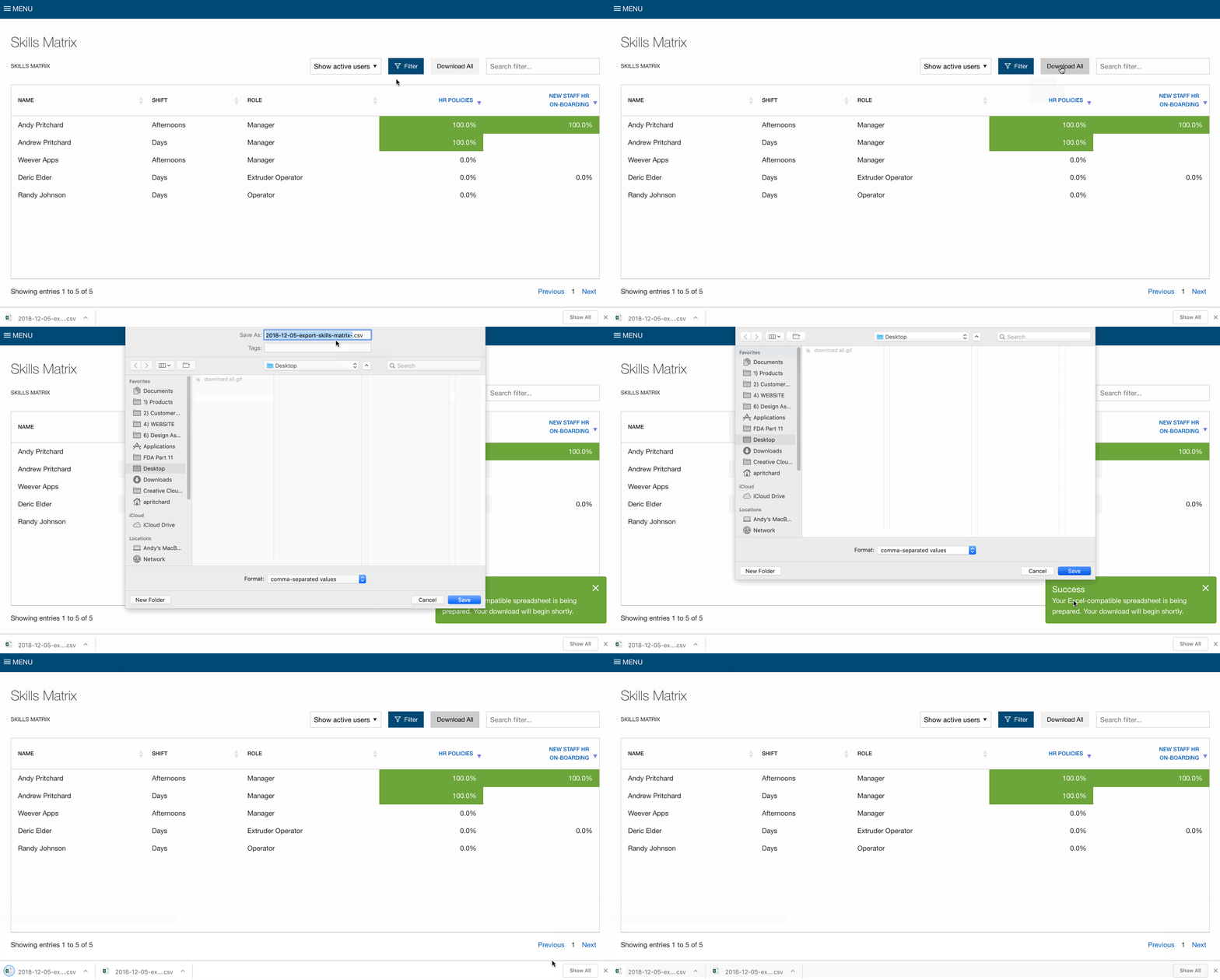
Click on blue course names to view the module level.
Note: Highlighted percentage scores are based on the user’s competency check scores.
- Green = the user scored 4 or 5 on over 94% of the tasks within the module.
- Blue = the user scored 4 or 5 on over 80% - 93% of the tasks within the module.
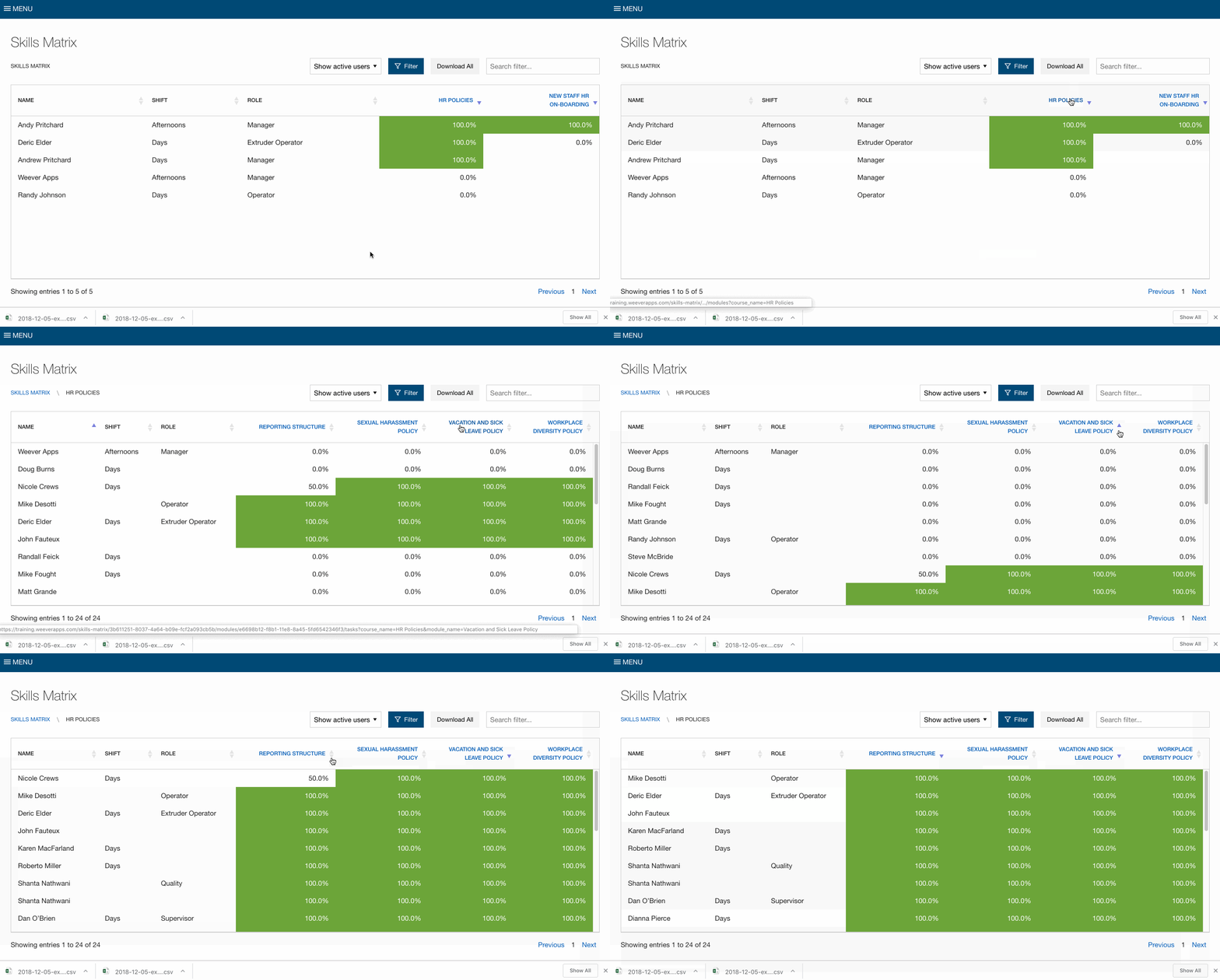
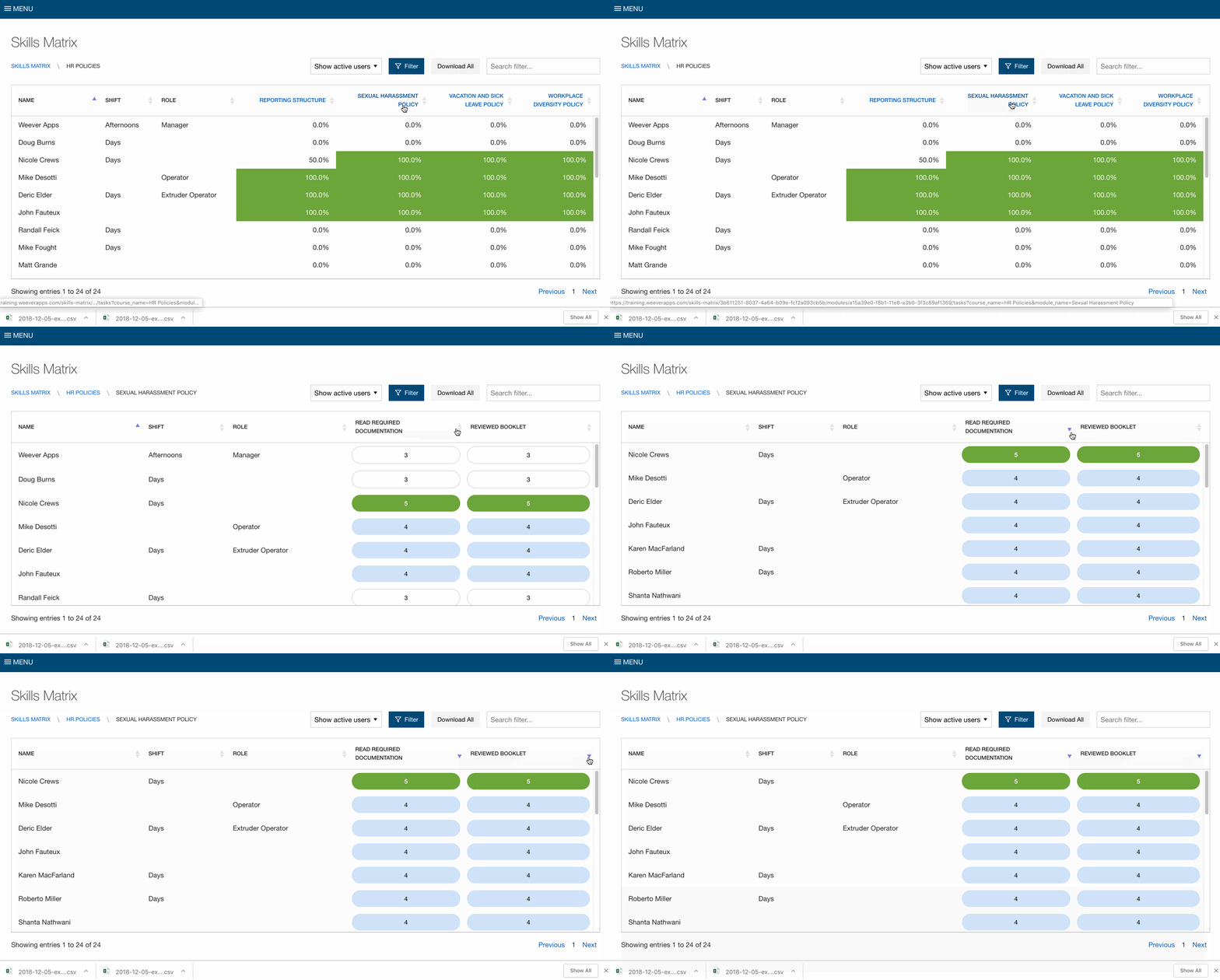
Click on the blue module names to view the individual scores on each task.
Note: Highlighted scores are the user’s competency check scores.
- 5 (Green) = I can teach
- 4 (Blue) = I know and can apply
- 3 = I can apply with support
- 2 = I know the topic superficially
- 1 = I don't know the topic at all



Spend Less Time on Admin. More Time Improving Operations.
See how Weever automates data entry, reporting, and action items so you can focus on improvement not admin.