
Connected Worker Software: What It Is, How It Works, and How to Choose One for Your Plant
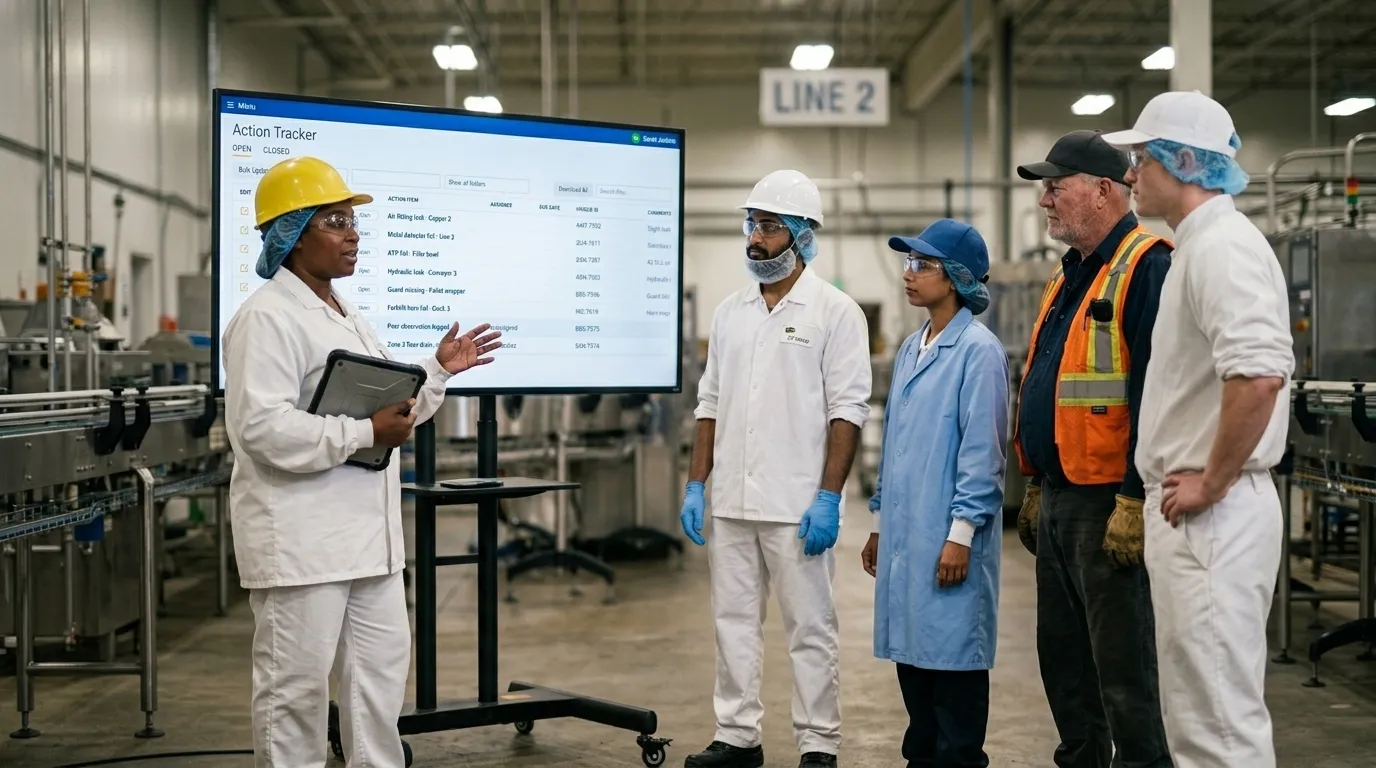
Table of contents

Share:


If you are looking at connected worker software, you have probably already tried the alternatives. A shared spreadsheet three people update and nobody trusts. A forms app that collects data nobody opens. A binder in the supervisor's office that comes out twice a year, once for the internal audit and once for the customer one.
Connected worker software is a category of manufacturing software that digitizes the recurring work your frontline team does every shift, captures it at the point it happens, automatically routes any failure to an owner for correction, and turns the results into trends you can compare across lines, shifts, and sites. It covers autonomous maintenance rounds, sanitation schedules, quality checks, safety observations, 5S audits, and the dozen other programs that currently live on paper.
The problem it solves is specific. Your operators see things every shift that never reach anyone who can act on them. A guard that rattles. A seal that is weeping. A step that gets checked off because checking it off is faster than reporting what is actually wrong.
The observation gets made and then goes nowhere, or it lands in a binder and sits there until it becomes a breakdown, a hold, or an audit finding.
Done right, the work your team already does becomes the data you run the plant on. Done wrong, you have replaced a clipboard with a tablet, added a login, and changed nothing about whether anything gets fixed.
This guide covers what connected worker software is, how it works on the floor, what it costs, how it compares to the systems you already run, how to roll it out without disrupting production, and how to tell the difference between a platform your team will use and one that will sit unopened by month four.
Key Takeaways
- The category, defined. Connected worker software digitizes frontline task execution, captures evidence at the point of work, assigns corrective actions automatically, and reports across shifts and sites.
- It is not an MES, a CMMS, or an eQMS. Those systems run production, maintenance, and quality records. Connected worker software runs the human work happening around them.
- Most plants are still on paper. Two thirds of manufacturers run at least two frontline programs on paper, spreadsheets, or homegrown tools. Only 10% run none of them that way.
- Platform or forms app. The dividing line is what happens after someone hits submit: whether the submission is simply stored, or assigned to an owner, escalated when it ages, and trended over time.
- Pricing model over price. Per-seat licensing is the most common cause of a stalled rollout, because it puts a price on participation in a program whose entire value depends on participation.
- Audit exposure. Adient took its 5S score from 85% to 97% and cut open monthly issues from more than 60 to fewer than 5, going fully paperless in under three months.
- Administrative capacity. Mars Yorkville freed up 13 hours a day previously spent on quality check administration, and runs those checks 400% faster.
- Rollouts fail on adoption, not features. The plants that succeed start with one program on one line and digitize the process they already run instead of redesigning it first.
- The number to track after go-live is corrective action closure rate rather than completion rate, because completion only tells you the check was performed and says nothing about whether what it found was resolved.
What is connected worker software?
Connected worker software is a platform that puts your recurring frontline procedures on a mobile device, captures each step as it is performed, and connects what gets found to what gets done about it.
Every platform in the category does four things.
- Delivers the task to the person doing it, usually on a phone or tablet, often through a QR code at the machine.
- Captures the result at the point of work, with timestamps, photos, and signatures rather than a tick in a box.
- Creates a corrective action the moment something fails, with an owner and a due date attached.
- Reports on all of it, so a supervisor can see completion in real time and a corporate leader can compare one site to another on the same measure.
What it replaces is a stack of paper: clipboards, laminated checklists, binders, whiteboards, shared spreadsheets, and the supervisor who spends the last forty minutes of every shift retyping it all.
What problem does connected worker software actually solve?
The frontline data gap. It is the distance between what your team observes every shift and what anyone with authority can see and act on.
The gap is not caused by people failing to notice things. Operators notice more than any sensor on the line. It opens because the observation gets written on paper, described differently each time, or never recorded at all.
Weever's 2026 State of Data Capture in Manufacturing research, a survey of 167 manufacturing leaders at companies with more than 500 employees, puts numbers on both halves of that. 62% said important operational knowledge frequently or very frequently stays only in the experience of their operators and inspectors. And 51% said the same issue is frequently or very frequently recorded differently depending on who is logging it.
That second figure does more damage than it looks. Whether a thousand entries can be counted as a set depends on them being recorded the same way, and inconsistent capture quietly disqualifies the whole pile.
One operator writes "leak." Another writes "seal weeping." A third writes "minor drip, monitored." Same failure, three records, never counted together.
Three costs come out of the gap. Administration, in hours per shift spent transcribing and compiling. Delay, between someone seeing a problem and someone owning it. And invisibility, because you cannot trend what you never structured.
Read more: The Frontline Data Gap: Why Manufacturing Plants Still Cannot See What Happens on the Floor
How does connected worker software work on the plant floor?
It works in three stages: capture, act, analyze.
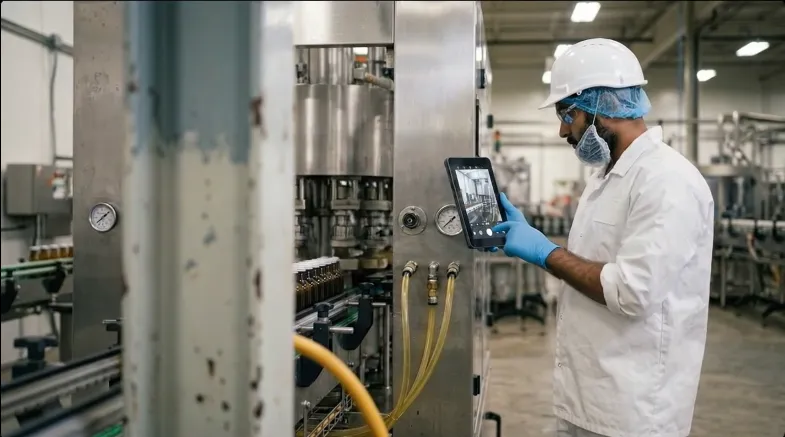
Capture. An operator scans a QR code at the line and lands directly on the right form for that equipment and that shift. The form only shows the next question when it is relevant. Photos attach in a tap, and the record is submitted at the line rather than transcribed at the end of the shift.
Act. A failed step does not become a note. It becomes an action with an owner and a due date, created automatically, visible to the supervisor before the operator has walked to the next station. Escalation rules move it up if it sits.
Analyze. Every completed task, failed step, and closed action becomes a comparable record. You can see which line misses the most checks, which failure repeats, and which corrective actions are aging.
Stage 1
Capture
An operator scans a QR code at the line, completes the right form, and attaches photos. The record is submitted at the line rather than transcribed at the end of the shift.
Stage 2
Act
A failed step becomes an action with an owner and a due date, created automatically. Escalation rules move it up if it sits.
Stage 3
Analyze
Every completed task, failed step, and closed action becomes a comparable record across lines, shifts, and sites.
The loop is the point. Capture without action is a filing cabinet. Action without analysis is firefighting.
What features should connected worker software have?
Strip out the marketing and the non-negotiable list is short:
- Photo and signature evidence attached to the specific step, not the whole form.
- Conditional logic so the form adapts to the answer instead of showing every question to everyone.
- Automatic corrective actions with an assigned owner, a due date, and escalation.
- QR or NFC entry so getting to the right form takes one scan, not four taps and a login.
- Multi-language support at the form level, not just the interface.
- Role-based reporting that gives an operator, a supervisor, and a corporate director three different views of the same data.
- A complete audit trail: who, what, when, on which version of the procedure.
Read more: 7 Factors to Evaluate Connected Worker Software
Connected worker software vs MES, CMMS, eQMS, and EHS: what is the difference?
These categories overlap at the edges and get confused constantly. The clean way to separate them is to ask what each one is the system of record for.
An MES runs production execution: orders, routings, throughput, genealogy. A CMMS runs the maintenance department: work orders, spares, PM schedules, technician time. An eQMS is the quality system of record: controlled documents, CAPA, change control, supplier quality. EHS software manages incidents and regulatory reporting after something has happened.
| System | System of record for |
|---|---|
| MES | Production execution: orders, routings, throughput, genealogy |
| CMMS | The maintenance department: work orders, spares, PM schedules, technician time |
| eQMS | The quality system: controlled documents, CAPA, change control, supplier quality |
| EHS software | Incidents and regulatory reporting after something has happened |
| Connected worker software | The human work happening around all of them: CIL rounds, SSOPs, hourly checks, 5S audits |
Connected worker software runs the human work happening around all of them. The operator doing the CIL round. The sanitor executing the SSOP. The line lead running the hourly check. The supervisor walking a 5S audit.
None of those people are in the MES or the CMMS, and the work they do is where most of your preventable losses start. Connected worker software covers that work, and hands off when a job crosses into one of those systems.
Read more: Connected Worker Software vs MES, CMMS, eQMS, and EHS Software: What Each One Is Actually For
Which manufacturing programs run on connected worker software?
Any program that is recurring, done by frontline staff, currently on paper, and consequential when it is missed. In practice that means:
- Autonomous maintenance, CILs, and centerline checks
- Master sanitation schedules and SSOPs
- Quality and in-process defect checks
- Safety observations, near misses, and hazard reporting
- 5S and 6S audits
- Work instructions and standard work
- Shift handover and production logs
- Lockout tagout execution and verification
- Skills matrices and training verification
- Internal and customer audit preparation
Most plants start with one and expand. The right first program is usually the one with the highest audit exposure and the most paper, not the easiest one to configure.
Where is the paper? The same research found 66% of quality programs and 63% of safety programs still run primarily on paper, spreadsheets, or homegrown tools, ahead of autonomous maintenance at 41% and sanitation at 29% (Weever, State of Data Capture in Manufacturing, 2026). Quality is the most frequently performed and most frequently audited program in a food plant, and it is the one most likely to still be on a clipboard.
Frontline programs still run primarily on paper, spreadsheets, or homegrown tools
Quality
66%
Safety
63%
Autonomous maintenance
41%
Sanitation
29%
Two thirds of manufacturers run at least two frontline programs this way. Only 10% run none.
Source: Weever, State of Data Capture in Manufacturing, 2026. Survey of 167 manufacturing leaders at companies with more than 500 employees. Respondents could select multiple programs.
Read more: 10 Connected Worker Use Cases in Manufacturing (and Which One to Digitize First)
Who uses connected worker software inside a plant?
Three groups, with three different jobs to do.
Frontline operators complete tasks, report what they find, and capture proof, all without leaving the line for longer than the paper version took. If it takes longer than the clipboard, they will use the clipboard.
Supervisors and operations managers see completion as it happens instead of at end of shift, and see every open corrective action by owner and age. Most of their gain is in what they stop doing: chasing, compiling, and retyping.
Regional and corporate leaders get the thing that is hardest to get in multi-site manufacturing, which is one measure that means the same thing at every site.
How much does connected worker software cost?
Pricing in this category comes in three shapes, and the shape matters more than the number.
Per seat charges for each user. Published list pricing across the category runs roughly $16 to $69 per user per month, with most mid-tier plans between $24 and $49 on annual billing (vendor list pricing as published in 2026; see the full table in our connected worker pricing guide). It looks cheap on a pilot and gets expensive precisely when the program starts working, because success means more people participating.
Per site charges one fee per facility with unlimited users. This is the model Weever uses, so take the argument accordingly: everyone on the floor can participate, which means you find more issues, earlier.
Per module charges by program, so the second and third program cost more than the first. Model the full five-program rollout, not the pilot.
| Model | How it charges | What happens as participation grows |
|---|---|---|
| Per seat | Each user | Gets expensive precisely when the program starts working |
| Per site | One fee per facility, unlimited users | Everyone on the floor can participate |
| Per module | By program | The second and third program cost more than the first |
What is rarely in the quote: implementation, configuration, integrations, training, hardware, and additional sites.
Read more: How Much Does Connected Worker Software Cost? Pricing Models, Hidden Fees, and What to Budget
What is the return on connected worker software?
The case is not "we go paperless," and it is not about running the plant with fewer people. It is about what your existing team does with the hours they currently spend on administration.
Capacity reallocated to improvement work. The hours are not in performing the check. They are in transcribing, chasing, and compiling around it. Mars Yorkville freed up 13 hours a day previously spent administering quality checks, and runs those checks 400% faster. Those hours went back into the operation.
Continuous improvement programs that compound. A CI cycle needs consistent, comparable records over time. Paper does not produce that, which is why so many improvement projects spend their first month rebuilding a dataset instead of improving anything.
OEE across all three factors. Availability through faster abnormality resolution, performance through fewer minor stops and cleaner changeovers, and quality through in-process checks that catch drift before it becomes a defect. Siemens puts unplanned downtime in fast-moving consumer goods at roughly $36,000 an hour (Siemens/Senseye, True Cost of Downtime, 2024).
Safety incidents prevented. Observations and near misses are leading indicators, and their value depends on volume. The near miss that gets recorded is the incident that does not happen six weeks later.
Compliance risk and audit exposure reduced. Adient went from more than 60 open issues a month to fewer than 5, and lifted its 5S score from 85% to 97%.
Recalls, holds, and scrap avoided. Catching a deviation on the line is cheaper than catching it in finished goods, and far cheaper than catching it at a customer.
Run your own numbers with the ROI calculators before you build the business case.
Read more: How to Build the Business Case for Connected Worker Software
How do you roll it out without disrupting production?
Not all at once. The rollouts that stall are the ones that tried to digitize five programs across four sites while simultaneously redesigning the processes.
The sequence that works: pick one program and one line. Digitize the process you already run, exactly as you run it, rather than the improved version somebody sketched in a meeting. Build the forms with the people who will fill them out. Run digital and paper in parallel long enough to prove the data matches. Then expand line by line, and only after that, program by program.
IT involvement should be limited to single sign-on, device policy, and integrations. If a vendor needs more than that from your IT team, that is a finding, not a detail.
Monin rolled out across its North American operation in five months.
Read more: How to Implement Connected Worker Software Without Disrupting Production
Why do connected worker rollouts fail?
Five reasons, and only one of them is about software features.
The tool was designed in an office and never tested with gloves on. Operators report issues and nothing visibly happens, so within a month they stop reporting. Per-seat licensing quietly limits who is allowed to participate. The digital process takes longer than the paper one, so the clipboard wins. And supervisors were never given a reason to open the dashboard, which means adoption got treated as an operator behaviour when it is a management behaviour first.
The tell is always the same. Completion rates look fine and issue reports have dropped to almost nothing.
That is not a plant with fewer problems. That is a plant that stopped telling you about them.
Read more: Why Connected Worker Rollouts Fail on the Floor (and How to Get Real Adoption)
How does connected worker software support audits and compliance?
Auditors have stopped accepting "we have a procedure for that." They want proof it was executed, by whom, when, and against which version.
Paper struggles with all four. Signatures are hard to attribute. Timestamps can be backfilled. Version control means hoping the right revision was in the binder. Retrieval means a week of pulling files.
A digital record makes each of those structural: the timestamp is written when the step is completed, the photo is attached to the step, the signature is tied to a user, and the form version is recorded with the submission.
Read more: Connected Worker Software and Compliance: FSMA, GFSI, 21 CFR Part 11, and Audit-Ready Records
What does connected worker software need to integrate with?
The goal is removing duplicate entry, not replacing your stack.
ERP supplies production context so a check knows which order and which product it belongs to. CMMS is where an abnormality escalates when it needs a technician and a part, which is the highest-value connection in a maintenance-heavy plant. Historians and SCADA pair machine data with human observation, and the combination finds causes that neither source finds alone. BI tools like Power BI get frontline data into the reports leadership already reads instead of asking them to open one more system. SSO keeps operators from needing another password, which sounds like an IT detail and is actually an adoption factor.
This is not a convenience question. 81% of leaders in the Weever research agreed that disconnected systems limit the effectiveness of AI across their operations, and 26% named disconnected systems as the single biggest factor hurting frontline data quality (Weever, State of Data Capture in Manufacturing, 2026).
Read more: How Connected Worker Software Integrates With ERP, CMMS, Historians, and BI Tools
How is AI changing connected worker software?
The timing question is settled. 83% of the organizations in the Weever research are already deploying or piloting AI in manufacturing operations, with half deploying across production now. Whatever state your frontline data is in today is the state AI is reasoning from today.
And 73% of those same leaders say limited trust in frontline data is already preventing their organization from relying on it. The spending is happening ahead of the trust that would justify it.
AI is good at finding records that should exist and don't. A check scheduled every shift with no Tuesday completion is a clean anomaly. The harder gap is the work nobody scheduled: the forty filler adjustments made over six weeks, where no schedule expected a record and no field asked why. An absence is only detectable where something expected a record in the first place, which is why unscheduled work stays invisible to anomaly detection.
Where AI genuinely earns its place is across programs. A sanitation miss on line 3, a quality hold two shifts later, and a maintenance abnormality the week before are three records in three systems and one root cause. No standard report is built to ask that, because nobody knew to ask it. Weever Radar surfaces those patterns without being queried.
What it will not do is fix your data. If your forms are inconsistent and your actions never close, AI will describe that problem accurately and change nothing about it.
Read more: AI and the Connected Worker: Turning Frontline Data Into Operational Intelligence
Which connected worker platforms should you evaluate?
The category is crowded and the platforms are less alike than the websites suggest. Some are configurable form builders with a manufacturing skin. Some are single-program tools that market as platforms. Some are genuinely multi-program but priced per seat, which limits them in practice.
Shortlist on four questions: will the floor actually use it, does it track corrective actions to closure, does the pricing model let everyone participate, and can it run more than one program without a new contract.
Read more: 8 Best Connected Worker Platforms for Manufacturing in 2026
Should you build your own connected worker app instead?
Year one is genuinely achievable. A capable internal developer with a low-code platform can build a forms app and a dashboard, and it will work.
Year three is where it breaks. Mobile operating systems update and behaviour that used to work stops working. An auditor asks for version-controlled records and nobody built that. A second site wants a variation and the app was written for one. And the person who built it has moved on, taking the only documentation with them.
Building is the right call when the process is genuinely unique to you and stable. For a standard program like sanitation or 5S, you are rebuilding something that already exists, and you will maintain it forever.
Read more: Build vs Buy: Should You Build Your Own Connected Worker App?
What should you measure once it is live?
Five numbers tell you whether it is working:
- Participation rate, meaning active users per shift, not licences purchased.
- On-time completion, broken out by shift and line so the average does not hide the problem.
- Corrective action closure rate and time to closure. Mars Fort Smith reached 100% task completion within a month and an 89% corrective action closure rate.
- Issue reporting volume. Expect this to go up. Tell leadership before go-live, because a rise in reported issues looks like a problem and is actually the system working.
- Capacity redirected, measured in hours moved from administration into improvement work rather than estimated.
Read more: What to Measure After You Roll Out Connected Worker Software: 12 KPIs That Matter
Connected worker software for food and beverage manufacturing
Food and beverage plants face four pressures that most manufacturers do not. Sanitation and allergen changeover carry recall risk, not just efficiency risk. Washdown, gloves, and cold rooms break hardware and interfaces designed for an office. Retailer and GFSI audits mean more audit days per year than almost any other sector. And turnover means the person running a procedure today may be on their second week.
Those conditions change what "good" looks like. Multi-language support has to reach the form itself rather than just the interface, on a line where the crew does not share a first language. And photo evidence stops being optional the first time a retailer asks you to prove an allergen changeover from eight months ago.
Read more: Connected Worker Software for Food and Beverage Manufacturing
Why manufacturers choose Weever
One platform, every program
Sanitation, autonomous maintenance, quality, safety, and 5S on one configuration, rather than a module per contract and a silo per program.
Site-based pricing, unlimited users
Participation is never a budget decision, which matters because every result this category produces scales with how many people are looking.
Configured to your process
Your frequencies, your zones, your routing. Not a template you have to adopt, and your own admins can change a form without raising a ticket.
Live in weeks
One program on one line, implemented alongside your team rather than handed over as a login and a training video.
The platform that wins is the one your operators still use in month six, because it fits how they already work and because reporting a problem visibly leads to it getting fixed.
Want to see your own checklist running in Weever? Book a demo.
Frequently Asked Questions About Connected Worker Software
What is connected worker software?
Connected worker software digitizes the recurring procedures frontline manufacturing teams perform each shift. It delivers the task on a mobile device, captures the result with timestamps and photo evidence at the point of work, creates an assigned corrective action when a step fails, and reports across lines, shifts, and sites.
What does connected worker software replace?
It replaces clipboards, laminated checklists, binders, whiteboards, and shared spreadsheets, along with the end-of-shift administrative work of transcribing them. It also replaces the manual chasing supervisors do to find out whether a reported issue was ever resolved.
How is connected worker software different from an MES or CMMS?
An MES runs production execution and a CMMS runs the maintenance department. Connected worker software runs the human work happening around both: operator maintenance rounds, sanitation, quality checks, safety observations, and audits. Most plants run all three, with defined handoffs between them.
How many manufacturers still use paper for frontline programs?
Weever's 2026 State of Data Capture research found two thirds of manufacturers still run at least two frontline programs on paper, spreadsheets, or homegrown tools, with only 10% running none that way (Weever, State of Data Capture in Manufacturing, 2026). A 2024 Manufacturing Leadership Council survey separately found 70% still collect data manually (Manufacturing Leadership Council (NAM), 2024).
Is frontline data ready for AI?
Usually less ready than leaders believe. In Weever's 2026 research, 84% said their frontline data is trustworthy enough to support AI, but 90% of that confident group also reported a condition undermining it, such as knowledge staying in operators' heads or the same issue being logged differently by different people.
How much does connected worker software cost?
Published per-seat list pricing runs roughly $16 to $69 per user per month, with most mid-tier plans between $24 and $49 on annual billing (vendor list pricing as published in 2026). The model affects total cost more than the rate, because per-seat pricing gets more expensive as participation grows. Implementation, integrations, and training are frequently quoted separately.
How long does implementation take?
A single program on a single line can go live in weeks. Full multi-program, multi-site rollouts run longer and should be sequenced rather than launched at once. Timelines stretch most when a plant tries to redesign its processes at the same time as digitizing them.
Is connected worker software only for large plants?
No. Single-site manufacturers often see faster results because there is less coordination overhead. What determines fit is whether you run recurring frontline programs on paper, not headcount.
Does connected worker software require IT support?
It should require very little. Expect IT to be involved in single sign-on, device policy, and any integrations. A platform that needs sustained IT development to configure a checklist is a platform that will stall.
What is the ROI of connected worker software?
Value comes from capacity reallocated from administration to improvement work, continuous improvement programs that compound, OEE gains across availability, performance and quality, safety incidents prevented, reduced compliance exposure, and fewer holds and recalls. It is a capacity and risk case, not a headcount reduction case.
What is the most important metric after go-live?
Corrective action closure rate. Completion rate only proves the check happened. Closure rate proves that what the check found actually got fixed, which is the entire point of the program.
Spend Less Time on Admin. More Time Improving Operations.
See how Weever automates data entry, reporting, and action items so you can focus on improvement not admin.