
How to Execute the Set in Order Step of 5S in Manufacturing
.webp)
Table of contents

Share:


Sort gets all the attention in 5S. It's the step with the dramatic before-and-after photo, the dumpster full of stuff nobody needed, the satisfying reset. Set in Order is quieter, and harder. It's the step that decides whether the newly decluttered workspace actually functions better, or just looks better for a week before things drift back to wherever's convenient.
Get Set in Order right, and every tool has a home, every operator can find what they need without hunting, and the workspace itself starts enforcing the standard instead of relying on someone's memory. Get it wrong, and Sort's clean slate slowly fills back up with the same disorganization it just removed.
Here's what the Set in Order step actually involves, a practical walkthrough for executing it, and the best practices that make it stick.
A quick refresher: what is 5S?
5S is a systematic method for organizing a workspace for efficiency, safety, and consistency. It breaks into five sequential steps:
- Sort — remove what isn't needed from the workspace, keeping only the essentials.
- Set in Order — arrange what's left so it's logical, accessible, and easy to use.
- Shine — clean the area regularly, using the process to also surface wear, leaks, or abnormalities.
- Standardize — turn the new organization into a documented, repeatable standard.
- Sustain — build the habits and audit discipline that keep the standard in place.
Many manufacturers run the first three S's as a concentrated "blitz," tackling one step per day with a small, focused team. It's an effective way to get real momentum without letting the rollout drag on for weeks. Set in Order is the step right after Sort, and it's worth treating as its own project, not an afterthought squeezed in after decluttering.
What is the Set in Order step?
Set in Order is where you decide exactly where everything that survived the Sort step belongs, and organize the workspace around that decision. It's less mechanical than Sort (which is mostly a matter of removing what's unnecessary) and more of a design exercise: workflow, ergonomics, safety, and frequency of use all factor into where something should live. Because of that, some manufacturers bring in a Lean practitioner to help run this step well, especially the first time through.
How to execute the Set in Order step
1. Evaluate the current layout
Start by documenting how the workspace is arranged today. Walk the station and identify inefficiencies, awkward reach patterns, and any layout choices that create a safety hazard, whether that's a heavy item stored overhead or a walkway that's regularly blocked.
2. Determine the optimal layout
Work with the frontline staff who actually use the station to design the layout that should replace it. Factor in workflow sequence, how often each item gets used, ergonomics, and any safety requirements specific to that equipment or process.
3. Establish item placement guidelines
Turn that design into clear placement rules: which items go where, based on frequency of use and where they fall in the workflow sequence. Designate specific zones for specific categories of items rather than leaving placement to individual preference.
As you set these guidelines, weigh three things directly:
- Accessibility — items should be reachable without unnecessary bending, reaching, or walking.
- Safety — hazardous or heavy items need secure, appropriate storage that doesn't create risk during retrieval.
- Space utilization — organize to avoid clutter and obstruction, not just to look neat.
4. Redesign the workspace layout
Rearrange the physical space according to the guidelines. The items used most often should be within arm's reach, and items used rarely can move further away, freeing up the prime, easy-to-reach space for what the operator actually touches every shift.
5. Implement visual controls
Add color-coded labels, signage, or floor markings that show exactly where each item belongs and how movement should flow through the space. Visual controls are what let the workspace enforce the standard on its own, since a missing tool or item out of place becomes immediately obvious to anyone walking past, not just the person who set the layout originally.
Best practices for a Set in Order step that actually sticks
- Involve the team, not just the 5S leader. The people who work the station every day know its real friction points better than anyone designing the layout from the outside. Build their input into the redesign directly instead of presenting a finished layout for them to adopt.
- Use clear, standardized labeling. Labels and signage should be consistent across the facility, not reinvented station by station, so an operator moving between lines or shifts doesn't have to relearn a different labeling convention every time.
- Review the layout periodically, not just once. Workflows change, equipment gets swapped, and product mixes shift. Build a periodic review into the schedule so the layout keeps matching how the station actually operates, not how it operated the day it was set.
- Document the decision, with photos. Capture before-and-after photos for each section of the workstation, along with the reasoning behind the placement decisions. That documentation becomes the foundation for the Standardize step's SOPs and the audit checklists used in Sustain.
- Treat it as continuous improvement, not a one-time project. Encourage ongoing feedback from the team on what's still awkward or inefficient, and treat small adjustments as expected, not as a sign the original layout failed.
A workspace that's organized once looks good in a photo. A workspace that's organized to be maintained is what actually holds up six months later.
Why the documentation step matters more than it seems
Structured 5S rollouts have measurable impact: one study documented a jump from 67% to 88.8% production-system efficiency after a structured 5S implementation, and a separate case study recorded a 20% productivity increase in targeted process areas alongside a 5% reduction in overall production time.
None of that holds without Standardize and Sustain, and neither of those steps works without the documentation Set in Order should already be generating: the before-and-after photos, the placement guidelines, the reasoning behind the layout.
Paper documentation makes that handoff fragile. Photos get lost, guidelines live in someone's notebook, and the standard depends on whoever happened to be involved in the original blitz still being around to explain it.
Why manufacturers digitize 5S with Weever
Weever turns each 5S step, including Set in Order, into a digital record instead of a folder of loose photos and notes.
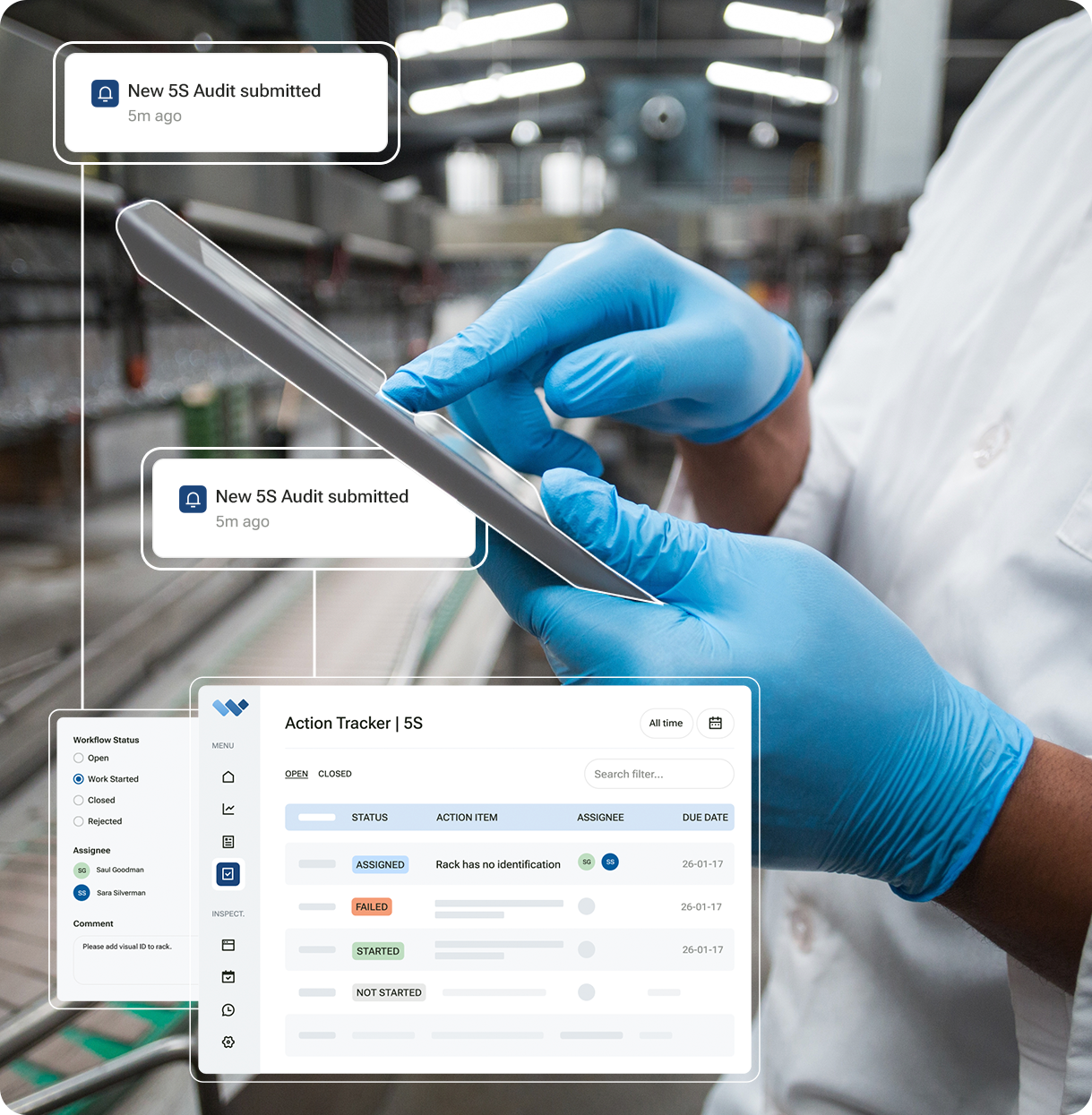
Placement guidelines, before-and-after photos, and layout decisions get captured directly in the platform, so they carry forward cleanly into Standardize's SOPs and Sustain's audit checklists, with nothing depending on paper surviving the handoff between steps.
.png)
Want to see how Weever documents your Set in Order layouts and carries that record through the rest of your 5S program? Book a demo and we'll show you.

.webp)

Spend Less Time on Admin. More Time Improving Operations.
See how Weever automates data entry, reporting, and action items so you can focus on improvement not admin.