
How to Comply with New OSHA Digitized Reporting Regulations

.avif)
Table of contents

Share:


OSHA (Occupational Safety & Health Administration) is responsible for protecting worker health and safety in the United States. To comply with OSHA requirements employers must document work-related injuries and illness using 3 forms:
- Form 300 Log of Work-Related Injuries and Illnesses - overview of incidents for a given year.
- Form 300A Summary of Work-Related Injuries and Illnesses - Summary of the log including total numbers of each type of injury.
- Form 301 Injury and Illness Incident Report - Detailed account of incident.
Incident reports must be initiated within 7 days of a workplace incident and the log and summary (300 and 300A) must be submitted to OSHA once a year. OSHA has provided this form if you wish to collect this information manually: https://www.osha.gov/recordkeeping/new-osha300form1-1-04-FormsOnly.pdf
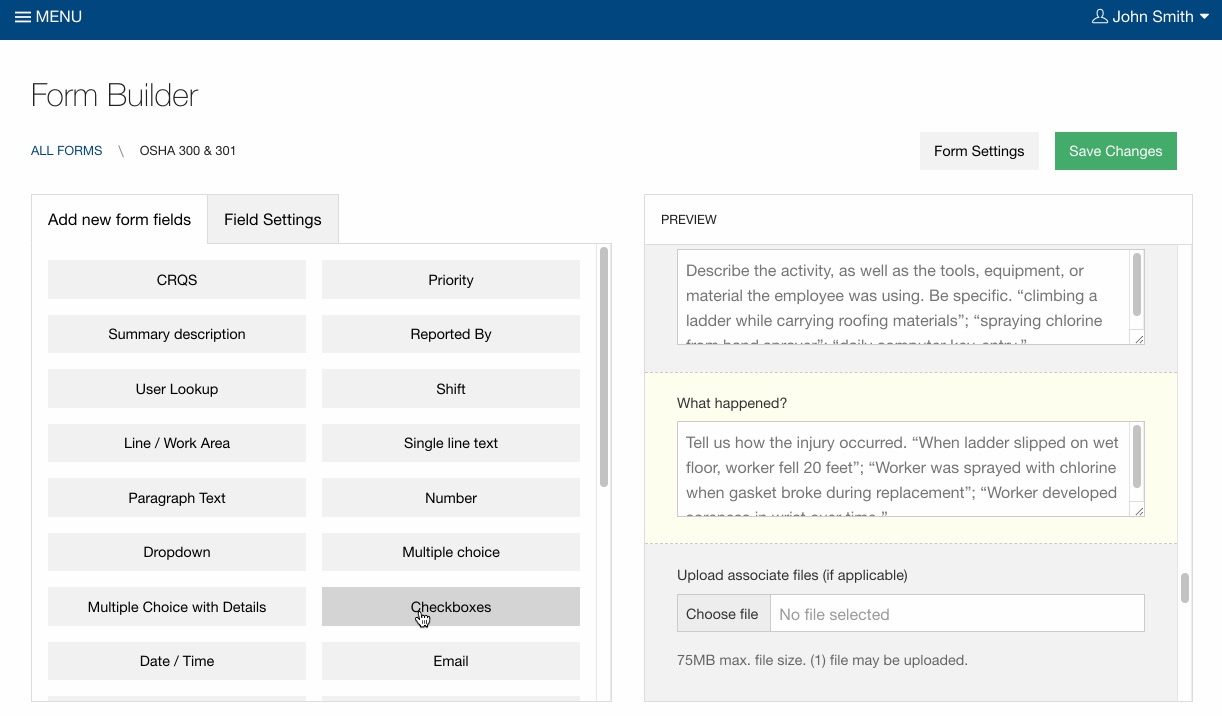
1. Form Builder
Adapt the OSHA Form Templates to suit your specific regional requirements. For simplicity of record keeping, Weever Forms has combined forms 300 and 301.
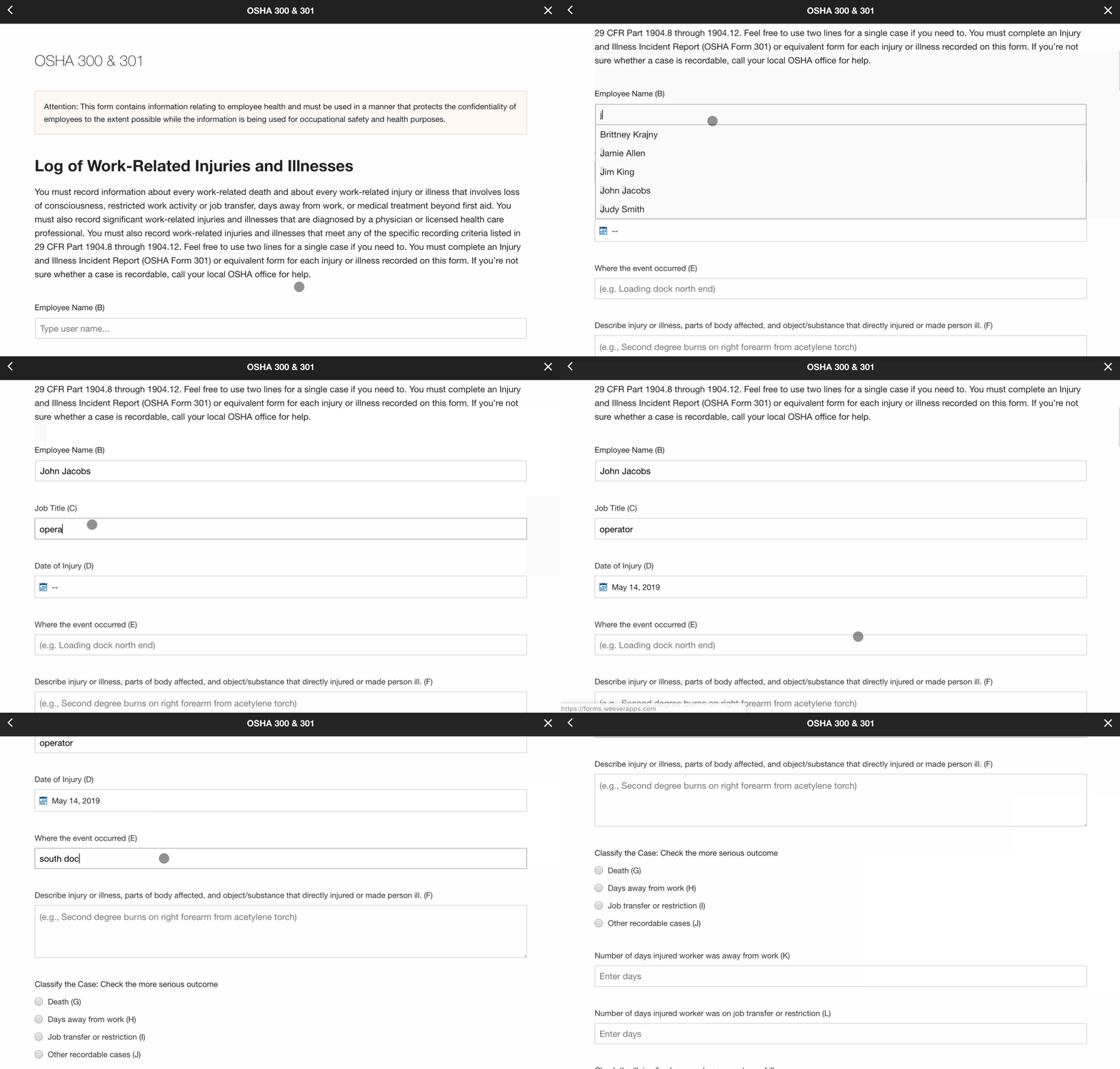
2) Data Capture
In the event of an injury, supervisors can collect data on virtually any device. Add photos and signatures. Automatically alert specific managers based on certain selections (conditional notifications). Each report is automatically attributed to a unique case number.
3) Assignments & Workflows
If you find cases are missing information assign reports to supervisor to request they complete missing fields and close the report. Supervisors can add additional information when new case information is available. This allows your organization to have a secure single-point-of-truth for your OSHA reports.

4) Generate Reports
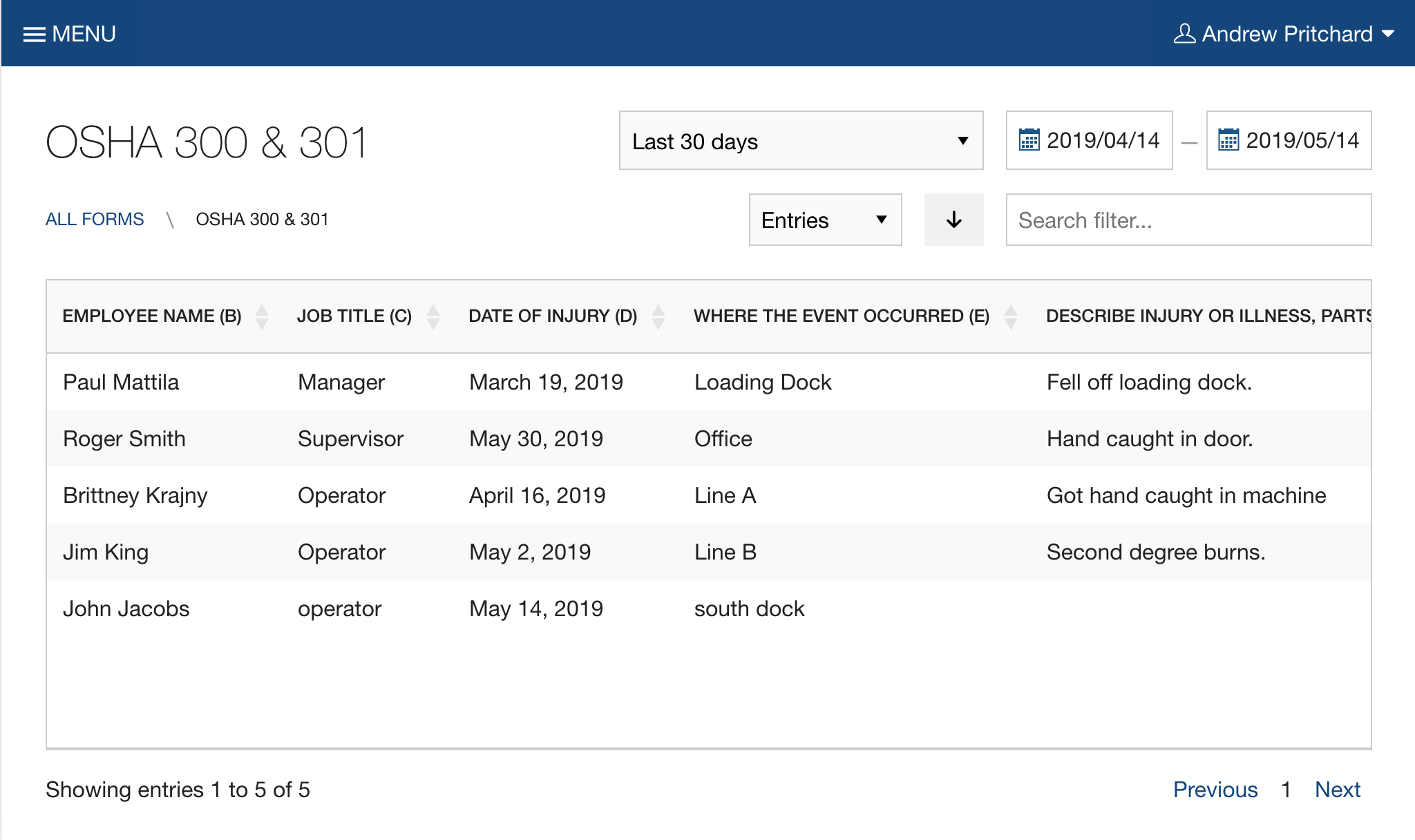
At year end, review your OSHA reports to ensure there is no missing data.
Download a CSV of the report to summarize totals for the 300A report. You will also need to omit personal information for the final 300 report you send to OSHA.
Copy and paste the summary totals from your spreadsheet into your 300A report. Once completed, the PDF can be printed and sent to OSHA.


Schedule a demo
The best way to understand our software is to experience it.

.webp)

Spend Less Time on Admin. More Time Improving Operations.
See how Weever automates data entry, reporting, and action items so you can focus on improvement not admin.