
How to Engage Operators in Total Productive Maintenance and Autonomous Maintenance

Table of contents

Share:


Tell a crew of operators the plant is "rolling out TPM" and you can usually read the reaction on their faces: here's another program, and it means more work on top of running the line.
They're not wrong to be wary. Plenty of maintenance initiatives have asked operators for effort and given nothing back: checklists nobody reads, reports that disappear, results nobody shares. Engage operators properly and they become the people who catch problems first, because they're at the machine every shift. Lose them and the program becomes a stack of initials on a form.
This article covers why operator engagement decides whether TPM and autonomous maintenance work, what kills it, and eight practical ways to build it, with examples from plants that got it right.
Why operator engagement makes or breaks TPM
Total Productive Maintenance (TPM) aims to involve everyone in keeping equipment running, from plant leadership and engineers to maintenance technicians and operators. One of its core pillars, autonomous maintenance, is where operators come in: they take on routine cleaning, inspection, lubrication, tightening and abnormality reporting on the equipment they run. World Class Manufacturing (WCM) programs include the same pillar.
In a conventional model, the machine runs until it breaks or hits its PM date, then it's maintenance's problem. In autonomous maintenance, operators handle the simple care and catch the early signs. That only works if operators actually want to do it. Every other part of the program (standards, schedules, software) depends on that.
What kills engagement, and what builds it
What builds engagement
What operators need to see
- Standards they helped write
- Checks that fit inside the shift
- Training on why, not just what
- Every report acknowledged and closed
- Results shared at the line
- Their catches recognized by name
What kills it
What operators learn to expect
- Checklists written in an office
- Long forms nobody can finish
- A checklist with no explanation
- Reports that disappear
- Data nobody looks at
- Only hearing about AM when it’s missed
Close the loop first. If reports go nowhere, nothing else on this list will hold.
Most disengagement isn't about attitude. It's a rational response to a program that asks for effort and shows no result. Fix what operators experience and their behaviour follows.
1. Start with why, and what's in it for them
Operators won't own something they don't understand. Explain why the plant is doing AM in floor terms: fewer breakdowns in the middle of a run, fewer frantic restarts, more say over their own equipment. Be honest that it takes time, and show where that time comes from in the schedule.
2. Write the standards with them
The people who run a machine every day know which check points are impossible to reach, which instructions get misread, and which problems keep coming back. Walk the line with operators when you write CIL standards, and use their words in the instructions. A standard operators helped write is one they'll defend.
3. Assign it and schedule it
If you don't assign it, it won't happen. That's never more true than on the shop floor, especially for tasks outside an operator's usual role. Every CIL check needs an owner, a machine, a time and a frequency, built into the shift rather than squeezed in "when there's time."

4. Make every check quick and easy
Operators will push back on tasks that take a lot of effort, and they're right to. Keep each check short, sequence the checklist in the order an operator walks the machine, and remove anything that doesn't earn its place. On digital forms, features like photo capture with sketching, voice-to-text, automatic calculations and conditional logic (only showing follow-up questions when a check fails) cut the time further.
5. Teach how the machine works
Sometimes called "step 0," education gives operators basic knowledge of their machine's components and functions before they're asked to inspect them. An operator who understands why a chain needs lubricating, and what happens when it doesn't, does the check properly and notices when something's off. One who's just following a list ticks the box. See training your team in autonomous maintenance for a full curriculum.
6. Close the loop on every report
This is the one that matters most. When an operator reports a problem, they need to see it acknowledged, owned and fixed, or told why it's waiting. If reports disappear, reporting stops, and no amount of encouragement brings it back.
Royal Canin's Lebanon, Tennessee factory learned this the hard way. Its abnormality program had stalled under a legacy system, with a backlog of over 300 unresolved issues.
“Nothing got fixed. The lack of discipline and poor usability for action owners left us spinning our wheels.”
Sergei Pinchuk, Supply Excellence Manager, Royal Canin, on the program before Weever
Read the case studyAfter moving to Weever, with simple reporting and a clear owner for every issue, the factory logged 100+ abnormalities from 60+ active users in its first 90 days. By late 2024 it had captured nearly 3,000 abnormalities with a 95% close rate, and was recognized as the leading Royal Canin facility in North America for abnormality handling (case study).
7. Make results visible
Operators should be able to see what their checks are achieving: breakdowns trending down, issues closed, a failure caught before it stopped the line. Put a few trends on an autonomous maintenance board at the line and review them in a short daily huddle.
8. Recognize the catch
When an operator spots a problem that would have caused downtime, make it a story. Share it in the huddle, turn it into a One Point Lesson, and thank the person by name. Recognition costs little and tells everyone what the plant values.
Making recognition easy helps too. Mars Snacking's Topeka facility moved its paper KUDOS recognition program onto Weever, and monthly recognition submissions grew from roughly 286 to around 1,000, including from associates without regular computer access (case study). The site's headcount also grew over the period, so the comparison isn't exact.
How to tell engagement is working
Completion rates alone can hide disengagement: a ticked box doesn't mean a done check. Watch these instead:
- Abnormalities reported per operator, especially reports that go beyond the scheduled checks.
- Abnormality close rate and time to first response, which show whether the loop is working.
- Improvement suggestions from the floor, and how many get adopted.
- Participation across shifts, not just on the shift with the keenest supervisor.
Royal Canin, Lebanon, TN
60+
Active users logging 100+ abnormalities in the first 90 days
Royal Canin, Lebanon, TN
95%
Abnormality close rate, with nearly 3,000 captured by late 2024
Mars Fort Smith
89%
Abnormality close rate after moving AM onto Weever
Mars Snacking, Topeka
~1,000
Monthly recognition submissions, up from about 286 on paper
Sources: Royal Canin case study; Mars Fort Smith case study; Mars Snacking case study (site headcount also grew over the period).
How Weever helps engage operators
Weever is built so the right thing is the easy thing. Checks are scheduled and assigned automatically, run on shared devices with no app to install and no login, and show the photo, target range and One Point Lesson for every step. When an operator reports a problem, it routes to maintenance with the photo attached, and the operator can follow it through to closure. Site-wide pricing means every operator can take part without per-seat licences.
At Mars Fort Smith, a Mars site we worked with, a core group led a soft launch and the whole site took to it. The team added Connection Point forms that gave operating staff a stronger voice in day-to-day operations, alongside an 89% abnormality close rate.
See how operators report, and see results
Book a demo and we’ll walk through an operator’s check, a reported abnormality and its route to closure, using one of your current forms.
Book a demo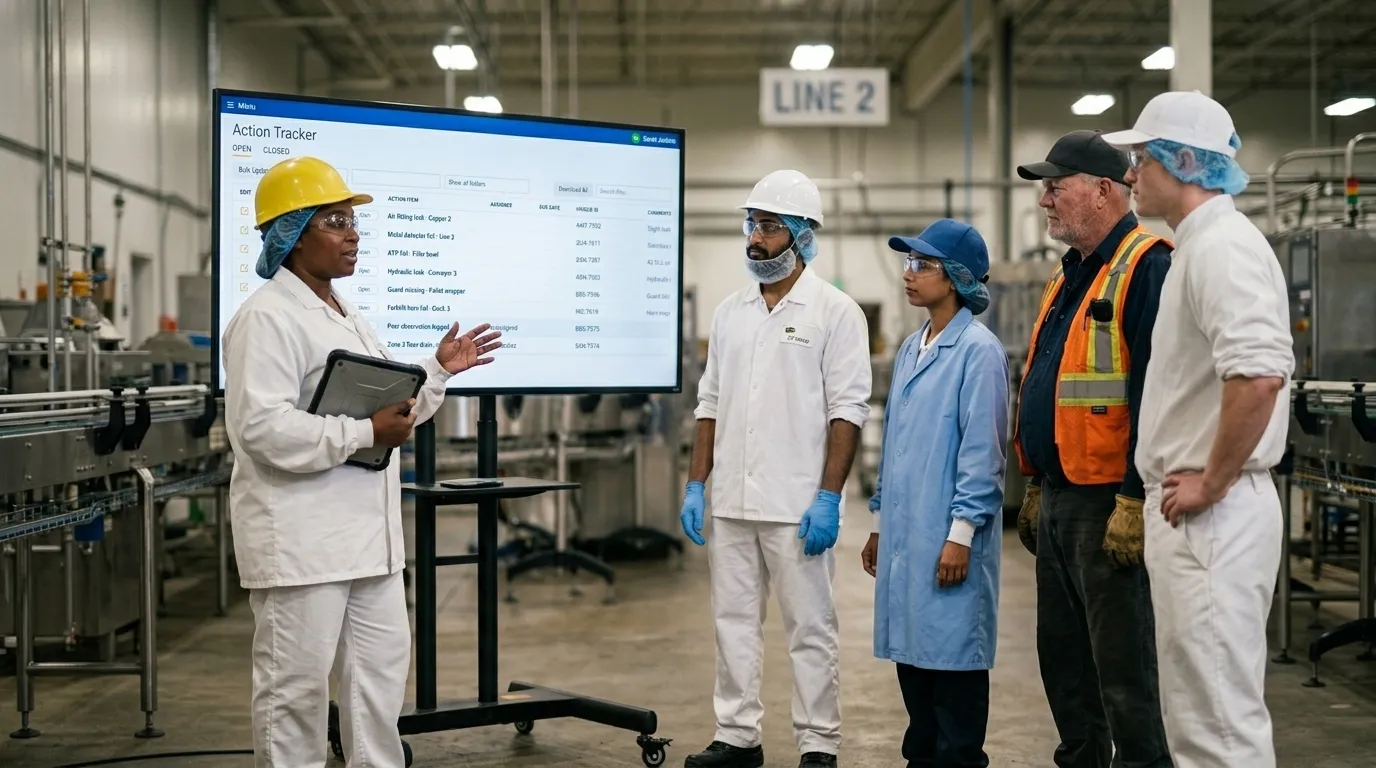
Spend Less Time on Admin. More Time Improving Operations.
See how Weever automates data entry, reporting, and action items so you can focus on improvement not admin.