
How to effectively manage end-of-shift reports in manufacturing
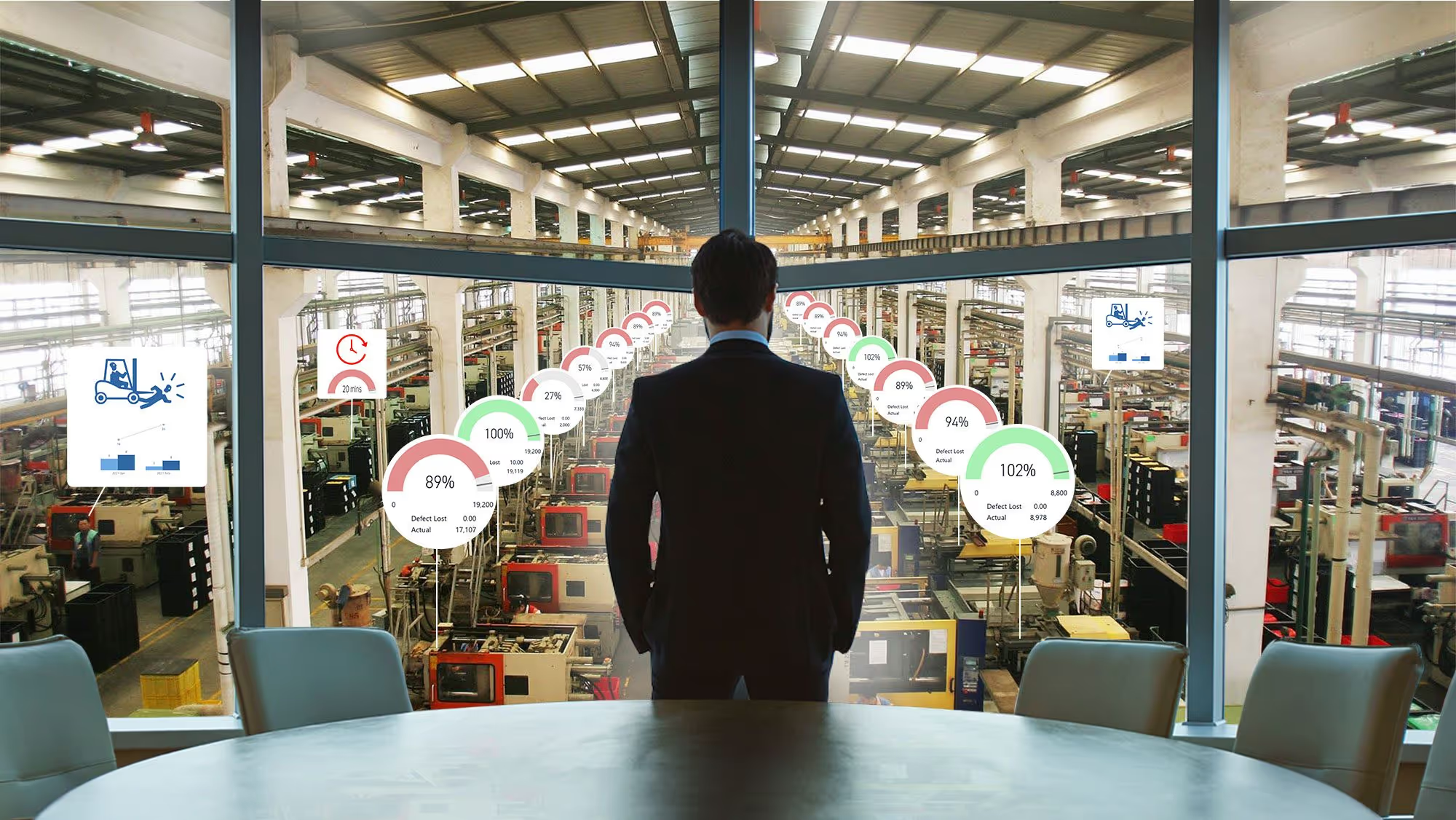
Table of contents

Share:


It is 6:52am. The outgoing shift lead has eight minutes, a clipboard, and half a page of notes written at 6:40 because that was the first quiet moment of the night. The incoming lead gets the headline numbers and one sentence about the filler on line three acting up again.
By 9:30 the filler stops. Nobody on days knows that nights adjusted the timing twice, that the same thing happened Tuesday, or that the night lead thinks the seal is worn. That went home in someone's head.
A good end-of-shift report means the next crew starts the shift already knowing what to watch. A bad one means every shift rediscovers the same problem, and the plant only finds out how long it has been happening when a reliability engineer goes looking eighteen months later.
This article covers what belongs in a shift report, why handover is where most plant knowledge quietly disappears, and six things that make the report something the next shift actually uses.
What belongs in an end-of-shift report?
A shift report is the handover record: what happened on your shift, what state you are leaving the line in, and what the next crew needs to pick up. Most plants cover six areas.
- Production. What ran, what was produced, OEE or rate against target, and where each order stands at the end of the shift.
- Downtime. Minutes and reason codes, plus what was actually done about it. The reason code alone is rarely enough for the next shift to act on.
- Safety. Incidents, near misses, and hazards reported, along with anything left unresolved that the next crew will walk past. More on capturing these in the moment on the safety observation page.
- Quality. Defects found, checks completed, out-of-spec readings, and anything on hold or awaiting disposition. See quality checks.
- Maintenance and abnormalities. Unplanned stops, breakdowns, inspections completed, and abnormalities found or fixed. If your operators run CILs and centerline checks, this is where autonomous maintenance data belongs.
- Continuous improvement. Open 5S findings, improvement projects that moved or stalled, and anything the next shift owns. See 5S auditing.
That list is the easy part. Most plants already agree on it. The hard part is that the report captures the what and almost never captures the why.
Why shift handover is where plant knowledge disappears
Weever surveyed 167 manufacturing leaders at companies with 500 or more employees in August 2026. Two findings land directly on shift reporting.
- 62% say important operational knowledge frequently or very frequently stays only in the experience of operators and inspectors rather than being captured as data. Only 8% say it rarely happens. Nobody said never.
- 51% say the same issue gets recorded differently depending on the person or shift logging it. One shift writes "leak." The next writes "seal weeping." A third writes "minor drip, monitored." Same failure, three records, never counted together.
[Source: Weever, The State of Data Capture in Manufacturing, 2026 Edition, n = 167]
Put those together and you have the handover problem in two numbers. The context that would help the next shift mostly does not get written down, and what does get written down is not consistent enough to compare across shifts.
The knowledge was never hidden. Nobody ever gave the operator thirty seconds and a place to put it.
This is also why a shift report built on a shared notebook or a whiteboard photo never turns into anything. Three years of handover notes should tell you which line eats the most unplanned downtime on nights and why. Usually it cannot, because the notes were never the same record twice.
Six ways to make end-of-shift reports worth reading
1. Capture during the shift, not at the end of it
A report written in the last ten minutes is written from memory, and memory compresses. The 2:14am adjustment becomes "some issues with the filler."
Capture each event when it happens, on a shared tablet or phone at the line, and let the report assemble itself. The shift lead reviews and signs off rather than reconstructing eight hours from notes. This also fixes the thing operators hate most about handover paperwork: it stops being a task at the end of a long shift.
2. Structure the fields so entries are comparable
Free text is where consistency dies. Use defined reason codes, controlled answer options, and acceptable-value ranges so an out-of-spec reading is flagged as it is entered, not discovered in review.
The test is simple: can you count how many times the same problem occurred this quarter? If the answer requires someone to read every entry and interpret it, the fields are wrong.
3. Require the why on anything out of range
This is the single highest-value change most plants can make. When a reading falls outside range or a stop exceeds a threshold, require a short note, and make it easy to give: voice-to-text, a photo of the condition, a dropdown of likely causes with room to add.
"Head 6 light, roughly 4g under. Increased fill timing 0.2 sec, rechecked, in spec. Seal looks worn, flagged." That is thirty seconds of typing and it is worth more than an hour of reconstruction later. "Adjusted filler" is a timestamp with nothing attached to it.
4. Turn open items into owned actions, not notes
Most shift reports end with a list of things somebody should look at. Nobody owns them, so they carry over, get restated the next morning, and eventually stop being mentioned.
Every unresolved item should generate an action with an owner, a due date, and reminders, tracked to closure. This is usually framed as accountability, and it is, but it is also what keeps reporting quality up. When operators see the things they flag get fixed, they keep flagging them. When they do not, the reports thin out within a quarter and no policy will stop it.
5. Broadcast the report where the huddle actually happens
Put the shift summary on a screen at the line, not in an inbox. The report should be what the pre-shift huddle runs on: last shift's rate against target, open safety items, anything on hold, and the two or three things to watch today.
Use colour to carry the load. Red and green against acceptable ranges lets a crew read the board in fifteen seconds instead of parsing a table. Whether you want one view per line or a single plant-wide view across every line, the data should feed your existing dashboards and Power BI automatically rather than being rebuilt by hand each morning. That is the difference between a manager reviewing results and a manager compiling them.
6. Report the essentials, link to the depth
Once shift reports go digital, the instinct is to add everything. Resist it. A report with sixty fields is not more rigorous than one with twelve. It is a twelve-field report with forty-eight fields of noise, because a form that long gets filled from memory rather than from the line.
Keep the handover view to what the next shift needs to make decisions in the first hour. Layer the rest: link to the full downtime detail, the quality check records, the open action list. Depth stays available, the handover stays readable.
What this changes in practice
The gain is not a shorter handover meeting. It is that the next shift starts already knowing what to watch, and the plant can finally see a recurring problem as recurring.
Adient's Liverpool plant, an automotive seating manufacturer we worked with, recovered four hours a week from paper audits and spreadsheet tracking and put that time onto larger continuous improvement work. Carried open issues dropped from more than 60 a month to fewer than five, and plant 5S scores rose from 85% to 97%. Same principle applies to handover: when the follow-up is owned and visible, items stop carrying over indefinitely.
There is also the downstream point. 73% of leaders in our research say limited trust in frontline data already prevents their organization from relying on AI, while 83% have AI deployed or in pilot. Handover notes are some of the richest operational context a plant produces, and in most plants they are also the least structured. If you want AI that can explain why line three underperforms, the shift report is one of the places that explanation has to be captured first. We covered that argument in full in why digital data capture matters.
How Weever handles shift reporting
Weever is the Connected Worker Platform built for food, beverage, and CPG manufacturers. Safety, sanitation, quality, autonomous maintenance, 5S, and production reporting run on one system, which is what makes a real shift report possible: the handover pulls from the same data your programs already generate instead of being typed up separately.
- Capture at the line, on any device. Weever runs in any mobile browser on shared tablets, phones, or kiosks. No app install, no personal accounts, no per-seat licenses. Forms are modelled on the checklists your team already uses, with multilingual support for diverse crews. See the operators page.
- Context, not just checkboxes. Photos, video, voice-to-text notes, QR codes that tie an entry to a specific asset, and conditional logic that asks for the why only when something is out of range.
- Nothing carries over silently. Out-of-spec entries create action items automatically, with an owner, due date, and reminders, tracked to closure.
- Reports that build themselves. Data flows from the floor into dashboards and Power BI without anyone compiling it, so shift summaries are current at handover instead of a day behind. More on this on the managers page.
- Live in weeks, not months. No process redesign, minimal IT. Our team builds the first version of your forms. See why plants choose Weever.
The takeaway
Every shift already knows things the next shift needs. The only question is whether your handover gives them thirty seconds and a place to put it, or sends it home at 7am.
Want to see your current shift report in Weever? Book a demo and we will build one handover view from your existing form, end to end, from capture at the line to the action item to the board at the huddle.
.webp)

Spend Less Time on Admin. More Time Improving Operations.
See how Weever automates data entry, reporting, and action items so you can focus on improvement not admin.