
6 best food safety audit and compliance software for manufacturing plants in 2026

Table of contents

Share:


Quick summary
Food safety audit and compliance software refers to digital systems that help manufacturers record and manage food safety work. It helps reduce audit preparation time and build better records for traceability. To pick the best food safety audit and compliance software for your plant, consider setup time, the size of your organization, and whether or not the platform offers scalable pricing.
Our top 3 choices are:
Not sure which food safety audit tool fits your plant?
At most plants, the story is the same. Staff spend hours each day on paperwork and data entry, while leadership is asking for ROI that spreadsheets can’t show. You know it’s time to move to a more sustainable system that keeps you audit-ready and makes compliance part of your day-to-day operations.
But how do you choose? The market is crowded, and each platform has its own specific use case.
In this Weever guide, we compare six food safety audit and compliance platforms worth considering in 2026, what each does best, and which one makes the most sense for your plant.
But first…
Why listen to us?
Weever was built alongside real manufacturing teams, not in a software lab. Our founder, Steve McBride, spent over 25 years in manufacturing studying problems before creating Weever. Since then, we’ve built digital compliance tools for teams like Mars, Unilever, and Monin.
That hands-on experience gives us a clear view of what goes wrong on the plant floor and what food safety software needs to fix. We use that experience to evaluate and rank the platforms in this guide.
What is food safety audit and compliance software?
Food safety audit and compliance software is a digital system for recording and managing food safety work. Instead of relying on paper checklists and spreadsheets, teams can complete inspections, record sanitation and GMP checks, flag issues, and assign corrective actions from the plant floor.
The exact scope depends on the platform. Some focus mainly on audits, inspections, corrective actions, and audit records. Others cover a wider food safety program, including HACCP plans, supplier documentation, document control, and traceability.
Weever falls into the first category. It runs sanitation, GMP, and quality checks as sequenced workflows on the floor, routing each check through the people who complete, review, and sign off on it, flagging issues and tracking corrective actions to closure. However, it doesn’t handle lot-level traceability, recall management, supplier document control, or HACCP plan authoring.
Why manufacturers use food safety audit software
1. Prove compliance when auditors ask
SQF, BRC, and FSSC 22000 audits require records showing who completed a check, when it was completed, and what the result was. Digital records make that evidence easier to capture and retrieve.
Where 21 CFR Part 11 applies, electronic records also need controls such as unique user identification, timestamps, and secure sign-offs. That gives auditors a clear record of what happened and when.
2. Catch issues before they become recalls
Food safety incidents and recalls remain a serious risk. The earlier a problem is caught, the more options your team has to contain it.
Digital checks can flag out-of-range results as they happen, trigger corrective actions, and keep the issue visible until someone resolves it. That gives teams a chance to address problems before they affect more product or turn into a recall.
3. Reduce audit preparation time
More audits, tighter regulations, and leaner teams leave less time for prevention. Food safety software keeps checklists, evidence, and records organized as work happens. Weever, for example, builds an audit trail from routine sanitation and quality activities, reducing the need for a separate audit-prep exercise.
4. Keep compliance work visible every day
Digital food safety software gives supervisors a live view of what is happening across the plant. They can see completed and overdue checks, open corrective actions, and recurring issues without waiting for an audit or chasing records across spreadsheets. That makes it easier to spot gaps, follow up quickly, and keep compliance on track every day.
5. Build better records for traceability
FSMA 204 has put more pressure on manufacturers to keep accurate, accessible records. Although the FDA has delayed compliance until July 20, 2028, manufacturers still need reliable records when investigating food safety issues or responding to customers and regulators.
Audit software keeps checks, findings, corrective actions, and supporting evidence in one place, making it easier to investigate an issue and connect it to the relevant production records.
Our top list of food safety compliance software
Here is a quick glance at the platforms covered in this review:
1. Weever - Overall best for multi-site food and beverage manufacturers running recurring food safety checks tracked to closure
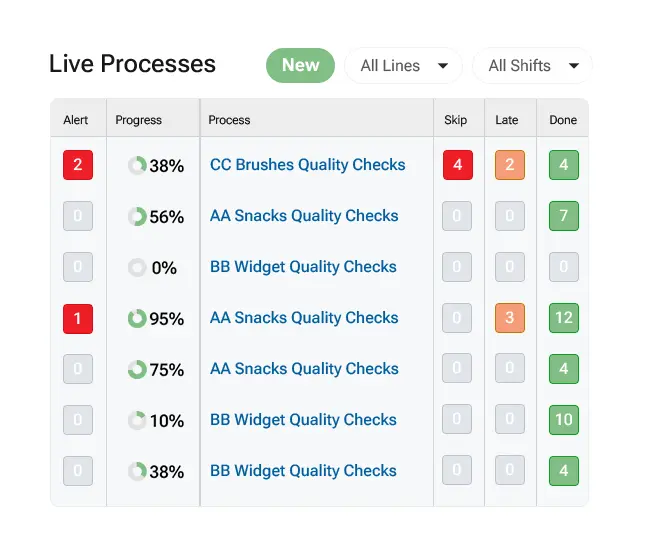
Weever brings sanitation, GMP, and quality checks into a single workflow. Recurring tasks are run on a set cadence by area, room, and shift, completed on the floor with photos and timestamps. The plants using it are typically replacing binders, weekly printed packets, and spreadsheets that nobody reviews until an audit is booked.
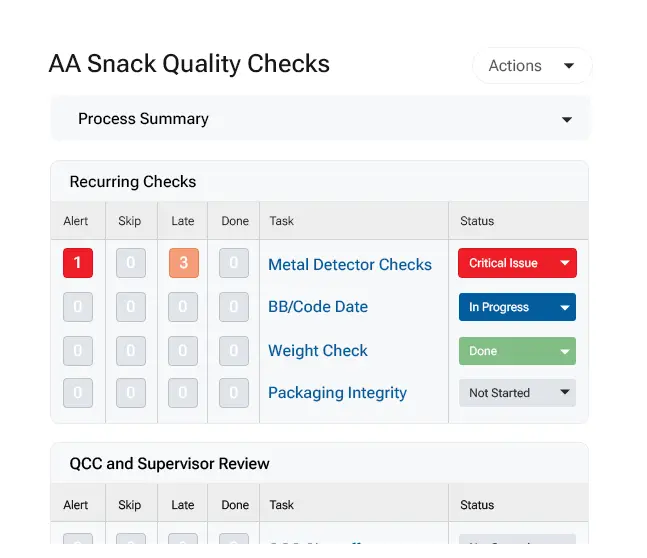
What sets the platform apart from a typical checklist tool is that a check in Weever is a step in a sequence, not a standalone form. Where the record has to hold up, like a CCP or a batch release, work routes by job role rather than by name. An operator completes the check, quality reviews it, and a PCQI signs off, with each handoff notifying the next role. Because tasks belong to roles instead of individuals, the sequence keeps moving when someone is off shift.
When a check fails, the finding becomes an owned action with a deadline. It stays open until someone closes it, and the person who reported it is notified when that happens.
It's worth mentioning, Weever is not a full food safety management system, and it is not trying to be. It doesn't author your HACCP plan or trace lots through your supply chain. If that is your gap, the full-suite solutions below are the better fit.
The platform sits underneath the systems that already hold your standards. It captures the shift-level execution data those systems were never built to collect and feeds it back into your QMS, ERP, or Power BI.
Key features
- Framework-aligned checks with evidence at the source: Create digital checklists for HACCP, GMP, and CCP monitoring, set to recur daily, by shift, or around CIP cycles. Operators attach photos or video as they complete each check, so evidence is tied to the task and timestamped rather than gathered afterwards.
- Real-time out-of-range flagging: Failed checks and out-of-spec results are flagged as they are recorded, helping teams address issues before they remain buried in completed forms.
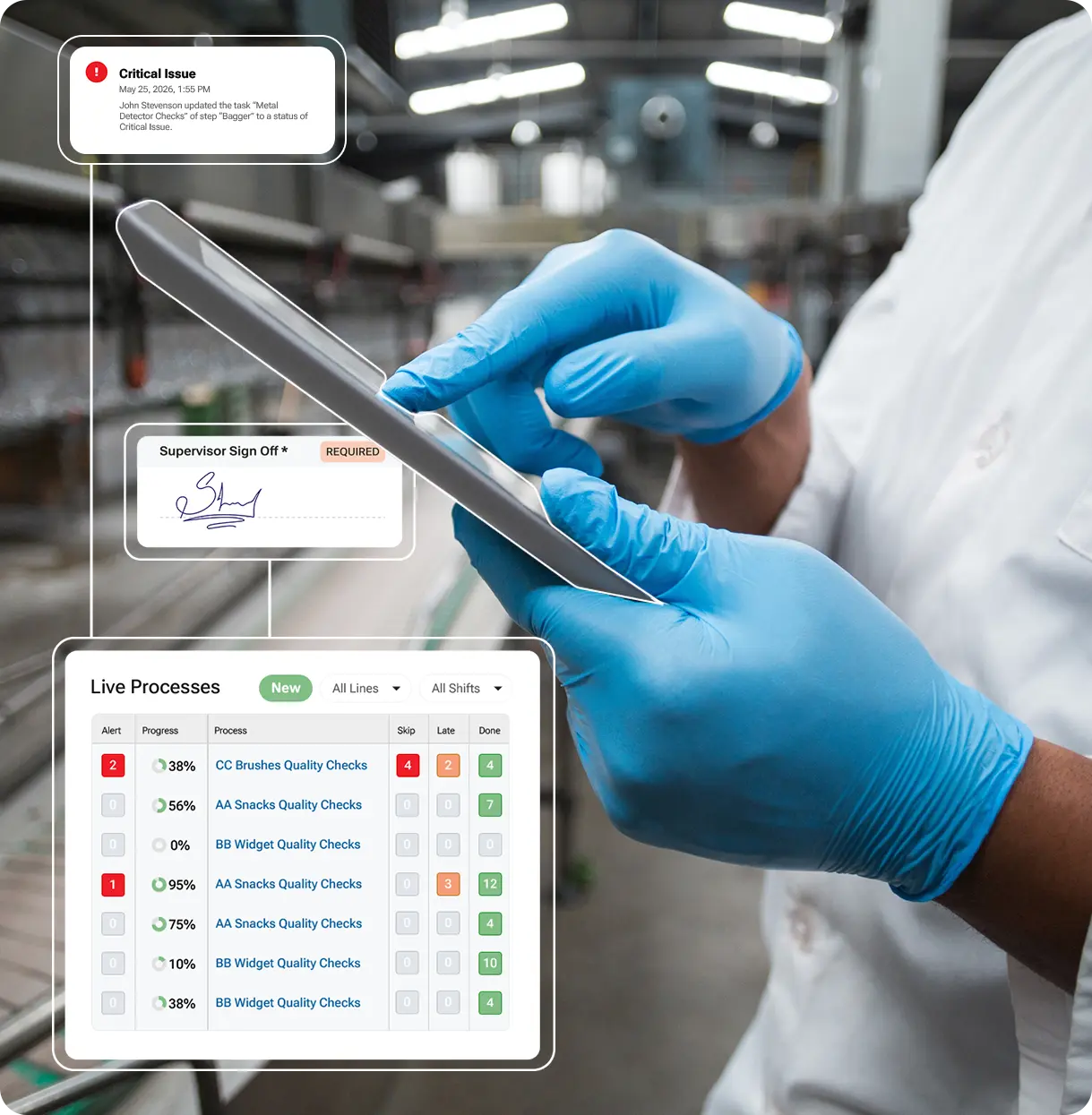
- Skipped and late checks surfaced automatically: Every process shows counts of alerts, skipped checks, late checks, and completed checks before anyone opens a task. Filter by check type across lines and shifts, so a missed metal detector check is visible now rather than at month-end.
- Corrective actions that close, not just log: A failed check creates an action item automatically, with an owner, a due date, and reminders until it is closed. The person who reported the issue gets notified when it is resolved.
- FDA-compliant e-signatures with controlled correction: Signing re-authenticates the user, states what the signature means, and locks the fields it covers. Corrections require an administrator to unlock, which voids the signature and forces it to be collected again.
- Audit-ready record packages: Every entry, change, and sign-off is recorded with user and timestamp. Download a process as a single PDF with every form, the full activity history, and field-level detail, each page tagged with the process ID. Supports 21 CFR Part 11, CFIA, and EU Annex 11, and aligns with GFSI schemes including SQF and BRC.
- Built to feed your existing systems: Export by CSV, pull through a REST API, or connect straight to Power BI and Tableau. Floor-level records feed the QMS, ERP, and reporting tools you already run, rather than sitting in another system you have to log into.
- Multi-site standardization and multilingual capture: Processes can be standardized across sites and shifts, while shared-device workflows and multiple languages make it easier for bilingual and third-party teams to complete checks consistently.
Pricing
Site-wide licensing, not per user. Every operator, shift, and language is included, with no tier to upgrade for more users or languages. Book a demo for a plan tailored to your plant.
Pros
- FDA 21 CFR Part 11 compliance verified by an independent expert
- Role-based access with a user access activity log for IT review
- Site-wide licensing means adding programs or sites doesn't trigger a new negotiation
- Weever builds your first process and gets your team started, without a training programme to schedule
- An optional AI layer, Weever Radar, for asking questions of your check data and getting answers without building a report
Why we picked this platform
Weever is built for processes that have to survive an audit, with role-based handoffs, signature locking, and a full activity trail on every record. That depth is something a general-purpose inspection tool does not carry.
What customers are saying
Case studies across food and CPG operations point to faster checks, stronger follow-through, and less manual reporting. One manufacturer describes running a 5S pilot within a few weeks and going plant-wide within a month, with support they rated among the best they had worked with.
At an FDA-regulated food facility, quality checks dropped from from 5 to 7 minutes to 1 to 2 minutes, freeing 4 to 5 hours per line each day. The same site eliminated the one to two PCQI holds it had been running per period, potentially costing over $200K a year.
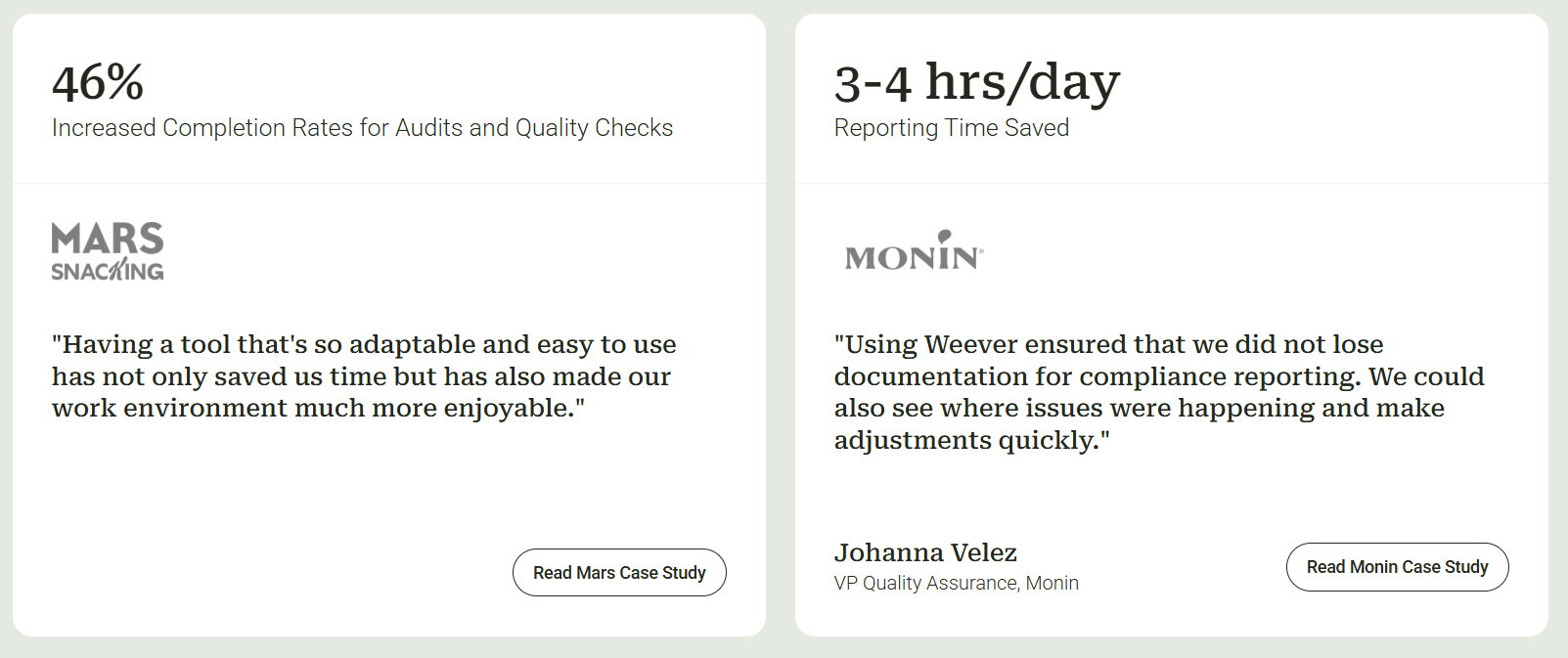
Mars Fort Smith saw an improvement in flagged abnormalities, successfully correcting them. Meanwhile, at a Mars Snacking's Waco plant, audit and quality-check completion rose by up to 46% in some areas, and missed checks dropped from seven per period to two.
"Having a tool that's so adaptable and easy to use has not only saved us time but has also made our work environment much more enjoyable."
2. SafetyChain - Best for plants connecting food safety and quality data to production metrics
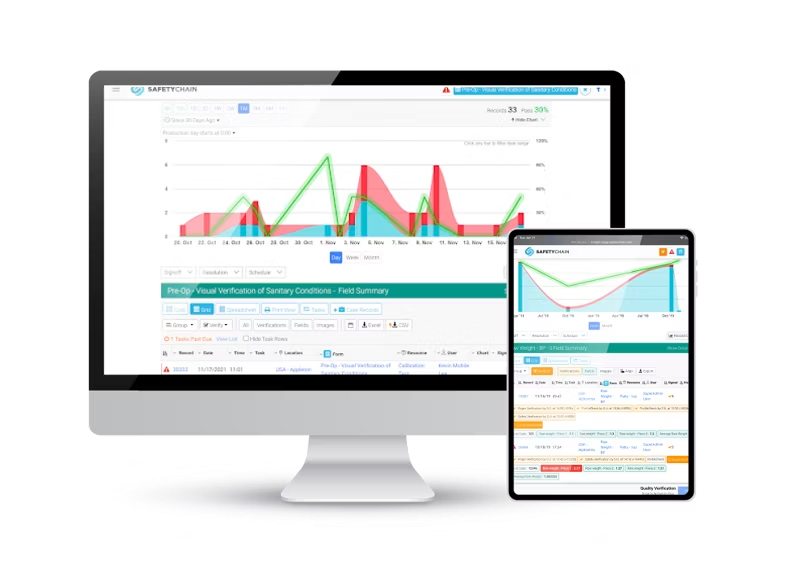
SafetyChain connects food safety and quality data with the production information around it. HACCP, GMP, and sanitation records sit alongside data on downtime, statistical process control, and equipment performance. That makes it less of a standalone audit tool and more of a quality layer within a broader plant management system.
Key features
- Framework-aligned checklists: Create HACCP, GMP, pre-op, and receiving checklists that teams can complete on tablets or workstations.
- Exception flagging and CAPA: Out-of-spec results trigger corrective actions with assigned owners and tracked closure.
- Scheduling and compliance tracking: Scheduled checks retain signed timestamps and audit histories to support USDA, FDA, and GFSI requirements.
- Multi-site visibility: Dashboards bring program status, trends, and risk data together across lines, shifts, and facilities, giving corporate teams a consolidated view.
- Supplier and recall management: Dedicated workflows handle supplier compliance documentation, mock recalls, and hold-or-release decisions.
Pricing
Facility-based monthly subscription. Actual figures require a quote.
Pros
- Pulls data directly from equipment and control systems, not just manual entry
- Integrates with ERP, MES, and lab systems for a fuller operations view
- Flexible and highly customizable software
- 24/7 emergency phone support with a dedicated team for complex, multi-site rollouts
Why we picked this platform
SafetyChain treats food safety data as part of production performance rather than a standalone compliance record.
What customers are saying
G2 reviewers rate SafetyChain 4.5/5, with consistent praise for responsive customer support and real-time reporting. Common complaints point to a learning curve during setup and longer implementation timelines, with a few users noting document control feels less developed than other modules.
3. Safefood 360° (Ideagen) - Best for teams building HACCP plans and supplier docs together
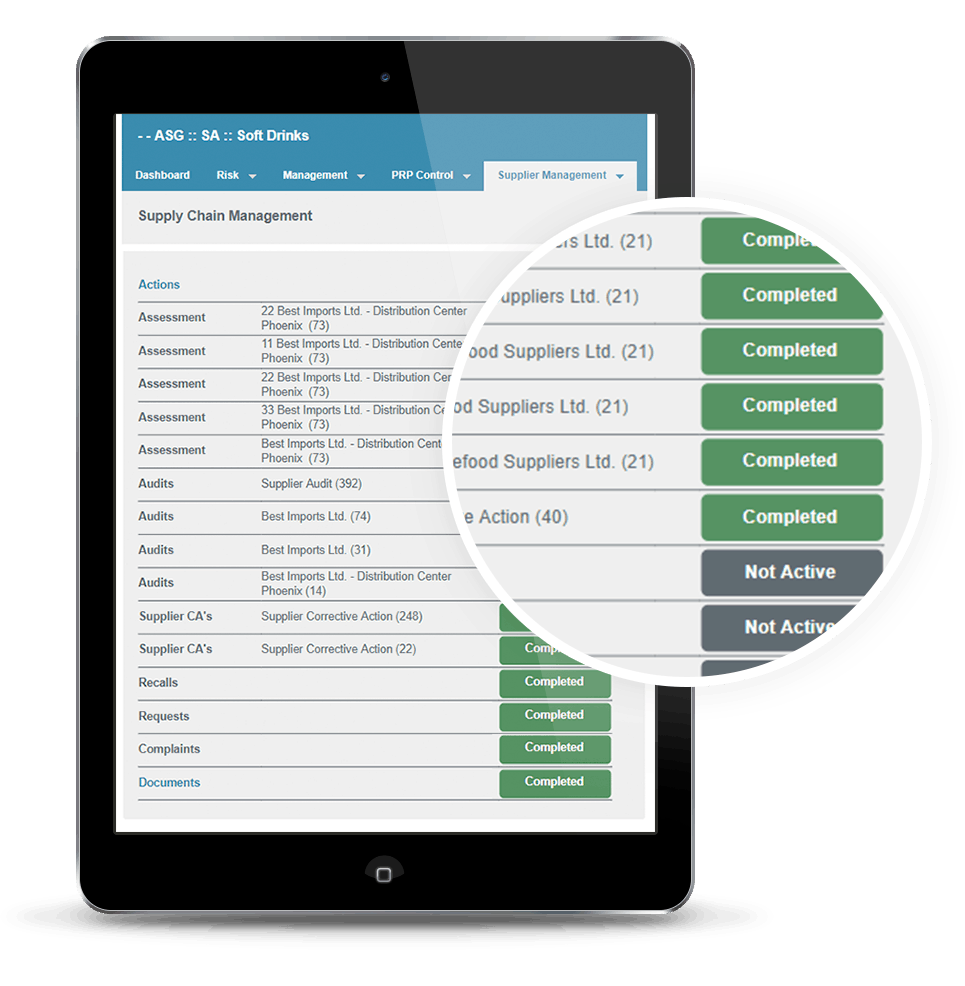
Safefood 360° starts with the food safety plan rather than the checklist. Teams can build HACCP and prerequisite program documentation, then manage audits, monitoring, and supplier oversight against that plan in the same system. This keeps the plan connected to the records and activities used to maintain it.
Key features
- HACCP-linked checklists and evidence: Connect audit and monitoring checklists to HACCP and prerequisite plans, with photos or files attached as evidence.
- Real-time non-conformance and CAPA tracking: Flag non-conformances as they occur and track related CAPAs through resolution.
- Scheduled audits and searchable records: Recurring audits can be scheduled in the platform, while completed records remain searchable during inspections and audits.
- Electronic signatures and audit logs: Supports GFSI schemes, including BRCGS, SQF, and FSSC 22000.
- Multi-site and supplier management: Covers multiple locations, supplier risk, document control, and recalls.
Pricing
Tiered, quote-only plans. Exact figures are only available by inquiry
Pros
- 24/7 customer support for emergency and critical issues
- A separate supplier portal keeps vendor audits apart from internal ones
- Offers open API integration with ERP and custom systems
- Also maps to FSMA requirements, not just GFSI certification schemes
Why we picked this platform
Safefood 360° puts the food safety plan at the center, connecting the documentation behind compliance to the checks that follow.
What customers are saying
Capterra and Software Advice reviews average around 4.2/5. Users highlight strong document control and quick record retrieval during audits, while some report slower load times, a learning curve around risk management, and customization needed for tailored reporting.
4. Trustwell (FoodLogiQ) - Best for multi-partner supply chains needing traceability and recall
Trustwell’s FoodLogiQ focuses on the relationships between manufacturers and their trading partners. Supplier documentation, quality incidents, and product movement are managed in one connected system, extending compliance visibility upstream to suppliers and downstream to shipments.
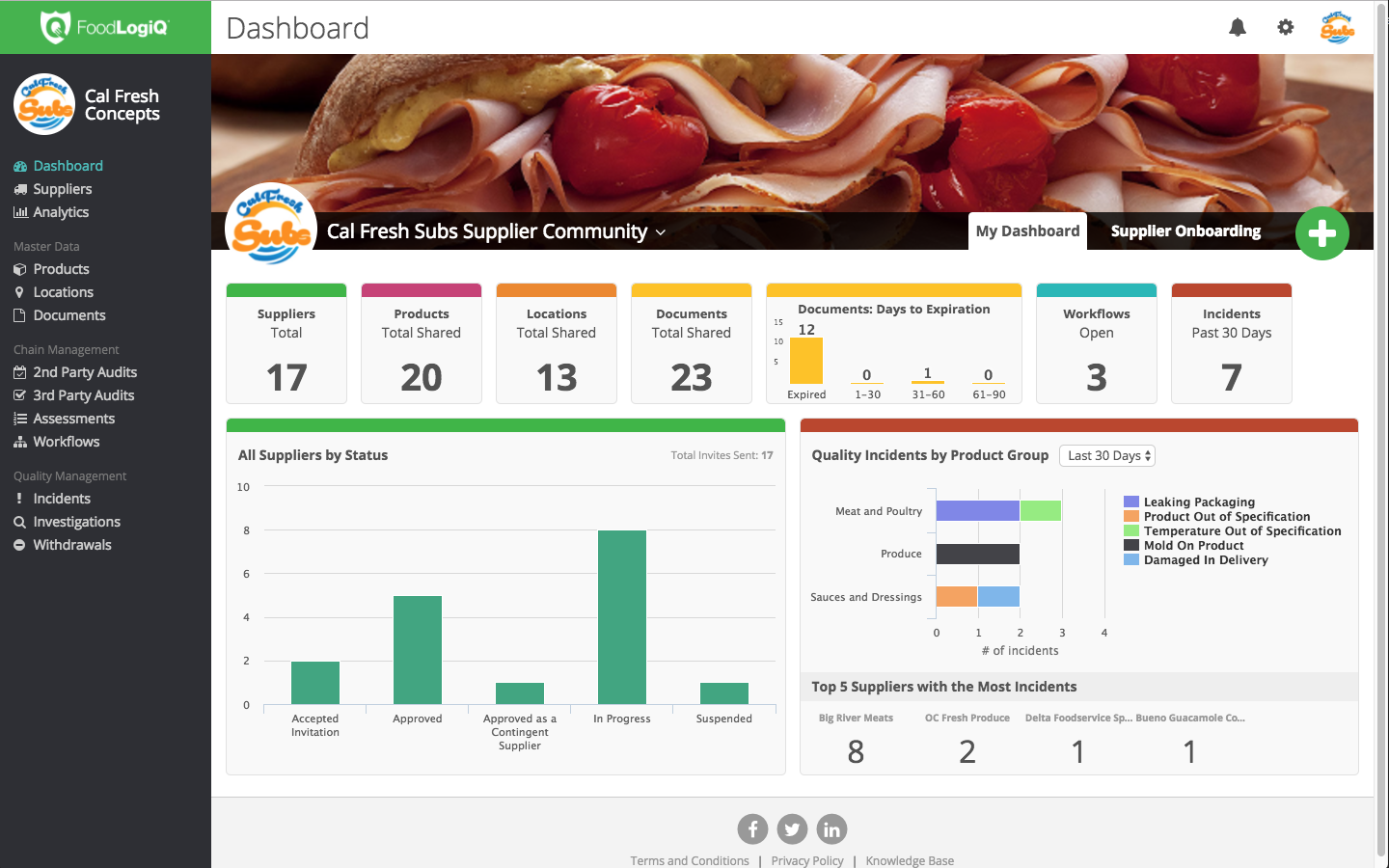
That makes the platform less suited to facilities looking for a system centered on day-to-day compliance work. Its workflows prioritize suppliers, products, and locations, rather than the lines, shifts, and routine checks that plant teams manage every day.
Key features
- Incident capture and evidence: Teams can document complaints, sanitation checks, and product issues across locations, with photos attached to each record.
- Corrective action tracking: Findings from supplier audits and quality incidents move into follow-up workflows and remain tracked through closure.
- Supplier document management: Compliance documents are organized against SQF, BRC, GFSI, and HACCP requirements, reducing manual follow-up.
- Batch-lot traceability: Products can be traced forward and backward by batch or lot, with Critical Tracking Event data supporting FSMA 204 investigations.
- Recall management and network visibility: Recall workflows connect with supplier and location data, giving teams a consolidated view across the supply chain.
Pricing
Tiered pricing, starting at an estimated $32,000/year. Enterprise deployments quoted by module and scope.
Pros
- Built on GS1 data standards, so supplier data follows one common format
- AI-assisted intake speeds up processing incoming supplier certificates
- Also includes nutritional analysis and labeling tools
Why we picked this platform
Trustwell connects supplier documentation, product movement, and recall coordination in a way built specifically for multi-partner supply chains.
What customers are saying
Reviews are limited but generally highlight FoodLogiQ as a strong central record for supplier documentation and traceability, with responsive implementation support. Some users note thinner plant-floor HACCP and QMS capabilities, while others report navigation challenges following the Trustwell rebrand.
That fits where the platform invests. Trustwell is strongest at questions spanning suppliers and shipments. Plants whose main problem is daily execution on the line often run it alongside a tool built for that
5. FoodDocs - Best for independent or small operators building a first HACCP plan
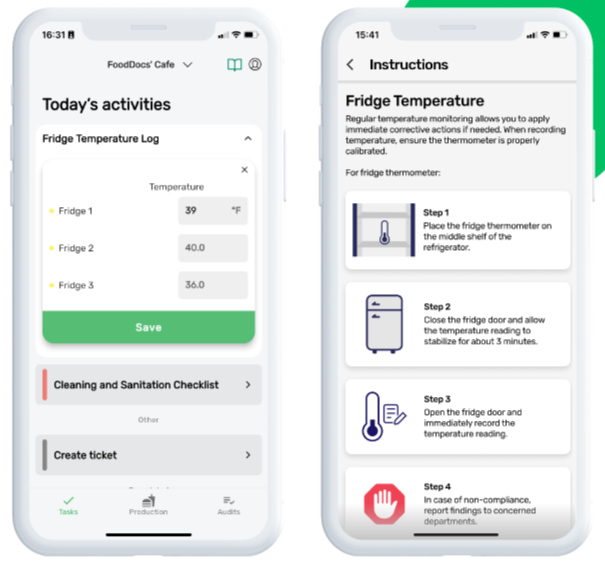
FoodDocs starts with HACCP plan setup rather than an existing paper process. A short business profile generates a draft plan and matching monitoring tasks, which teams can then customize and assign. This makes it particularly useful for smaller food operations building a food safety program from scratch, rather than larger plants standardizing an established program across multiple sites.
Key features
- AI-assisted HACCP plan builder: Create HACCP plans, hazard analyses, and flow charts from your business profile.
- Automated checks and alerts: Sets up daily checks with mobile notifications and dashboard alerts for out-of-limit results.
- Corrective action prompts: When a monitoring check fails, the app prompts users to take corrective action as part of the same workflow.
- Batch traceability and recalls: Searchable batch records and recall plans sit alongside monitoring data.
- Multi-location standardization: Extend HACCP plans and monitoring across locations to keep processes consistent as the business grows.
Pricing
Paid plans start at $99/site/month and scale to $299+/site/month. Multi-site operations can get custom enterprise pricing. There’s also a 14-day free trial available.
Pros
- Connects with smart fridges and temperature sensors for automatic monitoring
- An open API supports sensors beyond the built-in integration list
- New staff onboard using built-in step-by-step photo and video guides
- Phone and live chat support are available alongside email
Why we picked this platform
FoodDocs builds a starting HACCP plan from a short questionnaire, making it accessible to teams that do not already have one.
What customers are saying
G2 reviewers rate FoodDocs 4.9 out of 5, with Capterra reviews similarly positive. Users praise its quick setup and straightforward daily monitoring for small teams. Some mention monthly costs for very small businesses and better performance in Chrome than other browsers.
6. Mitti (SafetyCulture) - Best for custom safety checklists and templates
Mitti (formerly known as SafetyCulture) is a general-purpose inspection and checklist platform used across construction, hospitality, retail, and manufacturing. Food safety programs use the same checklist-and-corrective-action framework as other inspection types, built from templates or custom forms.
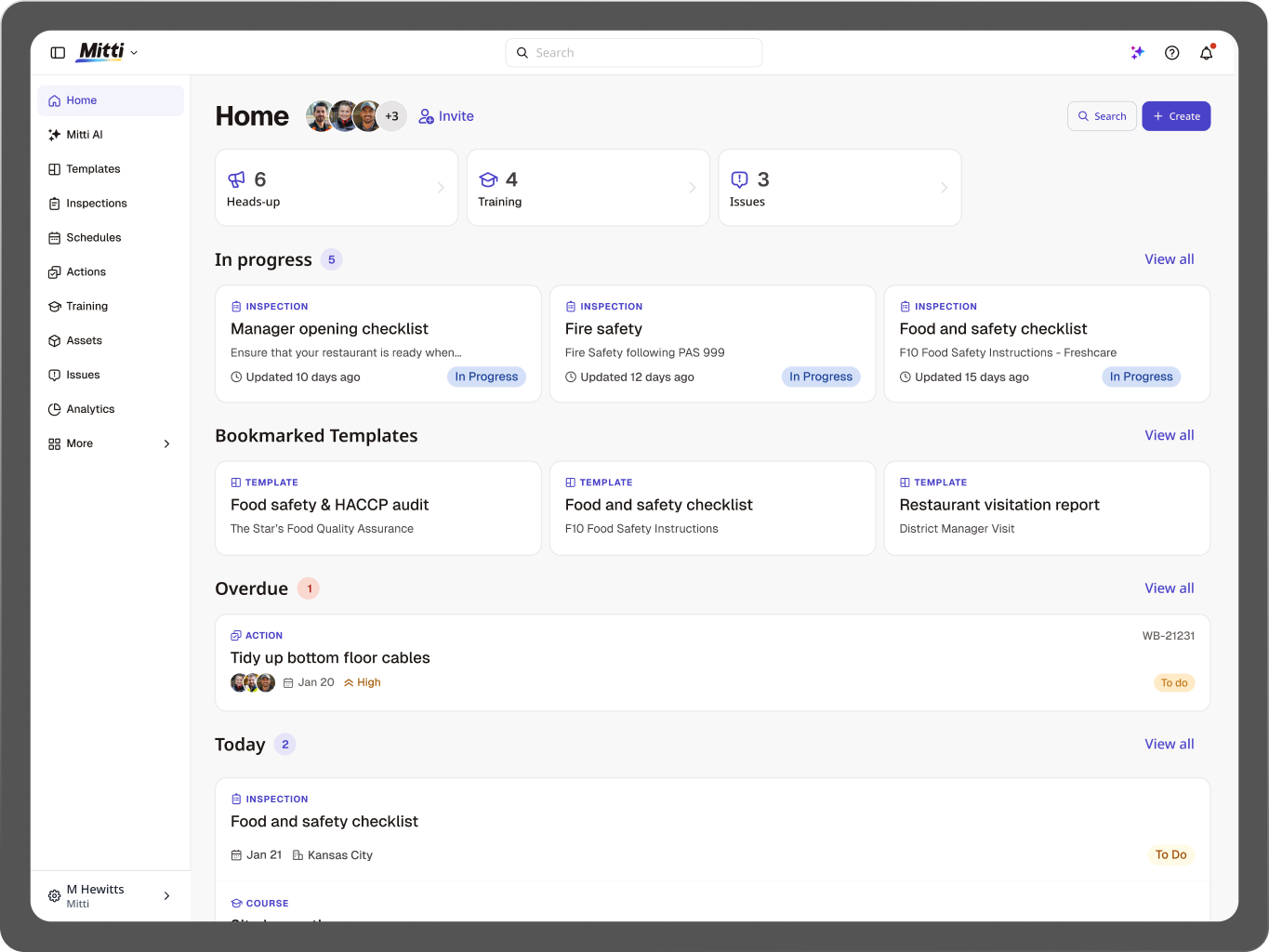
Teams can configure it around their HACCP or GMP program, but the platform itself is not specifically designed around food manufacturing, unlike Weever.
Key features
- Customizable HACCP, GMP, and GFSI checklists: Build or import checklists for HACCP, GMP, CCP monitoring, and FSSC 22000 using templates or a drag-and-drop editor.
- Photo evidence and real-time flagging: Attach photos and videos to inspection items, with critical findings and non-conformances surfaced in the report.
- Corrective actions and e-signatures: Assign follow-up actions when items fail, with e-signatures and approval workflows supporting closeout.
- Recurring scheduling and reminders: Schedule inspections to repeat automatically and send reminders so routine checks stay on track across shifts.
- Multi-site rollout and QR access: Roll out checklists across locations and use QR codes on the plant floor to give workers quick access to the right inspection.
Pricing
There’s a free plan for up to 10 seats. Paid plans start at $29/seat/month for up to 100 users. Teams with more than 100 seats can get custom enterprise pricing.
Pros
- Offline mode lets teams complete inspections without a signal, then sync later
- Includes a built-in training and certification tool for staff
- Integrates with Power BI, SharePoint, and Zapier out of the box
- Multilingual training content
Why we picked this platform
Mitti treats food safety as one use case within a broader inspection system, making it a practical option for teams already standardized on one platform.
What customers are saying
G2 and Capterra reviewers rate the platform around 4.6/5, with frequent praise for ease of use, its template library, and fast photo-based inspections. The main criticism is per-seat pricing, which reviewers say can become expensive as teams grow, while advanced reporting requires higher-tier plans.
A summary of how the six food safety audit platforms compare
The reviews above cover what each food safety audit and compliance platform is built for. This is where they diverge on the things plants actually ask about.
A dash means the vendor does not publicly document this capability. Verified against vendor documentation, September 2026.
No platform here does everything. Weever does not author HACCP plans or handle traceability. The full-suite platforms do both, and cost more to run. The question is which gap you can live with, and that depends on whether your problem is planning compliance or proving it.
How we evaluated the platforms featured
We built this list around how food safety and quality teams actually work, rather than feature lists pulled from marketing pages.
- Framework depth: We checked whether each platform’s checklists and workflows map to standards such as HACCP, GMP, CCP monitoring, and GFSI schemes rather than generic forms.
- Full-loop coverage: We looked for a complete path from a flagged check to a closed corrective action, not just data capture. On Weever, for example, a failed sanitation check can move directly into an assigned corrective action in the same workflow, without exporting data to a separate tracker.
- Independent verification: We checked feature and pricing claims against each vendor’s documentation and cross-referenced them with outside sources instead of taking sales-page claims at face value.
- Honest scope: We also noted what each platform does not cover, since plan authoring, floor execution, and supplier traceability rarely work equally well in one tool.
How to choose the right food safety software
Weigh these factors before committing to a platform.
- Size the purchase to the problem: A full compliance platform is worth the cost and setup time if you need to author HACCP plans, qualify suppliers, or trace lots. If your programs are already defined and the gap is proving they were followed, a suite means paying for modules you will not switch on.
- Ask what makes the record defensible: A digital form is not automatically better than paper. What makes it hold up is a timestamp, the name of the person who completed it, evidence attached, and a sign-off that locks so nothing can be edited afterwards. Ask to see all four.
- Check who actually completes the checks: In most plants this includes third-party sanitation crews, contract staff, and bilingual teams working across shifts. Confirm the platform supports shared devices and the languages your crews use, and check whether that sits behind a higher plan tier.
- Confirm you can get your data out: Floor-level records are only useful if they reach your BI tools and existing systems. Ask which export formats are supported, whether it needs IT involvement each time, and whether reporting requires an upgrade.
- Price for the whole team: Per-seat pricing can look affordable until frontline headcount grows. Site-wide pricing, like Weever’s model, keeps costs more predictable as participation scales.
- Consider setup time: Ask what the vendor needs from you before go-live, whether that’s an existing HACCP plan, mapped suppliers, or an asset hierarchy. Those prerequisites, more than the vendor’s promised timeline, often determine when you’ll actually start seeing value.
Simplify food safety audits with Weever
A paper log or a corrective action that never got closed becomes a finding the moment an auditor asks for proof.
For multi-site food and beverage manufacturers running recurring sanitation, GMP, and quality programs, Weever helps organizations keep the full audit cycle in one place. Site-wide pricing also means every operator, supervisor, and third-party crew member is included from the jump.
If your plant is still piecing audit readiness together with paper forms and spreadsheets, book a demo with Weever, so the next time an auditor picks a random date, you already have the record.
Frequently asked questions (FAQs)
1. How long does it take to implement a food safety compliance tool?
For a single manufacturing site with an existing HACCP plan, cloud-based food safety audit software typically takes 1 to 3 weeks to implement, covering setup, staff training, and a short parallel run. Larger, multi-site rollouts can take several months.
Weever's A.D.A.P.T. framework builds implementation around how the plant already operates, which helps avoid unnecessary process redesign during rollout.
2. Should a food safety team run paper and digital records in parallel during a software rollout?
Yes. Running paper logs and digital records side by side for two to four weeks lets a quality team confirm the new digital records are complete and audit-ready before retiring paper entirely. Skipping this overlap period can create gaps in food safety records during the transition to a new system.
3. Can food safety audit software connect with a manufacturer's ERP, QMS, or SAP system?
Yes. Most food safety audit software is built to work alongside a manufacturer's existing ERP, QMS, or SAP systems through data exports, APIs, or business intelligence tools such as Power BI. Weever follows this same approach, letting floor-level records feed into existing SAP, MES, or CMMS systems instead of creating a separate, isolated system of record.
4. Can temporary, seasonal, or contract workers use food safety audit software?
Yes, though access depends on how the software is licensed. Site-wide or shared-device licensing lets seasonal and third-party workers complete checks without adding cost, while per-seat licensing can make short-term access expensive or difficult for a food safety team to manage.
5. What does "GFSI-aligned" mean for food safety audit software?
"GFSI-aligned" means the software supports the documentation and workflows required by Global Food Safety Initiative (GFSI)-recognized certification schemes, such as SQF or BRC. GFSI does not certify software directly. Certification is awarded to a manufacturing facility's food safety program after a third-party audit, not to the software running on the floor.
.webp)

Spend Less Time on Admin. More Time Improving Operations.
See how Weever automates data entry, reporting, and action items so you can focus on improvement not admin.