
-%20smaller.webp)
.webp)
Explore More Blogs

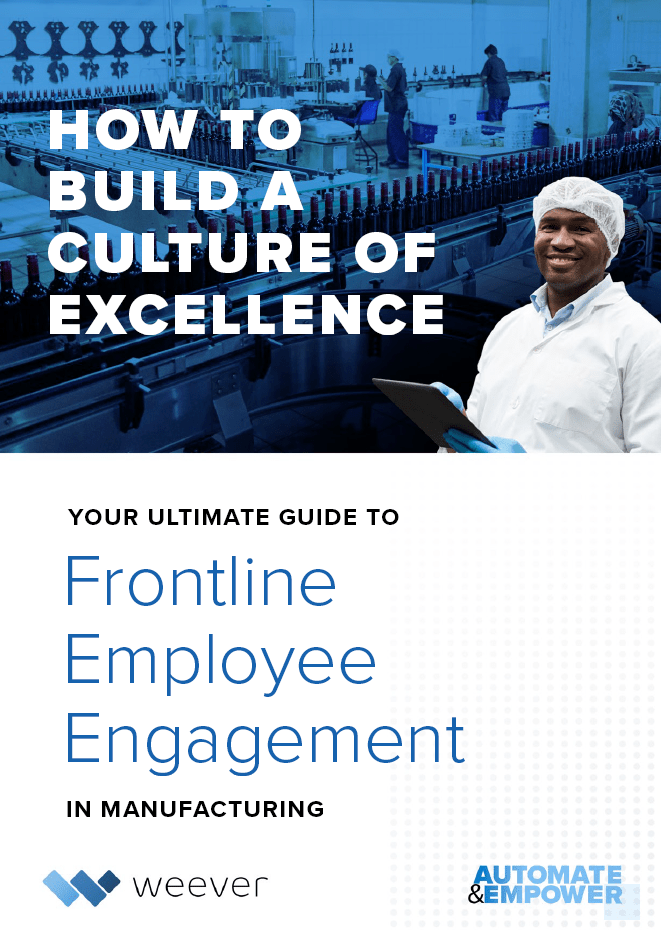
Build a Culture of Excellence through Human Insights
How to Build a Culture of Excellence through Human Insights
Investment in Employee Engagement has been proven to have a positive impact on margins, employee retention, safety, and bottom-line profitability. Employee Engagement is attained by Enabling, Energizing, and Empowering employees to achieve successful outcomes at every level of your organization.
Cultural challenges can be at the root of every issue that your organization encounters, including productivity, safety, quality, maintenance, human resources, and financial performance because it is the foundation on which everything else sits.
If your organization is a vehicle, your culture is the fuel on which it runs. As a result, it doesn't matter if your organization is a "Ferrari" if you are continuously filling it with low-octane petrol your car will sputter off the line, develop costly and recurring maintenance issues, and, eventually, end up in the junkyard.
Whatever your vehicle, your cultural "fuel" defines the level to which your vehicle can perform. Bad fuel = poor performance. Conversely, however, excellent fuel will ensure your organization is operating at peak levels.
What is a "Culture of Excellence"?

Do your employees think that their work is meaningful or are they simply a cog in a wheel? Do they seem inspired or do they drag their feet? Do they seem happy or are they punching a time card and waiting for their shift to be over?
A Culture of Excellence exists where employees are engaged and invested in the pursuit of positive organizational outcomes, manifested through their thoughts, attitudes, and behaviors.
A Culture of Excellence is a set of values and practices that promote continuous improvement, high standards, and exceptional performance throughout an organization. It is characterized by a relentless focus on delivering the best possible products or services, achieving exceptional quality, and exceeding customer expectations.
In a manufacturing organization, a Culture of Excellence is especially valuable because it helps to drive efficiency, reduce waste, and increase profitability. By setting high standards and continuously improving processes, products, and services, a culture of excellence can help to ensure that the organization remains competitive in a constantly evolving market.
A leadership team that fosters a culture of excellence will encourage its employees to strive for excellence in all aspects of their work, including product design, manufacturing processes, customer service, and quality control. They will set clear expectations and provide the necessary resources and support to help their employees achieve those goals. They will also foster a culture of learning, experimentation, and innovation, encouraging their employees to think creatively and try new things in pursuit of excellence.
The benefits of a Culture of Excellence are many. By encouraging frontline employees to aim for the highest standards, a manufacturing organization can improve the quality of its products and services, reduce defects and errors, and increase customer satisfaction. This, in turn, can help to build a positive reputation, attract new customers, and increase sales and revenue.
Additionally, a Culture of Excellence can help to foster a positive and productive work environment. Employees who feel empowered to take ownership of their work and make meaningful contributions to the organization are more likely to be engaged, motivated, and satisfied with their jobs. This, in turn, can lead to lower turnover rates, better retention of top talent, and a more stable and productive workforce.
The Value of Human Insights
Valuing human insight is key to fostering a Culture of Excellence. Employee Engagement builds as employees feel valued because their insights are actioned upon and real results are achieved.
Capturing human insights involves collecting data about the experiences, perspectives, and behaviors of frontline workers in a manufacturing organization. By understanding their needs, motivations, and pain points, the organization can tailor its strategies and initiatives to better engage and support its employees.
Increasing engagement of frontline workers has a direct impact on the profitability of a manufacturing organization for several reasons. First, engaged employees tend to be more productive and efficient, which can lead to higher output, better quality, and lower costs. They also tend to be more creative and innovative, which can drive process improvements, new product development, and other initiatives that create value for the organization.
Engaged employees are also more likely to stay with the organization and to promote it to others, which can reduce turnover costs and attract new talent. They tend to be more committed to the organization's mission and values, which can improve customer satisfaction and loyalty. And they are more likely to contribute to a positive culture and work environment, which can lead to better collaboration, communication, and teamwork.
Capturing human insights is critical to increasing the engagement of frontline workers, which in turn has a direct impact on the profitability of a manufacturing organization. By understanding the needs and motivations of its employees and tailoring its strategies and initiatives accordingly, the organization can create a more engaged and productive workforce that drives growth and success.
Why is a Culture of Excellence important?
Industrial automation has revolutionized the manufacturing industry, but too much dependence on it can create disengaged employees. Building a Culture of Excellence can help to mitigate this issue.
Firstly, it's important to recognize that continuous improvement is essential to maintaining competitiveness and profitability in the manufacturing industry. In order to achieve this, a company needs to constantly look for ways to improve processes, products, and services. This requires additional work and a Culture of Excellence is required to drive continuous improvement.
Building a Culture of Excellence means creating an environment where employees are engaged, motivated, and committed to achieving the company's goals. When employees are engaged, they are more likely to be invested in the success of the company and willing to put in the extra effort required to drive continuous improvement. They will be more likely to identify areas for improvement and contribute innovation that can help the company stay ahead of the competition.
In addition, a Culture of Excellence can help to foster a sense of pride and ownership in the work that employees do. When employees feel that their work is valued and that they are contributing to the success of the company, they are more likely to be satisfied with their jobs and to remain loyal to the company.
Finally, building a Culture of Excellence can also help to attract and retain top talent. In a competitive industry like manufacturing, having a reputation for excellence can help to differentiate a company from its competitors and make it more attractive to potential employees.
Too much dependence on AI and Industry 4.0 industrial automation can also ostracize employees and destroy your culture. (Learn more about our take on Human Intelligence at https://weeversoftware.com/product)
How can Weever help?
Weever provides digital tools that unlocks your team's experience and insights, simplifies decision-making, and removes barriers that are hindering them from achieving their full potential.
Weever guides your team through digital workflows, and empowers them to easily capture their observations, insights, and improvement ideas.
The incredibly valuable human dimension of data capture, fuelled by instinct, experience and intuition, is something that is otherwise difficult to harness and action (and impossible when using paper).
Once captured, Weever transforms people-led data into actionable metrics and real-time insights that allow you to drive your organization forward.
Your employees, in turn, can see and feel the tangible impact that they are making - unlocking the success that comes through an empowered team.
Frontline Employee Engagement is a measure of how invested your frontline employees are in the growth and prosperity of your organization. If you change their investment level by enabling them, energizing them, and empowering them, you will reap the benefits of increased engagement.
- Empower your staff with "bottom up" Operational Excellence tools. Allow staff to understand the value your organization is manufacturing and how it is delivered so that they can correct issues autonomously. Staff can submit suggestions, observations, and abnormality reports and watch the progress of them into site initiatives and improvement projects.
- Energize your staff with personal goal tracking, gamification and automated reward points that they can redeem in your personalized rewards marketplace. Broadcast result KPIs and celebrate wins to keep staff engaged.
- Enable your staff with instant access to modern software that is just as focused on Operational Excellence as it is on Employee Engagement. Weever makes it easy to collect data, track projects and view reports while staff can also review leaderboard, point totals and redeem rewards - all in one place.
Frontline Employee Engagement Ultimate Guide
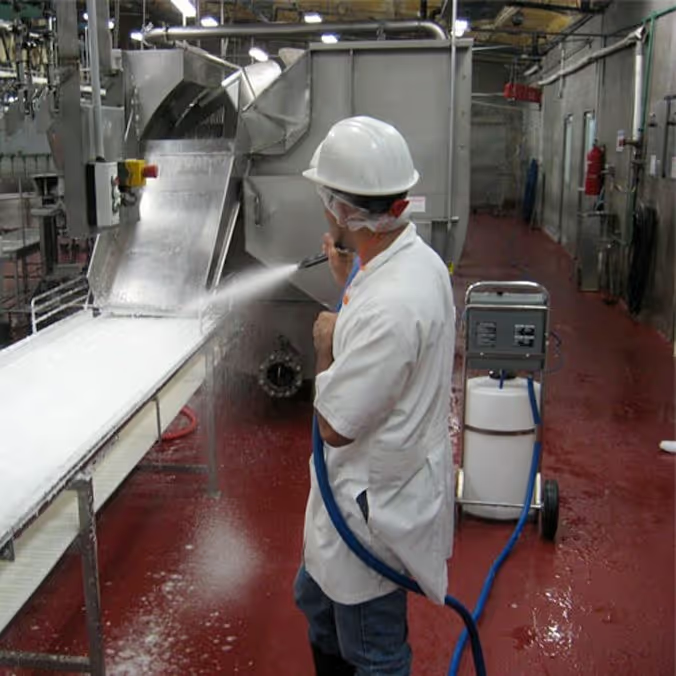
What is Food & Beverage Production Line Sanitation?
Cleaning and sanitation programs are the backbone of creating a safe plant environment for employees and for the food it produces.
Food processing and packaging equipment accumulate grease, carbonized residue, seasonings, proteins, harmful bacteria, biofilms, adhesives, labels, and many other contaminants that traditionally take significant time to clean.
Definitions
CLEANING: The removal of soil particles from surfaces by mechanical, manual or chemical methods.
SANITIZING: Treatment of a cleaned surface with a chemical or physical agent to destroy disease/spoilage causing organisms. Reduces total vegetative cell population to a safe level.
DISINFECTING: Destruction of all vegetative state organisms.
STERILIZING: The complete destruction of all organisms, including spores.
Although similar in nature, cleaning and sanitizing are different procedures with different goals.
Cleaning helps increase the effectiveness of sanitation efforts by removing organic materials such as dirt, soil, and debris at a visible surface level. This organic matter can be a breeding ground for bacteria. Therefore, cleaning needs to always be done first.
Sanitizing is what actually reduces the number of bacteria and other microorganisms to levels considered safe for human health.
While cleaning is an everyday activity and can be automated using machines, line sanitation is relatively infrequent and usually very manual.
If sanitation is conducted incompletely or incorrectly, the consequences can be devastating for the business, the brand, and the customers. On the other hand, when sanitation is conducted correctly, the result is an increase in food safety and quality, increased production uptime, and, potentially, more sales.
Types of Cleaning & Sanitation
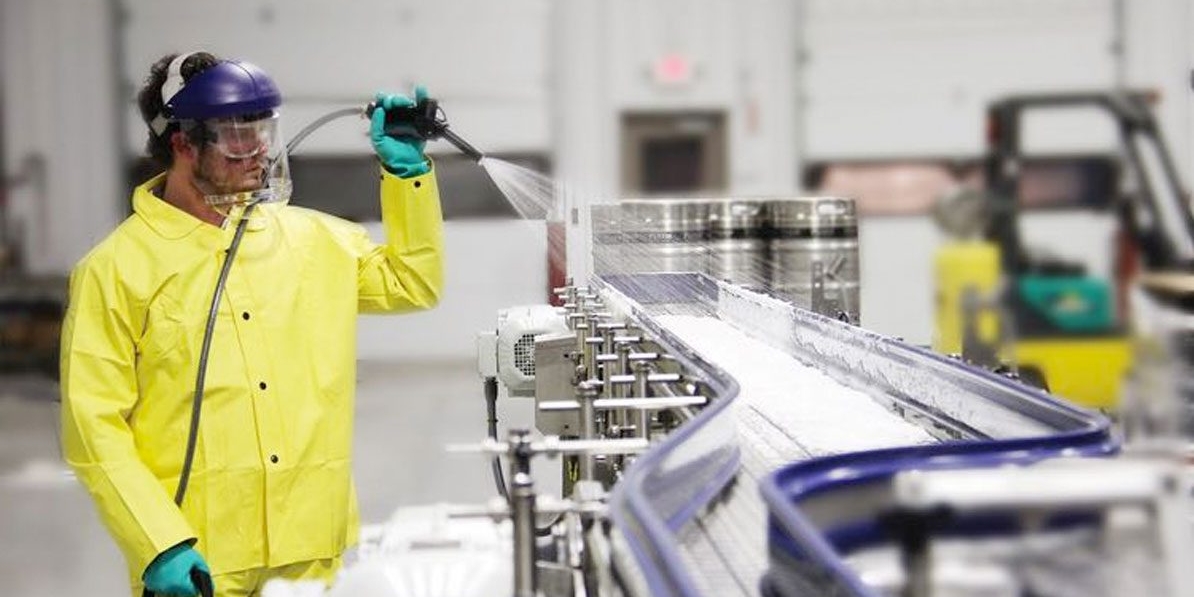
There are many different ways to clean and sanitize equipment. These include the use of clean-in-place (CIP) systems, foaming, clean-out-of-place (COP), spraying, high-pressure, and manual systems. Manual is the old-fashioned route that usually involved scrubbing of some sort. But no matter which kind of cleaning and sanitizing is selected, there are basic issues that must be considered.
Cleaning in place (CIP)
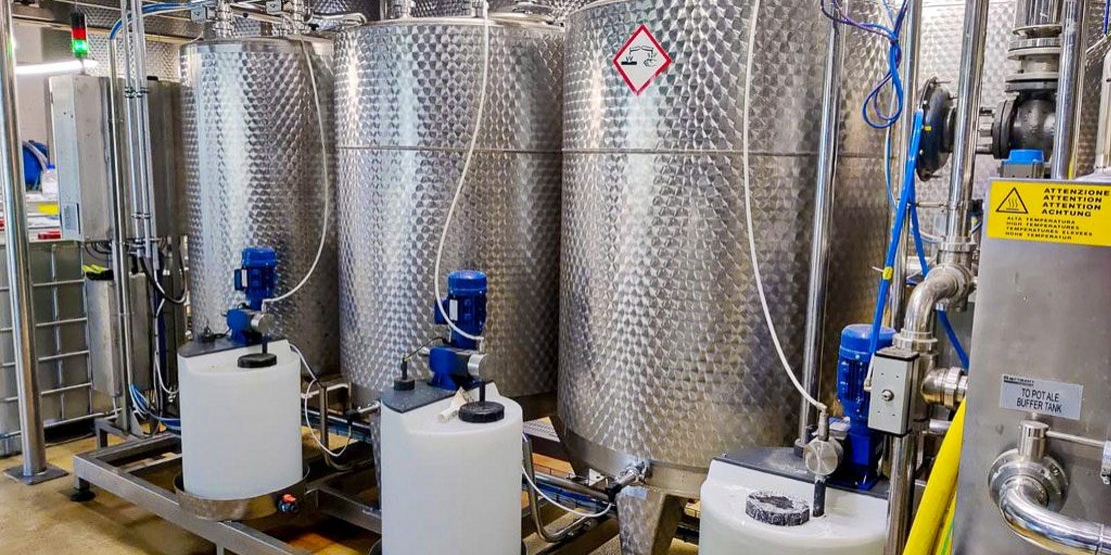
A set of activities conducted to properly clean all or part of a process system as it sits in place, without removing or disassembling piping or equipment to accommodate the cleaning. Processors should work closely with their chemical supplier to develop the proper CIP sequencing for their CIP cleaning.
Clean out of Place (COP)
A cleaning/sanitation system where equipment is disassembled for cleaning and inspection.
Foam Cleaning

Foam cleaning is a form of soft washing that uses low-pressure foam to clean surfaces. The foam clings to the dirt and debris, allowing it to be removed without using harsh chemicals or pressure washers. This makes foam cleaning a safe and gentle alternative to other forms of cleaning.
Spraying
Spray technology is an effective method for applying antimicrobial agents, mold inhibitors, sanitizers, and chemicals.
High-Pressure
High-pressure water cleaning is the use of high-pressure water between 5,000 to 10,000 psi (34 to 70 MPa) to remove grime, loose paint, mud, mold, dust, and other types of stubborn dirt on the surfaces of tanks, buildings, vehicles, streets, bridges, pipes, and many more items.
Manual

Employees physically clean equipment by removing dirt, grease and scraps, rinsing, cleaning, sanitizing, and air drying.
Download the Ultimate Guide to Food Processing Plant Cleaning & Sanitation
Everything you need to know about how Cleaning & Sanitation works and the best practices gleaned from our 10+ years of experience helping organizations achieve success.
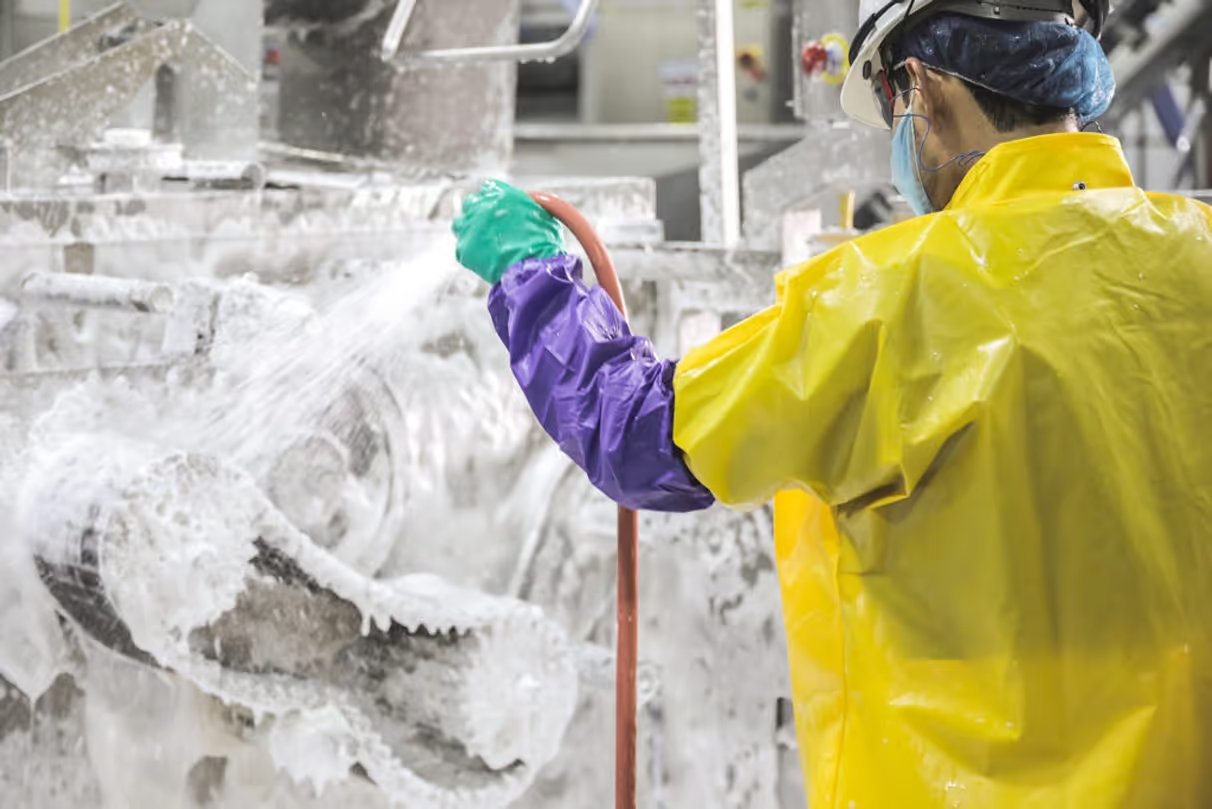
Top 10 best practices of Sanitation in Food Processing
Over the past 10 years, Weever has been on the front lines of helping global Fortune 100 manufacturing companies implement and maintain successful 5S programs. We've learned a lot from our clientele over the years and we're happy to share those lessons here.
Here are some best practices to consider:
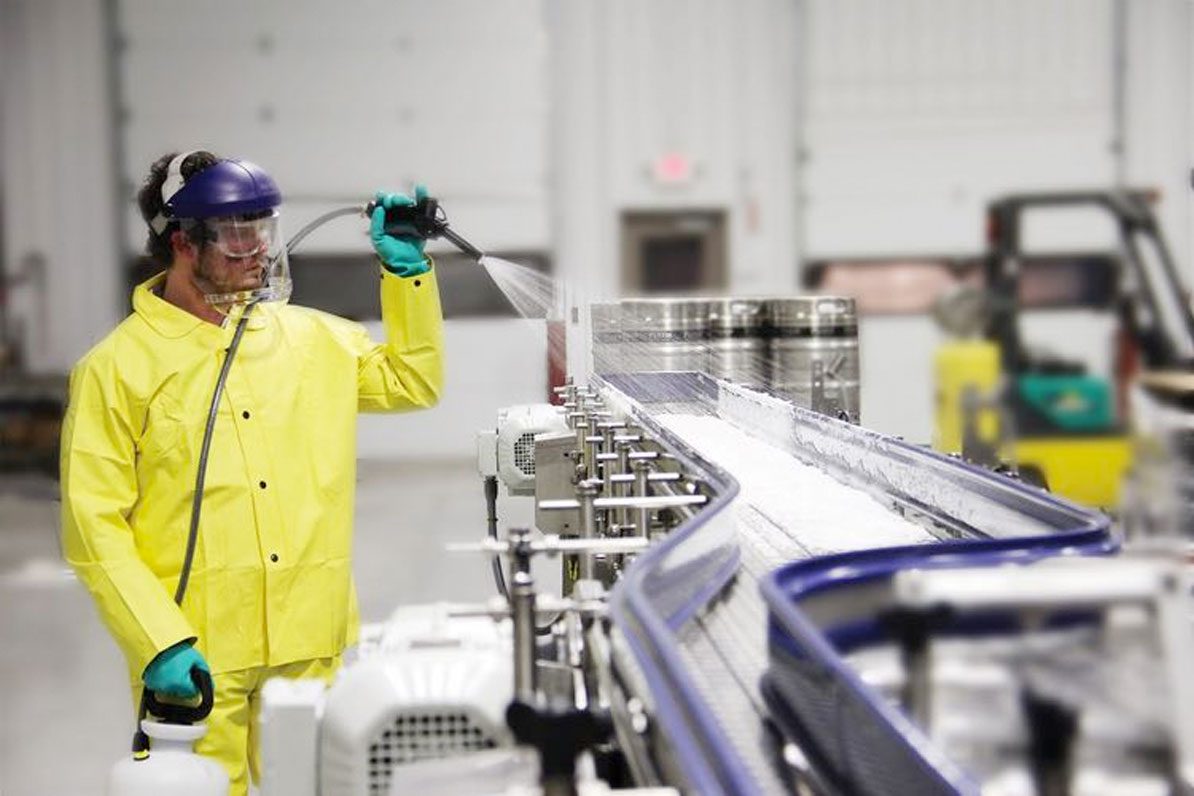
1. Harness the benefits of Operator-Led Sanitation
Maintaining quality in a food processing facility is everybody's job, and an essential component of quality is sanitation. Even the people who don't participate in the sanitation process should have an awareness of its importance and understand how their actions can have an impact.
This starts with leadership ensuring that sanitation teams have adequate resources to perform the work, including time, training, employees, equipment, sanitizers, and potable water.
The fastest way to radically increase the efficiency and effectiveness of your sanitation program is to evolve from a specialist-led to an operator-led methodology. Empowering operators to clean and sanitize their lines increases the scale of your operation. Operators also have more involvement with the equipment and machines they use every day, so they are more likely to provide insights on how processes can be completed better and faster.
The benefits to productivity are fairly obvious, however, operator-led methodologies can come with a host of challenges, including training and skills as well as compliance. Operations management software suited to sanitation programs will help to ensure operators are engaged and are doing the job correctly.
2. Ensure everything is documented
Every step in the cleaning and sanitation process should have an SSOP. Have documentation readily available for sanitation crews, especially for processes that don't happen frequently.
Closely following SSOPs is critical because using chemicals at the wrong concentration or not following specific steps could result in ineffective sanitation. For the sanitation step, the documentation should also include details such as what products to use in specific situations, how to apply the products, how long they need to stay on surfaces, and how to rinse them.
Documentation helps to ensure compliance and also to identify and record process deviations that may result in issues or opportunities to improve.
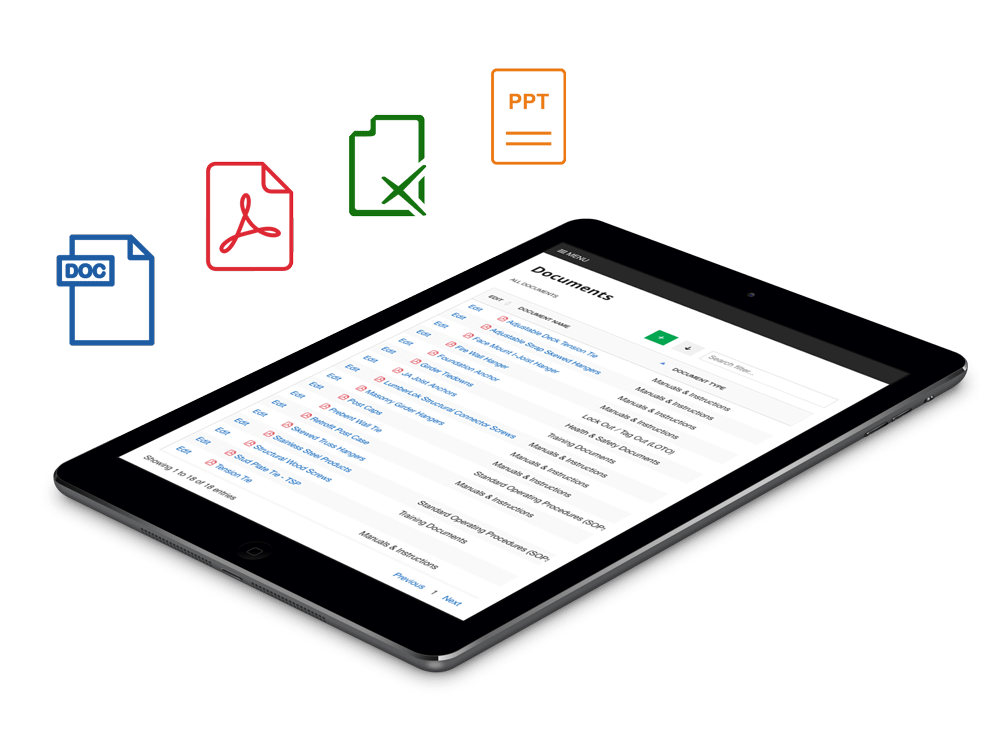
3. Provide immediate access to instructions and resources
In order for sanitation to be completed correctly, employees must adhere to fairly complex instructions featuring details on compounds, pressures, and temperatures. All employees engaged in sanitation must be trained, however, they may forget certain steps because it is usually not an everyday operating procedure. Flipping through manuals and documentation can be arduous and inefficient.
To ensure your program is as efficient as possible provide on-demand access to resources in real-time that can provide them with the information they need quickly.
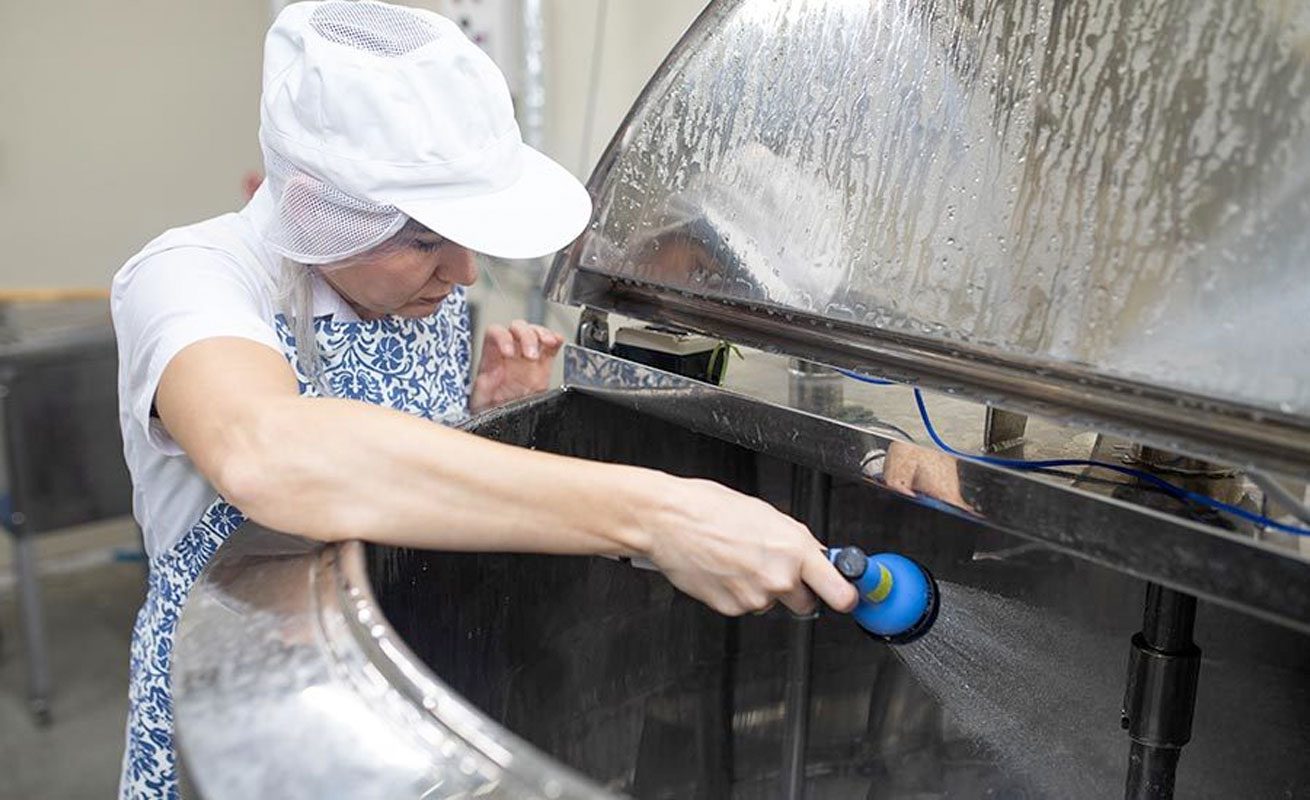
4. Train employees on sanitation procedures
Proper training of employees is essential to ensure that they understand the importance of food safety and the procedures they need to follow to maintain a clean and sanitary environment.
5. Establish a cleaning schedule. Monitor and Verify.
A cleaning schedule helps to ensure that all areas of the food plant are cleaned and sanitized on a regular basis and that the sanitation program is followed consistently. All metering pumps and other devices used for monitoring must be calibrated on a schedule determined by the HACCP or the Food Safety Team. Calibration schedules should be based on a documented risk assessment. Schedules need to be developed, clearly communicated, and adhered to to ensure compliance.
Regular monitoring and verification of the sanitation program is essential to ensure that the program is being implemented effectively and that the food plant is being maintained in a clean and sanitary condition.
6. Use appropriate cleaning and sanitizing chemicals
The use of appropriate cleaning and sanitizing chemicals is critical to the effectiveness of the sanitation program. The chemicals should be safe for use in a food plant, and the employees should be trained on the correct use and handling of the chemicals.
7. Conduct regular internal audits, improve and sustain.
Sanitation is an area that can be dramatically improved through continuous improvement. Efficiency gains can have a huge impact on OEE because sanitation timelines negatively impact productive capacity.
Regular internal audits of the sanitation program can help identify areas of improvement and ensure that the program is being followed consistently.
Have your staff document process abnormalities and suggestions for improvement that can be evaluated by management. Create PDCA improvement projects. Measure the established baseline and assess the ROI of your improvements. Ensure the step-change is sustained by updating training and SOP documentation.
The sanitation program should be reviewed and updated regularly to ensure that it remains effective and in compliance with current regulations and industry standards.
8. Use Rewards and Broadcast KPIs

Cleaning and sanitation can be a dirty and thankless job. Employee engagement and retention are challenges in manufacturing so it is vital to continuously empower, enable and energize your staff to keep them motivated.
You can use a reward system to motivate employees to follow the schedule, adhere to the detailed cleaning instructions, and for completing the work efficiently. Some of our customers broadcast dashboards to employees showing KPIs affected by their cleaning efforts, which can also intrinsically motivate staff.
Detailed records of the sanitation program should be kept and made available for review by regulatory agencies, as required by law.
9. Improve and Sustain
Sanitation is an area that can be dramatically improved through continuous improvement. Efficiency gains can have a huge impact on OEE because sanitation timelines negatively impact productive capacity.
Have your staff document process abnormalities and suggestions for improvement that can be evaluated by management. Create PDCA improvement projects. Measure the established baseline and assess the ROI of your improvements. Ensure the step-change is sustained by updating training and SOP documentation.
10. Use Visual Indicators
Buckets, mops, scrubbers, hoses, sprayers, and other equipment that is used for sanitation should be dedicated only for that purpose. Color-code your equipment so that it's clear which items can be used for specific tasks to help avoid cross-contamination between sanitation and production equipment.

The 7 Steps of Cleaning & Sanitizing food production lines
As a manufacturer, your goal is to make the most of every minute, reduce downtime and maximize productivity. Sanitation is a critical and regular part of F&B manufacturing. It shouldn't be viewed as a disruption, but as an important part of the operation.
There are many different ways to clean and sanitize equipment. These include the use of clean-in-place (CIP) systems, foaming, clean-out-of-place (COP), spraying, high pressure and manual systems.
Regulatory bodies and food safety programs worldwide have their own slightly varied versions for properly cleaning and sanitizing food contact surfaces and equipment. However, this list, provided by the NSF overviews the most commonly suggested steps among the different renditions.
Ideally speaking, processes and the chemical products used should be validated based on worst-case scenarios. Those doing the cleaning and sanitizing must also be properly trained and fully understand the reasons behind each task.
Before you being: Verify your Cleaning products
Correctly performing almost any task requires having the right tools. But how does someone determine if those tools are safe?
There is no regulatory agency that governs the cleaning and sanitizing chemicals used by the food industry. To fill this void, the industry relies on NSF's registration program for nonfood compounds which includes cleaning and sanitizing products.
Step 1: Remove Debris
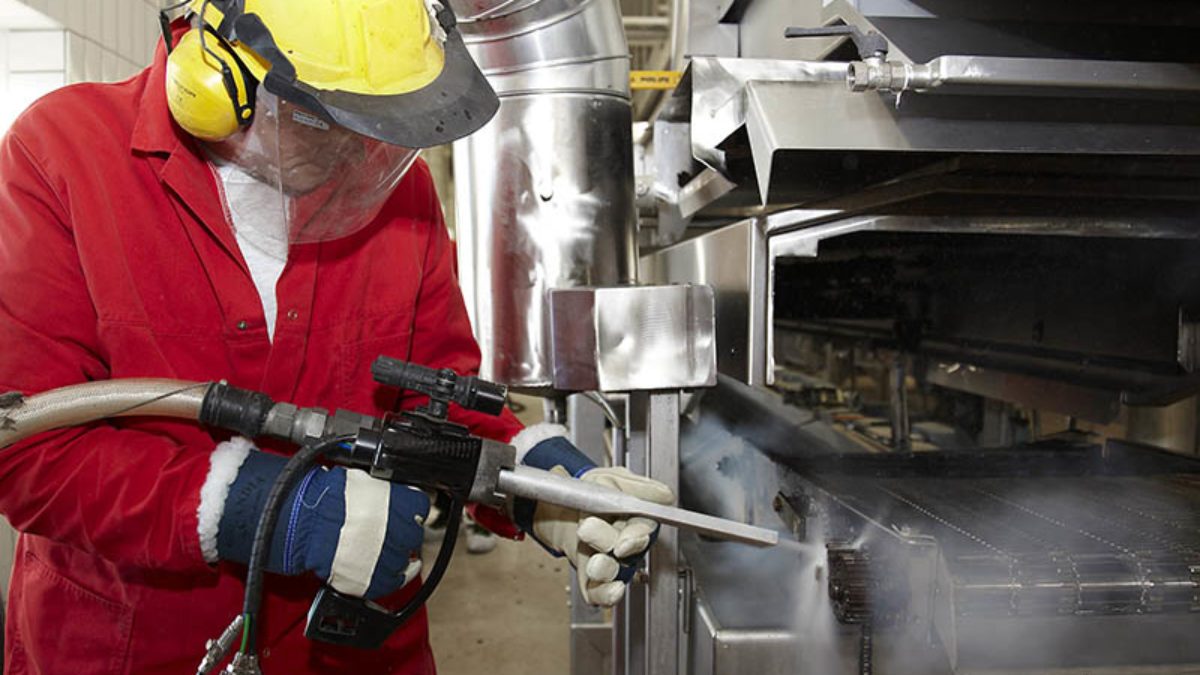
Using a lint-free cloth or wipe, physically remove soil deposits off of food contact surfaces. Soils include dirt, gross solids, mineral salts, large particles, proteins, lubricants and other residues. Soil removal can also include the use of scrapers, dry floor push mops, brushes for collecting soil and dust, dry or low moisture steaming, and vacuuming.
Step 2: Rinse
When rinsing equipment during this step, use warm (less than 120° F/48.9° C) potable water. Anything warmer could cause soil and particles to become adherent to a surface and prevent removal. To avoid recontamination issues, using high-pressure hoses is discouraged since a high-pressure rinse could aerosolize soils and chemicals onto areas and equipment that have already been cleaned and sanitized. In addition, high-pressure methods could also possibly damage processing equipment.
Step 3: Apply Detergent
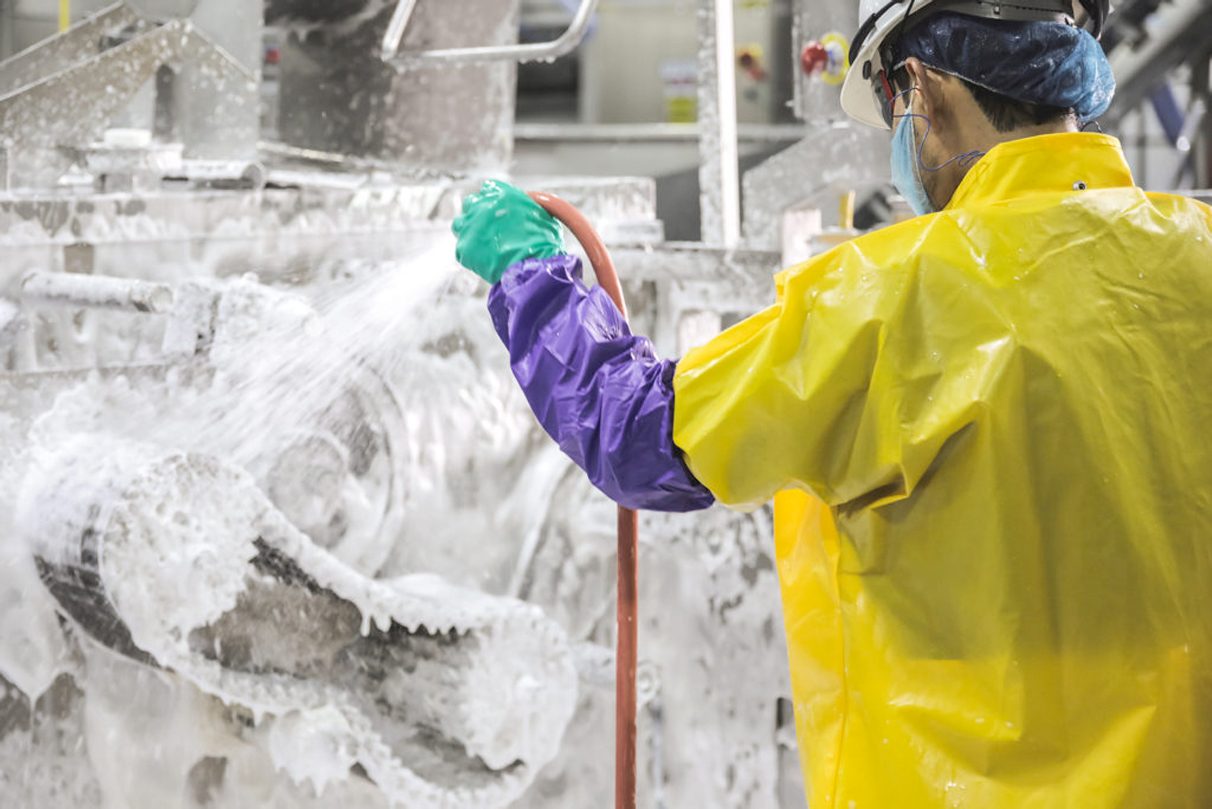
At this point, it is essential to use chemical cleaners intended to remove fat and protein. In addition, ensure detergents are properly mixed by looking for dilution rates and contact times provided by the cleaning product manufacturer. If this information is not available, reach out to the manufacturer immediately. They should always be ready to help as not knowing dilution rates and contact times can be a food safety risk.
Step 4: Give a Thorough Rinse
Before proceeding to the sanitizing stage, do a final rinse with potable water to completely remove the detergent and any residue.
Step 5: Take a Closer Look
Inspect and, if necessary, spot-clean any areas where there are still visible signs of residue or detergent. Pay special attention to hard-to-reach places. If you are a food service operator, be aware of commercial food equipment whose food zones are not cleanable by hand.
CIP procedures describe the method by which a detergent solution, water rinse, and sanitizing solution is mechanically circulated or passed through a piece of equipment and across its surfaces.
As with any process, CIP procedures need to be validated by the experts involved with an operation's food safety. CIP instructions should also be reviewed if anything at the facility changes, such as producing a new food product.
Step 6: Sanitize or Disinfect
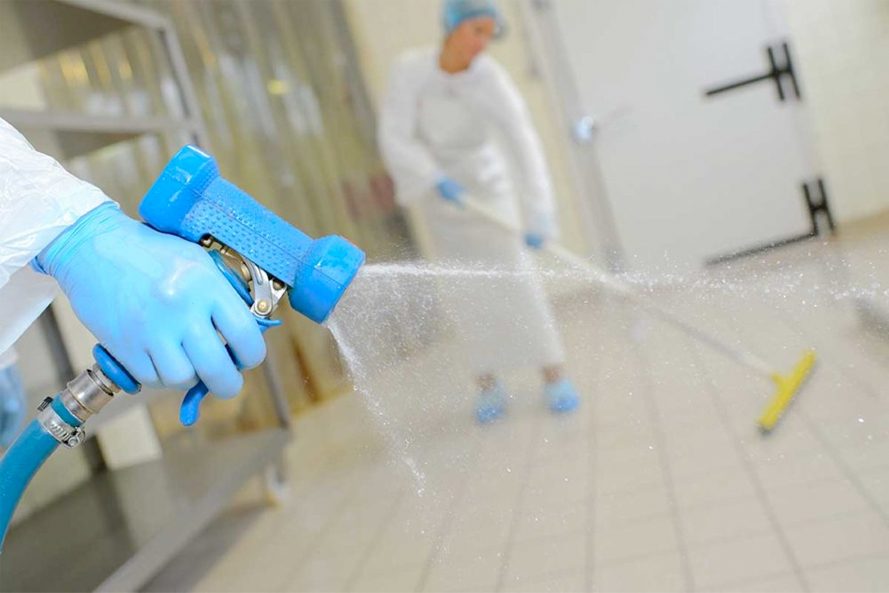
To help safely reduce bacterial load, apply an effective sanitizing or disinfecting chemical verified as suitable to use for food and beverage processing or handling environments.
Before going further, an explanation of the difference between sanitizing and disinfecting is likely needed. Apply a sanitizer solution to the production line, following the manufacturer's instructions.
Ensure that the sanitizer is distributed evenly and given enough time to take effect. Use test strips to ensure that the sanitizer solution is at the right concentration. The test strips should be stored in a sanitary manner and changed regularly.
After the sanitizer has taken effect, inspect the production line to verify that it is clean and sanitary. Document the entire sanitation process, including the date, time, and the results of the tests. Keep these records for at least one year.
Step 7: Dry
When using a rinse-off sanitizer or disinfectant, the product needs to be completely removed with a potable water rinse. Air drying is the ideal way to dry surfaces because a wipe-down could lead to re-contamination. For areas that must be kept dry or cannot facilitate air drying, a leave-on sanitizer or disinfectant is recommended. It is important to follow the directions for drying times listed on the label when using leave-on products.
Food Processing Plant Sanitation Ultimate Guide
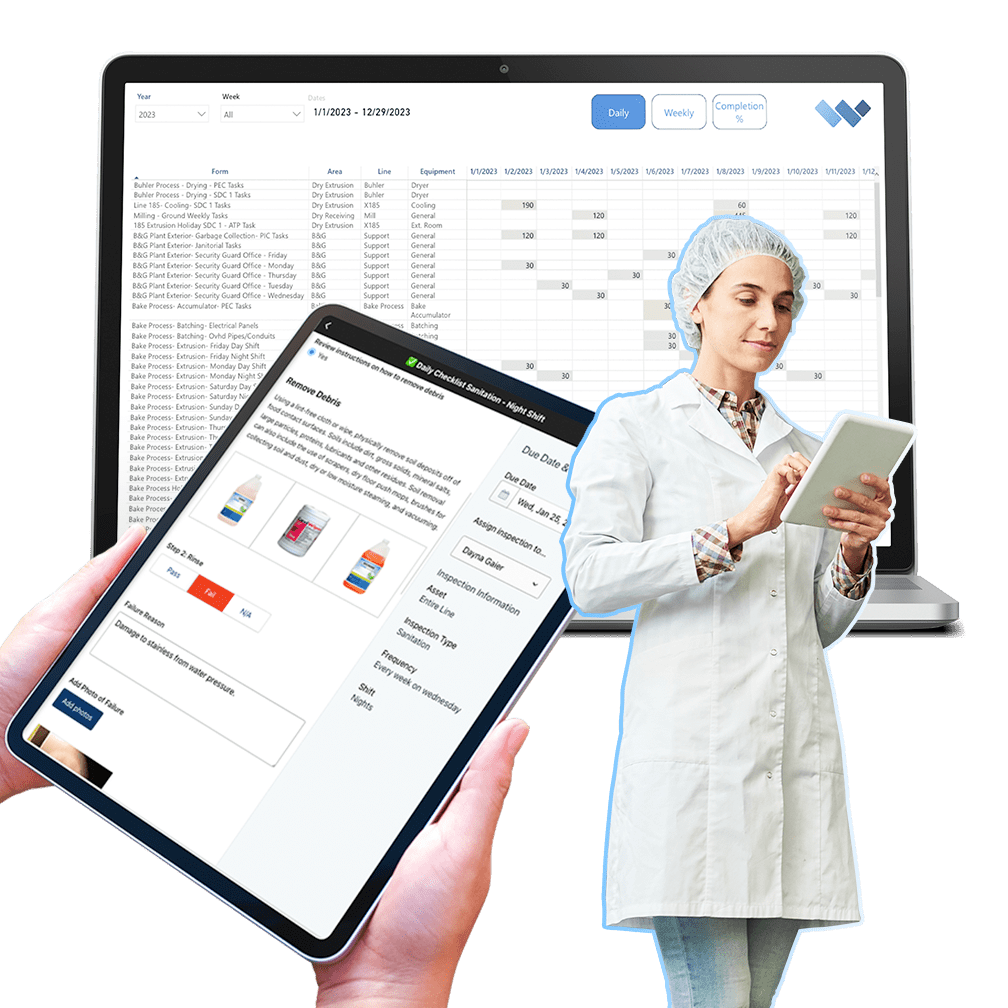
Radically improve the efficacy of your sanitation program by automating administrative tasks and simplifying work to unlock the full potential of your frontline employees.
- Customize Form Templates
- Create a "Digital Twin" of your facility
- Build and Manage Schedules
- Guide staff through the process with on-demand training
- Automate work orders and real-time KPI reporting

Overview of Food Production Sanitation Regulations
Outbreaks caused by poor line sanitation can cause long-term damage to the brand, cost hundred of thousand of dollars in recalls, lawsuits, and regulatory penalties, and result in employee engagement issues.
The Centers for Disease Control estimates that 48 million people get sick, 128,000 are hospitalized and 3,000 die from foodborne diseases in the United States each year.
Without proper sanitation, food plants cannot legally function and manufacture products. Proper sanitation means that the facility is fully clean where necessary, significantly reducing the risk of bacteria and other harmful pathogens from lingering and contaminating products.
Understanding the Regulations
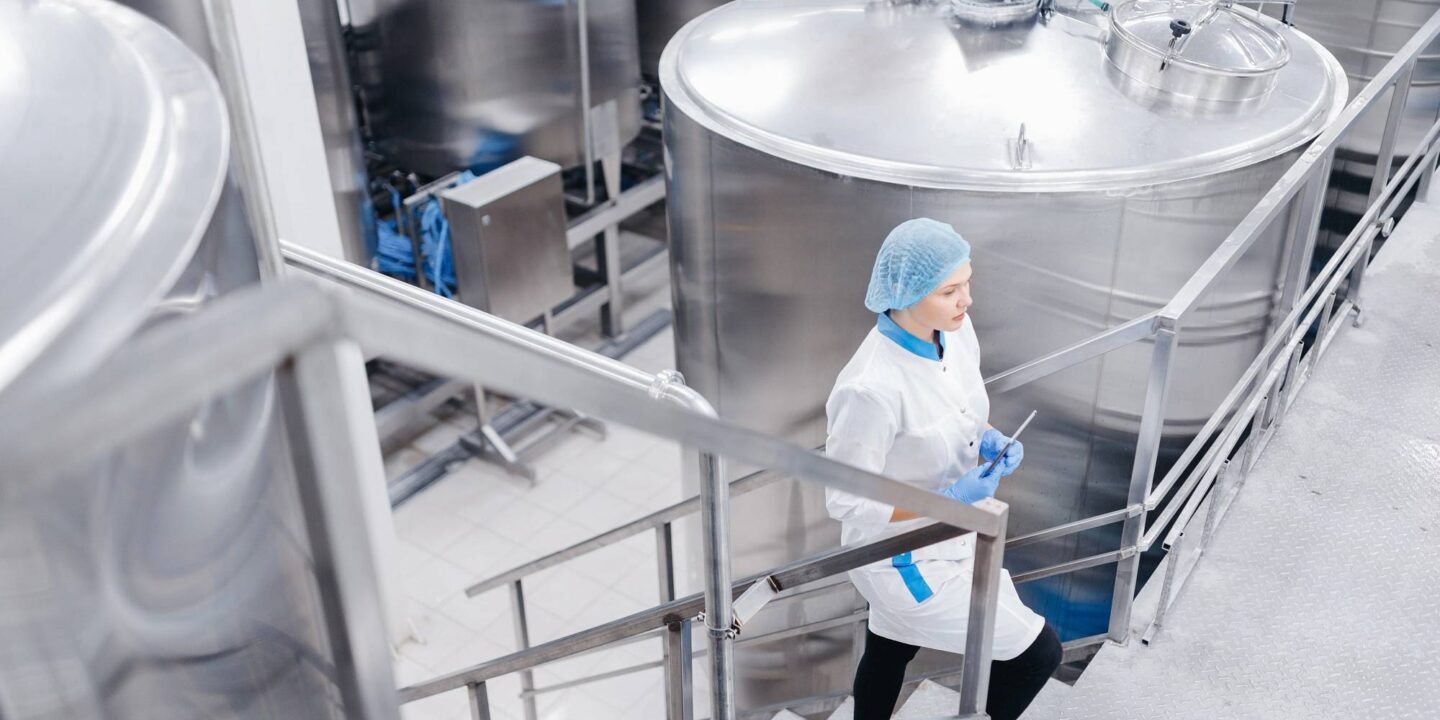
USA Overview
In the United States, food plant production line sanitation is governed by several regulations and guidelines issued by the Food and Drug Administration (FDA). The main regulations are:
Current Good Manufacturing Practice (cGMP) regulations: These regulations outline the general principles for food manufacturing and packaging to ensure the safety and quality of the food products. The cGMP regulations include requirements for sanitation, such as maintaining clean and sanitary facilities, equipment and utensils.
The Hazard Analysis and Critical Control Points (HACCP) system: This is a preventive approach to food safety that focuses on identifying potential hazards in the food production process and implementing measures to prevent those hazards. HACCP requires food plants to conduct a hazard analysis, establish critical control points, implement monitoring procedures, and take corrective actions as necessary.
The Sanitary Transportation of Human and Animal Food regulation: This regulation requires shippers, loaders, carriers by motor or rail vehicle, and receivers engaged in the transportation of food to follow adequate sanitary practices to prevent the contamination of food.
The Food Safety Modernization Act (FSMA): This law aims to modernize the food safety system in the United States and focuses on preventing food safety problems before they occur. FSMA requires food facilities to have written food safety plans, including preventive controls, to minimize the risk of foodborne illness.
These regulations and guidelines aim to ensure that food products are produced and transported under hygienic and safe conditions. Food plants are required to implement and maintain effective sanitation programs and keep detailed records to demonstrate compliance with the regulations. Failure to comply with these regulations can result in penalties, product recalls, and damage to a company's reputation.
Europe Overview
In Europe, the food production plant sanitation is governed by several regulations and guidelines issued by the European Union (EU). The main regulations are:
Regulation (EC) No 852/2004 on the hygiene of foodstuffs: This regulation sets out the general principles and requirements for the hygiene of food production. It requires food business operators to implement and maintain a permanent procedure based on HACCP principles, to ensure the safety and quality of food products.
Regulation (EC) No 853/2004 laying down specific rules for the organization of official controls on products of animal origin intended for human consumption: This regulation sets out the specific rules for the official controls on food of animal origin in the EU, including requirements for hygiene and sanitation of food establishments.
Regulation (EC) No 854/2004 laying down specific rules for the organization of official controls on products of plant origin intended for human consumption: This regulation sets out the specific rules for the official controls on food of plant origin in the EU, including requirements for hygiene and sanitation of food establishments.
Regulation (EC) No 882/2004 on official controls performed to ensure the verification of compliance with feed and food law, animal health and animal welfare rules: This regulation sets out the rules for official controls to be performed on feed and food and to ensure the compliance with the EU feed and food law, animal health and animal welfare rules.
Good Manufacturing Practice (GMP) guidelines: The EU GMP guidelines outline the general principles for food manufacturing and packaging to ensure the safety and quality of food products. The GMP guidelines include requirements for sanitation, such as maintaining clean and sanitary facilities, equipment, and utensils.
These regulations aim to ensure that food products are produced and processed under hygienic and safe conditions and to protect the health of consumers. Food production plants are required to implement and maintain effective sanitation programs, keep detailed records to demonstrate compliance with the regulations, and be subject to regular inspections by the authorities. Failure to comply with these regulations can result in penalties, product recalls, and damage to a company's reputation.
Food Safety Modernization Act (FSMA)
In response to a growing number of foodborne illness outbreaks, the Food Safety Modernization Act (FSMA) of 2011 shifted the focus from responsive contamination management to preventing food safety problems before they occur and recognizes the importance of strong foodborne illness and outbreak surveillance systems. The FSMA act seeks to protect public health more effectively by strengthening the food safety system.
The major elements of the FSMA can be separated into five key areas:
- Preventive Controls
- Inspection and Compliance
- Imported Food Safety
- Response
- Enhanced Partnerships
USDA's HACCP Regulations
The USDA's HACCP regulation puts sanitation in its proper perspective: Sanitation maintains or restores a state of cleanliness and promotes hygiene for the prevention of foodborne illness.
Sanitation is an essential prerequisite program for food safety. The Preventive Controls Regulation for Human Food found in 21 CFR Part 117 further underscores the importance of this element. Preventive controls are defined as:
"…those risk-based, reasonably appropriate procedures, practices and processes that a person knowledgeable about the safe manufacturing, processing, packing or holding of food would employ to significantly minimize or prevent the hazards identified under the hazard analysis that are consistent with the current scientific understanding of safe food manufacturing, processing, packing or holding at the time of the analysis."
The regulation establishes the following preventive controls:
- Process
- Allergen
- Sanitation
- Supply Chain
- Recall
- Other
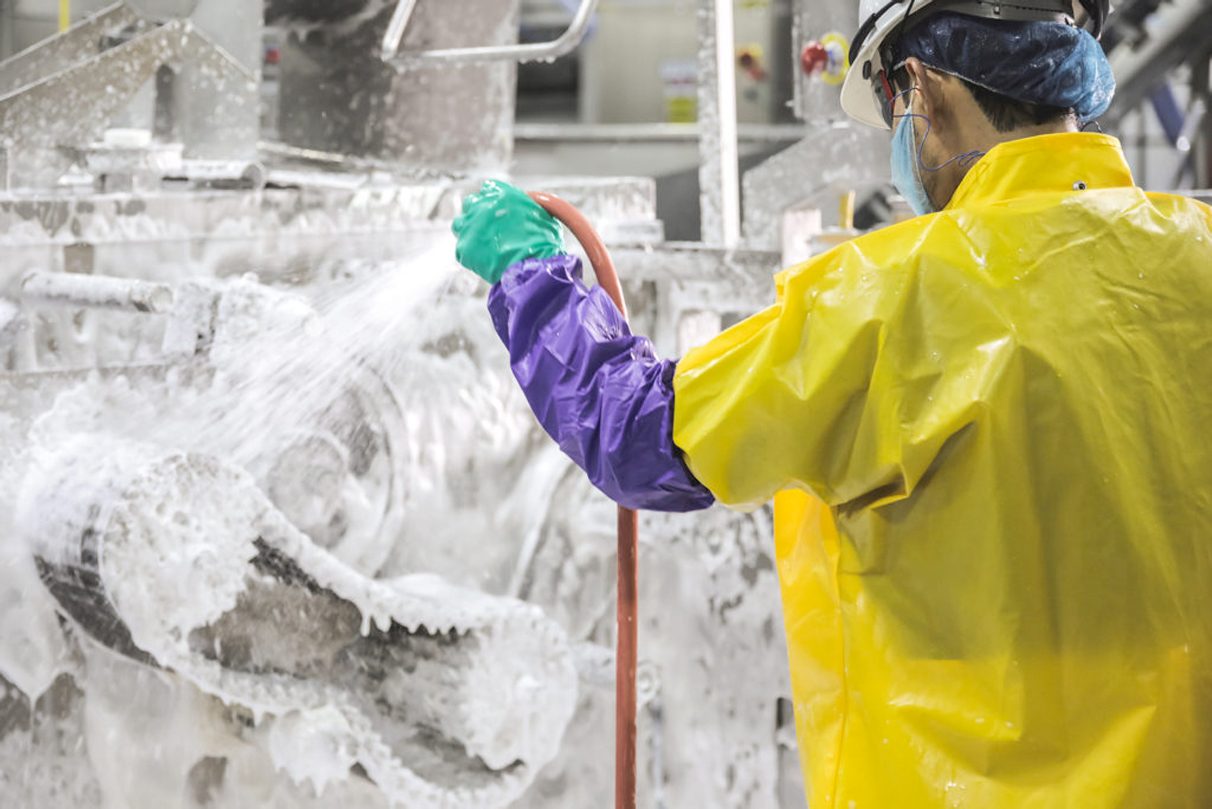
FDA 21 CFR Part 11
21 CFR Part 117.135 (c) 3 specifically addresses sanitation preventive controls and may be seen below:
(3) Sanitation controls. Sanitation controls include procedures, practices and processes to ensure that the facility is maintained in a sanitary condition adequate to significantly minimize or prevent hazards such as environmental pathogens, biological hazards due to employee handling, and food allergen hazards. Sanitation controls must include, as appropriate to the facility and the food, procedures, practices and processes for the:
(i) Cleanliness of food-contact surfaces, including food-contact surfaces of utensils and equipment;
(ii) Prevention of allergen cross-contact and cross-contamination from insanitary objects and from personnel to food, food packaging material, and other food-contact surfaces and from raw product to processed product.
______
Cleaning and Sanitation is a legal requirement for any organization involved in food and beverage manufacturing because it helps to prevent food pathogen outbreaks. Although everyone does it, there are a variety of different ways to clean your lines to consider. Good cleaning practices can have a positive impact on your product quality, your brand and the engagement of your employees.
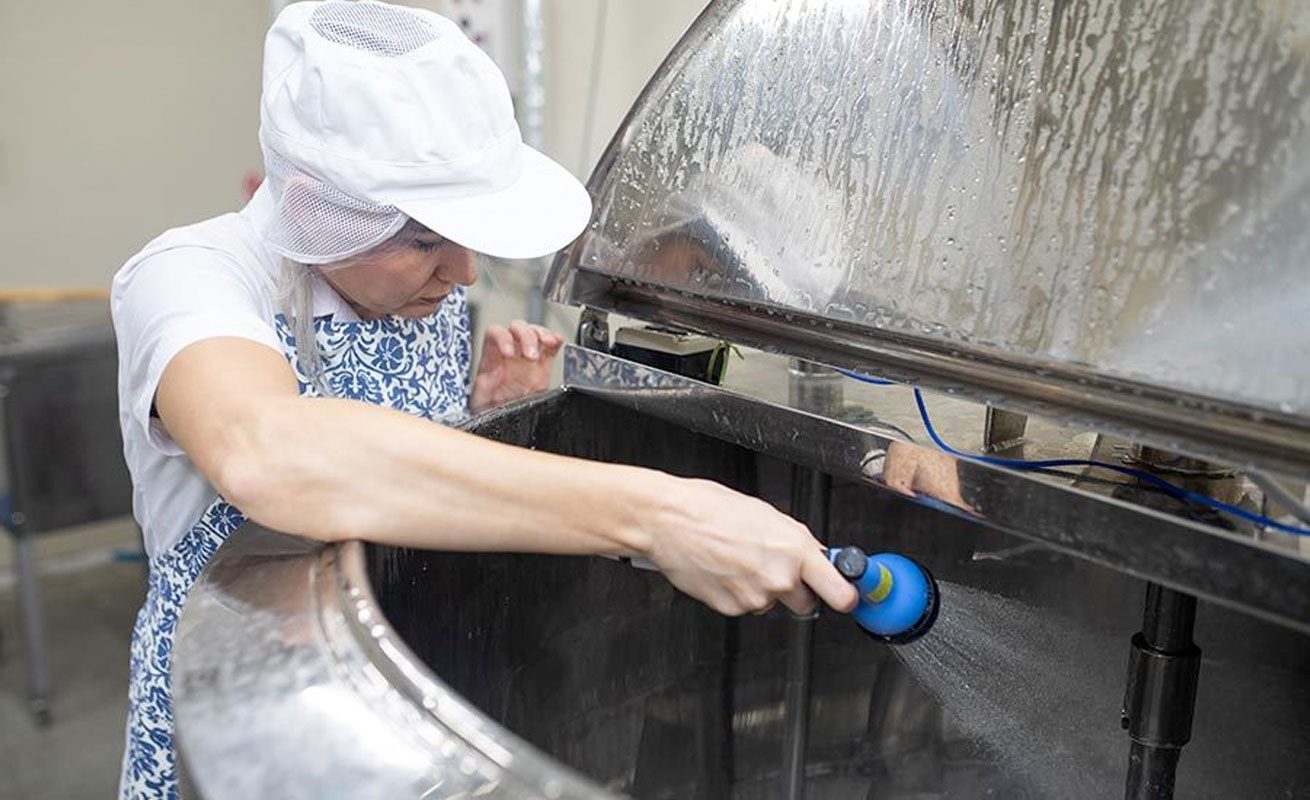
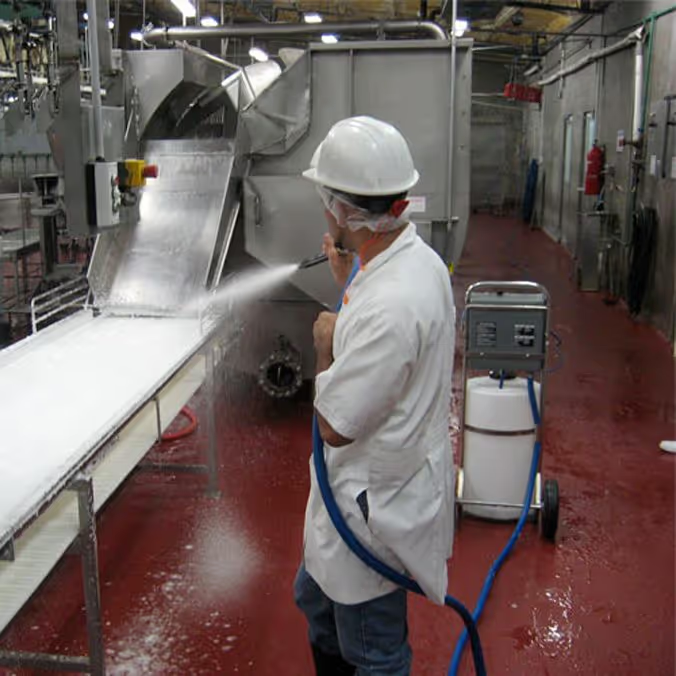
Production Line Cleaning & Sanitation Types
What is Food & Beverage Production Line Sanitation?
Andy Pritchard | January 19, 2023 | 5 min read
Cleaning and sanitation programs are the backbone of creating a safe plant environment for employees and for the food it produces.
Food processing and packaging equipment accumulate grease, carbonized residue, seasonings, proteins, harmful bacteria, biofilms, adhesives, labels, and many other contaminants that traditionally take significant time to clean.
Definitions
CLEANING: The removal of soil particles from surfaces by mechanical, manual or chemical methods.
SANITIZING: Treatment of a cleaned surface with a chemical or physical agent to destroy disease/spoilage causing organisms. Reduces total vegetative cell population to a safe level.
DISINFECTING: Destruction of all vegetative state organisms.
STERILIZING: The complete destruction of all organisms, including spores.
Although similar in nature, cleaning and sanitizing are different procedures with different goals.
Cleaning helps increase the effectiveness of sanitation efforts by removing organic materials such as dirt, soil, and debris at a visible surface level. This organic matter can be a breeding ground for bacteria. Therefore, cleaning needs to always be done first.
Sanitizing is what actually reduces the number of bacteria and other microorganisms to levels considered safe for human health.
While cleaning is an everyday activity and can be automated using machines, line sanitation is relatively infrequent and usually very manual.
If sanitation is conducted incompletely or incorrectly, the consequences can be devastating for the business, the brand, and the customers. On the other hand, when sanitation is conducted correctly, the result is an increase in food safety and quality, increased production uptime, and, potentially, more sales.
Types of Cleaning & Sanitation
There are many different ways to clean and sanitize equipment. These include the use of clean-in-place (CIP) systems, foaming, clean-out-of-place (COP), spraying, high-pressure, and manual systems. Manual is the old-fashioned route that usually involved scrubbing of some sort. But no matter which kind of cleaning and sanitizing is selected, there are basic issues that must be considered.
Cleaning in place (CIP)
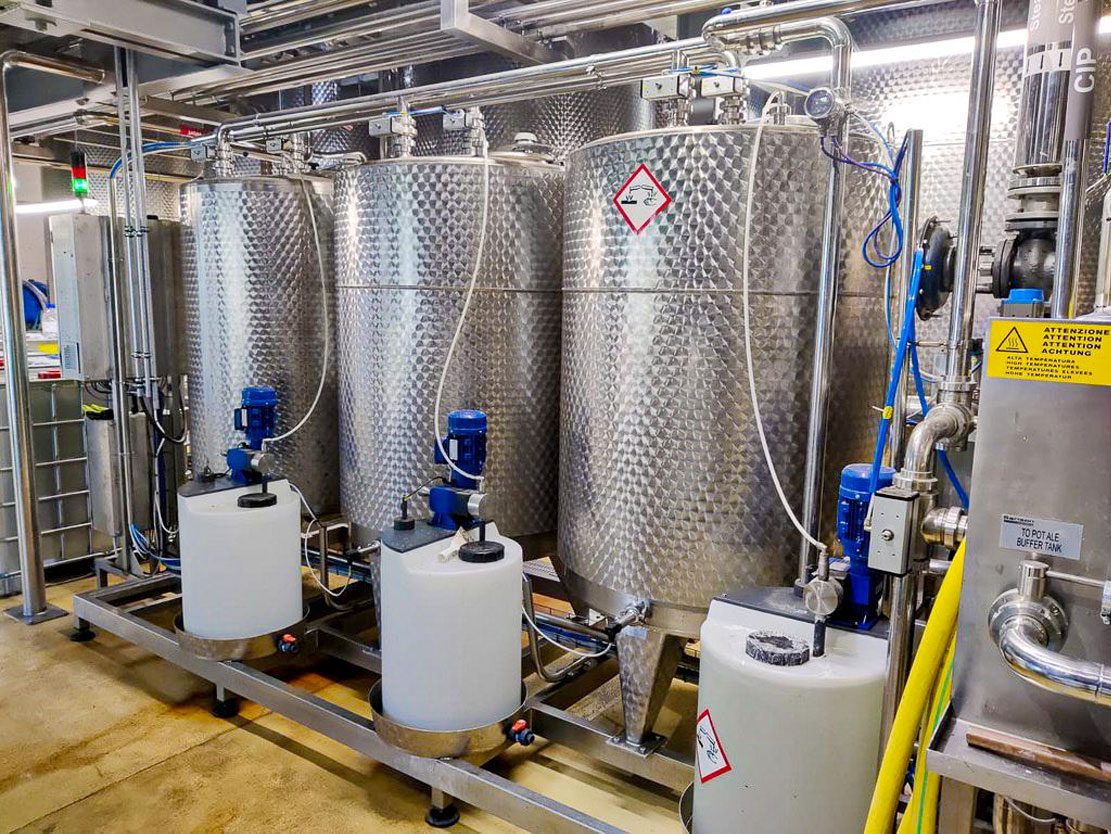
A set of activities conducted to properly clean all or part of a process system as it sits in place, without removing or disassembling piping or equipment to accommodate the cleaning. Processors should work closely with their chemical supplier to develop the proper CIP sequencing for their CIP cleaning.
Clean out of Place (COP)
A cleaning/sanitation system where equipment is disassembled for cleaning and inspection.
Foam Cleaning
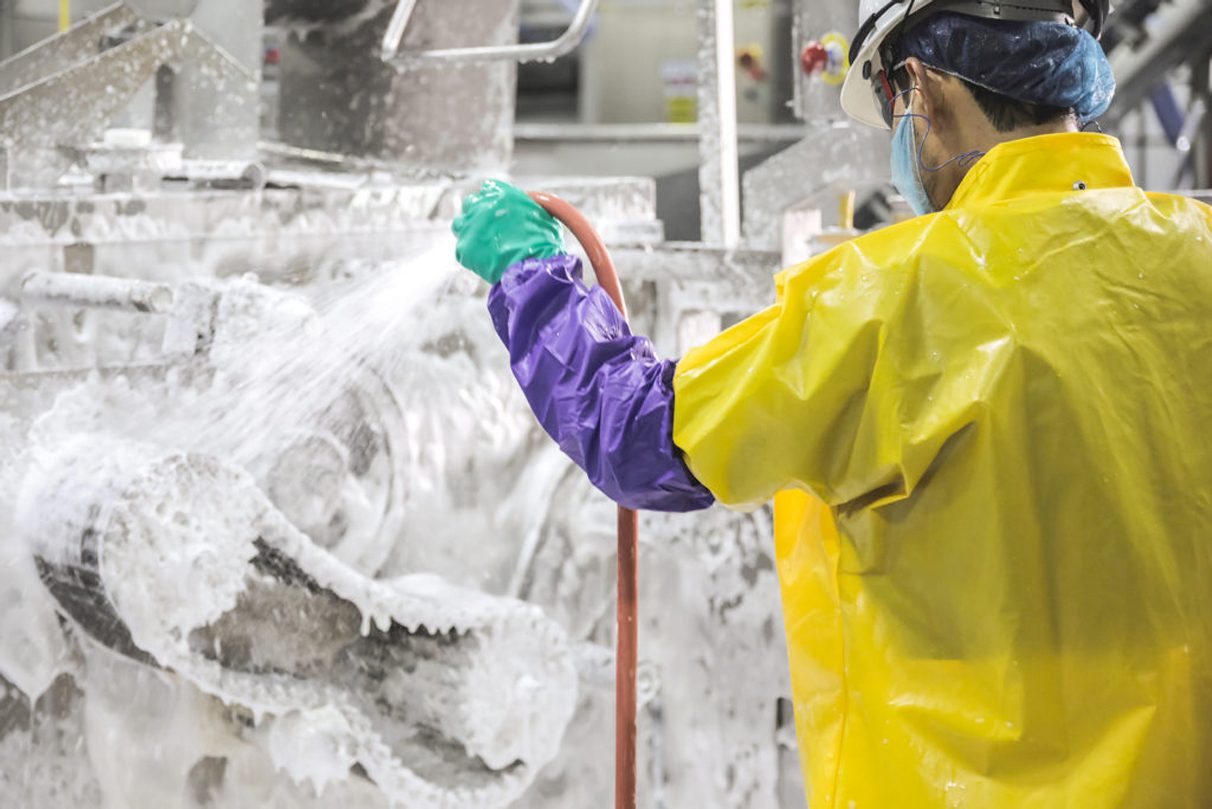
Foam cleaning is a form of soft washing that uses low-pressure foam to clean surfaces. The foam clings to the dirt and debris, allowing it to be removed without using harsh chemicals or pressure washers. This makes foam cleaning a safe and gentle alternative to other forms of cleaning.
Spraying
Spray technology is an effective method for applying antimicrobial agents, mold inhibitors, sanitizers, and chemicals.
High-Pressure
High-pressure water cleaning is the use of high-pressure water between 5,000 to 10,000 psi (34 to 70 MPa) to remove grime, loose paint, mud, mold, dust, and other types of stubborn dirt on the surfaces of tanks, buildings, vehicles, streets, bridges, pipes, and many more items.
Manual
Employees physically clean equipment by removing dirt, grease and scraps, rinsing, cleaning, sanitizing, and air drying.

6S Lean: 5S + Safety
6S (5S + Safety) Auditing Software
We are global leaders in 6S Auditing because we provide everything you need to get the job done.
Customizable Templates
Dashboard Reporting
Automated Workflows
Schedule Management
Real-time Visibility
On-Demand Instructions
SOlve 5S with Weever
Say goodbye to inefficient 5S audits and hello to Weever.
Are you struggling with paper forms and spreadsheets for your 5S Auditing program? Get in touch to see how Weever can help you solve your 5S audits today!

Thank you for requesting Data Capture Data Sheet
A download link has been sent to the email address you provided.
Tell us a bit about yourself. We work with organizations of all shapes and sizes from all over the world. If you want to realize the rich benefits of Behavior-Based Safety we can help you as well.
Over 2 million jobs completed for over 100,000 users worldwide. View Testimonials
5S Overview - What is it?
In order to be profitable and compete in a global market every company has to effectively steward its resources. It’s been said that waste is a thief.
In manufacturing, where waste can take several different forms including wasted time, energy, movement, or materials, this is especially true.
Following World War II, innovative Japanese companies like Toyota revolutionized manufacturing by finding innovative ways to reduce waste in small achievable increments.
This process is now at the heart of what we know globally as Lean Manufacturing and Continuous Improvement.
5S is a toolkit, process, or methodology that helps address the wasted time, energy, and materials that can result from the inefficiency of dirty, cluttered, and disorganized workplaces.
If Lean is a strategy to improve efficiency, then 5S is a tactic, or set of proscribed steps that will help your plant be more efficient and reduce waste.
What is 5S?
Picture this: a worker producing widgets stands in his work area full of clutter, dirt, and debris. Tools are scattered randomly across various surfaces, which are piled high with half-used pieces of material.
In the corner unused components are stacked chest-height and wobbling slightly as they wait to be used. Large unmarked bins contain a hodge-podge of tools and materials that may, or may not, be needed this month.
The machines and equipment are rusty and rattle when used, smoking slightly as they overheat. Slippery grease and hazardous chemicals stain the ground where they were spilled months ago.
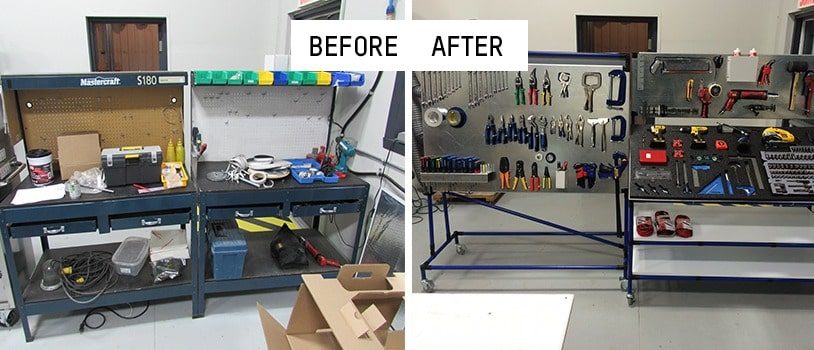
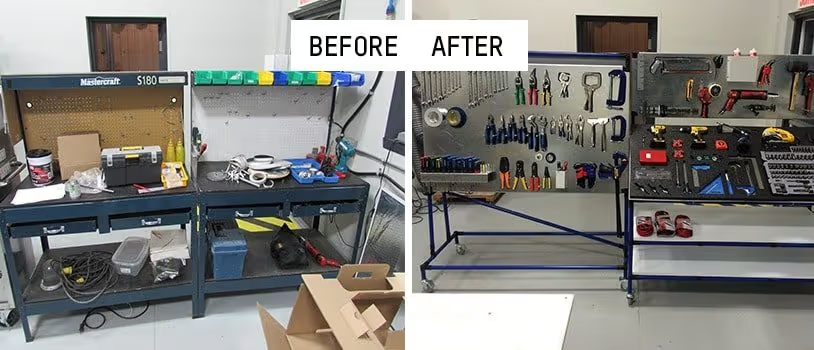
Would you imagine this is an efficient work environment? Most would say no.
The worker wastes time looking for tools, rummaging through those unmarked storage bins for the item they need. Safety hazards abound, whether from the pile of components waiting to topple or the slip hazard from the greasy chemicals on the floor. The machines, in their poorly maintained condition, are mere hours away from breaking down, causing unplanned downtime for the factory.
The 5S System is a lean manufacturing tool designed to improve efficiency and productivity in your plant by making it more organized and efficient.
It removes clutter, cuts down on time your staff look for tools and materials while working, and ensures workplaces are consciously free of hazards. The focus on Lean manufacturing is to increase the productivity and profitability of a plant by making small incremental improvements that add up to large benefits to a company's bottom-line over time.
For example, a 5% improvement in production output would not have a drastic impact on a company's bottom-line. However combined with simultaneous 5% reductions in energy usage, raw materials used, employee injuries, etc etc these small changes would be very impactful over the course of a few quarters or years.
5S is a specific set of actions that a company can use to start to realize these Lean Manufacturing gains.
It's often the first step companies take in moving towards a Lean or continuous improvement focused culture because 5S is simple to organize, execute, and impactful. As a process, 5S is designed so that each step builds on the successes of the previous ones, and the last two steps of 5S ensure the benefits of 5S are maintained over the long term.
The 5S Terms
The term 5S comes from the five steps of the process, which are named with words that begin with the letter S in the original Japanese. In English you could also call them sort, set in order, shine, standardize, and sustain
Sort / Tidiness
整理 Seiri - Remove unnecessary or useless items from the work area.
Set in Order/ Orderliness
整頓 - Seiton - Arrange necessary tools and materials for quick storage and retrieval.
Shine / Cleanliness
清掃 - Seiso - Ensure the tools in your workspace are clean & well maintained.
Standardize
清潔 - Seiketsu - Document your new best practices by writing them down.
Sustain / Discipline
躾 - Shitsuke - Make 5S ongoing and commit to regular improvement.
A Brief History of 5S
The 5S methodology finds its origins in Japan, particularly in the manufacturing sector, and is closely associated with the Toyota Production System and lean manufacturing principles. Its development can be traced back to the post-World War II era when Japanese manufacturing companies sought methods to improve efficiency and productivity.
Initially applied in manufacturing, particularly in Toyota and other Japanese companies, the methodology's success in improving efficiency, safety, and workplace organization led to its adoption across various industries worldwide.
The roots of 5S can be connected to earlier concepts of workplace organization and efficiency. However, it was formalized and popularized as the 5S methodology in the 1950s and 1960s. The specific methodology gained attention through the works of quality management experts such as Kaoru Ishikawa and Hiroyuki Hirano.
Over time, 5S expanded beyond manufacturing and found applications in service sectors, healthcare, and other fields where workplace organization and efficiency are crucial.
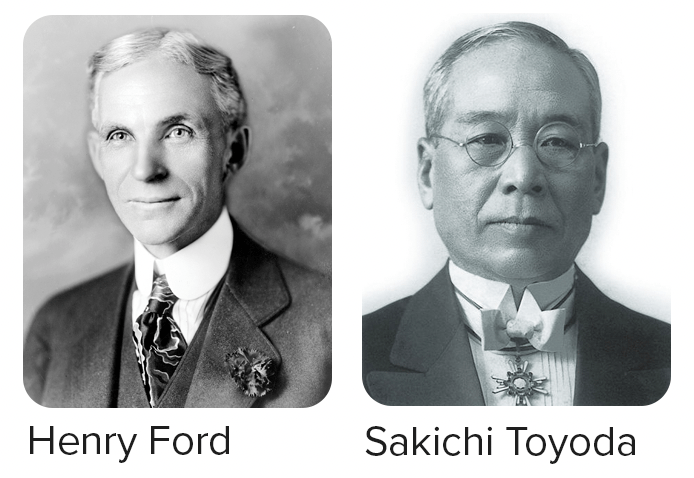
The Toyota Motor Company helped Japanese production outpace their American counterparts who soon took note and began to implement similar measures in their own plants domestically.
Prior to Japanese innovation much of the progress in North America had come from the Ford Motor Company’s moving assembly line which had reduced the time needed to assemble an automobile from 12 hours to 90 minutes.

5S Auditing Best Practices
A crucial part of Sustain is completing regular 5S Audits.
Audits will help to maintain the gains of your 5S Action Plan to date and also find new ways to make your workstations more efficient, safe, and productive over time.
Audits can be performed in a Gemba walk style format, with members of your 5S committee or management doing floor walks with a structured agenda.
Most companies use a 5S audit form that will score a given workstation on how well it achieves the ideals of Sort, Set in Order, and Shine.
Two crucial components of a 5S audit are consistency and the ability to track results over time.
Ensure that the standards by which your staff and their workstations are measured remain the same from audit to audit. You will find having an audit template with clear scoring criteria invaluable as over time it will help your staff understand what is expected of them, and your auditors focus on what to look for from audit to audit.
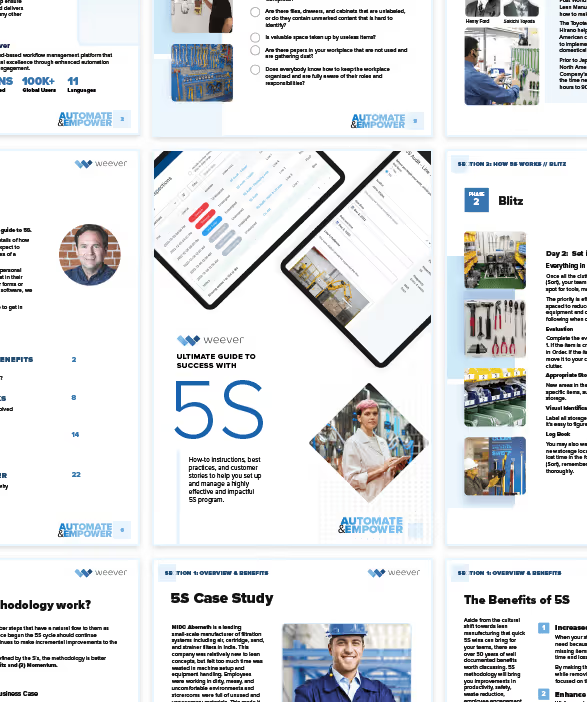
You can download the Ultimate Guide to 5S - https://weeversoftware.com/guide/success-with-5s
5S Auditing Best Practices
Over the past 10 years, Weever has been on the front lines of helping global Fortune 100 manufacturing companies implement and maintain successful 5S programs. We've learned a lot from our clientele over the years and we're happy to share those lessons here. For example, start with a standardized scoring system to maintain consistent expectation and measure success.
Here are some other best practices to consider:
1. Measure Progress Over Time
Record specific incidents and concerns during audits and analyze and follow up on them during subsequent audits.
Comparing audit scores over time gives your staff tangible results to guide their ongoing efforts and a sense of accomplishment. If an issue identified from a previous audit remains unresolved consider performing a Root Cause Analysis to get the issue fixed.
2. Make Your Audits Collaborative
Any 5S audits should be a collaborative exercise between staff and your auditors. Be sure to get the opinions of your staff on how to improve 5S conditions. Who would know better how to make a workspace more efficient than the people working in them?
3. Avoid "Gotchas"
Avoid using 5S audits as a pretext for disciplining your staff. The view that your audits are used as an excuse for discipline will hurt morale and undermine the momentum of your program. If unsafe or incorrect work behavior is observed during an audit, consider making a note and giving feedback to your staff privately afterwards.
4. Be Constructive and Conversational
If there are areas of improvement you have identified at a given workstation during your audit, offer feedback constructively and conversationally.
Remember to solicit feedback from your staff, and ask what they think, and be sure to offer praise where work conditions have improved or remained in a good state.
Don't miss opportunities to reinforce the ongoing benefits of 5S to your staff during audits. It's in every employee's best interest for your facility to be as safe, clean, and productive as possible. This will help maintain your program's momentum and keep the staff engaged. Afterall, everyone prospers when your plant is productive and profitable.
5. Be Consistent
Schedule your audits at regular intervals, and be sure to reference past audits to maintain continuous improvement efforts and resolve previously identified issues. Make sure that each audit has complete and thorough notes, just in case the auditor changes in between floor walks. This will also help you remember what was discussed in previous audits.
Thank you for requesting the 5S Guide
A download link has been sent to the email address you provided.
Tell us a bit about yourself. We work with organizations of all shapes and sizes from all over the world. If you want to realize the rich benefits of 5S Auditing, we can help you as well.
Over 2 million jobs completed for over 100,000 users worldwide. View Testimonials

Shift Duty Roster Free Template
Gemba Walk Overview
Gemba walks are an increasingly popular management technique. A Gemba Walk Checklist is a tool used by management leaders to capture first-hand observations of what is exactly going on on the floor where work happens. The Gemba Walk Checklist helps document insights from discussions with employees and serves as a reference tool on how to improve processes and reduce existing waste.
By visiting the place where work is done, leaders gain valuable insight into the flow of value through the organization and often uncover opportunities for improvement and learn new ways to support employees.
The approach is a collaborative one, with employees providing details about what is done and why. Our customers usually execute Gemba Walks at least once a week per team, work area, shift, etc. The focus of Gemba Walks is to confirm all processes are governed by a documented SOP, to identify issues if any exist, and to collaborate on corrective and preventive actions if necessary.
Ensure your team is prepared.
Provide an overview of what Gemba Walks are, their value and how they are to be conducted. This will help to ensure that they participate in the program.

InfoBoxes can be used to provide staff with a quick overview of the Gemba program in the form of a video, photos, a presentation or even a simple written overview. And then use a Quiz to confirm they understand the information.
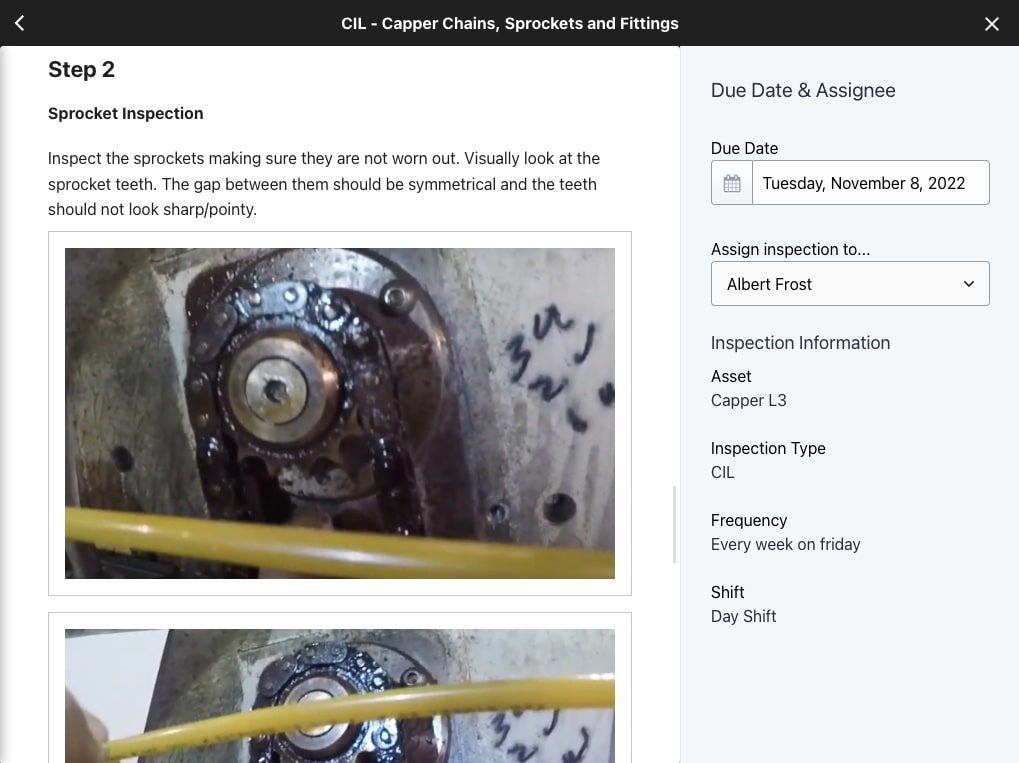
Use a template and standardize responses as much as possible.
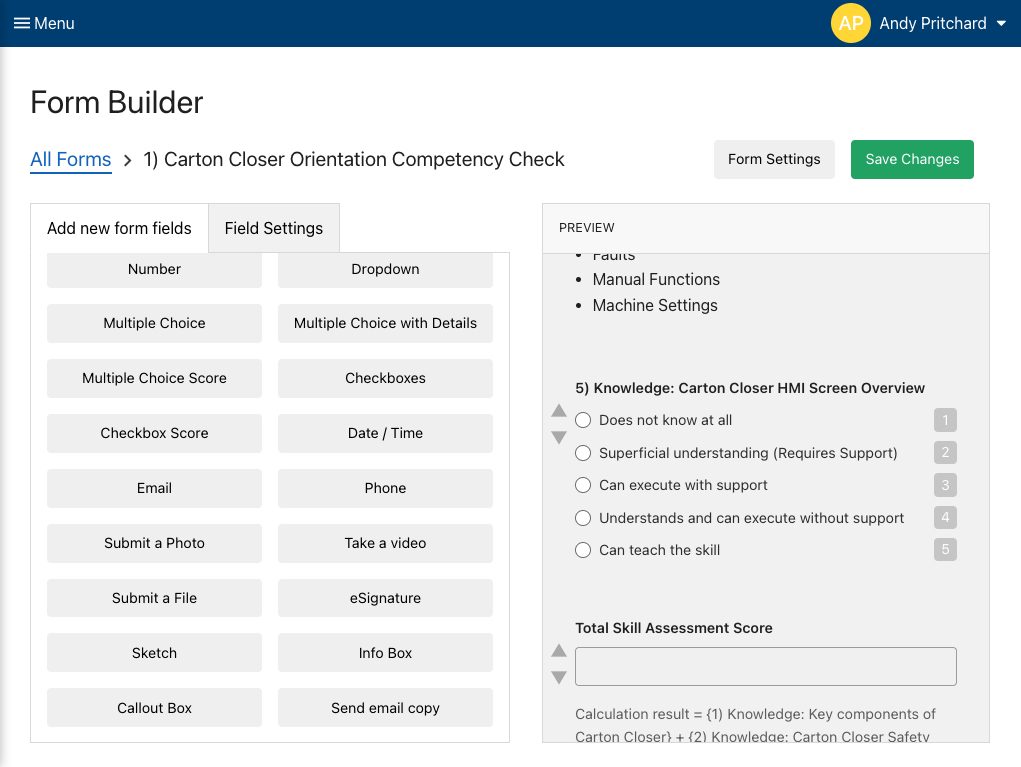
Templates allow you to follow the value stream and observe areas with a high potential for waste that can be optimized. Gemba Walk templates ensure your managers focus on the processes and not people and document observations correctly. Standardization also creates better and more insight-driven reporting.
Weever includes form and report templates that can be customized to your unique requirements.
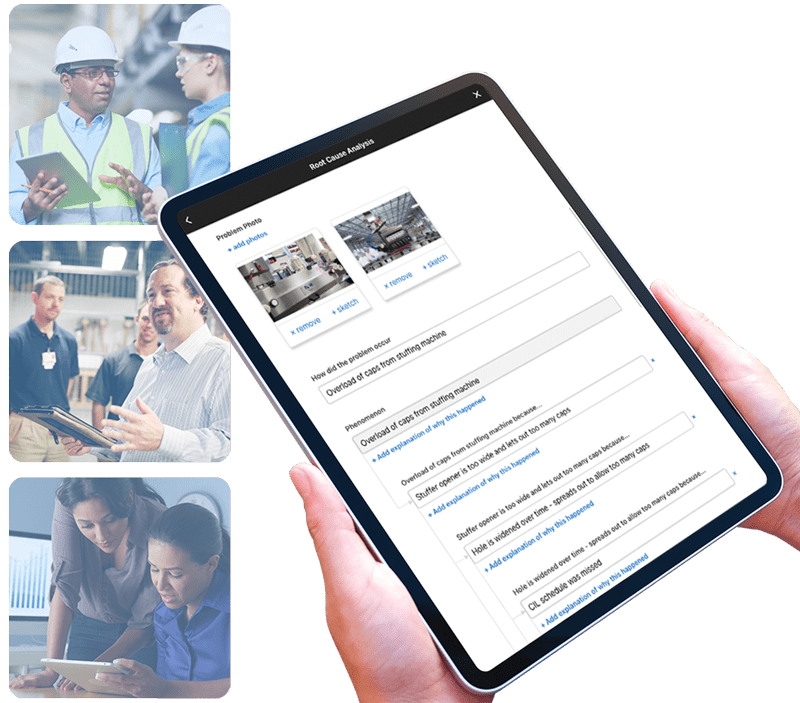
Ask a lot of questions and don't make suggestions right away.
Ask questions to uncover the who, what, where, when and why for each procedure. Understand why operations are performed in this order and particular way. Uncover the root cause of issues with the operator. But be careful not to make suggestions until you have a moment to review all of the information.
Use the Root Cause Analysis module in Weever to collaborate on potential issues and create an action plan.
Set a schedule but feel free to mix it up.
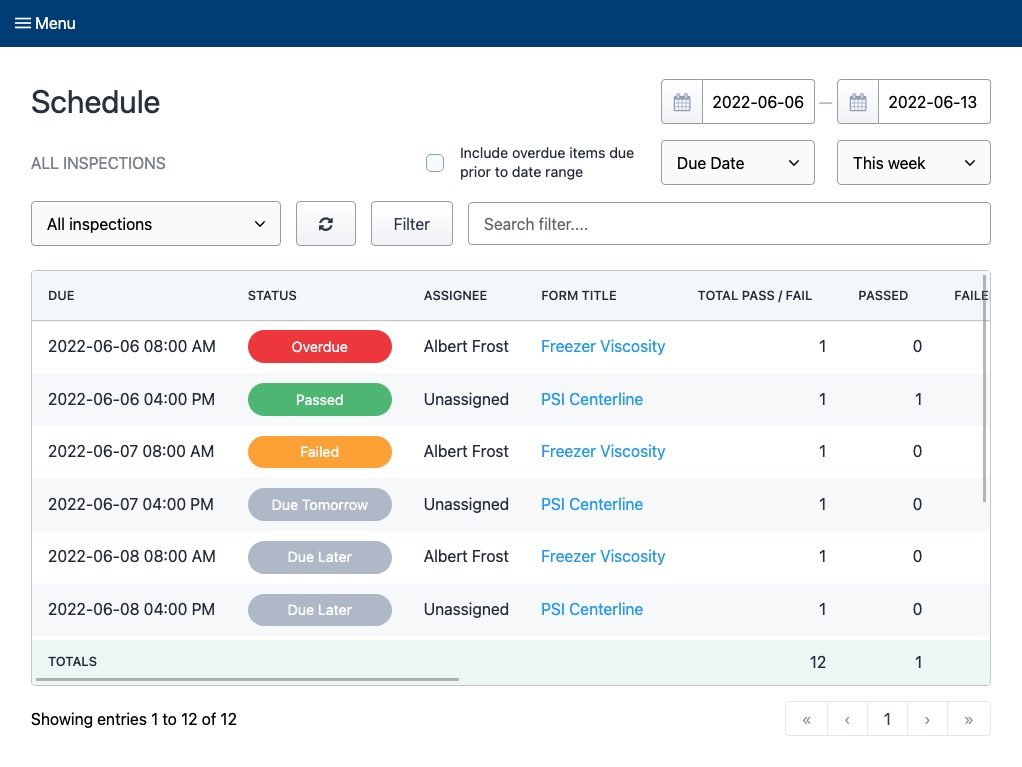
Keeping a schedule is great for managers, but what is "walked" should be switched up because processes can change based on who is executing them, the time of day, and other parameters.
Create intermittent schedules using Weever's inspection scheduling module. Assign inspections to lines, machines, teams, and/or staff members.
Follow-up
Follow-up with employees to share what you have learned and plan next steps. Perform future Gemba walks to observe the changes you've implemented and if they achieved the desired results.
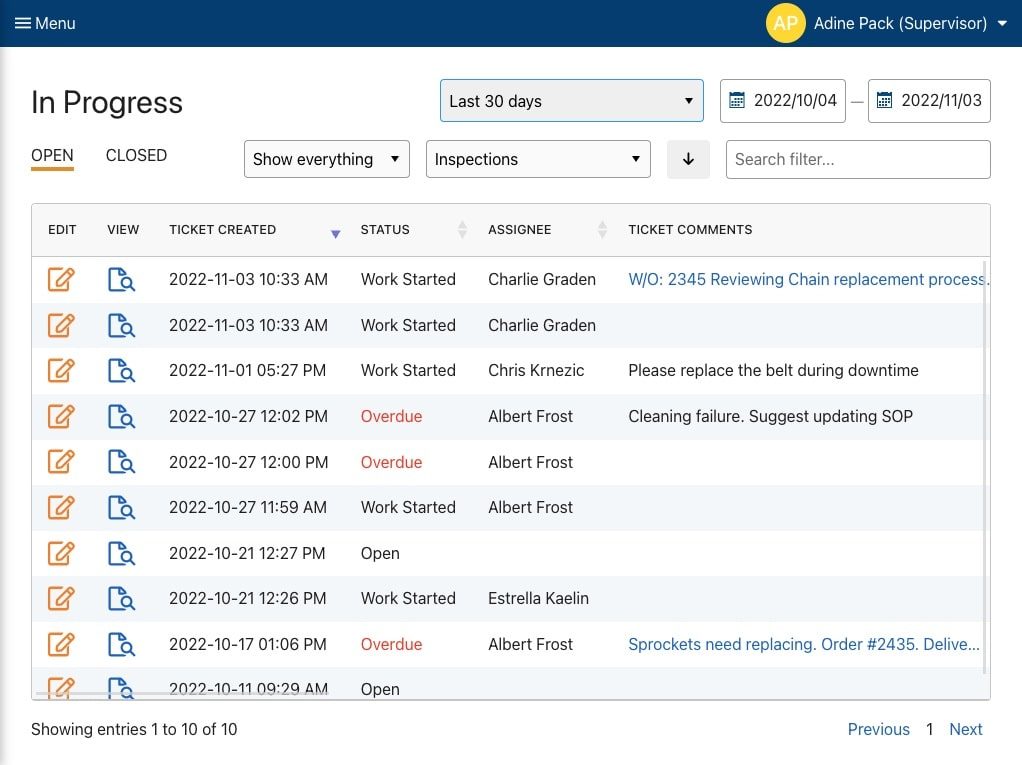
You can manage all facets of your Gemba workflows using In Progress Tickets in the Weever Platform. Set the status as "Work Started", assign action items and set due dates.

- Trusted solution - Over 2 million jobs completed worldwide.
- Your success is our #1 Priority - We partner with you to ensure results.
Learn More

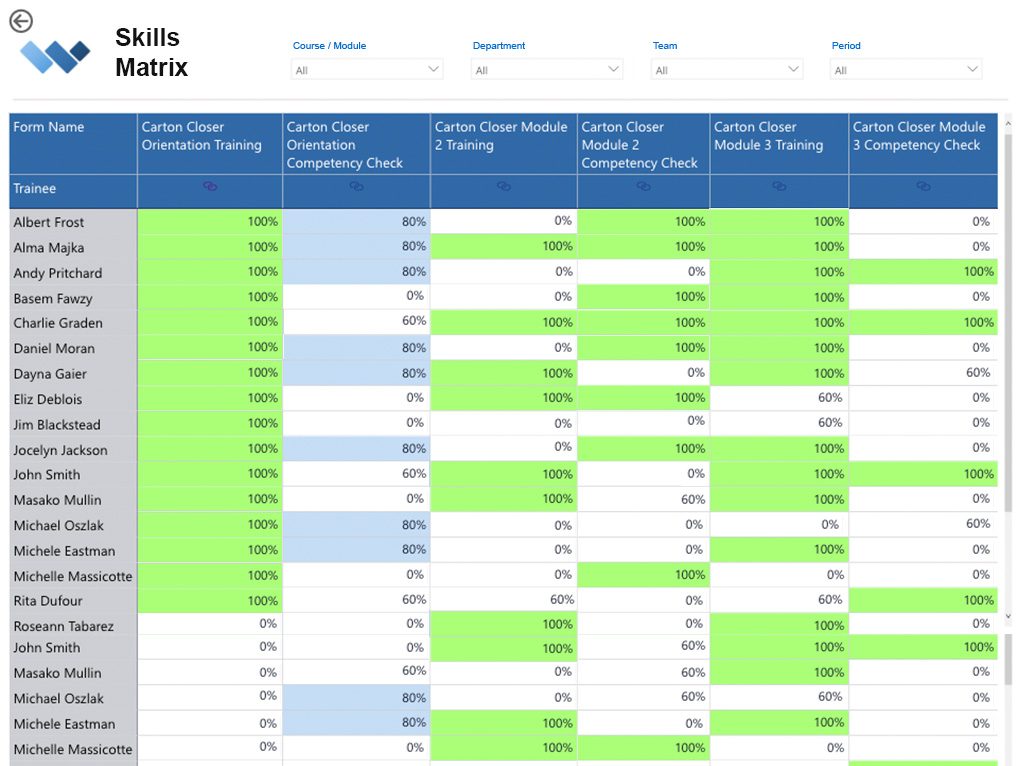
What Is A Skills Matrix And How to Create It?
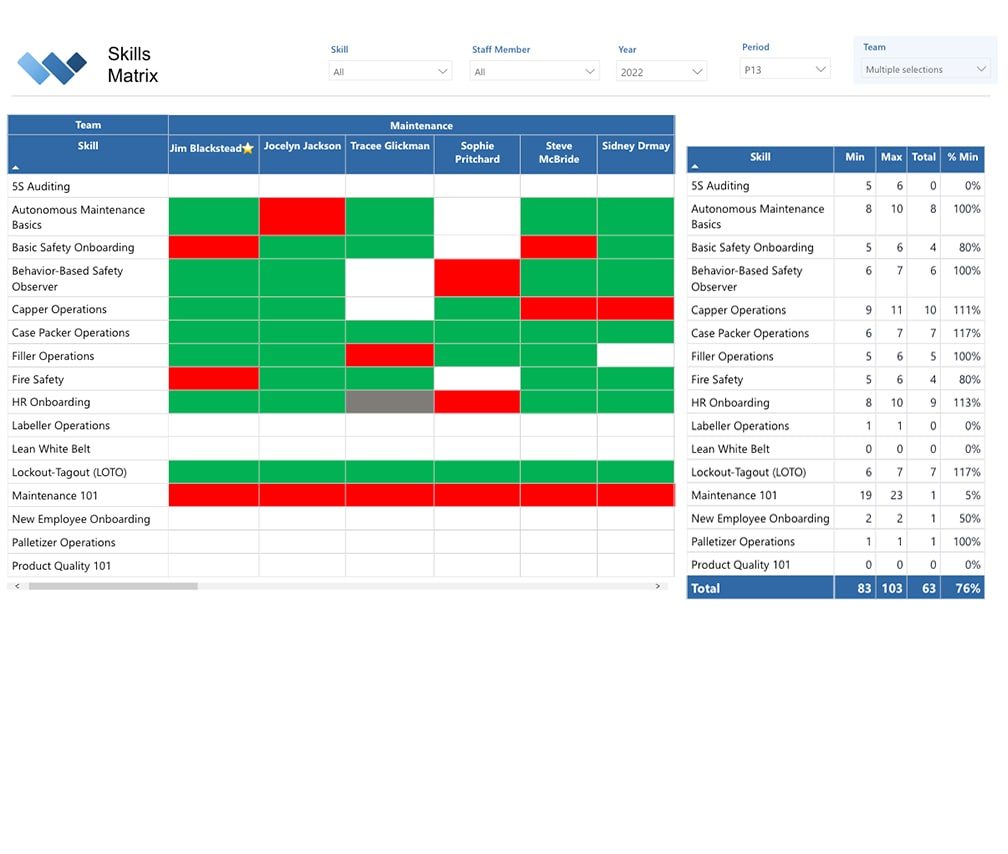
A skills matrix is a framework used to understand employees' skills and, most importantly, the gap between current and required skill level.
Understanding gaps helps to mitigate the risk of not having an appropriate staff member scheduled on each shift to manage core requirements. For example, you might only have one person on the night shift that can work the capper machine. If that person is sick, production will either be shut down or will at least be hindered substantially.
Skill matrices are used to understand hard skills, including technology and techniques, as well as soft skills, such as communication, teamwork and reliability. Ultimately, skills matrices are used to manage, plan, and monitor existing and desired skills for a role, team, department, project, or an entire organization.
Benefits of a Skills Matrix
Skills Matrices are an essential tool to keep track of your staff's skills, qualifications, certifications, and competencies throughout the whole organization.
They are simple to manage, cost effective and can have a tremendous impact on your organization's bottom line.
1. Identify Gaps
Skills matrices help to determine what skill set you are missing and take steps to address the gap. A skills matrix can help you identify employees with knowledge or skill gaps, and provide the needed training, as you rotate employees between crucial projects or teams.
2. Accessibility and Inclusion
Some of our customers create a public skills matrix that shows hard skills associated with roles. Having a skills matrix to point to as the reason certain people were promoted allows everyone to understand that your motivations are above board and not based on favoritism or politics.
3. Employee Engagement
Promoting employees that don't deserve it can hurt overall employee engagement and also set the employee up for failure. Skills Matrices make it easy for staff to understand where they need to improve to be successful at their current role and be considered for advancement. This removes the guesswork from the career advancement discussion. As a result, skills matrices can be highly, intrinsically motivating.
4. The Right People for the Job
A skills matrix allows you to select the right people for the job, task, or project, helping managers form better and more productive teams and fill positions with the employees who are the best fit for that role. Having a picture of the skills pool you can draw from has immense benefits across the board. When choosing members for a team or project, you can immediately see who is best suited for the job based on their available skillset.
5. Track Employee Development
Skill Matrices can help you, and your team members, understand their development overtime as well as the requirements they need to achieve milestones and get ahead. Training departments can understand what training content needs to be developed and individuals can take action to gain necessary skills they need to excel in their position.
5. Employee Retention
Since they have visible evidence of your appreciation, employees are less likely to jump ship at the first sign of opportunity elsewhere. Continuing skills training also gives them a tangible path toward promotion, which also helps raise your retention rate. Promote-from-within cultures allow your workforce to have confidence that hard work and experience will pay off for them in your company.
6. Productivity
As skills improve, so does proficiency. Adding more skills to each employee's repertoire will allow them to complete more tasks with less effort. This lowers their stress, improves their outlook, and makes them less likely to look for a different job. Rewarding productivity (as sales roles often do) is an excellent incentive for employees to learn new skills that they see as beneficial to their work.
How to Create a Skill Matrix
1. Create Skills Requirements for Roles or Teams
Create a list of skills associated with each role or team. Start with the hard skills, such as machine operation, safety-related, quality assurance, and then you can feel free to add softer skills such as communication and teamwork.
A best practice is to review the skills with an experienced employee within the given role who can provide insights into additional skills that are either required or highly advantageous.
2. Develop a Grading System
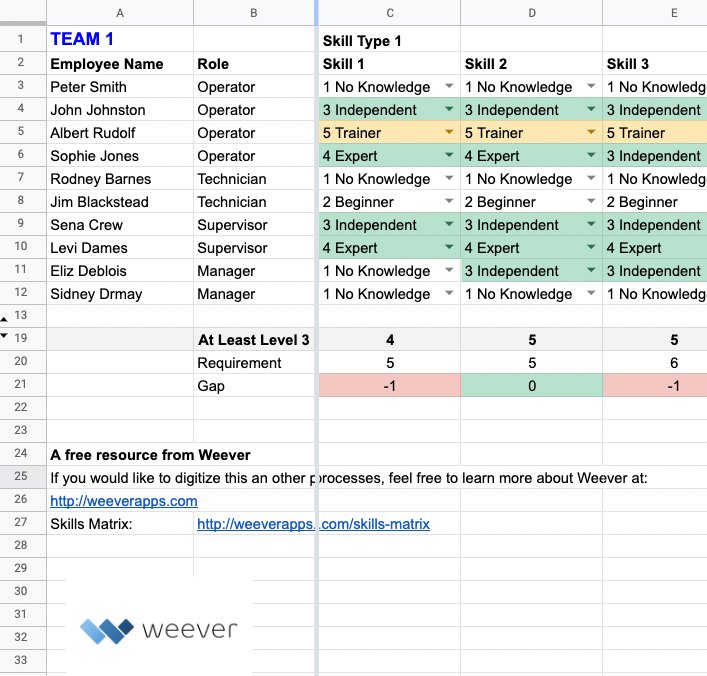
A grading system is used to rank employee skills and competencies. Usually it is a point based system something like:
- Level 1 - No Knowledge
- Level 2 - Beginner
- Level 3 - Independent
- Level 4 - Expert
- Level 5 - Trainer
3. Map your Skill Matrix
Create a table for each team that includes the team's employees and the skills as a grid. Usually skills matrices include a required amount of team members who need to have a given skill. You can use software to build your skills matrix or use a spreadsheet.
Feel free to download our template for free here.
4. Evaluate Skills
Usually managers will rank the skills of each of their employees. Although you can start with a self evaluation, which can be more efficient. Competency checks (aka Skills Assessment) are used to test staff skills in a live environment. To conduct a competency check, supervisors ask staff to complete certain tasks and evaluate their performance. Each competency can ladder up to an overall skill grade. Learn more about how Competency Checks here.
5. Understand Insights and Create Action Plans
Skills Matrix dashboards provide instant insights into gaps that need to be mitigated, as well as training and advancement opportunities. Dashboards can be automated to show the sum or average of all skills filtered by teams, department, roles, etc. This gives you a sense of who your most skilled employees are and who needs more training and support.
Skills Matrix Free Spreadsheet Template
Download the Skills Matrix spreadsheet template (.xlsx)
Download the Skills Matrix template for free.
Free, customizable MS Excel (.xlsx) sent to your inbox.
What is a Skills Matrix?
A skills matrix is a framework used to understand employees' skills and, most importantly, the gap between current and required skill level.
Understanding gaps helps to mitigate the risk of not having an appropriate staff member scheduled on each shift to manage core requirements.
For example, you might only have one person on the night shift that can work the capper machine. If that person is sick, production will either be shut down or will at least be hindered substantially.
Skill matrices are used to understand hard skills, including technology and techniques, as well as soft skills, such as communication, teamwork and reliability.
Ultimately, skills matrices are used to manage, plan, and monitor existing and desired skills for a role, team, department, project, or an entire organization.
Benefits of a Skills Matrix
Skills Matrices are an essential tool to keep track of your staff's skills, qualifications, certifications, and competencies throughout the whole organization.
They are simple to manage, cost effective and can have a tremendous impact on your organization's bottom line.
1. Identify Gaps
Skills matrices help to determine what skill set you are missing and take steps to address the gap. A skills matrix can help you identify employees with knowledge or skill gaps, and provide the needed training, as you rotate employees between crucial projects or teams.
2. Accessibility and Inclusion
Some of our customers create a public skills matrix that shows hard skills associated with roles. Having a skills matrix to point to as the reason certain people were promoted allows everyone to understand that your motivations are above board and not based on favoritism or politics.
3. Employee Engagement
Promoting employees that don't deserve it can hurt overall employee engagement and also set the employee up for failure. Skills Matrices make it easy for staff to understand where they need to improve to be successful at their current role and be considered for advancement. This removes the guesswork from the career advancement discussion. As a result, skills matrices can be highly, intrinsically motivating.
4. The Right People for the Job
A skills matrix allows you to select the right people for the job, task, or project, helping managers form better and more productive teams and fill positions with the employees who are the best fit for that role. Having a picture of the skills pool you can draw from has immense benefits across the board. When choosing members for a team or project, you can immediately see who is best suited for the job based on their available skillset.
5. Track Employee Development
Skill Matrices can help you, and your team members, understand their development overtime as well as the requirements they need to achieve milestones and get ahead. Training departments can understand what training content needs to be developed and individuals can take action to gain necessary skills they need to excel in their position.
6. Employee Retention
Since they have visible evidence of your appreciation, employees are less likely to jump ship at the first sign of opportunity elsewhere. Continuing skills training also gives them a tangible path toward promotion, which also helps raise your retention rate. Promote-from-within cultures allow your workforce to have confidence that hard work and experience will pay off for them in your company.
7. Productivity
As skills improve, so does proficiency. Adding more skills to each employee's repertoire will allow them to complete more tasks with less effort. This lowers their stress, improves their outlook, and makes them less likely to look for a different job. Rewarding productivity (as sales roles often do) is an excellent incentive for employees to learn new skills that they see as beneficial to their work.
How to Create a Skill Matrix
1. Create Skills Requirements for Roles or Teams
Create a list of skills associated with each role or team. Start with the hard skills, such as machine operation, safety-related, quality assurance, and then you can feel free to add softer skills such as communication and teamwork.
A best practice is to review the skills with an experienced employee within the given role who can provide insights into additional skills that are either required or highly advantageous.
2. Develop a Grading System
A grading system is used to rank employee skills and competencies. Usually it is a point based system something like:
- Level 1 - No Knowledge
- Level 2 - Beginner
- Level 3 - Independent
- Level 4 - Expert
- Level 5 - Trainer
3. Map your Skill Matrix
Create a table for each team that includes the team's employees and the skills as a grid. Usually skills matrices include a required amount of team members who need to have a given skill. You can use software to build your skills matrix or use a spreadsheet.
4. Evaluate Skills
Usually managers will rank the skills of each of their employees. Although you can start with a self evaluation, which can be more efficient. Competency checks (aka Skills Assessment) are used to test staff skills in a live environment. To conduct a competency check, supervisors ask staff to complete certain tasks and evaluate their performance. Each competency can ladder up to an overall skill grade. Learn more about how Competency Checks here.
5. Understand Insights and Create Action Plans
Skills Matrix dashboards provide instant insights into gaps that need to be mitigated, as well as training and advancement opportunities. Dashboards can be automated to show the sum or average of all skills filtered by teams, department, roles, etc. This gives you a sense of who your most skilled employees are and who needs more training and support.
Skills Matrix Preview text
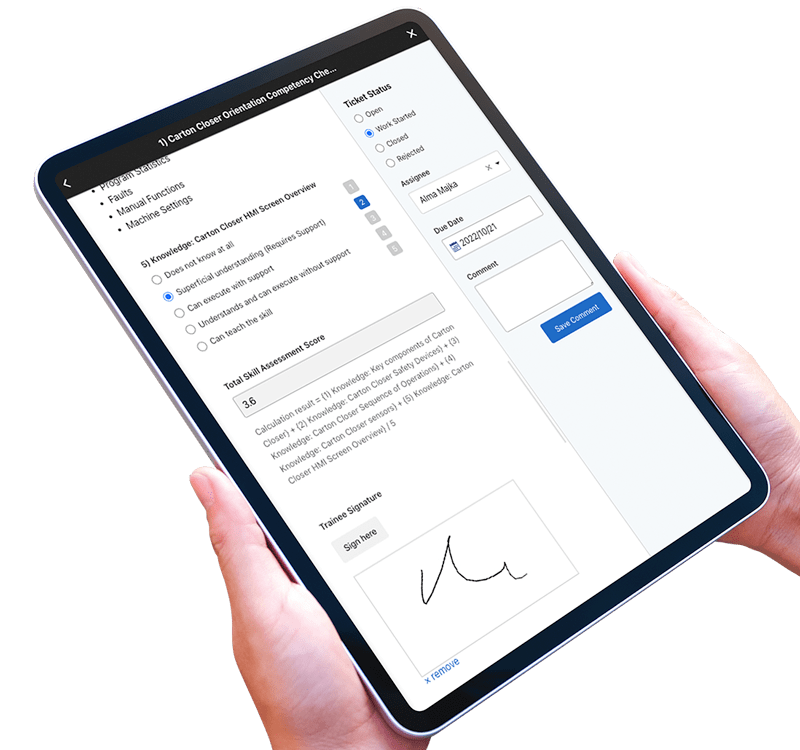
- Customize pre-built templates.
- Guide staff with on-demand instructions, call-outs and tutorials.
- Capture photos, sketches and digital signatures.
- Automated alerts and create investigation action plans.
- Automate dashboard reporting and share data with other business systems in real-time.
REAL-TIME REPORTING
Automate Business Intelligence.
- Customizable reporting dashboards.
- Download Spreadsheets & PDF documents.
- Automatically push data to other business systems.
Over 2 million jobs completed for over 100,000 users worldwide. View Testimonials
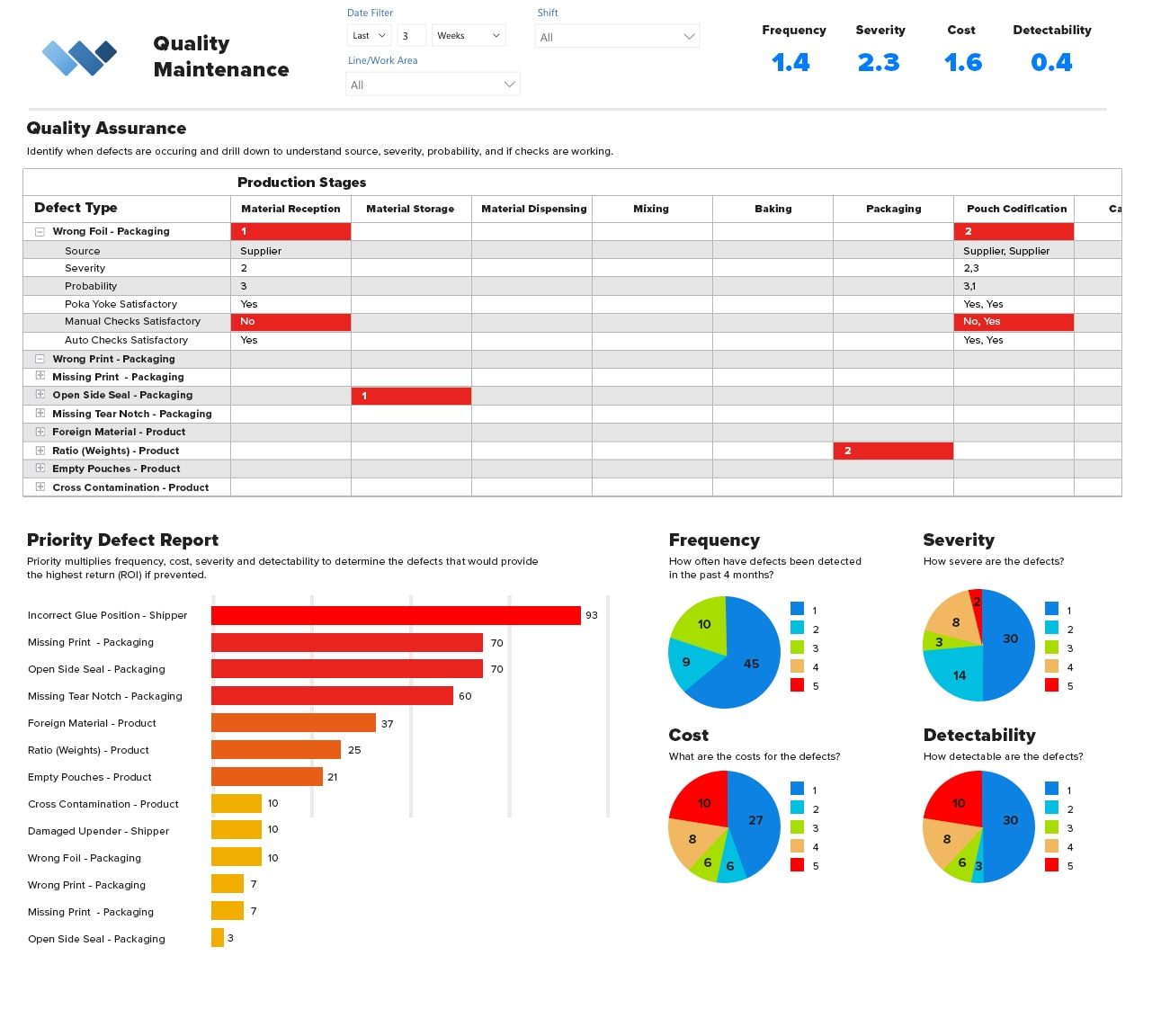
Quality Assurance Matrix
Quality Assurance Matrix
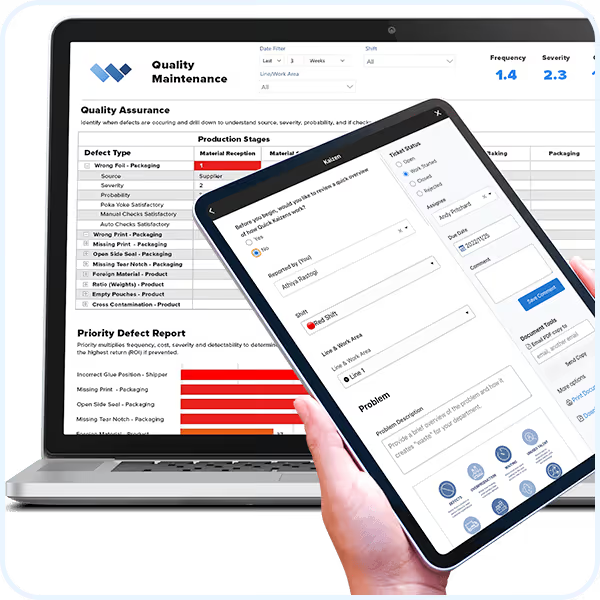
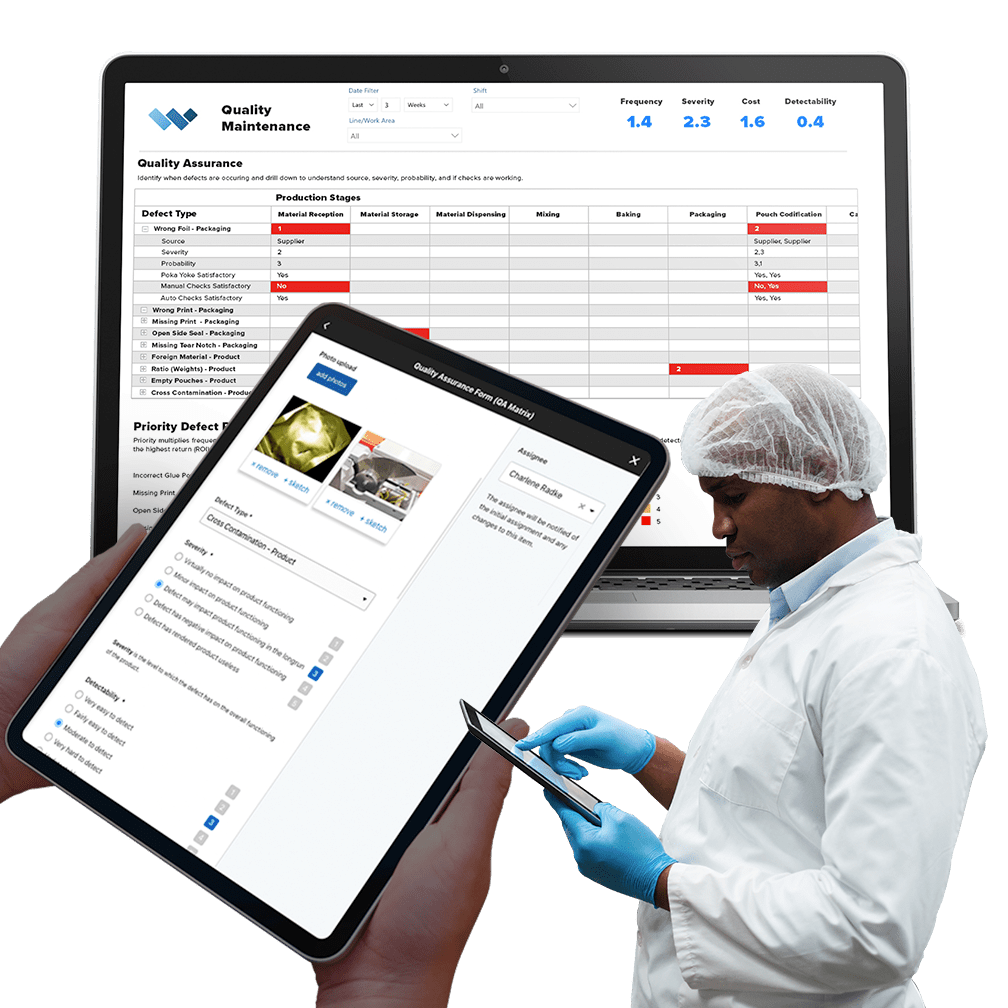
Attain zero defects with Weever's simple and smart TPM platform that everyone can use.
Used by organizations worldwide to manage Quality Maintenance TPM Pillar Reporting, Weever is highly intuitive and very powerful software that simplifies data capture, workflow automation and reporting and ensures compliance.

Automate administrative tasks, simplify work and unlock the full potential of your frontline employees.
We work with organizations of all shapes and sizes who are frustrated with paper forms and spreadsheets. They want to save money, become more efficient, and spend their time more wisely. If that sounds like you, you've come to the right place.
Everything you need to get it done.
We are global leaders in Quality Maintenance TPM Pillar Reporting because we provide everything you need to get the job done.
Customizable Templates
Dashboard Reporting
Automated Workflows
Schedule Management
Real-time Visibility
On-Demand Instructions
Digital DATA CAPTURE
Get it done correctly every time.
- Capture photos, sketches and digital signatures.
- Automate real-time instructions and feedback.

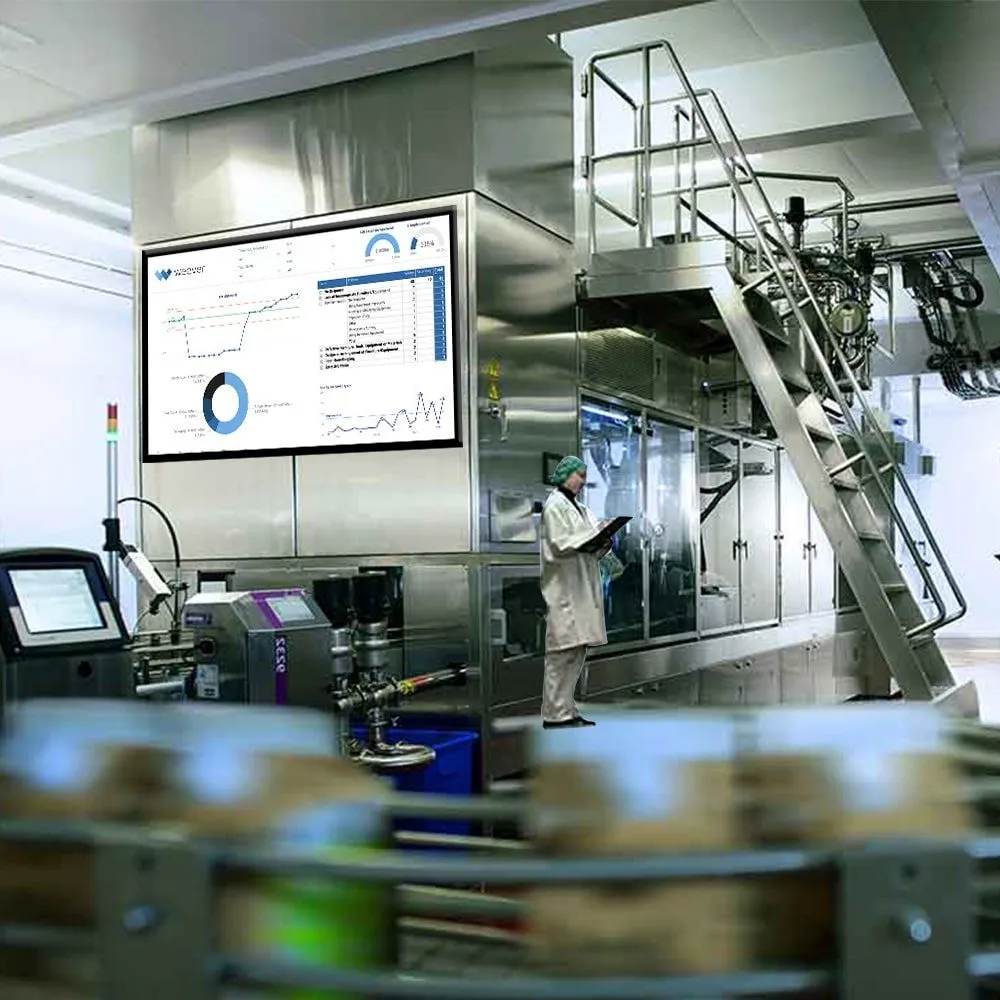
REAL-TIME REPORTING
Automate Business Intelligence.
- Customizable reporting dashboards
- Download Spreadsheets & PDF documents
- Automatically push data to other business systems

Take a Guided Tour.
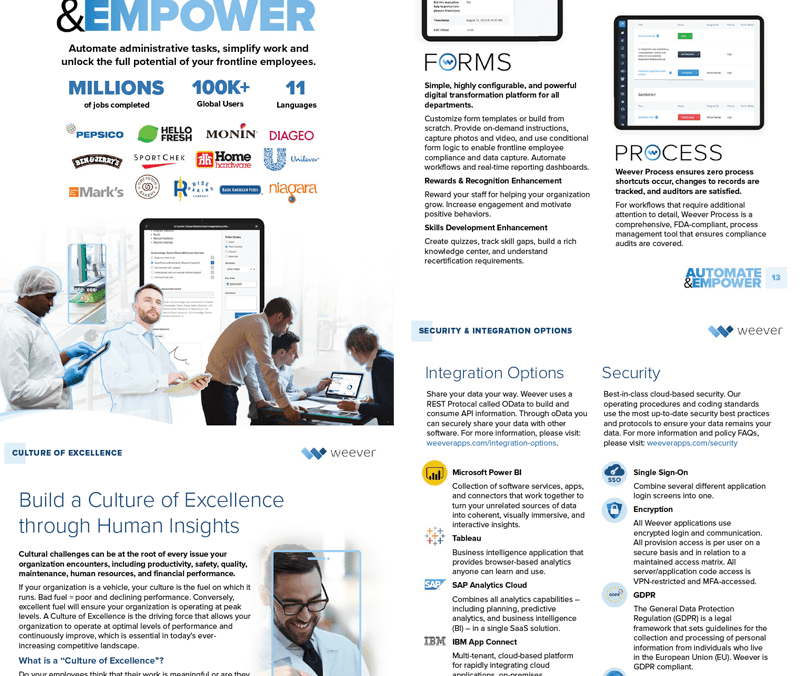
Learn about the Platform.
Download the brochure to get all the details about how Weever works.
Gemba Walk Best Practices
Gemba Walk Overview
Gemba walks are an increasingly popular management technique. A Gemba Walk Checklist is a tool used by management leaders to capture first-hand observations of what is exactly going on on the floor where work happens. The Gemba Walk Checklist helps document insights from discussions with employees and serves as a reference tool on how to improve processes and reduce existing waste.
By visiting the place where work is done, leaders gain valuable insight into the flow of value through the organization and often uncover opportunities for improvement and learn new ways to support employees.
The approach is a collaborative one, with employees providing details about what is done and why. Our customers usually execute Gemba Walks at least once a week per team, work area, shift, etc. The focus of Gemba Walks is to confirm all processes are governed by a documented SOP, to identify issues if any exist, and to collaborate on corrective and preventive actions if necessary.
Ensure your team is prepared.
Provide an overview of what Gemba Walks are, their value and how they are to be conducted. This will help to ensure that they participate in the program.
InfoBoxes can be used to provide staff with a quick overview of the Gemba program in the form of a video, photos, a presentation or even a simple written overview. And then use a Quiz to confirm they understand the information.
Use a template and standardize responses as much as possible.
Templates allow you to follow the value stream and observe areas with a high potential for waste that can be optimized. Gemba Walk templates ensure your managers focus on the processes and not people and document observations correctly. Standardization also creates better and more insight-driven reporting.
Weever includes form and report templates that can be customized to your unique requirements.
Ask a lot of questions and don't make suggestions right away.
Ask questions to uncover the who, what, where, when and why for each procedure. Understand why operations are performed in this order and particular way. Uncover the root cause of issues with the operator. But be careful not to make suggestions until you have a moment to review all of the information.
Use the Root Cause Analysis module in Weever to collaborate on potential issues and create an action plan.
Set a schedule but feel free to mix it up.
Keeping a schedule is great for managers, but what is "walked" should be switched up because processes can change based on who is executing them, the time of day, and other parameters.
Create intermittent schedules using Weever's inspection scheduling module. Assign inspections to lines, machines, teams, and/or staff members.
Follow-up
Follow-up with employees to share what you have learned and plan next steps. Perform future Gemba walks to observe the changes you've implemented and if they achieved the desired results.
You can manage all facets of your Gemba workflows using In Progress Tickets in the Weever Platform. Set the status as "Work Started", assign action items and set due dates.
- Trusted solution - Over 2 million jobs completed worldwide.
- Your success is our #1 Priority - We partner with you to ensure results.
Learn More

Top 5 Benefits of Digitizing your Autonomous Maintenance Program
First off, congratulations for realizing the benefits of Autonomous Maintenance (AM) if you are already executing a program.
Autonomous Maintenance is the first and most pillar in Total Productive Maintenance (TPM) because by offloading basic maintenance tasks to operators. maintenance teams have the time and resources to tackle the other pillars.
We help organizations from all over the world get the most out of their operator-led inspections program. Some started with paper and experienced some, or all, of the same challenges and barriers you may be experiencing, hence why you are reading an article about the benefits of digitizing your AM program.
You might be looking to arm yourself with information to convince others within your organization to make the investment in a digital solution.
Feel free to download our "Ultimate Guide to Autonomous Maintenance Success", which features the information below as well as information about how to optimally set up your program, key success factors, and customer success stories. It's a nice looking document you can share with your team to look like an all star!
Well - here is our best take on the benefits our customers have realized through working with our platform. Hope this helps.
1) Reduce Administrative Burden
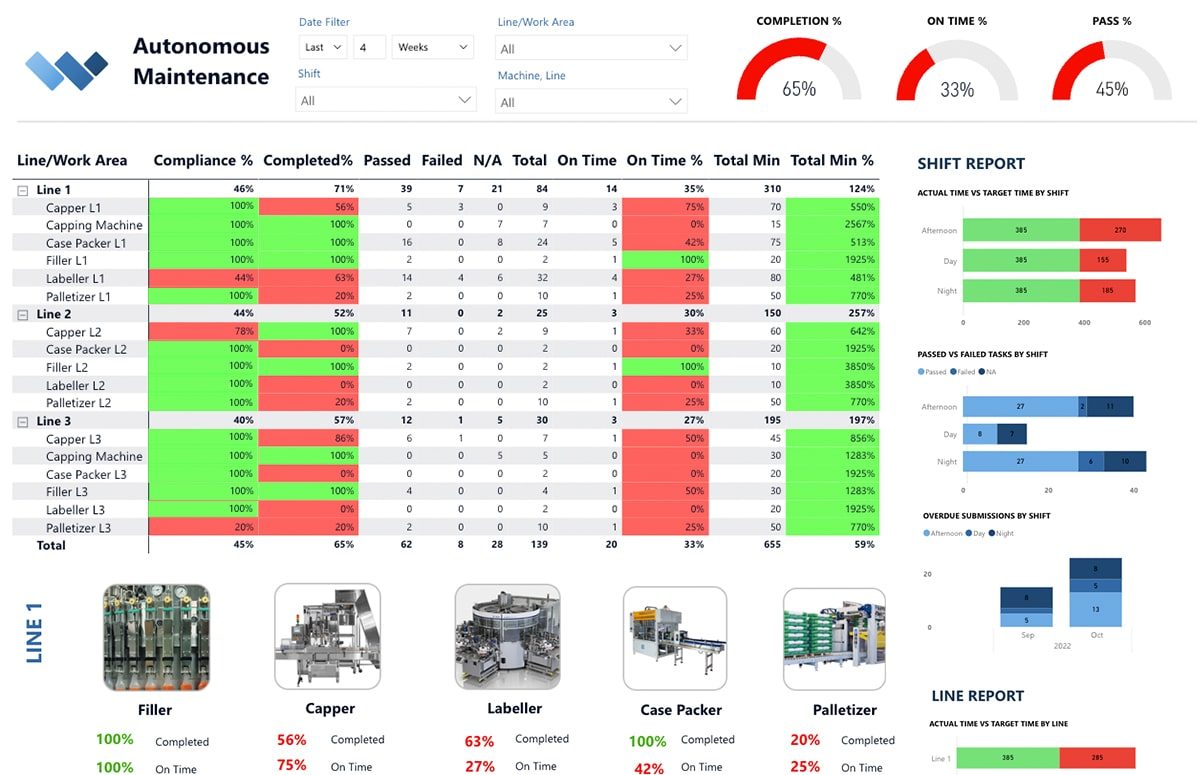
A key benefit of Autonomous Maintenance is the reams of data that you collect from operators while they report machine downtime, inspection failures, abnormalities, compliance, and so on. This data can be used to understand trends, predict failures and prevent breakdowns.
Managers can be overwhelmed by the amount of data that is captured and the time it takes to make sense of it all. As a result, effective data management is key to ensure you are spending your time realizing the benefits of AM instead of battling with spreadsheets.
Key Barriers:
- Paper forms require manual inputting that takes time and is mundane and arduous
- Manual inputting can create a time lag between identifying issues and correcting/preventing them
- Manual inputting requires headcount that could be reallocated to more productive tasks
- Paper forms can be lost or illegible, requiring follow-ups and back-and-forths
The Solution:
Weever removes the burden of program administration entirely through automated KPI dashboard reporting.
Functional Details:
- Staff capture rich data digitally including photos, videos and conditional logic
- Inspection failures automatically create maintenance tickets and alert supervisors in real-time
- All data is added to your entirely customizable KPI dashboard with no manual inputting required
2) Real-time Escalation
By offloading basic machine maintenance to operators, maintenance teams lose the ability to identify and correct issues immediately during the inspection process. To counter this, AM programs require a protocol for operators to provide insights about failures quickly to technicians so that they can be evaluated and corrected. Paper-based systems do not offer the visibility to ensure inspections are happening and issues are being reported in a timely manner.
Key Barriers:
- Paper forms provide less information and context than digital data, which can include photos and videos
- Paper forms can sit on the line for hours before being reported
- Administrative manual inputting can be required before supervisors are aware of failures, which can create a time lag between identifying issues and correcting them
The Solution:
Weever automatically escalates task failures, as well as abnormality reports, so supervisors are aware instantly of issues and their current status.
Functional Details:
- When an operator fails a task, a ticket is automatically created in the "In Progress" section that includes the details from the form submission, including the line, machine and equipment, what failed, and the associated details, including photos and videos (if applicable)
- Supervisors can evaluate the issue and assign it to a maintenance technician for instant action
3) On-Demand Instruction
Operators can be overwhelmed by the demands of Autonomous Maintenance tasks, and paper forms do little to help them understand the details involved. As a result, operators may choose to avoid inspections or do the minimum required. They may also ask for a lot of help from your maintenance technicians, which defeats most of the purpose of AM - to save technicians time to focus on Planned Maintenance.
Key Barriers:
- Training operators on how to complete CILs and Centerlines can be time consuming and expensive
- CIL (Clean, inspect, lubricate) tasks can be complex, with multiple steps, and doing them incorrectly can cost time and money
- Operators can forget or skip key steps in the approved process
- With paper forms, management has zero visibility into what actually happens on the line
- If operators think they are going to fail or not do the inspection correctly, they may choose to avoid it entirely
The Solution:
Weever provides on-demand instructions, including photos and videos, to operators to ensure they do tasks correctly, the first time and every time.
Functional Details:
- Use form builder templates to configure inspections and tasks to suit the unique requirements of your AM program and your machines
- Include conditional logic to reveal Information Boxes containing text, videos and photos that describe steps in detail
- Staff simply click the link to view the instructions if they feel they need help
- This increases confidence and, as a result, participation and compliance
4) Rich Failure Reporting
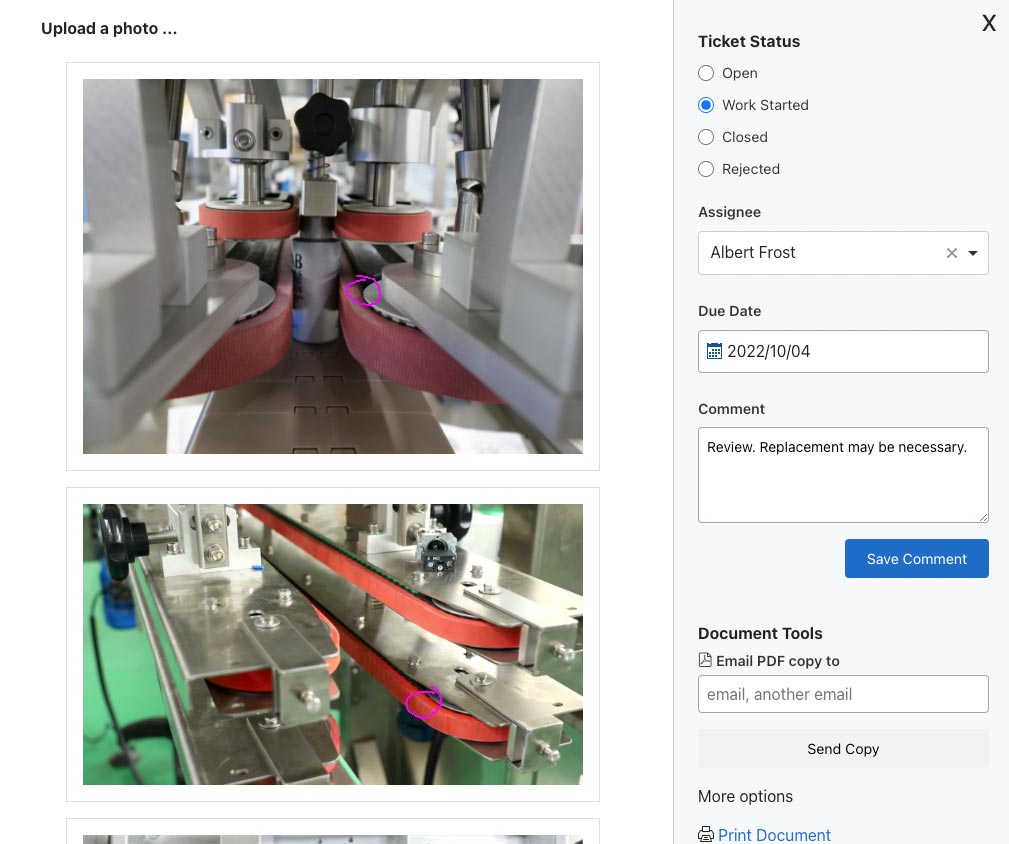
Paper forms leave out a lot of information that's required for maintenance technicians to fully assess issues and what's required to fix them. Digital solutions allow for rich information to be captured efficiently so the "full story" is provided to the maintenance team in real-time. This allows them to arrive at the machine with the appropriate tools and take the appropriate steps immediately.
Key Barriers:
- Paper forms do not offer the opportunity to provide the nuanced details necessary for maintenance technicians to fully understand the issue
- Lack of information usually requires maintenance technicians to have a conversation with the operator and inspect the machine themselves before finalizing their action plan
The Solution:
Weever helps you get issues corrected faster by providing the ability for operators to tell the whole story efficiently with photos and videos.
Functional Details:
- Operators can tap a button to take a photo or a video to further describe the failure
- Failed inspections automatically create a ticket for maintenance technicians, which feature the videos and/or photos captured
5) Increased Adoption and Participation
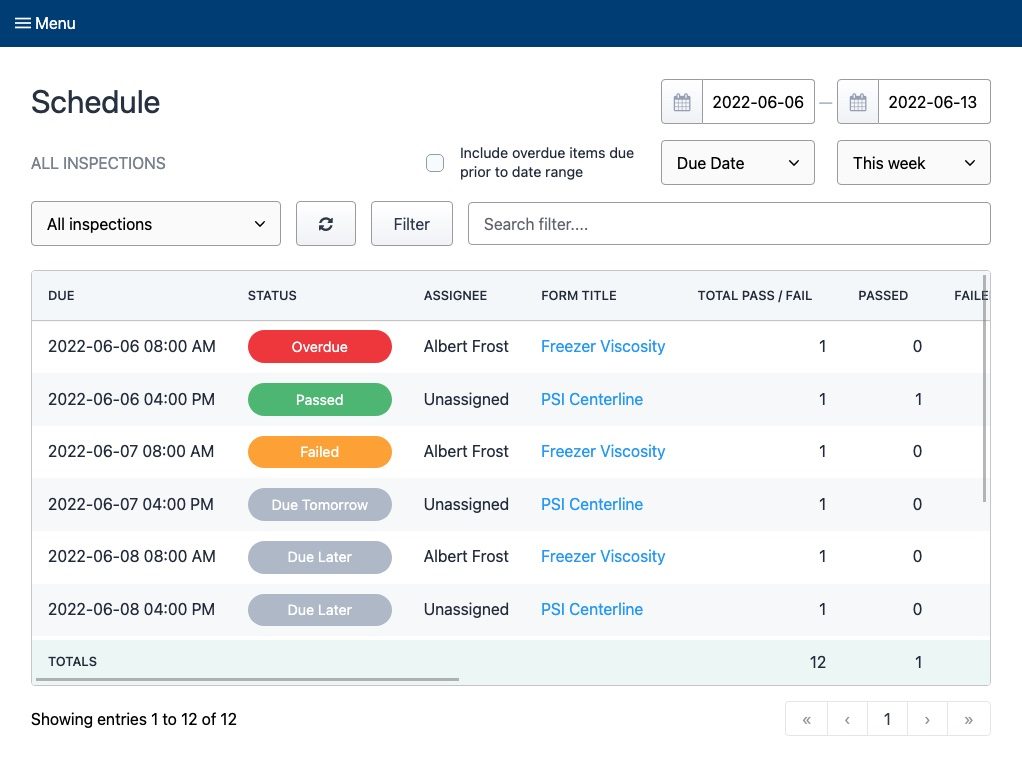
Autonomous Maintenance programs can take a lot of work to launch and maintain, and paper forms can serve as a major barrier to adoption and on-going participation. Digital solutions automate administration and make it easier for operators to have successful outcomes when inspecting and cleaning machines. Digital schedules ensure staff stay on task, digital forms ensure compliance, and automated KPI reporting helps supervisors to identify and improve areas that need attention.
Key Barriers:
- Paper forms can be inaccessible and hard to manage, which reduces operator engagement and participation
- Program administration can be arduous, requiring manual inputting of data into spreadsheets
- Inspections can be missed without appropriate scheduling and notifications
The Solution:
Weever increases adoption and participation at all levels of your organization by automating core administrative tasks and providing operators and maintenance staff with access to the tools and resources they need to ensure successful outcomes.
Functional Details:
- Operators login to their Weever account on virtually any device, including computers, phones and tablets. You can also use a shared login on shared devices
- Operators are guided through an uncluttered, easy to follow experience with on-demand instructions and conditional logic that reveals form fields only if appropriate
- Schedules are assigned to machines and equipment and, optionally, to operators themselves, so it's clear what needs to be done and by when
- In the event of a failure, maintenance teams are provided with detailed reports that ensure they have the information they need to correct the issue quickly and efficiently
- Managers are provided with performance metrics that helps them understand areas that need help to improve
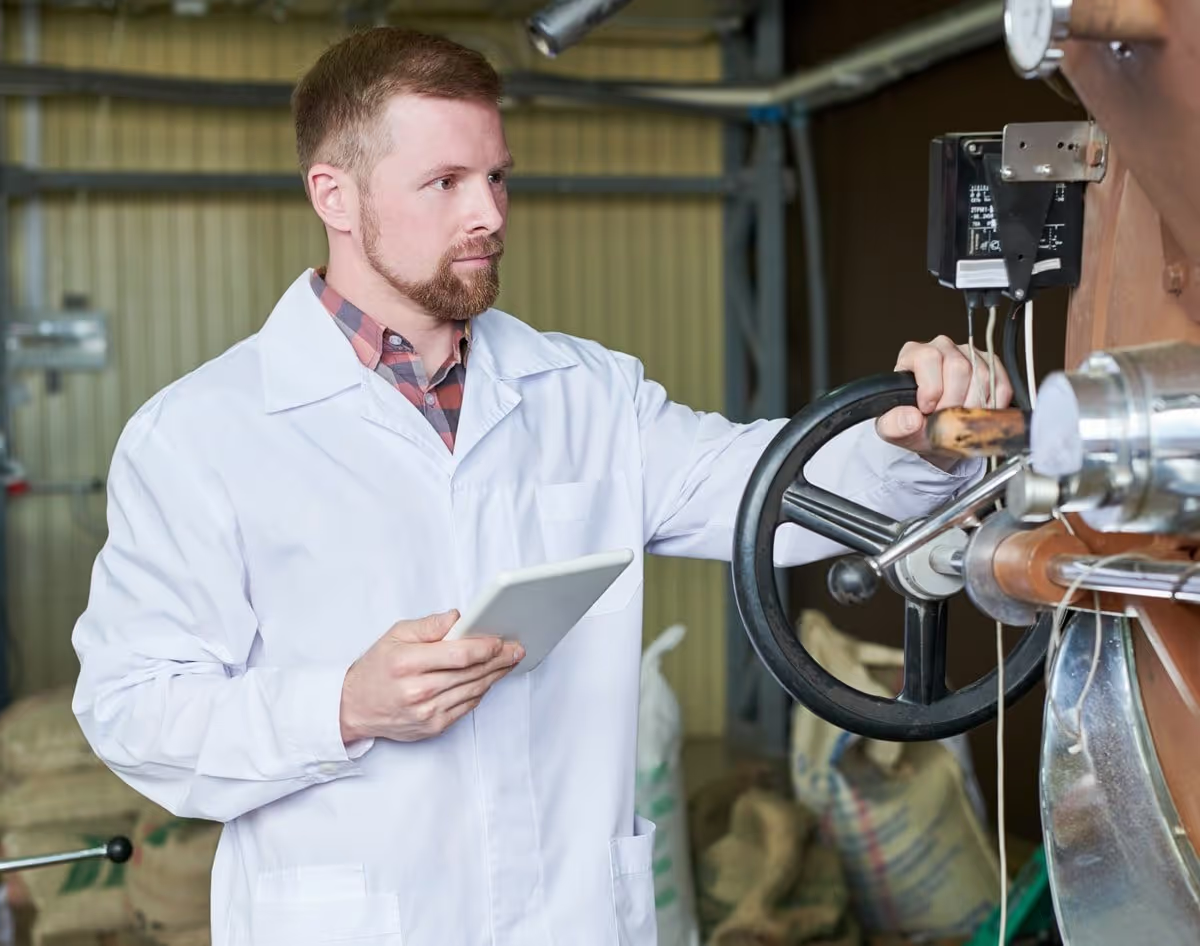
Why you should be executing Autonomous Maintenance and you should start today
Autonomous Maintenance (AM) is the most important pillar within the Total Productive Maintenance (TPM) methodology because it provides maintenance teams with the data and the time to make the other pillars happen.
An Autonomous Maintenance program offloads minor maintenance tasks, like cleanings, inspections and lubrications, to machine operators. Also referred to as "Operator-led Inspections'', the practice has been gaining a lot of momentum as of late, mostly due to the clear and vast benefits, high return on investment (ROI), and enhancements to corporate culture and operator engagement that the program offers.
One Autonomous Maintenance case study you can review online showed that the Assela Malt factory in Ethiopia realized a 46% decrease in breakdowns per month, a 5% increase in factory-wide production increased and a 64% reduction in overall maintenance expenses.
Assela Malt AM Case Study
This plant was facing an increasing frequency of failure in their machinery that was driving up production cost. Machine breakdown caused productivity loss, increased maintenance person-power and expense, and a loss of overall plant capacity. During an 18-month study, AMF trained their operators to perform 5S audits and CILS, which resulted in staggering gains to the overall efficiency of their plant:
- 46% decrease in breakdowns per month
- Factory wide production capacity increase of 5%
- Machine idle time was reduced by 8%
- Maintenance person-hours were decreased by 23%
- An overall maintenance expense reduction of 64%
The study also specifically notes an uplift in their employees' attitudes and work culture associated with being empowered with new responsibilities that directly affects their ability to make a positive impact.
If you are interested in learning about how AM works in more detail, please feel free to download our "Ultimate Guide to Autonomous Maintenance", where we get into the details of how to set up and manage an optimal AM program at your facility.
There are numerous benefits that can be realized with a well managed AM program. Here are the top benefits that we have witnessed while working with our customers.
1) Operator Engagement
Autonomous Maintenance offers the immediate benefit of providing operators with more responsibility, accountability and knowledge, which can have a massive impact on employee engagement and retention, not to mention OEE.
Employee engagement has become a core challenge for manufacturers, especially since COVID presented tangible barriers to attract and retain talent. AM transforms operators from "button pushers" on an assembly line to integral members of the team who are responsible for the everyday maintenance of their equipment.
Employee engagement is the degree to which employees invest their cognitive, emotional, and behavioral energies toward positive organizational outcomes. The positive impacts of enhancing employee engagement are well documented in manufacturing.
According to Engaging for Success: Enhancing Performance Through Employee Engagement, "organizations that truly engage and inspire their employees produce world-class levels of innovation, productivity, and performance." Over the course of the 5-year, UK government-funded, research project, the researchers discovered that companies with low employee engagement earn an operating income 32.7 percent lower than organizations with more engaged employees.
AM provides operators with a sense of personal attachment to their work and the organization. They are motivated and able to give their best to help the organization succeed - and from that flows a series of tangible benefits for the organization and individuals alike.
2) Freeing up Technician Time

A core benefit of the AM practice is that maintenance technicians are now free to spend more time on preventive and proactive maintenance planning, instead of minor maintenance tasks. In the Assela Case Study, the researchers found that maintenance teams saved over 23% of time that they reallocated towards preventive maintenance.
This allows the other pillars of TPM, such as Focused Improvement, Quality Maintenance and Planned Maintenance, to happen, because AM offloads time consuming, yet simple, maintenance tasks to operators.
Ask yourself, what would you do as a maintenance manager or technician if you got 23% of your day back?
3) Straightforward Implementation
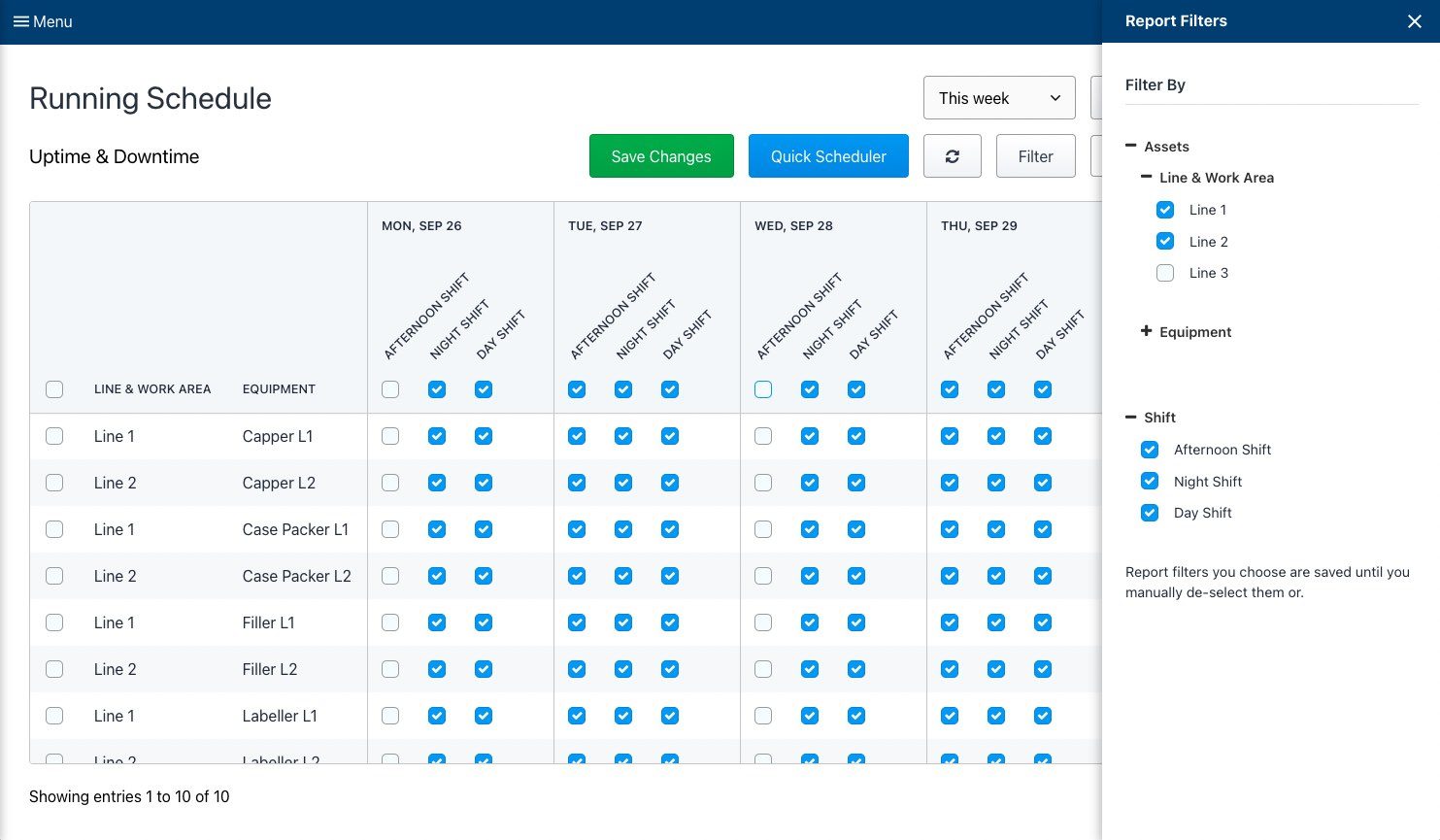
While other pillars within TPM are complex and have loads of moving parts, Autonomous Maintenance programs are much more straightforward to implement. Where Planned Maintenance, for example, usually requires additional systems to be in place before the program can be implemented, a simple AM program only requires operator training and CIL scheduling.
After achieving a commitment from leadership, maintenance teams begin training operators on what is required to clean, inspect and lubricate machine parts. Operators can also be trained to conduct their own peer-to-peer 5S audits and perform simple centerline audits on machine properties. Maintenance teams then set up a schedule to ensure inspections and cleanings were completed regularly.
Ultimately, you can start an AM program at your facility today.
4) AM allows everything else to happen
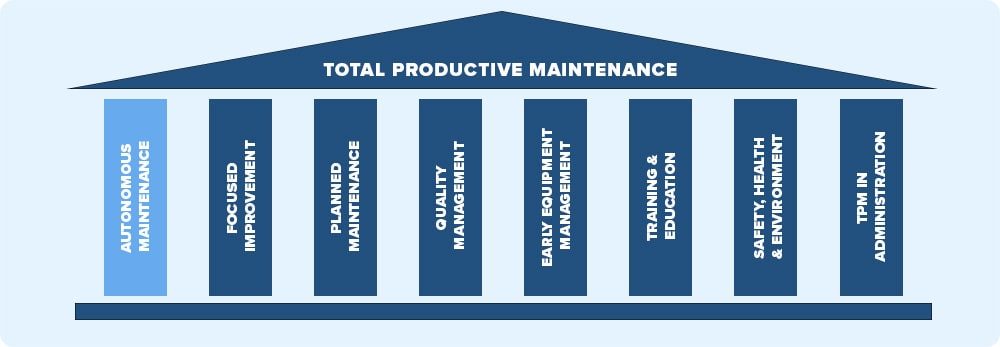
As alluded to earlier, Autonomous Maintenance (AM) is the "glue" that holds Total Productive Maintenance (TPM) together. Without AM, maintenance teams spend too much time on simple machine CIL (clean, inspect and lubricate) tasks and lack the capacity to focus on more strategic pillars, including Early Equipment, Planned and Quality Maintenance programs.
AM also provides maintenance teams with reams of rich data from operators. Operators who use their equipment everyday can develop a "feel" for the machines. They may not be able to diagnose the root cause or fix the problem, but they can provide insights into issues that may have been undetectable to a maintenance tech who is not familiar with the day-to-day operations of the machine. The data, including inspection failures, centerline issues and other abnormalities, can be used to inform Planned Maintenance activities.
5) Reduce Maintenance Costs

One of the goals of TPM is to reduce maintenance costs through enhanced efficiency and a reduction in unplanned, reactive maintenance. Over the course of the 6 month Assela AM Case Study, the researchers found that maintenance costs decreased by over 60%.
AM reduces the time required for maintenance teams to execute simple maintenance tasks, which means maintenance managers can reallocate hours accordingly, which can have an immediate impact on maintenance department costs. In other words, you can do more with less.
AM also provides rich data points that can be used to better plan Proactive maintenance measures, thus decreasing breakdowns. Breakdown and reactive maintenance is usually much more expensive than planned and preventive maintenance.
6) Increased Product Quality & OEE

The worst product quality issues are the ones that go undetected, leave the facility and affect your end customer's experience with your product. These issues are usually caused by minor calibration equipment failures where something is too hot or off balance.
Autonomous Maintenance requires operators to report abnormalities, which increases the probability of minor issues being detected. Machine training and frequent, hands-on maintenance, gives operators a familiarity with the equipment, which also increases the chances that small issues are detected and corrected before a few defects become a mountain of waste. Centerline audits can also help ensure machines are calibrated correctly.
OEE is a metric that takes into account quality defects, run vs planned line availability and cycle time performance to arrive at a "North Star Metric" that is used to assess how well lines are performing. Autonomous Maintenance has a direct impact on OEE through the increased involvement of machine operators.
AM requires some upfront training that gives operators a better understanding of how machines work. As a result, they are better equipped to understand insights into what might be affecting machine performance, availability and quality. A consistent cleaning and lubrication schedule helps keep lines moving and reduces unplanned downtime. 5S audits also help to ensure areas are optimized for productivity and efficiency.
AM provides data about breakdowns, inspection failures, cleaning and lubrication schedules and 5S and centerline audits. Combined with breakdown reports, your maintenance team has all the data you need to being understanding relationships between equipment in order to predict when and where problems might occur in order to prevent them.
Thank you Weever brochure
A download link has been sent to the email address you provided.
Tell us a bit about yourself. We work with organizations of all shapes and sizes from all over the world. If you are interested in realizing the rich benefits of Operational Excellence and Digital Transformation we can help you as well.
Over 2 million jobs completed for over 100,000 users worldwide. View Testimonials
Thank you product brochure
A download link has been sent to the email address you provided.
Tell us a bit about yourself. We work with organizations of all shapes and sizes from all over the world. If you are interested in realizing the rich benefits of Operational Excellence and Digital Transformation we can help you as well.
Over 2 million jobs completed for over 100,000 users worldwide. View Testimonials
AM Demo Thank you
Thank you for requesting a demo. We will be in touch.
Tell us a bit more about yourself. Let's make our time together more efficient. Please provide any additional information about your AM program so we can tailor your demo to suit your unique needs.
Over 2 million jobs completed for over 100,000 users worldwide. View Testimonials
BBSO Demo Thank you
Thank you for requesting a demo. We will be in touch.
Tell us a bit more about yourself. Let's make our time together more efficient. Please provide any additional information about your BBSO program so we can tailor your demo to suit your unique needs.
Over 2 million jobs completed for over 100,000 users worldwide. View Testimonials
Thank you for requesting a guide
A download link has been sent to the email address you provided.
Tell us a bit about yourself. We work with organizations of all shapes and sizes from all over the world. If you want to realize the rich benefits of Behavior-Based Safety we can help you as well.
Over 2 million jobs completed for over 100,000 users worldwide. View Testimonials
Spend Less Time on Admin. Get More Insights by Email.
Subscribe to receive practical tips, updates, and ideas to improve operations without the extra admin work.