Explore More Blogs

Blog categories
Thank you! Your submission has been received!
Oops! Something went wrong while submitting the form.

Thank you for requesting a brochure

A download link has been sent to the email address you provided.

Tell us a bit about yourself. We work with organizations of all shapes and sizes from all over the world. If you want to realize the rich benefits of Autonomous Maintenance we can help you as well.

Over 2 million jobs completed for over 100,000 users worldwide. View Testimonials

Master Batch Records

See how digital master batch records keep production documented, compliant, and easy to review across every batch you run.

Don't sacrifice efficiency for compliance.

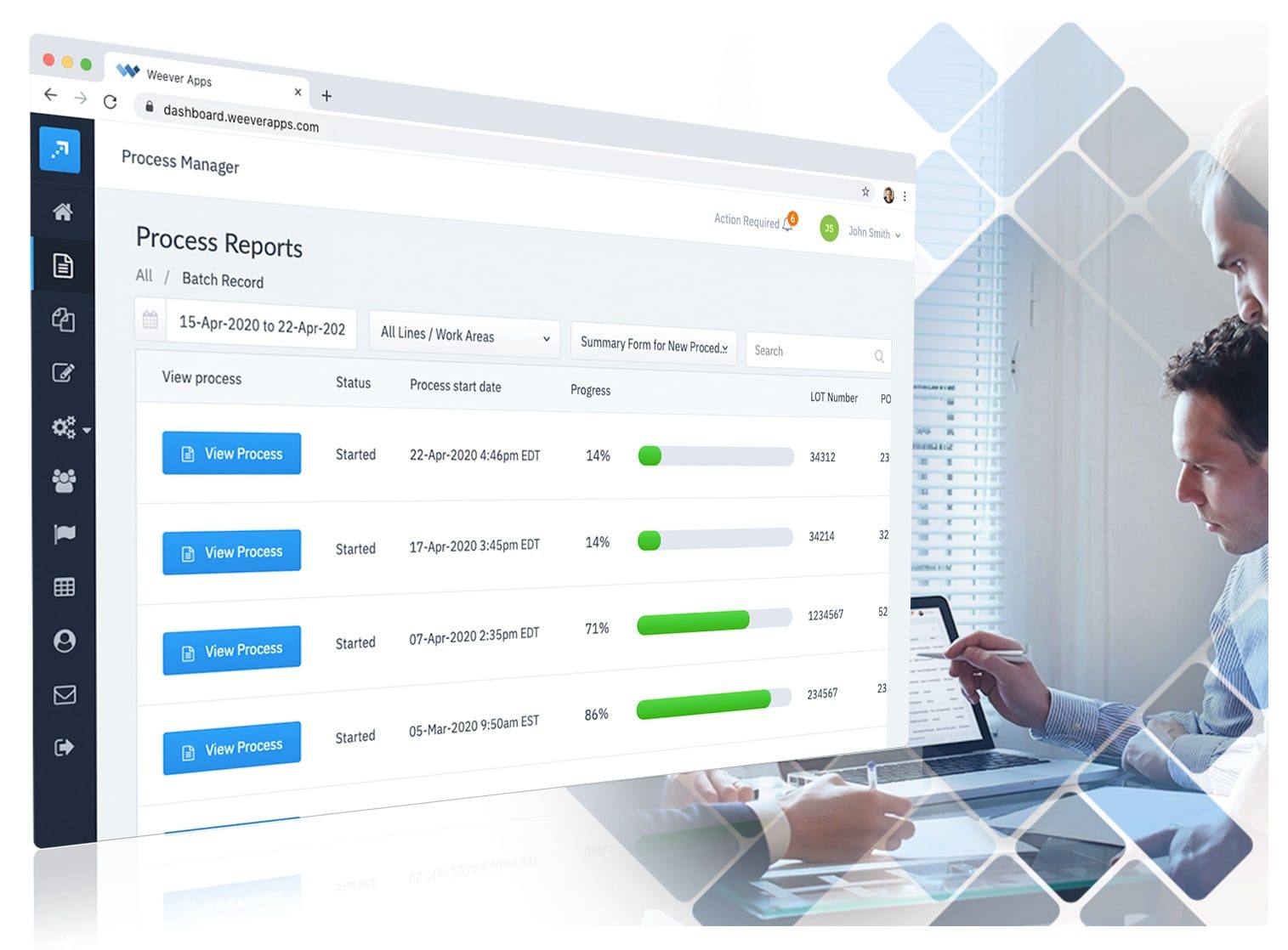
Getting batch records right is extremely important to food manufacturers. If not managed effectively, organizations can risk fines, damage to the brand and the safety of their customers. The Weever platform includes over 40 data integrity features to ensure tasks are executed correctly every time. Digitized processes save time and reduce paper consumption. Management can stay on top of batch records with real-time issues resolutions features and progress reports.

DATA COLLECTION

Data capture doesn't have to be a "necessary evil".

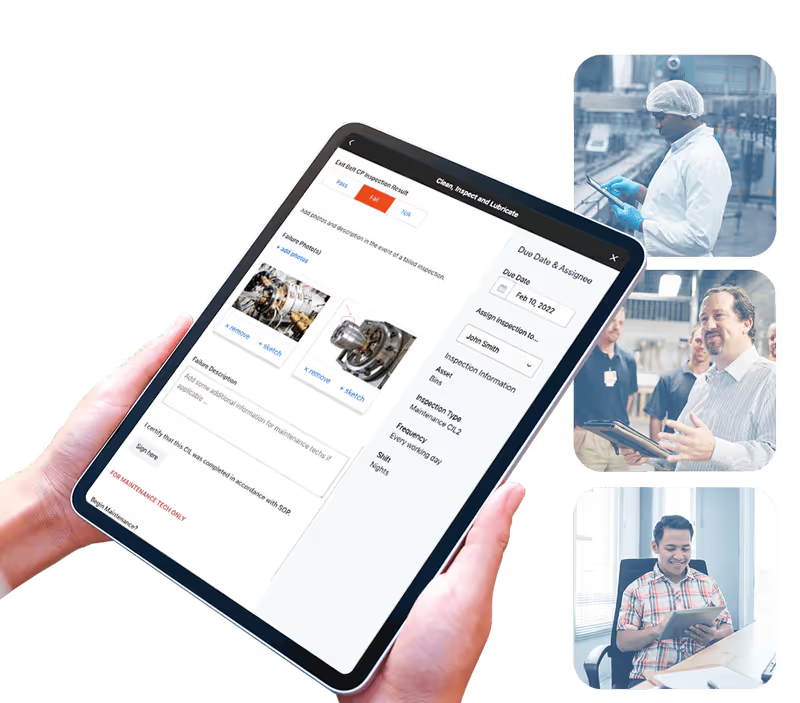
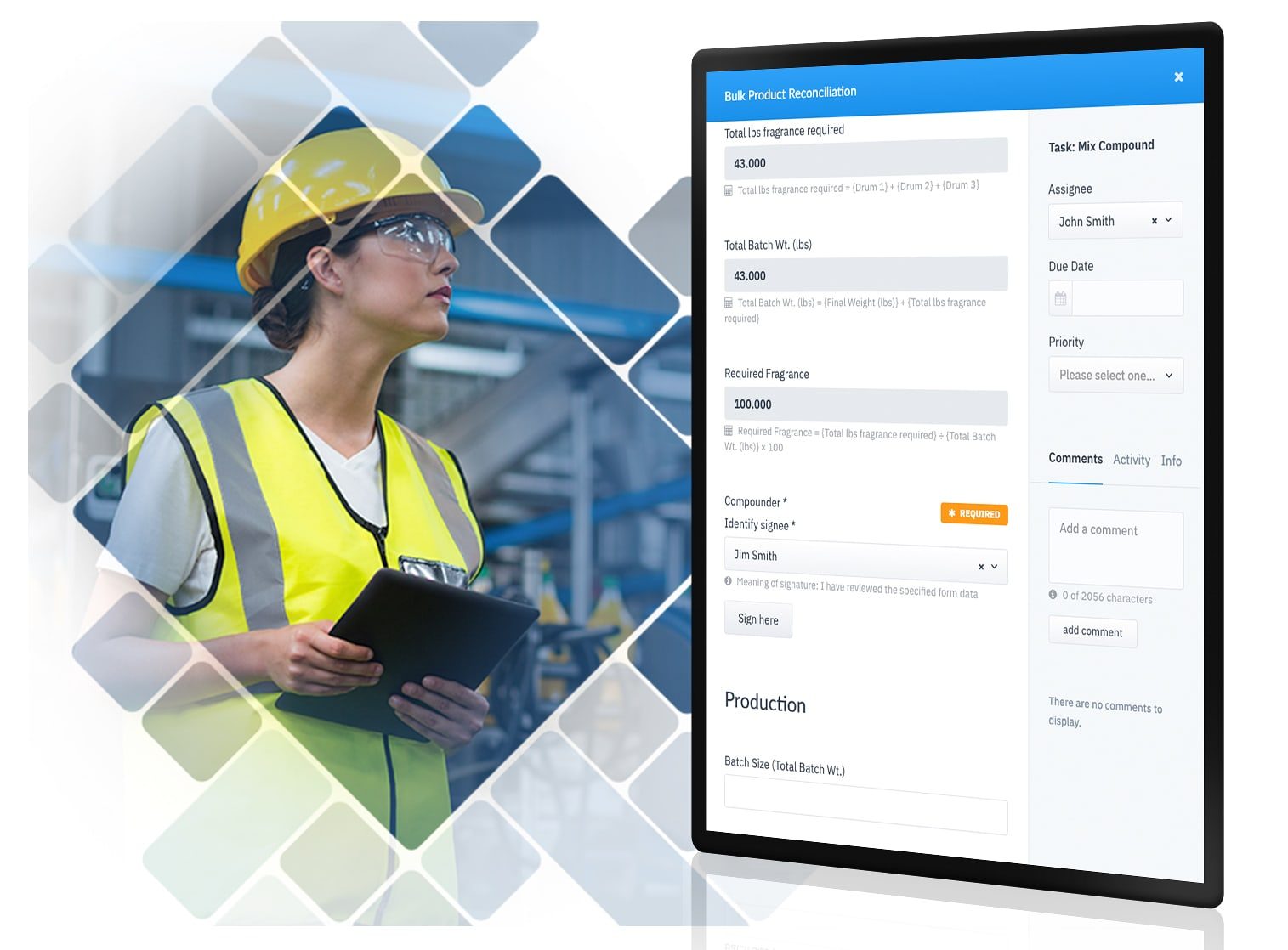
Collecting information from your staff is necessary to run a modern business effectively. Make it easy for staff to collect required data so that they spend less time with forms and more time optimizing production.

  • Assign repeated tasks
  • Collect photos
  • Automate Calculations
  • Ensure integrity with double blind fields and number checks
Schedule a Free Demo

Or download the brochure.

batch-record-data-collection

ADAPTABLE

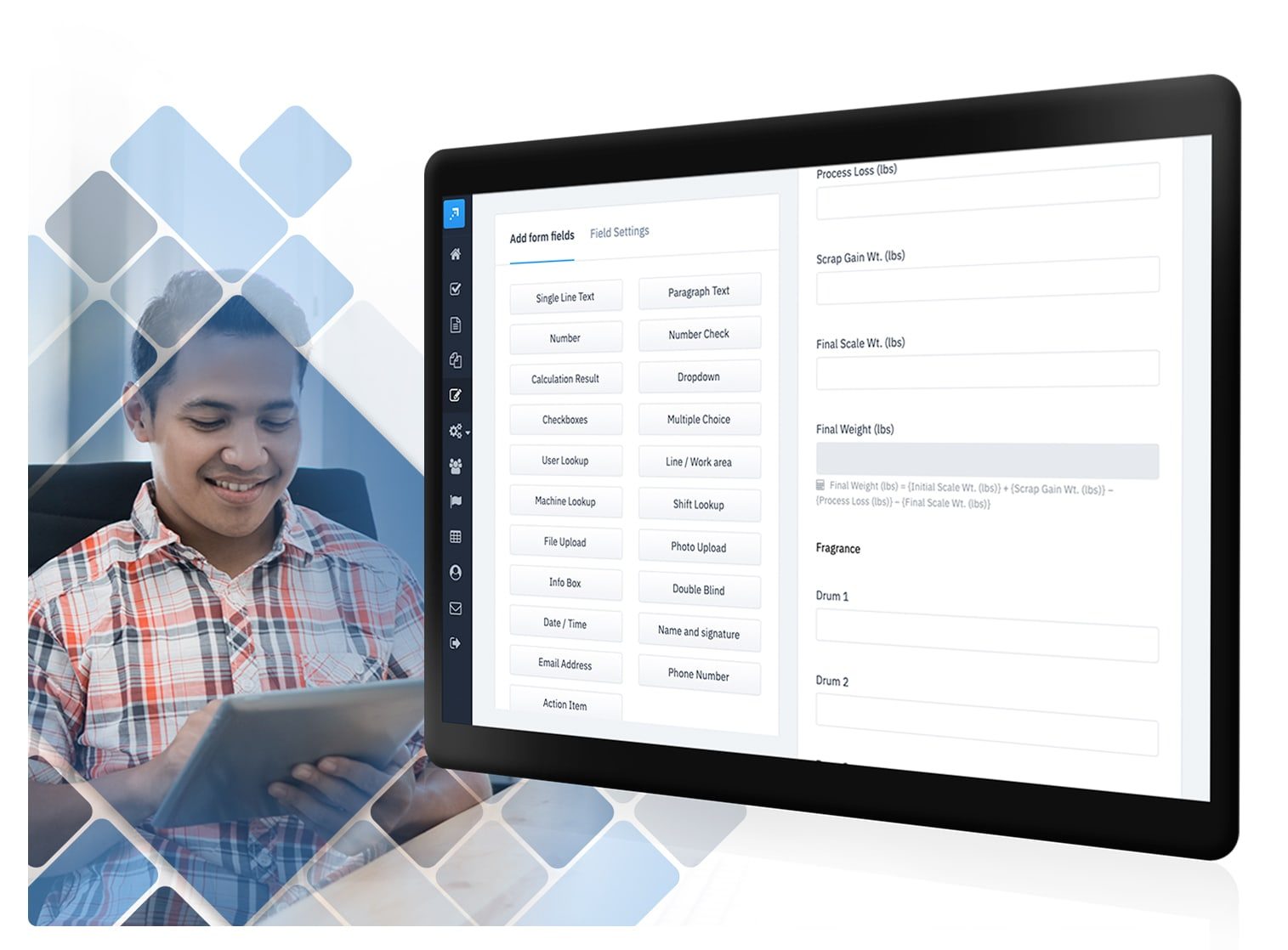
Adapt templates or build your own.

Digitize forms to collect data and processes that guide your staff on the steps they need to take to be compliant. Work with our customer success team to ensure your solution is ready to launch in weeks, not months.
Schedule a Free Demo

Or download the brochure.

batch-record-builder

MANAGE WORKFLOWS

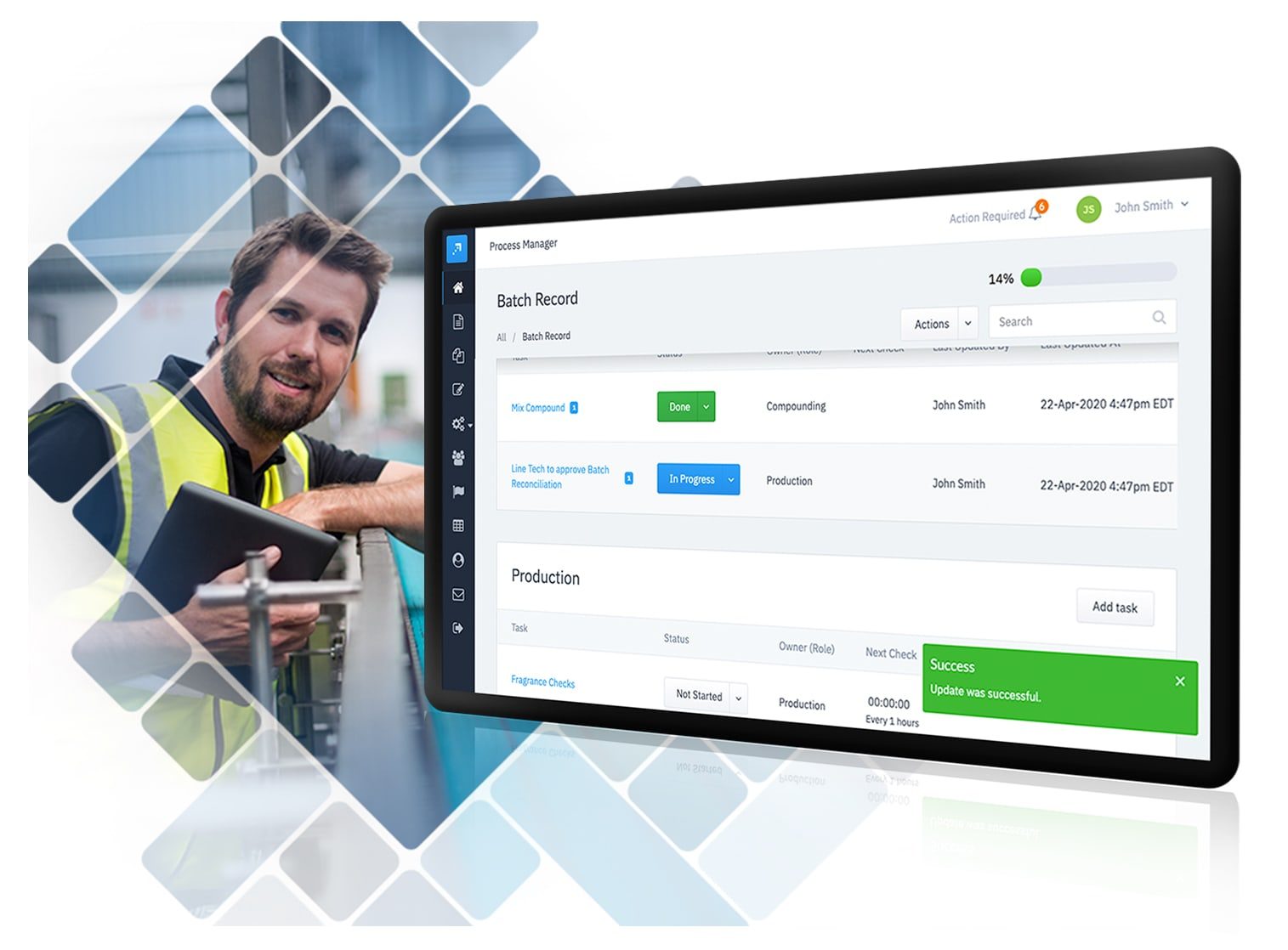
Get it right - everytime.

Ensure every data point is captured correctly and by qualified staff. Smart alerts ensure staff know what's coming.
Schedule a Free Demo

Or download the brochure.

batch-record-workflow

AUDIT READY

Ensure data integrity and security.

Weever is a comprehensive solution for cloud-based FDA, CFIA and EU Annex regulated electronic batch management that will help you manage component and material compliance evidence for RoHS, REACH, and conflict minerals and helps quality teams meet FDA regulations like 21 CFR Part 11 and 820.


FDA logo
cfia-acia-logo-png-transparent

Schedule a Free Demo

Or download the brochure.

batch-record-report

Everything you need to get it done.

Customizable Templates

Dashboard Reporting

Automated Workflows

Schedule Management

Real-time Visibility

On-Demand Instructions

operational-excellence--experience-it

Take a Guided Tour.

Do it all with Weever.
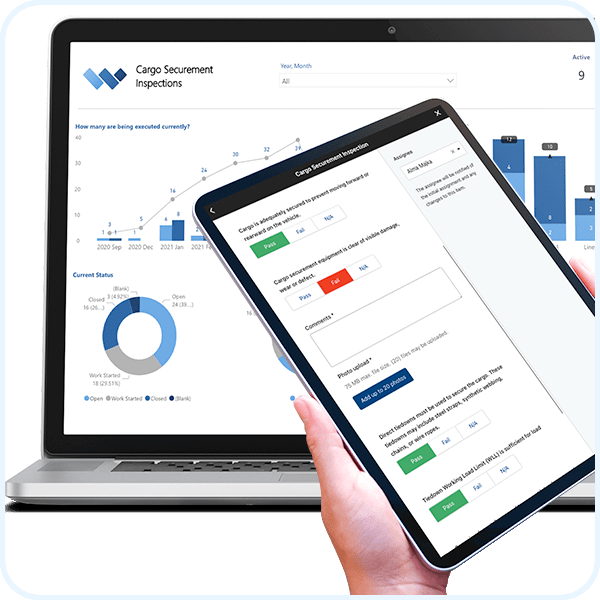
Cargo-Securement-Solution-Thumbnail-min

Cargo Securement Inspection

Defect-and-Abnormality Solution-Thumbnail-min

Abnormality Reporting

Monthly-safety-quiz-weever-solution-min

Monthly Safety Quiz

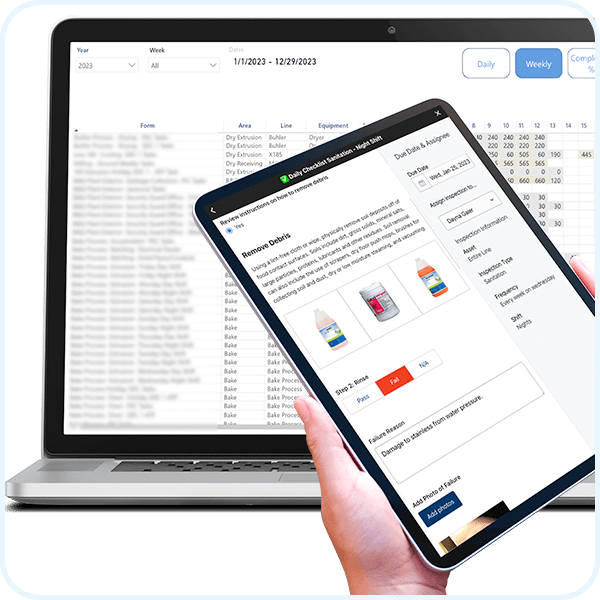
Sanitation-Solution-Thumbnail-min

Master Sanitation Schedules

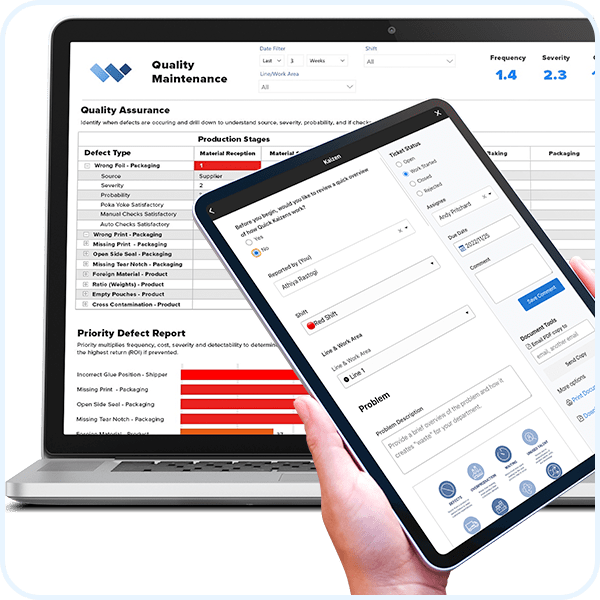
Quality-Assurance-Matrix-Solution-Thumbnail-min

Quality Assurance Matrix

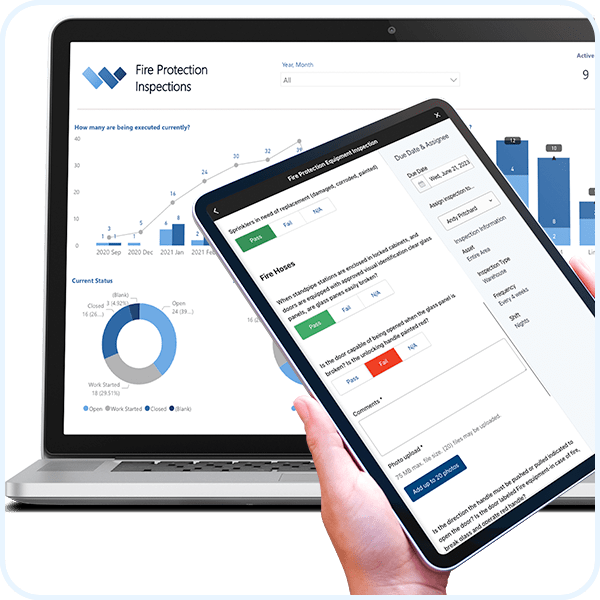
Fire-Protection-Inspections-Solution-Thumbnail-min (1)

Fire Protection Equipment Inspections

Weever is a comprehensive workflow management platform that is used to automate safety, quality, maintenance, production, compliance, continuous improvement and training operational requirements.

Explore all Solutions

operational-excellence--experience-it

Take a Guided Tour.

Weever-brochure-new-smaller-min

Learn about the Platform.

Download the brochure to get all the details about how Weever works.

Autonomous Maintenance

What are the types of abnormality categories and why should I use them?

See how to use standard abnormality report categories and subcategories to build insight-driven reporting and catch process deviations sooner.

Abnormalities (a.k.a. Process Deviations) occurs when a product, service, process or business operation fails to meet standard operating processes (SOPs) or other requirements. These requirements may be set by external organizations, regulators, or the organization itself.

SOP requirements are often set to meet certain standards in order to avoid risks, failure, and costs. They are the prescribed algorithm that the organization has deemed to be the current understanding of the most optimal way to do something. In cases where SOPs are required by law or to obtain 3rd party certification, there can be little or no room to address improvements to these processes.

However, many SOPs are prescribed by the organization itself, and the incremental improvement of these processes can result in enhancements to efficiency, product quality, OEE and the organization's financial performance.

The first step in continuous improvement is to find opportunities for improvement. These opportunities can be suggestions, but they are usually abnormalities - i.e. situations where the SOPs were not implemented exactly as prescribed due to some unforeseen, not predicted circumstance.

Abnormality detection starts with your frontline employees having an intuitive understanding of what is supposed to happen (SOP) so they can immediately recognize and report abnormalities. Abnormalities can be related to safety, maintenance, product and general operations.

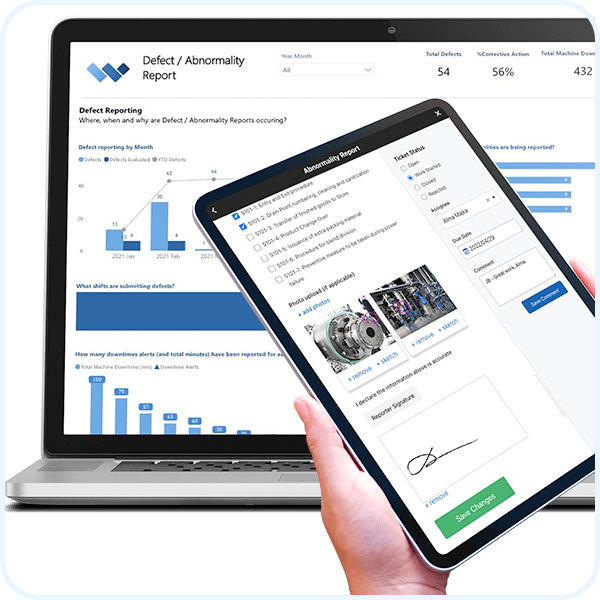
When capturing abnormalities, it is important to categorize reports so that you can provide immediate feedback and better organize your reporting. You can provide some considerations for your staff to better understand what they are reporting, to potentially aid immediate corrective actions, and to help them provide better details in their report. Of course, this process doesn't work very well with paper forms, but it works amazingly well with software.

Here are the recommended categories and subcategories as well as some helpful considerations for your frontline staff to aid next steps.

Recommended Abnormality Categories

Abnormality / Checkpoint Table — Preview

Category Subcategory Checkpoints Next Steps & Considerations
Machine Breakdown Major Line is down. Maintenance required. Alert supervisor immediately.
Minor Temporary stoppage. Operator fixed the issue. Provide details around what happened and how you corrected the machine breakdown to aid preventive maintenance.
Minor Abnormality Dirtiness Is the thing dusty or dirty? Are there powders, oil, rust, or paint present? Check for sources of dirtiness. Clean the area or provide details to sanitation.
Scratches Is the equipment cracking, collapsed, deformed, chipping, or bending? Is there an issue with a bolt, nut, gauge, cover, belt, or chain? Check for sources of scratches. Clean the area or provide details to sanitation.
Play / Looseness Is there looseness, omission, incorrect tightening, or an excessively long bolt? Is there abnormal sound, heat, vibration, offensive odor, discoloration, or pressure? Provide a report for maintenance to review.
Adhesion Is the thing clogging, sticking, or peeling off? Is there deposition? Provide a report for maintenance to review.
Lubrication Leaking Is there oil depletion? Is the lubrication oil dirty? What is the oil type? Where is the leak occurring? Is there a dirty oil port, clogging, damage, or deformation? Is there a collapsed pipe? Provide a report for maintenance to review.
Incorrect conditions Is the oil stored appropriately? Is the oiling equipment adequate? Provide a report for maintenance to review.
Incorrect indicators Are the wrong levels indicated? Provide a report for maintenance to review.
Source of Contamination Product What products are affected? Is the contamination from a leak/spill, blowing off, scattering, overflow, permeation of fluid, steam, vapor, exhaust water, burrs, chips, packing materials, sparks, smoke, adhesives, paints, or other dropped parts? Provide details to the appropriate team for review.
Raw Material What raw materials were affected? Is the contamination from a leak/spill, blowing off, scattering, overflow, permeation of fluid, steam, vapor, exhaust water, burrs, chips, packing materials, sparks, smoke, adhesives, paints, or other dropped parts? Provide details to the appropriate team for review.
Hydraulic Oil Is the contamination from a leak/spill, blowing off, scattering, overflow, permeation of fluid, steam, vapor, exhaust water, burrs, chips, packing materials, sparks, smoke, adhesives, paints, or other dropped parts? Provide details to the appropriate team for review.
Liquid Gasses Is the contamination from a leak/spill, blowing off, scattering, overflow, permeation of fluid, steam, vapor, exhaust water, burrs, chips, packing materials, sparks, smoke, adhesives, paints, or other dropped parts? Provide details to the appropriate team for review.
Machining & Processing Is the contamination from a leak/spill, blowing off, scattering, overflow, permeation of fluid, steam, vapor, exhaust water, burrs, chips, packing materials, sparks, smoke, adhesives, paints, or other dropped parts? Provide details to the appropriate team for review.
Hard-to-Reach Area Cleaning / Inspection Is it an issue with the equipment structure, cover, layout, foothold, space, installing height, or inadequate indicators? Provide a report for maintenance to review.
Lubrication Is it an issue with the equipment structure, cover, layout, foothold, space, installing height, or inadequate indicators? Provide a report for maintenance to review.
Operation Is it an issue with the equipment structure, cover, layout, foothold, space, installing height, or inadequate indicators? Provide a report for maintenance to review.
Product Quality Defect Foreign Matters What product was affected? How much product was affected? Was the contamination caused by a leak/spill/overflow, blowing off, scattering, permeation of fluid, steam, vapor, exhaust water, burrs, chips, packing materials, sparks, smoke, adhesives, paints, or other dropped parts? Describe the quality defect and provide details for quality to review.
Manufacturing Condition What product was affected? How much product was affected? Check humidity, vibration, collision, and temperature. Was the manufacturing condition related to ventilation, flow restrictions, insufficient force, or poor mold design? Provide details for quality to review.
Unnecessary Things Equipment Component Is the area messy and disorganized? Consider a 5S audit to determine the best way to optimize the area, and provide details below.
Product Is there an unnecessary thing occurring when we manufacture products that can be removed or optimized? Provide details.
Tools & Jigs, Spare Parts, Pipes What is unnecessary about the thing? Why is it not required? Provide a brief overview.
Safety Concern Incorrect Conditions Are there issues with a thing in the facility such as floors, steps, or stairs? Is there unevenness, cracks, peeling, or wear? Is there an issue with lighting, i.e., is it too dark? Provide details for review by the safety committee.
Incorrect Indicators Are safety devices broken or worn? Does there need to be a visual cue present to ensure adherence to SOPs? Provide details for review by the safety committee.

Best Practices for Managing Abnormalities

Accessibility

It is important to provide your frontline employees with an easy way to report abnormalities. Abnormality reporting is ad-hoc (happens when it happens) and not required. The consequences of not reporting are minimal and not immediate. As a result, if you don't make successful outcomes easy to attain, your staff may choose not to participate.

Motivation

Abnormality reports can be worth their weight in gold for an organization that is focused on continuous improvement and operational excellence. An unnecessary component, a potential source of contamination and a minor dirtiness report can all add up to massive savings, product quality enhancements and reduced safety incidents. So why not share the wealth and reward your staff for providing abnormalities? You can do this automatically with software like Weever, that has a built-in rewards system.

Automation

Software allows you to automate next steps and reporting so that you can spend your time more effectively on creating and implementing innovative solutions. Let computers do what they do best - crunching big data and ensuring compliance - while you do what you do best - making a positive impact on your organization and getting recognized for it!

Weever Makes it Easy

abnormality reporting

Weever makes it really easy for you to organize data and provide appropriate considerations to enable frontline employee success. Accessibility, Motivation and Automation helps to ensure your abnormality reporting program provides you with the data you need to drive meaningful change for your organization.

Operational Excellence

What is Autonomous Maintenance and how does it work?

Autonomous maintenance puts equipment care in operators hands. See what AM is, how it works, and why it is a foundation of reliable operations.

Striking the balance between maintaining consistently high product quality while meeting production quotas can be very challenging. Inefficiency, downtime, and unplanned stoppages steal from your company's bottomline. Ensuring your production lines are well maintained to avoid unexpected equipment failure is key.

Downtime at a busy plant can mean tens or hundreds of thousands of dollars of lost revenue per day. Yet most plants only have a small roster of trained technicians, whose time is in high demand. They’re expected to perform proactive and preventative, as well as reactive/corrective, maintenance as problems arise. Empowering your operators to assist with performing daily preventative maintenance is a methodology called Autonomous Maintenance, or AM.

The promise of Autonomous Maintenance is simple: by empowering your operators to perform regular inspections and maintenance on your machines you will increase your productivity, profitability, and Overall Equipment Efficiency (OEE). At the same time you will transform your frontline staff from “button pushers and switch flickers” to true, engaged, partners responsible for the productivity of your machines and equipment.

If the promise of AM is simple, the execution is not. Deciding what maintenance activities your associates should perform, how often, and how the partnership between operators and the maintenance team will work can be complex. Even once launched effectively, keeping it going long term is another challenge.

What is Autonomous Maintenance?

Autonomous Maintenance, or AM, is part of the Total Productive Maintenance (TPM) school of Lean Manufacturing. It is one of the 8 TPM pillars which aims to increase the productivity of a plant in a sustainable way.

In AM, the operators or associates who operate the machines are actively involved in maintaining their own equipment, with an emphasis on regular, proactive (or preventative) maintenance that prevents breakdowns, stops, or defects.
This has additional benefits of reducing injuries from failing machines or components and increases employee engagement by empowering them with duties that have a real and tangible impact on the success of the business.

TMP Autonomous Maintenance Pillar graphic-2

The specific most common activities that make up an AM program are:

  1. 5S Audits
  2. Abnormality Management
  3. Centerline Audits and CILs (Clean, Inspect, and Lubricate)

A Brief History of AM

Autonomous Maintenance began in the 60s in Japan as a way to disseminate the responsibility for maintenance and machine performance, as well as improving employee engagement and teamwork within management, engineering, maintenance, and operations.* By 1971 the Japanese Institute for Plant Maintenance expanded into the eight Total Productive Maintenance pillars we know today, which are as follows:

  1. Autonomous Maintenance
  2. Planned Maintenance
  3. Quality Maintenance
  4. Focused Improvement
  5. Early Equipment Management
  6. Training and Education
  7. Safety, Health, and Environment
  8. TPM in Administration

What are the main activities of Autonomous Maintenance?

There are 3 specific activities that you should consider integral to the implementation of any AM program. These are 5S Audits, Abnormality Management, and CILs/Centerlines.

Each of these activities is designed to ensure operators take greater ownership and responsibility over the conditions of their workstation and the machines within it. Operators are asked to maintain standards of cleanliness and order, to understand the acceptable standards and recognize/report abnormalities, and to follow procedures on machine care, including cleaning, lubrication and periodic inspections.

Maintenance teams are expected to support operators by providing training, access to on-demand resources that enable success, and continuously improving the SOPs that guide the process. Maintenance teams should be available to assist if there is an issue. They also review the data captured during these activities to plan preventive maintenance.

1) 5S Audits

The 5S methodology is a simple practice that helps your organization realize efficiency gains quickly by optimizing the cleanliness, order, and organization of each workstation. This improves productivity and fosters an organizational culture focused on quality and efficiency.

5S uses a list of five Japanese words that outline the organization categories that are used to optimize workstations:

  • Seiri (整理) Sort: Remove unnecessary tools, instructions, or materials from the work environment to reduce clutter and keep the most essential components at hand
  • Seiton (整頓) Set in Order: Neatly arrange and identify parts and tools in a manner that fosters efficiency and ease of job completion.
  • Seisō (清掃) Shine: Maintain a clean work environment, free of mess, clutter, and debris.
  • Seiketsu (清潔) Standardize: Regularly schedule 5S activities to ensure positive change.
  • Shitsuke (躾) Sustain: Make 5S activities a part of your company’s work culture to ensure continuity in the face of evolving company priorities and staff turnover.

A 5S Action Plan is usually carried out across all work stations to establish standards.

Once a workstation is optimized under the guidance of a trained 5S professional, workstations are regularly audited to ensure staff are continuously following the principles and keeping the station effective and efficient.

During the audit, leadership or peers rate each “S” and provide feedback. Weekly or monthly audits with a scoring system gives staff measurable results and feedback.

2) Abnormality Management

When driving our own personal vehicles, we are often the first ones to notice that something is “off”. There is an unusual sound, odor, or vibration that gives us an early clue our car needs maintenance, often before the dashboard warning light turns on.

In a similar way your associates spend more time with the machines than anyone, and should be empowered to identify and correct abnormalities before they become major mechanical issues. Staff are also asked to provide details about the observation so that it can be prevented from reoccurring in the future.
Abnormality Reporting is a central concept to “World Class Manufacturing” and “Operational Excellence” methodologies. It involves the establishment of process standards, a way to report anomalies, corrective actions reporting and preventive action plans.

In practice, staff are trained on what the standard procedure should be and are asked to report any abnormality to that procedure. This information is reviewed by supervisors and tracked in trend analysis reports. Usually, abnormalities are “corrected” immediately, in which case the operator provides some information around the correction. In some cases, supervisors may create an action plan to understand the root cause of the abnormality and prevent it from recurring. This usually follows a PDCA (Plan Do Check Act) or similar process.

3) CILs & Centerlines

If abnormality handling is reactive, then CILs and Centerlines are the proactive maintenance activities for your operators. CILs and Centerlines are scheduled events where machines are shut down and operators are asked to perform simple maintenance tasks and report their findings.

Autonomous-Maintenance-operator

CILs

CIL stands for “Clean, Inspect, and Lubricate”. CILs are scheduled on a weekly, daily, or per-shift basis. Staff are trained to actively look for potential problems like cracked, worn, failing, or otherwise deteriorating machine components.
The activities that are “outsourced” to the operators can be broadly classified as sustainment and improvement activities.

  1. Sustainment Activities: Preventing and correcting equipment failures.
  2. Improvement Activities: Prolonging the working life of the equipment, reducing the time spent on maintenance, and eliminating the need for maintenance.

The goal of CILs is to prevent, measure and, in some cases, reverse deterioration of machine parts through period cleaning, inspections and lubrications.

Examples of items that can be included in a CIL include:

  1. Correct Operations
  2. Setup and Adjustment
  3. Cleaning
  4. Lubrication
  5. Tightening
  6. Routine checks of deterioration
  7. Minor servicing
  8. Periodic checking

Centerlines

Centerlining, also known as Operational Envelopes in some industries, is a methodology that utilizes established process settings to ensure a consistent manufacturing process. Centerlines are the optimal variable settings, usually including a lower and upper limit, that are predefined for a given machine. Centerlines for a process can be created using a 4-step process involving:

  1. Identification of the important process factors or “variables”
  2. Determining the best settings and ranges for all of the important variables
  3. Determine how these variables affect the process and the product
  4. Ensure that the centerlined settings are always used during production

Centerlining may be very easy or very complex depending on the complexity of the process. In some manufacturing cases, centerlining requires statistical analysis to complete correctly. In many cases, however, the equipment manufacturer will determine and provide optimal operating conditions.

Centerlining is a never-ending process, and continuous work on all of these steps is needed in order to reap the most benefits. As a part of AM, and usually incorporated in the proactive CIL process, operators are tasked with continuously auditing these centerline variables, such as pressure, temperature, RPMs, and other equipment variables, to ensure they are aligned with the pre-defined optimal conditions.

‍

How Autonomous Maintenance Programs Work

See how autonomous maintenance programs work, from operator training to daily equipment care, and how they reduce downtime and extend machine life.
Deciding that you’d like to implement Autonomous Maintenance in your plant is a great first step towards promoting a more efficient and profitable plant. Now you’re faced with the real challenge - how to begin?

The 7-Step Approach

In our experience with our clients, we’ve found the following 7-step approach, broken into 3 stages, works well. The process should be management-led with input from operators and supervisors. The 7-step approach focuses on progressively upgrading equipment and operator capabilities as you move forward, with each step being fully implemented before moving on to the next.

The process involves a bit of upfront time to get operators up to speed. Don’t rush! Taking your time and getting it right at the beginning will save you time and headaches down the road. In time, the program will begin to gain its own natural momentum.

STAGE 1: INITIATE

Establish basic equipment conditions and a system for sustaining them. Operators should be conscious of all elements of the CIL while performing one.

behavior-based-safety-man-in-factory-with-tablet

STEP 1: Increase Operator Knowledge

In order for operators to identify and proactively troubleshoot maintenance issues they should be trained on the equipment and the basics of how it works. Operators should understand the components and parts that fail due to wear and tear, how to identify when they need cleaning or lubrication, and basic troubleshooting.

Good examples of this type of practical knowledge include:

  1. How and when to tighten fasteners and bolts
  2. The replacement of oil and air filters
  3. Fluid replenishment
  4. Lubrication procedures
  5. And so on …

STEP 2: Initial Cleaning and Inspection

Partner your technicians with a small team of operators to do a full clean and inspection of your machinery. The purpose here is to build knowledge, build teamwork between your associates and maintenance staff, and bring the machine to an ideal state. This should include servicing inaccessible sections of the machine that regular cleaning won’t reach. Remember to include safety best practices like lockout/tagout (LOTO) to promote safety consciousness.

STEP 3: Eliminate Causes of Contamination

Now that your equipment is in peak operating condition, it's now your operator's responsibility to keep it that way. Good housekeeping practices and regular cleaning will proactively eliminate contamination that can accelerate deterioration.

STEP 4: Set Standards for Lubrication and Inspection

In addition to regular cleaning, equipment should be lubricated and maintained according to the manufacturer’s specs. This will help maintain its “like new” level of quality and performance. Set and reinforce standards on what components should be inspected and how to identify issues, what maintenance tasks are required, how to do them, and how often they should be done.

STAGE 2: EXPAND

Train operators on inspections and begin the process of performing basics maintenance activities autonomously.

autonomous-maintenance-technicians

STEP 5: Conduct Inspections and Monitor Results

Once standards have been set, ensure they are being followed. Consider using a standardized CIL form that will allow you to capture and track ongoing or regular issues. Collect and review maintenance data regularly. This data will be invaluable for planning proactive maintenance by your technicians and refining your CIL standards over time. Leveraging a software solution can help streamline CIL and Centerline schedules.

STEP 6: Use Visual Maintenance Management

Consider using visual cues on equipment that will help your operators maintain the standards you set up in Step 4. Some examples of this are color-coding gauges to show ideal centerline values, clearly marking where inspections should be completed, visual reminders of safety procedures, etc. You can also use physical QR codes that link operators to the most recent documentation (such as machine manuals) and inspection forms.

STAGE 3: MAINTAIN AND IMPROVE

Complete the process of standardization and work towards perfecting operator maintenance skills.

5s audit AM technician

STEP 7: Incrementally Improve Over Time

The first steps toward Autonomous Maintenance should generate a lot of data, and the initial training may not include all possible points of failure. Get feedback from your operators, and make regular review and updates of your 5S, CIL, and Centerline procedures part of your new AM culture. Remember that your new Autonomous Maintenance program will be a work in progress. Give your team ample time as your staff adapts, standards are set, and valuable lessons are learned.

‍

Proactive Safety

Behavior-Based Safety Overview

Over 90% of workplace incidents come from unsafe behaviors, not conditions. See how behavior-based safety targets at-risk behavior to cut incidents.
What is BBSO, where did it come from and what are the benefits?

Over 90% of workplace incidents are caused by unsafe behaviors, not conditions. As a result, reducing at-risk behaviors will have the greatest impact on incident frequency and severity.

Behavior-Based Safety Observation (BBSO) programs are the most turnkey and effective way to build better safety practices. BBSO programs involve the observation and reporting of safe and at-risk behaviors, which provides opportunities to train and elevate safety awareness as well as insights into incident prevention.

BBSO programs can have a massive impact on your organization's culture. By fostering a more engaged safety-first culture, you will reduce incidents, missed workdays and worker's compensation costs, while increasing productivity, product quality and the overall health and wellness of your workforce.

BBSO programs are relatively easy to deploy and manage, but there are best practices and common pitfalls you should consider before implementing your own program. BBSO programs benefit greatly from digitization, which makes the observation process easier and more accessible, automates workflow and reporting, and empowers employee success at all levels.

What is Behavior-Based Safety?

Even the most dedicated Safety Manager can't be everywhere in the plant at once. Over time, even the best-trained employees develop the inability to recognize their own unsafe habits. Teachable moments that help improve the safety of your site come and go, and without a program to observe and correct them, these habits can lead to workplace injuries or worse.

A Behavior-Based Safety Observation (BBSO) program empowers your staff to elevate the safety of their peers by giving them the tools to identify at-risk behavior and provide positive feedback. This, in turn, enables your leadership to coach and mentor effectively with the ultimate goal of building a safer work environment.

The methodology continues to gain popularity because it is simple to implement and delivers immediate and sustainable results.

Behavior-Based Safety: A Brief History

The almost century-long history of Behavior-based safety began with research conducted by Herbert William Heinrich in the early thirties. Mr.Heinrich worked for Traveler's Insurance Company in the early thirties. He reported that roughly 90% of all accidents, injuries, and illnesses were the result of what he called "worker errors."*

Research continued through the 1970s when the term "Behavior-based safety" was coined by two safety professionals named Gene Earnest and Jim Palmer. They were employed by Proctor & Gamble and were working on a project to reduce injuries at their firm.

Over 94% of accidents are caused by unsafe behaviors.

It is now estimated that only 6% of workplace accidents are caused by environmental factors - unsafe conditions, OSHA violations, dangerous equipment, etc., while the remaining 94% of accidents are caused by unsafe behavior.

BBSO Graph

BBSO Benefits

The practice of Behavior-Based Safety can have a massive positive impact on the health and safety of your site. They are relatively simple to implement, make safety more "top-of-mind" to staff and, ultimately, reduce incidents.

The potential benefits of implementing BBSO in your facility are enormous. Building a ground-up safety culture will increase your staff engagement and participation while at the same time reducing missed days due to injury.

Other benefits include improved product quality, increased health and wellness, and reduced worker's compensation costs. This in turn will have a positive effect on employee morale and retention, while improving your plant's productivity and bottom line.

1. Simple to Implement

When compared to other more advanced HSE programs, BBSO programs can be relatively easy to set up and manage. The practice simply requires staff to make and report safety observations. Supervisors evaluate the reports to determine what safety practices need to be implemented.

2. Fosters a Safety-First Culture

An Industrial Safety & Hygiene News 2015 survey reported that over half (52%) of HSE managers said that safer employee behaviors was having a major impact on their operations, while 54% said in the same survey that increasing employee participation and engagement was a priority. A properly designed BBSO program should feel like a "grassroots" or "ground-up" movement, empowering and enabling your frontline staff to take ownership over the maintanence of a safe work environment. This, in turn, improves employee morale and reduces turnover by promoting a sense of team spirit and accountability.

3. Incident Prevention

The Center for Behavioral Safety released a case study where they tracked missed workdays due to injury for 18 months prior to, and 18 months following, the implementation of a BBSO program. For a workforce of 450 employees, over two shifts, they found a staggering 86.3% reduction of missed days due to injury or illness, from an average of 10.9 days/month down to 1.5 days/month.

Microsoft Power BI Specialist

Build custom Power BI reporting at Weever for manufacturers like Mars Wrigley, Pepsi and Unilever. See the role, the requirements and how to apply in Hamilton.

About Weever

Weever is a growing software company based in Hamilton, Ontario Canada. We build cloud-based software products that large enterprises use to capture data, manage workflows, and access actionable reports. We replace clipboards and filing cabinets with tablets and databases and provide alerts, analysis, and other features that make data useful.

Our customers include:

  • Bell Canada
  • Mars Wrigley
  • HelloFresh
  • Pepsi
  • Unilever
  • ... and more

We tackle big problems with a small, focused team and powerful technology.

Job Description

We are looking for a Power BI specialist to build custom Power BI reports for our clients, from data our clients input into Weever.

This person will meet with clients, collect specs, build reports and then present to the client for feedback and change requests.

The data will come primarily from Weever via OData API.

You must be a Power BI Specialist and be able to communicate well.

You must live in Canada.

We are not looking for someone who has dabbled in Power BI, or built a few reports, we are looking for a Power BI Specialist.

You have a solid background in Excel and you have built tonnes of Power BI reports, understanding how to structure the data per client specs.

We also want you to be able to make suggestions to our clients, on better ways to visualize their data. We have awesome clients, an awesome team and fantastic work environment.

We only accept applications from Canada for this position at this time.

Requirements:

  • You're resourceful and can solve problems on your own
  • You are customer obsessed and have a passion for learning everything you can about customers.
  • You love building strong relationships, solving client challenges and helping them to achieve their goals
  • You're patient, empathetic, and you know how to nudge customers to keep them moving and engaged.
  • You have exceptional client-facing skills including relationship management and verbal communication
  • You're excited to learn about the business and the Weever way of working together
  • You pay extraordinary attention to detail and are very organized
  • You have exceptional written and oral communication skills
  • You have integrity and can be trusted to handle client data and information with discretion, professionalism, and confidentiality
  • You thrive in a digital environment, and are comfortable adopting and mastering new technology.
  • You have a keen interest in training clients on our software solutions and new features
  • You're willing to continuously challenge yourself, learn, and grow
  • Your have a positive vibe and are a natural leader

Benefits of Working at Weever

We prioritize our teams first. A great team is given the autonomy and support to execute the plan and do their best work. We trust our teams.

In order to support you we offer:

  • A remote-friendly culture: communication is key and we have several team members that are working remotely with us full and part time.
  • Ownership: We're small and focused and will need you to help us find the answers.
  • Stock Options: We're a fast-growing start-up; we offer stock options to all team members
  • Insurance: For our Canadian employees we have a good benefits package offering dental, drugs, and other kinds of coverage.
  • RRSP Company Match: We offer a group RRSP with company match benefits to maximize your retirement savings.
  • Vacations: Our team members must take them.
  • Interesting Problems: Not all of the problems we encounter have frameworks or well-defined solutions.

Application Process

Our hiring process consists of two steps:

  1. Initial call
  2. Final Interview

We start with an initial call in order to answer any initial questions you may have about us and to discuss your experience.

We're pretty quick to follow up, potentially with an offer, within a day or two of the final interview.

Of course we're trying our best to be as inclusive as we can be and we prefer candidates from all members of the community, including those from under-represented groups.

We are a diverse group and we believe it gives us strength. If you have any requests or questions about our hiring practices we'd appreciate to hear from you.

We are happy to do anything we can to accommodate the situations of our applicants. Please let us know if you have any special requirements to accommodate you in your application or employment with us.

How to Apply

Please fill out the below form.

In your cover letter, please mention the job for which you are applying and where you found this posting or who referred you to us so we can thank them.

We only accept applications from Canada for this position at this time.

We thank all that apply. Only qualified candidates will be contacted.

Fiix CEO James Novak named to Weever’s board of directors

Former Fiix CEO James Novak joins Weever's board of directors, bringing scale-up and maintenance software expertise to the manufacturing digitization firm.

Home / Press / Fiix CEO James Novak named to Weever's board of directors

Fiix CEO, James Novak, named to Weever's Board of Directors

Weever, a leading Manufacturing Digitization platform company, expands its leadership team.

Andy Pritchard | July 28, 2022 | 5 min read

Hamilton, ON, Canada / Press Release / July 28, 2022

James Novak, Former CEO of Fiix Inc., has been named to the board of directors at Weever, the leading cloud-based pioneer in the fast-growing Manufacturing Operations Digitization space.


fiix logo
LinkedIn James Novak

As the CEO at Fiix, James helped enable revenue growth and company scale pre- and post-acquisition. Over the course of his tenure and under his leadership Fiix raised $60M USD in venture capital, grew revenue by over 1000%, and was recognized as one of Canada's fastest-growing companies and one of Canada's top employers and places to work. James led the team through the acquisition by Rockwell Automation (NYSE: ROK) in 2021.

James sees a familiar trajectory in Weever. "My experience at Fiix solidified my belief that digitization is critical to thriving in the new economy, and Weever's flexible, cloud-based workflow management platform is best-in-class. Very few companies see this level of success, and with their impressive client roster, strong emphasis on employee engagement and social impact, I'm incredibly excited to be a part of the team."

He joins Weever during a period of rapid global expansion adding a seasoned presence to Weever's growing leadership team.

"We're excited to have James join our Team," says Weever CEO and Co-Founder Steve McBride. "He has a proven track record in rapidly scaling a technology organization and helping the team navigate periods of hyper-growth and maturation. His customer and employee-focused approach will fit right in here at Weever."

James joins fellow board members Abe Wagner, Mark Smith, John Vukovic, alongside co-founders Andrew Holden and Steve McBride.


---

About Weever

Weever is a cloud-based workflow management software platform used by manufacturing, construction, and field-service organizations worldwide to achieve operational excellence by enhancing real-time visibility, automating administrative "busy work", and ensuring compliance at all levels. Headquartered in Hamilton, Canada, Weever enables digital transformation for some of the best organizations in the world including Unilever, Monin, Bell, SportChek, Rise Baking, Basic American Foods, Husqvarna, and Hello Fresh.

Media and press inquiries? please visit https://weeversoftware.com/resources

Autonomous-Maintenance-operator

Colin Healy at Unilever puts the Class in World Class Manufacturing

Unilever's Colin Healy shares what puts the class in World Class Manufacturing, and how frontline engagement drives operational excellence on the floor.

Colin Healy at Unilever puts the "Class" in World Class Manufacturing

Andy Pritchard | April 12, 2017 | 5 min read

Hamilton, ON, April 12, 2017 -

Weever congratulates Colin Healy of Unilever, the recipient of the 2016 Digitization Innovation Award.
Colin Healy, a Manufacturing Excellence Manager at Unilever, has been instrumental in finding new and innovative uses for Weever's Workforce Digitization apps. Weever has also leveraged his experience to build two new apps that were added to the platform in 2016.

Finding new ways to use Forms Manager

Colin Healy is in charge of promoting, enacting and measuring the standards of World Class Manufacturing at the Kilbourn Unilever facility. World Class Manufacturing is achieved through the synthesis of Total Productive Maintenance, Six Sigma and Lean Manufacturing principles to reduce waste, optimize production and enhance efficiency at every stage in the manufacturing process.

"At Weever, we love working with customers who find innovative new uses for our applications." said Steve McBride, CEO, Weever. "Colin lead the charge in 2016 to deploy our Forms Manager app as the standard World Class Manufacturing (WCM) data collection and workflow management tool used at Unilever plants across the USA and Canada."

The Forms Manager solution, known at Unilever as the WCM application, is used to manage plant safety, training, lockout procedures, inspections, and more. Staff can input digital data - such as photos, drawings, signatures and more - on virtually any device. The data is provided instantly to supervisors who can quickly assess, assign, and close tickets upon completion. Everything is tracked using a dashboard that provides plant managers with access to real-time operations data.

Driving WCM initiatives at Unilever Plants

The WCM solution has provided Unilever with the means to manage workflows that help to drive maintenance measures, optimize yield and eliminate waste.

"The solution is easy to use and very powerful." said Colin Healy. "Our staff continue to come up with great ways to digitize more processes as we grow." The Forms Manager solution is designed to be adaptable to customer requirements, allowing them to create and update forms and workflows as they go and view actionable operations data in real-time.

Building sustainability and growth at the same time

Unilever's global sustainability initiatives, including Project Neutral and the Sustainable Living Plan, mandate the reduction of greenhouse gas, water and waste. Decoupling business growth from environmental impact is a challenge for any organization as the two endeavours can be mutually exclusive.

Weever's Workforce Digitization Technology helps Unilever drive productivity and sustainability measures at once. The platform enhances efficiency and productivity on the facility floor and reduces paper consumption through digital data collection and management.

Leveraging experience and insights

Colin Healy was also instrumental in the development of 2 new Weever products - Documents Manager and Site Manager.

"We build relationships with our customers and leverage their knowledge, insights and expertise to build new solutions that complement our suite of Workforce Digitization applications," said McBride.

The Site Manager app uses a Bluetooth RFID scanner to allow staff and visitors to "badge" in and out of the facility. Supervisors can view an emergency headcount list at any time that shows all users that are on-site and change their status to "safe" when they are witnessed away from the facility.

The Documents Manager app allows plant managers to upload documents, like machine manuals, to a documents repository that can be accessed by anyone around the facility.

---

About Weever

Weever is a cloud-based workflow management software platform used by manufacturing, construction, and field-service organizations worldwide to achieve operational excellence by enhancing real-time visibility, automating administrative "busy work", and ensuring compliance at all levels. Headquartered in Hamilton, Canada, Weever enables digital transformation for some of the best organizations in the world including Unilever, Monin, Bell, SportChek, Rise Baking, Basic American Foods, Husqvarna, and Hello Fresh.

Media and press inquiries? please visit https://weeversoftware.com/resources

The Benefits of Autonomous Maintenance

Autonomous maintenance shifts simple tasks to operators, freeing technicians for proactive work. See the gains in downtime, OEE, profitability and morale.

When properly implemented, AM can have a massive impact on the efficiency and profitability of a factory by reducing downtime, unplanned stoppages, while increasing OEE. The basic promise of AM is that it "outsources" simple maintenance tasks to operators which relieves maintenance teams to focus on more proactive concerns. On the face of it, the major benefit of AM is the establishment of Preventive Maintenance programs, which can, in and of themselves, have a huge impact on machine efficiency and overall productivity.
Some of the "softer" benefits have to do with the impact Autonomous Maintenance has on the machine operators. AM programs require staff to be more engaged and responsible, which can help elevate employee satisfaction and retention as staff evolve from "pushing buttons" to becoming a functioning member of a dynamic team.
Take the example of the Assela Malt Factory in Eastern Africa, a factory which provides malt to beverage manufacturers throughout the region.

Assela Malt AM Case Study

This plant was facing an increasing frequency of failure in their machinery that was driving up production cost. Machine breakdown caused productivity loss, increased maintenance person-power and expense, and a loss of overall plant capacity. During an 18-month study, AMF trained their operators to perform 5S audits and CILS, which resulted in staggering gains to the overall efficiency of their plant:

  • 46% decrease in breakdowns per month
  • Factory wide production capacity increase of 5%
  • Machine idle time was reduced by 8%
  • Maintenance person-hours were decreased by 23%
  • An overall maintenance expense reduction of 64%

The study also specifically notes an uplift in their employees' attitudes and work culture associated with being empowered with new responsibilities that directly affects their ability to make a positive impact.

The Benefits to Autonomous Maintenance are enormous.

Numerous case studies point to consistent and considerable benefits that affect employee engagement, OEE and financial bottom line metrics.

1) OEE and Maintenance Costs

autonomous maintenance ipad

AM decreases machine downtime and increases operational efficiency by ensuring your machines are not failing unexpectedly due to preventable mechanical issues.

2) Employee Engagment

behavior-based-safety-man-in-factory-with-tablet

Employee Engagement: Empowering your associates to perform AM functions uplifts them from being "button pushers" to stakeholders with a shared responsibility for the equipment they operate.

3) Proactive Maintenance

autonomous-maintenance-training

Your highly trained technicians become less reactive, and able to focus on high-value proactive or strategic maintenance activities.

Operational Excellence

Behavior-Based Safety Observations Best Practices

BBSO programs have a 50-year track record of spotting at-risk behavior. See the best practices that make behavior-based safety observations work.
A Safety Manager’s list of best practices to ensure Behavior-Based Safety Observations (BBSO) success.

Focus on the “Running”, not the “Slippery Floor”.

Behavior-Based Safety Observation programs (or BBSOs) have a 50-year track record of helping staff identify at-risk behavior and helping build safety-first work cultures. Many companies struggle with their BBSO programs due to poor employee adoption, tedious paper-based processes, and difficulty viewing trends in their data. Today we will highlight some best practices from a safety leader who has made their facility safer with BBSO.

Digitization Maverick Leader Profile

Michael M is an HSE Specialist for a Fortune 100 global CPG manufacturing organization. Michael leads the Behavior-Based Safety Observations program for a factory in New Jersey, USA.

Michael launched a paper-based BBSO program in 2019 and encountered issues with adoption and the time required to manually input the data and project administration. Michael hired Weever’s Workflow Management Platform to solve BBSO challenges.

Ensure BBSOs are Used Strictly for “Behaviors”.

A “behavior” is defined as any action you can see someone doing, but sometimes BBSO programs can be distorted to capture unsafe work, tools, or environmental conditions. BBSO programs are intended to make staff aware of how they are working, and to address unconscious habits that put them at risk. “Wet Floors” is not a behavior. “Running quickly” on the floor is the behavior. Near Miss, 5S and other Emergency Work Order (EWO) type reports can be used for environment-related safety issues.

Ensure BBSO Training is Included in New Employee Orientation.

Adding BBSO training to new employee orientation helped Michael increase adoption over time. Veteran employees can be resistant to change, so consciously shift your safety culture towards BBSO by ensuring new employees understand its importance. Once the newer staff are demonstrating the value of the new program, the veterans will adopt BBSO over time too.

Video is helpful in training staff on how to properly conduct safety behavior observations and what to look out for.

BBSOs Should Be Positive.

During employee training it's important to highlight that this program is not about “ratting out” or finding fault with your coworkers. Encourage observers to offer positive comments and praise for work habits that are safe. Continue to reinforce with staff that safety observations are about keeping safe behaviors “top of mind”. Mixing positive comments in with suggestions on how to work safer will help make your BBSO program a positive experience for everyone.

Use Photos to Capture Richer Data

A picture is worth a thousand words. Using a digital solution that enables photo capture helps to provide context and additional information about the observation with little additional work. Richer data means better insights, and will empower your safety staff to make a safer workplace.

Rewards Enhance Program Performance.

Busy staff often need to prioritize how they will spend their time at work, so reward your BBSO champions for going above and beyond with a Rewards program. Incentivize those who do extra observations or have very rich data in their forms with points that can be redeemed for company swag, gift cards, sports tickets, etc. Also, consider having a leaderboard where your top contributors can see their name up in lights!

BBSO Works!

As a result of the partnership between Michael and Weever their factory now has a functional BBSO program that has been fully adopted by their staff. Useful safety data now informs Michael and his team where they need to focus their time and attention, ensuring they are delivering the right training to help everyone stay safe.

‍

Behavior-Based Safety: A Brief History

See how behavior-based safety developed and how BBSO programs help teams spot at-risk behavior and build a safer plant floor over time.

Behavior-Based Safety: A Brief History

Andy Pritchard  |   June 23, 2022  |    5 min read

Even the most dedicated Safety Manager can't be everywhere in the plant at once. Over time, even the best-trained employee develops the inability to recognize their own unsafe habits. Teachable moments to help improve the safety of your site come and go, and without a program to observe and correct them, these habits can lead to workplace injuries or worse.

A Behavior-Based Safety Observation (BBSO) program empowers your staff to elevate the safety of their peers by giving them the tools to identify at-risk behavior and provide positive feedback. This, in turn, enables your leadership to coach and mentor effectively with the ultimate goal of building a safer work environment.

The methodology continues to gain popularity because it is simple to implement and delivers immediate and sustainable results.

‍

A Brief History of Behavior-Based Safety

The almost century-long history of Behavior-based safety began with research conducted by Herbert William Heinrich in the early thirties. Mr.Heinrich worked for Traveler's Insurance Company in the early thirties. He reported that roughly 90% of all accidents, injuries, and illnesses were the result of what he called "worker errors."*

Research continued through to the 1970s when the term "Behavior-based safety" was coined by two safety professionals named Gene Earnest and Jim Palmer. They were employed by Proctor & Gamble and were working on a project to reduce injuries at their firm.

By current day, it is now estimated that 6% of workplace accidents are caused by environmental factors - unsafe conditions, OSHA violations, dangerous equipment, etc., while the remaining 94% of accidents are caused by unsafe behavior.

BBSO Graph

BBSO Benefits

BBSO programs help determine why at-risk behaviors occur on the job and the steps necessary to change at-risk behavior into safe behavior. The practice of Behavior-Based Safety can have a massive positive impact on the health and safety of your site. Programs are relatively simple to implement, they make safety more "top-of-mind" to staff and, ultimately, the program reduces incidents.

1) Simple to Implement

When compared to other more advanced HSE programs, BBSO programs can be relatively easy to set up and manage. The practice requires staff to make and reports safety observations. Supervisors evaluate the reports to determine what safety practices need to be implemented.

2) Fostering a Safety-First Culture

Surveys by Industrial Safety & Hygiene News in a 2015 survey reported that over half (52%) of HSE managers said that consistently safe employee behavior was having a major impact on their operations, while 54% said in the same survey that increasing employee participation and engagement was a priority. A healthy BBSO program addresses both of these major concerns.

A properly designed BBSO program should feel like a "grassroots" or "ground-up" movement, empowering and enabling your associates to take ownership of maintaining a safe work environment. This, in turn, improves employee morale and reduces turnover by promoting a sense of team spirit and accountability.

3) Preventing Incidents

A BBSO program can have a staggering impact on the efficiency and bottom-line of an organization. The Center for Behavioral Safety released a case study where they tracked missed workdays due to injury for 18 months prior to, and 18 months following the implementation of a BBSO program. For a workforce of 450 employees, over two shifts, they found a staggering 86.3% reduction of missed days, from an average of 10.9 days/month down to 1.5 days/month.**

* http://cbsafety.com/client-results/case-study-one/

** Heinrich, H. W. (1931). Industrial accident prevention: a scientific approach. McGraw-Hill.

Download the Ultimate Guide to Behavior-Based Safety Observations (BBSO)

Download the Guide

‍

Behavior Based Safety Observations
Safety Management
Proactive Safety

6 critical success factors of Behavior-Based Safety Observation Programs (BBSO)

Before rolling out a behavior-based safety observation program, get these six critical success factors right so your BBSO delivers real safety results.

Before you being rolling out your Behavior-Based Safety Observation program, you should consider the following questions. Determining the answers to these questions will ensure a flawless rollout and save time and headaches down the road.

1) Who will be responsible for making safety observations?

Your organization will see the most benefit by empowering all your staff to participate in your new BBSO program.

By implementing peer-to-peer safety observations on a regular basis your staff will learn both by observing and being observed. While peer-to-peer is the most common approach to BBSO you may decide there are some benefits to using supervisors only, especially in the beginning.. These include reduced training requirements, enhanced quality of observational data, and fewer execution issues due to the reduced scale of roll-out.

If you do decide to limit roll-out to supervisors, you can always expand the program to all staff later.

2) How frequently will your safety observers be expected to make observations?

One of the key advantages of a safety observation program is keeping safety top of mind. However, this needs to be balanced with realistic expectations of your already busy staff. Pick a BBSO frequency that works with the cadence of your staff's duties. Many organizations encourage monthly participation because staff can include it in their monthly wrap-up duties. You may find weekly works well, as staff begin to understand that "Friday is safety observation day", for example. Whatever frequency you decide, be consistent, and leverage your staff huddles to remind your staff that observations are due soon.

3) How will you be recording these observations?

Understanding how you will be capturing safety observation data is an important consideration. Most companies start off with paper cards because they're inexpensive and easy to implement.

Paper cards can be stored in a central location for easy pickup by staff, and returned to the same spot. In one example a company printed the backs of the cards green so that finished cards could be placed back in the rack and be easily spotted by the safety team. Just remember that paper forms have their own challenges that can begin to add up over the long term. Incomplete or illegible cards require follow-up. And workflow between stakeholders including safety coaching opportunities are not easily managed with paper forms.

Many organizations opt for software-based solutions which provide cost savings, real-time visibility, automated data analytics, and require less time to administration.

4) Will you be gathering the observations data to analyze it for safety trends?

Perhaps the most important consideration when planning your new BBSO program is how you will use the data you collect. Start by understanding what insights you'd like to gain from your new observation data and work backward. This approach will tell you what data you should be collecting and who needs to be involved in the analysis.

Many companies use BBSOs to inform training opportunities and One Point Lessons (OPL), update Standard Operating Procedures (SOPs), and/or simply elevate awareness of safety.

In many cases, safety managers want to understand the impact of BBSOs on the overall safety of the plant. In these cases, KPI dashboards tracking and trending at-risk behavior give you insight into the effectiveness of your ongoing training efforts.

Remember that a digital solution will help to automate reporting. This means you can set up a reporting dashboard once and the data is added automatically as it is reported, which saves time and money.

5) How will you train your staff and what does the onboarding process look like?

Program adoption can be a challenge, especially with a veteran workforce. As a result, you may find it advantageous to begin with a limited pilot program. This will allow you to get lots of helpful feedback from your early adoption team that will help you understand how BBSO will work best at your organization. You can also leverage these early adopters as champion influencers to help promote the program from within the ranks.

Cultural changes are often gradual, and not all tenured staff will be willing to participate so consider adding BBSO training to your new employee onboarding.

Invest in training videos to ensure new staff understand how the program works and its benefits. Make sure to go through each category of at-risk behaviors to help them identify unsafe work habits early.

6) How will you encourage and track participation?

Your staff are often forced to prioritize how to best spend their time at work, so it's helpful to incentivize participation in a new program like BBSO. People are usually motivated through intrinsic (internal, altruistic) or extrinsic (external, rewards) means - and usually both.

To pull on the intrinsic strings, you might want to consider spending time ensuring employees understand the positive impact that the program has on the overall safety of everyone, including them and their colleagues. Some of our customers set up a dashboard that shows program participation and some leading KPIs like Incidents and Near Misses.

Extrinsic motivators can be used as well, but be careful you are not being exploited. Some of our customers use a rewards system to stimulate participation. Others use leaderboards to stimulate competition and put the top contributors names up in "lights".

Best Practices
Compliance Management
Digitization Mavericks
Operational Excellence

The Importance of Cybersecurity in Protecting Manufacturing Systems

As manufacturing goes remote, cybercriminals follow. See why cybersecurity matters for protecting manufacturing systems and how to reduce your risk.

As manufacturing systems have adopted more remote measures over the last two years, the industry has become fodder for cybercriminals. In 2021, the manufacturing industry became the second most targeted just behind finance and insurance. This represents a 300% increase in a single year.

More recently, cyberattacks have become more malicious as ransomware becomes more common. This May, Parker-Hannifin Corporation revealed that they have been hacked by ransomware actors. The firm, which is one of the world's largest motion control tech manufacturers, shared that the hackers were threatening to release sensitive employee information if they were not paid a fee. Unfortunately, this is not the first nor the last insidious attack that has happened in the same vein.

The Continued Rise of Cybercrime Today

Undoubtedly, cybercrime has been one of the most steadily growing threats in today's digital era. Over the last decade, cybercrime has gone from niche to wide-scale as more industries and sectors transition online. Currently, up to 80% of all businesses are affected by cybercrime around the world. By the end of 2022, cybercrime is estimated to become so rampant that up to 10% of all internet users worldwide will be affected.

This has birthed the creation of more cybersecurity responses, which in turn has continued the demand for experts in this field. In order to meet the demand to tackle cybercrime across multiple industries colleges are including cybersecurity training across all IT degrees. Current programs in online management information systems now include advanced training in cybersecurity and data analysis alongside the curriculum's usual programming and project management courses. This allows graduates to design and build highly secure systems that are anchored around organization and cybersecurity. Industry stakeholders hope that this will create a more well-rounded IT ecosystem wherein every player is able to create a powerful defense against sophisticated cybercriminals. This same comprehensive approach is also being adopted in manufacturing systems.

How Cybersecurity Is Curbing The Manufacturing Industry's Biggest Threats

Presently, cybersecurity measures are steadily closing the gap through which cybercriminals have been slipping through. Among the most effective ways that cybersecurity is protecting manufacturing systems is by increasing transparency and heightening authentication processes. Since many manufacturers found themselves vulnerable to phishing, malware, and ransomware upon their switch to online remote practices, improved transparency ensures that everything from the supply chain to daily reports is not siloed. This means that it is easier to spot anomalies that may be a sign of a malicious third party. In some cases, this may mean adopting secure cloud-based software like Weever that can streamline data, enhance real-time visibility, and cut down on errors, omissions, and costs that are common with older approaches, like paper forms, or outdated software.

Second, since up to 30% of all cybercrime incidents in manufacturing start internally, having better authentication measures reduces the risk of accidental or purposeful leaks. In this method, even "soft targets" (small and medium-sized manufacturers) have a smaller entry point for hackers to exploit. Since a shows that up to 21% of all files are not protected in any way, by employing better protocols that limit access, these sensitive documents are less likely to be exposed. Some common authentication measures in manufacturing today include zero-trust and multi-factor authentication. Through these, should a breach occur, it is also relatively faster to track and secure because there are fewer entryways to examine. Conversely, the average data breach takes about 280 days to detect and contain. By creating a more secure environment that is also easier to investigate in the off-chance of a breach, organizations can save up to $1 million in costs by containing breaches in less than 200 days.

Is The Dawn of Cybersecure Manufacturing Near?

To date, the manufacturing industry is still in the crosshairs of many cybercriminals who want to take advantage of its relative vulnerabilities. Fortunately, although widespread cybersecurity rollouts are still modest, more industry leaders are exploring ways to better digitalize the sector. As per the latest manufacturing industry reports, the industry is looking into optimizing data to increase automation and decision-making. While this will mainly increase task and data management, this is also a step forward to better track cybercrime trends. Apart from this, more manufacturers are also embracing smart solutions like modular and highly secure software that can be easily deployed while also safeguarding their online processes.

All in all, this bodes well for manufacturing systems that have thus far been lagging in terms of security and advancement. While this doesn't mean that the sector will ever truly be rid of cybercrime, it does mean that manufacturers are one step closer to becoming more secure players in Industry 4.0.

Phone-tablet-computer---BBSO-Safety-Observations-upgraded
  • Trusted solution - Over 2 million jobs completed worldwide.
  • Your success is our #1 Priority - We partner with you to ensure results.

Learn more about Workflow Management

Explore the Platform

Training Tracker

Track employee training and certifications in one place. Automate admin, simplify work, and keep your frontline team compliant and shift-ready.

Over 2 million jobs completed for over 100,000 users worldwide.

food-manufacturing-woman-operator-reverse-min
automate-and-empower-logo-v2-min

Automate administrative tasks, simplify work and unlock the full potential of your frontline employees.

We work with organizations of all shapes and sizes who are frustrated with paper forms and spreadsheets. They want to save money, become more efficient, and spend their time more wisely. If that sounds like you, you've come to the right place.

Everything you need to get it done.

Customizable Templates

Dashboard Reporting

Automated Workflows

Schedule Management

Real-time Visibility

On-Demand Instructions

Digital DATA CAPTURE

Get it done correctly every time.

  • Capture photos, sketches and digital signatures.
  • Build and edit schedules.
  • Provide links to quizzes, documentation, videos, competency check instructions, etc.
  • Completed skills assessments and competency checks.
  • Automate real-time instructions and feedback.

Book a Free Demo

right-arrow

REAL-TIME REPORTING

Automate Business Intelligence.

  • Customizable reporting dashboards
  • Download Spreadsheets & PDF documents
  • Automatically push data to other business systems

Book a Free Demo

Download the Training Brochure

operational-excellence--experience-it

Take a Guided Tour.

100K+

Global Users

MILLIONS

of jobs completed

11

Languages

"Weever saves me time, makes data visible and drives results!"

DENAIR M. - Training Manager

"Weever has changed how I run our business."

Ingrid K. - Plant Director

"Weever is extremely easy to use and simple to manage."

NICKI V - CI Engineer

"Weever gives me immediate insights into my business."

COLIN H. - Operational Excellence Manager

capterra
Get app
Software advice

Behavior-Based Safety Observation Program

Run your behavior-based safety observation program without the paper. Automate admin, simplify work, and put frontline teams at the center of safety.
food-manufacturing-woman-operator-reverse-min
automate-and-empower-logo-v2-min

Automate administrative tasks, simplify work and unlock the full potential of your frontline employees.

We work with organizations of all shapes and sizes who are frustrated with paper forms and spreadsheets. They want to save money, become more efficient, and spend their time more wisely. If that sounds like you, you've come to the right place.

Everything you need to get it done.

We are global leaders in BBSO Management because we provide everything you need to get the job done.

Customizable Templates

Dashboard Reporting

Automated Workflows

Schedule Management

Real-time Visibility

On-Demand Instructions

Digital DATA CAPTURE

Get it done correctly every time.

  • Capture photos, sketches and digital signatures.
  • Build and edit schedules.
  • Automate real-time instructions and feedback.

Book a Free Demo

right-arrow

REAL-TIME REPORTING

Automate Business Intelligence.

  • Customizable reporting dashboards
  • Download Spreadsheets & PDF documents
  • Automatically push data to other business systems

Book a Free Demo

Weever-Starter-logo-white

No per user or set up fees.

Let's get Started!

operational-excellence--experience-it

Take a Guided Tour.

BBSO Brochure Weever

Download the BBSO brochure to learn about program best practices and how the Weever platform works.

  • Entirely customizable form and dashboard templates.
  • Our commitment is to your success.
  • 10-years experience helping customers of all shapes and sizes.

Go to the Download Page

Weever-brochure-new-smaller-min

Learn about the Platform.

Download the brochure to get all the details about how Weever works.

End of Shift Report

See how a digital end-of-shift report keeps shift handovers clear and complete, so the next crew starts with everything they need.
food-manufacturing-woman-operator-reverse-min
automate-and-empower-logo-v2-min

Automate administrative tasks, simplify work and unlock the full potential of your frontline employees.

We work with organizations of all shapes and sizes who are frustrated with paper forms and spreadsheets. They want to save money, become more efficient, and spend their time more wisely. If that sounds like you, you've come to the right place.

Everything you need to get it done.

Customizable Templates

Dashboard Reporting

Automated Workflows

Schedule Management

Real-time Visibility

On-Demand Instructions

Digital DATA CAPTURE

Get it done correctly every time.

  • Customize pre-built templates
  • Guide staff through a seamless experience with on-demand instructions
  • Score responses and automate feedback
  • Schedule a demo to learn more ...
right-arrow
workflow-management-software

WORKFLOW AUTOMATION

Evaluate and approve.

WORKFLOW AUTOMATION

Evaluate and approve.

View a Live Report Demo

REAL-TIME REPORTING

Automate Business Intelligence.

  • Customizable reporting dashboards
  • Download Spreadsheets & PDF documents
  • Automatically push data to other business systems

Weever-Starter-logo-white

No per user or set up fees.

Let's get Started!

operational-excellence--experience-it

Take a Guided Tour.

Weever-brochure-new-smaller-min

Learn about the Platform.

Download the brochure to get all the details about how Weever works.

Best Practices
Operational Excellence

Top 10 reasons you need to digitize your safety audits today

See the top ten reasons to digitize your safety audits, from faster reporting to fewer missed hazards and better follow-through on the floor.

Weever specializes in digitizing operational workflows.

We work with organizations of all shapes and sizes who are frustrated with paper forms and spreadsheets. They want to save money, become more efficient, and spend their time more wisely. If that sounds like you, feel free to read on and get in touch.

Here are the top 10 ways software can help you manage your operations.

Why digitize your safety audits?

Safety Audit Conditional Logic

1. Ensure staff do the job right with on-demand instructions and conditional logic

Provide staff with helpful content embedded directly into the form including videos, links to documentation, images, and text. Conditional logic allows you to guide staff through the experience to ensure they capture the correct information the first time and every time.

BBSO-Schedule

2. Create Schedules

If it isn't scheduled, it's probably not going to happen. Paper-based processes rely on staff to remember to do their job, while software can be used to remind with notifications based on a schedule.

BBSO-data-capture---increase-accessibility

3. Increased Accessibility

One problem that limits the performance of your operational programs can simply be the accessibility of the forms. Digitization allows staff to load the form on any device, go through it quickly and feel successful doing it.

safety audit checklist - template

4. Simple Customization

Have you ever created a form and then needed to make changes, which requires you to find and destroy all the copies of the old form, which still get submitted a year later. With digital form builders, updates happen in real-time so you don’t have to worry about staff using the wrong form.

BBSO-reward-points-for-submission

5. Automate Rewards

Software makes it easy to allocate points to staff that can be redeemed in a rewards marketplace.

BBSO-digital-Data-capture---photo-capture

6. Photo Capture

Photo capture is perhaps the most immediate benefit of going paperless. Multiple photos can be captured in the report, complete with sketches to highlight the issue.

BBSO-call-immediately

7. Real-time Communication

Should the observer require immediate help, digital forms provide a means to connect instantly with a supervisor.

safety audit checklist - real time communication template
safety audit checklist - optimize the evaluation process template

8. Optimize the Evaluation Process

Each submission creates a ticket that is organized in the appropriate digital folder. Supervisors can create action plans, assign them, and add due dates. Assignees are notified and supervisors are made aware of approaching and overdue deadlines.

inspection schedule on tv on production floor

9. Broadcast Results

Set up real-time updates that can be broadcast to staff that show how your operational programs are “moving the needle”.

BBSO-KPI-reporting-software

10. Automate Real-Time Dashboard Updates

Save administrative time by automating reporting. Create stunning and highly configurable dashboard reports that are updated in real-time. Spend less time in front of spreadsheets and more time creating real value for your organization.

‍

Free Manufacturing Safety Audit Checklist Template (PDF)

Download a free manufacturing safety audit checklist template as a PDF. See what a strong safety audit checklist includes and put it to work today.

Workplace safety remains a significant issue, with the U.S. Bureau of Labor Statistics reporting 2.8 million nonfatal workplace injuries and illnesses in 2022, representing a 7.5% increase from the previous year. The necessity for robust safety measures is further emphasized by the fact that there were 5,486 fatal work injuries in the same year.

This article emphasizes the importance of meticulous safety audits, aided by a comprehensive safety audit checklist, as a vital tool for maintaining a safer workplace environment.

What is a Safety Audit Checklist for Manufacturers?

A safety audit checklist for manufacturers is a structured tool used to assess and improve safety measures in manufacturing facilities. It serves as a guide for internal or external auditors to identify potential hazards, evaluate risk management strategies, and ensure compliance with local, national, and international safety standards.

This checklist typically covers various aspects of a manufacturing facility, including, but not limited to:

  1. Housekeeping and Organization: This section assesses cleanliness in work areas, ensuring they are free of clutter. It promptly addresses spills and debris cleanup and checks that workers properly store tools and equipment when not in use.
  2. Stored Materials: Auditors verify the correct stacking and spacing of materials. This action aims to prevent accidents related to falling objects or improperly stored items.
  3. Electrical Equipment: The checklist mandates an inspection of electrical equipment to confirm its inspection, testing, tagging, and compliance with company and safety regulations.
  4. Job Design: The checklist evaluates individual jobs to identify potential injury causes and recommends designs that minimize prolonged repetitive motions as much as possible.
  5. Compliance Gaps: The checklist outlines safety criteria to address compliance gaps effectively and offers recommendations to enhance overall safety conditions.
  6. Safety Standards: A safety audit checklist ensures that workspaces are compliant with industry health and safety standards.

The Safety Audit Checklist is a critical component in maintaining a safe and healthy environment in manufacturing facilities. It helps companies identify areas for improvement and develop action plans to mitigate risks, thereby promoting a culture of safety and continuous improvement.

Safety Audit Checklist Free PDF Template

Ready to make your safety audits more efficient? Download our free safety audit checklist template today. This user-friendly tool will help you conduct thorough, efficient audits with ease. Get started now and make safety a priority in your organization.

safety audit checklist - template

Free PDF Download

Do Manufacturers Need a Safety Audit Checklist?

Yes, manufacturers absolutely need a safety audit checklist. It serves as an invaluable tool for ensuring that workspaces are compliant with industry health and safety standards. The checklist provides a structured approach to inspecting and evaluating the safety conditions of a manufacturing facility, thereby reducing the risk of workplace accidents and potential liabilities.

One of the key benefits of a safety audit checklist is that it allows for a much easier examination of all possible hazards in the workplace. By maintaining a standardized list of safety aspects for inspection, manufacturers can ensure they overlook nothing, resulting in a more thorough and effective audit.

Safety Audits Preview text

safety audit checklist - template

  • Customize pre-built templates.
  • Guide staff with on-demand instructions, call-outs and tutorials.
  • Capture photos, sketches and digital signatures.
  • Automated alerts and create investigation action plans.
  • Automate dashboard reporting and share data with other business systems in real-time.

Learn more about Safety Audits

How Can Software Optimize Safety Audits?

Weever specializes in digitizing operational workflows, including Safety Audits. We work with organizations of all shapes and sizes who are frustrated with paper forms and spreadsheets. They want to save money, become more efficient, and spend their time more wisely. If that sounds like you, feel free to read on.

BBSO-data-capture---increase-accessibility

Capture Date on Any Device

Digitization allows staff to load the form on any device, go through it quickly and feel successful doing it.

safety audit checklist - template

Configure Templates

Have you ever created a form and then needed to make changes, which requires you to find and destroy all the copies of the old form, which still get submitted a year later. With digital form builders, updates happen in real-time so you don't have to worry about staff using the wrong form.

BBSO-reward-points-for-submission

Automate Rewards

Software makes it easy to allocate points to staff that can be redeemed in a rewards marketplace.

BBSO observed behaviour conditional logic

Guide Staff Through the Experience

Conditional logic allows you to guide staff through the experience to ensure they capture the correct information the first time and every time.

BBSO-digital-Data-capture---photo-capture

Add Photos

Photo capture is perhaps the most immediate benefit of going paperless. Multiple photos can be captured in the report, complete with sketches to highlight the issue.

BBSO-call-immediately

Real-Time Communication

Should the observer require immediate help, digital forms provide a means to connect instantly with a safety manager.

safety audit checklist - real time communication template

Optimize the Evaluation Process

Each submission creates a workflow ticket that is organized in the appropriate digital folder. Supervisors review each submission and create action plans if necessary. Supervisors can also receive notifications if you wish although you may not want to load up their inbox.

safety audit checklist - optimize the evaluation process template

Assign Next Steps and Due Dates

Supervisors can create action plans, assign them, and add due dates. Assignees are notified and supervisors are made aware of approaching and overdue deadlines.

BBSO-KPI-reporting-software

Automate Real-Time Dashboard Updates

Save administrative time by automating reporting. Create stunning and highly configurable dashboard reports that are updated in real-time. Spend less time in front of spreadsheets and more time doing what you want to make your site safer.

inspection schedule on tv on production floor

Broadcast Results

Set up real-time updates that can be broadcast to staff that show how the program is "moving the needle".

Questions You Can Include in a Safety Audit Checklist

By now, you know that a safety audit checklist typically consists of a set of questions designed to guide the auditor through a thorough inspection of the workplace.

These questions help identify potential hazards, assess the effectiveness of current safety measures, and determine whether the organization is in compliance with applicable safety regulations. By asking specific, targeted questions, auditors can ensure that they do not overlook any important safety factors.

We gathered for you a few examples of questions that could be included in a safety audit checklist:

  • Equipment: Is all machinery regularly checked and in good condition?
  • Work Practices: Are safe work practices observed during inspections?
  • Hazardous Materials: Are flammables and combustibles stored properly?
  • Access and Storage: Is there a safe means of accessing high shelves? Is stored material secured to prevent shifting?
  • Hygiene: Are food or beverages adequately separated from hazard areas?

Note: These questions are just a starting point. The actual questions on a safety audit checklist will vary depending on the specific industry, the nature of the work performed, and the applicable safety regulations.

BRC Compliance Audits

Run BRC compliance audits without the paper. Automate admin, simplify audit work, and give frontline teams the tools to stay audit-ready year round.
food-manufacturing-woman-operator-reverse-min
automate-and-empower-logo-v2-min

Automate administrative tasks, simplify work and unlock the full potential of your frontline employees.

We work with organizations of all shapes and sizes who are frustrated with paper forms and spreadsheets. They want to save money, become more efficient, and spend their time more wisely. If that sounds like you, you've come to the right place.

Everything you need to get it done.

Customizable Templates

Dashboard Reporting

Automated Workflows

Schedule Management

Real-time Visibility

On-Demand Instructions

Digital DATA CAPTURE

Get it done correctly every time.

  • Customize pre-built templates
  • Guide staff through a seamless experience with on-demand instructions
  • Score responses and automate feedback
  • And so much more ...
right-arrow
workflow-management-software

WORKFLOW AUTOMATION

Evaluate and approve.

  • Evaluate submissions in real-time
  • Automate workflows
  • Foster collaboration and monitor project status to completion
  • And so much more ...

WORKFLOW AUTOMATION

Evaluate and approve.

  • Evaluate submissions in real-time
  • Automate workflows
  • Foster collaboration and monitor project status to completion
  • And so much more ...

View a Live Report Demo

REAL-TIME REPORTING

Automate Business Intelligence.

  • Customizable reporting dashboards
  • Download Spreadsheets & PDF documents
  • Automatically push data to other business systems

Weever-Starter-logo-white

No per user or set up fees.

Let's get Started!

operational-excellence--experience-it

Take a Guided Tour.

Weever-brochure-new-smaller-min

Learn about the Platform.

Download the brochure to get all the details about how Weever works.

Machine Breakdown Analysis

See how machine breakdown analysis helps manufacturers find root causes, reduce repeat failures, and cut unplanned downtime.
food-manufacturing-woman-operator-reverse-min
automate-and-empower-logo-v2-min

Automate administrative tasks, simplify work and unlock the full potential of your frontline employees.

We work with organizations of all shapes and sizes who are frustrated with paper forms and spreadsheets. They want to save money, become more efficient, and spend their time more wisely. If that sounds like you, you've come to the right place.

Everything you need to get it done.

Customizable Templates

Dashboard Reporting

Automated Workflows

Schedule Management

Real-time Visibility

On-Demand Instructions

Digital DATA CAPTURE

Get it done correctly every time.

  • Customize pre-built templates using a comprehensive form builder tool
  • Guide staff through a seamless experience with on-demand instructions
  • Score responses and automate feedback
  • Schedule a demo to learn more ...
right-arrow
workflow-management-software

WORKFLOW AUTOMATION

Evaluate and approve.

WORKFLOW AUTOMATION

Evaluate and approve.

View a Live Report Demo

REAL-TIME REPORTING

Automate Business Intelligence.

  • Customizable reporting dashboards
  • Download Spreadsheets & PDF documents
  • Automatically push data to other business systems

operational-excellence--experience-it

Take a Guided Tour.

Weever-brochure-new-smaller-min

Learn about the Platform.

Download the brochure to get all the details about how Weever works.

How to Run Machine Pre-Start Inspections in Manufacturing (and Get Operators to Actually Do Them)

See how machine pre-start inspections catch problems before startup, keeping equipment safe and production running smoothly.
How do Machine Pre-Start Inspections Work? Why are they Important? Why Digitize Machine Pre-Start Inspections? Let's dive in.

A pre-start inspection takes five minutes. Skipping it can cost a shift, a machine, or a hand. Most operators know that. Most still skip steps on a paper checklist when the line is already running behind, because a clipboard with 20 boxes to tick doesn't feel like it's protecting anyone, it feels like paperwork standing between them and the job.

That's the real problem with pre-start inspections. The requirement isn't in question, regulators have been explicit about it for decades. What's actually failing is the process: paper forms nobody checks, generic checklists with "N/A" as the easiest answer, and no way to know an inspection was skipped until something breaks or someone gets hurt.

Here's how pre-start inspections actually work, why they matter more than most plants treat them, and what it takes to run a program operators follow instead of route around.

How do machine pre-start inspections work?

A pre-start inspection is a short, structured check an operator completes before a machine runs, confirming it's safe and ready to operate. Most programs split the check into two stages:

  • Pre-startup checks, completed before the machine is powered on: guarding in place, visible damage, fluid levels, e-stops functional, area clear.
  • Operational checks, completed once the machine is running but before production work begins: unusual noise or vibration, correct settings, controls responding as expected.

Some plants build a distinct checklist for every machine type. Others run one standardized inspection across similar equipment, with "N/A" available for items that don't apply to a given machine. Either approach works, the failure mode isn't which format a plant picks, it's whether the inspection actually gets completed, and completed honestly, before the machine runs.

Why do pre-start inspections matter?

They catch problems while they're still cheap to fix. A worn belt or a loose guard found during a two-minute pre-start check is a five-minute fix. The same issue found mid-shift, after it's caused a failure, is a line down, a rush part order, and a missed production target. Reactive repairs typically cost 3 to 5 times more per event than planned maintenance once you account for expedited parts, overtime labor, and lost production (McKinsey & Company).

They prevent the incidents that are entirely preventable. Powered industrial trucks alone cause an estimated 85 deaths and 34,900 serious injuries every year in the United States, and a large share of those incidents trace back to equipment defects that a pre-shift inspection would have caught. Organizations with mature leading-indicator safety programs, the kind pre-start inspections feed directly into, see an average 77% reduction in incident rates (Campbell Institute, National Safety Council).

They're a legal requirement, not a best practice. In the U.S., OSHA's standard for powered industrial trucks, 29 CFR 1910.178(q)(7), requires forklifts and similar equipment to be inspected before every shift, with any unsafe unit pulled from service immediately. Willful violations carry penalties that can run into six figures per incident. In Canada, provincial legislation, Ontario's Occupational Health and Safety Act and its Industrial Establishments regulation (O. Reg. 851) among them, places a general duty on employers to ensure machinery is properly guarded and maintained, and requires an engineering-level Pre-Start Health and Safety Review whenever new or modified equipment with certain safeguarding features is installed. The exact requirement varies by equipment type and province, but the direction is the same everywhere: verify before you operate, and be able to prove you did.

Why digitize machine pre-start inspections?

The requirement to inspect isn't new. What's changed is how easy it's become to prove the inspection actually happened, and happened honestly.

Paper checklists get signed whether or not every item was actually checked. A supervisor has no way to tell a thorough five-minute inspection from a rushed ten-second signature until something goes wrong. Digitizing the check doesn't add a step, it closes that gap.

  • ‍Increase accountability. Scheduled inspections, real-time completion tracking, and automatic notifications when a check is missed mean nobody's guessing whether the inspection happened. If it didn't, someone finds out the same shift, not after the fact.‍
  • Ensure compliance. A digital record timestamps every inspection, who completed it, what they checked, and what they found, so the documentation an auditor or inspector asks for already exists instead of getting reconstructed after the request.‍
  • Improve efficiency without adding friction. A well-built digital check runs faster than a paper one, guides the operator through the exact items that apply to that machine, and skips manual data entry into a separate log or spreadsheet afterward.‍
  • Give supervisors real-time visibility. A missed inspection or a failed item shows up immediately instead of surfacing during a shift-end review, which is often too late to act on it.

A pre-start check that gets signed without being done doesn't protect anyone. It just makes the paperwork look finished.

What to look for in a pre-start inspection program

A digital checklist alone doesn't fix a weak program. Look for a system that:

  • Routes failed items automatically. A failed check should trigger a corrective action and notify the right person immediately, not sit in a binder until someone happens to review it.
  • Adapts by machine type. Whether you run one generic checklist with "N/A" options or a distinct inspection per machine, the system should support both without forcing a rebuild every time equipment changes.
  • Feeds your broader maintenance and safety programs. Pre-start inspection data is one of the clearest leading indicators a plant generates. It should connect to the same reporting that feeds Autonomous Maintenance and safety observation programs, not live in a separate silo.

Weever digitizes pre-start and pre-operation inspections so completion data is real, failed checks route to the right person automatically, and supervisors see gaps the same shift they happen, not during next month's audit.

Want to see how Weever handles pre-start inspections, abnormality routing, and real-time visibility on your own floor? Book a demo and we'll show you.

Lockout Tagout (LOTO)

Manage lockout tagout digitally. Automate admin, simplify LOTO procedures, and give frontline teams the tools to control hazardous energy safely.
food-manufacturing-woman-operator-reverse-min
automate-and-empower-logo-v2-min

Automate administrative tasks, simplify work and unlock the full potential of your frontline employees.

We work with organizations of all shapes and sizes who are frustrated with paper forms and spreadsheets. They want to save money, become more efficient, and spend their time more wisely. If that sounds like you, you've come to the right place.

Everything you need to get it done.

Customizable Templates

Dashboard Reporting

Automated Workflows

Schedule Management

Real-time Visibility

On-Demand Instructions

workflow-management-software-data-capture

Digital DATA CAPTURE

Get it done correctly every time.

  • Customize pre-built templates
  • Guide staff through a seamless experience with on-demand instructions
  • Create automated schedules and assignments
  • Automate conditional "failure" workflows to ensure compliance
  • And so much more ...
right-arrow
workflow-management-software

WORKFLOW AUTOMATION

Evaluate and approve.

  • Evaluate submissions in real-time
  • Automate workflows
  • Foster collaboration and monitor project status to completion
  • And so much more ...
workflow-management-software

WORKFLOW AUTOMATION

Evaluate and approve.

  • Evaluate submissions in real-time
  • Automate workflows
  • Foster collaboration and monitor project status to completion
  • And so much more ...

View a Live Report Demo

workflow-management-software-reporting

REAL-TIME REPORTING

Automate Business Intelligence.

  • Customizable reporting dashboards
  • Download Spreadsheets & PDF documents
  • Automatically push data to other business systems

Weever-Starter-logo-white

No per user or set up fees.

Let's get Started!

operational-excellence--experience-it

Take a Guided Tour.

Do it all with Weever.

Weever is a comprehensive workflow management platform that is used to automate safety, quality, maintenance, production, compliance, continuous improvement and training operational requirements.

Explore all Solutions

Weever-brochure-new-smaller-min

Learn about the Platform.

Download the brochure to get all the details about how Weever works.

Quality Defect Checks

Catch quality defects early with a customizable Power BI reporting dashboard. See how digital quality defect checks improve visibility and response.

Quality Defect Check Dashboard

Microsoft Power BI Template

Customizable Reporting Dashboard

Do you have a question?

How does Quality Defect Reporting work?

  • Quality defect reports requires operators to inspect random samples of product and report on defects.
  • Defects are usually graded as:
    • Critical - affecting safety and/or marketability.
    • Non-critical - not affecting safety or marketability.
  • Critical defects are pulls and not shipped.
  • Quality keeps track of defect reports to better understand insights that may affect product quality over time.

Why is Quality Defect Reporting important?

  • Reduce critical defects from leaving production facility.
  • Provide data to reduce quality issues over time.
  • Reducing defects has positive effect on OEE.

Why Digitize Defect Quality Reporting?

Digitized features increase the likelihood that quality checks will be done correctly. Real-time alerts ensure critical defects will not leave the facility and automated reporting helps insights become more apparent and actionable.

  • Increase Accountability - Features like schedules, real-time activity, rewards and notifications enable all stakeholders to see who is doing the work and who is not.
  • Ensure Compliance - Ensure the process is followed correctly. Captured data is clearer and easy to understand
  • Enhance Efficiency and Productivity - More accessible and simplified. Ensure staff are using the most up to date documents. Save administration time.

Quality Defect Reporting Preview text

Quality-Defect-Reporting-Workflow-Automation-Data-capture
  • Customizable Form Templates.
  • Easy to use and accessible data capture tool.
  • Build and manage schedules.
  • Guide staff through the process with on-demand instruction.
  • Automate workflows and real-time reporting dashboards.

Solve Quality Defects with Weever

Do it all with Weever. View all solutions.

Kaizen-Suggestion-Solution-Thumbnail-min

Root Cause Analysis (RCA)

Defect-and-Abnormality Solution-Thumbnail-min

Abnormality Reporting

Kaizen-Suggestion-Solution-Thumbnail-min

Kaizen

Quality-Assurance-Matrix-Solution-Thumbnail-min

Quality Defect Reporting

CAPA-Solution-Thumbnail-min

CAPA (Corrective & Preventive Action)

Shift-Handover-reports-min

Shift Report

Millions of jobs completed worldwide. View Testimonials

Weever-brochure-new-smaller-min

Learn about the Platform.

Download the brochure to get all the details about how Weever works.

operational-excellence--experience-it

Take a Guided Tour.

Spend Less Time on Admin. Get More Insights by Email.

Subscribe to receive practical tips, updates, and ideas to improve operations without the extra admin work.

Notification showing John Koldus updated status to Complete in defect number 6723, 1 minute ago.85 percent completion rate displayed on a dark rounded square background.