
-%20smaller.webp)
.webp)
Explore More Blogs
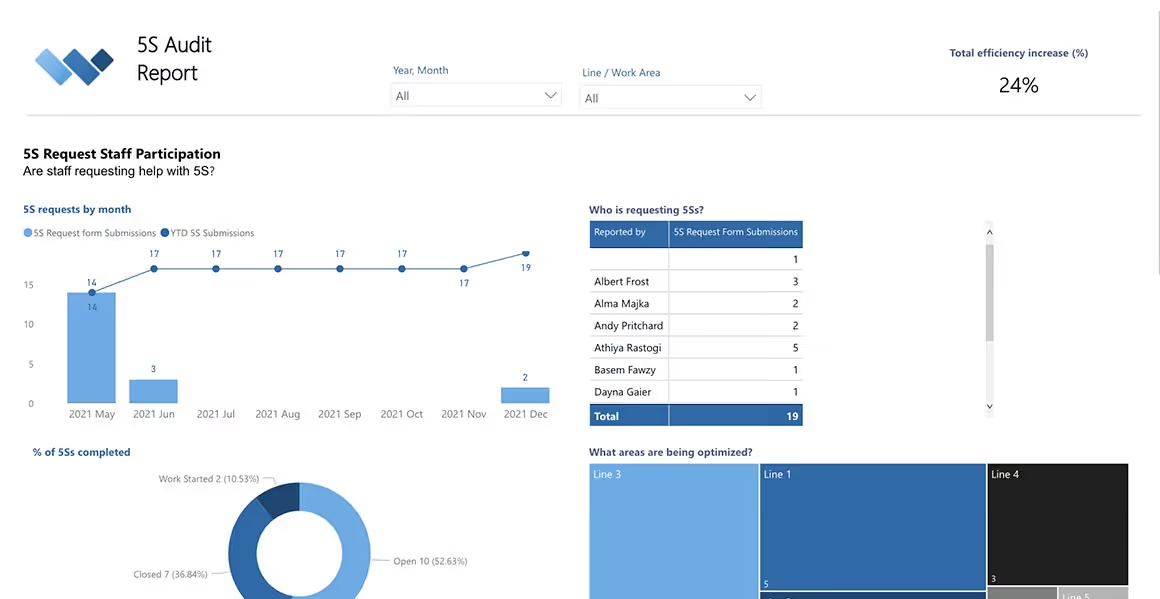
5S Audit Report
5S Audits Reporting Dashboard
MS Power BI Template
SOlve 5S with Weever
Say goodbye to inefficient 5S audits and hello to Weever.
Are you struggling with paper forms and spreadsheets for your 5S Auditing program? Get in touch to see how Weever can help you solve your 5S audits today!
"Having cloud-based forms on devices around the facility makes them so much more accessible, which makes it painless for operators to quickly provide a report."
Johanna Velez, VP Quality Assurance


"Weever is really user friendly and will have a massive positive impact on our operations and training team."
Mel Cadle - Op Ex Lead Process Engineer


Ultimate Guide to Success with 5S


bandjlogo

Bell

Canadian-Tire-Logo

Diageo-customer-logo-min

greyston-bakery-logo

hello-fresh-customer-logo

marks-customer-logo

CSL_Limited_logo

monin-logo

Winland Food

Mars-logo-main
rise-baking-customer-logo

Rockwool-Customer-Logo-min

Sportcheck-customer-logo

unilever-customer-logo

walmart-logo-small

husqvarna-customer-logo

Ajinomoto_logo

Peet's_Coffee_logo

Royal-Canin-Logo
Next Previous
5S Auditing Preview text
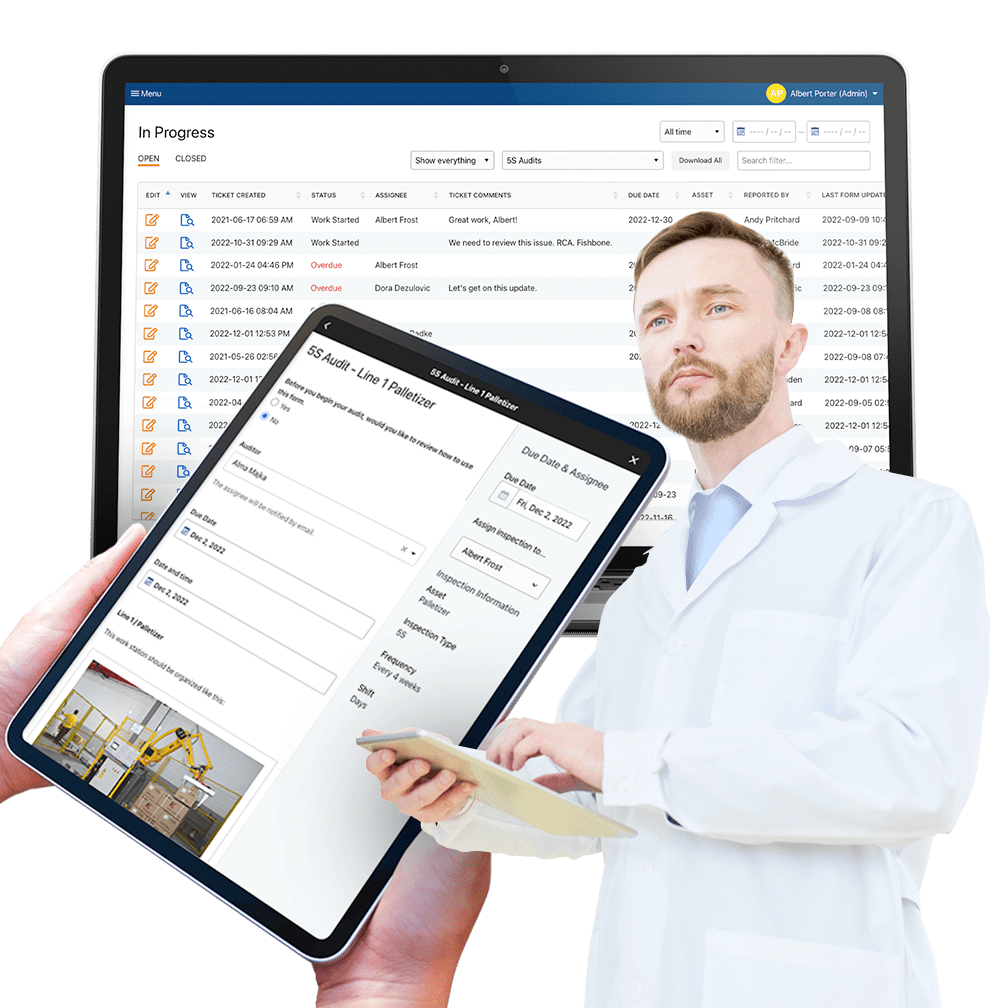
Automate 5S Auditing to ensure compliance and radically increase workstation productivity.
- Extremely simple and easy to use.
- Save time with automated reporting and administration.
- Capture richer data and manage improvement workflows.
- Automate schedules to ensure compliance.
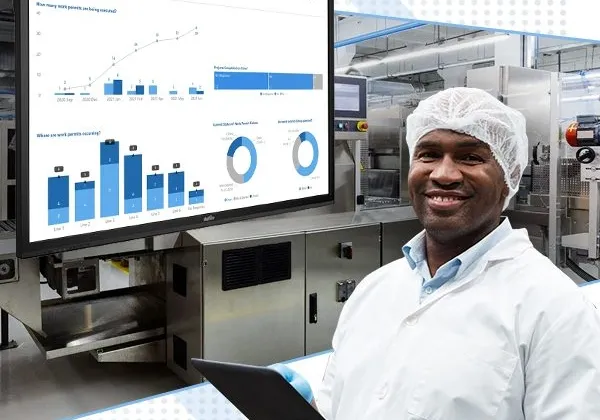
Why Digitize Abnormality Reports?
Abnormality reports are central to Operational Excellence because they provide staff with the ability to report and correct process abnormalities before they affect your customer's experience with your product or service.
When driving our own personal vehicles, we are often the first ones to notice that something is “off”. There is an unusual sound, odor, or vibration that tells us our car needs maintenance, often before the dashboard warning light turns on.
In a similar way, your associates spend more time with the machines than anyone and should be empowered to identify and correct abnormalities before they become major mechanical issues. Staff are also asked to provide details about the observation so that it can be prevented from reoccurring in the future.
Abnormality Reporting is a central concept to “World Class Manufacturing” and “Operational Excellence” methodologies. It involves the establishment of process standards, a way to report anomalies, corrective actions reporting and preventive action plans.
In practice, staff are trained on what the standard procedure should be and are asked to report any abnormality to that procedure. This information is reviewed by supervisors and tracked in trend analysis reports.
Usually, abnormalities are “corrected” immediately, in which case the operator provides some information about the correction. In some cases, supervisors may create an action plan to understand the root cause of the abnormality and prevent it from recurring. This usually follows a PDCA (Plan Do Check Act) or similar process. The ultimate result of this PDCA may be changes in Standard Operating Procedures (SOPs), updates to documentation, and updates to CIL and Centerline requirements.
Weever specializes in digitizing operational workflows.
Efficient, intuitive, and rich data capture is the most critical factor in Operational Excellence. Data helps you understand what is happening, what needs to improve, and if improvements have worked.
However, using paper forms to manage abnormality reporting can create more issues than it solves. Digital tools are much more accessible and efficient than paper forms. They also allow for automation, which saves time and money and ensures the process is completed correctly every time.
Weever makes it easy to digitize operational forms and reports so you can experience the benefits of digitization today.
We work with organizations of all shapes and sizes who are frustrated with paper forms and spreadsheets. They want to save money, become more efficient, and spend their time more wisely. If that sounds like you, feel free to read on and get in touch.
Here are the top 10 reasons to digitize your abnormality reports.
Why digitize your abnormality reports?
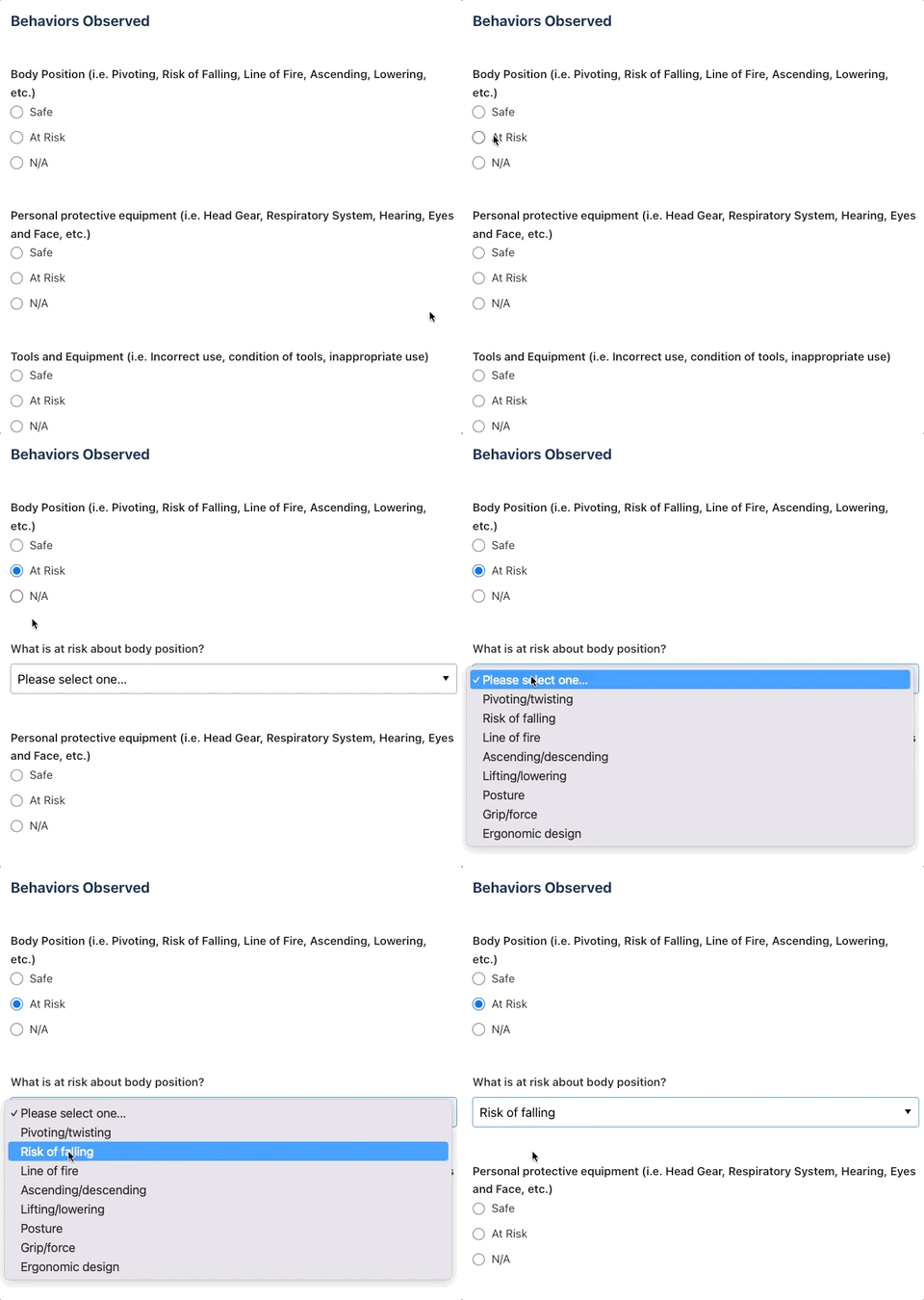
1. Ensure staff do the job right with on-demand instructions and conditional logic
Provide staff with helpful content embedded directly into the form including videos, links to documentation, images, and text. Conditional logic allows you to guide staff through the experience to ensure they capture the correct information the first time and every time.
2. Create Schedules
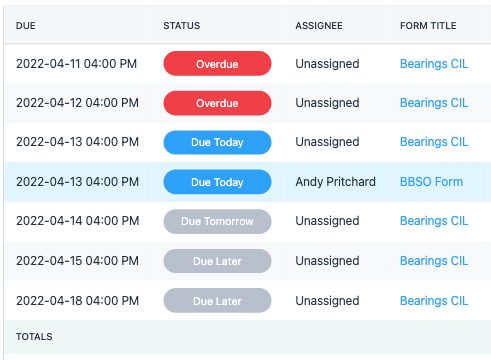
If it isn't scheduled, it's probably not going to happen. Paper-based processes rely on staff to remember to do their job, while software can be used to remind with notifications based on a schedule.

3. Increased Accessibility
One problem that limits the performance of your operational programs can simply be the accessibility of the forms. Digitization allows staff to load the form on any device, go through it quickly and feel successful doing it.
4. Simple Customization
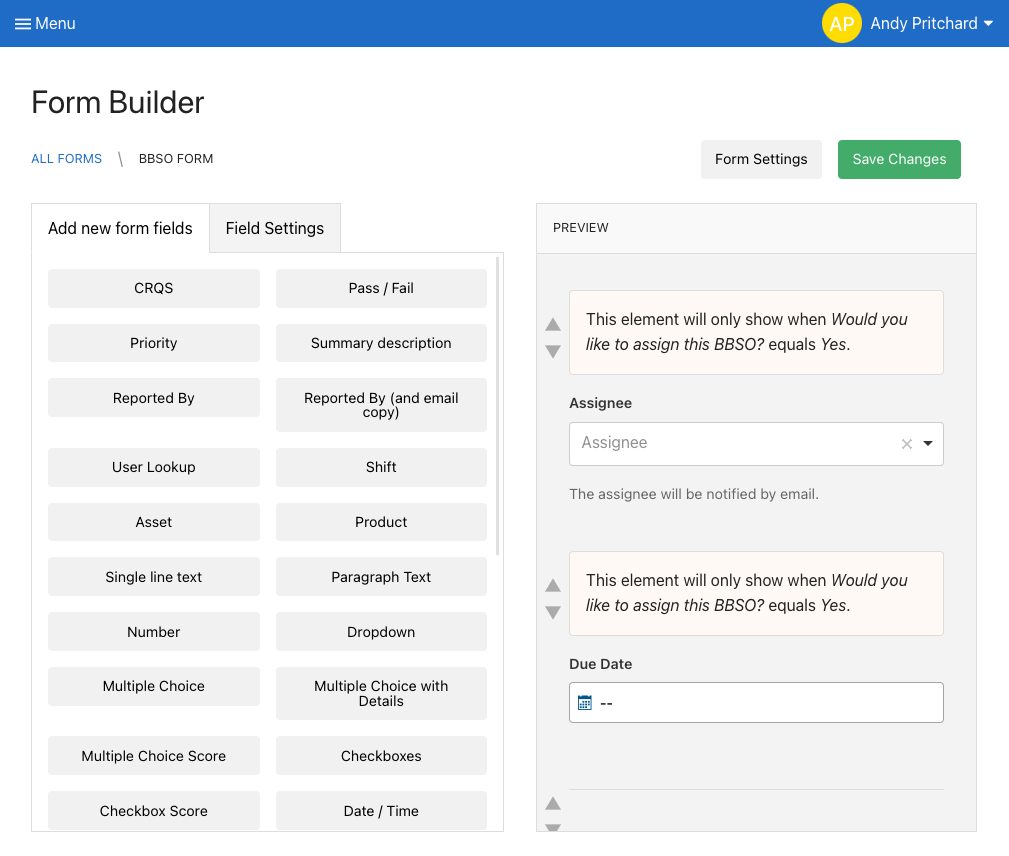
Have you ever created a form and then needed to make changes, which requires you to find and destroy all the copies of the old form, which still get submitted a year later. With digital form builders, updates happen in real-time so you don’t have to worry about staff using the wrong form.
5. Automate Rewards
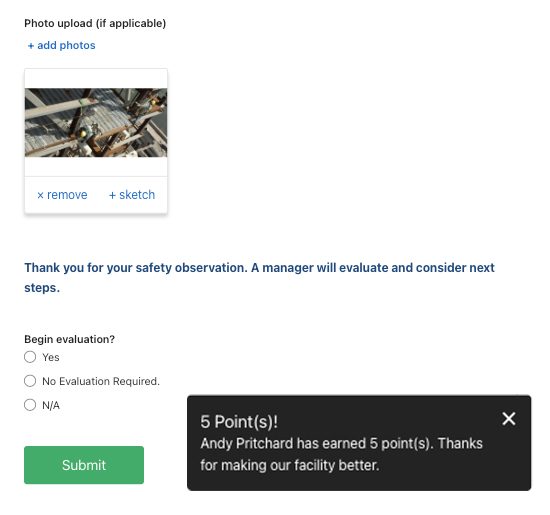
Software makes it easy to allocate points to staff that can be redeemed in a rewards marketplace.
6. Photo Capture
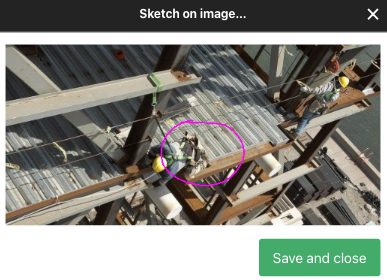
Photo capture is perhaps the most immediate benefit of going paperless. Multiple photos can be captured in the report, complete with sketches to highlight the issue.
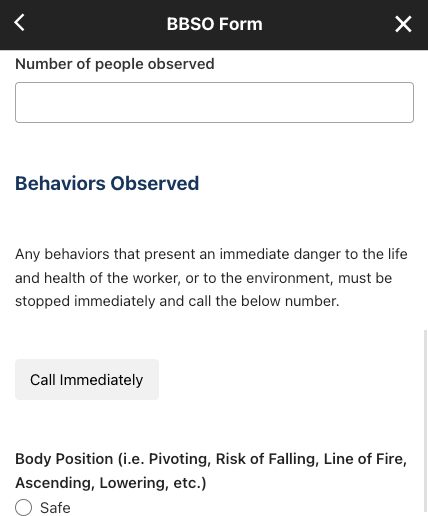
7. Real-time Communication
Should the observer require immediate help, digital forms provide a means to connect instantly with a supervisor.
8. Optimize the Evaluation Process
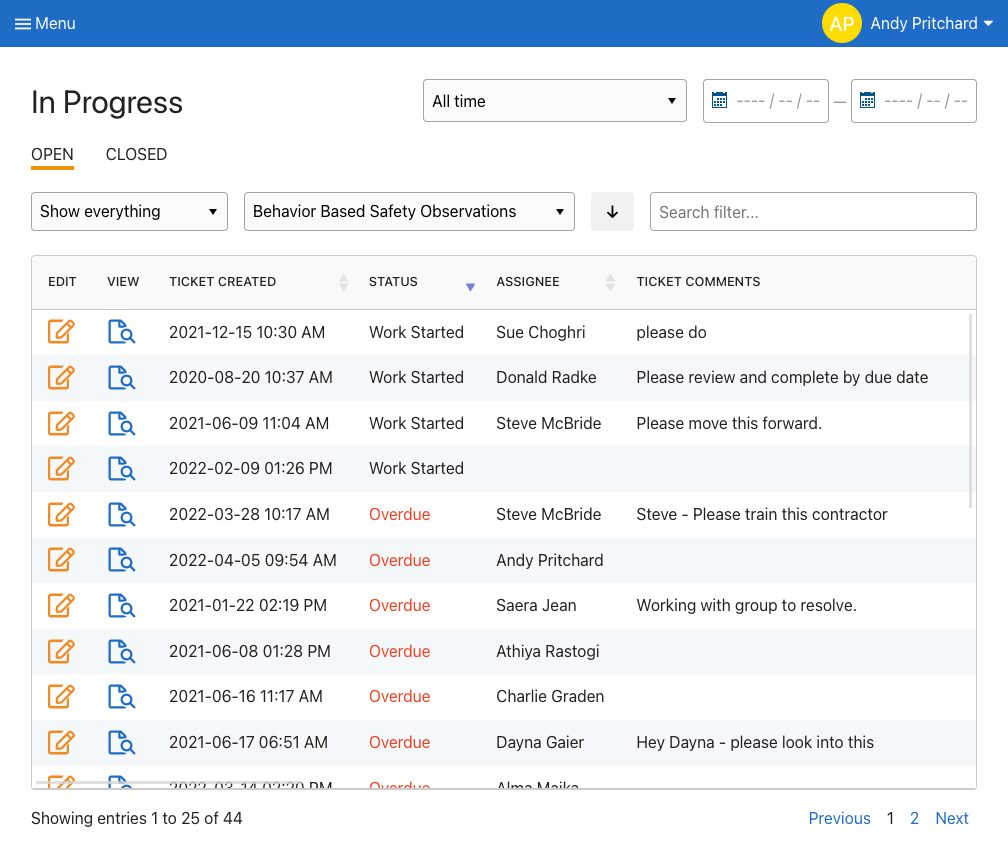
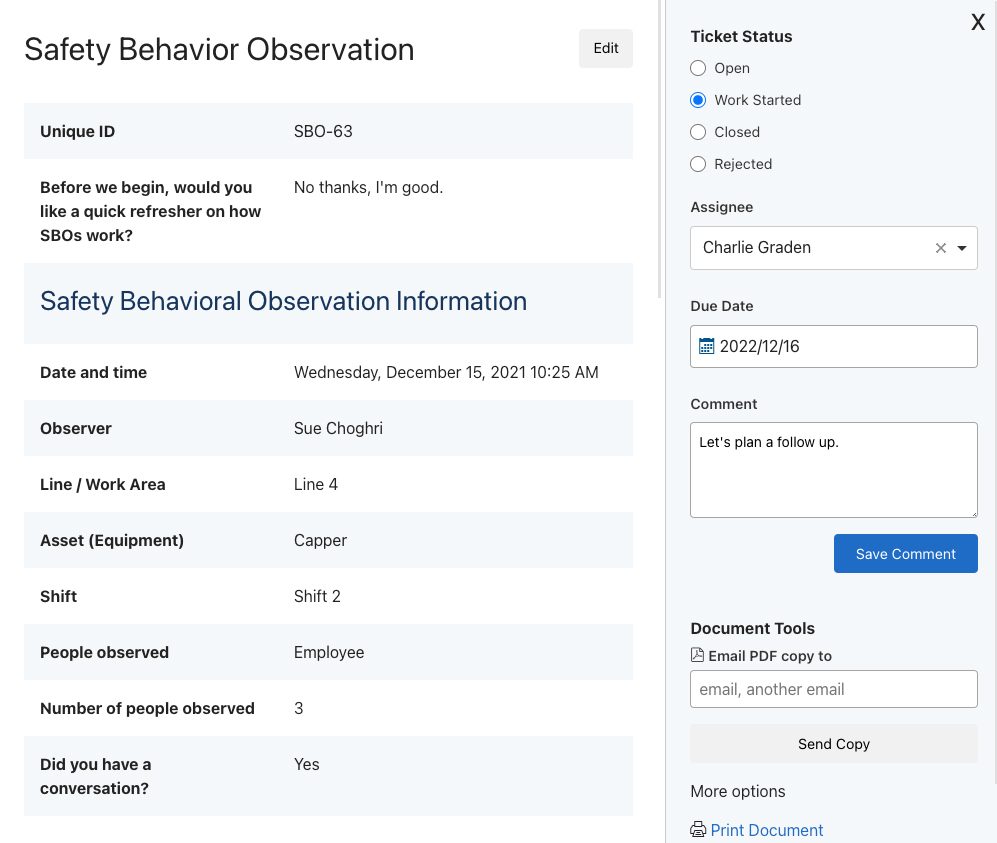
Each submission creates a ticket that is organized in the appropriate digital folder. Supervisors can create action plans, assign them, and add due dates. Assignees are notified and supervisors are made aware of approaching and overdue deadlines.
9. Broadcast Results
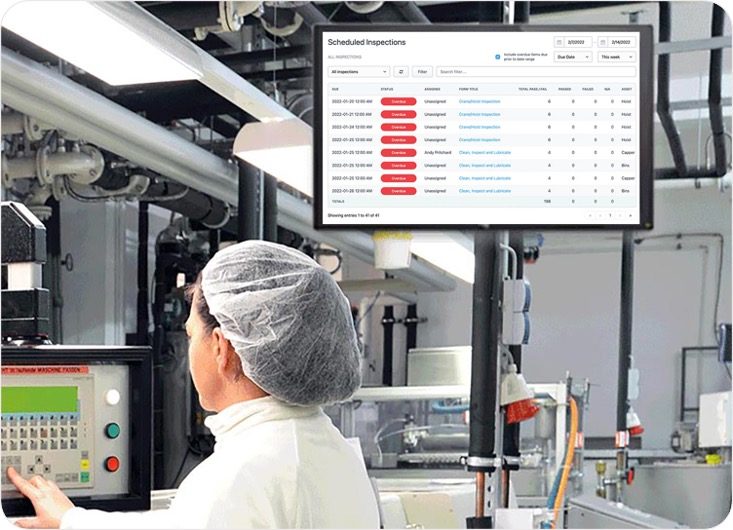
Set up real-time updates that can be broadcast to staff that show how your operational programs are “moving the needle”.
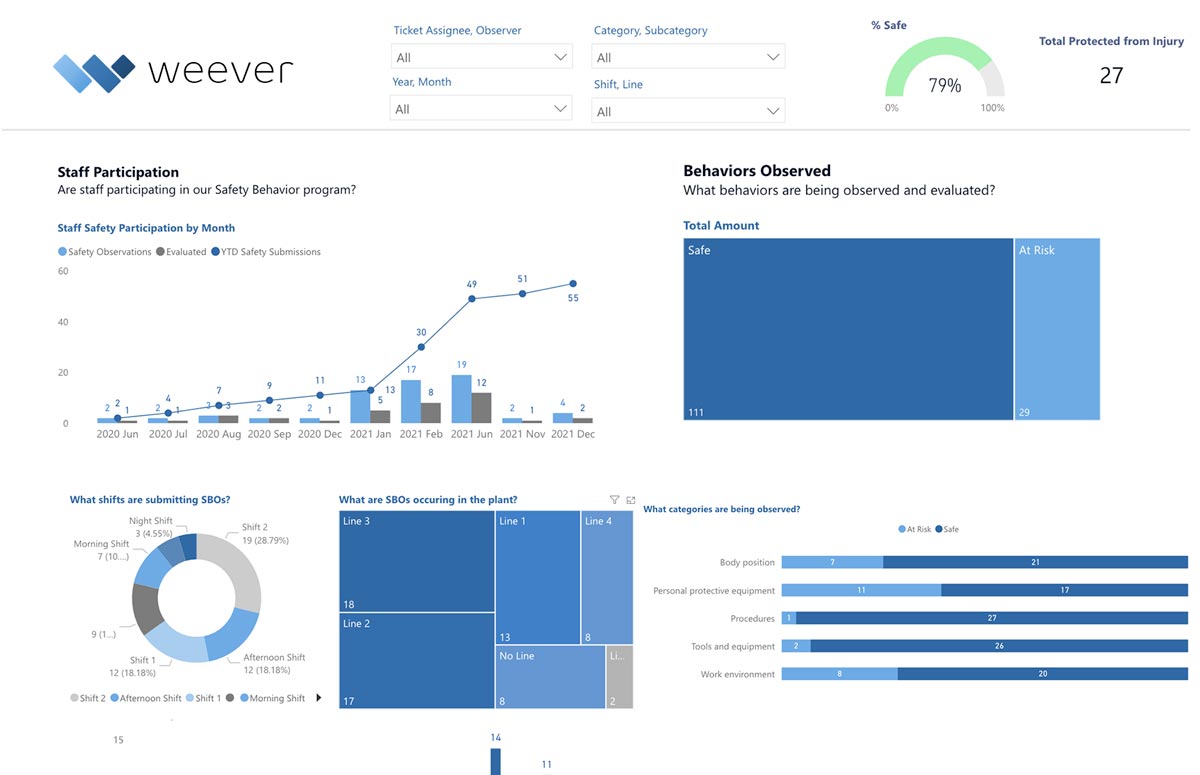
10. Automate Real-Time Dashboard Updates
Save administrative time by automating reporting. Create stunning and highly configurable dashboard reports that are updated in real-time. Spend less time in front of spreadsheets and more time creating real value for your organization.
Top 10 reasons you need to digitize your paper-based operations
Weever specializes in digitizing operational workflows.
We work with organizations of all shapes and sizes who are frustrated with paper forms and spreadsheets. They want to save money, become more efficient, and spend their time more wisely. If that sounds like you, feel free to read on and get in touch.
Here are the top 10 ways software can help you manage your operations.
Why digitize your paper-based operations?
1. Ensure staff do the job right with on-demand instructions and conditional logic
Provide staff with helpful content embedded directly into the form including videos, links to documentation, images, and text. Conditional logic allows you to guide staff through the experience to ensure they capture the correct information the first time and every time.
2. Create Schedules
If it isn't scheduled, it's probably not going to happen. Paper-based processes rely on staff to remember to do their job, while software can be used to remind with notifications based on a schedule.
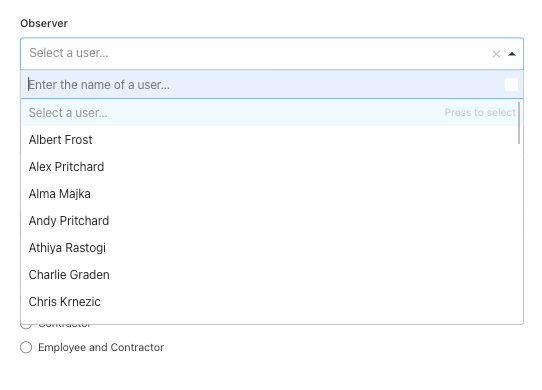
3. Increased Accessibility
One problem that limits the performance of your operational programs can simply be the accessibility of the forms. Digitization allows staff to load the form on any device, go through it quickly and feel successful doing it.
4. Simple Customization
Have you ever created a form and then needed to make changes, which requires you to find and destroy all the copies of the old form, which still get submitted a year later. With digital form builders, updates happen in real-time so you don’t have to worry about staff using the wrong form.
5. Automate Rewards
Software makes it easy to allocate points to staff that can be redeemed in a rewards marketplace.
6. Photo Capture
Photo capture is perhaps the most immediate benefit of going paperless. Multiple photos can be captured in the report, complete with sketches to highlight the issue.
7. Real-time Communication
Should the observer require immediate help, digital forms provide a means to connect instantly with a supervisor.
8. Optimize the Evaluation Process
Each submission creates a ticket that is organized in the appropriate digital folder. Supervisors can create action plans, assign them, and add due dates. Assignees are notified and supervisors are made aware of approaching and overdue deadlines.
9. Broadcast Results
Set up real-time updates that can be broadcast to staff that show how your operational programs are “moving the needle”.
10. Automate Real-Time Dashboard Updates
Save administrative time by automating reporting. Create stunning and highly configurable dashboard reports that are updated in real-time. Spend less time in front of spreadsheets and more time creating real value for your organization.
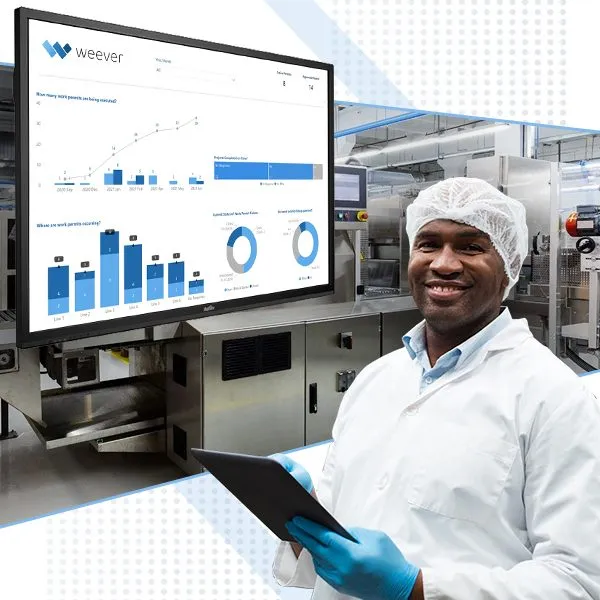
Safety Observation (BBSO) ideas and questions to ask.
What are Behavior-Based Safety Observations?
Behavior-Based Safety Observations (BBSO) are an integral part of modern, proactive safety programs. The goal is to reduce the number of incidents by recognizing safe behavior and eliminating unsafe practices either through training or updates to Standard Operating Procedures (SOPs).
The BBSO practice has gained popularity because it is relatively easy to implement and manage, it fosters a safety-first culture and it delivers results.
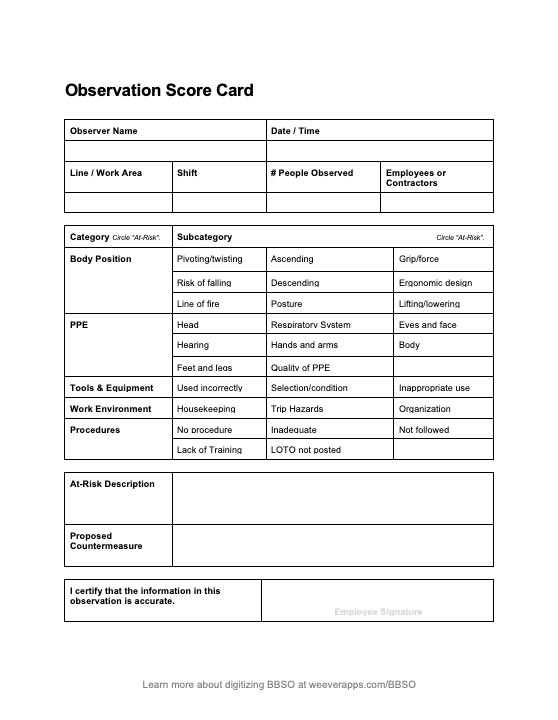
The practice requires staff to observe other workers and provide a report on the general safety of their work including:
- Body Position
- PPE (Personal Protective Equipment)
- Tools & Equipment
- Work Environment
- Procedures
As staff members submit their reports, Safety Managers can use the intel to inform updates to SOP documentation and plan One Point Lessons or Toolbox talks around a specific safety issue that keeps coming up. The general idea is that by promoting safe work habits through observations, the number of incidents will decrease over time.
How do Behaviour-Based Safety Observation Programs Work?
BBSO programs require observations from staff, evaluation by supervisors and KPI reporting to measure results.
1. Safety Observations
Monthly Data Capture Requirements
Safety Managers provide a bit of training around what to observe, when, and how often. Observers need to inform the observed staff members that they are being watched. While it is common that observation means that a worker will perform the task perfectly, habits and complacency can affect the outcome of the observation.
You can either select and train specific staff members to be observers or allow all staff to submit safety observations. Limiting observers makes the program a bit easier to manager but it does reduce amount of teachable moments that can arise from safety observations.
Usually, staff are mandated to submit at least 1 safety observation per month. Some organizations use a reward points to promote submissions and reduce “nagging” or negative motivation.
2. Evaluation & Action
Evaluate Submissions and Create Action Plans
When observations are submitted, Supervisors review them and create action plans. Any behaviors that present an immediate danger to the life and health of the worker, or to the environment, must be stopped immediately and a discussion between the observer and the worker regarding the matter should take place.
Upon submission, many observations will be simply closed because the observation was considered safe. At-risk behaviours can create a few different action plans:
- Review best practices with individuals - The supervisor will plan a follow-up with the observed parties to review appropriate safety SOPs to avoid the situation occurring in the future.
- Create Learning Content - If a situation continues to occur, Safety Managers will create a One Point Lesson or “Toolbox Talk” session where all staff will review the best practice and sign off that they understand.
- Updates to SOPs - sometimes the operating procedure documentation is to blame for the issue, so the next step is to make an update and train your staff.
3. Showcase Results
Broadcast KPI improvements
The magic of BBSO programs comes in the feedback to staff that shows that the site is safer as a result of their work. Usually, Safety Managers can point to safety KPIs, such as near misses or incidents to show that the BBSO program is having a positive impact.
What are some ideas for BBSO for questions and content?
Weever specializes in digitizing operational workflows.
We work with organizations of all shapes and sizes who are frustrated with paper forms and spreadsheets. They want to save money, become more efficient, and spend their time more wisely. If that sounds like you, feel free to read on and get in touch.
Here are the top 10 ways software can help you manage your operations.
1. Ensure staff do the job right with on-demand instructions and conditional logic
Provide staff with helpful content embedded directly into the form including videos, links to documentation, images, and text. Conditional logic allows you to guide staff through the experience to ensure they capture the correct information the first time and every time.
2. Create Schedules
If it isn't scheduled, it's probably not going to happen. Paper-based processes rely on staff to remember to do their job, while software can be used to remind with notifications based on a schedule.
3. Increased Accessibility
One problem that limits the performance of your operational programs can simply be the accessibility of the forms. Digitization allows staff to load the form on any device, go through it quickly and feel successful doing it.
4. Simple Customization
Have you ever created a form and then needed to make changes, which requires you to find and destroy all the copies of the old form, which still get submitted a year later. With digital form builders, updates happen in real-time so you don’t have to worry about staff using the wrong form.
5. Automate Rewards
Software makes it easy to allocate points to staff that can be redeemed in a rewards marketplace.
6. Photo Capture
Photo capture is perhaps the most immediate benefit of going paperless. Multiple photos can be captured in the report, complete with sketches to highlight the issue.
7. Real-time Communication
Should the observer require immediate help, digital forms provide a means to connect instantly with a supervisor.
8. Optimize the Evaluation Process
Each submission creates a ticket that is organized in the appropriate digital folder. Supervisors can create action plans, assign them, and add due dates. Assignees are notified and supervisors are made aware of approaching and overdue deadlines.
9. Broadcast Results
Set up real-time updates that can be broadcast to staff that show how your operational programs are “moving the needle”.
10. Automate Real-Time Dashboard Updates
Save administrative time by automating reporting. Create stunning and highly configurable dashboard reports that are updated in real-time. Spend less time in front of spreadsheets and more time creating real value for your organization.
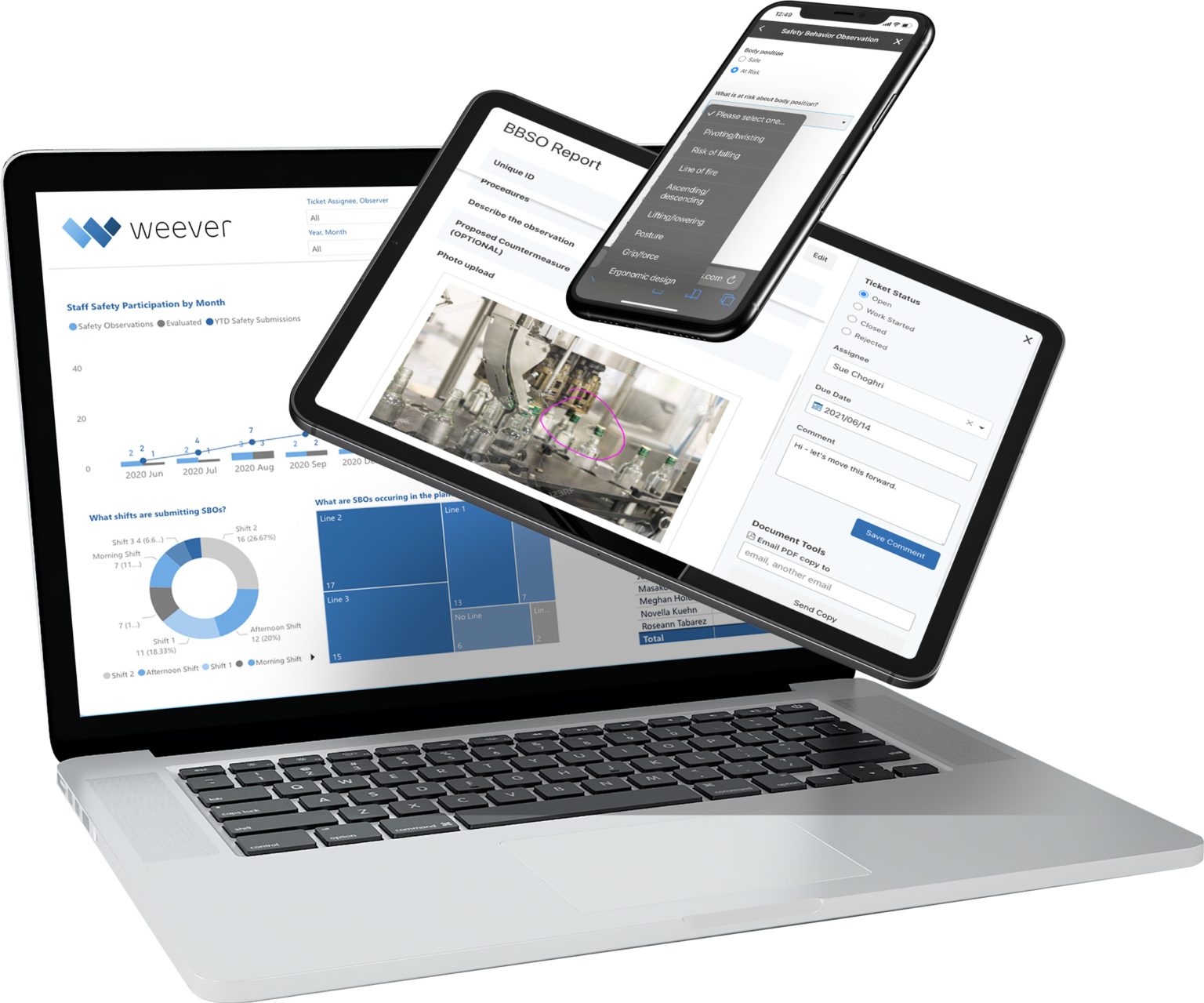

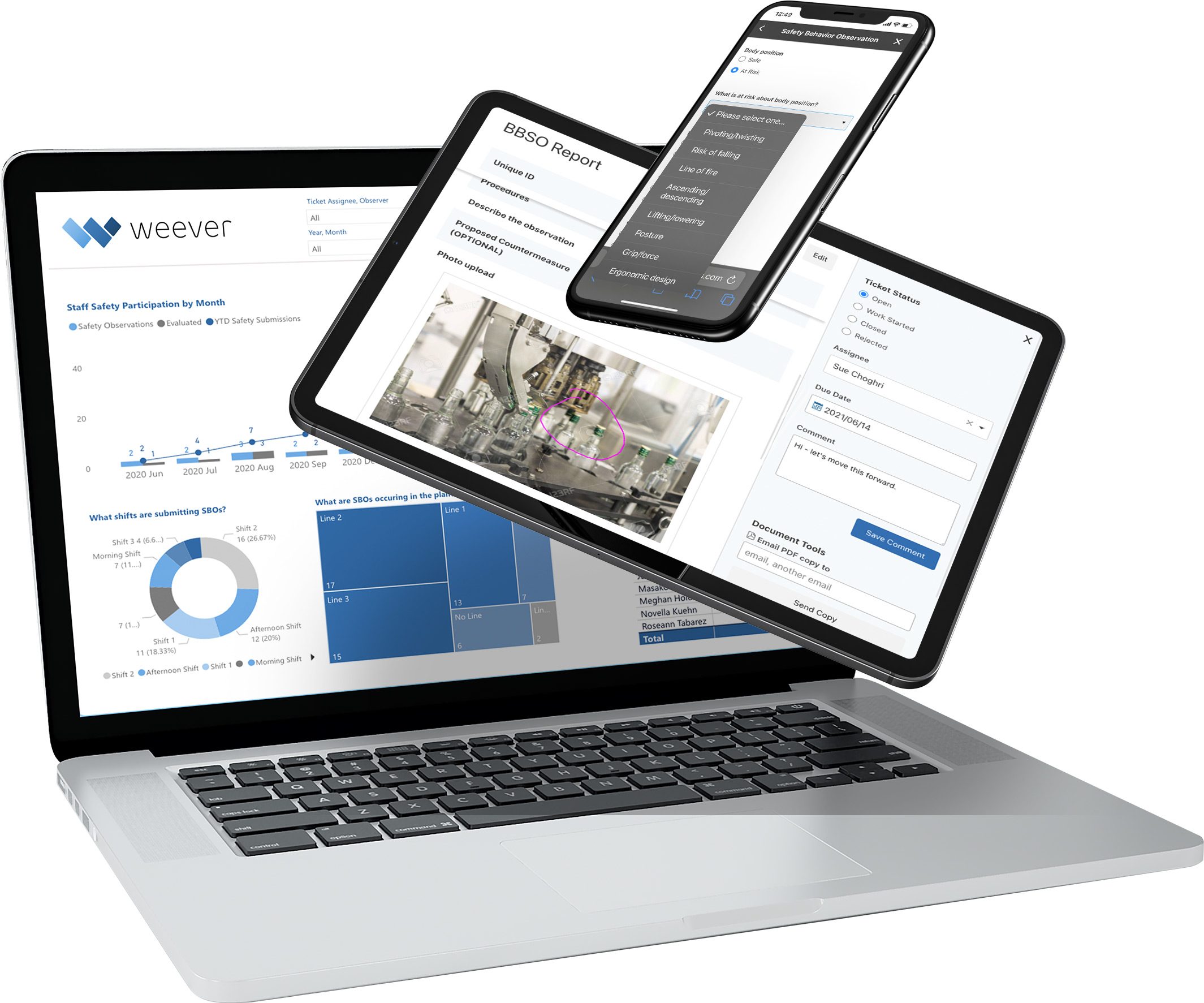
Behavior-Based Safety Observation Ideas
Safety Observation (BBSO) ideas and questions to ask.
Andy Pritchard | April 21, 2022 | 5 min read
What are Behavior-Based Safety Observations?
Behavior-Based Safety Observations (BBSO) are an integral part of modern, proactive safety programs. The goal is to reduce the number of incidents by recognizing safe behavior and eliminating unsafe practices either through training or updates to Standard Operating Procedures (SOPs).
The BBSO practice has gained popularity because it is relatively easy to implement and manage, it fosters a safety-first culture and it delivers results.
The practice requires staff to observe other workers and provide a report on the general safety of their work including:
- Body Position
- PPE (Personal Protective Equipment)
- Tools & Equipment
- Work Environment
- Procedures
As staff members submit their reports, Safety Managers can use the intel to inform updates to SOP documentation and plan One Point Lessons or Toolbox talks around a specific safety issue that keeps coming up. The general idea is that by promoting safe work habits through observations, the number of incidents will decrease over time.
How do Behaviour-Based Safety Observation Programs Work?
BBSO programs require observations from staff, evaluation by supervisors and KPI reporting to measure results.
1. Safety Observations
Monthly Data Capture Requirements
Safety Managers provide a bit of training around what to observe, when, and how often. Observers need to inform the observed staff members that they are being watched. While it is common that observation means that a worker will perform the task perfectly, habits and complacency can affect the outcome of the observation.
You can either select and train specific staff members to be observers or allow all staff to submit safety observations. Limiting observers makes the program a bit easier to manager but it does reduce amount of teachable moments that can arise from safety observations.
Usually, staff are mandated to submit at least 1 safety observation per month. Some organizations use a reward points to promote submissions and reduce "nagging" or negative motivation.
2. Evaluation & Action
Evaluate Submissions and Create Action Plans
When observations are submitted, Supervisors review them and create action plans. Any behaviors that present an immediate danger to the life and health of the worker, or to the environment, must be stopped immediately and a discussion between the observer and the worker regarding the matter should take place.
Upon submission, many observations will be simply closed because the observation was considered safe. At-risk behaviours can create a few different action plans:
- Review best practices with individuals - The supervisor will plan a follow-up with the observed parties to review appropriate safety SOPs to avoid the situation occurring in the future.
- Create Learning Content - If a situation continues to occur, Safety Managers will create a One Point Lesson or "Toolbox Talk" session where all staff will review the best practice and sign off that they understand.
- Updates to SOPs - sometimes the operating procedure documentation is to blame for the issue, so the next step is to make an update and train your staff.
3. Showcase Results
Broadcast KPI improvements
The magic of BBSO programs comes in the feedback to staff that shows that the site is safer as a result of their work. Usually, Safety Managers can point to safety KPIs, such as near misses or incidents to show that the BBSO program is having a positive impact.
What are some ideas for BBSO for questions and content?
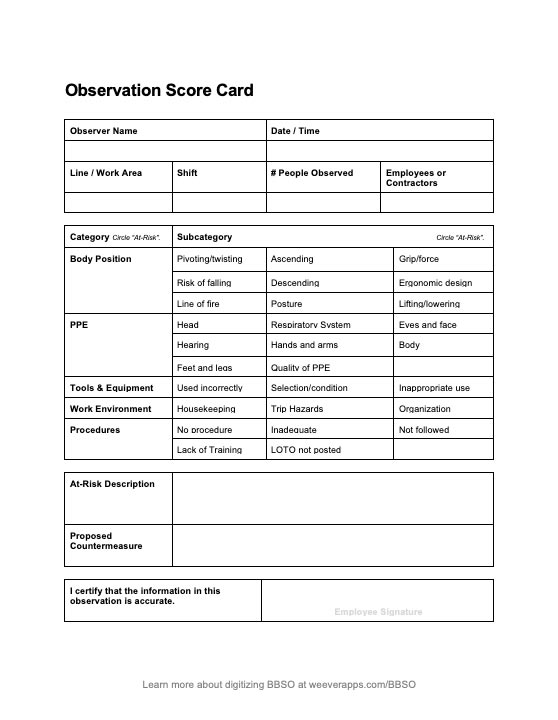
Download the BBSO Score Card Template
Free customizable MS Word file (.docx) sent to your inbox.
Weever specializes in digitizing operational workflows.
We work with organizations of all shapes and sizes who are frustrated with paper forms and spreadsheets. They want to save money, become more efficient, and spend their time more wisely. If that sounds like you, feel free to read on and get in touch.
Here are the top 10 ways software can help you manage your operations.
1. Ensure staff do the job right with on-demand instructions and conditional logic
Provide staff with helpful content embedded directly into the form including videos, links to documentation, images, and text. Conditional logic allows you to guide staff through the experience to ensure they capture the correct information the first time and every time.
2. Create Schedules
If it isn't scheduled, it's probably not going to happen. Paper-based processes rely on staff to remember to do their job, while software can be used to remind with notifications based on a schedule.
3. Increased Accessibility
One problem that limits the performance of your operational programs can simply be the accessibility of the forms. Digitization allows staff to load the form on any device, go through it quickly and feel successful doing it.
4. Simple Customization
Have you ever created a form and then needed to make changes, which requires you to find and destroy all the copies of the old form, which still get submitted a year later. With digital form builders, updates happen in real-time so you don't have to worry about staff using the wrong form.
5. Automate Rewards
Software makes it easy to allocate points to staff that can be redeemed in a rewards marketplace.
6. Photo Capture
Photo capture is perhaps the most immediate benefit of going paperless. Multiple photos can be captured in the report, complete with sketches to highlight the issue.
7. Real-time Communication
Should the observer require immediate help, digital forms provide a means to connect instantly with a supervisor.
8. Optimize the Evaluation Process
Each submission creates a ticket that is organized in the appropriate digital folder. Supervisors can create action plans, assign them, and add due dates. Assignees are notified and supervisors are made aware of approaching and overdue deadlines.
9. Broadcast Results
Set up real-time updates that can be broadcast to staff that show how your operational programs are "moving the needle".
10. Automate Real-Time Dashboard Updates
Save administrative time by automating reporting. Create stunning and highly configurable dashboard reports that are updated in real-time. Spend less time in front of spreadsheets and more time creating real value for your organization.
- Trusted solution - Over 2 million jobs completed worldwide.
- Your success is our #1 Priority - We partner with you to ensure results.
Learn more about Workflow Management
Explore the Platform
.webp)
Behavior Safety Observation (BBS) Sample Questions
What are Behavior-Based Safety Observations?
Behavior-Based Safety Observations (BBSO) are an integral part of modern, proactive safety programs. The goal is to reduce the number of incidents by recognizing safe behavior and eliminating unsafe practices either through training or updates to Standard Operating Procedures (SOPs).
The BBSO practice has gained popularity because it is relatively easy to implement and manage, it fosters a safety-first culture and it delivers results. The practice requires staff to observe other workers and provide a report on the general safety of their work including:
- Body Position
- PPE (Personal Protective Equipment)
- Tools & Equipment
- Work Environment
- Procedures
As staff members submit their reports, Safety Managers can use the intel to inform updates to SOP documentation and plan One Point Lessons or Toolbox talks around a specific safety issue that keeps coming up. The general idea is that by promoting safe work habits through observations, the number of incidents will decrease over time.
Download the BBSO Score Card Template - Free customizable MS Word file (.docx)
What are some Safety Observation sample questions?
We work with organizations of all shapes and sizes who are frustrated with paper forms and spreadsheets. They want to save money, become more efficient, and spend their time more wisely. If that sounds like you, feel free to read on and get in touch.
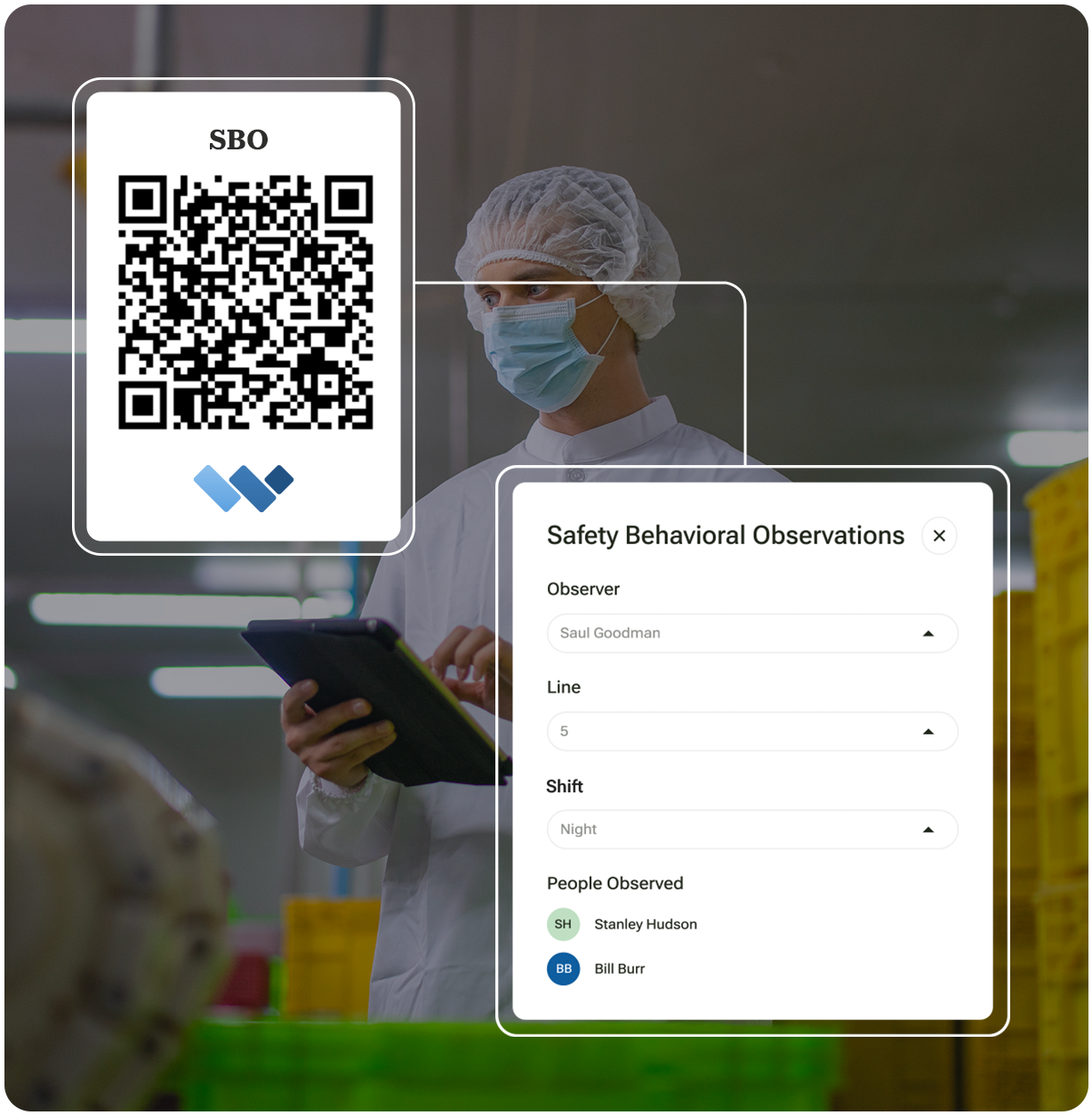
Here are some sample questions you can used to build your BBSO scorecard.
1. Observation "Metadata"
Metadata is a set of data that describes and gives information about other data. In this case, you will probably want to know things like who is submitting the observations, where they are, when the observations were submitted, and so forth.
- Consider your reports when you are collecting metadata. How do you want to be able to filter your data so you can understand insights and make decisions? If you don't think collecting location data would help you, then don't bother capturing it.
- Unique IDs for submissions help to keep your data organized.
A list of metadata to collect for each submission could include:
- Observer name
- Line/Work Area, Site, or Location
- Date/Time of Observation
- Who was observed - either names or type (i.e. staff members, contractors, etc.)
- Number of people observed.
2. Emergency Contact Info
It's a good best practice to provide emergency call information in the event that an observer is witnessing a safety emergency. You can also provide contact information should the observer or the observed parties require clarity on an issue.
3. Body Position
Body position is the most common safety observation and the most likely to result in injury. Workers can twist into awkward positions to get the job done quickly and move on. They can risk falling and also put themselves in the line of fire. Some Body Position categories you might consider are:
- Pivoting/twisting
- Risk of falling
- Line of fire
- Ascending/descending
- Lifting/lowering
- Posture
- Grip/force
- Ergonomic design
4. PPE (Personal Protective Equipment)
Using the appropriate PPE correctly is so important in ensuring safety. Often workers will have the appropriate equipment but not use it correctly. These observations provide great teaching opportunities either with individuals or teams. Some PPE categories you might want to use include:
- Head Gear
- Respiratory System
- Hearing
- Eyes and Face
- Body
- Feet and Legs
- Quality of PPE
5. Tools & Equipment
Similar to PPE, the appropriate use of the correct tools and equipment is very important to ensure a safe work environment. Some categories for this may include:
- Used incorrectly
- Poor Selection or condition
- Appropriate for the task/use
6. Work Environment
In some cases, the work environment itself is unsafe. Some categories for work environment may include:
- Housekeeping
- Trip hazards
- Area is unorganized
7. Observation Description & Proposed Countermeasures
It is important for staff to provide an overview of the At-Risk behavior they have observed. This provides context that informs individual follow-ups and shift huddle one-point lesson.
8. Capture Photos
Allow your staff to capture photos of the observation. Photos can help provide additional context and meaning to inform follow-ups.
9. Automate Real-Time Dashboard Updates
Save administrative time by automating reporting. Create stunning and highly configurable dashboard reports that are updated in real-time. Spend less time in front of spreadsheets and more time creating real value for your organization.
Set up real-time updates that can be broadcast to staff that show how your operational programs are "moving the needle".

Free Field Level Hazard Assessment (FLHA) Form Template
Over the past 10 years, Weever has been on the front lines of helping global Fortune 100 manufacturing companies implement and maintain successful 5S programs. We've learned a lot from our clientele over the years and we're happy to share those lessons here.
Here are some best practices to consider:

1. Harness the benefits of Operator-Led Sanitation
Maintaining quality in a food processing facility is everybody's job, and an essential component of quality is sanitation. Even the people who don't participate in the sanitation process should have an awareness of its importance and understand how their actions can have an impact.
This starts with leadership ensuring that sanitation teams have adequate resources to perform the work, including time, training, employees, equipment, sanitizers, and potable water.
The fastest way to radically increase the efficiency and effectiveness of your sanitation program is to evolve from a specialist-led to an operator-led methodology. Empowering operators to clean and sanitize their lines increases the scale of your operation. Operators also have more involvement with the equipment and machines they use every day, so they are more likely to provide insights on how processes can be completed better and faster.
The benefits to productivity are fairly obvious, however, operator-led methodologies can come with a host of challenges, including training and skills as well as compliance. Operations management software suited to sanitation programs will help to ensure operators are engaged and are doing the job correctly.
2. Ensure everything is documented
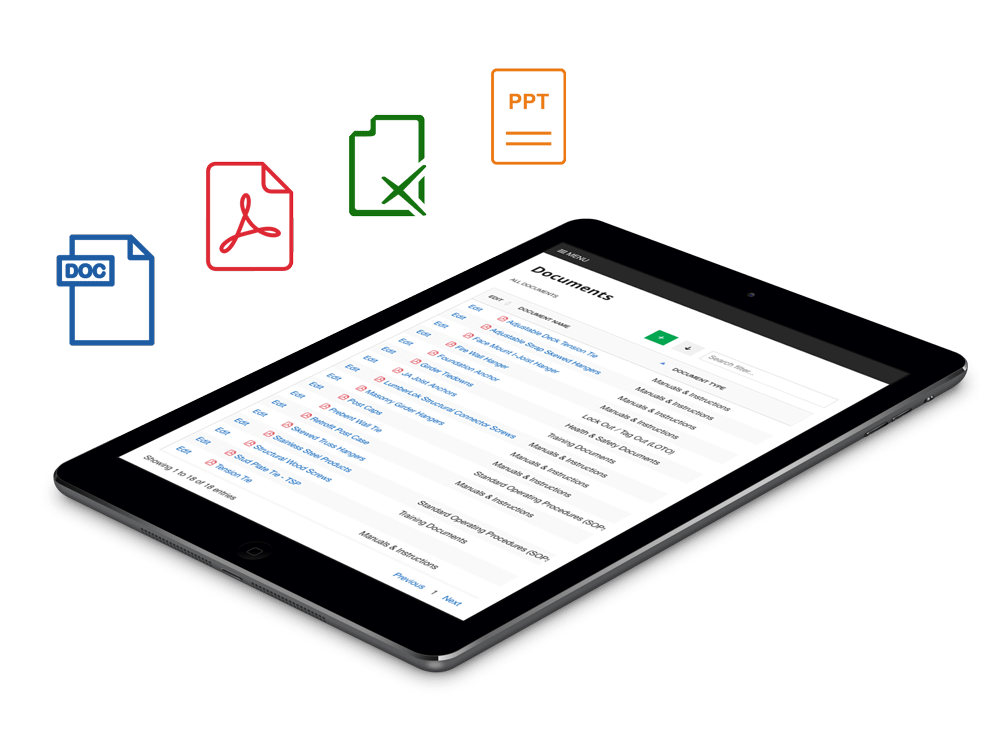
Every step in the cleaning and sanitation process should have an SSOP. Have documentation readily available for sanitation crews, especially for processes that don't happen frequently.
Closely following SSOPs is critical because using chemicals at the wrong concentration or not following specific steps could result in ineffective sanitation. For the sanitation step, the documentation should also include details such as what products to use in specific situations, how to apply the products, how long they need to stay on surfaces, and how to rinse them.
Documentation helps to ensure compliance and also to identify and record process deviations that may result in issues or opportunities to improve.
3. Provide immediate access to instructions and resources
In order for sanitation to be completed correctly, employees must adhere to fairly complex instructions featuring details on compounds, pressures, and temperatures. All employees engaged in sanitation must be trained, however, they may forget certain steps because it is usually not an everyday operating procedure. Flipping through manuals and documentation can be arduous and inefficient.
To ensure your program is as efficient as possible provide on-demand access to resources in real-time that can provide them with the information they need quickly.
4. Train employees on sanitation procedures
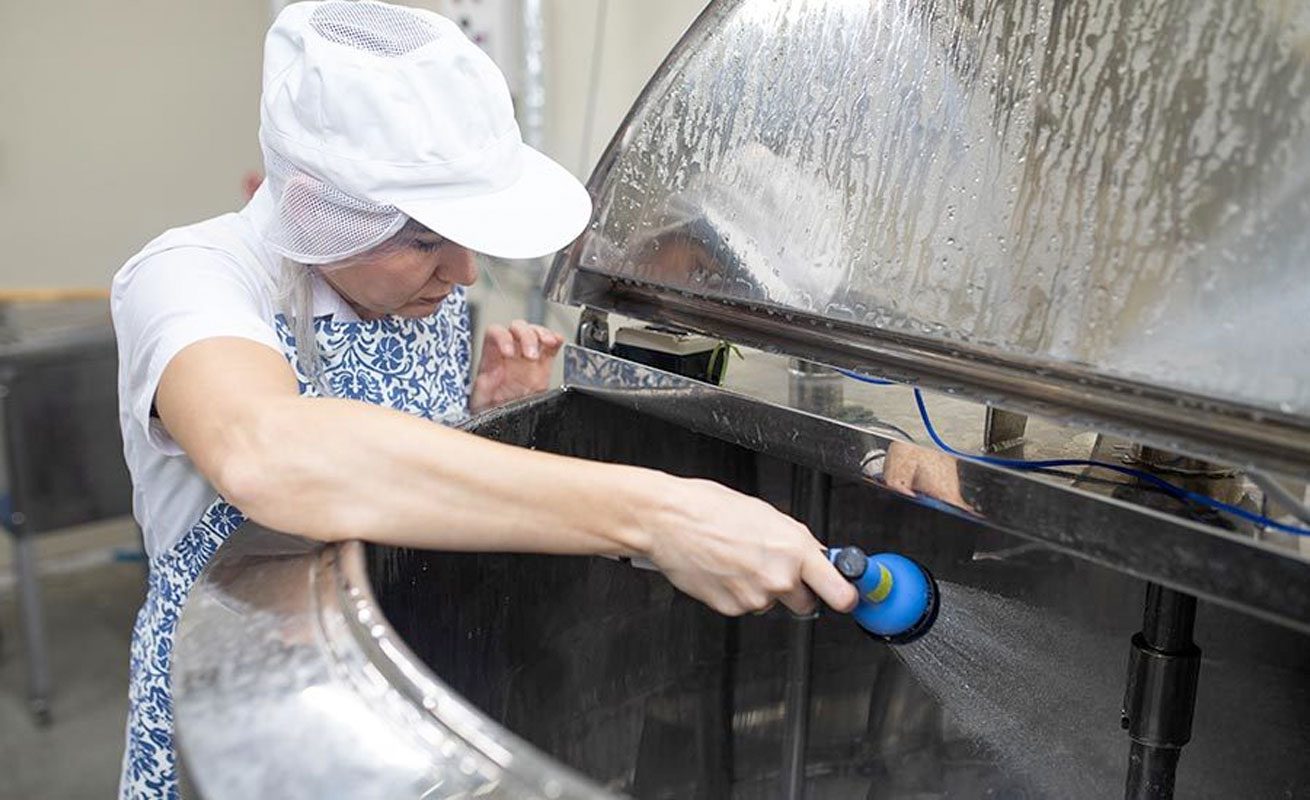
Proper training of employees is essential to ensure that they understand the importance of food safety and the procedures they need to follow to maintain a clean and sanitary environment.
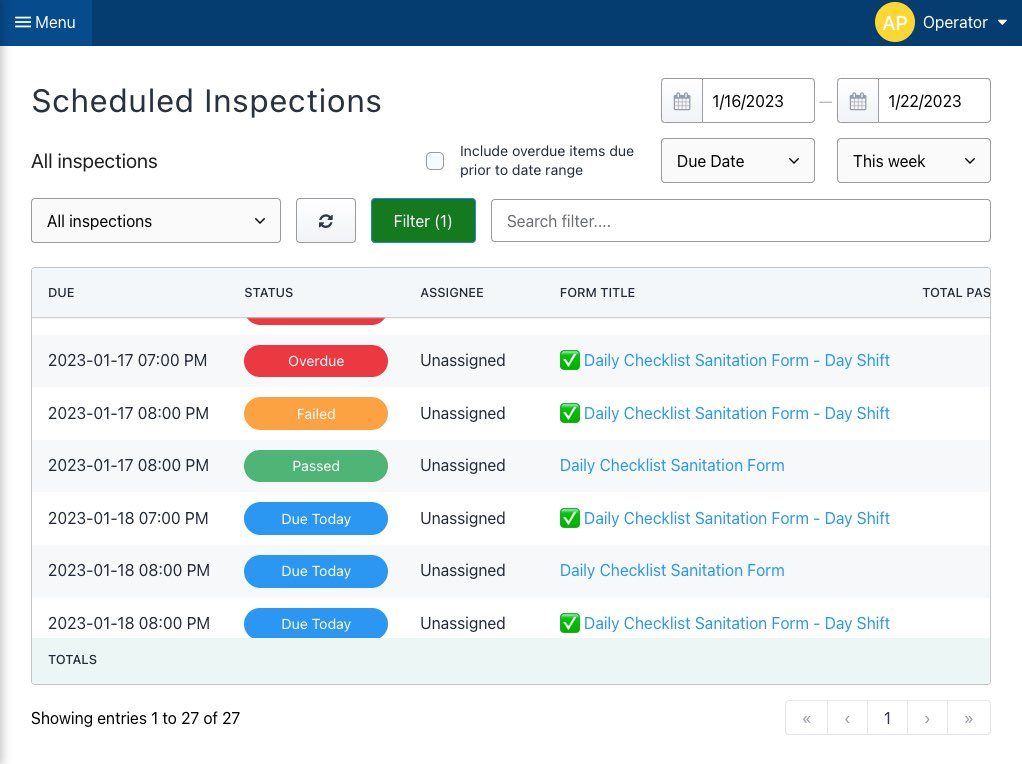
5. Establish a cleaning schedule. Monitor and Verify.
A cleaning schedule helps to ensure that all areas of the food plant are cleaned and sanitized on a regular basis and that the sanitation program is followed consistently. All metering pumps and other devices used for monitoring must be calibrated on a schedule determined by the HACCP or the Food Safety Team. Calibration schedules should be based on a documented risk assessment. Schedules need to be developed, clearly communicated, and adhered to to ensure compliance.
Regular monitoring and verification of the sanitation program is essential to ensure that the program is being implemented effectively and that the food plant is being maintained in a clean and sanitary condition.
6. Use appropriate cleaning and sanitizing chemicals
The use of appropriate cleaning and sanitizing chemicals is critical to the effectiveness of the sanitation program. The chemicals should be safe for use in a food plant, and the employees should be trained on the correct use and handling of the chemicals.
7. Conduct regular internal audits, improve and sustain.
Sanitation is an area that can be dramatically improved through continuous improvement. Efficiency gains can have a huge impact on OEE because sanitation timelines negatively impact productive capacity.
Regular internal audits of the sanitation program can help identify areas of improvement and ensure that the program is being followed consistently.
Have your staff document process abnormalities and suggestions for improvement that can be evaluated by management. Create PDCA improvement projects. Measure the established baseline and assess the ROI of your improvements. Ensure the step-change is sustained by updating training and SOP documentation.
The sanitation program should be reviewed and updated regularly to ensure that it remains effective and in compliance with current regulations and industry standards.
8. Use Rewards and Broadcast KPIs

Cleaning and sanitation can be a dirty and thankless job. Employee engagement and retention are challenges in manufacturing so it is vital to continuously empower, enable and energize your staff to keep them motivated.
You can use a reward system to motivate employees to follow the schedule, adhere to the detailed cleaning instructions, and for completing the work efficiently. Some of our customers broadcast dashboards to employees showing KPIs affected by their cleaning efforts, which can also intrinsically motivate staff.
Detailed records of the sanitation program should be kept and made available for review by regulatory agencies, as required by law.
9. Improve and Sustain
Sanitation is an area that can be dramatically improved through continuous improvement. Efficiency gains can have a huge impact on OEE because sanitation timelines negatively impact productive capacity.
Have your staff document process abnormalities and suggestions for improvement that can be evaluated by management. Create PDCA improvement projects. Measure the established baseline and assess the ROI of your improvements. Ensure the step-change is sustained by updating training and SOP documentation.
10. Use Visual Indicators
Buckets, mops, scrubbers, hoses, sprayers, and other equipment that is used for sanitation should be dedicated only for that purpose. Color-code your equipment so that it's clear which items can be used for specific tasks to help avoid cross-contamination between sanitation and production equipment.
Food Processing Plant Sanitation Ultimate Guide

Sanitation Preview text
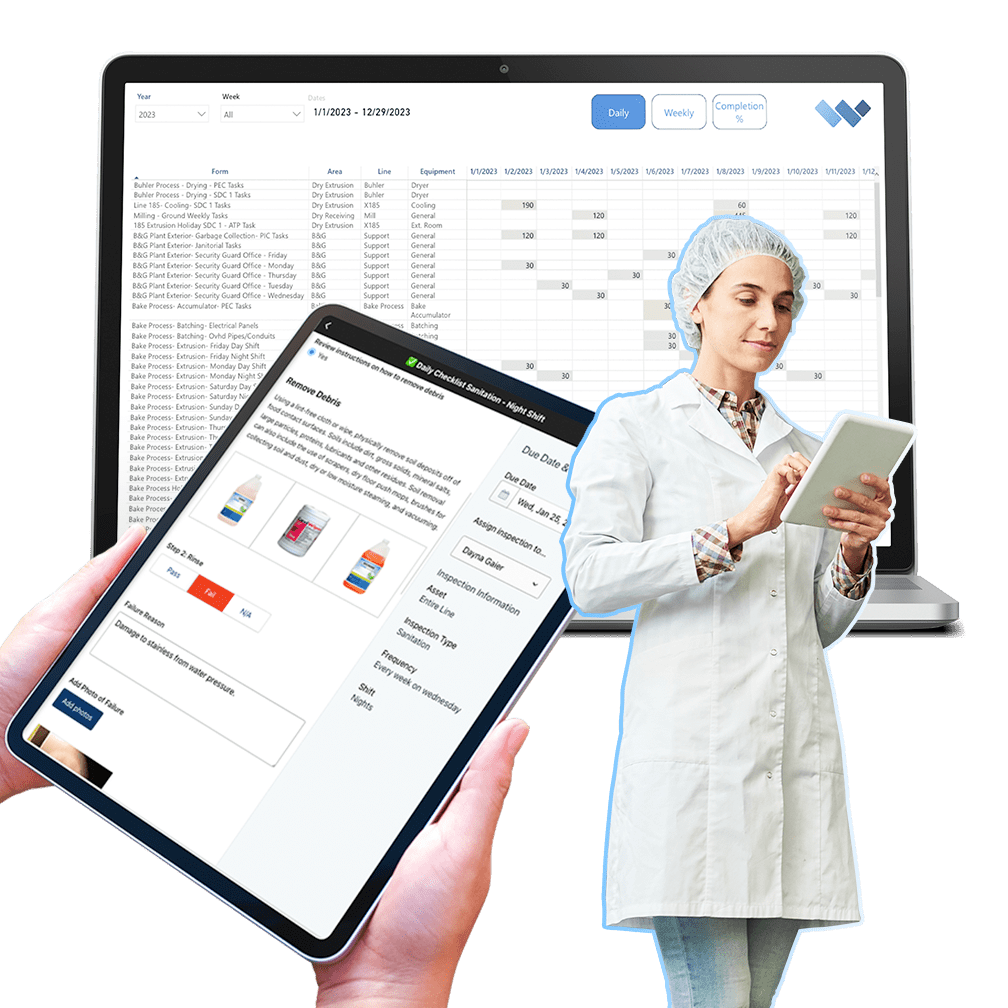
Radically improve the efficacy of your sanitation program by automating administrative tasks and simplifying work to unlock the full potential of your frontline employees.
- Customize Form Templates
- Create a "Digital Twin" of your facility
- Build and Manage Schedules
- Guide staff through the process with on-demand training
- Automate work orders and real-time KPI reporting
Over 2 million jobs completed for over 100,000 users worldwide. View Testimonials
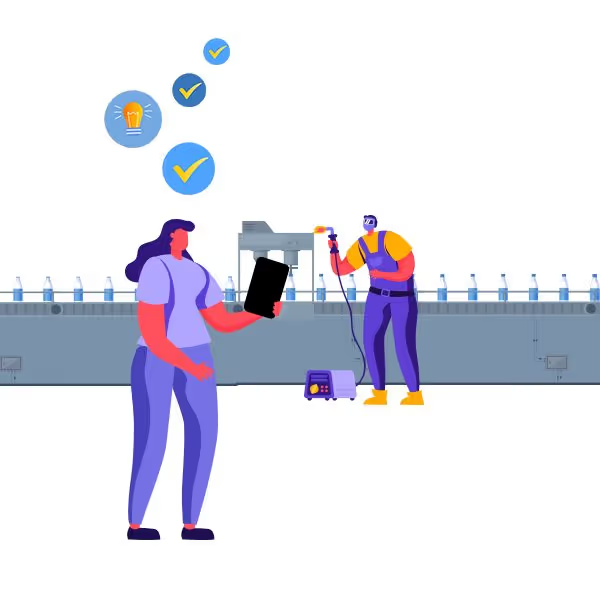
Behavior-Based Safety Observation Form

Automate administrative tasks, simplify work and unlock the full potential of your frontline employees.
We work with organizations of all shapes and sizes who are frustrated with paper forms and spreadsheets. They want to save money, become more efficient, and spend their time more wisely. If that sounds like you, you've come to the right place.
Everything you need to get it done.
We are global leaders in BBSO Management because we provide everything you need to get the job done.
Customizable Templates
Dashboard Reporting
Automated Workflows
Schedule Management
Real-time Visibility
On-Demand Instructions
Digital DATA CAPTURE
Get it done correctly every time.
- Capture photos, sketches and digital signatures.
- Build and edit schedules.
- Automate real-time instructions and feedback.

REAL-TIME REPORTING
Automate Business Intelligence.
- Customizable reporting dashboards
- Download Spreadsheets & PDF documents
- Automatically push data to other business systems

No per user or set up fees.

Take a Guided Tour.
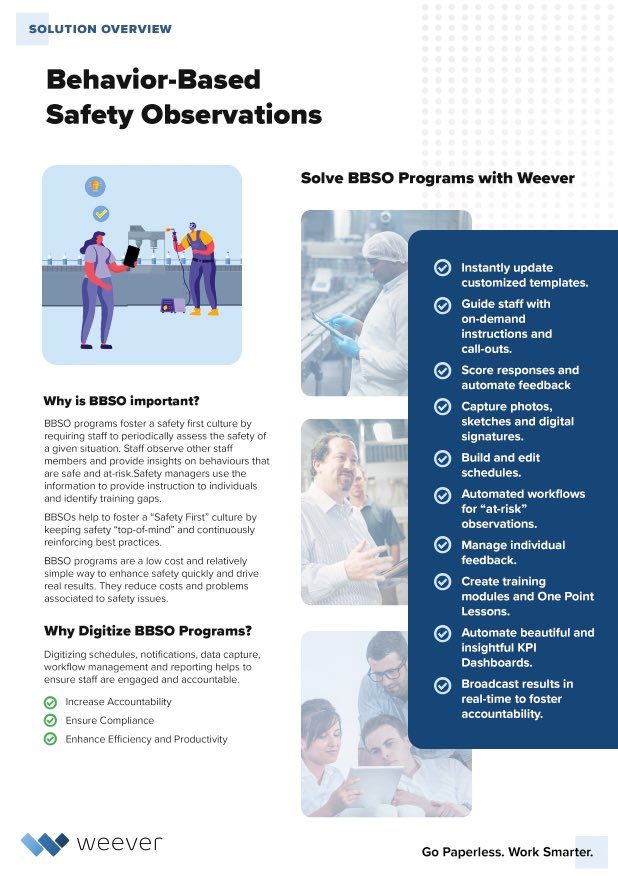
Download the BBSO brochure to learn about program best practices and how the Weever platform works.
- Entirely customizable form and dashboard templates.
- Our commitment is to your success.
- 10-years experience helping customers of all shapes and sizes.
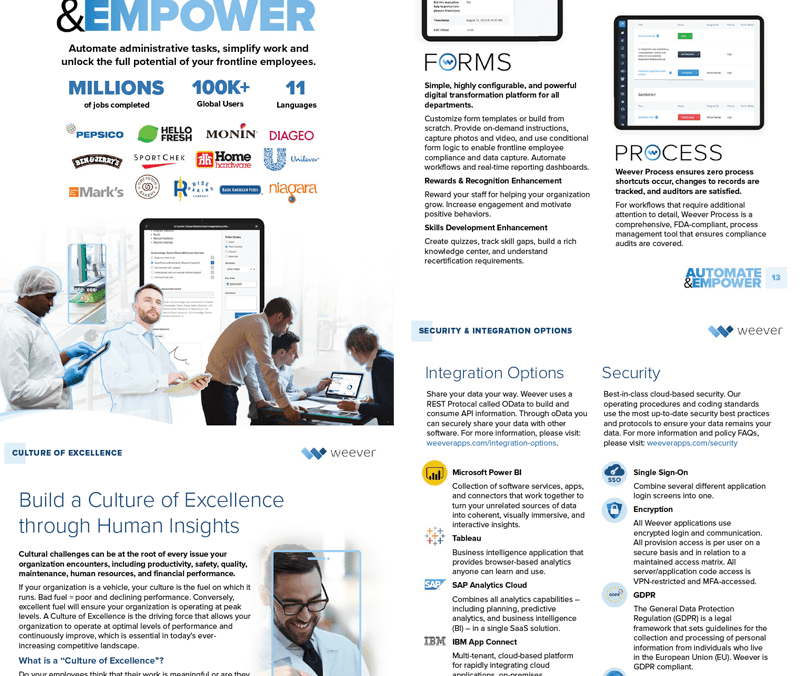
Learn about the Platform.
Download the brochure to get all the details about how Weever works.
Safety Observation Card
The hardest part of sanitation compliance is not knowing the rules. It is proving you followed them when an auditor asks. Paper binders and spreadsheets cannot produce the documentation that GFSI auditors, retailer requirements, and the FDA Food Traceability Rule now demand across daily sanitation, MSS, and PIC/PEC programs. Answering a single auditor question on paper can require four different documents. Digital sanitation programs close this gap without changing how your teams already work.
In This Guide
- Why the compliance bar is rising across all sanitation programs
- What auditors actually want from your sanitation documentation
- Why paper fails when one question requires four documents
- How retailer requirements are outpacing federal enforcement timelines
- What digital sanitation programs change for compliance readiness
- FAQ
Why Is Sanitation Compliance Getting Harder for Food Manufacturers?
If you manage a sanitation program in a food manufacturing plant, you already know the answer. The regulations are not new. The SSOPs are written. The schedules exist. What has changed is the expectation around documentation and the speed at which you need to produce it.
A complete sanitation system has three layers: daily sanitation tasks that happen every production cycle, the Master Sanitation Schedule covering facility areas outside direct production, and PIC/PEC programs for deep cleaning when equipment is fully disassembled. Each layer requires its own schedules and documentation to verify and validate both completion and effectiveness. And each layer is under more scrutiny than it was a year ago.
In a 2025 industry survey, 27% of food manufacturing professionals identified sanitation procedures as one of the most difficult preventive controls to manage, alongside allergen controls and cross-contamination prevention. That is not a knowledge gap. It is a documentation gap. The procedures are on paper. The problem is that paper-based sanitation doesn’t help to answer an auditor’s question fast enough.
Why Do Paper-Based Sanitation Programs Fail When Auditors Ask a Simple Question?
Auditors want a specific answer: was this surface cleaned, when, by whom, and was it done correctly?
With paper documentation, answering that single question can easily require four different documents. The schedule lives in one binder. The completion record is on a separate sheet. The SSOP is in a different folder. And the corrective action log, if it exists, is somewhere else entirely.
Paper documents are not designed for multiple users with different documentation requirements. They do not allow records to be easily linked. It takes time and effort to pull the pertinent information from four sources into one place, usually a spreadsheet. When the expectation is 24-hour documentation retrieval, the gap between what paper can deliver and what auditors expect continues to widen.
What Does the FDA Food Traceability Rule Mean for Sanitation Programs?
Congress has directed the FDA not to enforce the Food Traceability Rule before July 20, 2028. For plants producing foods on the FDA’s Food Traceability List, leafy greens, ready-to-eat deli salads, shell eggs, nut butters, soft cheeses, fresh-cut fruits, and certain seafood, that date may feel like breathing room.
It is not.
The federal date moved. Retailer requirements did not. Walmart, Kroger, Costco, and other major grocery chains set their own supplier documentation standards independently of the FDA. Plants selling into large retail channels are already being asked to demonstrate digital, retrievable sanitation records. The 2028 date tells you when the FDA starts enforcing. It does not tell you when your biggest customer stops asking.
Are GFSI and Third-Party Audits Moving Faster Than Federal Regulations?
Yes. GFSI standards, including SQF, BRC, and FSSC 22000, increasingly expect records that can be produced in hours, not assembled from binders over three days. The audit environment is already operating at a standard that most paper-based sanitation programs cannot meet without significant manual effort.
For facilities not on the FDA’s Food Traceability List, the direction is the same. Third-party audit expectations are converging around digital documentation, regardless of the federal enforcement timeline. The question is not whether your plant will face this expectation. It is whether your documentation is ready when it does.
59% of food and beverage manufacturers cite new or changing regulations as a top trend affecting operations (PMMI 2025)
Why Is the Execution Gap the Real Compliance Problem?
The compliance challenge is not just regulatory. It is operational. A 2025 PMMI survey found that 59% of food and beverage manufacturers cite new or changing regulations as a top macro trend affecting their operations. But the more telling number is what happens once those regulations reach the floor: 65% of end users say getting employees to follow SSOPs properly and consistently is their top day-to-day challenge.
The regulation exists. The procedure is written. The gap is in execution, and the paper does not close it. When the SSOP lives in a binder on a shelf, and the operator is standing at the machine on the third shift, there is no mechanism to ensure the procedure was followed correctly, completely, or at all.
What Does Digital Sanitation Change for Compliance?
A digital sanitation platform does not change the cleaning routines. It does not require process redesign or retraining. What it changes is the documentation layer across all three program types, daily sanitation, MSS, and PIC/PEC, replacing printouts, binders, and spreadsheets with linked digital records.
Linked documents, automated data collection, and built-in reminders ensure tasks across all sanitation programs are finished promptly and documented accurately. When an auditor asks a question, the answer comes from a single system, not from four separate documents.
Managers who have made the switch consistently report that adoption was faster than expected, because the digital tool mirrors how their teams already work.
See how Weever digitizes daily sanitation, MSS, and PIC/PEC without changing how your team works → CLICK HERE
Frequently Asked Questions
Does the FDA Food Traceability Rule apply to all food manufacturers?
Not directly. The rule targets specific foods on the FDA’s Food Traceability List, including leafy greens, shell eggs, nut butters, and certain seafood. However, GFSI standards and major retailer audit requirements are moving in the same direction for all food manufacturers, regardless of the federal list.
Why does answering one auditor's question require four documents on paper?
Because paper-based sanitation programs store schedules, completion records, SSOPs, and corrective actions in separate locations. They were never designed to link these documents together. Pulling the answer to a single question requires manually finding and cross-referencing information from multiple binders, folders, and spreadsheets.
What is the difference between daily sanitation, MSS, and PIC/PEC?
Daily sanitation covers tasks performed during each production cycle, including production lines, floor drains, and conveyance equipment. MSS includes facility areas outside direct production, like warehouses, coolers, and freezers, scheduled based on risk-based analysis. PIC/PEC involves deep cleaning where equipment is fully disassembled to access niches that daily sanitation cannot reach, including ceilings, cooling units, and belt removal.
Can paper-based sanitation programs pass a GFSI audit?
Technically, yes, but the burden is increasing. Auditors expect records that can be produced in hours. Paper-based programs often require days of preparation. Plants relying on paper are spending more time on audit prep and facing more findings related to documentation gaps.
How long does it take to switch from paper to a digital sanitation system?
Most plants using a connected worker platform like Weever are operational within weeks, not months. The key is that the digital system mirrors existing workflows. Sanitation crews do not need to relearn their routines. The cleaning process stays the same; the documentation becomes automatic and linked.
Conclusion
Sanitation compliance in food manufacturing is no longer just about knowing the rules. It is about proving you followed them, quickly, completely, and on demand, across daily sanitation, MSS, and PIC/PEC programs. Paper binders and manual spreadsheets were not built for that standard. When one auditor question requires four separate documents, the system is working against you.
GFSI auditors, retail buyers, and the FDA are all converging on the same expectation: digital, retrievable, traceable sanitation documentation. The plants that are moving to digital are not undergoing transformation projects. They are replacing the documentation layer while keeping the cleaning routines their teams already know.
The cost of waiting is not abstract. It is $10 million per recall, doubled hospitalization rates, and an auditor who expects an answer you cannot produce from a binder.

What are BBS Observations and how can software help?
What are Behavior-Based Safety Observations?
Behavior-Based Safety Observations (BBSO) are an integral part of modern, proactive safety programs. The goal is to reduce the number of incidents by recognizing safe behavior and eliminating unsafe practices either through training or updates to Standard Operating Procedures (SOPs).
The BBSO practice has gained popularity because it is relatively easy to implement and manage, it fosters a safety-first culture and it delivers results.
The practice requires staff to observe other workers and provide a report on the general safety of their work including:
- Body Position
- PPE (Personal Protective Equipment)
- Tools & Equipment
- Work Environment
- Procedures
As staff members submit their reports, Safety Managers can use the intel to inform updates to SOP documentation and plan One Point Lessons or Toolbox talks around a specific safety issue that keeps coming up. The general idea is that by promoting safe work habits through observations, the number of incidents will decrease over time.
How do Behaviour-Based Safety Observation Programs Work?
BBSO programs require observations from staff, evaluation by supervisors and KPI reporting to measure results.
1. Safety Observations
Monthly Data Capture Requirements
Safety Managers provide a bit of training around what to observe, when, and how often. Observers need to inform the observed staff members that they are being watched. While it is common that observation means that a worker will perform the task perfectly, habits and complacency can affect the outcome of the observation.
You can either select and train specific staff members to be observers or allow all staff to submit safety observations. Limiting observers makes the program a bit easier to manager but it does reduce amount of teachable moments that can arise from safety observations.
Usually, staff are mandated to submit at least 1 safety observation per month. Some organizations use a reward points to promote submissions and reduce “nagging” or negative motivation.
2. Evaluation & Action
Evaluate Submissions and Create Action Plans
When observations are submitted, Supervisors review them and create action plans. Any behaviors that present an immediate danger to the life and health of the worker, or to the environment, must be stopped immediately and a discussion between the observer and the worker regarding the matter should take place.
Upon submission, many observations will be simply closed because the observation was considered safe. At risk behaviours can create a few different action plans:
- Review best practices with observer - in some instances, the observer noted something as “At Risk” when it was not, or “Safe” when it was not. This is a great coaching opportunity for supervisors to review best practices with the observer.
- Review best practices with observed - Usually, the observer is correct and the supervisor will plan a follow up with the observed parties to review appropriate safety SOPs to avoid the situation occurring in the future.
- Create Learning Content - If a situation continues to occur, Safety Managers will create a One Point Lesson or “Toolbox Talk” session where all staff will review the best practice and sign off that they understand.
3. Showcase Results
Broadcast KPI improvements
The magic of BBSO programs comes in the feedback to staff that shows that the site is safer as a result of their work. Usually, Safety Managers can point to safety KPIs, such as near misses or incidents to show that the BBSO program is having a positive impact.
How does software help manage BBSO programs?
Software provides a ton of benefits over a paper based program. Here is a run down of how Weever works to automate data capture, workflows and real-time reporting.
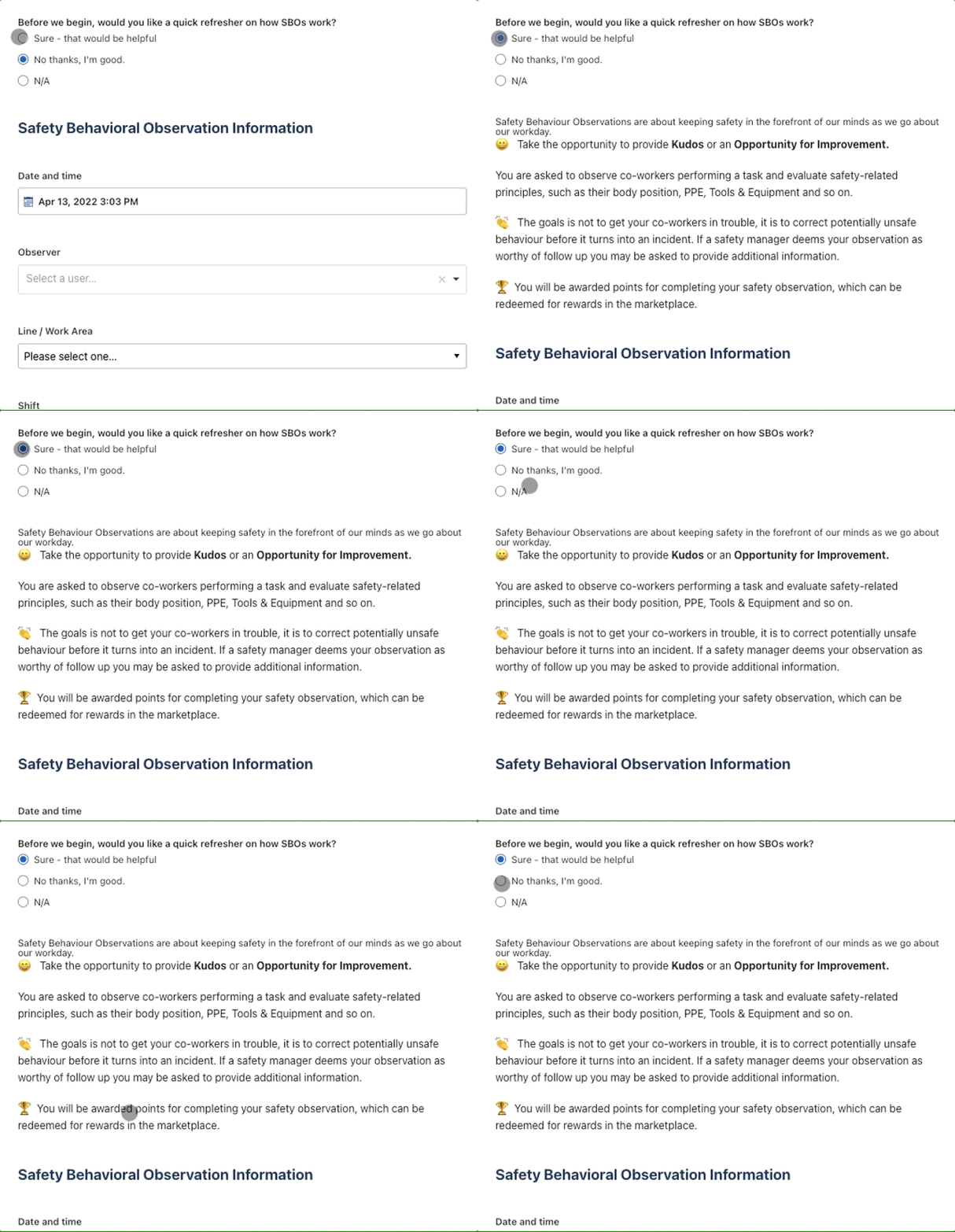
Provide on-demand instructions
Like other “secondary” operational processes, Behaviour Safety Observations are not a primary job requirement and they are not executed daily. As a result, having a quick “refresher” on hand is helpful.
Create Schedules
Paper-based processes rely on staff to remember to do their BBSO, while software can be used to remind with notifications based on a schedule.
Capture Data on any device
One problem that limits the performance of BBSO programs can simply be the accessibility of the forms. Digitization allows staff to load the form on any device, go through it quickly and feel successful doing it.
Configurable Templates
Have you ever created a form and then needed to make changes, which requires you to find and destroy all the copies of the old form, which still get submitted a year later. With digital form builders, updates happen in real-time so you don’t have to worry about staff using the wrong form.
Automate Rewards
Software makes it easy to allocate points to staff that can be redeemed in a rewards marketplace.
Guide staff through the experience
Conditional logic allows you to guide staff through the experience to ensure they capture the correct information the first time and every time.
Add Photos
Photo capture is perhaps the most immediate benefit of going paperless. Multiple photos can be captured in the report, complete with sketches to highlight the issue.
Real-time Communication
Should the observer require immediate help, digital forms provide a means to connect instantly with a safety manager.
Optimize the Evaluation Process
Each submission creates a ticket that is organized in the appropriate digital folder. Supervisors review each submission and create action plans if necessary. Supervisors can also receive notifications if you wish although you may not want to load up their inbox.
Assign Next Steps and Due Dates
Supervisors can create action plans, assign them, and add due dates. Assignees are notified and supervisors are made aware of approaching and overdue deadlines.
Automate Real-Time Dashboard Updates
Save administrative time by automating reporting. Create stunning and highly configurable dashboard reports that are updated in real-time. Spend less time in front of spreadsheets and more time doing what you want to make your site safer.
Broadcast Results
Set up real-time updates that can be broadcast to staff that show how the BBSO program is “moving the needle” towards a safer worksite.
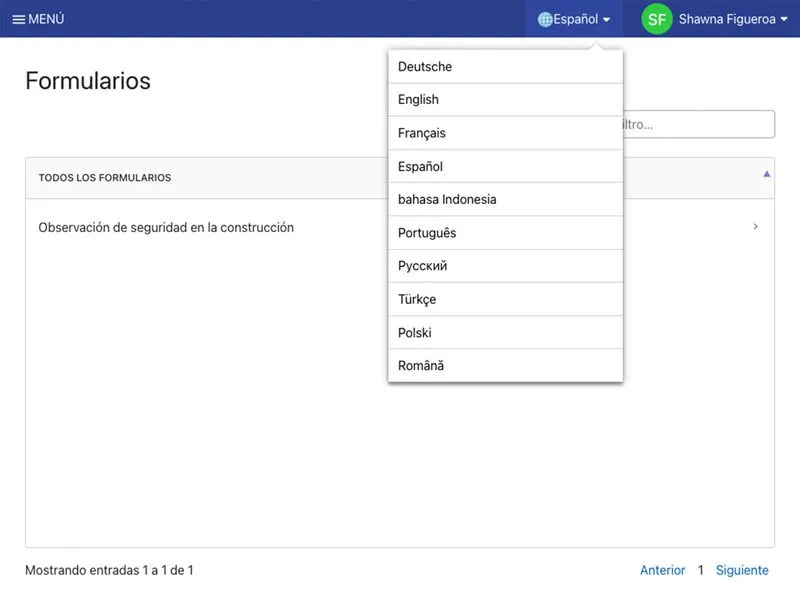
What is Software Localization?
What is Software Localization?
Localization in software refers to an application changing state based on the language settings selected by the user. Localization considerations can include currency denominations and all "local aspects" of a culture or geographic area that influence how successfully people can get things done using the software. This can include design and layout, however, the most important aspect of localization is obviously language. With localization, staff can interact with applications in the language they select.
Why is Software Localization Important for Workflow Management Software?
Keeping employees happy and motivated is a huge priority in manufacturing, construction and skilled trade-oriented organizations where hard-working and loyal staff can be hard to find. As a result, retention by ensuring they are happy and engaged is very important.
- Localization helps to increase the chances that employees will be successful in their role by offering tools and resources to them in the language they are most familiar with.
- Localization can foster a more inclusive culture by accommodating linguistic diversity in a workforce.
- Localization can lead to increased employee engagement metrics, such as employee satisfaction and retention.
- Localization is important for multinational organizations because it automates reporting processes, so country management can view insights in their local language.
Localization in Configurable Software
Configurable software is applications that provide software administrators with the ability to create and manage content. For this software, localization is not just about the platform, localization is only viable if there is also a way to translate user-generated content as well.
There are 3 factors to consider when selecting workflow management software that requires language localization:
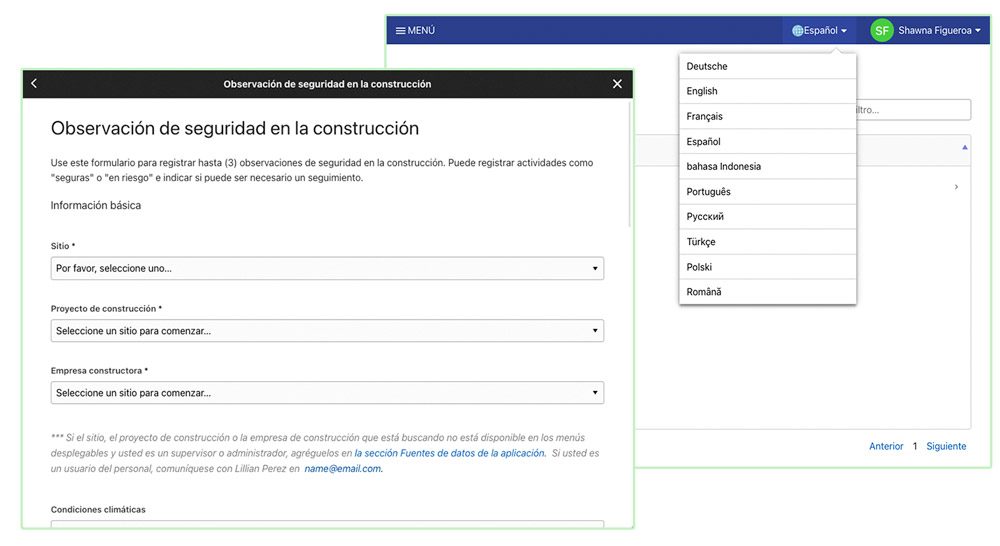
consideration 1
Platform Localization
Platform localization is the most obvious version of localization. This is where the platform features are all translated, creating multiple different versions of the application.
Some applications will serve up an entirely different site for each language, which is not ideal if you want to amalgamate reporting because forms on different sites usually capture data in different reports. You can use data integrations, like OData with MS Power BI, to solve this issue.
consideration 2
User-Generated Content Localization
User-Generated Content, such as forms, assets and documents, needs to be translatable, which allows administrators to serve up application content based on the language the user selects.
This process usually involves an administrator creating the content in one language and then having it translated by regional administrators.
consideration 3
Site Associations
Site Associations allow for the application to understand a matrix including different regions, countries, company locations and languages and associate users to them. As a result, the application can be configured to save language preferences and show different localized reports to different regional and country managers.

Why digitize Warehouse Pallet Rack Inspection Schedules?
How do Rack Inspections work?
Warehouse Rack Inspections are required usually at least 2 times per year and also whenever modifications are made. Some of our customers execute them weekly.
Inspectors evaluate the state of the framing, supports, alignment and guard rails. They also check for corrosion, and ensure appropriate signage is displayed.
Why are Rack Inspections Important?
- Enhance the safety of the work environment.
- Reduce liability.
- Save money and time associated to issues from racking defects.
How can software help?
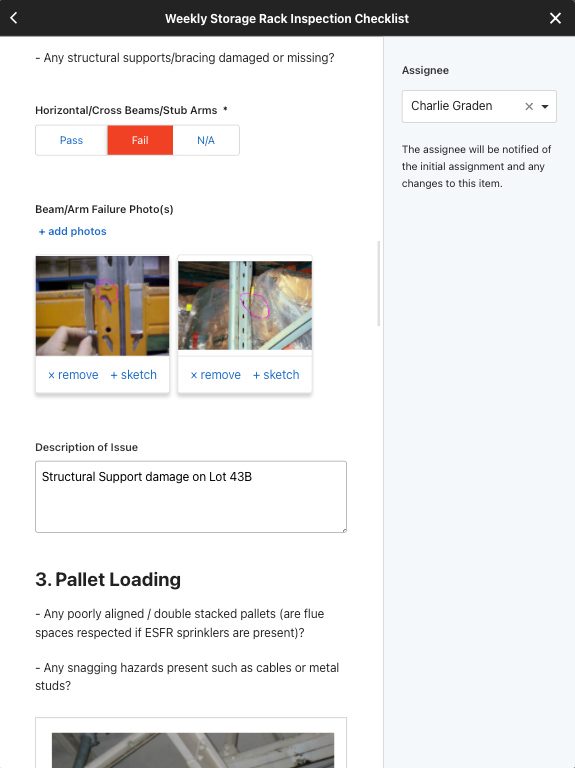
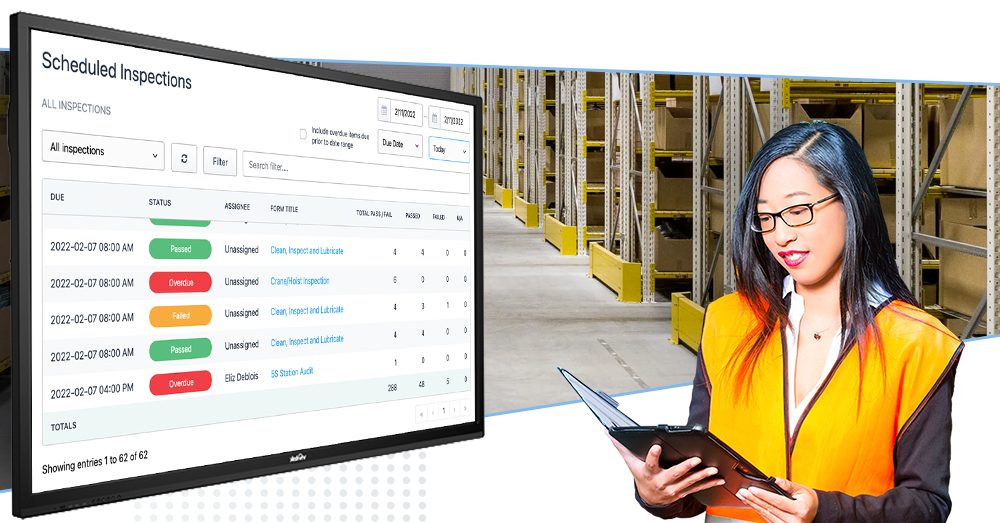
Rack inspections can be complex. Using paper forms leaves too much up to chance. Digitization ensures scheduled inspections occur and provide more opportunities to guide and inform the inspector, increasing the likelihood of failures being detected and corrected.
BENEFIT 1
Reduce Errors
Digital tools are more accessible so staff spend less time getting setup and more time doing the analysis. Digital features, including conditional logic, on-demand video instructions, and photo capture help to ensure the inspection is completed correctly.
Add racking inspection checklist to ensure the specific data you want is collected.
A challenge with paper-based inspections is that they can get sidelined as a secondary concern because staff forget about them. Software helps to elevate accountability and keep projects moving forward with automated alerts, schedules and due date reminders.
BENEFIT 2
Ensure Compliance
Software features, such as automated schedules and required fields, ensure data is captured appropriately by the person that is required to capture that information. Also data is clearer and easier to review.
BENEFIT 3
Enhance Efficiency and Productivity
Software makes the rack inspection process more efficient and productive by ensuring staff have access to the most update documentation and resources. This reduces the "back-and-forth" required when errors occur. Software also automates workflows and reporting, so you can spend less time administering spreadsheets and more time affecting positive change and generating results.
BENEFIT 4
Real-time Visibility
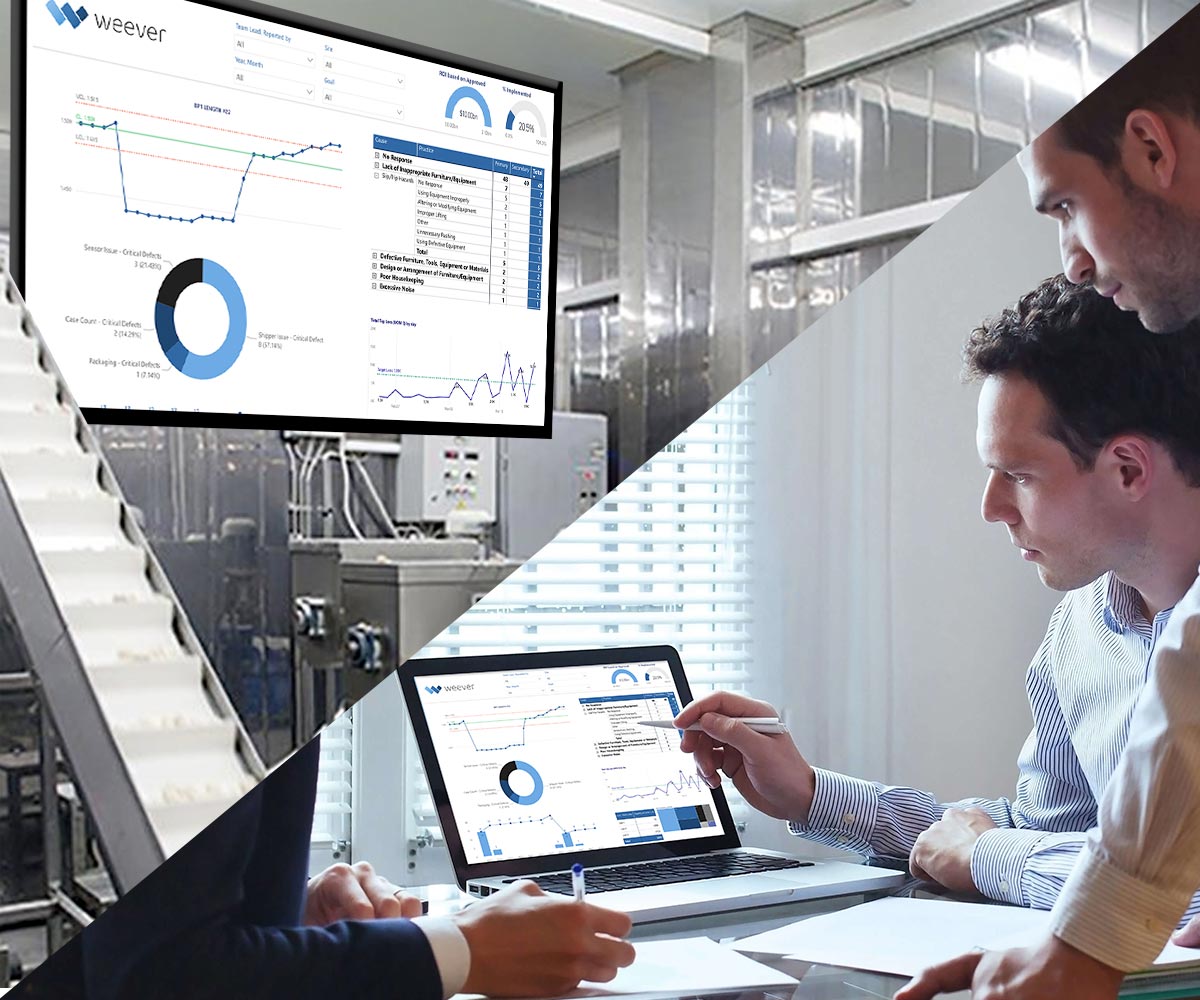
Real-time visibility also allows managers to catch and correct process issues more quickly. Managers can collaborate directly with the staff that are executing the inspection.

What is Root Cause Analysis and how does software help?
Root Cause Analysis (RCA) is a process that is usually required as part of other larger processes. Whether you are performing a CAPA (Corrective and Preventive Action) for a product defect or an Incident Report for a safety concern, RCAs help to ensure the underlying issues are address so it is less likely to recur.
Root Cause Analysis software helps to increase compliance by ensuring the project is completed correctly, while also reducing time, resource and other cost requirements.
How does Root Cause Analysis work?
Root Cause Analysis (RCA) is the process of discovering the root cause (or causes) of problems in order to identify appropriate solutions that not only correct the issue, but also prevent it from recurring in the future.
RCA assumes that it is much more effective to systematically prevent and solve for underlying issues rather than just treating ad hoc symptoms.
One RCA approach is a “Why-why” analysis, where staff continue to ask the question “why” until they arrive at what they consider to be the underlying cause of the issue.
Why is Root Cause Analysis Important?
- Focus on prevention (vs correcting) is a much more robust, long term solution.
- Save time and money over the long run.
- Elevates employee engagement, staff knowledge, critical thinking and collaboration.
- Creates opportunities for innovative solutions that may become competitive advantages over time.
How can Root Cause Analysis Software help?
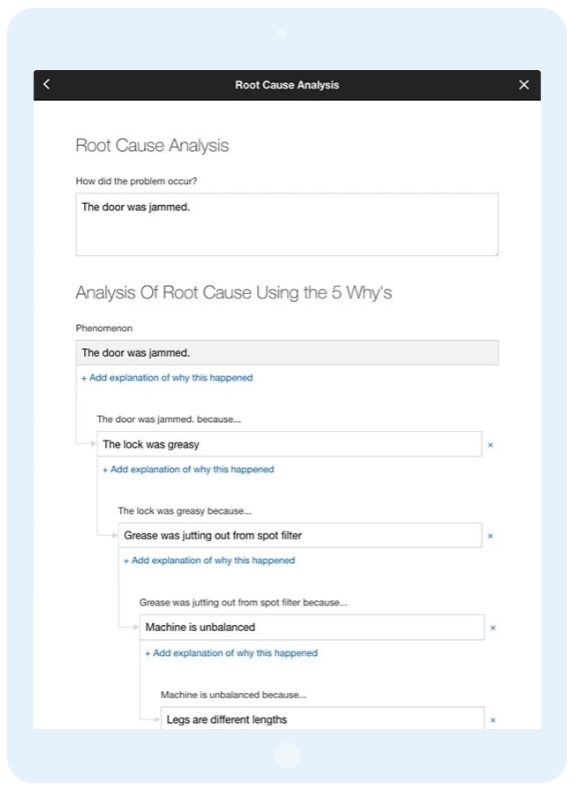
Digitization through Root Cause Analysis Software helps to increase accountability, compliance and collaboration. Staff can be guided through the experience, which helps to ensure successful outcomes. Project status can be reviewed in real-time, which enables heightened efficiency and productivity.
Increase Engagement & Accountability
Digital tools are more accessible so staff spend less time getting setup and more time doing the analysis. Digital features, including conditional logic, on-demand video instructions, and photo capture help to ensure the analysis is completed correctly.
A challenge with paper-based programs is that project get sidelined as a secondary concern because staff forget about them. Software helps to elevate accountability and keep projects moving forward with automated alerts, schedules and due date reminders.
Ensure Compliance
Some RCA processes are required by law, while others may be required by corporate relationships. Whether you are adhering to regulations or simply to internal SOP (Standard Operating Processes), software can help ensure compliance.
Software ensures data is captures appropriately by the person that is required to capture that information. Also data is clearer and easy to understand for auditors. Real-time visibility also allows managers to catch and correct process issues more quickly.
Enhance Efficiency and Productivity
Root Cause Analysis Software makes the process more efficient and productive by ensuring staff have access to the most update documentation and resources and reducing the "back-and-forth" required when errors occur. Software also automates workflows and reporting, so you can spend less time administering spreadsheets and more time affecting positive change and generating results.

Why digitize your employee training program?
Employee Training & Recertification programs can have a lot of moving parts, which makes them complex and hard to manage. Training program content can require updates as things change. Scheduled training sessions can be missed resulting in compliance issues.
Digitization helps to elevate engagement, simplify administration and ensure compliance requirements are met.
How does Employee Training Management work?
Employee Training is the process of providing staff with the skills and knowledge to do their job effectively. Training usually involves instruction and testing, both of which can be administered in-person or virtually.
Staff are “on boarded” when they first begin a new job, which includes job-specific training as well as basic training on job-related functions such as safety, HR, compliance, etc.
It is good practice for corporations to invest in their staff with training programs that elevate skills and provide opportunities for career development/advancement.
Quizzes are used to test staff members knowledge on various topics. Quizzes can be used immediately after training to test comprehension, periodically or as part of a recertification process.
Corporations can manage some certifications internally, however most are regulated by third party training organizations.
Employee Training Programs are important because:
- According to many studies, training is the most important factor affecting employee retention.
- Builds knowledge, skills, experience and confidence.
- Fosters Employee Engagement.
- Enables internal promotion, which is essential to Lean Methodologies.
- Provides training records for compliance audits.
- Outlines opportunities for training and knowledge gaps that need to be addressed.
Why digitize your Employee Training Program?
So what are the core benenfits that are a result of digitizing your Employee Training Program using software?
Training & Recertification programs can have a lot of moving parts, which can make them complex and hard to manage. Training program content can require continuous updating as things change and training schedules can be missed, resulting in compliance issues.
Employee Training Management Software helps to simplify administration and ensure schedules are adhered to. Digitization makes training content (including quizzes and recertification schedules) much easier to manage and provides a more accessible and engaging experience for staff members.
REASON 1
Increase Engagement & Accountability

Features like schedules, real-time activity, rewards and notifications enable all stakeholders to see who is doing the work and who is not. Digitization makes training content more accessible, simpler to follow, and easier to use. As a result, software increases engagement and accountability, reducing the time wasted "nagging" staff to complete training requirements.
REASON 2
Ensure Compliance
Digital solutions allow you to ensure that all processes are followed correctly - the first time and every time. Software can be configured to guide staff through the experience with on-demand instructions and callouts that are presented based on the user's selection.
Managers also have enhanced real-time visibility so they can understand if staff have not completed recertifications. As a result, software helps to ensure required training is not missed and completed correctly, which ensures compliance to regulations, corporate commitments and internal SOPs.
REASON 3
Enhance Efficiency and Productivity
Employee Training Management software is highly accessible, providing staff the opportunity to engage on their own device, whenever they have a moment. Simplified user experiences reduces interuptions and let's staff get into the "flow" of learning.
Also, software automates workflow and reporting administration, so managers can save time and money usually associated with program management. This allows training managers to spend less time in front of spreadsheets and more time doing the "real work" of elevating the skills of the organization's employees.
How to remove wasted administration time from your auditing process
How do Audits work?
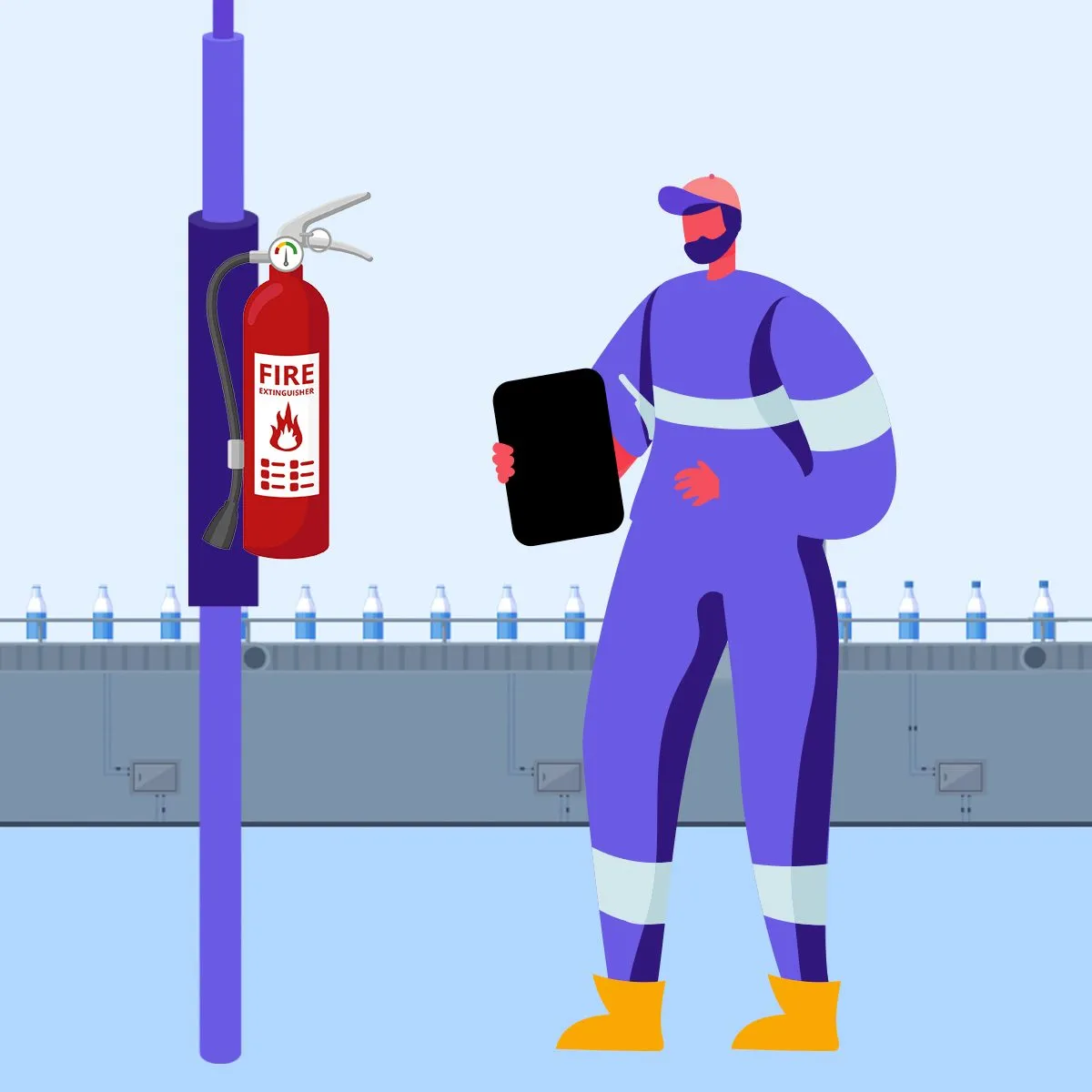
Audits are examinations of equipment, documentation and processes to ensure that they hold up to expectations. Some audits are required by law, other are required by corporate commitments and some are just good practice. Audits can be completed by third parties or internal stakeholders. Audits are administered based on a scheduled frequency.
Audits are important because:
- Ensures SOPs are being followed.
- Adherence to legal or regulatory requirements.
- Opportunity to review, evaluate and update SOPs.
- Determines gaps and areas for improvement.
How can digitization remove administration time from auditing programs?
Audits usually require multiple stakeholders to collaborate, which is better facilitated through digital frameworks. Stakeholders can understand the status in real-time. Digitization also makes it easier for auditors to offer more rich data, including photos, video, etc. Staff can also be guided through the experience, which helps to ensure compliance.
Increase Accountability & Compliance
Schedules and notifications ensure audits happen when and by whom they are required. Software helps to guide staff through the process to ensure a successful outcome. Also, captured data is clearer and easy to understand.
Real-time Visibility & Collaboration
Instead of waiting for paper forms to be completed and handed over, digital solutions allow stakeholders to understand the current status as the audit is being conducted. Staff can collaborate on issues as they come up. 2-way communications and collaborative form editing help to ensure accuracy.
Enhance Efficiency and Productivity
Auditing software makes audits more accessible and offers a more simplified user experience. Staff can snap a quick photo and add an eSignature to verify compliance.
Software also automates workflow and reporting administration, so managers can save time and money usually associated with program management. This allows managers to spend less time in front of spreadsheets building reports and managing projects and more time working with staff, on the floor, adding value.
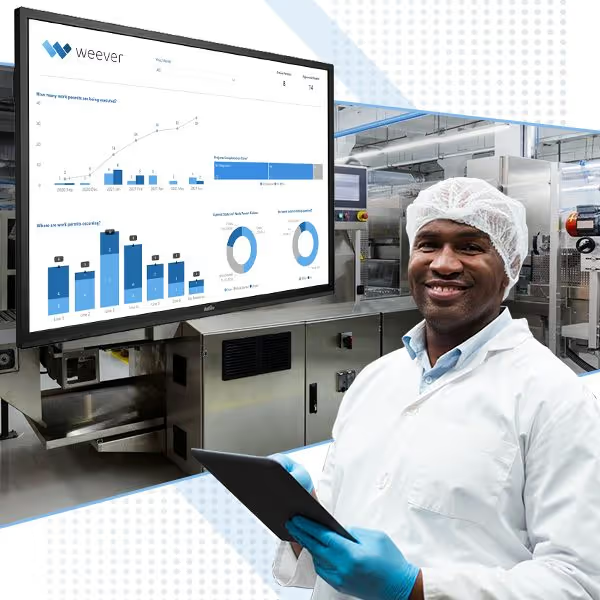
What are F-tags and why digitize them?
F-tag is a visual work order system where staff apply paper tags to machines when a process abnormality is observed. "F" stands for Fuguai, which is Japanese word that means "deviation" or "abnormality". F-tags can be for safety, maintenance or "operator" (non-maintenance. AM and PM teams continuously evaluate and resolve f-tags.
LeanManufacturing.online offers a great overview of how f-tag systems work.
F-Tags are important because:
- Fosters a continuous improvement culture.
- Builds employee engagement.
- Enhances efficiency, safety and OEE.
- Important part of TPM and Preventive Maintenance programs.
Why digitize F-tags?
A simple F-tag program can provide a visual representation of opportunities for improvement. Paper-based systems, however, can become overwhelming to manage.
REASON 1
Instant Data Capture and Reporting
Paper-based F-tag systems are great at providing a visual cue for where issues are within your facility. However, not all issues are created equally. Some need to be fixed right away and others are lower priority. Digitization let's you understand issues immediately and take action.
REASON 2
Save Time (& Money)
Digital solutions allow you to automate workflows and reporting so you can save program administration time. As a result, you can reorient your administrative staff to be less focused on data management and more focused on solutions. Digital forms also provide staff with additional information so they can get the work completed quickly.
REASON 3
Broadcast Results & Enhance Employee Engagement
The real magic of F-tag systems occur when employees see changes resulting from their reporting. Digital tools make it easier for you to broadcast KPIs, reward staff and build momentum.
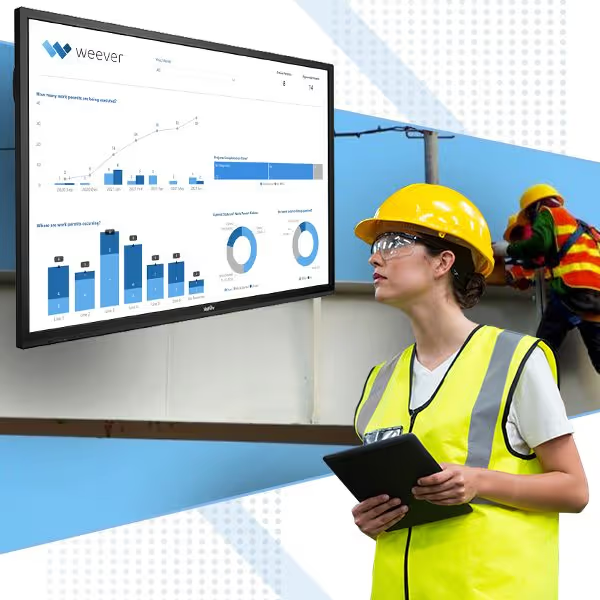
What is a PTW system and why is it important?
A Permit to Work (PTW) system is a formal documented system, used to control high-risk, nonstandardized activities. They are usually issued by a manager or supervisor and allow a person or group of people to carry out a task, under strict controls.
Permit to Work is a systematic process designed to identify, communicate, mitigate and control risk in hazardous areas, nonstandard situations and potentially hazardous conditions, such as shutdowns, to prevent accidents.
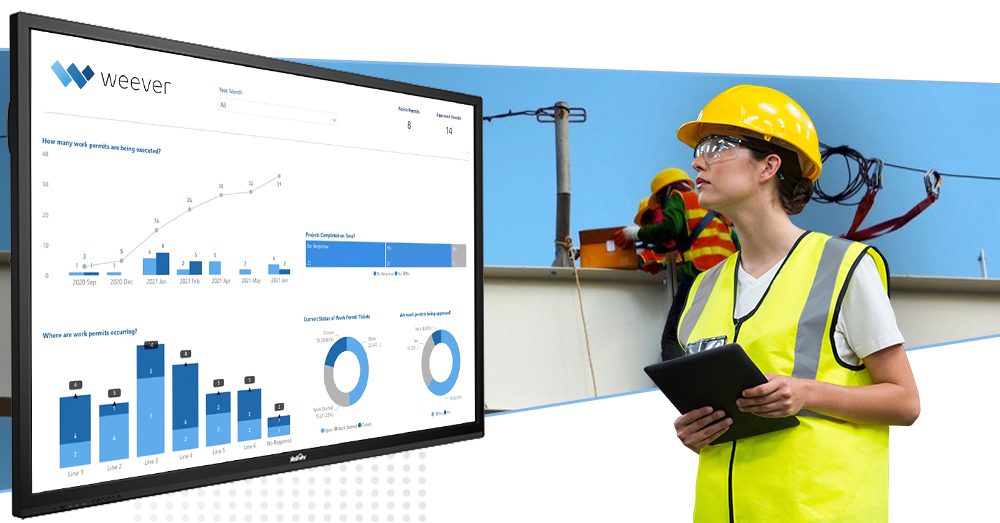
Why are PTW Systems important?
The process basically requires project managers to identify potential hazards and think through how they will be mitigated before the project is initiated. Elements of a PTW form may include:
- Identify the scope of the project including key stakeholders and timeline
- Hazard and risk identification
- Outline action plan to mitigate potential risks
- Identify workers and confirm training requirements are met
1) Permit to Work systems are essential to frontline worker safety.
The process requires stakeholders to think through the potential safety risks and how to mitigate them and review their report with key stakeholders before commencing the work. The process also requires a check to ensure workers on the project are properly trained. This review helps workers be more aware of hazards, which decreases the likelihood of human error and resulting safety incidents.

2) PWT systems ensure compliance to regulatory requirements.
Legal requirements that govern how projects need to be executed can be complex and ever expanding. The PWT process requires stakeholders to review the project plan to ensure that it adheres to regional laws around workplace safety and specific regulations pertaining to the project. This helps to ensure compliance protocols are followed and reduces the risk of failed audits, fines and other penalties.
3) PWT systems ensure the work is completed correctly.
Although the primary focus of Permits is worker safety, a secondary benefit is that project managers rigorously think through the project before commencing. This may uncover ways to do the project more efficiently or produce a more beneficial outcome. Additional stakeholders are also brought into the project to authorize and approve the PWT, which gives them a chance to communicate opportunities for improvement to the project plan and better coordinate resources.

How to simplify inspection schedules
Digitizing an inspection schedule takes some effort, so you want to get it right the first time. At Weever, we have helped organizations of all different shapes and sizes create and manage highly efficient and effective inspections schedules that enable safety, quality, compliance, maintenance and continuous improvement management.
As you have probably discovered if you’re managing an inspection schedule, if it’s not scheduled, it won’t happen. Staff are busy with the task at hand. Remembering to do monthly inspections is not a high priority - until you make it one. Digitizing your inspection schedule allows you to efficiently manage and hold your team accountable, which ensures compliance and enhances efficiency.
Even simple inspections can be complex.
A lot of unique requirements can add layers of complexity to your inspection schedule, including:
- Instructions and training,
- Data capture requirements for regulatory compliance,
- Machine downtime that affects schedules,
- Approval workflows, when issues arise
Absentee employees
How to keep inspection schedules simple:
Keep the inspection form layout simple to review instructions and input data.
Try to keep each inspection as simple to understand as possible so the staff member has a clear understanding of the goal of the inspection and the steps involved. Clearly lay out each step of the inspection. Add directions and callouts to supplement training. Big “Pass/Fail” fields with automated workflows creates a simpler process for staff and ensures that follow-up action items required to be compliant will happen.
Provide on-demand instructions
Adding instructions to the forms reduces training because you know that they will have a “refresher” available on-demand when they need it. Give your team access to video footage of the inspection steps to take. You can use software to provide one or multiple quick video overviews of the inspection steps so that staff can refresh on the details.
Add photos of inspection failures.
Photo capture helps to provide context for a “Failure” and taking a photo is easy to do.
Use software functionality to show only what's relevant.
Conditional (or “step” logic) allows you to reveal applicable fields only based on what the staff member selects.
For example, you can choose to only require a photo and description if a failure occurs. Conditional logic helps to declutter forms so staff can move through them quickly.

What are the main types of Work Permits
Permit To Work (PTW) systems help to ensure compliance with regulatory requirements and enhance worker safety by requiring project managers to assess potential risks and work through action plans before they execute the work.
A core part of the PTW process is that subject matter experts and shift managers are required to review and approve the project plan before it commences. This phase in the process allows for them to identify potential risks that might not have been considered by the project manager.
There are 6 main types of Work Permits.

Work Permit Types
Hot Work
Hot Work Permits are used when the work may involve potential fire hazards, sources of ignition, combustible and/or flammable materials. Examples of hot work include: welding, cutting, grinding, flame cutting, drilling, soldering, brazing, torch-applied roofing, etc.
Cold Work
Cold Work Permits are essentially a catch all for potentially hazardous and non-standardized work that is not covered by the other permit types. Use a cold work permit if the work will not produce sufficient heat or energy to ignite flammable materials but could still contribute to injury. Examples include chemical cleaning or the use of solvents, handling of hazardous substances (e.g., toxic/corrosive chemicals, asbestos, etc.) and activities like painting, heavy lifting or scaffolding.
Electrical
Electrical Work Permits are used when energized electrical conductors are involved in the project, including telecommunications equipment, live electrical equipment or the use of unapproved electrical devices (e.g., computers, borescopes, and cellular phones) in a classified area.
Confined Space
Confined Space Work Permits is used when the project includes entry and investigation into a confined space, like a trench, tank or other type of vessel. Typically this work permit is combined with another permit that outlines the specific work that needs to be done, such as electrical, hot or cold work. Confined Space Work Permits cover off requirements and considerations around proper preparation of the confined space, safe entry, rescue plans and restoration when the project is completed.
Breaking Containment
Breaking Containment Work Permits are for projects that could include the release of hazardous liquids or gasses. This is typically used in the oil and gas industry, where exposure to hazardous liquids and gasses is more likely to occur. This permit is usually combined with other permits that outlines the nature of the work to be completed.
Working at Heights
The Working At Heights Permit to Work allows you and your contractor to consider and record all the hazards connected with the work they are going to conduct along with the necessary precautions that must be taken.
What are the steps involved in work permits (PWT) and how can software improve them?
A Permit to Work (PTW) system requires project managers to identify potential hazards and think through how they will be mitigated before the project is initiated. For this process to be successful, it requires the input from multiple stakeholders including subject matter experts, shift manager and project owners.
Let’s examine each step and see how software can help improve them.
PWT Steps and how software can improve them.
PWT Systems involve Program Management and Admin before the process can start. Once the system is set up, Permit Owners use the system to apply for a work permit, which is approved and then the work will commence. Let's look at each step in detail.
STEP 1:
Program Management & Administration
The first step that happens even before a PTW process can occur is a program manager needs to create the program. Usually the safety manager, the PTW program manager is responsible for creating the PTW system that allows for the efficient and accurate data to be collected to ensure an efficient process and that regulatory requirements are being met.
PTW program managers are also responsible for overseeing training and instruction and ensuring issuing and approving stakeholders are certified and competent.
How software can help?
PWT systems can be very complex with multiple data capture, training and regulatory requirements to manage. Paper/spreadsheet-based require unnecessary and arduous administration to manage. PTW software provides a number of benefits that will reduce costs, save time and enhance efficiency, including:
- Training Management - build and assign training materials and track completion. Automate recurrent training so recertifications are not missed.
- Workflow Management - Automate approvals workflows so stakeholders are notified when action is required in real-time.
- Form Builder - Updates to the form occur instantly, instead of manually printing new forms.
- Automated Reporting - Set up data to be automatically added to reports, update graphs and KPI charts, in real-time.
STEP 2:
Work Permit Application
In this step the permit applicant issues a work permit application and accepts the responsibility for the execution of the project. Depending on the type of work, the owner may issue a variety of PWT applications, such as hot works and confined space. The PWT application requires the owner to demonstrate an understanding of:
- Identify all potential hazards and how they are controlled
- Emergency situations that are likely to occur and associated first aid, SOPs and evacuation procedures
Common Challenges
People can have poor writing skills and not complete forms. Errors and omitted data can require a lot of back and forth between staff, supervisors and administrators. Worse still, errors can result in poor data, missed issues and problems with regulatory compliance.
How software can help?
The most obvious advantage of digitized solutions is that they can contain rules and functionality that reduces the chance of errors creating miscommunications and increasing the risk of injury. Software can include feature that ensure the appropriate information is captured every time, including:
- Required fields
- Dropdown menus
- Conditional logic
- Automated date/time/location stamps
- On-demand video instructions
- And so on …
STEP 3:
Work Permit Approvals
Once completed, the PTW application is passed on first to the issuing authority for approval and then to the permit approver. The issuing authority is usually a subject matter expert and provides feedback on the specifics of the work permit. For example, if the PWT was “electrical”, the issuing authority would be certified and competent in electrical regulations and have the ability to provide additional information to the applicant, or simply approve the PWT.
The Permit Issuing Authority is responsible for:
- Confirmation that hazards have been identified and assessed with agreed to precautions
- Ensure supporting PTW, certificates, checklists, JSAs, drawings, etc are attached to the PTW application
- Confirm there are not conflicting issues and the job site is safe to proceed
- Authorizes the PTW
Once the PTW has been authorized, it still requires approval when the project is set to commence by the Permit Approver. This is usually a site or shift manager who can provide information relating to the current situation.
The Permit Approver is responsible for:
- Reviewing the PTW and understanding the work to be completed
- Confirming potential hazards have been addressed
- Verify the job area is safe to commence
- Approves the PTW at the time of execution
Common Challenges
Paper PTW forms are physical things that can only be in one place at one time. There can be situations where changes are made after an approver has already reviewed or work commences during a time which increases risks. Paper forms need to be transported to stakeholders for approval, which can take unnecessary time, especially for organizations operating in the field, where control centers are hours away from where the work is being executed. This process can cause unnecessary delays and increase project costs substantially.
Also, manual data inputting is time consuming and usually requires administrative time to digitize the data into a spreadsheet or other programs for reporting purposes.
How software can help?
Software can include features such as automated notifications and alerts that make the approvers aware of revisions. They can also access real-time updates on the project status and communicate directly with project managers in real-time.
The mundane task of administration can be outsourced to software, which frees up time to do the real work, instead of administrative “paper pushing”. Digital forms travel through the internet in real-time, which reduces travel time. It can also change formats to make it easier for stakeholders to review, provide feedback and/or approve. Digital data can also automatically be added to reports.
STEP 4:
Executing the Work
Now we get into executing the project, which involves the Permit Holder, who is usually the “Owner”, but may not be in some cases, and the staff involved in the work. The Permit Holder is responsible for understanding the hazards and controls identified in the permit, using the appropriate PPE, understanding emergency protocols, executing appropriate lockout tagouts (LOTO) and providing the toolbox talk to the staff members.
Each staff member involved in the work needs to be briefed on risks and controls and appropriate safety procedures. They need to use the appropriate PPE and, when in doubt, stop and consult the permit holder.
Common Challenges
“Paperwork” can be perceived as “arduous” and a “necessary evil” that is in the way of getting the work done. This attitude causes project owners to rush through the process, which allows for potential risks to not be identified.
How software can help?
Software can be more approachable and helpful to users, which provides a more engaging experience and helps them be successful. Software also makes the process of filling out paperwork more efficient and enjoyable. As a result, staff are more likely to spend more time with the process and get it right.
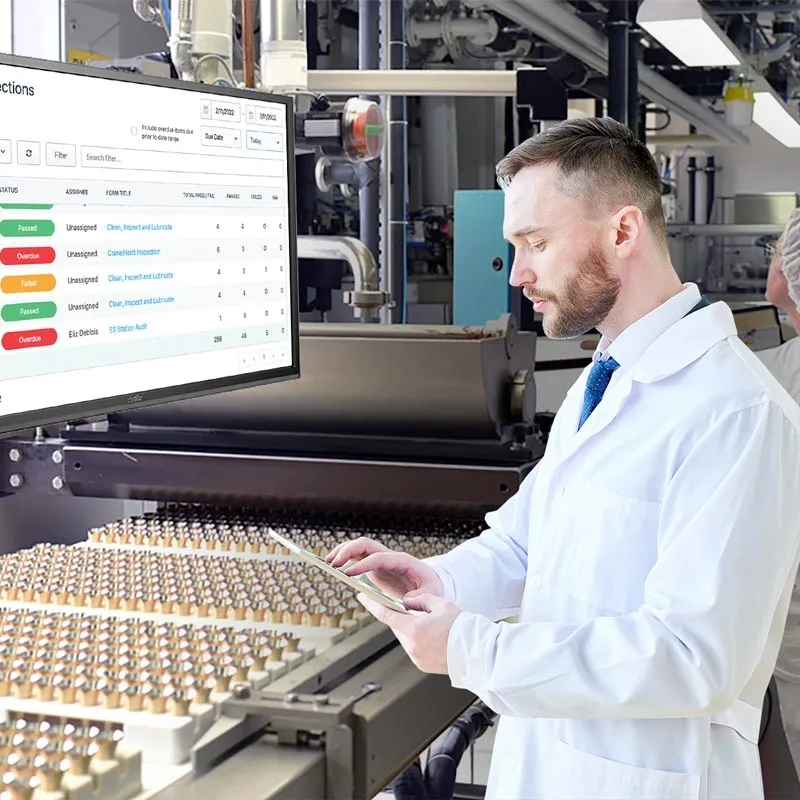
Why are paper forms insufficient for inspection schedules?
Digitizing an inspection schedule takes some effort, so you want to get it right the first time. As you have probably discovered if you’re managing an inspection schedule, paper forms are not ideal for ensuring inspections are completed correctly and on time.
Staff are busy with the task at hand. Remembering to do monthly inspections is not a high priority - until you make it one. Paper forms add unnecessary complexity, provide opportunities for mistakes and ommissions, lack real-time visibility, and waste time and money.
At Weever, we have helped organizations of all different shapes and sizes create and manage highly efficient and effective inspections schedules that enable safety, quality, compliance, maintenance and continuous improvement management.
Why paper forms suck for inspections.
Lack of Real-Time Visibility
Paper forms sit at a machine, or at a site, and then are turned in at the end of a shift or day. After that, they are then manually input into a spreadsheet. This process causes an unnecessary time lag, which can result in a defective product leaving the facility or a safety issue going unchecked and causing an incident.
Time & Costs
Manual data inputting is time consuming and needs to be completed by administrative staff. This mundane task can easily be outsourced to software, which frees up time to do the real work instead of inputting data into spreadsheets.
Opportunities for Errors and Omissions
People can have poor writing skills and not complete forms. Errors and omitted data can require a lot of back and forth between staff, supervisors and administrators. Worse still, errors can result in poor data, missed issues and problems with regulatory compliance.
Lack of Accountability
Before digitizing inspections, a common story we hear from our customers is about what they call “pencil whipping”, staff doing the bare minimum, in some cases, a few days after the inspection was due.
Software helps to protect against this with automated time and location stamps for submissions, required fields and you can also require a photo of the completed inspection.
What makes inspection scheduling difficult and how to solve it
Digitizing an inspection schedule takes some effort, so you want to get it right the first time. As you have probably discovered if you’re managing an inspection schedule, it can be very complex. Each individual inspection requires unique instruction, data capture requirements and associated workflow in the event of a failed condition. Paper forms and spreadsheets are not up to the job. They offer opportunities for errors and lack the real-time visibility you require to understand where things are at.
Inspections are necessary and important...
Whether you manage safety at a manufacturing organization or compliance for a construction company, inspection schedules are a necessary thing. They are required by internal SOPs, regulations and, in some cases, voluntary industry groups into which your organization has opted-in. They are a great way to understand problems and prevent them from recurring and they can be used to identify opportunities for improvement.
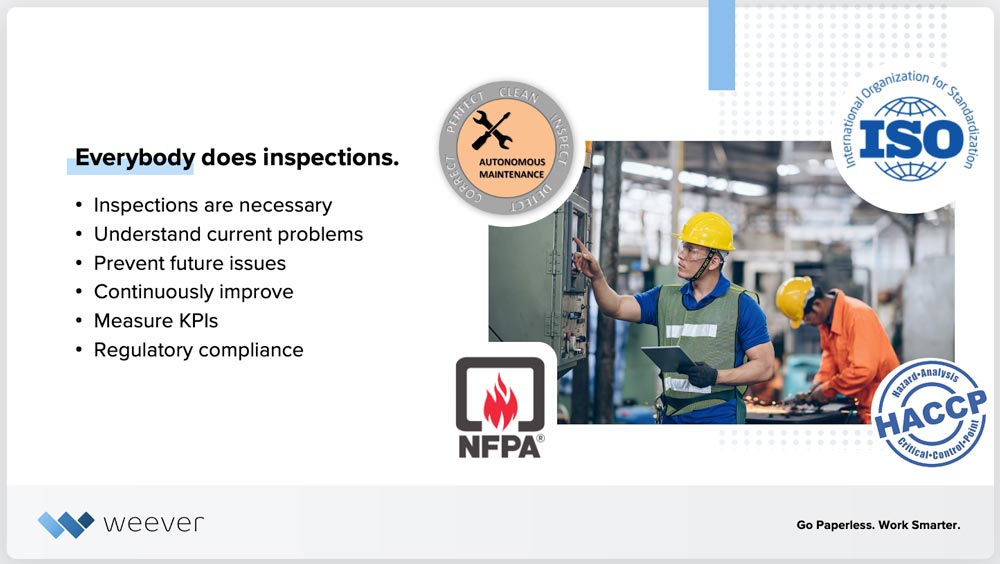
..and the stakes are high.
If inspections are completed incorrectly, they are not fully doing their job, so there is a chance those issues will recur. There is also a risk that they will not stand up to a regulatory audit, which can result in fines, or worse.
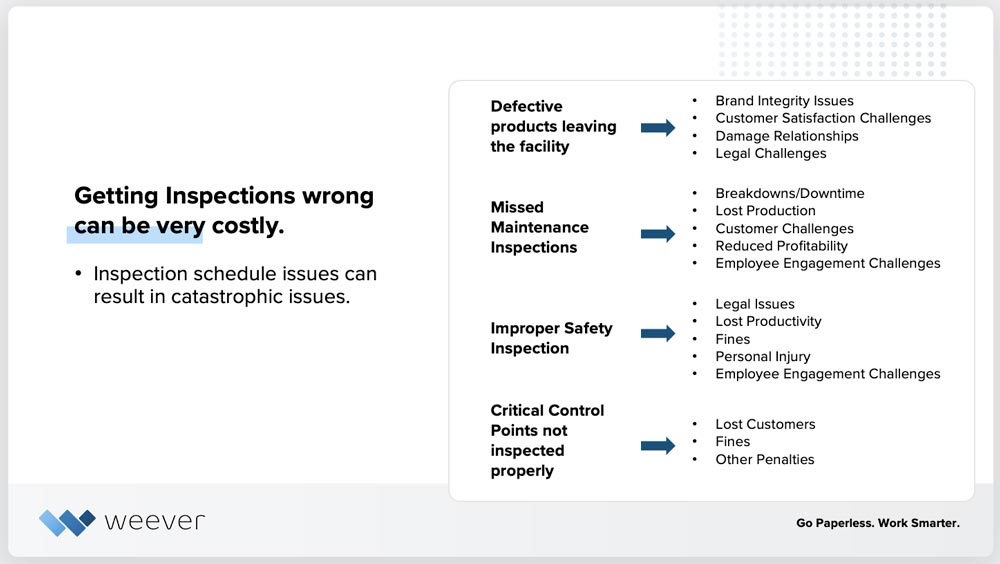
Complexity makes them difficult to manage.
Inspections schedules are a collection of unique inspections that each contain their own schedules, instructions, data capture requirement, conditions, failure workflows and approval workflows. Also, machine and equipment downtime can play havoc with your schedule. All of this culminates in a complex infrastructure that is difficult to manage and understand.
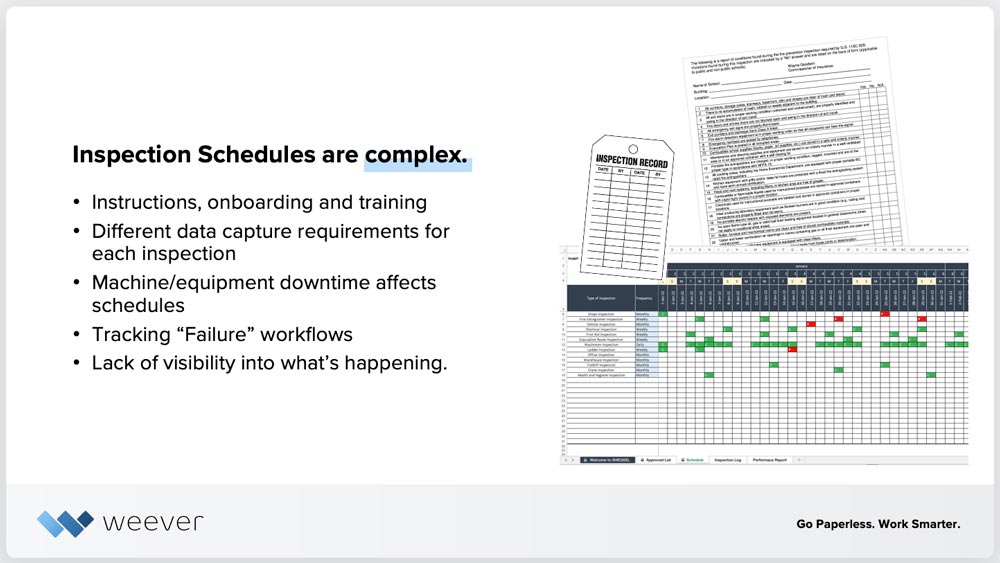
How to simplify inspections and get it right.
At Weever, we have helped organizations of all different shapes and sizes create and manage highly efficient and effective inspections schedules that enable safety, quality, compliance, maintenance and continuous improvement management. Here is a list of 5 things you can do today to simplify inspection schedules.
Keep it simple
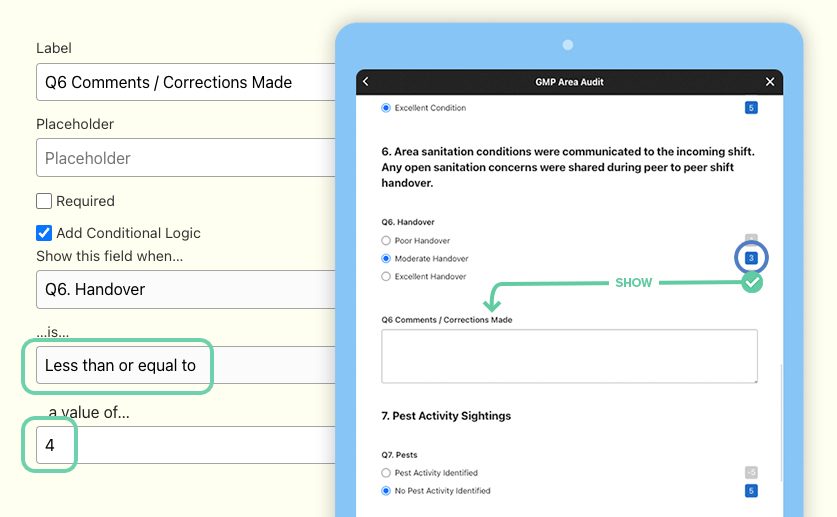
Your frontline staff are busy and what they are doing right now is usually more important to their perception of “success” than executing an inspection. Some inspections can be fairly involved and intimidating.
Try to keep each inspection as simple to understand as possible so the staff member has a clear understanding of the goal of the inspection and the steps involved.
Adding instructions to the forms reduces training because you know that they will have a “refresher” available on-demand when they need it. You can use software to provide one or multiple quick video overviews of the inspection steps so that staff can refresh on the details.
Big “Pass/Fail” fields with automated workflows creates a simpler process for staff and ensures that follow-up action items required to be compliant will happen.
Photo capture helps to provide context for a “Failure” and taking a photo is easy to do.
Conditional (or “step” logic) allows you to reveal applicable fields only based on what the staff member selects. For example, you can choose to only require a photo and description if a failure occurs. Conditional logic helps to declutter forms so staff can move through them quickly.
Don’t introduce everything all at once
When digitizing your inspection schedule, we usually recommend our customers start by digitizing one inspection. Keep the “pilot” team limited to your most engaged team. They can provide valuable feedback that you can then apply and roll-out to the larger group. Test it with staff members and work out any issues.
This is a great way to include staff in the process and build employee engagement. When staff are involved in building the solution they are more likely to support the roll out.
When building the inspection, ensure you are considering what Key Performance Indicators (KPI) you want to monitor. Establishing a baseline KPI for inspection performance before digitization is helpful if you want to measure the ROI of your digitization project.
Our Customer Success team usually helps new customers build out the first inspections and uses the time to train administrators on how to use the Form Builder.
Avoid common scheduling software pitfalls
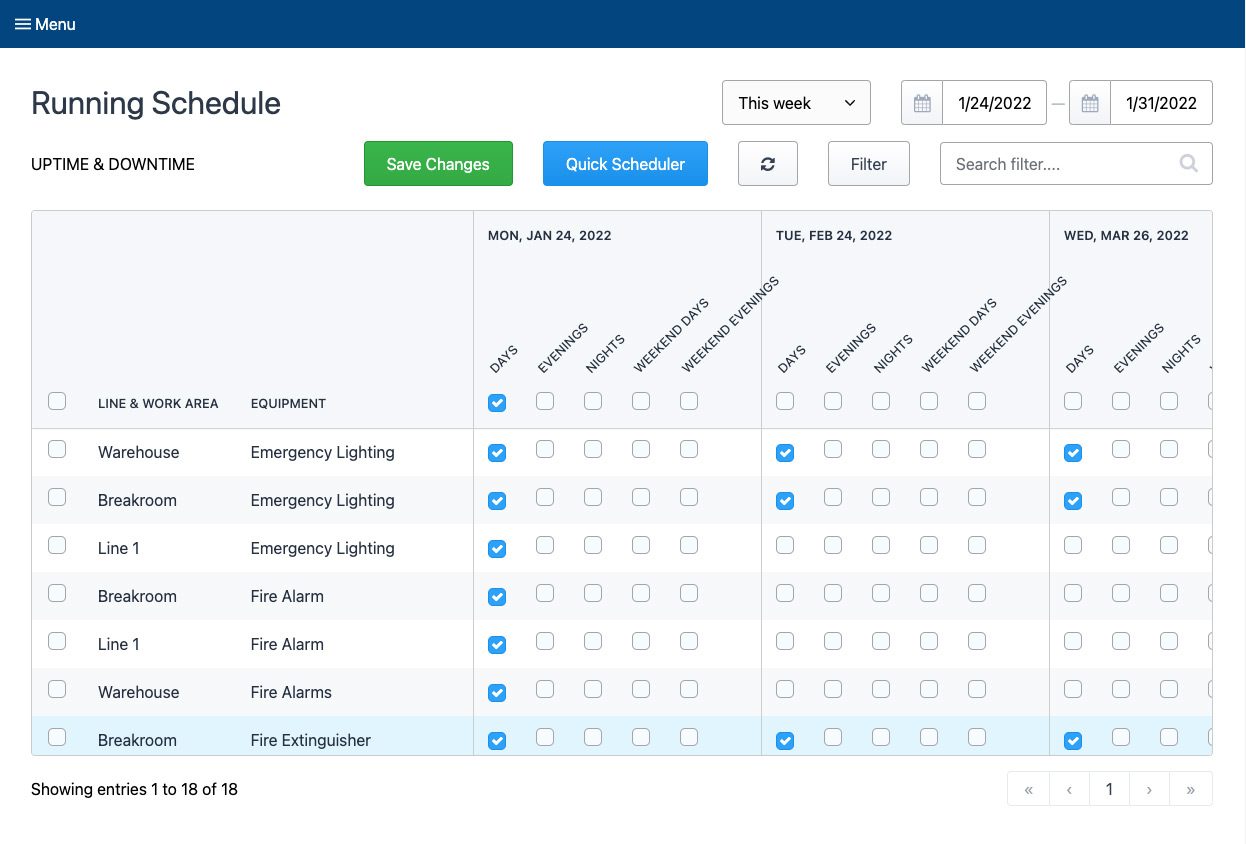
If you’re a veteran in managing inspection schedules, you probably know that there are a lot of nuances that can add complexity to the process.
If the software you “hire” to administer your schedule does not work for the following, you might find yourself spending more time than you bargained for making changes and dealing with issues.
Effective schedule management software should help you efficiently manage assets, downtime and shifts.
Manage Assets
What we usually mean when we are talking about managing assets is create a digital twin of your facility. Creating a “digital twin” is when you build an infrastructure through software that mirrors your facility’s environment. So you basically add all of your facility’s departments, work areas, lines, machines & equipment as what we call “Asset Management”.
Once this is complete, you can create KPIs that you want to monitor for each elements within your facility. This intel is super valuable in managing preventive and predictive maintenance, safety programs, compliance and continuous improvement processes.
Manage Shifts
Ensure you can create shifts that span over to the next day - not a lot of scheduling software can do this.
Manage Uptime/Downtime
Ensure your software can efficiently handle downtime. Creating an inspection schedule is something that a lot of software can do, but not many are great at handling on-off schedule changes that happen all the time.
You will find that you need to pause a schedule for many reasons including breakdowns, holidays, routine planned maintenance, etc. If the software does not provide this functionality, it becomes a mess to manage.
Weever’s platform makes it easy to pause specific inspections or entire lines for a certain date range.
Automate Accountability
Accountability is very important in ensuring staff are doing what needs to be done. It’s a huge part of Employee Engagement, which is a top topic for Operations Management in general.
Keeping employees accountable can turn into what feels like a lot of nagging if managed incorrectly. This can be time consuming and a drain on your culture.
Automating accountability outsources the “nagging” to software, which frees up time and also redirects negativity from people to an algorithm. Weever’s platform creates automated alerts for overdue items that are assigned to specific people. Some of our customers also use large monitors on the floor and in the break rooms to promote inspection schedule performance so everyone can see who’s doing their job.
Manage everything in one place
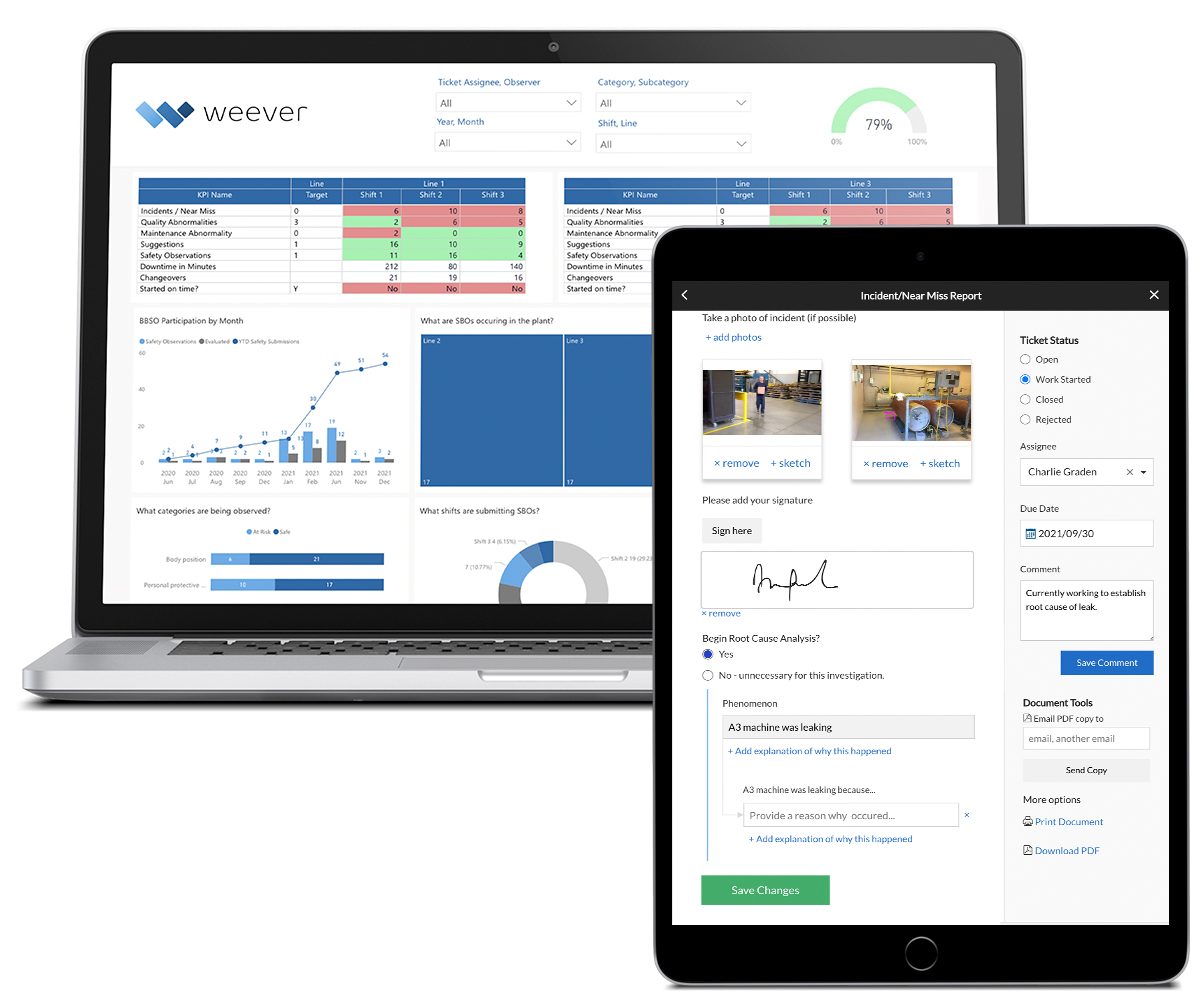
Having different specialized software solving different problems can work well, but there becomes a point where it is too much to manage. Staff have to login to, and remember how to use, multiple systems and Managers are forced to derive reports from multiple sources.
Whether you are in safety, quality, compliance, continuous improvement, production or maintenance, the software requirements for managing a schedule of inspections is the same.
- Provide instructions
- Capture data including “Pass” and “Fail”
- Evaluate results and initiate corrective or preventive actions
- Understand what’s due, what’s happened and what hasn't
- Report on KPIs
Having one software program that does all of this across multiple departments is the best case scenario because staff can learn and become comfortable with the functionality of one platform.
- Create a "Digital Twin" of your facility including assets, machines and equipment
- Customize inspection Form Templates
- Build and Manage Inspection Schedules. Easily manage "downtime" changes
- Guide staff through the process with on-demand training
- Automate work orders and real-time KPI reporting
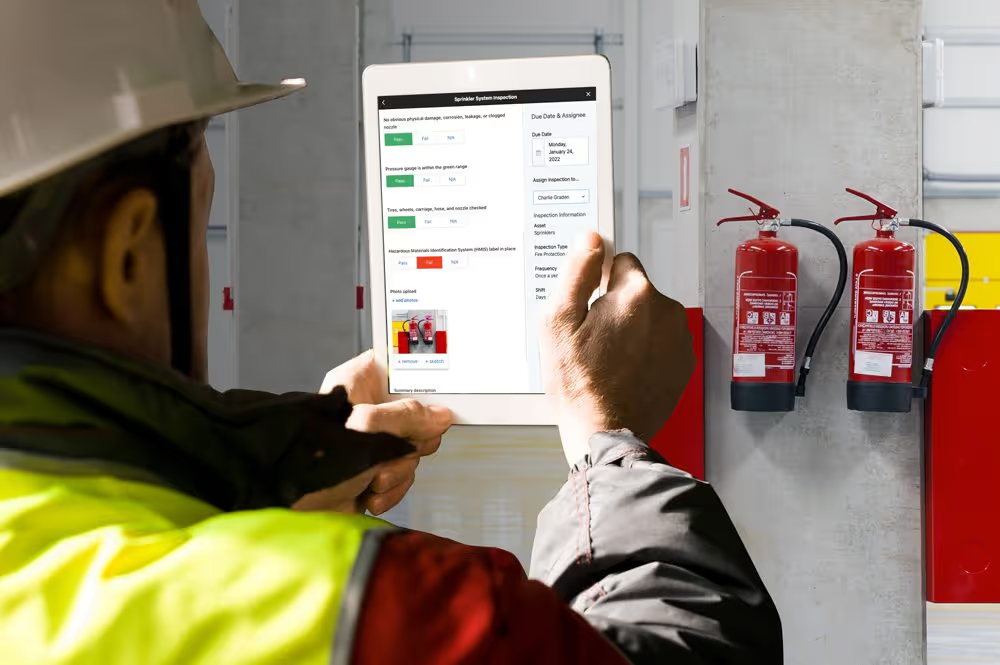
Workflow Management
Automate administrative tasks, simplify work and unlock the full potential of your frontline employees.
Millions of jobs completed worldwide.
Build adoption
Make it easy for frontline staff to be successful
- Use QR Codes to increase accessibility and adoption.
- Build and manage schedules to ensure compliance.
- Get started quickly with pre-built templates.
- Use on-demand instructions and conditional logic to simplify the experience.
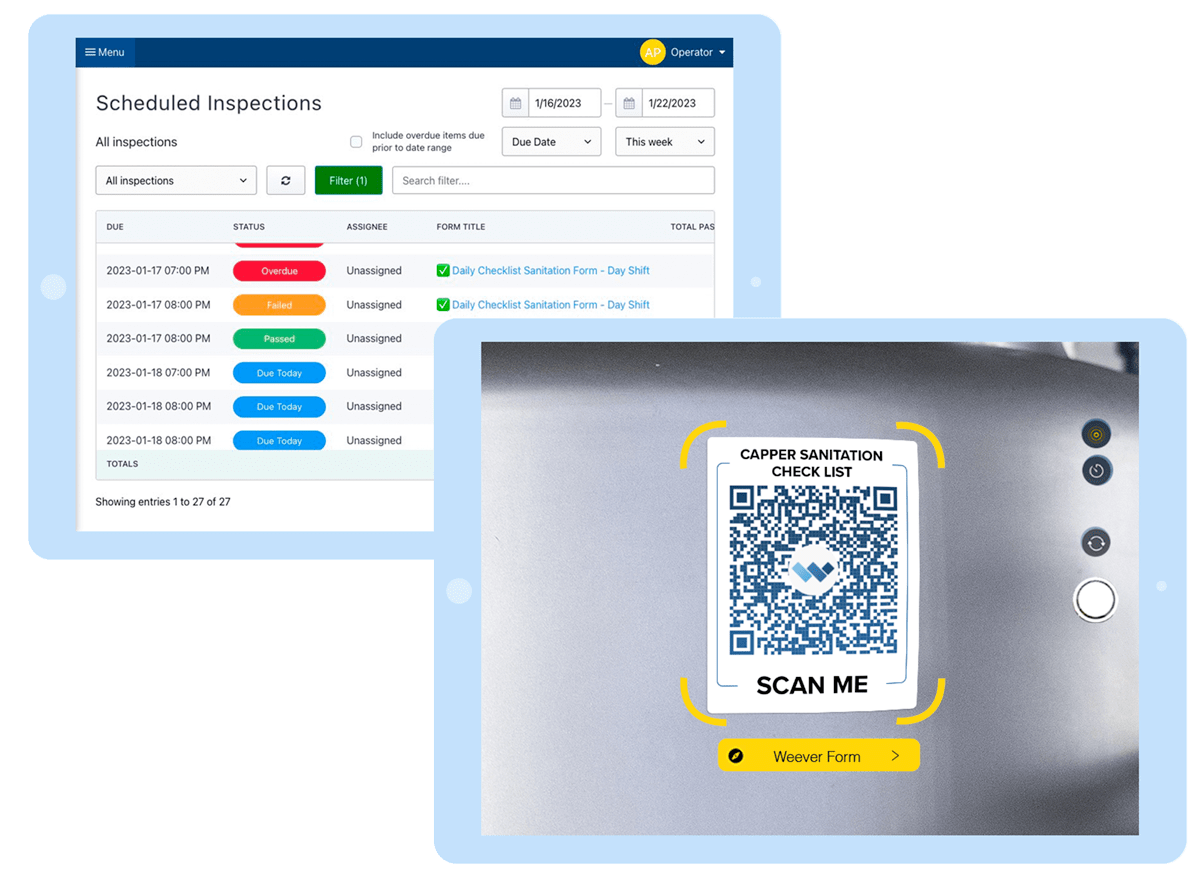
Build adoption
Make it easy for frontline staff to be successful.
- Use QR Codes to increase accessibility and adoption.
- Build and manage schedules to ensure compliance.
- Get started quickly with pre-built templates.
- Use on-demand instructions and conditional logic to simplify the experience.
effortless data capture
Get it done correctly everytime and capture the insights you need.
- Capture rich data including photos, automated calculations and digital signatures.
- Use Optical Character Recognition (OCR) to ensure data is correct.
- Provide on-demand instructions to ensure compliance.
AUTOMATE WORKFLOWS
Evaluate. Assign. Move forward together.
- Evaluate submissions in real-time.
- Automate "failure" workflows and create tickets for maintenance review.
- Foster collaboration and monitor project status to completion
AUTOMATE WORKFLOWS
Evaluate. Assign. Move forward together.
- Evaluate submissions in real-time.
- Automate "failure" workflows and create tickets for maintenance review.
- Foster collaboration and monitor project status to completion
REAL-TIME REPORTING
Automate Business Intelligence.
- Customizable reporting dashboards
- Download Spreadsheets & PDF documents
- Automatically push data to other business systems
Take a Guided Tour.
Learn about the Platform.
Download the brochure to get all the details about how Weever works.

5S Auditing
5S Auditing
We are global leaders in 5S Auditing because we provide everything you need to get the job done.
Customizable Templates
Dashboard Reporting
Automated Workflows
Schedule Management
Real-time Visibility
On-Demand Instructions
SOlve 5S with Weever
Say goodbye to inefficient 5S audits and hello to Weever.
Are you struggling with paper forms and spreadsheets for your 5S Auditing program? Get in touch to see how Weever can help you solve your 5S audits today!
Schedules & QR Codes
Ensure quick adoption and compliance.
- Get started quickly with pre-built templates.
- Build schedules assigned to areas or auditors.
- Add physical QR Codes to link auditors quickly to the correct form.
Book a Free Demo

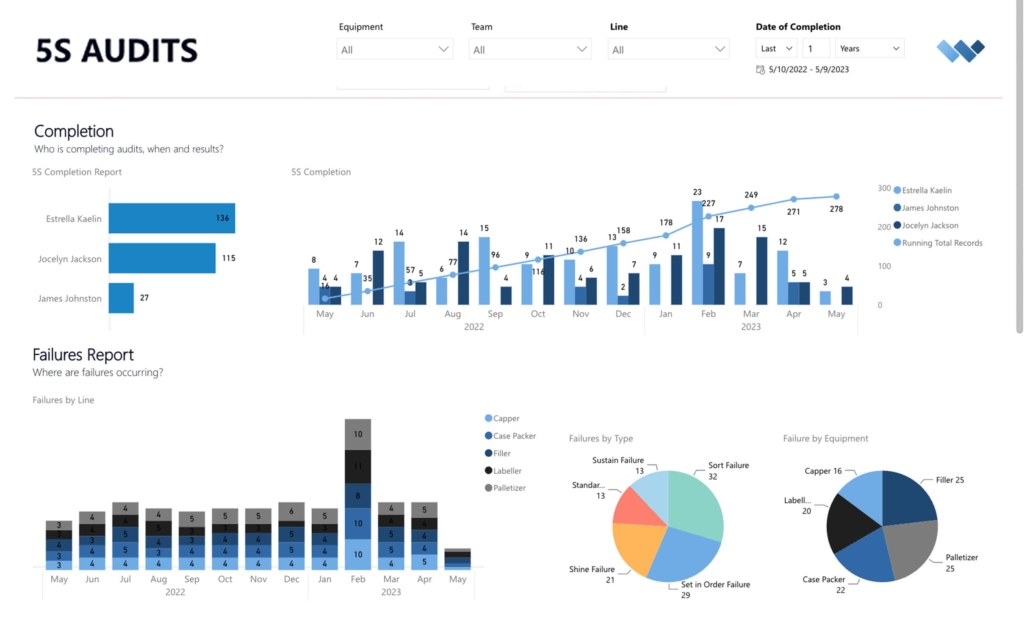
REAL-TIME REPORTING
Automate Business Intelligence.
- Customizable reporting dashboards
- Download Spreadsheets & PDF documents
- Automatically push data to other business systems
Spend Less Time on Admin. Get More Insights by Email.
Subscribe to receive practical tips, updates, and ideas to improve operations without the extra admin work.