
-%20smaller.webp)
.webp)
Explore More Blogs

5 Tips to Ensure Effective Change Management in Manufacturing.
Heraclitus had it right when he coined the saying "Change is the only constant." In the context of Operational Excellence, change is not only something that is inevitable, it is actually the goal.
At its core, Operational Excellence is about the pursuit of perfection - finding problems and opportunities and implementing those improvements. Change will occur along this journey. The question is not whether or not it will occur, it's about how well your organization manages it.
Change can create chaos. Depending on its severity and how defiant the audience is, changes to the "status quo" can have sweeping consequences to employee morale, productivity, and your organization's bottom line.
So how do we most effectively manage the natural issues that arise when processes are innovated?

1) Standardization is key.
The documentation of SOPs (Standard Operating Procedures) is widely regarded as a "must-do" before any organization can undertake process engineering. The process required to document the procedures allows for staff to share insights into what they do and why and enables discussions about efficiency and troubleshooting.
The major reason to document and train on SOPs is that it makes it much easier for staff to recognize and correct deviations that may be affecting product quality and production efficiency.
Documenting procedures can be a very thorough and detailed process. Or you can keep it light. Depending on your organization's acceptance to change and how involved your processes are, it can be easier to start with a light overview and revise in iterations as you move forward.
2) Consult all stakeholders especially those affected most by the change.
When making changes to a process, it is imperative that the staff that are most affected by the changes are consulted during the improvement process.
Most organizations we work with employ both a "top-down" and "bottom-up" approach to continuous improvement. Top-down projects are initiated by corporate objectives and bottom-up projects are initiated by observations and suggestions from the floor. A good suggestions program is a great way to ensure staff are engaged and feel involved in the process.
You can also require operator level approval of document changes and enlist a "champion" to help with the training process if required.

3) Take your time.
Unless a corrective action is required immediately to prevent a catastrophe, changes do not have to happen immediately.
In a general sense, if you take a bit more time than you think is required and take "your foot off the gas" a bit, you will find that additional ideas are presented to affect the quality and sustainability of the change. Also - the transition will be more seamless because staff have gotten used to the idea that the process is going to change.
If you are managing a large change, such as new equipment or software on the line, you can always try a phased rollout approach instead of doing everything all at once.
4) Ensure your process is compliant with regulatory requirements.
Food, beverage, pharma and CPG manufacturers are governed by the FDA for document management and approvals. Canadian and EU manufacturers have equivalent regulatory requirements.
Compliance basically requires that manufacturers can be audited on their SOPs and must have an audit trail to track changes. 21 CFR Part 11 governs digital record keeping and storage. Basically - if you are a US food manufacturer, you need to be aware of the regulations and/or use a system that takes care of that for you.
5) Provide a variety of ways for staff to understand the change before you implement it.
People learn in different ways. Some like to see a presentation and ask questions. Some like to review videos and other documentation on their own time and get back to you.
Offering multiple ways for change to be understood will only help the process go as smoothly as possible.
Weever is Operational Excellence Software that empowers the pursuit of perfection by enhancing operational visibility, collaboration and productivity in quality, maintenance, safety and production.
Announcing a new collaboration between Fiix and Weever
Toronto, Canada-October 6, 2020- A new partnership announced today between Fiix Inc. and Weever makes it easier than ever for companies to embrace the power of Industry 4.0 technology to connect maintenance and operations, streamline processes, and use real-time data to bolster the health and performance of both assets and staff.
"Maintenance teams capture huge amounts of data with Industry 4.0 technologies, but often lack the tools to turn it into meaningful insight and action. We're helping solve this problem by teaming up with world-class partners like Weever to create a completely open IIoT ecosystem that allows companies to take a leap forward without suffering through months or years of complex and expensive digital transformation projects. It gives businesses the ability to extend the power of their CMMS and use data to organize, optimize, and scale every site, team, system, and task from one platform," says James Novak, CEO of Fiix.
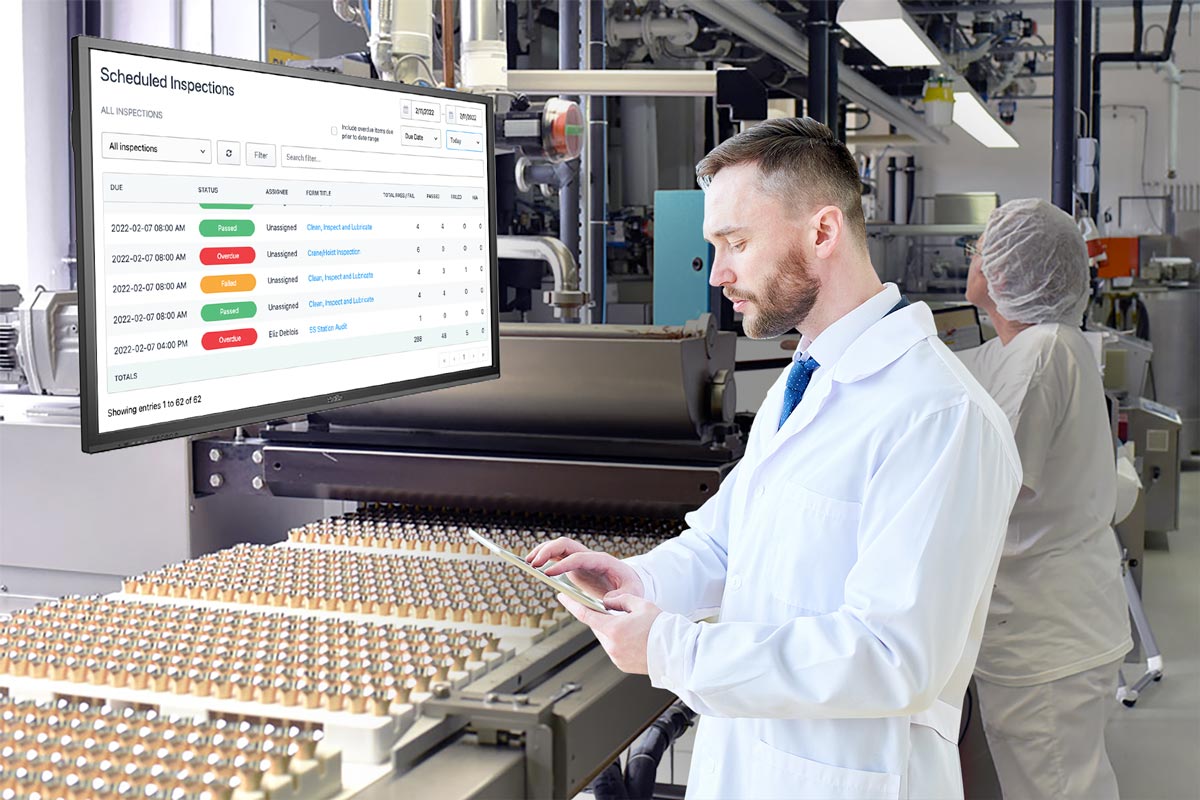
Connecting Fiix's industry-leading maintenance management platform with Weever's cloud-based form application system will allow companies to replace paper-based safety and quality control inspections with digital workflows to automate maintenance tasks and ensure accurate compliance records. Businesses will be able to efficiently and intuitively collect data from the shop floor pertaining to continuous improvement, waste reduction, product quality, and safety. The maintenance team will then be able to review this data in Fiix and use it to proactively manage preventive and predictive maintenance programs. Syncing information between the two systems will automatically create follow-up work orders in Fiix, instantly alerting the maintenance team to possible safety risks and equipment flaws.
Fiix is an extremely comprehensive maintenance solution that compliments Weever perfectly. Our customers use Weever to manage operational excellence and employee engagement and use Fiix to optimize preventive maintenance. It's a great fit," says Steve McBride, CEO of Weever.
By joining forces with Weever, Fiix expands its constantly growing IIoT partnership ecosystem that allows maintenance teams to connect with solutions spanning from ERPs and other business systems to production software, data historians, sensors, fleet telemetrics platforms, and more. Through these partnerships and easy-to-use artificial intelligence tools, Fiix is transforming the maintenance industry by giving companies greater access to information and the connectivity to use it to amplify their potential.
"This partnership allows companies to operate with the confidence that no inspections are falling through the cracks and that their teams are safe and compliant. It fully connects the maintenance team to what is happening on the shop floor or in the field so they can prepare for audits and contribute to higher productivity and throughput without having to spend hours combing through records or writing and reviewing paperwork," says Novak.
_____
About Weever
Weever is an operational excellence platform that empowers employees to pursue perfection towards zero waste, zero quality defects and zero safety incidents. Weever ensures success for customers by enabling staff to meaningfully participate in operational excellence programs, empowering staff to increase ownership over the success of themselves, their team and the organization, and by energizing employees with intrinsic and extrinsic motivators.
Weever works predominantly with CPG manufacturing organizations, such as Unilever, Mars Wrigley, and others, to continuously improve operational performance through greater project visibility, seamless and intuitive data capture, and insight-driven reporting. Learn more at www.weeversoftware.com.
About Fiix
Fiix is the maintenance management platform that combines mobile asset management, work order, and parts management and supercharges it with the most open integration network and AI-driven insights. With Fiix, you can connect shop floor IoT solutions, parts suppliers, contractors, and corporate IT systems quickly and easily to improve the way physical assets and people interact and drive better business outcomes.
There are over 2600 maintenance teams in 90+ countries using Fiix to improve communication, asset health, and even sustainability. Learn more at www.fiixsoftware.com.
Media contact
Jes Ellacott
jes.ellacott@fiixsoftware.com
1-(855)-884-5619
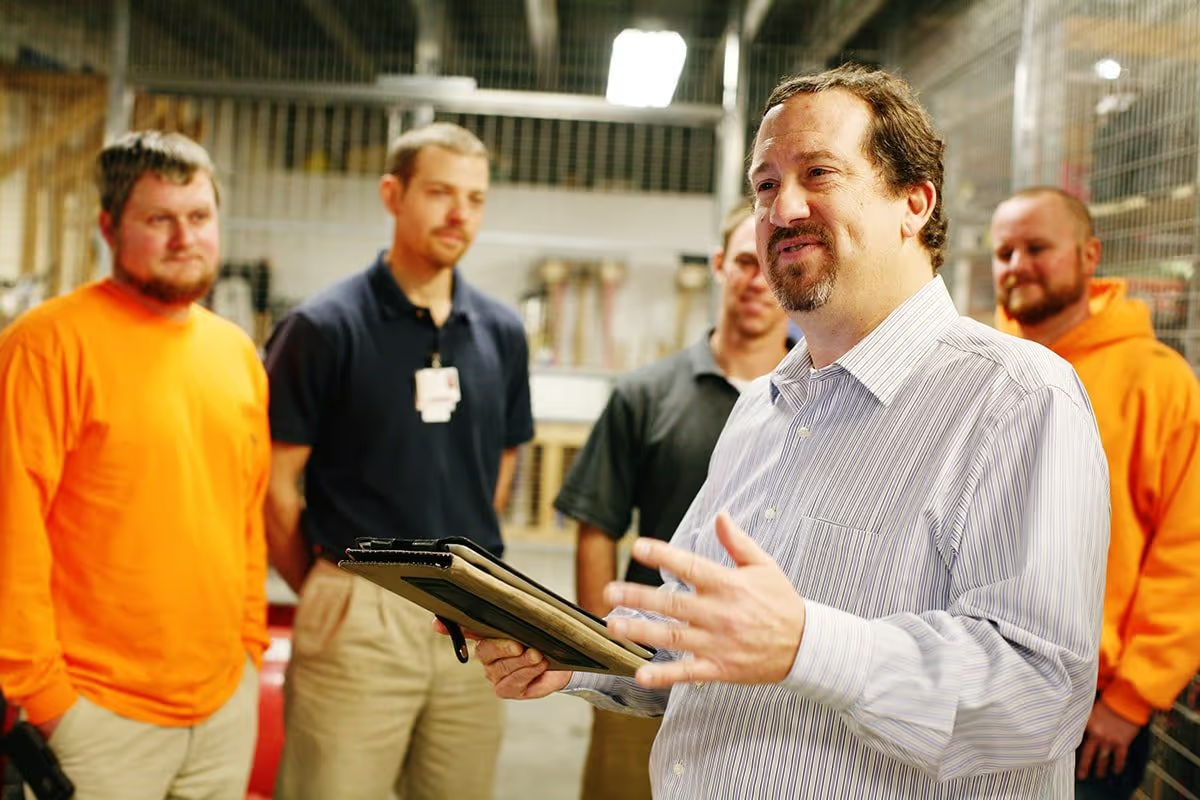
The 3 EEEs of Sustainable Frontline Employee Engagement
It's no secret that Employee Engagement is important. Investments in Employee Engagement has been proven to have a positive impact on margins, employee retention, safety, and bottom-line profitability.
So if Employee Engagement is the "holy grail" that solves every problem every company has ever faced, then why doesn't every company invest in it? One short answer is every company already does invest in Employee Engagement, or at least part of it. Organizations take steps to keep their employees happy and foster a positive corporate culture.
Another, more relevant answer, is that culture change can be hard. It requires a long-term commitment from senior leadership and investment in resources and skill development. As a result, organizations can focus on the "symptoms" of a lack of Employee Engagement, instead of the root cause.
Symptoms of engagement issues can include things like problems with safety, product quality, productivity, employee retention, equipment reliability, and financial performance. By analyzing and trying to fix these issues individually, you may be losing sight of the broader issue: a disengaged workforce that is simply collecting a paycheck and doesn't care about the performance of the organization.
Perhaps the first step in understanding the issues in your organization's culture is asking yourself how engaged your employees are and how things might change if they were more engaged.
Ask yourself: What does a great employee look like to you? Do they care about the company? How hard do they work? What's in it for them?
What is Employee Engagement?
If CEOs could snap their fingers and have one thing, usually Employee Engagement would not be a high priority. Company leadership usually wants profits to increase, and usually, the path to get there is through enhanced productivity.
The problem is that productivity is affected by many facets, including machinery, production schedules, sales, product quality, resource planning, and so forth. So where to start? And not of these facets can be affected overnight simply by waving a magic wand or throwing money.
Change needs to be made through a process of continuous improvement, where issues and opportunities are identified, root causes are determined, projects are planned and executed, and the results are tested and verified. These changes require effort that will only be completed by motivated, enabled, and empowered employees.
So, if you executed a root cause analysis on why you cannot achieve your business goals, you might find that the "5th Why" is a lack of the culture required to make it happen.
Employee Engagement Defined
Ultimately, Employee Engagement is the degree to which your employees are invested in the pursuit of positive organizational outcomes. Their investment is manifested through their cognitive state (their thoughts), their emotions (their energy), and their behaviors (their actions).
Disengaged employees are drifting off, not excited to be at work, and dragging their feet on every task. Engaged employees do the opposite. They are continuously thinking about the system that they are working within and their role within it. They carry themselves with a positive attitude and look for opportunities to help their fellow employees.
When company leadership is asked what an engaged employee looks like, their answers usually sound like:
- "They are invested in their work and think about how each action impacts the organization."
- "They are excited to be a part of a team and look out for everyone."
- "They are inquisitive and constantly interested in learning more about the company."
To what degree would you say your frontline employees are absorbed in and enthusiastic about their work? What do their behavior and body language tell you about their level of engagement?
The 3 EEEs of Sustainable Frontline Employee Engagement
In this vein, we created the 3 E's of Employee Engagement that outlines the areas that need to be addressed and measured in order to build a culture of excellence.
1. Empowered
Are your employees asked to be accountable for the success of your organization?
When imagining unengaged workers, usually the first thing that comes to mind is a person who doesn't care about the outcomes of their task. They do what they need to do to get through the shift and grumble about things that interfere with them being able to do the least amount of work and go home when their shift is over.
It is a natural human instinct to choose the path of least resistance. Within your organization, this path usually includes "keeping their head down", "not stepping on toes" and "staying in their lane". This path can result in resentment and a feeling of irrelevance. Employees begin to buy into this notion that "Management doesn't care what we think" and that notion can spread like wildfire across your organization.
Good organizations become great when they recognize the insights that can be derived from the frontline employees that spend their time on the floor with the equipment that makes your products and/or services. They are a wealth of intelligence that is waiting to be tapped. And all they are waiting for is permission.
The simplest way to combat this is to tell them "We care what you think". However, actions speak louder than words.
Employee Engagement can only occur in an environment where frontline employees are accountable for the success of themselves, their teams, and the organization at large. Where employees are empowered to improve their work station and pay attention to what is going on around them and to speak up when they have an idea or when something doesn't seem right.
Empowerment provides employees with permission to act. It is the gateway to Employee Engagement.
2. Energized
Are your employees motivated for going above and beyond?
Empowering your staff to help build a culture of excellence is the crucial first step but it does not guarantee that they will move forward. Leading horses to water does not guarantee they will drink. Staff need to also be excited and energized to take that step.
In order to build a culture of excellence, each employee will be asked to do additional work, which requires the investment of their thoughts, their emotions, and their actions. To willingly commit themselves to this extra work, your employees must be energized, emotionally invested, and motivated.
Unengaged employees resist work because they are not emotionally invested in the company, their community of co-workers, and the goals of the organization. This listless attitude can stem from a variety of sources. Staff can feel disenfranchised because they do not understand the larger picture of how their efforts support the larger goals of the organization. They can also feel that they are not benefiting in any way from the additional work required to build a culture of excellence. Also, they can feel that participation is not attainable or they lack the skills and knowledge required to make a difference. As a result, they choose to opt out of the culture and continue with their listless attitude.
In the past, organizations had more of an option to remove "bad apples" from the headcount, but it is getting harder for manufacturing organizations to hire employees so that option is less relevant today.
Ultimately, if you do not energize your employees, your culture will lack the willingness to affect change and staff will do the bare minimum to achieve the only reward that matters to them - the paycheck.
3. Enabled
Do your employees have the tools, skills, and resources they need to be successful?
If you have an empowered and energized staff, you are doing very well. But there is a good chance it will not be sustainable unless you provide them with easy access to the tools and resources they can use to be successful.
We work with many organizations that have enabled their staff and have found a way to make them motivated, but the excitement is short-lived because the tools they are using are inefficient and hard to use. This takes the "wind out of their sails" and kills momentum.
- Paper forms are common momentum killers because they can be riddled with issues and inaccuracies, get misplaced, and are required to be physically transported around the facility.
- Spreadsheets are generally inaccessible and manual input from paper forms can take hours.
- Enterprise software, like ERPs and MES systems, can be overcomplicated and inaccessible to your frontline employees.
If your tools are inefficient or hard to access, staff will not want to participate and, eventually, your program will lose momentum.
Frontline Employee Engagement is a measure of how invested your frontline employees are in the growth and prosperity of your organization. If you change their investment level by enabling them, energizing them, and empowering them, you will reap the benefits of increased engagement.
Empower your staff with "bottom up" Operational Excellence tools. Allow staff to understand the value your organization is manufacturing and how it is delivered so that they can correct issues autonomously. Staff can submit suggestions, observations, and abnormality reports and watch the progress of them into site initiatives and improvement projects.
Energize your staff with personal goal tracking, gamification and automated reward points that they can redeem in your personalized rewards marketplace. Broadcast result KPIs and celebrate wins to keep staff engaged.
Enable your staff with instant access to modern software that is just as focused on Operational Excellence as it is on Employee Engagement. Weever makes it easy to collect data, track projects and view reports while staff can also review leaderboard, point totals and redeem rewards - all in one place.
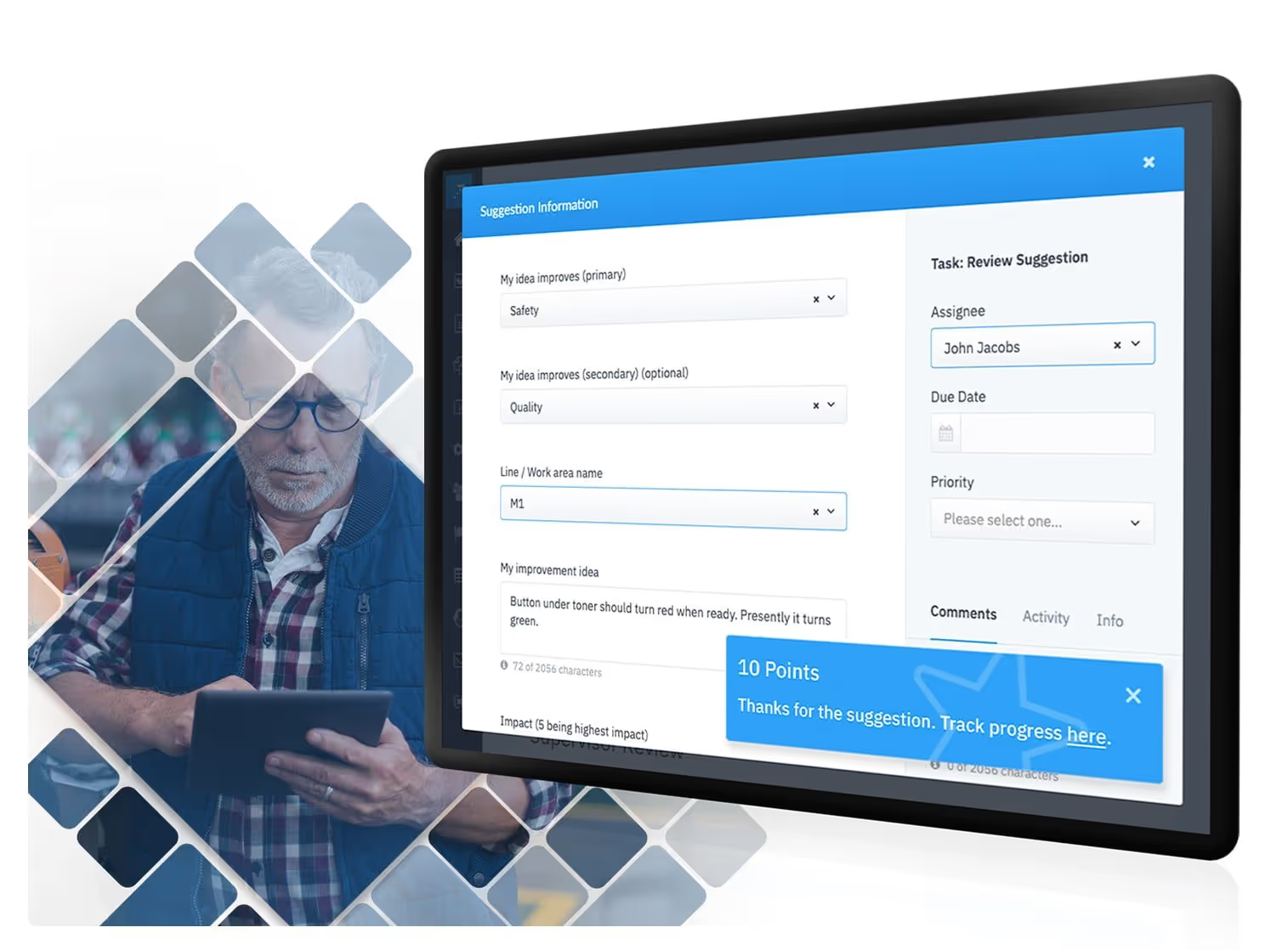
Why Frontline Employee Engagement is the most important success factor for Operational Excellence.
We all know we need to continuously improve and innovate in order to remain competitive. We must find efficiencies, increase quality, enhance productivity and keep people safe. The question is not "why" but "how"? How do we create and foster a culture of operational excellence.
Operational Excellence (OpEx) is defined as a management framework that is achieved when each and every employee can see the flow of value to the customer, and has the ability/motivation to fix that flow before it breaks down. The 3 major components of Operational Excellence are:
- All employees share an intimate and ever evolving understanding of the customer value the organization is delivering.
- Employees understand the processes within the organization that are engaged to deliver that value and can recognize/fix deviations before they reach the customer.
- Employees are relentlessly pursuing perfection through continuous improvement.
According to McKinsey & Company as well as numerous other studies, the large majority (over 75%) of OpEx initiatives fail to achieve ROI.
The reason: Operational Excellence requires extra work.
Manufacturers can simply manufacture their products. Employees can simply resign themselves to the specific role for which they were hired - i.e. watch the line for defects, ensure centerlines are kept, document abnormalities. And that's it.
Operational Excellence doesn't just happen because you want it to. In order for Operational Excellence to be successful and attain a positive ROI, organizations must nail 3 interrelated requirements.
- Corporate Alignment - It is a top priority of leadership and continuously reinforced in communications to staff.
- Tools and Resources - Staff have access to tools, systems, resources and training that allow them to be successful and participate.
- Employee Engagement - Staff are empowered, excited and enabled to do the extra work required to move projects forward, uncover insights and improvement opportunities, etc.
It's no secret that employee engagement boosts individual, team and overall operational performance. According to Food Engineering Mag, a culture of employee engagement translates to positive outcomes for overall production and operational efficiency.
The "2012 State of the American Worker" report from Gallup made clear the impacts of improved engagement on key performance indicators. According to the survey, increased employee engagement results in:
- 40% reduction in safety-related incidents
- 40% reduction is quality defects
- 37% reduction in absenteeism
- 20% increase in productivity
- Over 20% increase in profitability
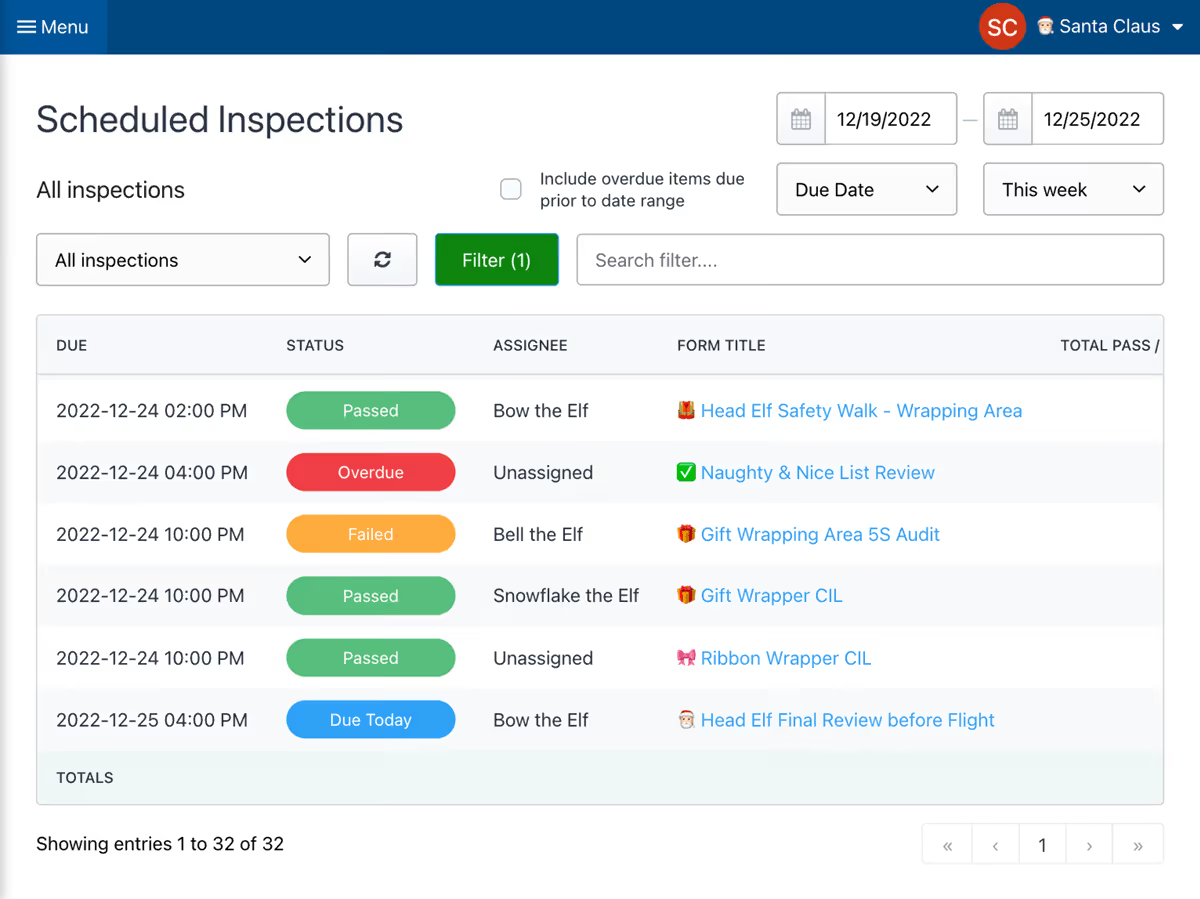
To use a simple analogy, if your OpEx program is an automobile, Corporate Alignment is the steering wheel, Tools and Resources is the engine and Employee Engagement is the fuel upon which it runs.
- The car can move forward without a steering wheel but no one knows where we are heading and it is probably better to slam on the brakes before you run into a tree.
- The car can theoretically move forward without an engine, as many of us have experienced when we run out of fuel. It requires a lot more effort to get the car from A to B, however.
- The car is entirely worthless, however, without fuel to run it. The steering wheel is meaningless and the motor is just a weight that makes it harder to move.
What this analogy is trying to illustrate is that all 3 factors are hugely important, but the most important is Employee Engagement.
Most of our customers have found us because they are seeing an ROI in Operational Excellence but they are lacking the tools and resources to get to the next level. They are using paper forms and spreadsheets to move projects forward. This illustrates that a high degree of Employee Engagement can overcome inefficient systems.
We have also worked with organizations that have not fully bought into OpEx principles. Generally, a manager has been trying "some new things out" with a highly engaged team and is looking for a low-cost way to scale the processes and sell the approach to the rest of the organization. This illustrates that highly engaged employees are not just the fuel but the "spark" that ignites the movement.
Ultimately, you can have the best corporate intentions and deploy the most convenient systems. But if your staff is not engaged, the program will fail. As the old saying goes, "Where there is a will, there's a way." Employee Engagement is the "will" and Operational Excellence is the "way".
Weever has been on the forefront of helping global F&B and CPG manufacturers realign their employee engagement using our innovative suite of products.
We help drive the desired behaviours by incentivizing your staff, rewarding them when they go above and beyond to participate in your CI or lean culture initiatives.
.avif)
Continuous Improvement Survey Results
Continuous Improvement (CI) is not a core function of manufacturing in that manufacturers can produce their products without engaging in continuous improvement practices.
As a result, if not consistently reinforced and supported, CI programs can lose momentum and fail.
If CI is a car, then staff engagement is the fuel that propels it forward.
CI Managers want to focus on high value activities that drive meaningful, positive change. They want to automate repeatable tasks and focus less on administrative paperwork. They want to be out on the floor, with the frontline workers, helping them create a better workplace for all.
We surveyed Continuous Improvement Managers who work for manufacturing organizations across North America to understand their core challenges. These are the key insights.
Top Challenges
Continuous Improvement Managers are challenged mostly with issues concerning training and staff skills, inefficiencies caused by paper forms, and staff engagement problems caused by leadership alignment.
Staff Engagement
65% agreed or strongly agreed that staff engagement is very important to their success.
If your Continuous Improvement program is a car, then staff engagement is the "fuel" that makes it go.
Suggestions, observations, quick kaizens, etc. initiate projects and action items need to be moved forward.
Remove Barriers to Staff Success
Over 70% agree that ease of participation is very important.
If CI programs are inaccessible or overly complex, staff will opt-out.
Collaboration is Key
78% of respondents agree that collaboration is very important.
Leadership alignment is core to CI success.
If staff do not witness management involvement, they will assume that they do not care and their efforts will be wasted.
Rewards and Recognition
90% of respondents at least "somewhat agree" that rewards and recognition are necessary to achieve results.
CI requires staff to do extra work on top of their regular duties. Staff need to feel recognized and/or rewarded for their contribution.
Keep them Tuned In
75% of respondents agree that it is extremely important to keep staff up to date on CI activities.
Positive results motivate staff through intrinsic rewards.
Displaying KPIs and key project status can build momentum.
Self-efficacy is important
72% agree that well trained staff is highly important.
It's worth spending the extra time to ensure staff are supported and have access to the appropriate resources to be effective.
If staff do not feel confident they can make a positive impact, they may decide not to try at all.
Document Management
Over 70% agree that managing document changes is very important to enable the CI process.
Administrative waste of time
Over 50% agree that their staff spend too much time re-keying data.
Paper forms and spreadsheets work, but they are cumbersome to use.
Digital data collection saves time and allows you to allocate resources to more value-add activities.
Understand Results
Over 70% agree that it is important for staff to have access to the results of their work in order to be motivated.
If this study resonates with you, we can help. Our software is designed to motivate staff participation through rewards, ease of use, collaboration and transparency.

How to protect essential workers in the factory.
Over 20 tips on how to keep factory workers safe and productive during a global pandemic.
Weever is a continuous improvement software company. We work primarily with manufacturers in the food/beverage and consumer packaged goods (CPG) space. Our customers are the brands that fill your pantries and bathrooms.
As you can imagine almost everything changed for our customers in early March when the pandemic put them in a very awkward spot: you are essential, keep all your employees safe, prevent COVID breakouts, and keep your production lines running. What a challenge!
During conversations with factory operations professionals I've learned a good deal about how "social distancing in the factory" works, and we'd like to share some broad themes for how to approach it.
This blog will be divided into four sections:
- Physical Distancing
- Anti-Microbial
- Employee Risk Identification
- Employee Engagement
Hopefully there are some new ideas for your workplace.

1) Physical Distancing
How do we keep employees a safe distance while at work? Here are some ideas:
- If you have multiple lines and shifts in your factory, isolate them. Consider putting up plastic drop cloths between areas where traffic doesn't need to commingle i.e. between lines.
- Provide separate changeroom and lunchroom facilities for each line/shift
- Stagger shift start/end times to allow a window between when groups of employees are there. I.e. End a shift at 3:45 and start the next at 4:15.
- Sanitize between shifts.
- Place plexiglass between workstations when associates can't be 6' apart while working
- Consider marking the floors with tape indicating where 6' of safe social distance is. If it makes sense, mark traffic flows on the plant floor with arrows so people are moving in the same direction.
- Eliminate all non-essential traffic to the floor. Managers, engineers, etc who don't need to be there, or who can manage workflows remotely should do so. This reduces employee density. We wrote a separate blog regarding this if your current data capture doesn't allow remote workflows.
- Reduce or rearrange the seating in the lunchroom. You can also stagger breaks so that staff are not in the lunchroom at the same time.
- In the event of an emergency evacuation, consider adding more mustering points so that groups can be accounted for safely.
- Reduce room capacity at the plant
- Here are some guidelines that are recommended by the FDA

2) Anti-Microbial
Here are some general ideas on how to keep a sanitary work environment. Covid can live anywhere from 2-72 hours on surfaces, depending on the material.
- Have hand sanitizer placed all over the floor, and ask employees to use it regularly even if wearing gloves.
- Sanitize all common surfaces regularly.
- Give employees their own spray sanitizer to use themselves. It's like autonomous maintenance, but for germs.
- Cover common areas like doorknobs with passive anti-microbial materials
- Have a contingency plan for if there's a COVID scare or breakout. How long will the plant be closed for, who will sanitize using what chemicals etc?
- Where possible, reduce the paper forms being passed between associates. Tablets running software to capture front-line data are easily sanitized. Find out more about that here.
Provide employees masks or face shields - whether voluntary or mandatory - reduce the risk from a-symptomatic employees - Provide special safe and sanitary glove disposal stations
3) Identify Risk from Potentially Sick Employees
If you've been to the hospital or even the grocery store lately you might have been stopped by a security guard asking some tough questions. It's uncomfortable, but important to protect the health of employees. The poor health of one could affect the whole plant!
- Provide an entrance survey everyday that makes staff confirm that they are statistically low risk for having COVID-19. Ask questions like: "Have you travelled the last 14 days?" "Have you been in contact with anyone with symptoms?"
- Use a tablet with software that can capture a signature to do this. That surface can be sanitized regularly, and the forms will be saved for posterity. This may encourage people with mild symptoms from cold/flu to stay home - just in case.
- Restrict access and exit to one or two controlled points.
- Proactively encourage people to stay home if they have symptoms, no matter how mild.
- Encourage a buddy system to remind everybody that the health of one could widely impact the health of the whole team.
4) Employee Engagement
This is the human element. Leaders are telling people to "stay home" and every one of your employees has asked the question "Is it worth continuing to go into work?" These suggestions will help keep morale up while they provide essential services:
- Many states and provinces are offering special benefits to people out of work due to COVID. Is your compensation package advantageous to people who still choose to work? If not, consider a raise.
- Help employees avoid public transit. Set up an Uber-business account so people can get to and from work with the least exposure possible
- Employee suggestions are particularly important at this time. Make sure people are recognized and rewarded for participation. Weever offers a digital rewards store to allow associates to get points for things like employee suggestions, survey submissions, or safety observations - they can trade those in for gifts/rewards from a customizable store
- Make employee suggestions trackable - so they can see their ideas are being taken seriously
- To replace "shift huddles" have shift or line supervisors meet with department / operational heads regularly for a clear line of communication from associates to decision makers
- Provide new lines of communication like an anonymous survey via email or paper submission on how the company is doing. Make the results public and actively discuss remediation to build transparency and trust
We're certain most manufacturers have adopted some combination of these already. You can personalize them to your factory and circumstances.
We had one company tell us they gave their employees a shot of ginger to help boost their immune system at the beginning of each shift!
The trouble with COVID is we don't know if we will have to adopt this new reality for another few weeks, months, or years. Hopefully this blog gave you some new ideas on how to keep your employees safe and your factory productive!

Should we wear masks in our food production facility?
On April 4th, 2020, the FDA released guidelines for staff wearing cloth masks to work. The release was part of a Question & Answer session where the FDA provided guidance for many COVID-19 related concerns about social distancing within the factory.
As an essential service, food production manufacturers are required to stay open. Although staff keep their jobs, the downside is they are subjected daily to the risk of catching the virus from another employee and then spreading it to their family and beyond.
The FDA is basically saying that face covering is the choice of staff. Many organizations have gone a step further and made cloth or disposable masks available or mandatory for staff at the facility. According to the Mayo Clinic, cloth masks can help prevent the spread of the coronavirus disease. The main advantage of cloth masks is that they prevent unaffected from touching their face. However, another benefit is that they can help prevent people that are sick and don't know it from transmitting the virus.
Should employees in retail food and food production settings wear face coverings to prevent exposure to COVID-19? (Posted April 4, 2020)
On April 3, the CDC released an updated recommendation regarding the use of cloth face coverings to help slow the spread of COVID-19. CDC recommends the use of simple cloth face coverings as a voluntary public health measure in public settings where other social distancing measures are difficult to maintain (e.g., grocery stores and pharmacies).
For workers on farms, and in food production, processing, and retail settings who do not typically wear masks as part of their jobs, consider the following if you choose to use a cloth face covering to slow the spread of COVID-19:
- Maintain face coverings in accordance with parameters in FDA’s Model Food Code sections 4-801.11 Clean Linens and 4.802.11 Specifications.
- Launder reusable face coverings before each daily use.
- CDC also has additional information on the use of face coverings, including washing instructions and information on how to make homemade face covers.
NOTE: The cloth face coverings recommended by CDC are not surgical masks or N-95 respirators. Those are critical supplies that must continue to be reserved for healthcare workers and other medical first responders, as recommended by current CDC guidance.
How do Manufacturers adopt safe distancing practices within the walls of the factory?
We are all hoping that life will return to normal soon, but the reality is that our definition of “normal” will probably shift a bit as the result of this pandemic. Social distancing, in some form or another, might become a sensible precaution moving forward.
In light of this, many of our customers have adapted quickly to the “new world” in which we live by using our technology to quickly segregate their lines and employees.
Our customers use our software to:
- Some provide each staff member with their own tablet and other customers have devices strategically placed at line and other work areas.
- Devices are easy to wipe down, not possible to wipe paper.
- One advantage of collaborating through software is that you don’t have to be close to the other person. Supervisors and Managers can stay in the office and visit the factory floor less often (or even work from home).
- Also, collaboration can happen in real-time and anywhere in the facility. This allows staff to request guidance while on the line, instead of having to walk across the facility to find a manager.
- Features like messaging, workflow management and alerts ensure everyone is on the same page
- Staff can access shared dashboards that feature KPIs and current action items relating to them.
- Taking it a step further, supervisors can have a “Zoom” conference call with staff to create a virtual “shift huddle” to connect and ensure alignment before the shift commences.
Perhaps it's time to think about a digital transformation for your facility?
Contact us to chat about a solution for your site or book a demo...
Related blog posts by Weever

Apr 06
5 Tips for Remote Factory Management
Remote factory Management The recent global COVID-19 pandemic has awoken the world to the need for social distancing to combat...

Apr 12
Factory Wi-Fi Setup
REMOTE FACTORY MANAGEMENT The recent global Covid-19 pandemic has awoken the world to the need for social distancing to combat...
Apr 12
Social Distancing within the Factory
Most manufacturing is an essential service and must continue during the outbreak of COVID-19. However, that does not necessarily mean...
May 06
How to stimulate positive change in your manufacturing facility during a pandemic.
3 tips for enhancing continuous improvement during COVID-19 and beyond. COVID-19 is a global pandemic and there are signs that...
How to stimulate positive change in your manufacturing facility during a pandemic.
3 tips for enhancing continuous improvement during COVID-19 and beyond.
COVID-19 is a global pandemic and there are signs that this virus may change the way we live and work into the future. Many of our customers are food manufacturers who are mandated to continue production. They are taking precautions to keep their staff as safe as possible including social distancing within the factory, handwashing and face protection.

A crisis can promote fear and the associated “fight or flight” response. It is generally not a good practice to make decisions out of fear, in business and life in general. The “fight” response might lead to sporadic changes that are not very well thought out. The “flight” response might lead to abandoning continuous improvement as employees “keep their heads down” and do the minimum to get by.
However, many of our customers have embraced this global pandemic as an opportunity to create real, positive change within both their food production facility and life in general. A crisis can bring out the best in people. It can create a “pause” where people take stock of what is important and how they want to move forward differently.
This video “The Great Realization” by Tomfoolery is a wonderful illustration of how many are hopeful for the future and looking to transform the pandemic “lemon” into lemonade.
After all, necessity is the mother of invention. This crisis can provide a window of opportunity where staff are open to considering new possibilities and willing to make their voices heard.
Here are 3 quick suggestions for turning this crisis into an opportunity to create sustainable, positive change for your staff and your organization.
1) Focus everyone on a mission
During a crisis, things can get out of control quickly. Many people have to work independently and cannot wait around for instructions from leadership. As a result, a mission directive during a crisis helps to ensure workers are cooperating and collaborating without requiring constant direction.
A spectacular case of this happening was studied in the case of Toyota’s 1997 Aisin fire, when one supplier plant producing one critical component burned to the ground. Lean critics thought just-in-time would prove a failure because of the low inventory, but the Toyota group restarted production in record time. An in-depth study of the event showed that the astonishing recovery was achieved by the loose cooperation of six main suppliers and a total of about 150 independent firms. The surprise of the study is that there was no central command, but deep independent cooperation based on relationships and problem-solving habits.
2) Listen to your employees
The current mission for most of our customers is something like to maintain OEE and production while keeping people as safe as possible.
How this mission gets translated to your specific environment is unique and your staff might be able to provide valuable insights that help optimize production and safety.
Staff understand the nuances of their roles. If prompted, they can provide quick and intuitive insights into subtle changes that could be made to keep them safer while not disrupting production KPIs.
Also, people are much more likely to buyin to changes if they have been consulted. Suggestions and quick kaizens may prove to be the quickest way to not only implement changes but also the best way to ensure adoption.
A digital suggestions box can help to ensure your staff feel heard and valued during these uncertain times. They can receive rewards for making suggestions. They can also track their progress and witness them turn into real, meaningful changes for people and the organization.
3) Digitize Collaboration
Social distancing may result in staff not connecting at all, which can have disastrous consequences for continuous improvement. Staff may begin to just do what is required of them and not take on additional responsibilities. This risk is especially high if your facility still uses old fashioned paper forms to collect production, safety, maintenance and quality data.
Digital transformation allows staff to collect information in a digital format, which makes for more efficient reporting and workflow management.
Staff can also collaborate using a tablet, for example, on the line, as opposed to getting close to one another to discuss potential solutions. You can also use automated reports to share KPIs, project statuses and facilitate shift huddles.
Related blog posts by Weever
Apr 06
5 Tips for Remote Factory Management
Remote factory Management The recent global COVID-19 pandemic has awoken the world to the need for social distancing to combat...
Apr 12
Factory Wi-Fi Setup
REMOTE FACTORY MANAGEMENT The recent global Covid-19 pandemic has awoken the world to the need for social distancing to combat...
Apr 12
Social Distancing within the Factory
Most manufacturing is an essential service and must continue during the outbreak of COVID-19. However, that does not necessarily mean...
May 06
Private: Should we wear masks in our food production facility?
On April 4th, 2020, the FDA released guidelines for staff wearing cloth masks to work. The release was part of...
Social Distancing within the Factory
Most manufacturing is an essential service and must continue during the outbreak of COVID-19. However, that does not necessarily mean that staff cannot socially distance within the factory walls.
Manufacturing requires staff to coordinate operations within a defined space. There are many ways that staff interact with each other including:
- Data Collection: Most factories still collect crucial production and operational data using paper forms. The paper is passed between people, causing them to get within 6 ft and potentially transmit the virus through the air or on the paper itself.
- Communication: Staff routinely communicate face-to-face with one another to collaborate on issues and improvements.
- Shift Huddles: Shift huddles are an excellent managerial tactic to establish/build an operational excellence culture, share successes. They are also a reason for staff to come within close proximity of one another.
How do Manufacturers adopt safe distancing practices within the walls of the factory?
We are all hoping that life will return to normal soon, but the reality is that our definition of “normal” will probably shift a bit as the result of this pandemic. Social distancing, in some form or another, might become a sensible precaution moving forward.
In light of this, many of our customers have adapted quickly to the “new world” in which we live by using our technology to quickly segregate their lines and employees.
Our customers use our software to:
- Some provide each staff member with their own tablet and other customers have devices strategically placed at line and other work areas.
- Devices are easy to wipe down, not possible to wipe paper.
- One advantage of collaborating through software is that you don’t have to be close to the other person. Supervisors and Managers can stay in the office and visit the factory floor less often (or even work from home).
- Also, collaboration can happen in real-time and anywhere in the facility. This allows staff to request guidance while on the line, instead of having to walk across the facility to find a manager.
- Features like messaging, workflow management and alerts ensure everyone is on the same page
- Staff can access shared dashboards that feature KPIs and current action items relating to them.
- Taking it a step further, supervisors can have a “Zoom” conference call with staff to create a virtual “shift huddle” to connect and ensure alignment before the shift commences.
Perhaps it's time to think about a digital transformation for your facility?
Contact us to chat about a solution for your site or book a demo...
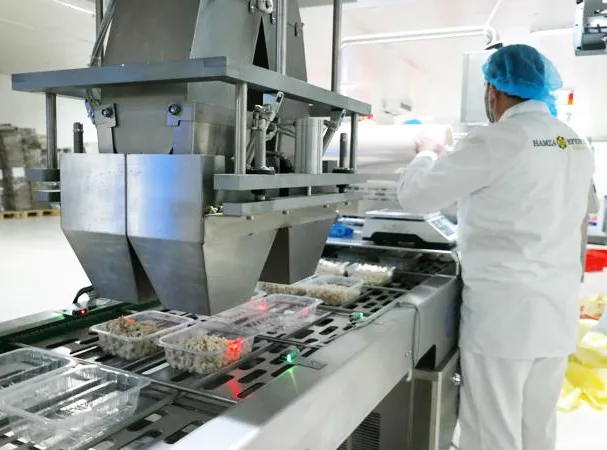
How to Setup and get the most out of your Factory Wi-Fi
If you're moving your plant off paper, and towards tablets, sensors, or connected devices on the line, the first question isn't which software to buy. It's whether your building can actually carry a signal from the receiving dock to the back of the freezer.
A weak network doesn't fail loudly. It fails quietly, as dropped forms, timed-out logins, and operators who quietly go back to the clipboard because the app "never works." Get the network right and every other digitization project on your roadmap gets easier. Get it wrong and you'll be troubleshooting connectivity complaints for years instead of running your program.
How to Set Up Wi-Fi in a Food Manufacturing Facility: A Step-by-Step Guide
Here's a step-by-step guide to setting up solid wi-fi coverage in a food or beverage plant, plus the best practices that keep it reliable once it's live.
Step 1: Assess your space before you buy anything
Start with a walk of the facility, not a spec sheet. Food and beverage plants are some of the hardest environments to cover reliably: stainless steel equipment, freezers, metal mezzanines, and dense machinery all reflect or absorb wi-fi signal in ways a typical office never has to account for.
A rough rule of thumb: a single access point covers about 3,000 to 5,000 square feet in an open office, but expect that to shrink significantly (>1,500 square feet) in a plant with metal racking, walk-in coolers, or thick concrete walls between zones. Rather than dividing your square footage by a fixed number, plan for a proper site survey (see Step 4) before you commit to a router count.
Budget for access points, not just consumer routers. Commercial-grade access points cost more upfront than a $40 home router, but they're built for continuous uptime, support more concurrent devices, and can be centrally managed, which matters once you have dozens of tablets or sensors on the same network.
Step 2: Choose your devices and connection type
Decide how your team will actually interact with the system on the floor. Most manufacturers running digital forms, checklists, or work instructions equip each line with a tablet connected over wi-fi, since it can move with the operator and doesn't require running cable to every station.
For fixed stations, like a QA desk or a supervisor's office, a hardwired ethernet connection is often more reliable than wi-fi, since it isn't affected by interference or distance from an access point. A good platform should work with either. If you're evaluating software, ask whether it's device-agnostic and works equally well on tablets, PCs, and shared kiosks, since that flexibility lets you match the connection type to the environment instead of the other way around.
Step 3: Lock down access before you go live
Once the network is up, decide who can use it and for what. An open wi-fi network on the plant floor is an easy way to end up with bandwidth eaten by personal streaming or browsing instead of the applications your team actually needs.
Set up an Access Control List (ACL), sometimes called a whitelist, on your router or access point controller to restrict which sites and services devices can reach.
Most commercial access points, including those from Cisco Meraki, Ubiquiti, and Aruba, support ACLs through their management dashboard. If your plant already runs consumer-grade routers, both Linksys and TP-Link publish ACL setup guides for their hardware.
Your IT provider or managed service partner can typically configure this in under an hour.
Step 4: Run a site survey before final installation
Don't guess at access point placement. Before you finalize anything, walk the facility with a laptop or a wi-fi analyzer app and measure signal strength zone by zone, including the areas where you expect the most device use: production lines, coolers, receiving, and warehouse aisles.
Pay close attention to equipment that generates electromagnetic interference, like large motors, breakers, and variable frequency drives (VFDs). These can shrink an access point's effective range well below its rated coverage, which often means placing additional units closer together near heavy machinery than you would in open floor space.
Use the survey results to finalize placement, then re-test after installation to confirm you have consistent signal strength everywhere devices will actually be used, not just near the access points themselves.
Best practices for keeping your network reliable
A good installation solves day-one coverage. These practices keep it solid as your plant, your device count, and your software stack all grow.
- Separate your networks. Put production devices (tablets, sensors, scanners) on a dedicated SSID and VLAN, separate from office wi-fi and guest access. This keeps a spike in office traffic, or a guest device, from degrading the connection your line depends on.
- Plan for device density, not just square footage. An access point rated for 50 concurrent connections will perform very differently at 15 devices versus 45. As you add tablets, handheld scanners, and IoT sensors to more lines, revisit whether your existing access points can handle the added load, or whether it's time to add capacity.
- Use 5GHz where you can, and 2.4GHz where you have to. 5GHz bands carry more data but travel shorter distances and struggle with dense obstacles. 2.4GHz reaches farther and penetrates walls and equipment better, but is more prone to interference and slower. Most modern access points support both and can hand devices off automatically, but it's worth confirming your hardware does this well in a plant environment before you rely on it.
- Monitor uptime, not just installation quality. A network that works perfectly on install day can degrade over months as new equipment is added to the floor or a wall goes up during a line reconfiguration. Set a schedule, quarterly is common, to re-run a lightweight signal check in your highest-traffic zones.
- Build in redundancy for critical areas. For lines where a dropped connection means a missed food safety check or a paused production run, consider overlapping coverage from two access points rather than relying on a single point of failure.
- Loop in your software vendor early. If you're digitizing checks, audits, or work instructions, ask your vendor what connectivity they recommend and whether their platform can queue data offline and sync automatically if a device briefly loses signal. That single feature is often the difference between a hiccup and a lost record.
What to look for in a connectivity and software partner
A reliable network is the foundation, but it's only useful if the software running on top of it is built for the realities of a plant floor. Look for a partner that:
- Works on any device you already have, or plan to add, without forcing a single hardware standard.
- Handles brief connectivity gaps gracefully, syncing data automatically once a device reconnects.
- Gives your IT team visibility into which devices and areas are having connectivity issues, so problems get caught before they show up as a missed check or a late shift report.
Weever is built to run on the floor conditions manufacturers actually have, not the ones vendors assume. If you're planning a connectivity upgrade alongside a move to digital checks, audits, or work instructions, we can walk you through what's worked for other food and beverage plants.
Want to see how Weever handles connectivity gaps and device flexibility on your own floor? Book a demo and we'll show you.

5 Tips for Remote Factory Management
Remote Factory Management
The recent global COVID-19 pandemic has awoken the world to the need for social distancing to combat its spread and "flatten the curve". Even after the initial lockdown is lifted, how we work could be altered for a long time afterwards as scientists are uncertain how long it will take to create and distribute a vaccine. If the period is 12-18 months as some suggest, we'll need to find creative solutions to keep operations running while keeping employees safe. We are at the crossroads where Industry 4.0 and modern Environmental Health and Safety are converging.
Most manufacturing in North America is considered essential services. While we are grateful our employment is protected, our challenge is that frontline operators, inspectors, and maintenance staff need to be physically on-site to manage operations.
Reducing employee density on the shop floor and cleaning surfaces that could infect our workforce is now a priority. As part of social distancing efforts, staff that work mostly from an office could theoretically work from home, even if it's just part-time. The caveat of course is they need to have the resources and procedures available to do so. If done correctly it could result in fewer trips to the factory floor.
There are many advantages to digital transformation, and one is being able to manage operations in real-time from anywhere in the world… including your couch!
Weever offers cloud-based digitization software specifically designed to accelerate factory operations. Operators collect data from the line that is automatically added to reports and workflows that are managed by supervisors. Assign, schedule, perform follow ups, and do analytics - all automated and accessed via browser from any device, anytime, anywhere.
Here are a few considerations if you are interested in going down this path.
5 Tips for Remote Factory Management
1. Wifi
In order for factory digitization to work the first step is setting up a reliable internet connection. Most of our customers use tablets that are available on each line and connected to the internet via wifi. Our software is "device agnostic", so you can also use computers that are hardwired to the internet using ethernet cables.
Having wifi available on the factory floor opens up a lot of options for digitization software to accelerate your plant operations.
If you are worried about your staff using the wifi for other distracting means, you can keep the password private and/or restrict the website URLs that can be accessed from the network. This is done by adding an Access Control List (ACL) or "whitelist" to your router. Any IT person can do this easily, or you can watch this quick tutorial and do it yourself Most routers have ACL, including Linksys and TP-Link.
You can run into issues with signal strength if you have machines and breakers that emit a lot of electrostatic discharge. This may require placing routers close to these machines and expecting a shorter signal diameter.
Routers are pretty cheap nowadays. You can get a good one for about $40. Most routers can effectively service a 300 ft diameter. If you take into account extra routers that might be required for electrostatic disturbance, you can roughly estimate your costs for routers by dividing your total area by 300, adding 300 for each area you think the signal might be disturbed and adding some additional costs for ethernet cables to service the wifi routers. You can alway return the additional routers you purchase and do not use.
Before completing the final installation, walk around your facility with a laptop to test the signal strength. You can then use this information to optimize the connection coverage.
2. Disinfected Devices vs Contaminated Paper
Scientists are learning more about how Covid survives on surfaces every day. One advantage of using tablets instead of paper is that devices can be regularly disinfected. Try spraying disinfectant on paper and see what happens! This paper is often then passed back and forth between departments and clerks who do data entry. It's always been inefficient, but now it could endanger the wellness of your admin staff!
Consider having an alcohol-based disinfectant close to the tablet or computer you are asking your staff to use. Simply request that staff wipe down each device before using. Even if they are using gloves incorporating them into regular EH&S workflows on the line are now essential.
3. Use Digital Dashboards & Group Conferencing
Some of our customers use digital dashboards to review KPIs and Action Items before the shift. You can facilitate the meeting remotely using Zoom Conferencing or a simple conference call.
Some customers show the dashboard on a large TV and go through each KPI and action item before the shift. You can use the time to request information about projects, assign action items, refresh on safety procedures, and ensure everyone is on the same page about the shift plan.
4. Remote SOPs
It is important to standardize how you manage workflows remotely with your frontline staff so that operating procedures are clear. SOPs can be added to any app using the Documents Add-on.
Shift huddles help to engage staff and ensure everyone is on the same page moving forward. In the event of an emergency or high priority event, a call list can be provided at each station or within the app (See "Info Boxes") to ensure remote workers can be notified and respond quickly.
Alerts can also be added to forms that tell staff what number to call immediately if there is an issue. Supervisors can also be notified immediately based on the type of high priority event (see "Conditional Email").
Whatever your procedures, it is important to cover them with a Standard Operating Procedure and train your staff appropriately.
5. Device costs vs. BYOD
Most of our customers simply buy iPads for each line. The cost is minimal when compared to the ROI and the risk of theft is low.
We find that higher end tablets, like iPads and Samsung, offer a superior user experience and last longer.
If you are concerned about costs, you can purchase lower cost Android tablets or institute a BYOD (Bring your own device) policy, where workers are asked to use their own device to submit forms. This is not recommended, especially when starting a digital transformation program, as staff can be resistant. But some customers have adopted this strategy successfully.
To calculate your device costs, you can simply take all the areas you want to add a tablet to and multiply it by around $500, which could get an iPad Air 32GB (or equivalent) and a stand. Financing options are also available from BestBuy. Ruggedized tablets and laptops are a great option if your facility is dirty and precipitous by nature or design.
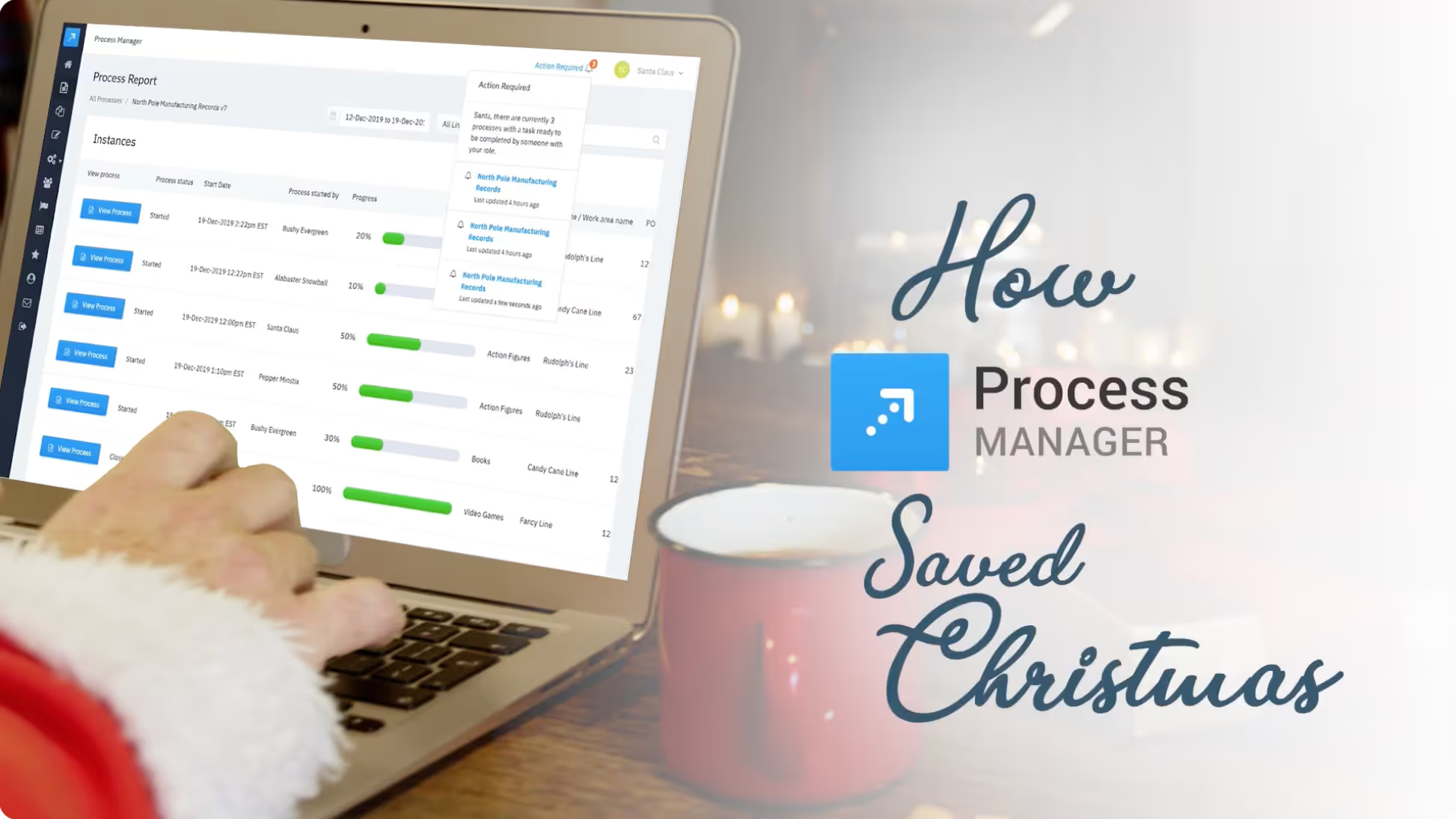
How Process Manager Saved Christmas
How Process Manager Saved Christmas
Twas the night before Christmas, and everything in Santa’s workshop was a mess. Learn how Santa cleaned up operations just in time to save Christmas
Weever wins Innovation Award
Weever wins Innovation Award
Weever has been recognized by Frost & Sullivan, a world leader in business research and consulting, as the most innovative new product in the category. According to Frost, Weever received this distinction due to the product’s ability to combine powerful data integrity features with a simple and intuitive interface.
Weever was developed initially to solve the complex requirements for FDA regulated Batch Record Management. To be compliant, software must deliver over 40 security features that govern everything from user permissions, to encryption and electronic signatures. Weever is now used to govern virtually any operations process, from Corrective and Preventive Actions (CAPA) to Document Management and beyond.
The software’s compliance was audited by David Nettleton at Computer System Validation who gave it “special recognition for not only meeting, but also exceeding and improving upon industry best practices”.
According to Frost, key success factors for Weever Apps in the enterprise mobile forms market include:
- Unique solution that meets the critical unmet need for compliance management in highly regulated industries
- Powerful focus on satisfying vertical-specific requirements
- Partnering to address ERP voids
Strong credibility in the digital transformation software sector - Prioritizing solution affordability and value
- Comprehensive post-sale enterprise support
We are very impressed with how well Weever meets the needs of the compliance community. Regulations complexity is expected to increase into the future, so the industry needs solutions like Weever to automate and simplify workflows.
Jeanine Sterling, Frost & Sullivan Industry Director - Mobile & Wireless Communications

Understanding the Machine Ledger
The Machine Ledger is used in World Class Manufacturing to better understand machines, sections, assemblies, and components so that maintenance teams can more effectively predict failures and plan preventive maintenance activities.
The Machine Ledger is a powerful graphical visualization that allows maintenance teams to understand at a glance:
- When maintenance was planned
- When planned maintenance was executed
- Which and how many components failed an inspection
- When unplanned maintenance was executed
- When breakdown maintenance was executed
The Machine Ledger provides insights that help maintenance teams optimize preventive maintenance scheduling and understand the impact each component has on product non-conformance (abnormalities) and breakdowns.
This helps maintenance teams better predict and prevent breakdowns, reduce maintenance costs and increase OEE (Overall Equipment Effectiveness) for the plant.

How does the Machine Ledger work?
To chart this information, the Machine Ledger uses a grid structure, where each column represents a day and each day is split into 4 quadrants that each represent the status of maintenance activities.
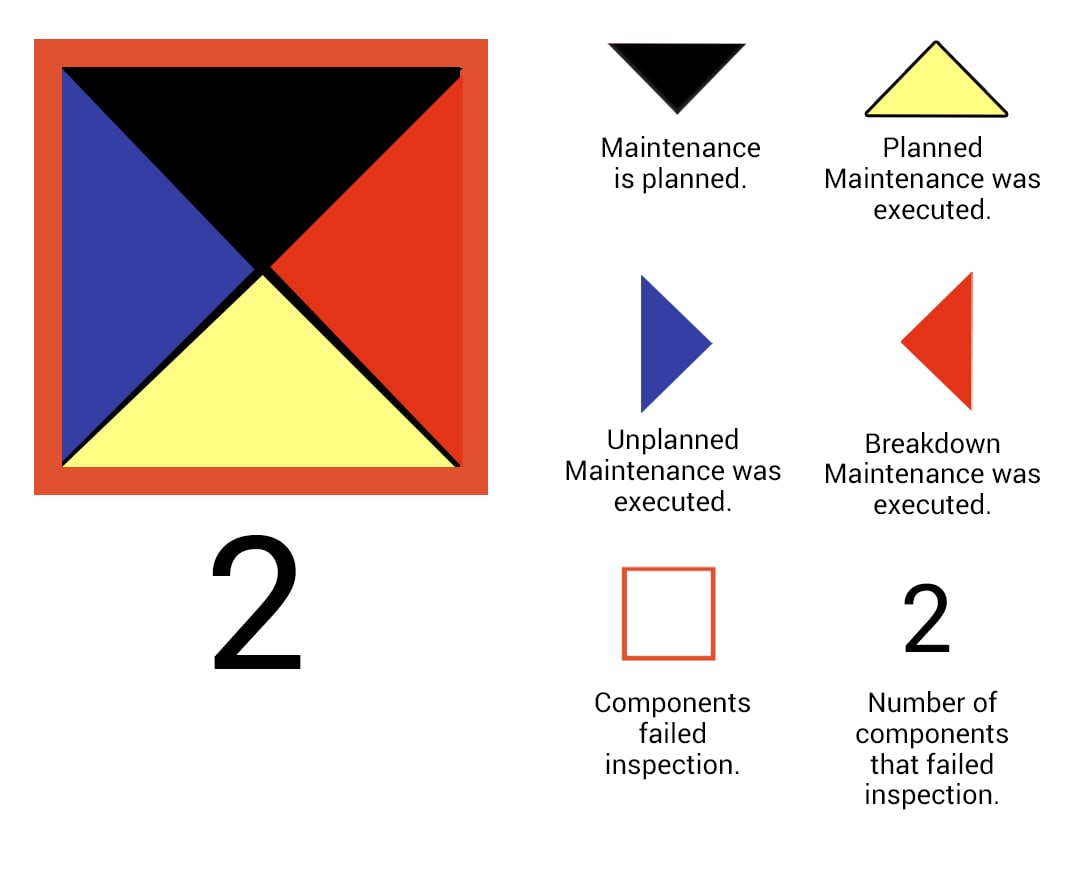
For each component and day, the data shows if maintenance was scheduled (or is scheduled for the future), if it was executed, if additional unplanned maintenance was required and if breakdown maintenance was required.
Each grid includes links to the maintenance report to gather more information.
What are the benefits of the Machine Ledger?
The Machine Ledger allows maintenance teams to understand maintenance/breakdown trends and patterns at the section, assembly and component level of your machines so they can better predict failures and plan preventive actions.
Machine Ledgers can be used to answer the following questions:
- What are the root causes for a breakdown?
- What components, assemblies, sections and machines require the most maintenance?
- What is our PM completion rate?
- When are the BD happening? Before/after PM, how close to the next PM?
- How much extra unplanned maintenance was required and why?
- Can we increase the frequency of PM and reduce the costs associated to breakdowns?
- What is the MTTR (Mean Time to Repair) for each component and how do they compare to each other?
By answering these questions, maintenance teams can optimize preventive and autonomous maintenance schedules to maximize up-time and eliminate breakdowns. The ultimate goal is to reduce maintenance costs and increase the plants OEE.
Another core, and sometimes overlooked, benefit is that in order to set up the Machine Ledger, maintenance teams are required to "de-compose" machines into their assemblies and components. This includes adding part information, PM type and frequency and classifications (A, B or C).
This activity improves the skills of technicians and provides teams with a superior understanding of the relationship between components and assemblies.
If you would like to learn more about how the Machine Ledger works, feel free to schedule a live demo with our Business Solutions Team.

The Inspector is coming. Are you ready?
The CFIA (Canadian Food Inspection Agency), Health Canada and the FDA can audit any facility at any time. Audits can be invasive and a highly disruptive experience - especially if you are not ready. Inspectors have the right to review any staff, procedures, product samples, documents and data in order to assess that (1) you are set up well for compliance, (2) you are adhering to your set up, and (3) the data you have collected can be trusted.
Weever Process Manager is digitization software that helps facilitate an efficient and smooth inspection process, which builds trust with inspectors that your organization takes food safety seriously.
What precipitates an inspection?
The CFIA, Health Canada and the FDA will inspect a facility more frequently if they have identified higher risks of contamination and other food safety issues relating to the facility, product or a process.
- Facility: An example of facilities risks could be related to an issue with CGMP (Current Good Manufacturing Practices) relating to your facility or product recalls.
- Product: Most product related risk that ring alarm bells for CFIA has to do with new applications, complaints or new product innovations (or breakthroughs).
- Process: Process risks are higher if the manufacturing process is unusually complicated or if the manufacturer has a history of not collecting batch information properly.
What does an inspection look like?
CFIA, Health Canada and the FDA inspectors can come to your facility unannounced and they have the authority to examine almost anything and order your staff to do almost anything as long as it is related to the safety of food. Their powers include:
- Examine, test, or take samples of anything in the facility
- Examine any document and make copies
- Order staff to move or not move anything in the production process
- Order staff to prove their identity
- Order staff to start, stop or complete any standard operating procedure relating to the production of the product
- Use your computers to analyze, print or save your data
Take photographs of anything
See comprehensive list of inspection powers here: https://laws-lois.justice.gc.ca/eng/acts/S-1.1/page-2.html#h-429522
What are inspectors looking to assess?
CFIA, Health Canada and the FDA will assess 3 main areas of batch record management:
- Readiness for commercial manufacturing - Determine whether the establishment(s) has a quality system that is designed to achieve sufficient control over the facility and commercial manufacturing operations. This relates to material handing, contamination, procedures and process feasibility.
- Conformation to Application - Verify that the formulation, manufacturing or processing methods, and analytical (or examination) methods are consistent with descriptions contained in the CMC section of the application for the biobatch (and other pivotal clinical batches, when applicable), the proposed commercial scale batch, and the API(s).
- Data Integrity Audit - CFIA, Health Canada and the FDA require that all data collected is complete, consistent, and accurate, aligned with the ALCOA principle:
- A - Attributable - able to be ascribed to a particular author
- L - Legible - clear enough to read and understand
- C - Contemporaneous - existing or occurring in the same period of time
- O - Original / True - present or existing from the beginning
- A - Accurate - correct in all details; exact
Are you ready for an inspection?
The CFIA, Health Canada and the FDA wants to ensure that you are your facility, products and processes are setup to ensure safe food practices, that you are executing your setup every time, and that the data has integrity - complete, consistent and accurate. Once you have set up your SOPs and manufacturing procedures to adhere to standards, Weever Process can help to ensure your procedures are followed and the data your collect is true and accurate.
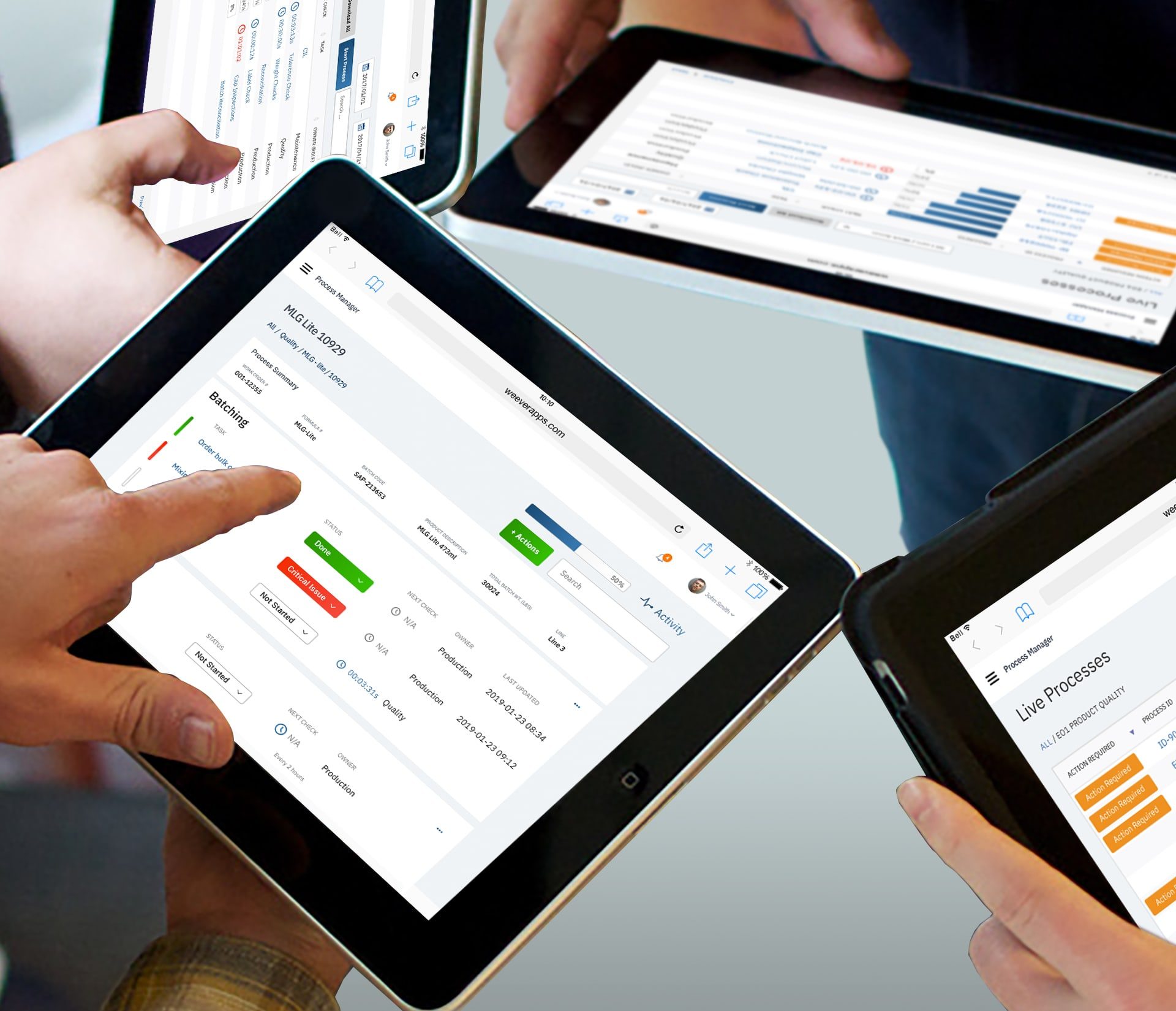
Process Manager is designed to help you efficiently facilitate inspections:
- Ensure SOPs and schedules are followed to the letter - Repeated checks, automated calculations, double-blind fields, communications and real-time notifications ensure your compliance process can be dictated once and followed automatically every time.
- Enhance Data Integrity - Audit trails trace the entire batch process, including any changes that were made. This provides inspectors with transparency into the entire batch process. Enhance data accuracy, attribution and legibility makes the inspection process much more efficient for inspectors and enhances trust that your facility takes CGMP and safe food practices seriously.
- Accessible Reports - Inspectors review easily accessible and transparent data aligned with the spirit of the CFIA function.
Why ERP systems don’t excel at Batch Records Management
ERPs were originally designed to control corporate finances, which is intrinsically linked to the flow of resources through an organization. The organization pays for raw materials, which are delivered and inventoried. A purchase order initiates a manufacturing process and the raw materials are turned into finished goods and shipped to the customer. Resources used in this process include:
- Money
- Raw Materials
- Labor
- Inventory
- Shipping and Receiving
Simply put, ERP systems are designed to track the “what?” of a manufacturing process, but not the “how?”.
The fact that an organization “produced 20,000 units of product x by combining specific quantities of x, y and z materials and it cost $40,000 and was completed on June 10th at 3:45pm” does not tell me anything about how the execution of the production process went.
- Were there any issues?
- What were the issues?
- How were they resolved?
These are “softer” questions that drive continuous improvement measures and are required for FDA regulatory compliance.
To solve this, organizations that are reliant on their ERP simply add additional fields to their database and then train their operators to input the data into those fields. Or they purchase an add-on product that defines the workflow better. Either way, the solution requires extensive training to implement and extensive on-boarding for staff to operate.
Our customers that use ERP systems for resource planning complain about lack of accessibility for staff - meaning, in some cases, their part-time staff cannot access the system until they are provided a login from head office, which can take days. This can also mean that the staff don’t have the adequate skills and training required to navigate the system.
To address this point, Jason Fried from Basecamp makes some good points:
“The people who buy enterprise software aren’t the people who use enterprise software. That’s where the disconnect begins. And it pulls and pulls and pulls until the user experience is split from the buying experience so severely that the software vendors are building for the buyers, not the users.”
https://signalvnoise.com/posts/669-why-enterprise-software-sucks
Fried goes on to discuss “Fortune 5,000,000” - the group of small companies that they target that use the products they buy.
This is not to say that all ERPs are poorly designed (although some are). They are simply designed mostly to tackle a different need. As a result there are some basic functionality gaps in the user experience of ERPs, especially on a manufacturing line, that hinder the user’s ability to be productive.
Software should flow with the user, not be another task that is added to their job description. Especially in the manufacturing environment where every second counts towards OEE and the bottom line, and every incremental process improvement can have a huge impact over time.
Software used to collect data at the line needs to be highly efficient and intuitive so that new users just “get it”, they can collect the data and move on quickly.
Weever Process solves these issues by offering a superior user experience to operators, while ensuring FDA part 11 regulatory compliance for audit trails, approvals, security, etc.
- Administrators simply create Process Templates that are initiated by operators when the batch is compounded.
- The application alerts users when their task is due, including repeated tasks.
- Staff take photos of products and labels and input readings.
- Automated calculations save time and double-blind tests ensure accuracy.
- Any issues create an automated alert. Staff collaborate and communicate directly within the app to solve the issue.
The app does all of this for pennies-on-the-dollar compared to an ERP installation.
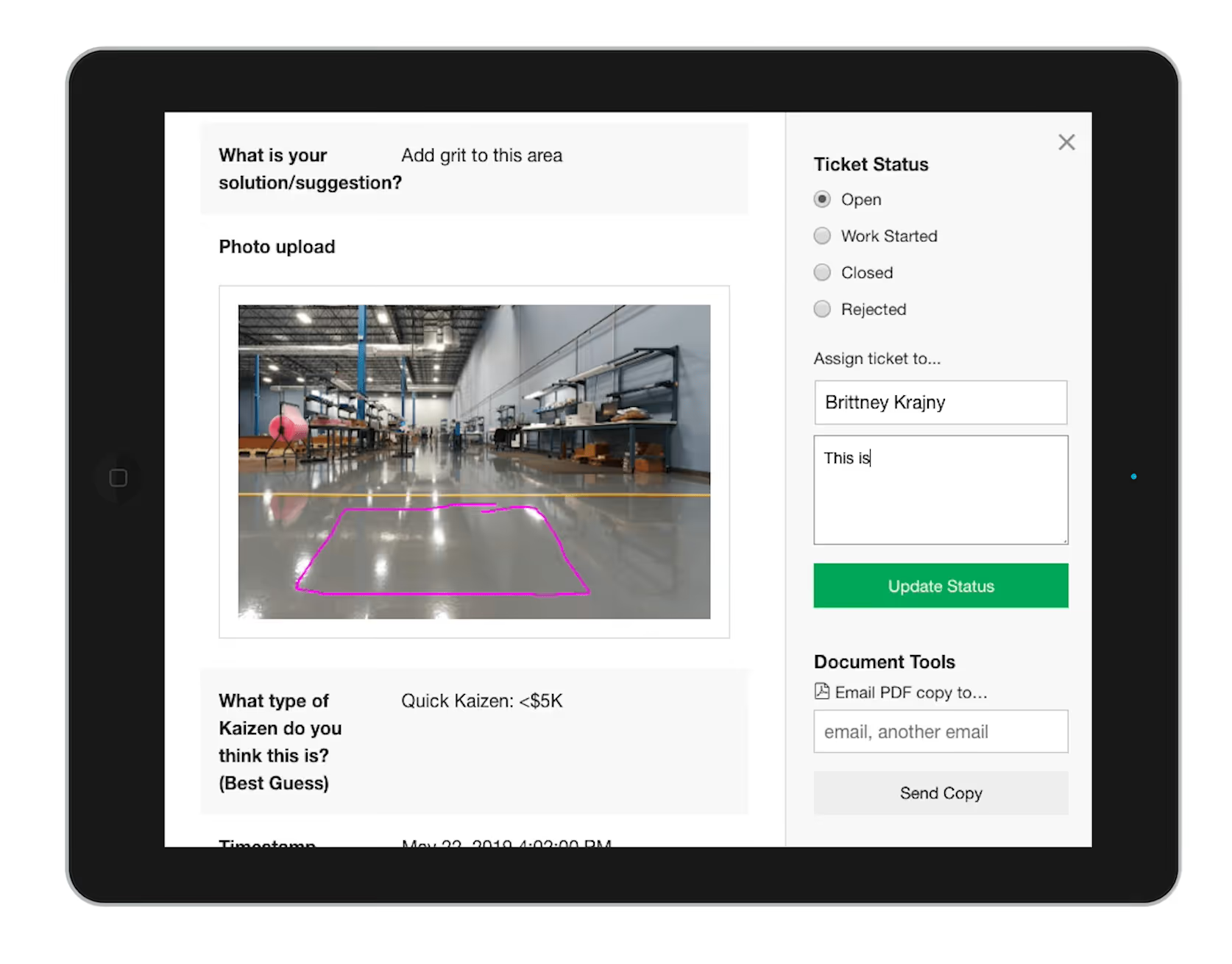
4 ways to reduce waste from your Continuous Improvement process
Kaizen is the process of incrementally improving processes by eliminating “waste”. Small improvements over time can have a huge impact on productivity and the bottom line.
Waste can come in many forms, including unnecessary inventory, physical movements and scrap. Kaizen only works if everyone is involved, which includes top management and, more importantly, the workers who do the job every day. What fuels the kaizen process is engaged workers who are thinking about smart ways to be more efficient. No suggestions = no improvements.
Ironically, some businesses can find the kaizen process to be a distraction (e.g. “waste”) from their core business. Getting staff to complete suggestions, supervisors to evaluate and assign action plans, workers to execute - it feels like a lot of work for a small improvement in efficiency. This is what has motivated our customers to look for ways to remove waste from their kaizen event process.
Here are some tips that you can deploy now to more out of your continuous improvement (CI) process.
1. Make the suggestion process as simple as possible.
When first initiating a CI plan, staff may grumble about the additional work required to submit suggestions. Don’t worry - this will soften when they begin to results. Also, a highly intuitive, simple, and powerful way to submit suggestions will get the most information in the least amount of time and ease worker frustrations.
Cloud-based web-apps work best because they can be quickly opened on any device, including the worker’s own phone. Photo capture with “sketch” annotation is an excellent feature, because photos can “say a thousand words”. Use a form builder tool to tailor your suggestion form(s) to your specific requirements.
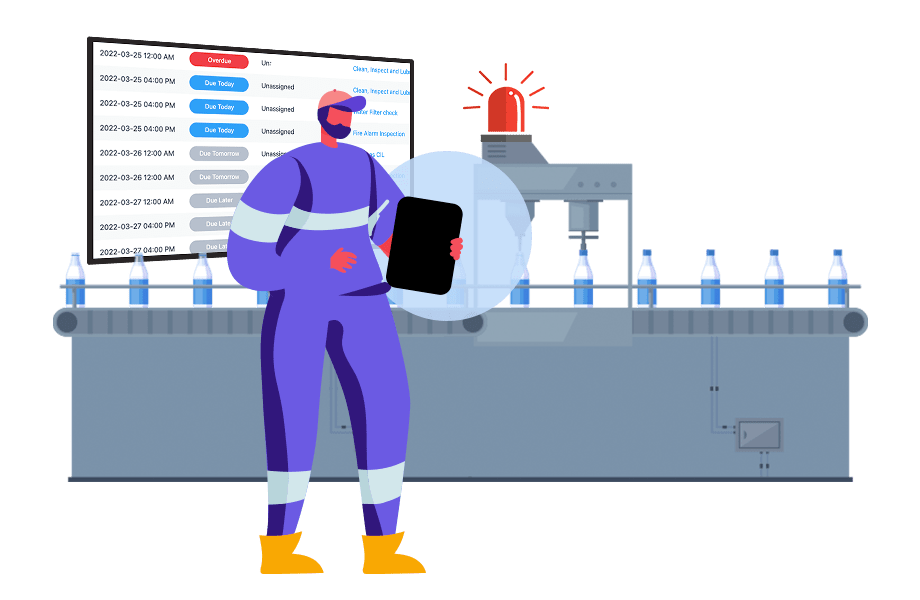
2) Engage staff in the solution
When a poor suggestion is made, resist the knee jerk reaction of rejecting it immediately. Rejected suggestions are a quick way to further disengage workers and, by asking questions, staff will see that management is serious about CI.
There also may be a hidden insight behind the scenes. Engage the suggester by requesting additional information or simply asking a number of “why” questions to get to the root of the problem they are solving, then work out from there.
3) Make the process public to increase accountability
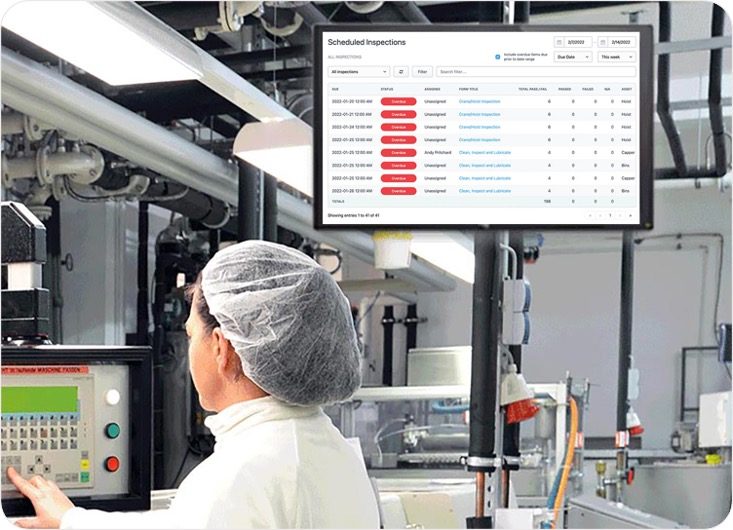
If you are having an issue moving the workflow along, providing all staff with access to real-time project status is a good way to increase accountability.
Public forums keep people accountable. You may find that this is a more productive way to keep the process moving forward than harassing your staff.
4) Celebrate Wins
When the process works and an action plan is completed, celebrate it by showing off the improvement and how it was realized. This will help staff see that their suggestions can truly make an impact on their own work as well as others. Create a KPI to measure the impact and circle back in a month or so to present the bottom-line impact that started with a great suggestion.


How to Comply with New OSHA Digitized Reporting Regulations
OSHA (Occupational Safety & Health Administration) is responsible for protecting worker health and safety in the United States. To comply with OSHA requirements employers must document work-related injuries and illness using 3 forms:
- Form 300 Log of Work-Related Injuries and Illnesses - overview of incidents for a given year.
- Form 300A Summary of Work-Related Injuries and Illnesses - Summary of the log including total numbers of each type of injury.
- Form 301 Injury and Illness Incident Report - Detailed account of incident.
Incident reports must be initiated within 7 days of a workplace incident and the log and summary (300 and 300A) must be submitted to OSHA once a year. OSHA has provided this form if you wish to collect this information manually: https://www.osha.gov/recordkeeping/new-osha300form1-1-04-FormsOnly.pdf
1. Form Builder
Adapt the OSHA Form Templates to suit your specific regional requirements. For simplicity of record keeping, Weever Forms has combined forms 300 and 301.
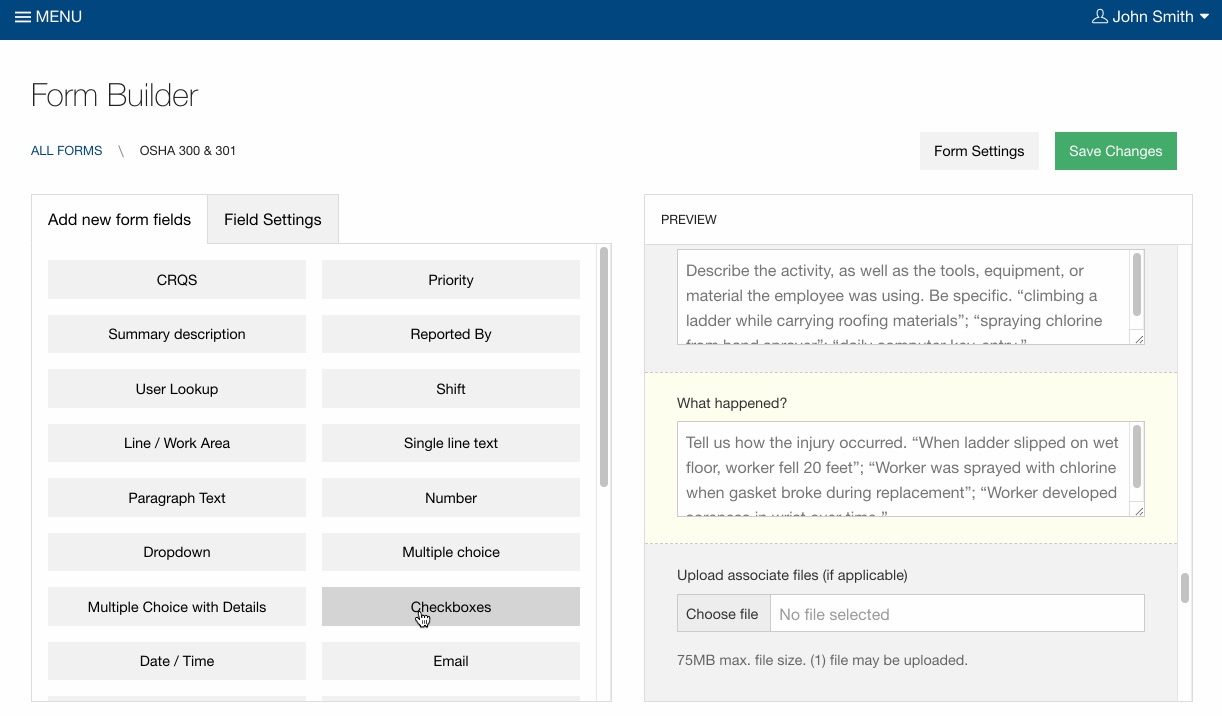
2) Data Capture
In the event of an injury, supervisors can collect data on virtually any device. Add photos and signatures. Automatically alert specific managers based on certain selections (conditional notifications). Each report is automatically attributed to a unique case number.
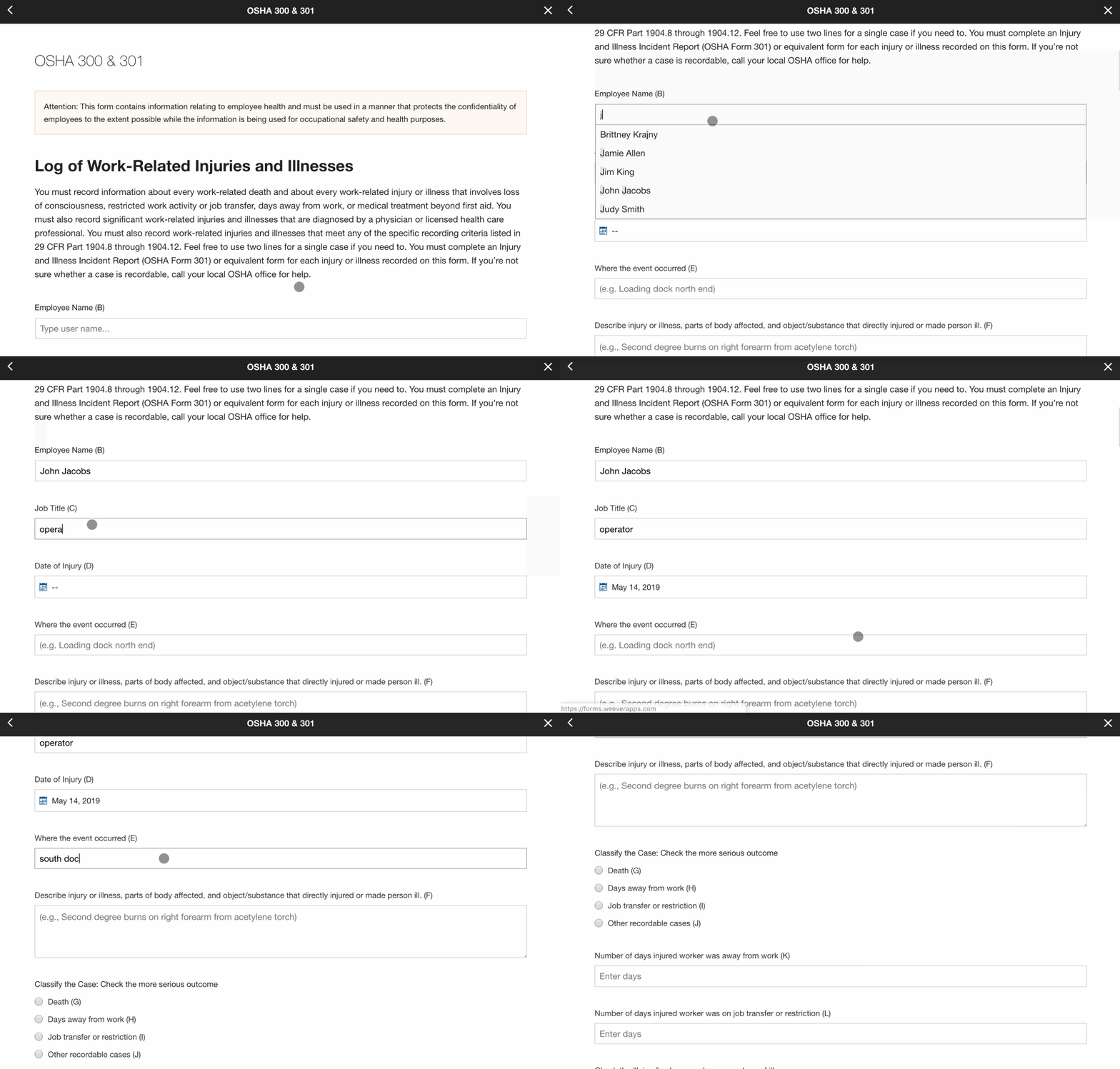
3) Assignments & Workflows
If you find cases are missing information assign reports to supervisor to request they complete missing fields and close the report. Supervisors can add additional information when new case information is available. This allows your organization to have a secure single-point-of-truth for your OSHA reports.

4) Generate Reports
At year end, review your OSHA reports to ensure there is no missing data.
Download a CSV of the report to summarize totals for the 300A report. You will also need to omit personal information for the final 300 report you send to OSHA.
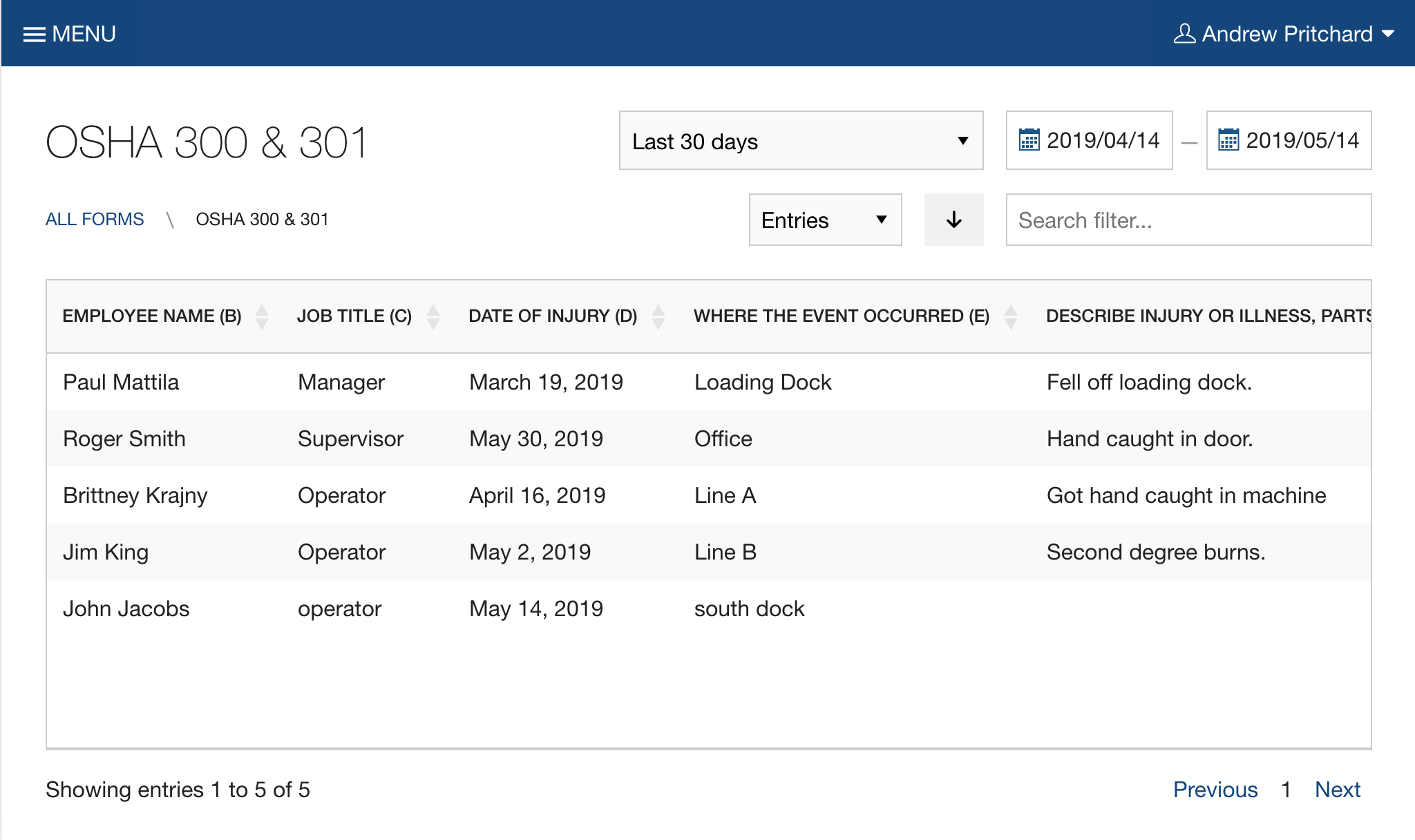
Copy and paste the summary totals from your spreadsheet into your 300A report. Once completed, the PDF can be printed and sent to OSHA.

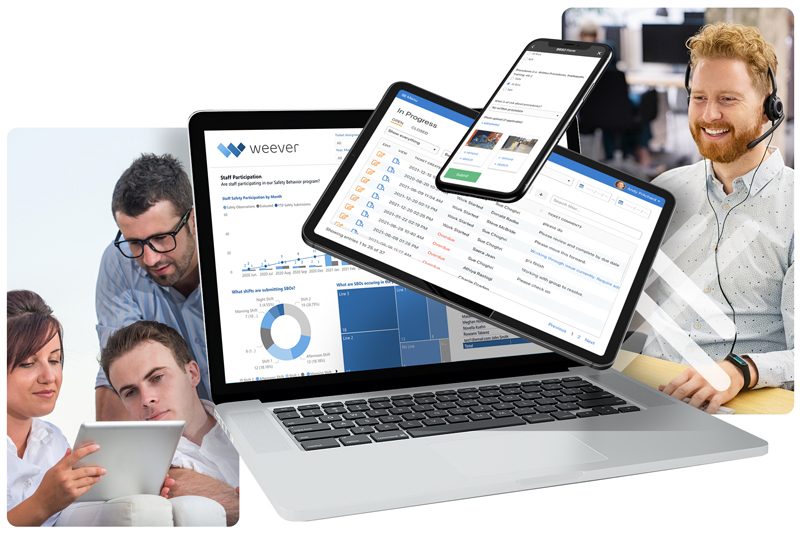
Schedule a demo
The best way to understand our software is to experience it.

USA Food Manufacturing Compliance Requirements
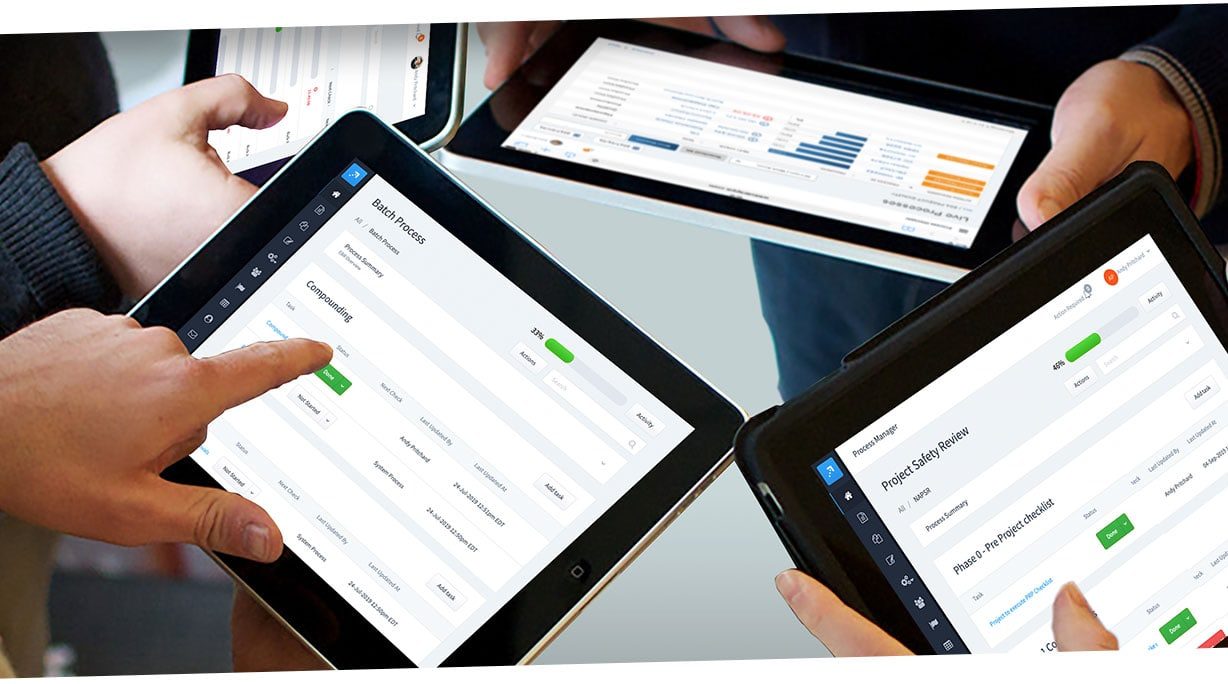
Compliance for manufacturing organizations is comprised of technical, legal and corporate requirements, regulations and practices manufacturers must comply with in order to produce and market products.
Numerous areas of compliance can come to bear on manufacturers directly or indirectly, including:
- Product safety
- Health, safety, and environmental impact
- Data protection
- Export controls
- Anti-corruption
- IT safety and security
- Fair competition
- Employment law
The strategic goal of most manufacturers is to produce competitive products, operate profitably, and grow their business in an environment of increasing globalization and elevated product development costs. This can be challenging enough in itself without adding the 3rd Dimension of Compliance, which is less concerned with what is produced and more concerned with how it is produced.
Risks of Non-Compliance
The risk of non-compliance has become an increasingly major concern in recent years, particularly for manufacturers with operations in multiple countries and jurisdictions. Simply put, if you're not compliant you can't play. This development has been further heightened by the increasing role of governmental regulatory bodies in certain industry sectors, along with the emergence of global standards to address the increasingly global nature of manufacturing. Regulatory compliance has become a major milestone not only in product development but also in guiding how manufacturers go to market.
If management fails to create an environment that ensures manufacturing compliance-or lacks documentation to prove all necessary steps have been taken to achieve it-it can be held accountable for compliance breaches. With this in mind, compliance must be an ingrained part of day-to-day business operations, and therefore part of the organizational culture. Employee involvement in and acceptance of compliance tasks, including a complete understanding of requirements and objectives, are integral aspects of a sound compliance practice for manufacturing.
Compliance Requirements for Food Companies include:
1. FDA Regulations
CFR (Code of Federal Regulations) 21 Part 11 and Part 820
The core mandate guiding FDA regulatory oversight is consumer safety. In response to this, the FDA has defined Good Manufacturing Practices (GMP) that dictate the necessary measures that must be taken to ensure that quality systems and processes are in place to consistently produce safe, quality products. Therefore, manufacturers in these sectors seek a manufacturing certificate of compliance indicating that they meet GMP. According to David Nettleton at computersystemvalidation.com, manufacturing Execution Systems (MES), including Electronic Batch Record (EBR) management systems, must be compliant with 21 CFR Part 11 and Part 820. These controls include audits, system validations, audit trails, electronic signatures, and documentation for software and systems involved in processing electronic data that are (a) required to be maintained by the FDA predicate rules or (b) used to demonstrate compliance to a predicate rule.
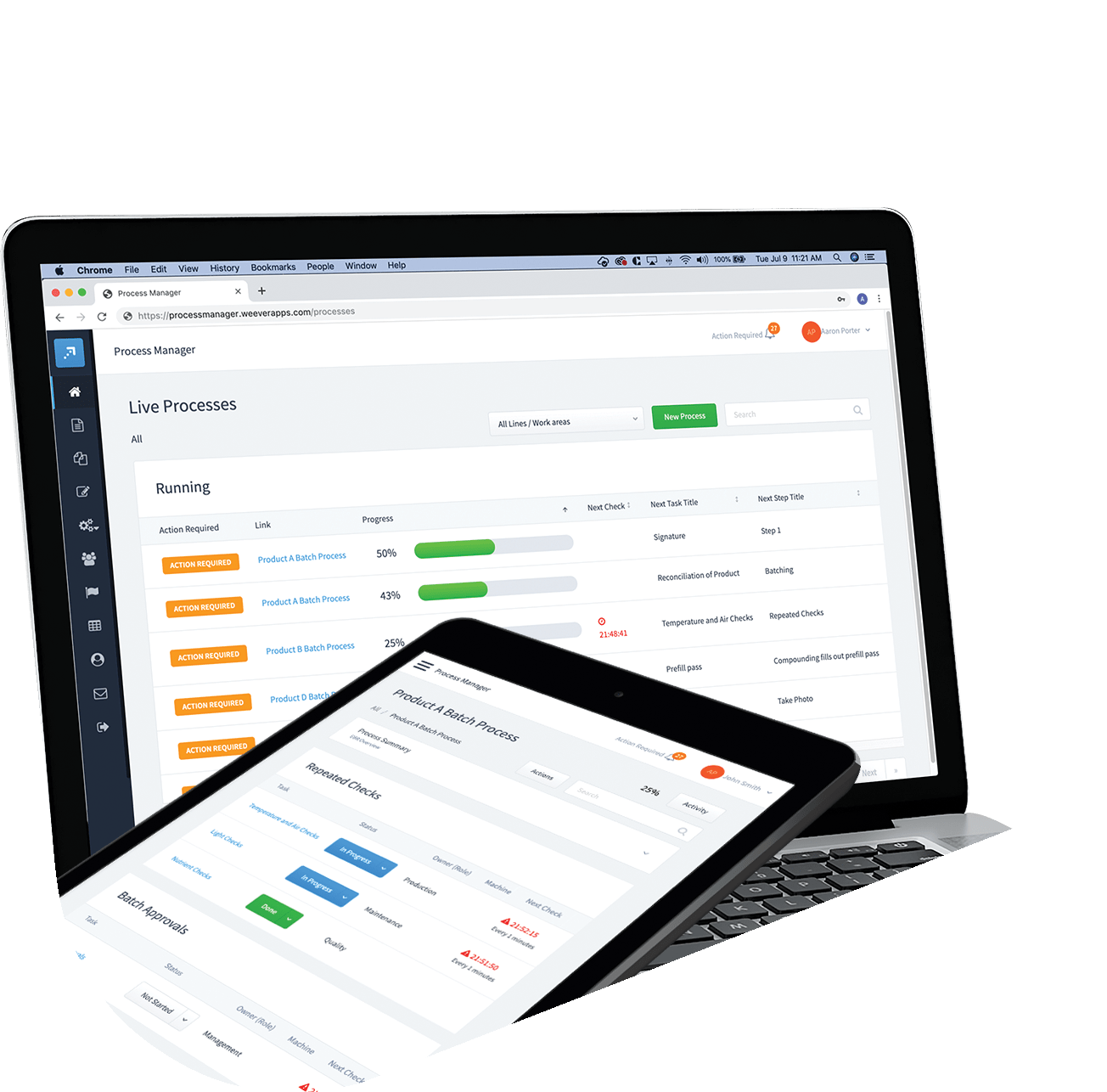
2. HACCP
Hazard Analysis Critical Control Points
HACCP is a management system in which risk-based preventive controls are conducted to avoid the contamination of biological, chemical, and physical hazards in the final food product. HACCP when applied correctly as a control process, will aid the prevention, elimination or reduction of critical levels of known and expected food contaminants. HACCP regulations include the Safe Food for Canadians Act (SFCA) and the FDA Food Safety Modernization Act (FSMA). HACCP certification is a global defining requirement for effective control of biological, chemical and physical food hazards. Compliance to HACCP, will transform brands, enable an effective entry-to-market means, and bring about new business opportunities. Inspection and validation by third-party certification bodies reaffirms an organization's commitment to food safety.
3. OSHA
Occupational Safety & Health Administration
OSHA is responsible for protecting worker health and safety in the United States. OSHA coverage extends to most private sector employers and their workers. OSHA determines which standards and requirements apply to which workplace environments and then enforces employer adherence to those standards and requirements. To comply with OSHA requirements, employers must take a number of specific actions; those include inspecting the workplace for potential hazards, eliminating or minimizing hazards, keeping records of workplace injuries and illness, training employees to recognize safety and health hazards, and educating employees on precautions to prevent accidents.
4. EPA
Environmental Protection Agency
The EPA seeks to protect and conserve the natural environment and improve the health of humans by researching the effects of and mandating limits on the use of pollutants. The EPA is charged with determining safe tolerance levels for chemicals and other pollutants in food, animal feed, and water. The EPA oversees a number of programs intended to promote energy efficiency, environmental stewardship, sustainable growth, air and water quality, and pollution prevention. The EPA enforces its findings through fines, sanctions, and other procedures.
5. International Standards
With the advent of globalization, international standards have become increasingly important to manufacturers looking to be compliant across international markets. With the implementation of the EMC Directive and similar regulations in other countries, regulatory compliance has become a major milestone in product development and marketing for most manufacturers. New and harmonized standards for manufacturing compliance continue to be developed.Key international industry standards for manufacturing compliance include:
- ISO 9001
- ISO 13845
- IEC 61215
- IEC 61646
Weever Process is an effective workflow automation tool to collect data and automate compliance regulations workflows. Process Manager includes features that can be configured to your specific business practices while ensuring the high levels of traceability and data integrity required by governing agencies.
Take a Guided Tour.
Millions of jobs completed worldwide. View Testimonials

3 ways to get operators more involved in maintenance
Creating an autonomous maintenance program is a great way to increase machine up-time and focus on more strategic machine maintenance programs. Getting the operators involved in clean, inspect and lubricate (CIL) maintenance task keeps the line running smoother. Operators learn a bit more about what is "under the hood" of each machine, which makes them better machine operators.
Here are some quick tips on how to get operators more involved in your machine maintenance activities.

1) Simple Tools
Operators are focused on ensuring the line is running smoothly. If any tasks are added, it can create stress and confusion. Ensure the tools you use to execute machine inspections and collect data are as simple as possible.
Weever offers a highly intuitive user experience featuring big buttons and a simple navigation. Customers create forms based on templates that feature powerful data capture fields including photos, eSignatures and more ...
2) Schedule & Assign
If you don't schedule it and make staff accountable, it is not going to happen. Schedules need to be easily accessible so that staff can find them easily. Also, making schedules "public" to your staff increase accountability. Staff know that they are being "monitored" not only by management but also by their peers.
Weever is accessible on virtually any device. Our customers use inexpensive android tablets for each line or work area. Each tablet is "bookmarked" to the respective line so staff simply click the app icon, login and view their line's inspection schedule. No more excuses.
3) Provide Instructions
Operators are not maintenance staff, so a little hand-holding for maintenance tasks can be very well received. Use information boxes in forms to provide detailed instructions for the tasks. Photos, step-by-step guides, and PPE checklist are handy. Staff can skip these tutorials as they become more confident and comfortable with the tasks.
Use Info Boxes in the Form Builder tool to add your own instructions to each maintenance tasks. Some of our customers add quick videos of a maintenance professional executing the task.
We hope this information has helped. Offloading simple maintenance tasks to machine operators can have a huge impact on machine downtime/uptime, staff engagement and OEE.
Get in touch if you have any questions or would like to learn more about us and what we do.

How to Digitize Construction Site Audits

As a general rule, a supervisor or competent person must inspect a construction site at least once per week to ensure that the site does not reasonably endanger workers. Construction Site Audits include tests and observations necessary for the detection of hazardous conditions. Each region will have its own laws that govern audit requirements and frequency. Manufacturers may also provide required inspections for machines and equipment used by workers at the site.
If an incident occurs, to avoid liability the organization must provide a history of properly conducted site audits to prove compliance with regional safety standards.
Construction Site Audits can include the following:
- Machinery and equipment ( e.g. fire extinguishing equipment, electrical installations, etc.)
- Communication systems
- Sanitation and medical facilities
- Buildings and other structures
- Temporary supports and means of access and egress
According to COR (Certification of Recognition) standards in Canada, to be compliant organizations must not only inspect on site vehicles, machines, tools and equipment, but the organization must also be able to prove that inspections were completed as scheduled and assigned.
Here are the top 5 things to keep in mind when digitizing your Construction Site Audits.
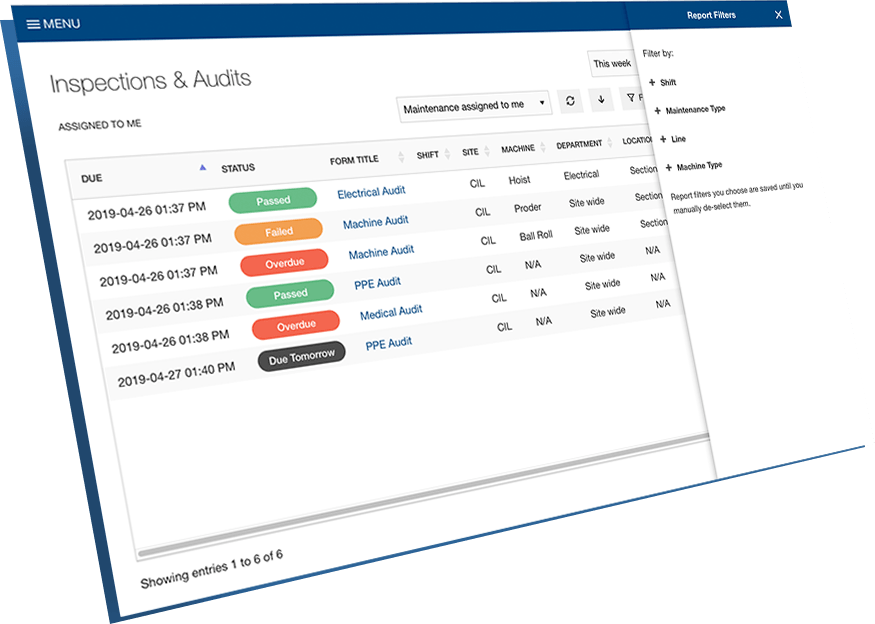
1) Schedule & Assign
Construction sites are busy places and supervisors are responsible for a lot. If its not a priority then it won't get done. Create a schedule and assign inspections to your supervisors so they are aware of the requirements.
Weever Inspections includes a built in scheduler where you can assign audit forms to app users and/or sites.
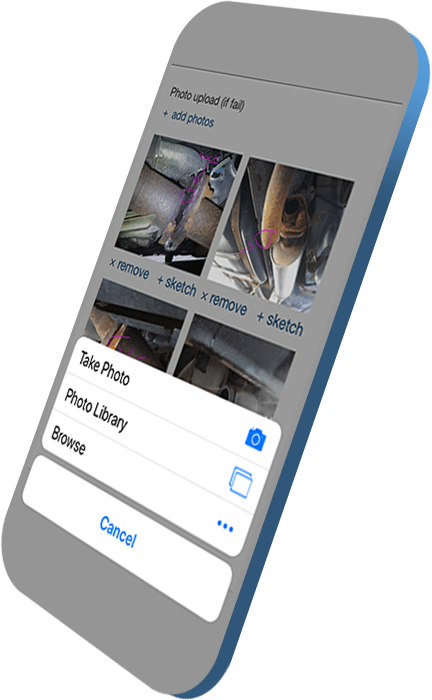
2) Reduce Form Clutter
Make the Construction Site Audit process as painless as possible by removing unnecessary requirements.
For example, instead of describing an issue, staff can simply take a photo and add a few notes. Even better - add a sketch to draw attention to the issue.
3) Make it easy to access
Ensure the construction site audits are immediately accessible on every device so the site supervisor can do it quickly and move on. A BYOD (Bring Your Own Device) policy can be used to let staff use their own phones. No more excuses.
Our apps are cloud-based and accessible with any browser on virtually any device.
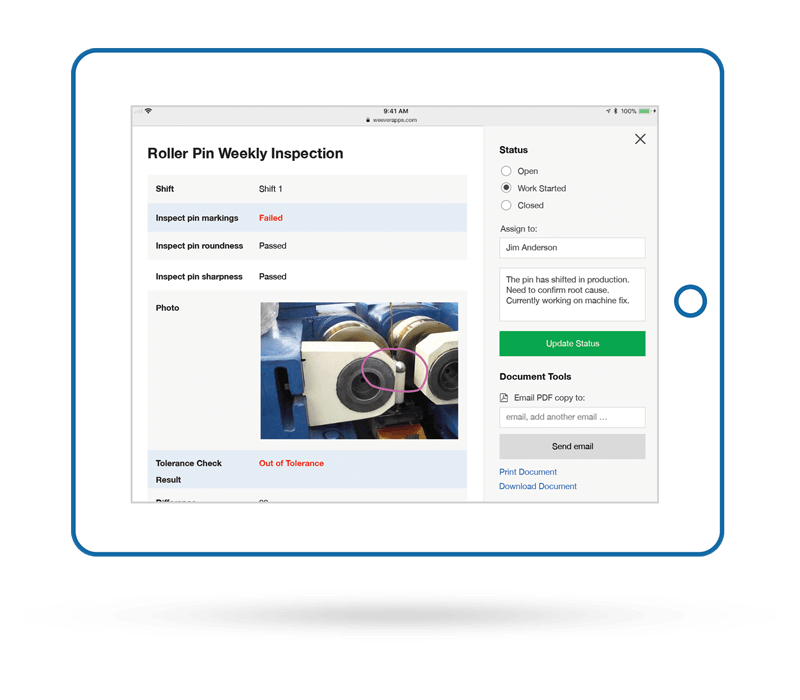
4) Automate Failure Workflows
Limit the responsibility of staff by automating workflows for inspection failures.
Site Supervisors then are only required to fill out and submit a form. If a failure occurs, staff can be informed of the standard operating procedure and the person responsible for the machine or equipment can be automatically notified.
All Construction Site Audits can be automatically saved as in progress tickets. Supervisors manage ticket status and assign to staff. You can also set up conditional email notifications based on the user's selection.
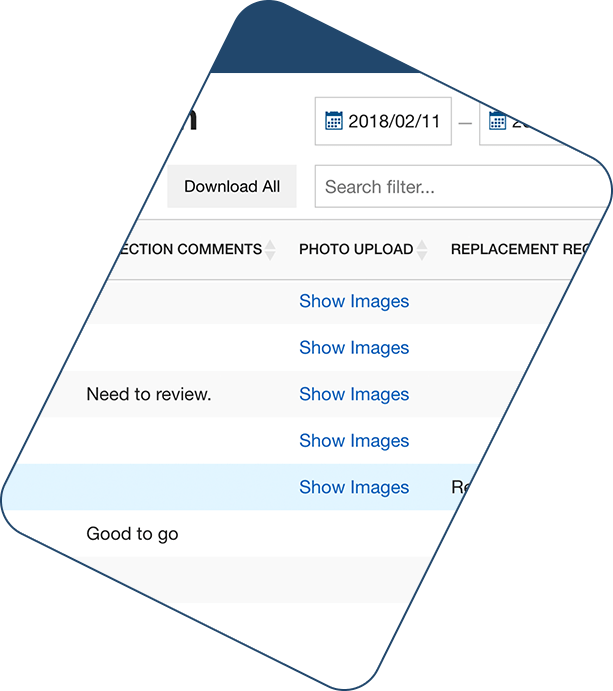
5) Get Real-time Reporting
Get reports in real-time so you can see immediately if any checks were missed or require immediate action.
Form Reports are accessible instantly upon submission ensuring that you have the most up-to-date information at your fingertips.
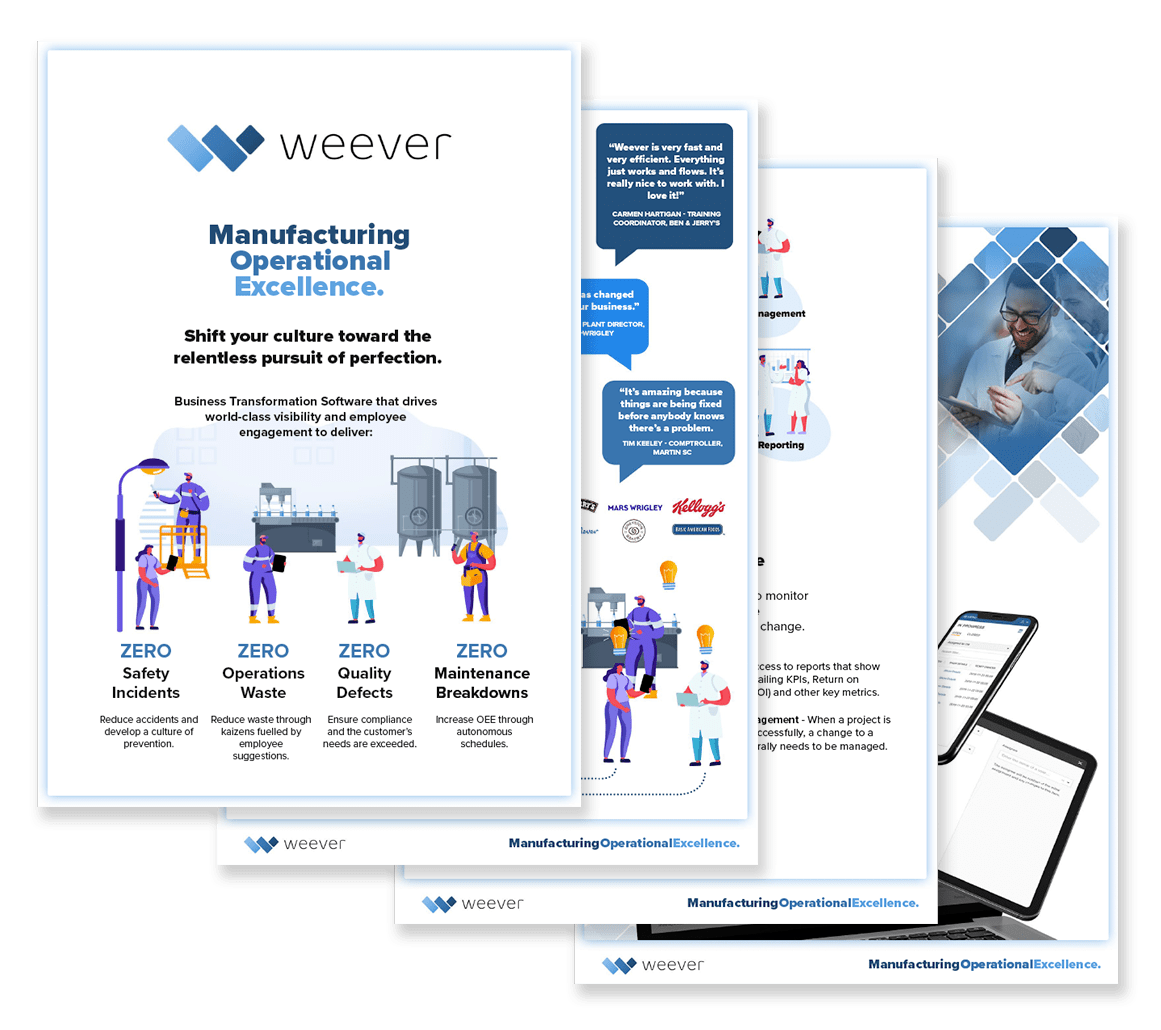
Download our Brochure
Interested in learning more? Do you want to share information about Weever with a colleague? Request a copy of our brochure that provides:
- Overview of Operational Excellence
- Product Details
- Case Studies, Testimonials & Key Success Factors

FDA Regulated Software Validation Process
FDA requires software vendors to add features to their software to ensure data integrity and audit trails. The manufacturers that use the software for data capture and workflow management relating to FDA compliance are also required to undergo a validation process to ensure the configured software works as intended.
What does software validation mean?
In order to produce FDA compliant COTS (Configurable Off-the-Shelf) software, a vendor must:
- Add a series of features that ensure data continuity, integrity and security
- Complete a software validation process
- Enhance security, recovery and training procedures (SOPs)
When all requirements are completed, a third party consultant provides a Compliance Letter to the vendor. A new Compliance Letter is obtained for each new major version release.
What do manufacturers have to do to validate their software is working as intended for their unique processes?
When FDA regulated manufacturers adopt software they are required to further validate that the software is working as expected for their specific quality processes. Manufacturers are required to create a list of "jobs" the software is to complete and then test to confirm the jobs are completed correctly.
What do manufacturers we need to do if the software is reconfigured or a new version is released?
Whenever the application is reconfigured (i.e. updates to forms or new processes) or a new version of the software is released the customer must revalidate the software. This process involves the following steps:
1. Create new versions of the validation documentation and update the specifications and test cases
2. Execute new test and report the results

Schedule a demo

What is World Class Manufacturing?
An excellent overview of WCM can be found at Better-Operations.comhttps://better-operations.com/2013/05/22/world-class-manufacturing-at-chrysler-and-fiat/
https://better-operations.com/2013/05/22/world-class-manufacturing-at-chrysler-and-fiat/Some quick notes from the article include:
- The company-specific production system (XPS) of Chrysler is the World Class Manufacturing (WCM) concept, developed by the Fiat Group in 2006. “WCM is how we do our business. Period.”
- WCM was developed by Fiat and partnering firms in 2005.
- The Chrysler Group joined the WCM when Fiat acquired majority shares in 2009
- Today, 166 manufacturing plants in 16 countries are active partners in the worldwide WCM Association. 30 of these are Chrysler plants, whereas 45 belong to Fiat.

Filter your Skills Matrix Report by Shift, Role and Course
Weever Skills Matrix Update
The Training Manager has been updated to allow administrators to filter and sort by Role, Shift and Course making it easier to identify skills gaps and training opportunities.
Here how you use the new filters:
Click on the Shift or Role sorting arrows to sort the list in ascending or descending order.
- Pro-Tip: you can sort by multiple columns by holding down the “shift” button.
You can view only “Active Users” (default) or view “All Users”, which includes inactive users.
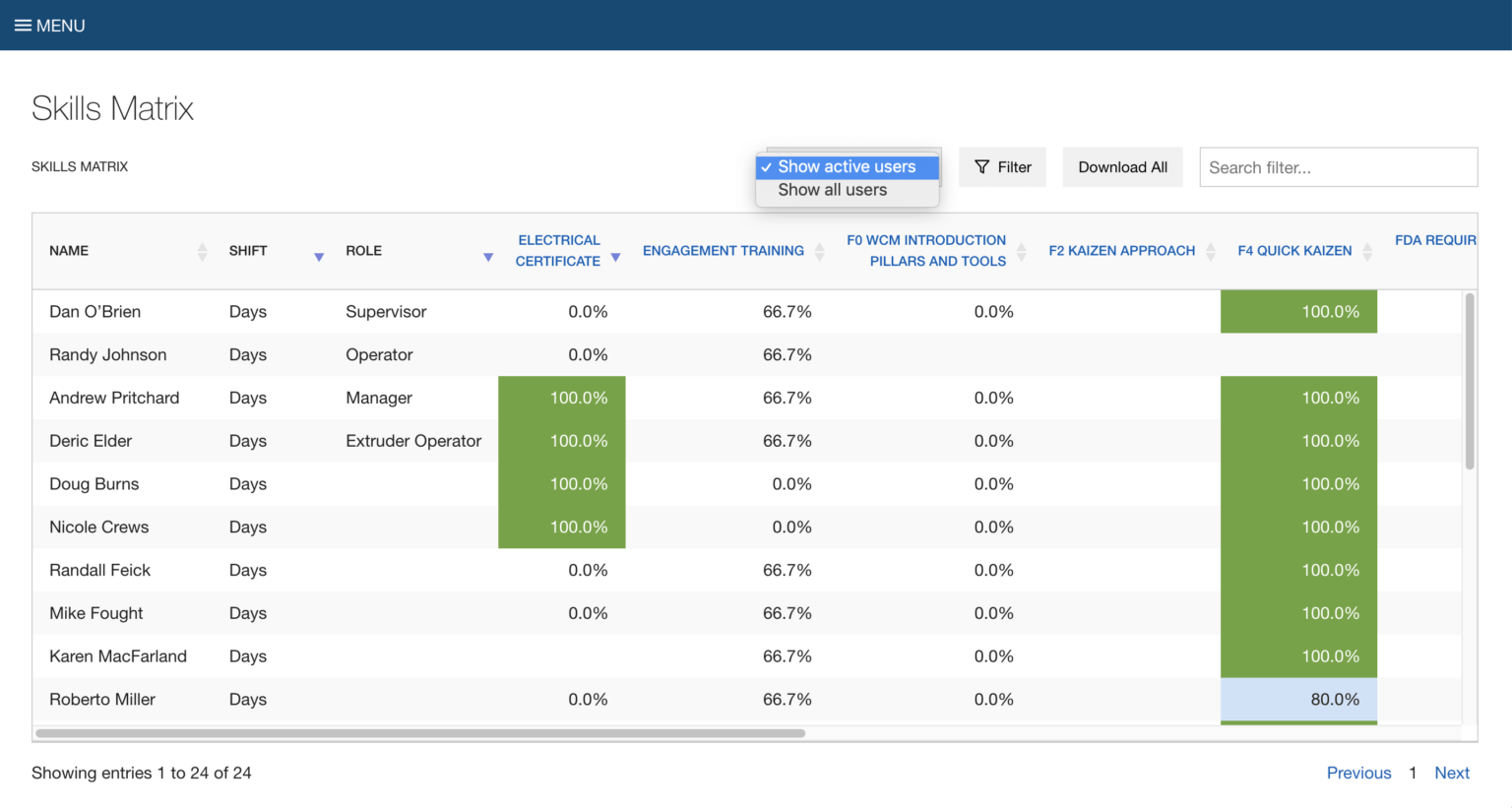
Click on the “Filter” button to filter the data table.
- You can filter by multiple roles and shifts.
- In the top Skills Matrix level, you can also filter the data table by multiple courses.
Note: Highlighted percentage scores are based on the user’s competency check scores.
- Green = the user scored 4 or 5 on over 94% of the tasks within the course.
- Blue = the user scored 4 or 5 on over 80% - 93% of the tasks within the course.

Click the “Download All” button to download a CSV of the complete, filtered and sorted data table.
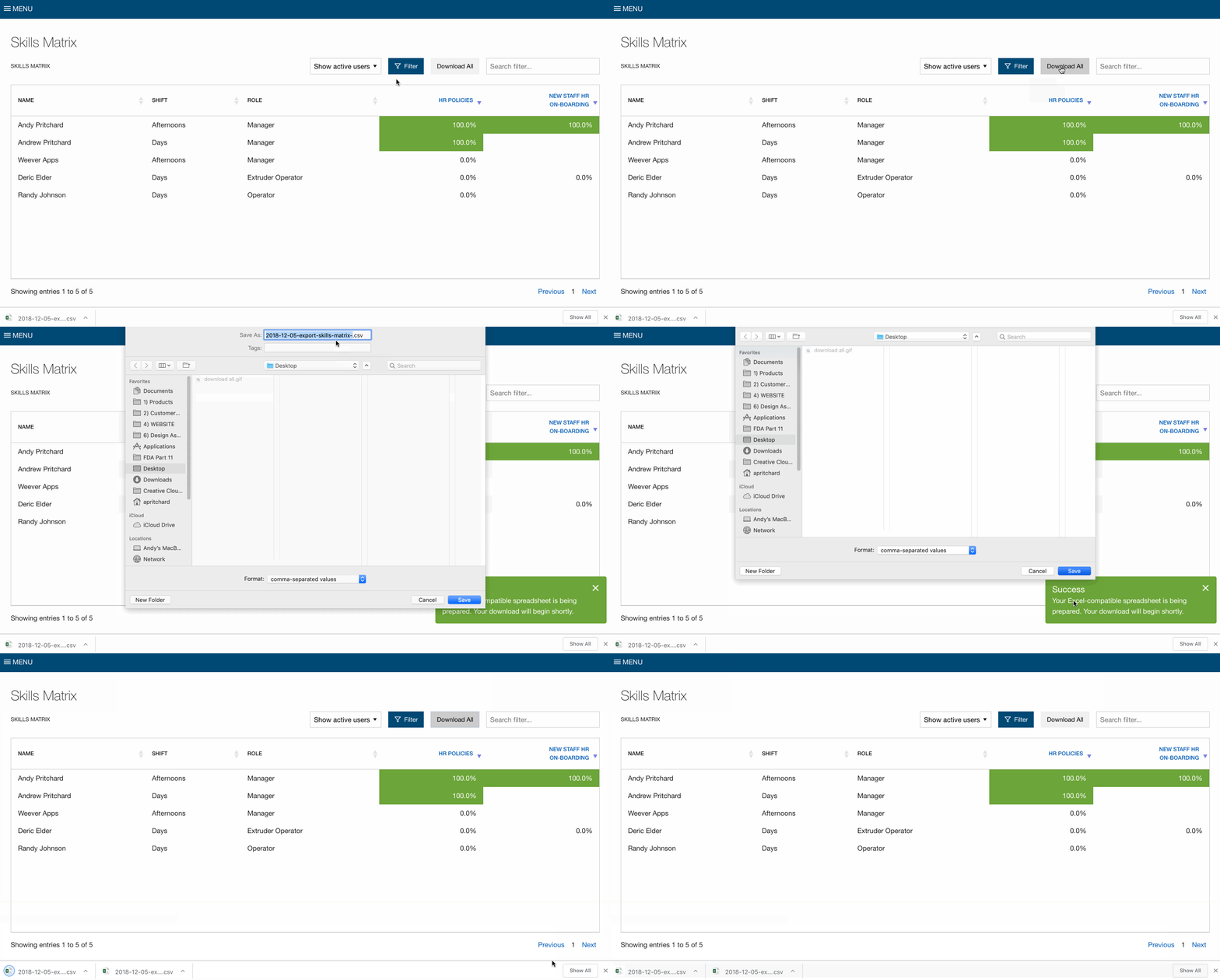
Click on blue course names to view the module level.
Note: Highlighted percentage scores are based on the user’s competency check scores.
- Green = the user scored 4 or 5 on over 94% of the tasks within the module.
- Blue = the user scored 4 or 5 on over 80% - 93% of the tasks within the module.
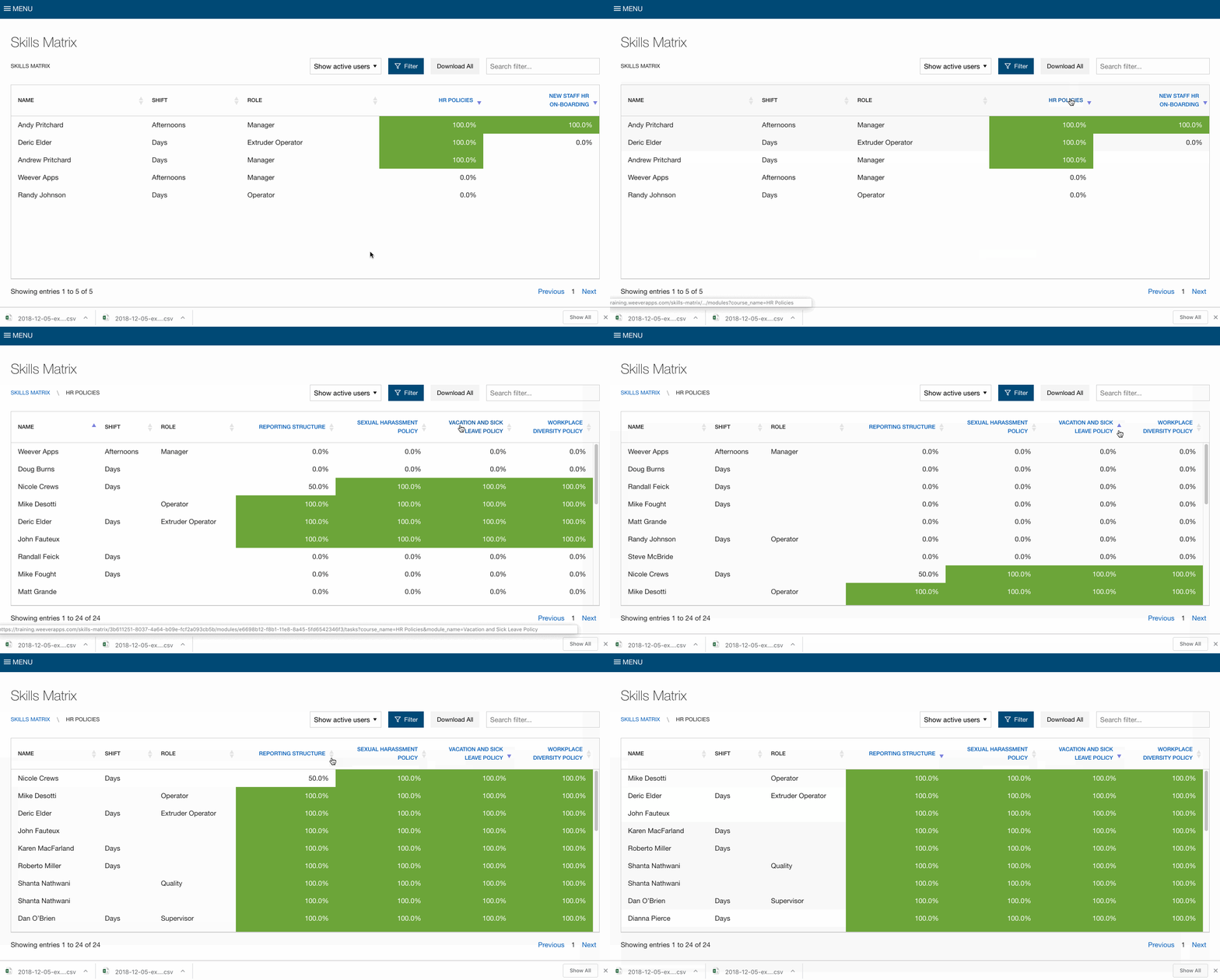
Click on the blue module names to view the individual scores on each task.
Note: Highlighted scores are the user’s competency check scores.
- 5 (Green) = I can teach
- 4 (Blue) = I know and can apply
- 3 = I can apply with support
- 2 = I know the topic superficially
- 1 = I don't know the topic at all
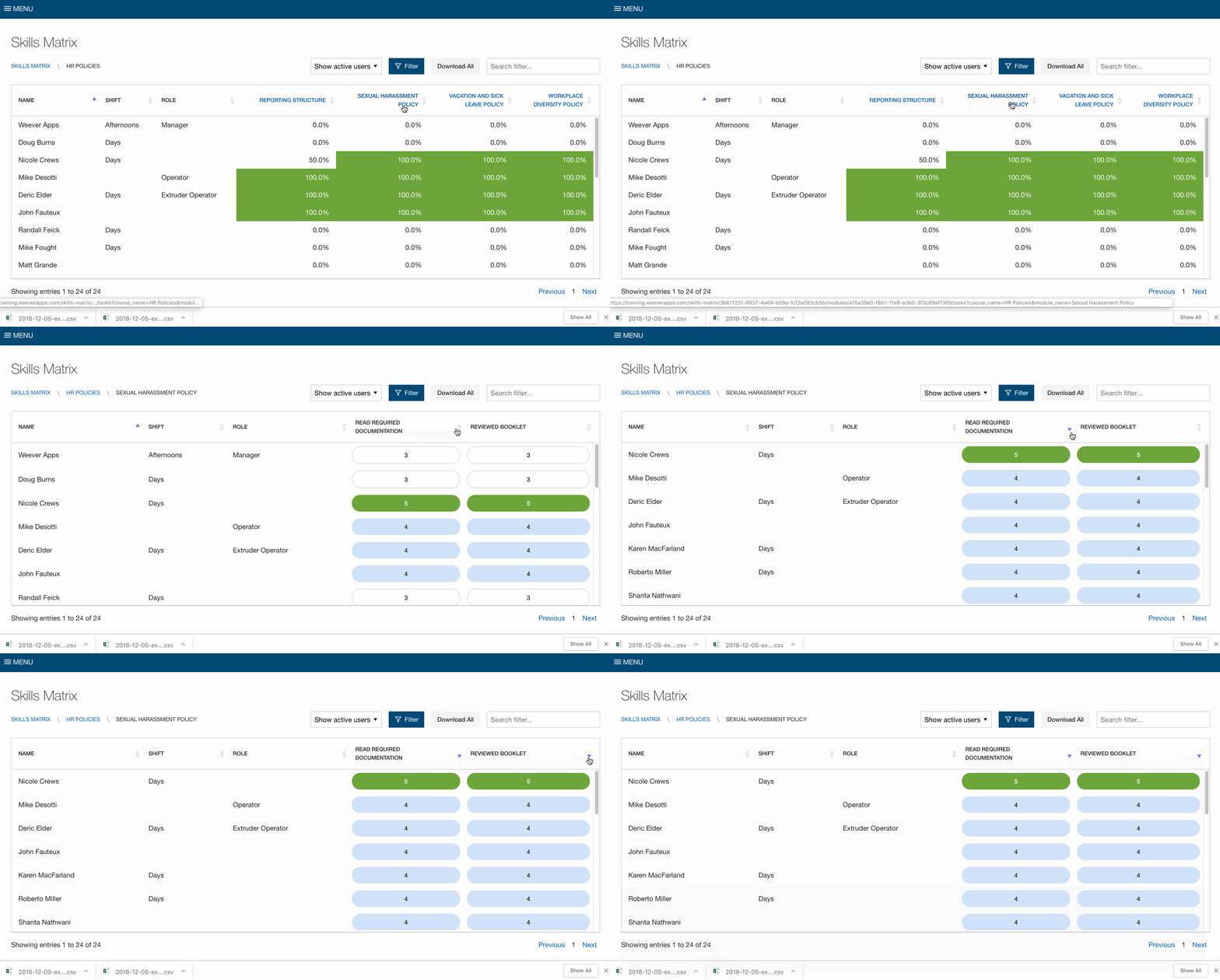
Spend Less Time on Admin. Get More Insights by Email.
Subscribe to receive practical tips, updates, and ideas to improve operations without the extra admin work.