
-%20smaller.webp)
.webp)
Explore More Blogs

How to be more proactive about safety
Proactive Safety is about preventing incidents before they occur. In contrast to reactive safety, which uses incident reporting to mitigate the recurrence of incidents that have already happened, Proactive Safety enlists the help of all employees to identify and mitigate potential hazards before they lead to harmful incidents.
Even the prevention of one major incident could save your organization between $100K - $250K or more in direct and indirect costs. In a recent study on safety ROI in Ontario, Canada, The institute for Work & Health determined incidents include an average direct cost of between $39k - $78k and indirect costs of $78k - $156k. So what are some quick ways you can make your safety-first culture more proactive? Let's discuss:
1) Periodically assess the safe practices of co-worker.
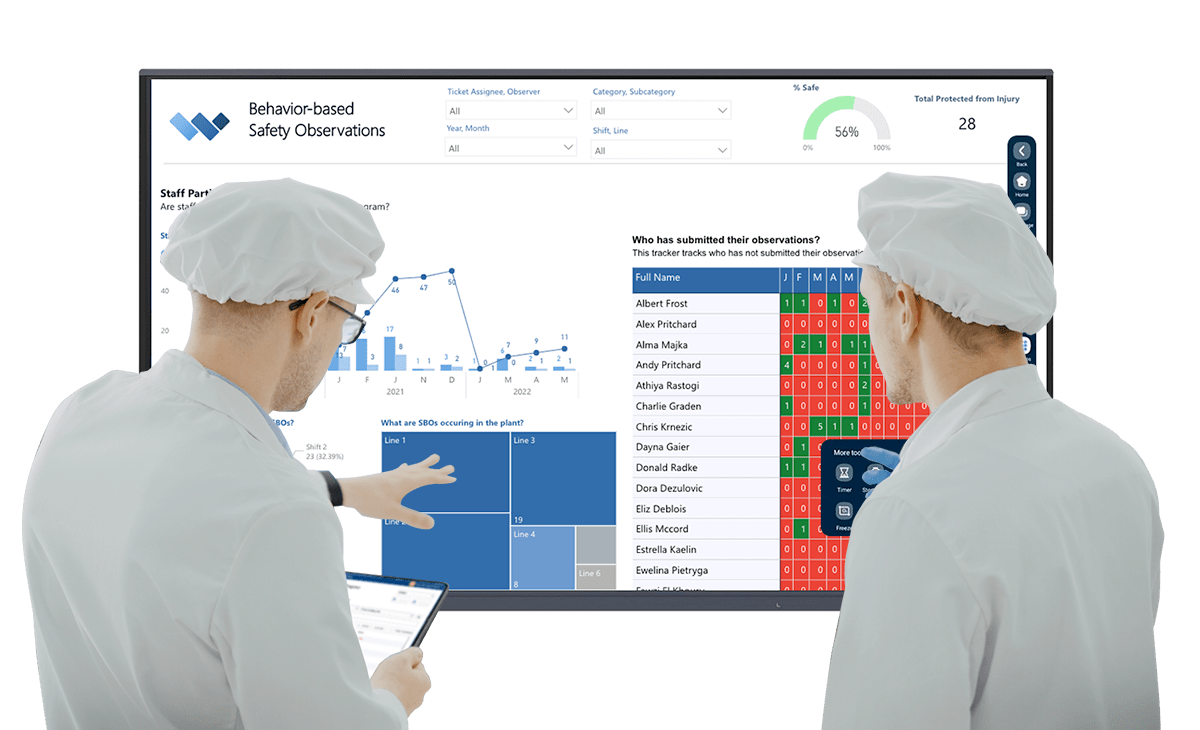
Behavior-Based Safety Observations (a.k.a. Safety Behavior Observations) are a great way to get your frontline staff more involved in safety and capture insights into unsafe behaviors.
BBSOs ask staff members to observe co-workers completing tasks and provide feedback on their compliance to standards. The observations can be conducted by supervisors or frontline staff. The point of the program is not to get people in trouble, but to proactively assess behaviors, to provide immediate corrective feedback, and to inform preventive action plans.
Observations can uncover some great insights into unsafe behaviors and how to correct them. For example, a BBSO could uncover that staff or contractors are not using the appropriate PPE for a certain task. The observer can correct the behavior to prevent an incident from occurring. If enough observations report the same issue, this trend can be corrected by training and/or onsite signage.
2) Provide immediate and automated feedback to risks.
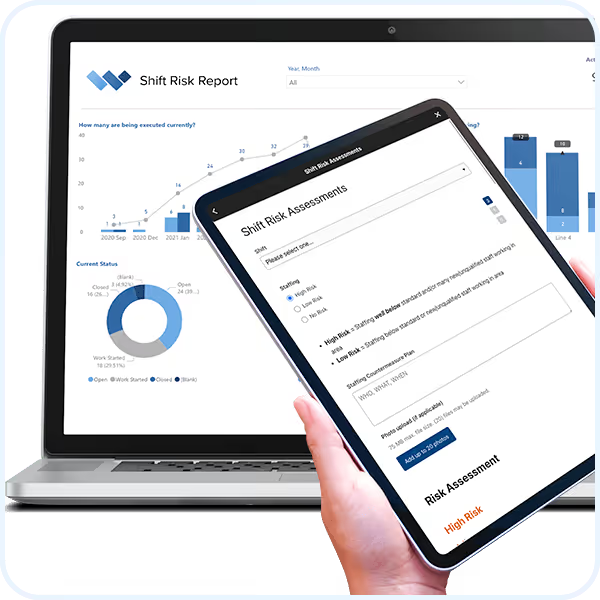
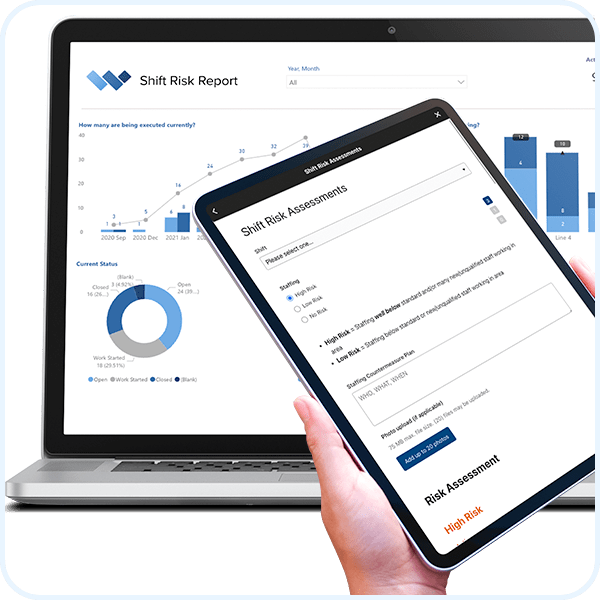
Risk Assessments are a great way to help frontline staff identify potential risks and plan their project to ensure safe outcomes. Risk Assessments ask questions about the upcoming shift. As staff answer the questions, the risk assessment automatically calculates a risk level and provides a required action plan.
For example, things like the experience of the staff, maintenance work orders in the area, or non-routine tasks will elevate the risk level of the shift. Higher risk levels can require countermeasure plans and/or additional safety walks during the shift.
Risk Assessments alert staff to issues that may arise, which helps to prevent incidents before they occur. The best part is that the workflows are automated, which saves loads of time, and safety managers can be alerted only to high level issues, which require their involvement.
Weever's Proactive Safety Solution includes a handy Risk Assessment form template that you can configure to suit your unique processes.
3) Assess and reward safety knowledge.
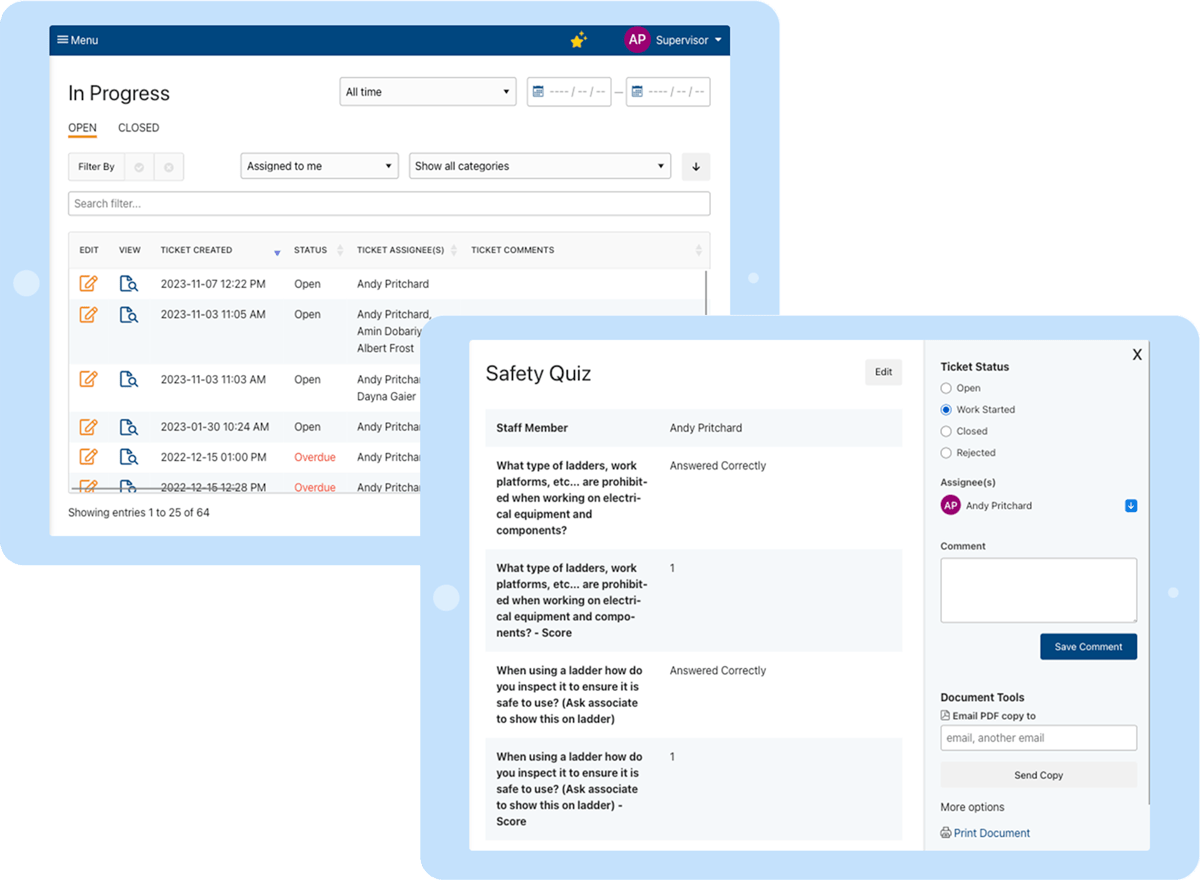
You can create simple safety quizzes each month to ensure staff understand appropriate behaviors and policies. Safety quizzes ensure safety is top-of-mind, encourages discussion and engagement, and can offer some great insights into gaps in general safety knowledge.
You can spice it up by offering prizes for perfect scores or create a raffle where each correct response is a ballot in the draw. Learn more about how Monthly Safety Quizzes work.
In conclusion, there are many ways you can engage staff in identifying safety risks before they result in an incident. Feel free to schedule a demo with Weever to learn more about our Proactive Safety solution.
Near Miss Reporting
Near Miss Reporting
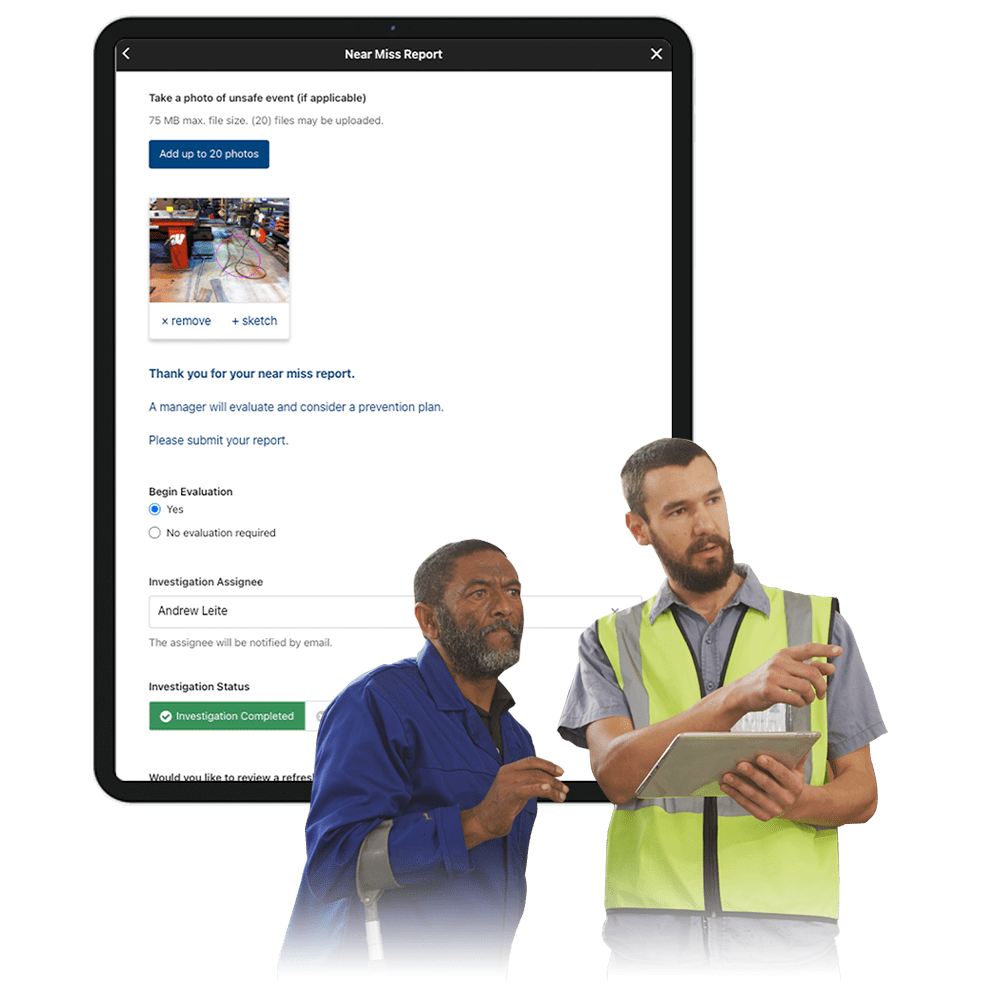
- Identify and report safety risks without skipping a beat.
- Quickly review photos, videos and make evaluations.
- Create and assign action items and follow progress to completion.
- Keep all stakeholders in the loop so they understand the positive impact they are making.
Request Free Demo Solution Overview

Make safety proactive with Weever.

Digital DATA CAPTURE
Make it easy to quickly capture details where and when they happen
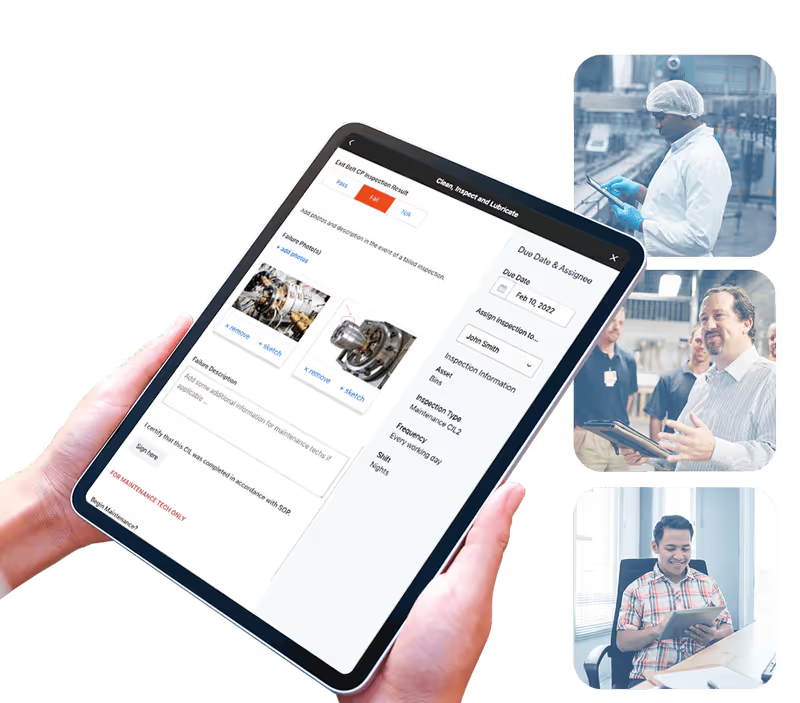
- Entirely configurable digital form.
- Capture photos, sketches and digital signatures.
- Calculate risk and automate real-time instructions.
- Create action items with assignees and due dates.


WORKFLOW AUTOMATION
Automate administration so you can focus on safety.
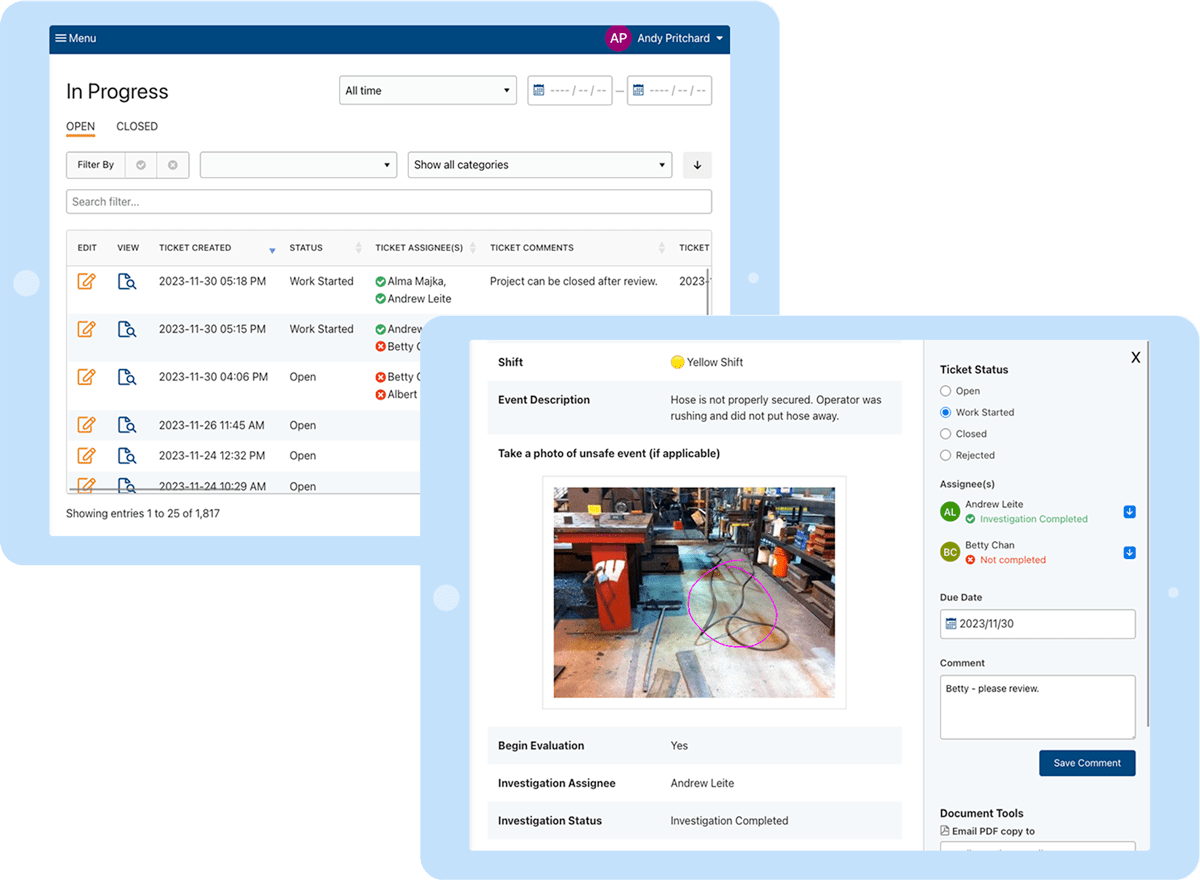
- Evaluate submissions in real-time.
- Assign action items to appropriate staff.
- Foster collaboration and monitor status to completion.
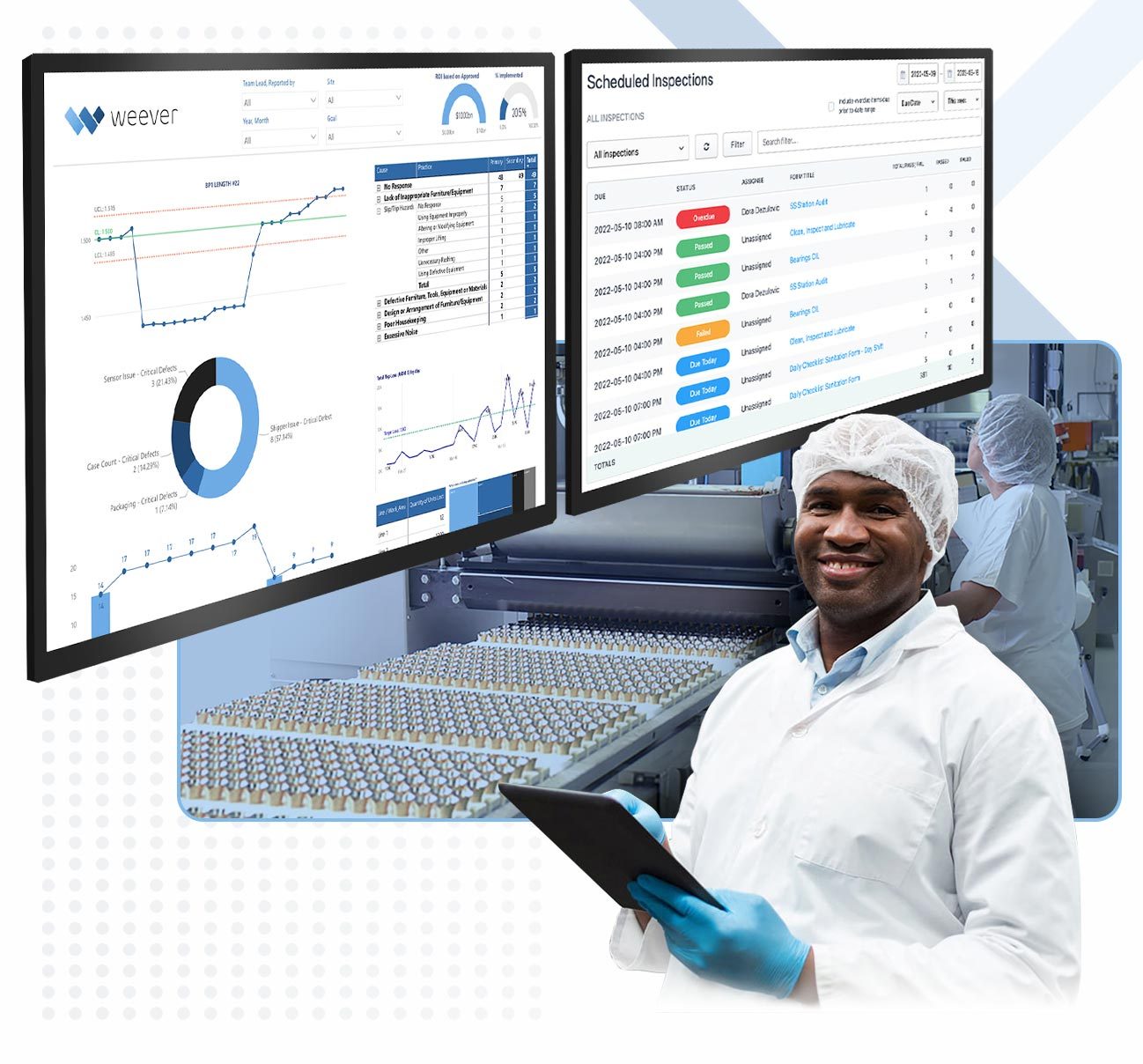
REAL-TIME REPORTING
Automate Business Intelligence.
- Customizable reporting dashboards.
- Instant access to all data.
- Automatically push data to other business systems.
Stop incidents before they occur by elevating safety awareness and understanding unsafe trends.
"Having cloud-based forms on devices around the facility makes them so much more accessible, which makes it painless for operators to quickly provide a report."
Johanna Velez, VP Quality Assurance
"Weever is really user friendly and will have a massive positive impact on our operations and training team."
Mel Cadle - Op Ex Lead Process Engineer
"It's easy to anticipate safety issues with Weever."
"In a warehouse setting it's very easy to fall into the trap of being reactive. With Weever we are 60-70% proactive. That's huge!"
Kody Crossen | Operations Manager of EHS, Walmart DC6080

Take a Guided Tour.
Thank you ROI
Your ROI report is on its way to you.
Tell us a bit more about your situation...
and what we can do to help.
Millions of jobs completed worldwide. View Testimonials
How software will optimize your sanitation program
Workplace safety remains a significant issue, with the U.S. Bureau of Labor Statistics reporting 2.8 million nonfatal workplace injuries and illnesses in 2022, representing a 7.5% increase from the previous year. The necessity for robust safety measures is further emphasized by the fact that there were 5,486 fatal work injuries in the same year.
This article emphasizes the importance of meticulous safety audits, aided by a comprehensive safety audit checklist, as a vital tool for maintaining a safer workplace environment.
What is a Safety Audit Checklist for Manufacturers?
A safety audit checklist for manufacturers is a structured tool used to assess and improve safety measures in manufacturing facilities. It serves as a guide for internal or external auditors to identify potential hazards, evaluate risk management strategies, and ensure compliance with local, national, and international safety standards.
This checklist typically covers various aspects of a manufacturing facility, including, but not limited to:
- Housekeeping and Organization: This section assesses cleanliness in work areas, ensuring they are free of clutter. It promptly addresses spills and debris cleanup and checks that workers properly store tools and equipment when not in use.
- Stored Materials: Auditors verify the correct stacking and spacing of materials. This action aims to prevent accidents related to falling objects or improperly stored items.
- Electrical Equipment: The checklist mandates an inspection of electrical equipment to confirm its inspection, testing, tagging, and compliance with company and safety regulations.
- Job Design: The checklist evaluates individual jobs to identify potential injury causes and recommends designs that minimize prolonged repetitive motions as much as possible.
- Compliance Gaps: The checklist outlines safety criteria to address compliance gaps effectively and offers recommendations to enhance overall safety conditions.
- Safety Standards: A safety audit checklist ensures that workspaces are compliant with industry health and safety standards.
The Safety Audit Checklist is a critical component in maintaining a safe and healthy environment in manufacturing facilities. It helps companies identify areas for improvement and develop action plans to mitigate risks, thereby promoting a culture of safety and continuous improvement.
Safety Audit Checklist Free PDF Template
Ready to make your safety audits more efficient? Download our free safety audit checklist template today. This user-friendly tool will help you conduct thorough, efficient audits with ease. Get started now and make safety a priority in your organization.
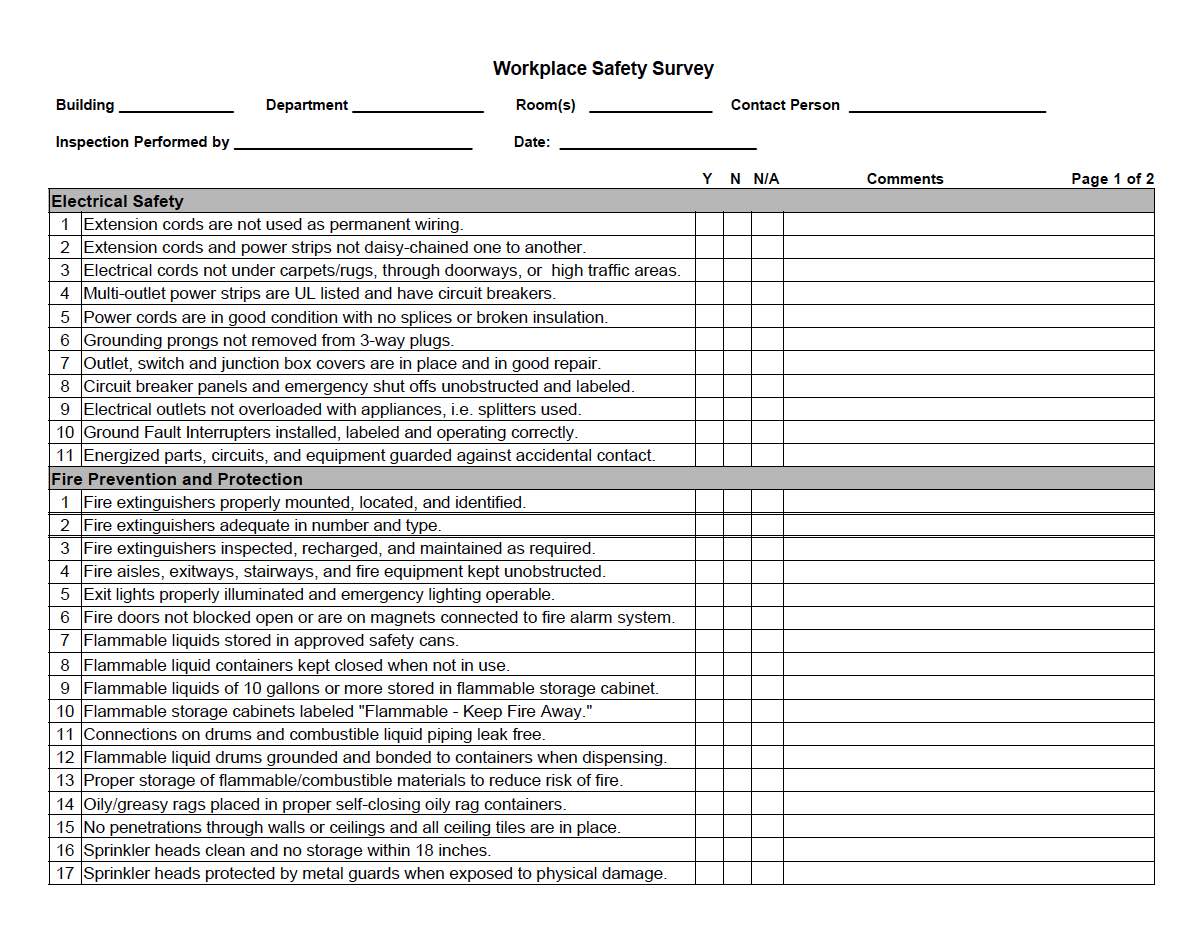
Free PDF Download
Do Manufacturers Need a Safety Audit Checklist?
Yes, manufacturers absolutely need a safety audit checklist. It serves as an invaluable tool for ensuring that workspaces are compliant with industry health and safety standards. The checklist provides a structured approach to inspecting and evaluating the safety conditions of a manufacturing facility, thereby reducing the risk of workplace accidents and potential liabilities.
One of the key benefits of a safety audit checklist is that it allows for a much easier examination of all possible hazards in the workplace. By maintaining a standardized list of safety aspects for inspection, manufacturers can ensure they overlook nothing, resulting in a more thorough and effective audit.
Safety Audits Preview text
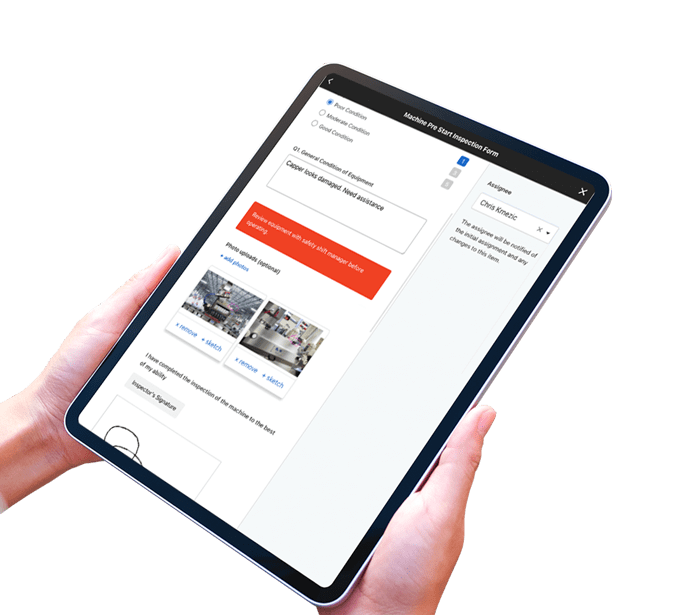
- Customize pre-built templates.
- Guide staff with on-demand instructions, call-outs and tutorials.
- Capture photos, sketches and digital signatures.
- Automated alerts and create investigation action plans.
- Automate dashboard reporting and share data with other business systems in real-time.
Learn more about Safety Audits
How Can Software Optimize Safety Audits?
Weever specializes in digitizing operational workflows, including Safety Audits. We work with organizations of all shapes and sizes who are frustrated with paper forms and spreadsheets. They want to save money, become more efficient, and spend their time more wisely. If that sounds like you, feel free to read on.
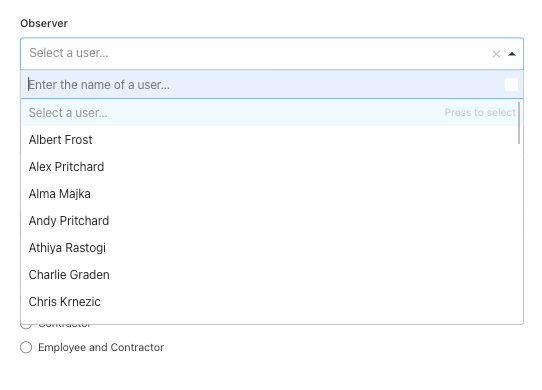
Capture Date on Any Device
Digitization allows staff to load the form on any device, go through it quickly and feel successful doing it.
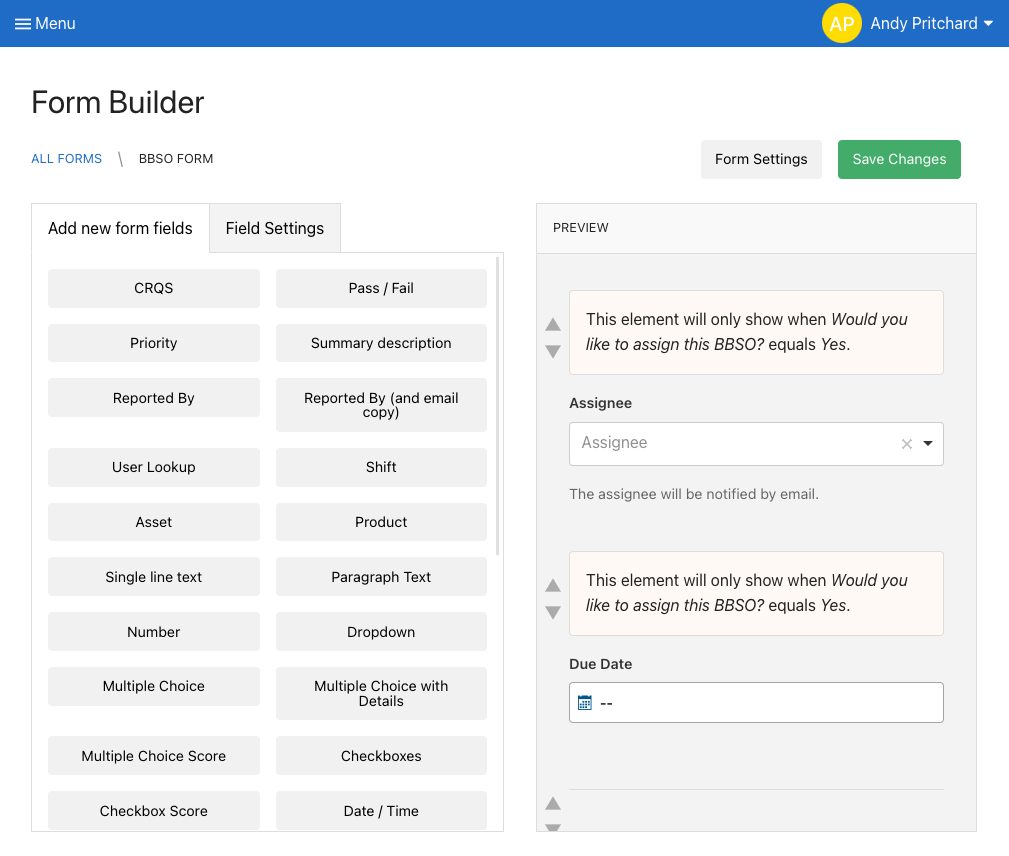
Configure Templates
Have you ever created a form and then needed to make changes, which requires you to find and destroy all the copies of the old form, which still get submitted a year later. With digital form builders, updates happen in real-time so you don't have to worry about staff using the wrong form.
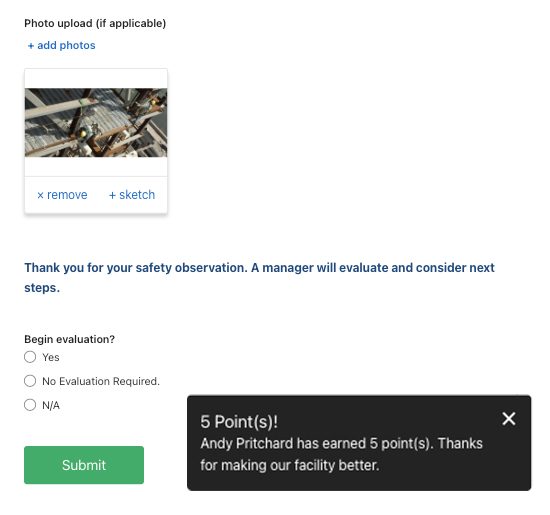
Automate Rewards
Software makes it easy to allocate points to staff that can be redeemed in a rewards marketplace.
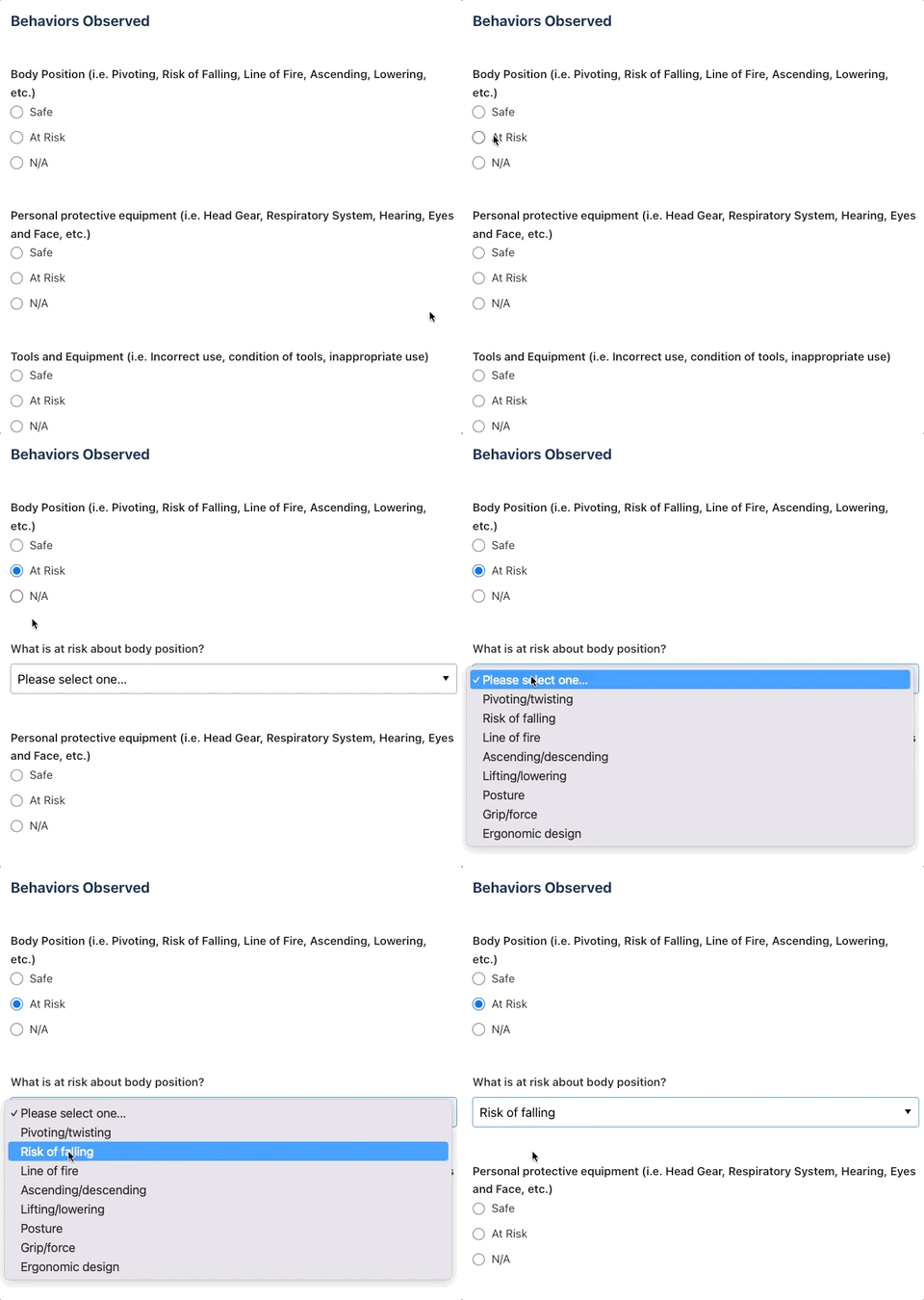
Guide Staff Through the Experience
Conditional logic allows you to guide staff through the experience to ensure they capture the correct information the first time and every time.
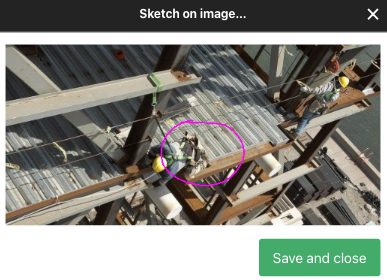
Add Photos
Photo capture is perhaps the most immediate benefit of going paperless. Multiple photos can be captured in the report, complete with sketches to highlight the issue.
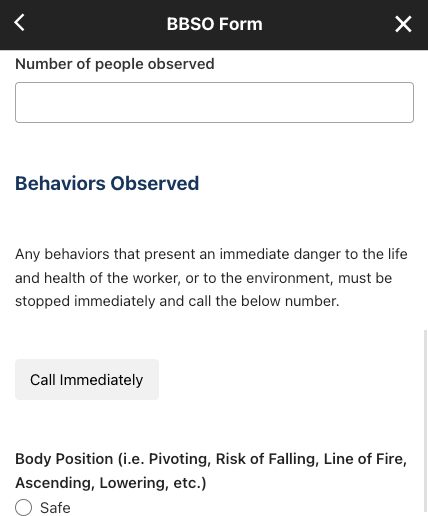
Real-Time Communication
Should the observer require immediate help, digital forms provide a means to connect instantly with a safety manager.
Optimize the Evaluation Process
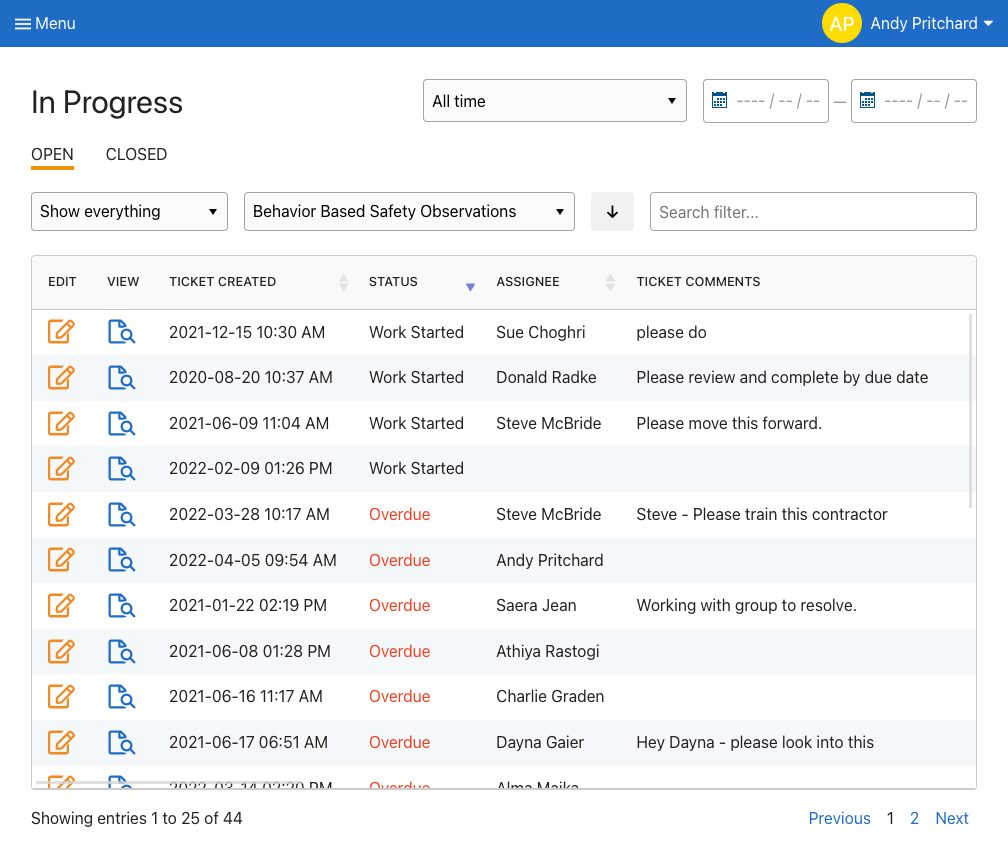
Each submission creates a workflow ticket that is organized in the appropriate digital folder. Supervisors review each submission and create action plans if necessary. Supervisors can also receive notifications if you wish although you may not want to load up their inbox.
Assign Next Steps and Due Dates
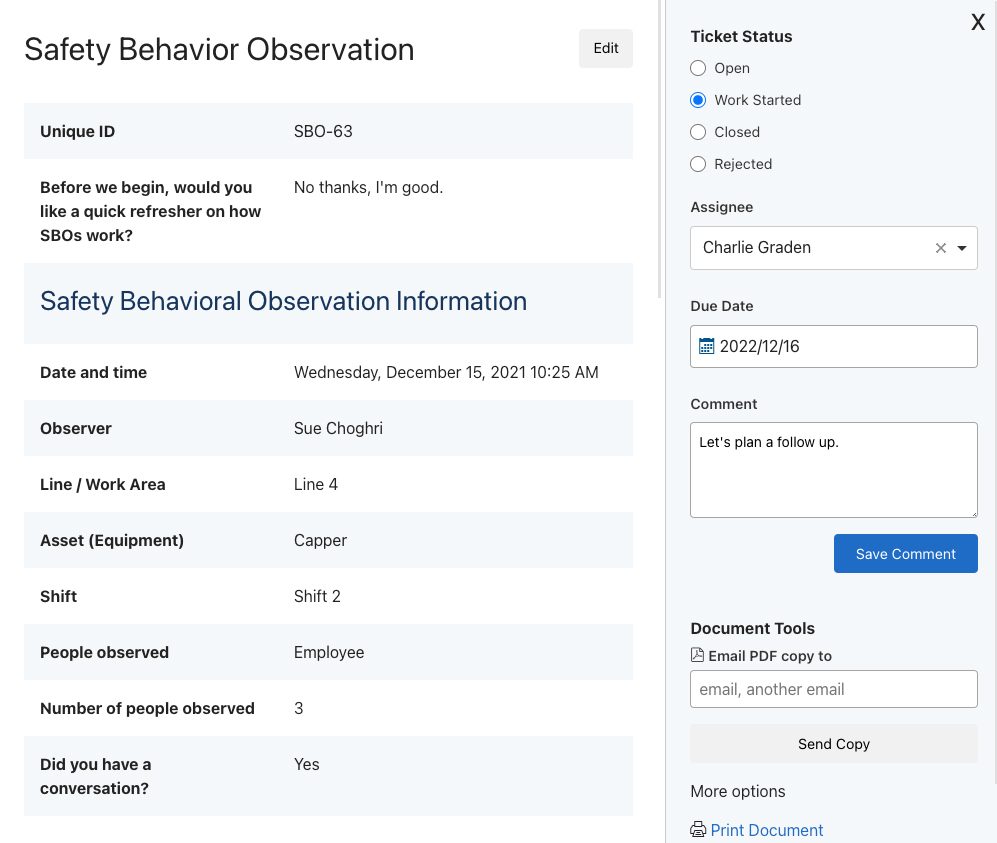
Supervisors can create action plans, assign them, and add due dates. Assignees are notified and supervisors are made aware of approaching and overdue deadlines.
Automate Real-Time Dashboard Updates
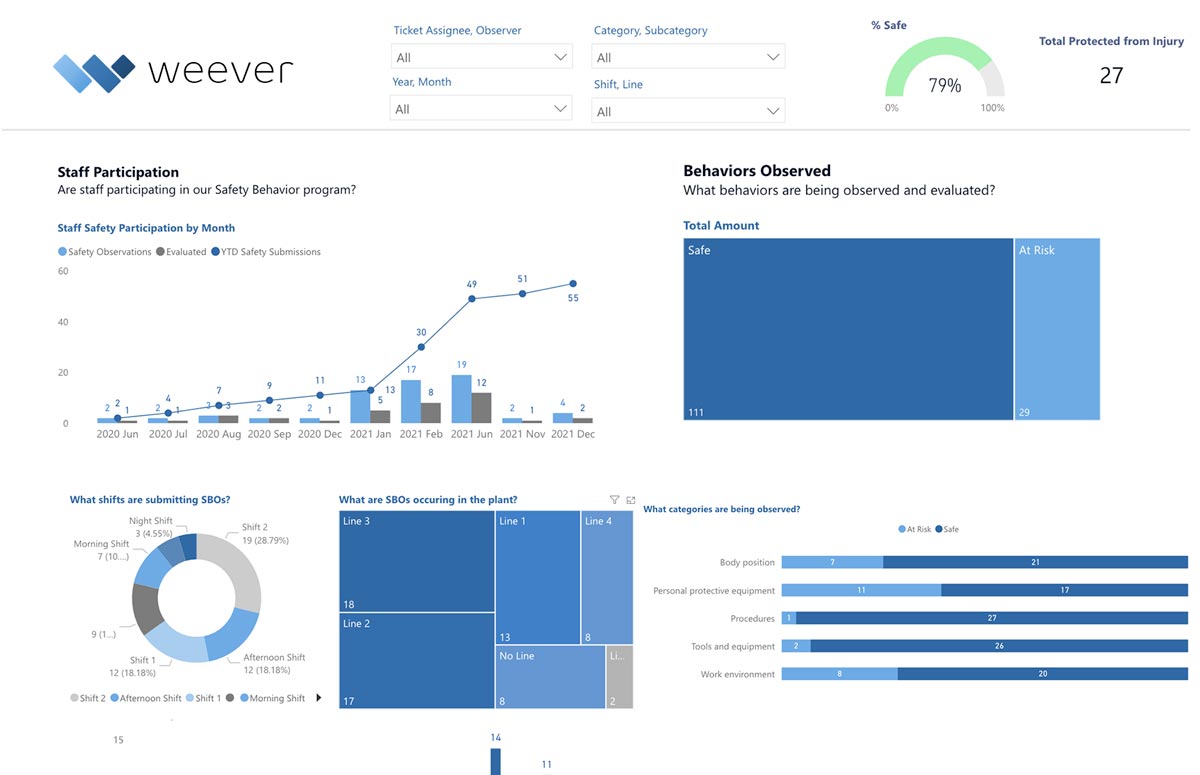
Save administrative time by automating reporting. Create stunning and highly configurable dashboard reports that are updated in real-time. Spend less time in front of spreadsheets and more time doing what you want to make your site safer.
Broadcast Results
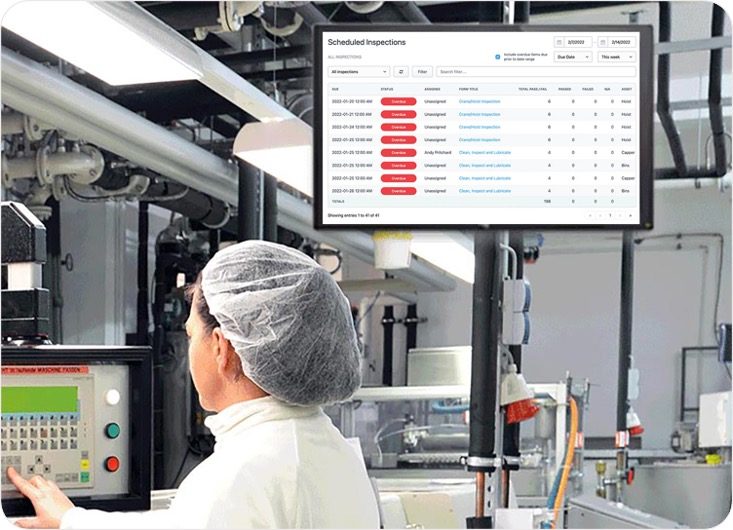
Set up real-time updates that can be broadcast to staff that show how the program is "moving the needle".
Questions You Can Include in a Safety Audit Checklist
By now, you know that a safety audit checklist typically consists of a set of questions designed to guide the auditor through a thorough inspection of the workplace.
These questions help identify potential hazards, assess the effectiveness of current safety measures, and determine whether the organization is in compliance with applicable safety regulations. By asking specific, targeted questions, auditors can ensure that they do not overlook any important safety factors.
We gathered for you a few examples of questions that could be included in a safety audit checklist:
- Equipment: Is all machinery regularly checked and in good condition?
- Work Practices: Are safe work practices observed during inspections?
- Hazardous Materials: Are flammables and combustibles stored properly?
- Access and Storage: Is there a safe means of accessing high shelves? Is stored material secured to prevent shifting?
- Hygiene: Are food or beverages adequately separated from hazard areas?
Note: These questions are just a starting point. The actual questions on a safety audit checklist will vary depending on the specific industry, the nature of the work performed, and the applicable safety regulations.
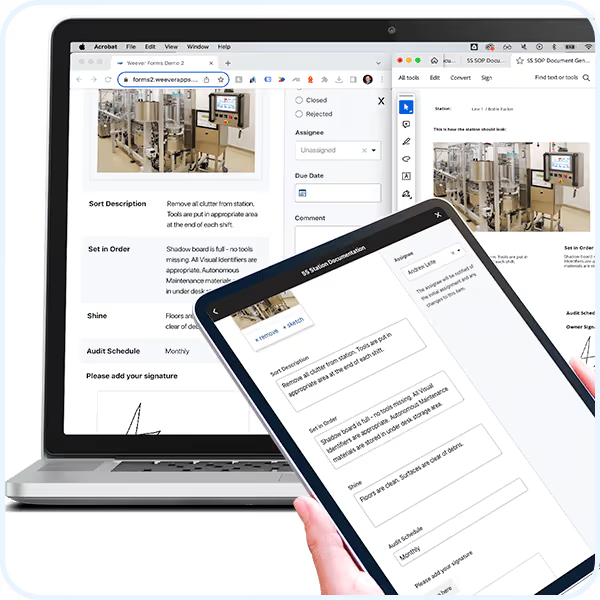
5S Station Documentation
5S Documentation
Ensure 5S workstation optimization is sustained by creating SOP templates that inform audits.
Millions of jobs completed worldwide.
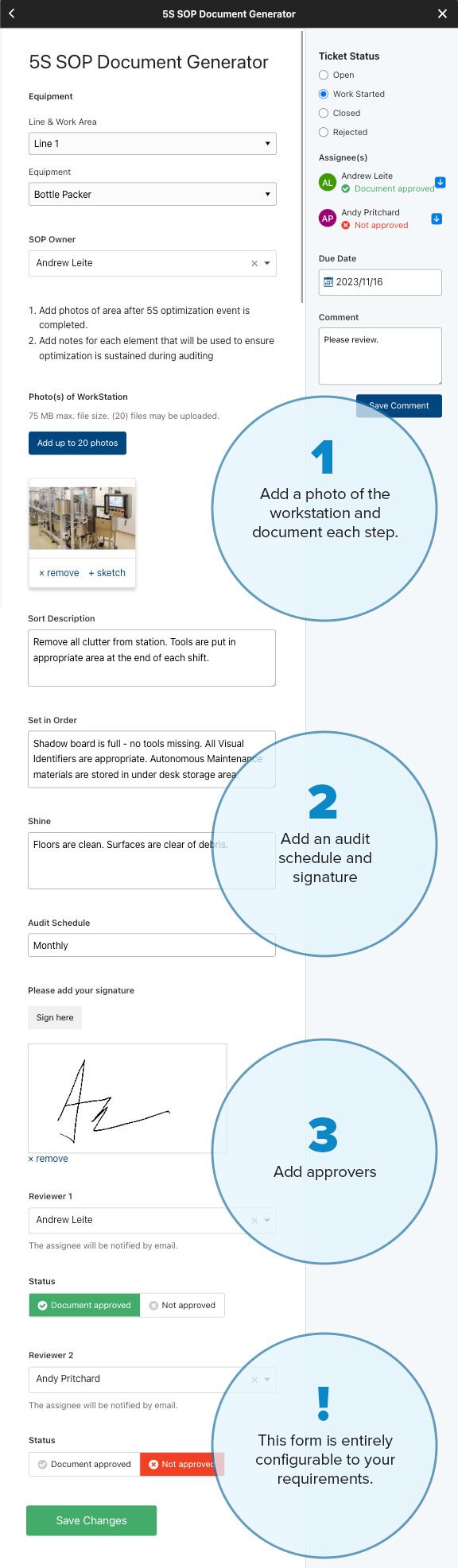
Standardize Documentation.
- Configure your forms to suit your unique requirements.
- Add photos, sketches and digital signatures.
- Provide instructions to ensure clarity and efficiency.
- Create action items with assignees and due dates for reviews.
Document REVIEW
Accelerate Collaboration.
- Receive alerts to review documentation.
- Evaluate and make updates in real-time.
- Foster collaboration and monitor status to completion
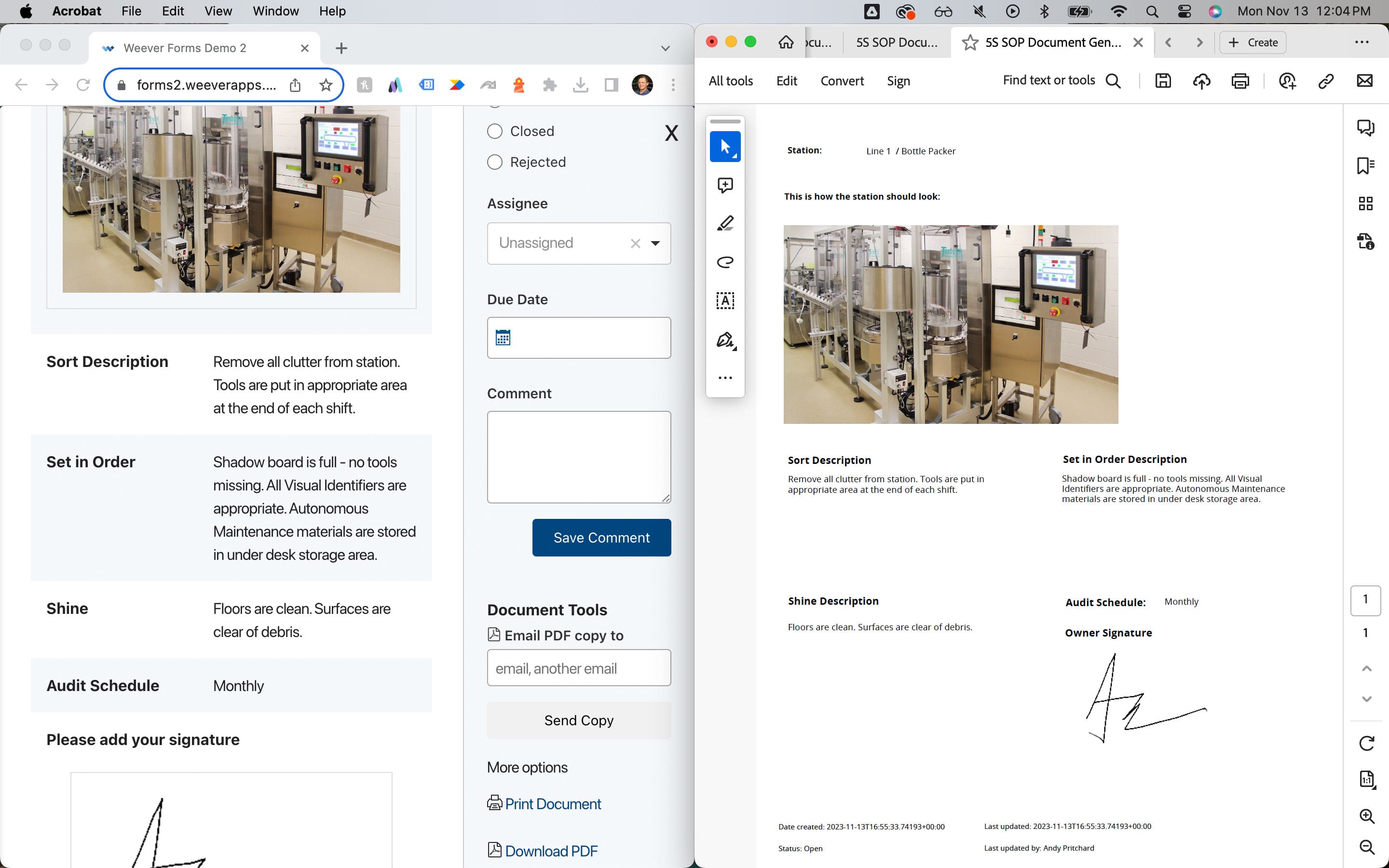
Export Documents.
- Customizable document templates.
- Ensure consistency.
"Having cloud-based forms on devices around the facility makes them so much more accessible, which makes it painless for operators to quickly provide a report."
Johanna Velez, VP Quality Assurance
"Weever is really user friendly and will have a massive positive impact on our operations and training team."
Mel Cadle - Op Ex Lead Process Engineer
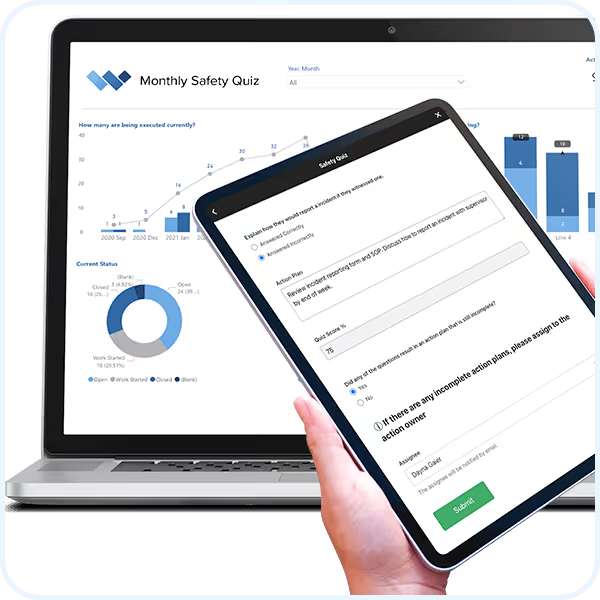
Monthly Safety Quiz

Monthly Safety Quizzes
Elevate safety awareness and identify insights to prevent incidents from occurring.
- Duplicate and customize quizzes in seconds.
- Identify and correct knowledge gaps.
- Assign follow up action items.
- Understand insights to inform proactive safety measures.
Request Free Demo Solution Overview
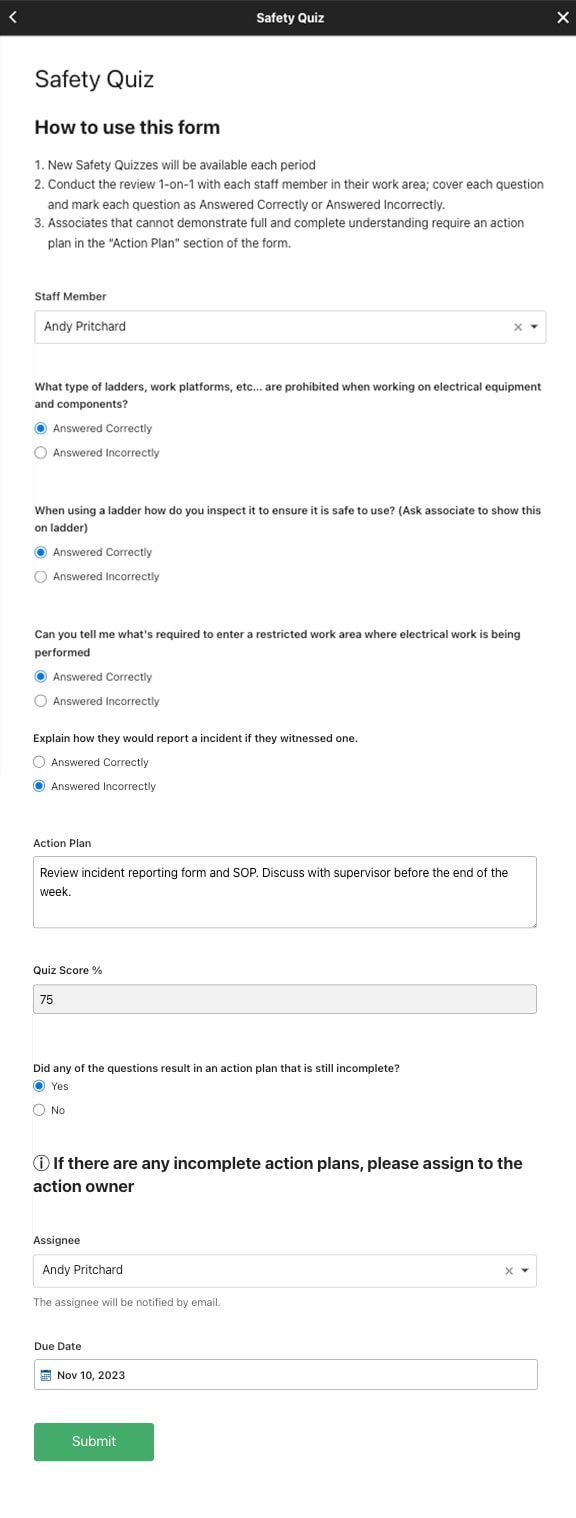
Digital DATA CAPTURE
Quickly assess and elevate safety knowledge.
- Entirely configurable digital form.
- Use QR codes and schedules to ensure completion.
- Automatically calculate quiz score and provide next steps.
- Create follow up action items with assignees and due dates.
WORKFLOW AUTOMATION
Automate administration so you can focus on safety.
- Evaluate submissions in real-time.
- Assign action items to appropriate staff.
- Foster collaboration and monitor status to completion
REAL-TIME REPORTING
Automate Business Intelligence.
- Customizable reporting dashboards.
- Instant access to all data.
- Automatically push data to other business systems.
Stop incidents before they occur by elevating safety awareness and understanding unsafe trends.
"Having cloud-based forms on devices around the facility makes them so much more accessible, which makes it painless for operators to quickly provide a report."
Johanna Velez, VP Quality Assurance


"Weever is really user friendly and will have a massive positive impact on our operations and training team."
Mel Cadle - Op Ex Lead Process Engineer




"It's easy to anticipate safety issues with Weever."
"In a warehouse setting it's very easy to fall into the trap of being reactive. With Weever we are 60-70% proactive. That's huge!"
Kody Crossen | Operations Manager of EHS, Walmart DC6080
Take a Guided Tour.
Do it all with Weever
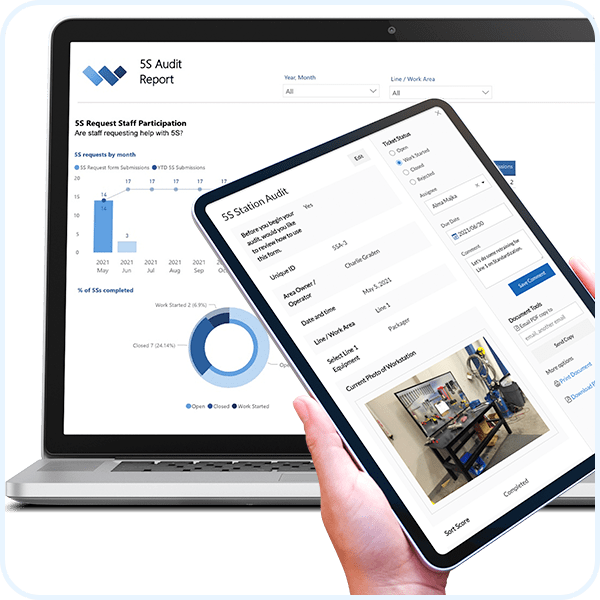
5S Auditing
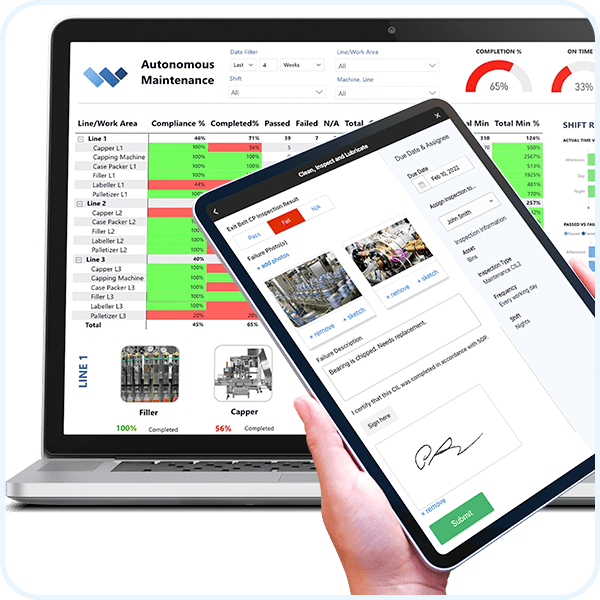
Autonomous Maintenance
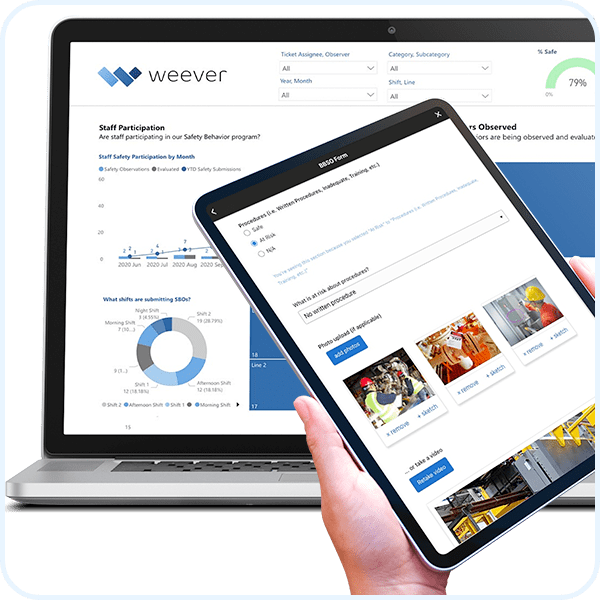
Behavior-Based Safety Observations
5S Workstation Optimization
Pre-Shift Safety Risk Assessments
Near Miss Reporting
Weever is a comprehensive operations management platform that is used to automate safety, quality, maintenance, production, compliance, continuous improvement and skill development operational requirements.
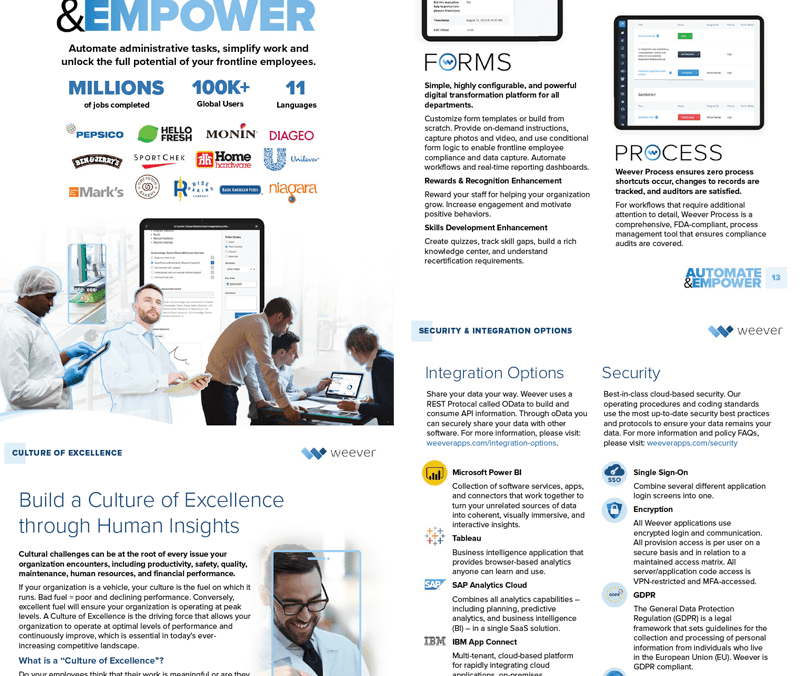
Learn about the Platform.
Download the brochure to get all the details about how Weever works.
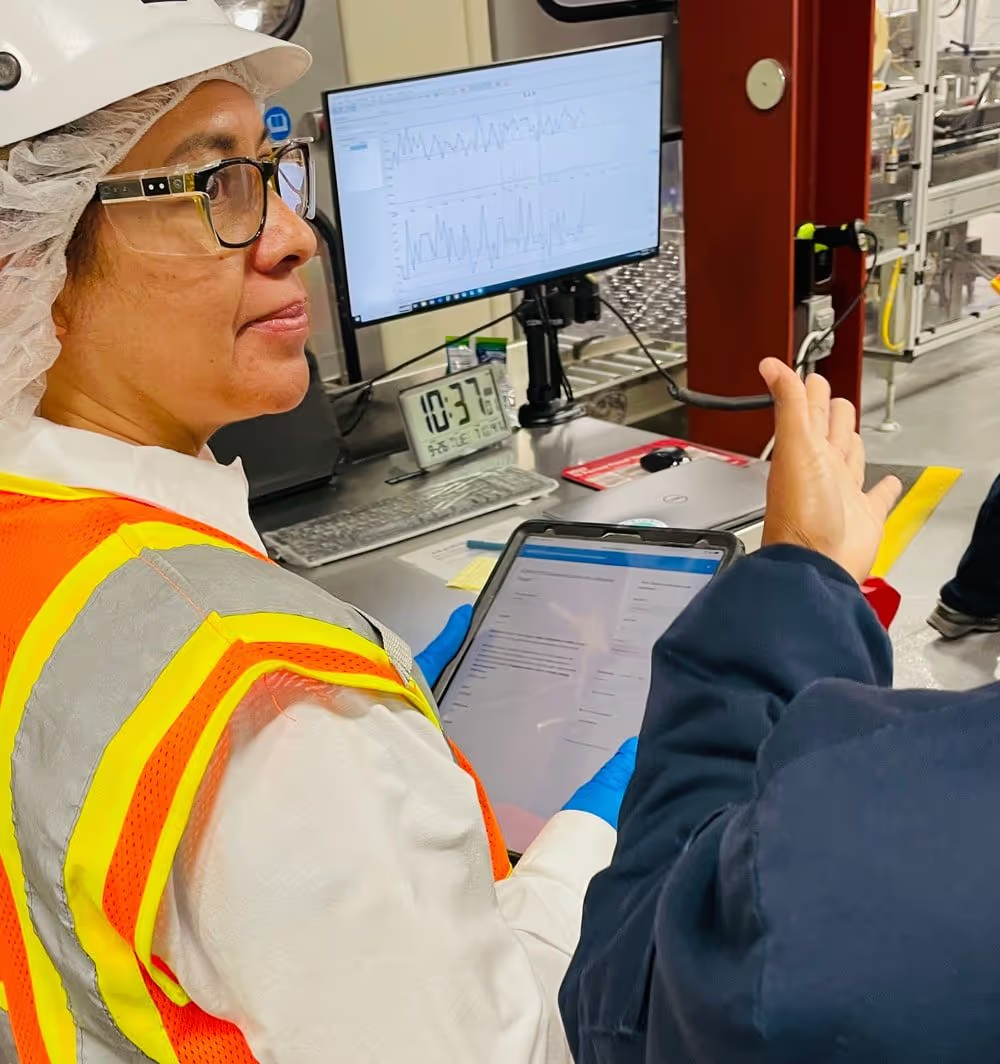
Playbook for Digitizing Quality Checks at your Mars Facility
MARS Playbook
Digitizing Quality Checks
Everything you need to know to transform your facility's quality checks from paper to Weever Process.
Executive Summary
Mars Yorkville is a "lighthouse" facility in North America, which means they are empowered to trial new innovations and report best practices to other sites. Due to several challenges with startup and quality check paperwork, Yorkville decided to try Weever Process, an FDA compliant software platform, to digitize the process.
This report outlines the facility's experience with Weever Process, including the original situation, the program implementation, key learnings and results.
Weever is currently working with Mars to roll out Weever Process across all Mars Wrigley sites in North America.
Weever is a Canadian-based Operations Management software company that believes each individual on the manufacturing floor should be empowered to make a positive impact.
Weever has a Global Master Services Agreement (MSA) with Mars including a full security review that is in good standing and has been a Mars partner since 2017.
The Weever platform is used at Mars facilities globally to enable associates, capture operational data, manage improvement workflows and automate reporting.
Some highlights of this report include:
- Quality Checks 400% Faster - Reduced individual quality check time from 5-7 mins to 1-2 minutes. This represents a 4-5 hours savings in time per line/day)
- Eliminated PCQI Holds - Reduced PCQI Holds from 1-2 to 0 per period. This represents a potential annual savings of over $200K USD.
- Saved Quality Team 1.5 hours per day - Quality paperwork review time was reduced by 30-40 minutes for each shift.
Key Report Contributors
Thank you to those who provided their valuable time and insights to bring this report to life. Weever interviewed each of the below stakeholders on-site at Yorkville.
- John Junas, Regional CI Digital Engineer, Mars North America
- Christiana Isokpehi, CI Engineer, Mars Yorkville (YRV)
- Elba Perez, Associate, Mars Yorkville (YRV)
- Graciela Flores (aka Chella), Lead Associate, Mars Yorkville (YRV)
- Michael O-Keeffe, Quality Manager, Mars Yorkville (YRV)
- Urszula Augustyn, Associate Scientist Value Stream, Mars Yorkville (YRV)
- Rich O'Connor, Continuous Improvement Specialist - Skittles Packaging, Mars Yorkville (YRV)
About Weever Process
Weever Process is an FDA 21CFR Part 11, CFIA and EU Annex compliant digital data capture platform specifically designed to manage batch records, equipment checklist, HACCP compliance, and quality checks for CPG manufacturers.
As an FDA compliant platform, Weever Process provides comprehensive audit trails and FDA compliant digital signatures. Weever Process makes it easy to set up your processes to suit your requirements, execute checks and approvals, maintain comprehensive audit trails and automate KPI reporting.
The Situation
When John Junas started as CI Digital Engineer at Yorkville, a major part of his role was to eradicate paper from the facility by the end of 2024. Yorkville is a lighthouse facility for Mars, which means that they are tasked with trialing new innovations.
Yorkville had already digitized most of its operations using Weever, however, quality checks were still paper-based. As an FDA-regulated process, digitizing quality checks required software that contained features that were validated for FDA audits, including comprehensive audit trails, digital signatures and strict security measures.
John reviewed many software vendors and chose Weever because their existing Process product contained all of the required features.
Before implementing Weever Process, Mars Yorkville was using Weever Forms and Weever Inspections for over 3 years to drive MSE requirements. Weever is used by Yorkville for use cases like FMOS, 5S auditing, behavior based safety observations, and many more.
Issues with Paper Forms
Mars Yorkville was encountering significant issues with the paper forms they were using to enable quality defect checks. Each check took 5 to 7 minutes on average to complete, which was considered too long because it distracted the associates attention away from the production line. With 16 checks per shift, over 3 shifts and 9 lines, quality defects took up to 50 hours of associate time to complete per day.
Other notable issues with paper forms included:
- Illegible handwriting on forms that required time to correct
- Approval process required each form to be manually collected from each line, manually reviewed and signed off
- Document storage and retrieval (for audits) was inefficient
- Forms were lost at times, which could be an issue for auditing
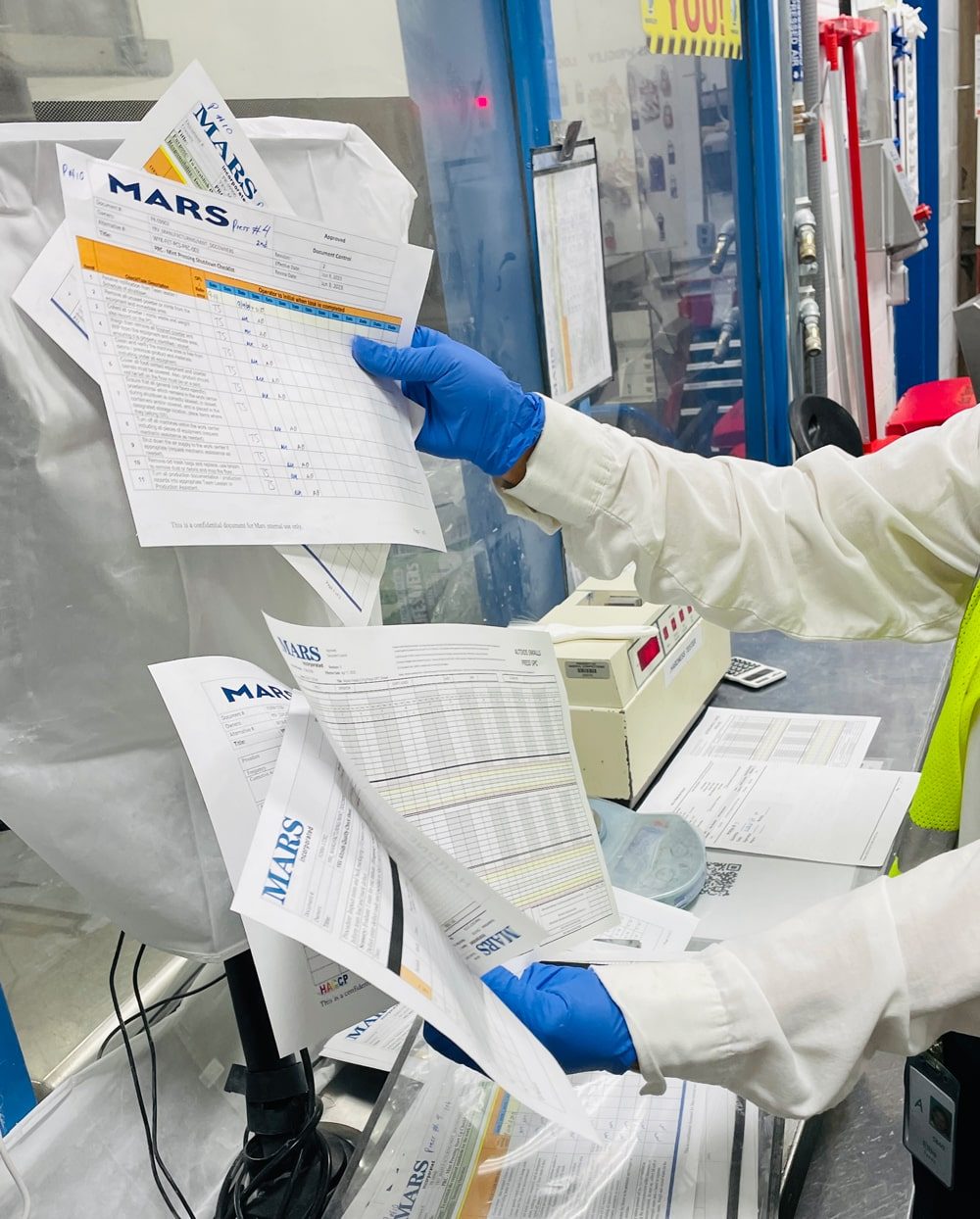
Mars Yorkville Quality Check Paperwork
Missed Checks
Quality checks were required to happen on a regular interval, usually every 30 minutes, 1 hour or 2 hours. Associates used a clock at the line's workstation to remind them when checks are due.
There were no safeguards in place to stop associates from adding checks after they were due. Falsification of documentation was a possibility and this could impact continuous improvement, metrics and regulatory compliance.
Mars Yorkville leadership wanted not only the paperwork, but also the process it represented, to be compliant.
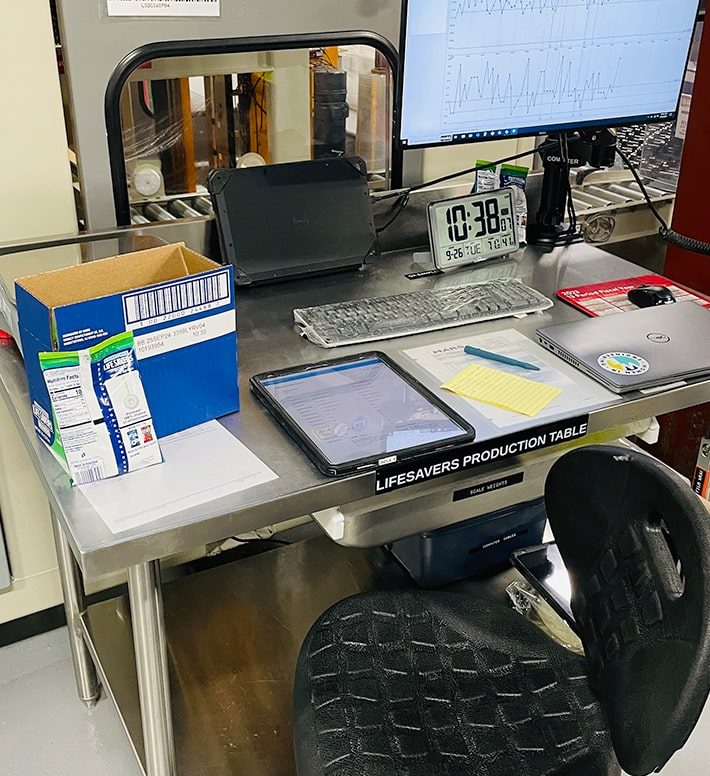
Associates would use the clock on the production table to determine when to do checks.
Document Management Costs
Mars Yorkville also wanted to reduce document management and storage costs associated with quality checks.
Their process included on-site storage in the QA lab for about 1 year in filing cabinets and a costly offsite pickup, storage, retrieval and destruction process managed by Iron Mountain.
Quality documents are required for the entire lifecycle of the product which could be as long as 5-6 years. The total cost for document management services for quality check documentation is multiple tens of thousands per year.

Physical documents need to be stored onsite and offsite for up to 6 years.
Associate Concerns with Digitization
Although Weever Forms and Inspections were used extensively in the plant prior to the Weever Process launch, unlike quality checks, the use cases did not require associates to complete forms continuously.
Most use cases, like 5S audits, safety inspections and behavior-based safety observations are required to be completed weekly or monthly. The associate leads noted that other associates were scared of the unknown and uncomfortable with their ability to continuously use digital forms to capture data while attending to their production tasks.
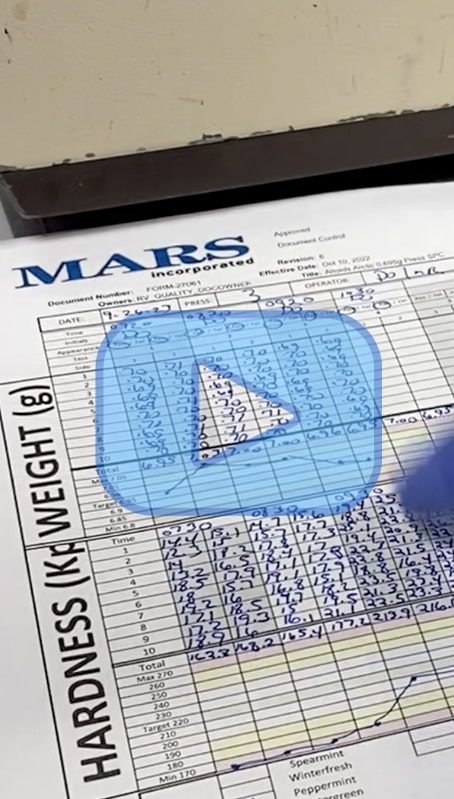
Watch quality checks completed using paper.
The Implementation
Mars Yorkville started the Weever Process trial in March 2022.
The project was led by John Junus, CI Digital Engineer, who worked at Yorkville at the time but is now a Regional Digital Lead.
The project was initiated by a business case. The goal of the trial was to establish best practices on one line with one team and, upon a successful implementation, Weever Process will be rolled out across all production lines within the facility.
Step 1: Write a Business Case
Timeline: 2 weeks
John Junas worked with key stakeholders at Yorkville to create a business case that outlined resource requirements, proposed timeline and expected results.
Project Timeline
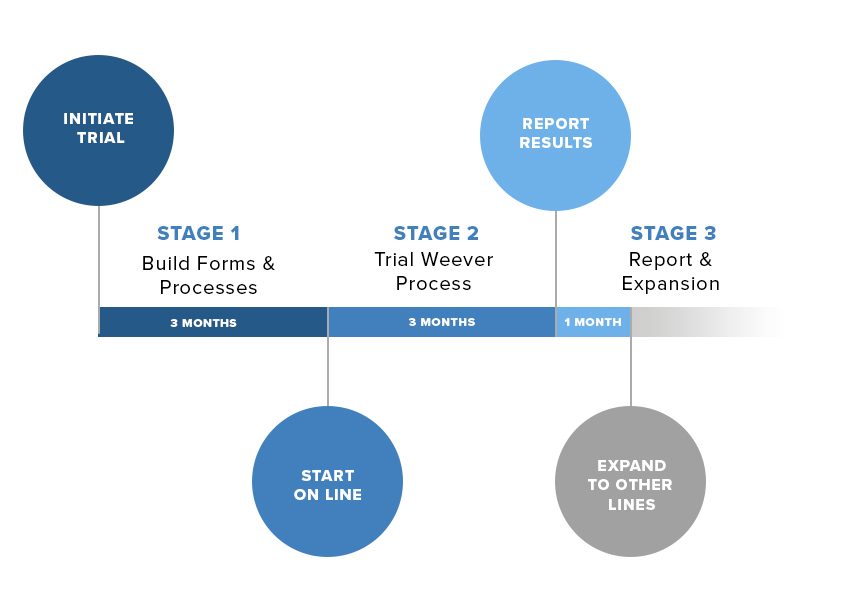
The project was intended to be executed over 7 months including:
Stage 1: Build forms and processes
- 3 months
Stage 2: Trial Weever Process on one line
- 3 months
Stage 3: Report Findings & Expansion
- 1 month
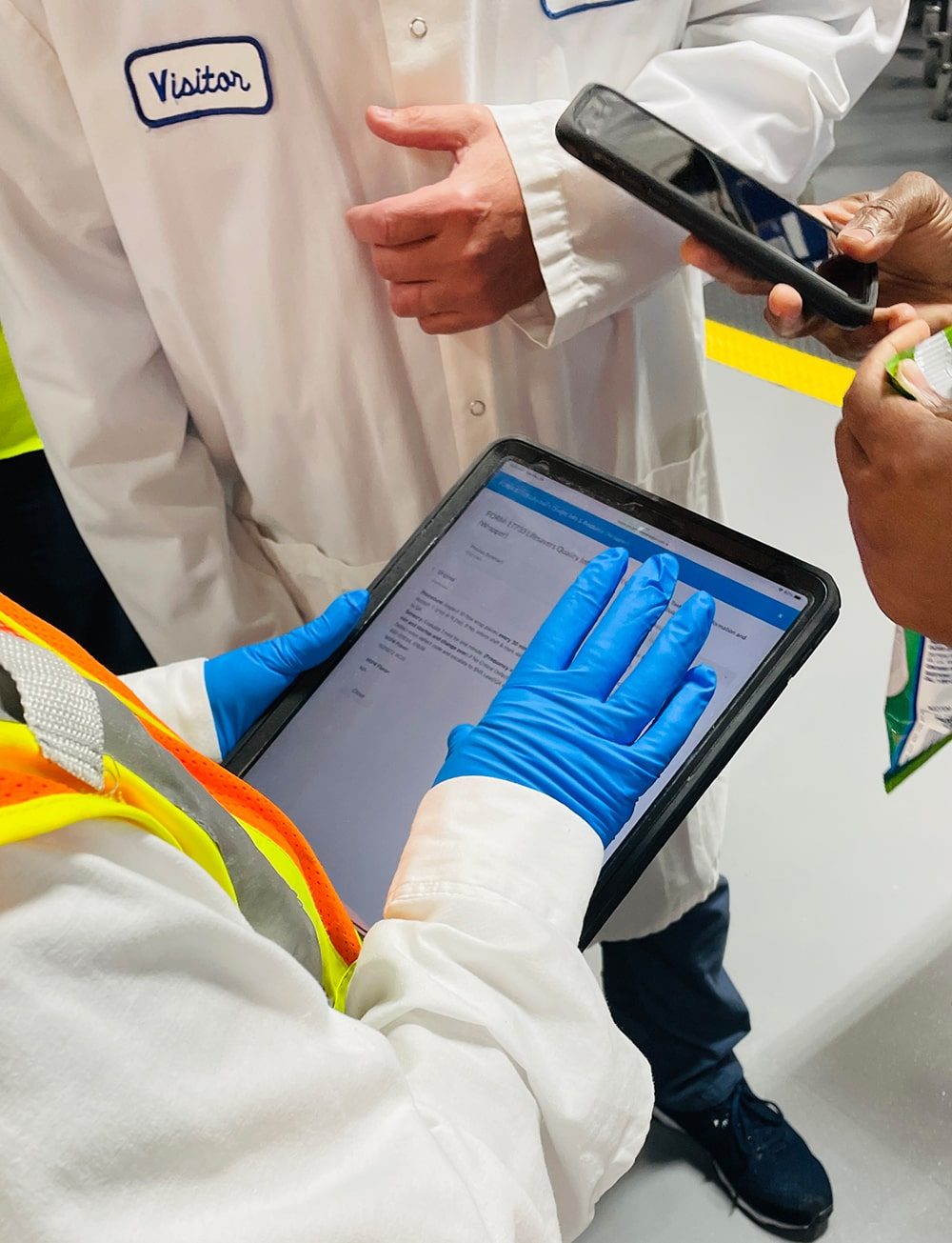
Collaboration is the key to success.
Project Budget & Resource Requirements
- Weever Process annual license to Mars is $18,000/year.
- The project required a full time intern for 3 months to build out the forms and processes under the watchful eye of John Junas.
Quality and CI supervisors needed to be involved in the project to ensure the process was designed correctly to accomplish compliance and improve quality. The project included inputs and information from stakeholders from each of these teams:
- Site Manager - General oversight
- Quality Manager - Ensure digital forms are capturing correct information for quality reporting and FDA compliance
- ASVS (Associate Scientist Value Stream) - Project management and leadership
- CI Digital Engineer - Project management and leadership
- Lead Associate - Provide feedback and work with team during implementation
Starting with Simplest Production Process
They decided to start with the Lifesavers process, because it is a less complex process that involves only one flavor. The Lifesavers production process also uses more equipment, such as palletizers, so associates have more time to capture data.
Involving an Associate Champion
The team decided to build out the solution with an associate champion as part of the team, who could provide practical advice about the process. Chella Flores was chosen because of her naturally positive attitude and leadership within the associate community. When rolling out the solution to the Lifesavers production line during the implementation process, Chella was super helpful in motivating adoption and answering associate questions.
Step 2: Digitizing Forms and Processes
Timeline: 3 months
The team started by using Weever Process to digitize the quality forms. John Junas, Regional CI Digital Engineer, used an intern to transfer the paper forms into digital forms. Under his guidance, the site was able to digitize all production forms into Weever Process in around 3 months.
Digitizing Forms & Processes
To digitize each paper document, Mars Yorkville followed this process:
- Use the Form Builder to digitize the forms
- Photo Capture
- Allow images to tell the story
- Save time and enhance accuracy
- Capture up to 25 photos per submission
- Digital Signatures
- Requirement for FDA compliance
- Lock field submissions
- Automated Calculations
- Preset all calculations based on associate inputs
- Ensures accuracy and saves time
- Photo Capture
- Use the Process Builder to digitize the steps and tasks
- Add steps and tasks including role assignments
- Link tasks to digital forms including specific form fields required to complete the task
- Add recurring task intervals for quality checks
- Use task logic to make tasks required if certain form field conditions occur
Feel free to review a video in the Additional Resources section below that shows how forms are digitized and used from paper to tablet.
Streamlining the Process
During this period, the forms took on multiple formats. The team opted to include all elements of each production process into one single form for each product. As a result, the forms and resulting process templates took the form of a "Shift Report" and included all tasks for the given product, from startup to HACCP checks, to defect checks.
Feedback Loop
During this process it was important to get feedback from each stakeholder, especially the lead associate and associate on the project. Chela was a good critic and provided valuable feedback that was used to optimize the process.
Templates Available
Although each site has a unique process, Yorkville would be pleased to share the forms and processes they built to use as a template for your site.
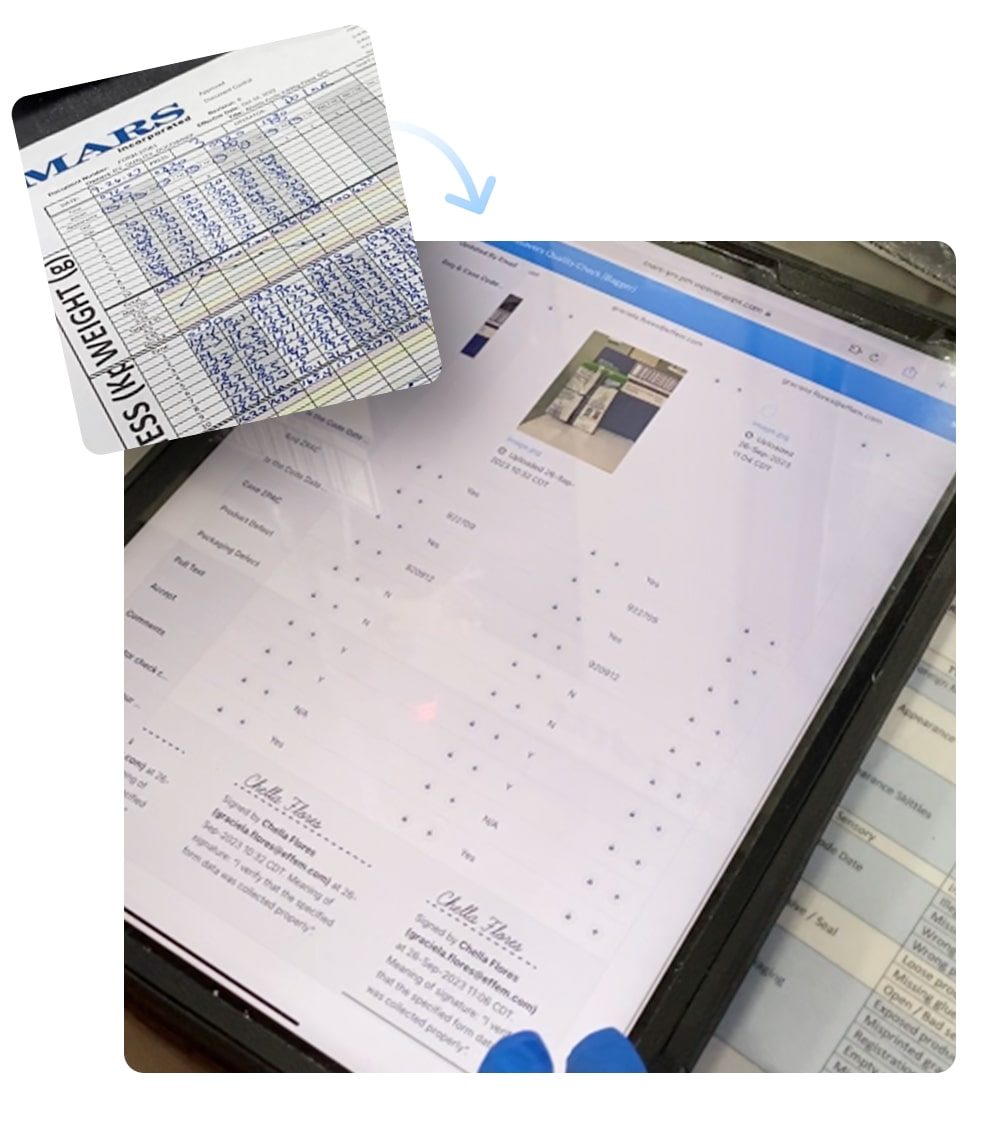
Yorkville completed paper and digital checks concurrently for 2 weeks to ensure accuracy and compliance.
Step 3: Trial
Timeline: 3 months
When the forms were completed, Chela (Associate Lead) trained Elba (Associate Champion) on executing quality checks through Weever Process.
There was a concern that the associate team may be resistant to change. The site was already using Weever Forms and Inspections to manage other MSE initiatives, but exposure to associates was limited.
Complete paper and digital forms at the same time
The team took it slow. Christiana (CI Engineer) provided training to the team. Elba approached each associate and asked them to simply try a few quality checks. They were asked to provide feedback.
The team was then asked to complete the paper forms and the digital forms concurrently for 2 weeks. The intent of this was to ensure there was no discrepancy between the paper and digital process. At the end of each shift, quality managers would review the paper forms and the digital process output and provide feedback on areas of improvement.
For the final week of the trial, the paper forms were put away and the team was asked to use iPads and Weever Process only to capture data.
Process Enhancements during Trial
During the trial many subtle enhancements were added to the process based on associate feedback.
For example, the original paper forms required associates to input 3 Date Codes manually, one each for the packaging, the box and the shipper. The original digital form required 3 photos to be captured to confirm Date Codes, one for each of the above. During the trial, associates noticed that they could optimize the process further by putting all 3 together and taking one photo.
Key Learnings
During the rollout, the team identified some key learning that include best practices and potential pitfalls to avoid.
Best Practices
Starting with one line and one team, ensuring appropriate stakeholder ownership and structure and effectively collaboration where key success attributes for the program.
Start Small and Simple
The intent of the trial was to identify issues, establish key learnings and optimize the process before rolling it out to the entire plant. The team started small by incorporating associates slowly at first. They also chose the Lifesavers line because the production process was simpler and more automated with equipment.
CIE Ownership
Project stakeholders recommended that Continuous Improvement Engineers (CIE) should own the project, with support from Quality. The goal of the project was to go paperless.
Collaboration is Key
Creating an interdepartmental team and including associates was instrumental in ensuring a smooth launch. Each stakeholder was encouraged to collaborate and offer improvement suggestions. Getting quality involved early ensures requirements are not missed. Collaboration from associates enhances ownership, which lays the foundation for a smoother transition.
- COP Meeting Involvement: Weever organizes monthly "Community of Practice" online meetings where Mars employees share best practices, issues and workarounds. Involvement is a great way to ensure you are getting the most out of Weever Process.
Potential Pitfalls and Workarounds
Mars Yorkville encountered some issues with internet connectivity and employee resistance to change that were overcome during the implementation.
Bad Internet & Dead Zones
During the trial, there were occasional disruptions in the wi-fi signal. Wi-fi signals can be interrupted by the magnetic fields created by large machines. Also, "dead zones" where access to the internet is limited or non-existant can be caused by a lack of wi-fi extenders.
Yorkville initiated a project to install more wi-fi extenders and other measures to enhance the wi-fi signal to every area of the plant. There are still very occasional issues but the project is considered completed.
Associates keep paper forms on hand in the off chance that there is a wi-fi disruption. In which case, they are instructed to abandon Weever Process temporarily and use the paper forms until access to the internet is established.
Overcoming Resistance to Change
In the beginning, some associates were concerned about the change that the transition to digital forms represented. Some were concerned that the process was "fine" the way it was and this was an example of a process that "ain't broke" so why are we fixing it. The supervisors on the project identified that the underlying concern was that associates would no longer be able to alter check times and they were concerned they would get into trouble more often for missed checks.
To overcome these concerns, the implementation team made a concerted effort to ensure the proposed benefits of the new platform were communicated well to the team. The team made it clear that if checks were missed for legitimate reasons, such as cleaning jams or planned downtime, then that is acceptable and encouraged. There is a place within the form for associates to provide remarks on why checks were missed. If checks were missed for illegitimate reasons, then supervisors need to know this so the corrective actions can be taken.
Using an "associate champion" to address concerns was also a fruitful strategy. Elba was included in the planning period of the trial and she had opportunities to provide feedback and impact the process design. As a result, she "owned" the process and presented it to the team with excitement and encouragement.
Next Steps
All stakeholders expressed great satisfaction with the outcomes of the project.
The implementation of Weever Process significantly improved the efficiency of quality checks, leaving associates notably content. The introduction of clear instructions and standardized methods removed ambiguity from the data capture process, allowing them to devote their attention to machine operations and promptly identify any deviations.
The Quality and Continuous Improvement teams were particularly pleased with the acquisition of comprehensive, real-time data. They also embraced the newfound ease and efficiency in reviewing quality documentation, which had previously been a less rewarding aspect of their roles.
Notably, the Quality Team found comfort in the fact that they now possessed all necessary resources to confidently navigate any audit.
Furthermore, the factory director expressed satisfaction, as the elimination of PCQI holds resulted in substantial cost savings for the site, amounting to thousands of dollars. This success underscores a positive and promising outlook for the future.
After the successful trial and full implementation of Weever Process on the Lifesavers line, the team is now focused on rolling out Weever Process across the entire plant. The rollout will start with Altoids and then move on to Skittles. HIS and Gum will follow suit later in 2024.
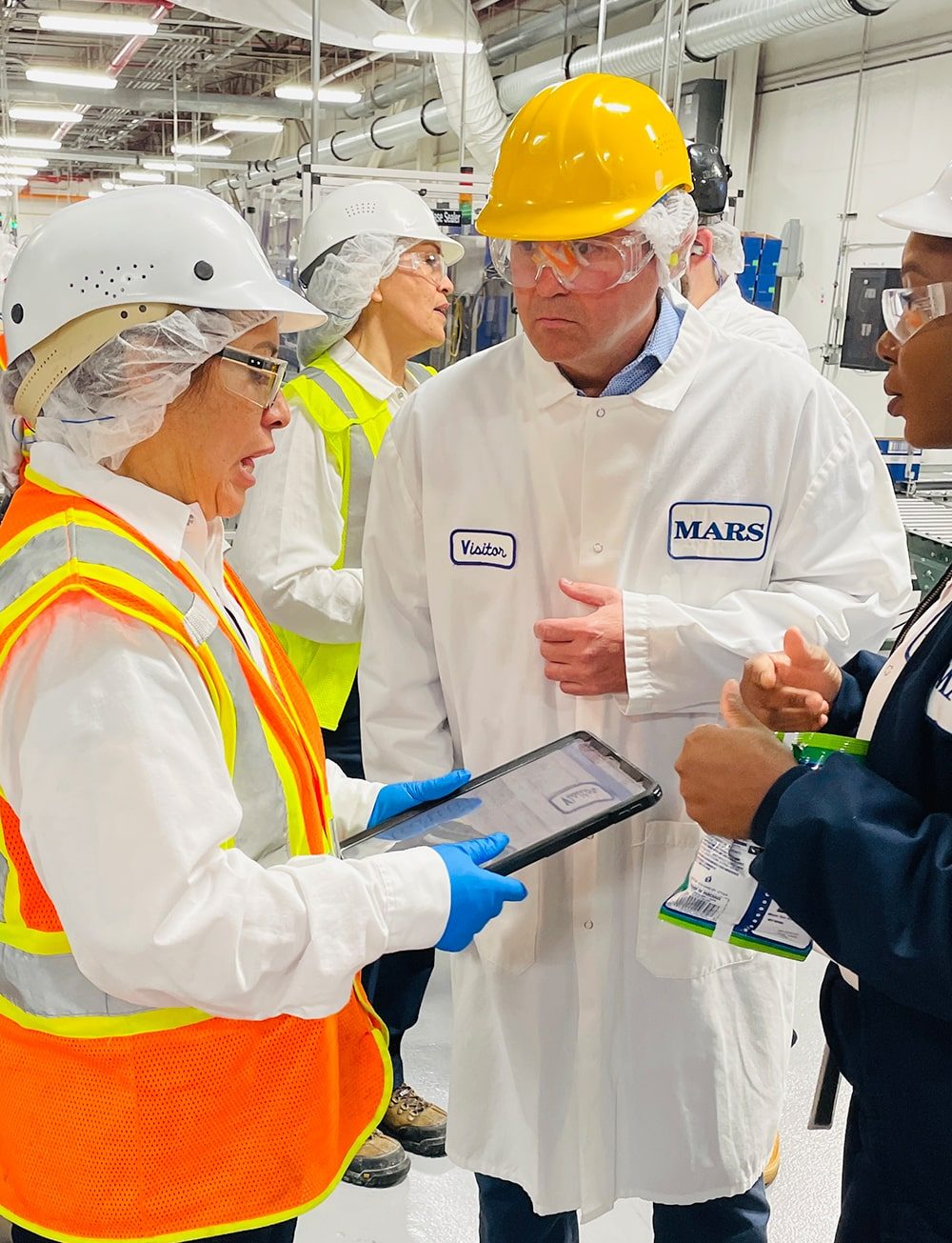
Steve McBride (Weever CEO) chatting with Christiana, Chella and Elba at Mars Yorkville.
Results
At the end of the trial, Mars Yorkville summarized their results to senior leadership.
Benefits to the site included everything from faster data collection to better quality data and enhanced audit accessibility.
The average time to complete a quality check went from 5-7 minutes to 1-2 minutes. At 30 minute intervals, saving 6 minutes per check amounts to approximately 4-5 hours saved per day, which can be reallocated to more value added activities relating to maintenance, quality, and continuous improvement.
Hard ROI came from the reduction of PCQI holds, which went from 1-2 per period to zero. This represents a potential savings of over $200K USD per year.
The team recommended implementing Weever Process for quality checks across the entire plant.
Benefits
Faster Data Collection
- The average time to complete a quality check reduced from 5-7 minutes to 1-2 minutes.
- The major time savers included the ability to capture a photo instead of manually writing in each Data Code as well as the standardization of data capture inputting.
Improved Data Quality
- Incomplete, illegible, incorrect and conflicting data was completely eliminated. Required signatures and comments were never forgotten.
- This enhanced data quality and saved quality managers time and grief from having to review illegible paper work with associates.
Better Reviewing Process
- With Weever Process, staff did not have to physically print, distribute and collect paperwork.
- The data was standardized and perfectly legible, which made identifying issues much easier. As one manager put it, reviewing hundreds of paper forms at the end of a shift can make you "go blind".
- The team estimated approximately 30-40 minutes of quality manager time was saved for each shift, which represents a potential daily savings of 1.5-2 hours per day of quality management time that can be reallocated to more value add activities.
Visibility & Traceability
- Instead of waiting to review all checks at the end of each shift, each check was loaded in real-time, which provided enhanced visibility to quality managers. Each interaction was tracked as well, which made it easier to investigate issues if they occurred.
Enhanced Audit Accessibility
- In the event of an external audit, the quality team had greater confidence that they would be able to supply the requested documentation effortlessly.
- Usually, the auditor would request data from a specific day, shift, and value stream, which took a while to find in the past. Records could be misplaced or filed incorrectly.
- With Weever Process, data for closed processes was available very quickly and efficiently.

Christiana Isokpehi, CI Engineer, Mars Yorkville
Return on Investment
Hard dollar ROI for this project is impacted by PCQI Holds and Document Management costs.
Due to enhancements outlined above, there have been zero PCQI (Preventive Controls Qualified Individual) Holds at Mars Yorkville since the Weever Process implementation. PCQI Holds are caused by errors and omissions on quality paper work and the hold process requires multiple stakeholders, including the Site Manager, to review the issue and sign off on it's correction. This process can shut down lines, delay shipments and cost the site tens of thousands of dollars.
Weever Process has enhanced data quality, visibility, access and traceability, so there are no longer any paperwork issues that would necessitate a PCQI Hold.
John estimates that before Weever Process they experienced 1 or 2 PCQI Holds per period. As a result, this represents a potential dollar savings to the site of over $200,000 USD/year.
The PCQI stakeholders have been reallocated to other value added roles.
Document management costs have been significantly reduced as thousands of sheets of paper are now bites of data available on the cloud. Offsite storage and retrieval for these documents cost tens of thousands each year.
Additional Resources
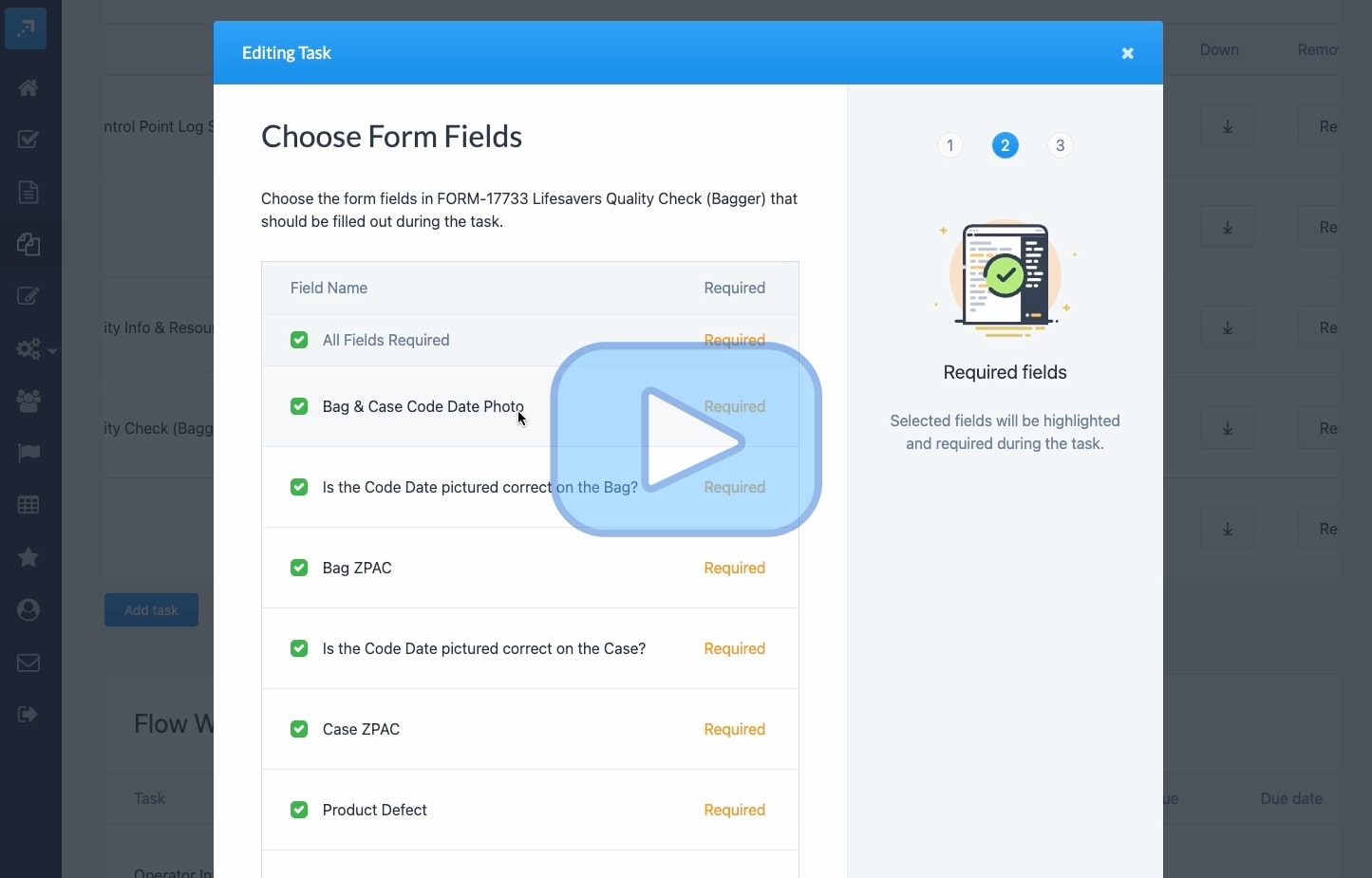
Watch how to go from "Paper" to "Tablet" with Weever Process.

Collaborate & Improve
In today's rapidly evolving manufacturing landscape, effective top-to-bottom and inter-team collaboration is key to fostering continuous improvement and elevating organizational performance.
Department managers play the critical role in this process, as they are liaisons between frontline staff, supervisors, and leadership. This role is a delicate balancing act, juggling the demands of upper management and needs of frontline staff.
Weever helps by eliminating the burdens of paperwork and streamlining workflows so department managers can spend more of their valuable time collaborating and improving and less time administering paperwork and reports.
Let's explore how department managers can benefit from using Weever to streamline processes, improve communication, and maximize efficiency.
Enhance Collaboration
Weever's software platform serves as a hub for collaboration, connecting everyone from frontline staff to department managers and top-level leadership. Here's how it can benefit department managers:
Alerts & Notifications
Weever provides real-time alerts and notifications, ensuring department managers are always in the loop. This feature helps them stay informed about critical issues, production delays, and safety concerns. Immediate access to information empowers managers to make informed decisions swiftly.

Action Items
With Weever's Action Items functionality, department managers can efficiently assign tasks, track progress, and monitor completion. This streamlines operations, reducing downtime, and ensuring that tasks are executed promptly and accurately.
Document Compliance
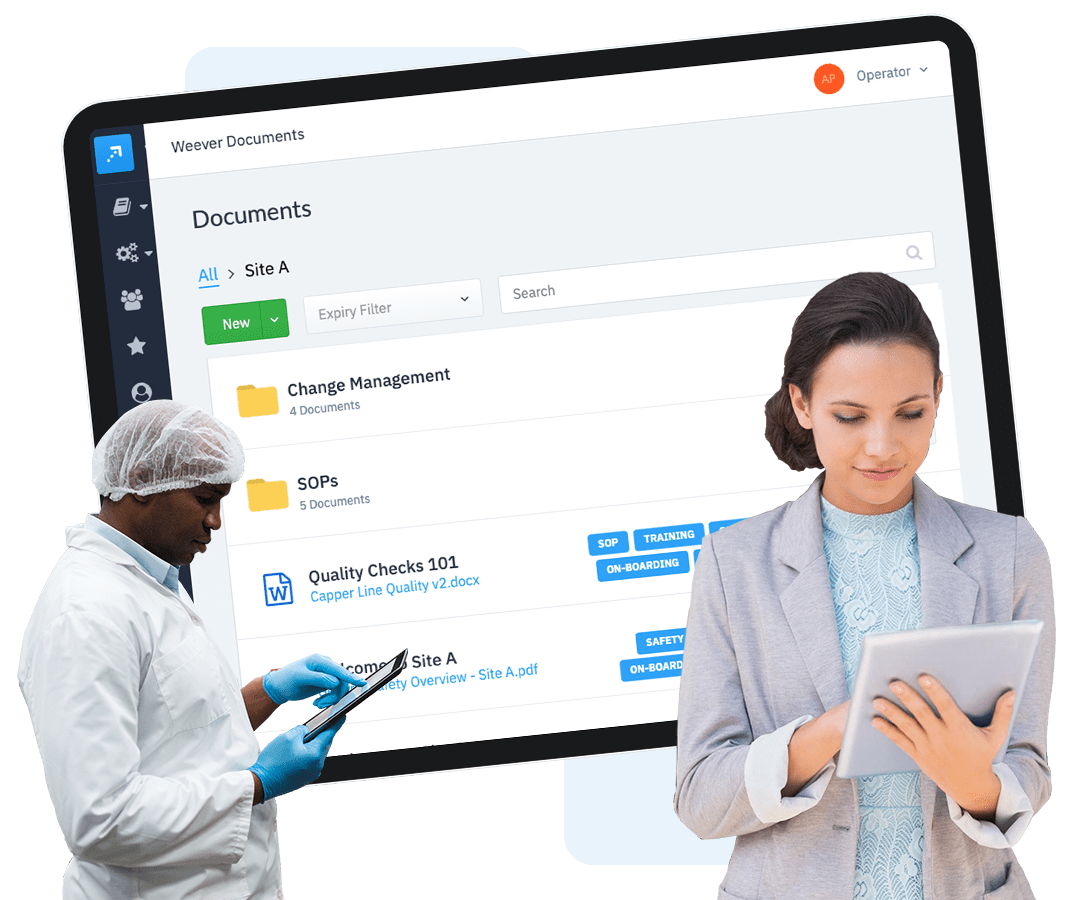
Access to a centralized and up-to-date documentation repository simplifies information sharing. Department managers can upload and share important documents, manuals, and best practices, ensuring that everyone is on the same page.
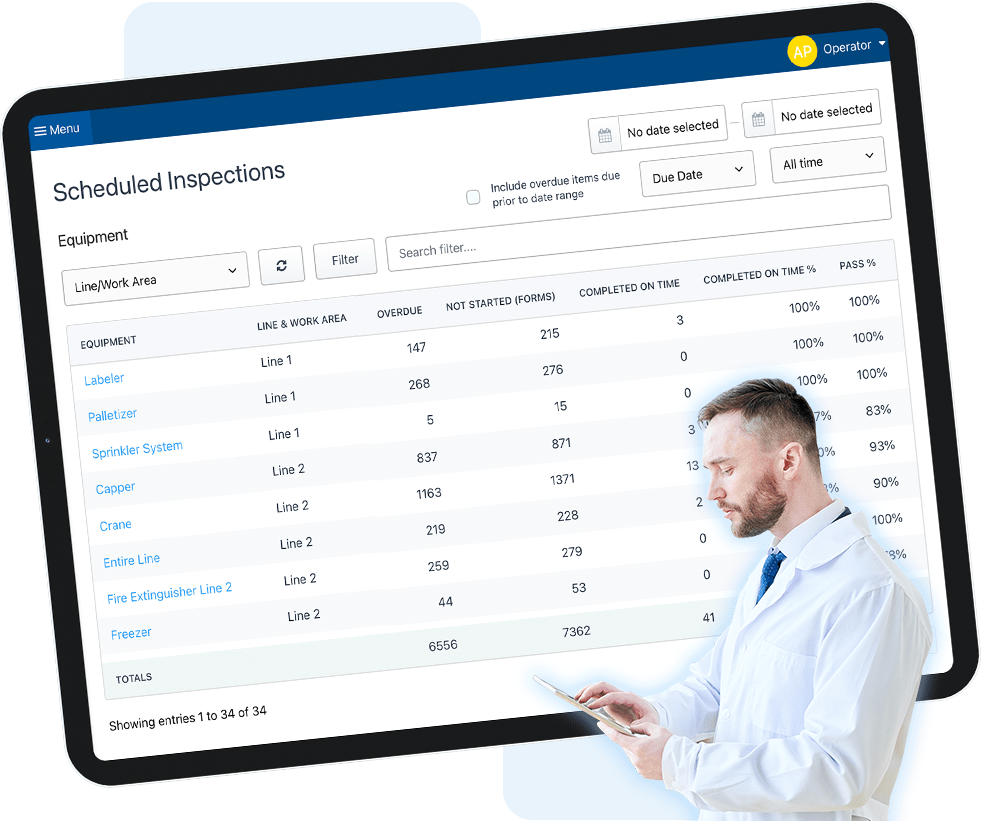
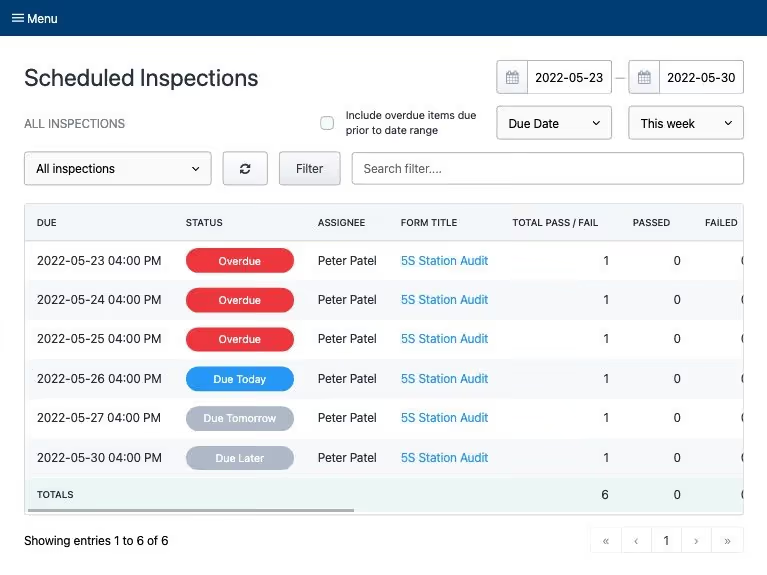
Schedule Management
Weever's scheduling tools facilitate inspections and audits. Managers can schedule and track these activities efficiently, ensuring that quality standards are met consistently.
Drive Continuous Improvement
Weever's features extend beyond collaboration to drive continuous improvement in manufacturing organizations:
Quick Evaluation & Assignment
Weever allows department managers to create Action Items easily. These can be related to safety incidents, quality control, or process improvement. By standardizing the evaluation process, managers ensure that no issue goes unaddressed.

Track to Completion
Assigning action items to the right team members is crucial. Weever enables managers to assign tasks with clear instructions and deadlines. This ensures accountability and accelerates problem resolution.
Data-Driven Insights
Weever's analytics tools provide department managers with valuable insights. They can track key performance indicators (KPIs), identify bottlenecks, and make data-driven decisions to optimize processes.

5S Audit Digitization Benefits
In an era marked by technological advancements, the importance of digitizing 5S auditing cannot be overstated. The traditional paper-based approach to auditing is often time-consuming, prone to errors, and lacks the agility needed to keep pace with dynamic industrial environments.
Digitization introduces efficiency, accuracy, and real-time data insights, revolutionizing the auditing process and aligning it with modern operational standards.
By transitioning to digital platforms for 5S audit processes, businesses can unlock a range of advantages that significantly enhance their operations.
From improved efficiency and accuracy to cost savings and enhanced visibility, the shift to digital tools not only modernizes auditing practices but also empowers organizations to adapt to changing standards and foster a culture of continuous improvement.
Let's delve deeper into these benefits to demonstrate why 5S audit digitization is a crucial step forward for organizations aiming to optimize their workplace organization and efficiency.
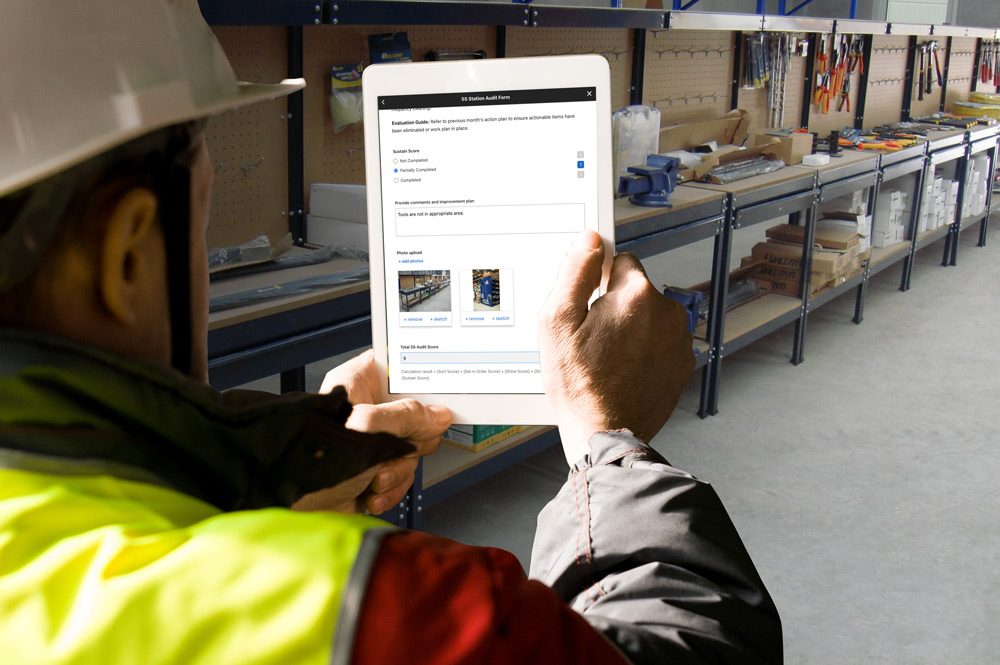
1. Enhanced Efficiency
Digitizing 5S auditing streamlines processes, reducing audit times and enhancing overall operational efficiency. Real-time data collection and analysis empower organizations to identify and address issues promptly.
2. Accuracy and Consistency
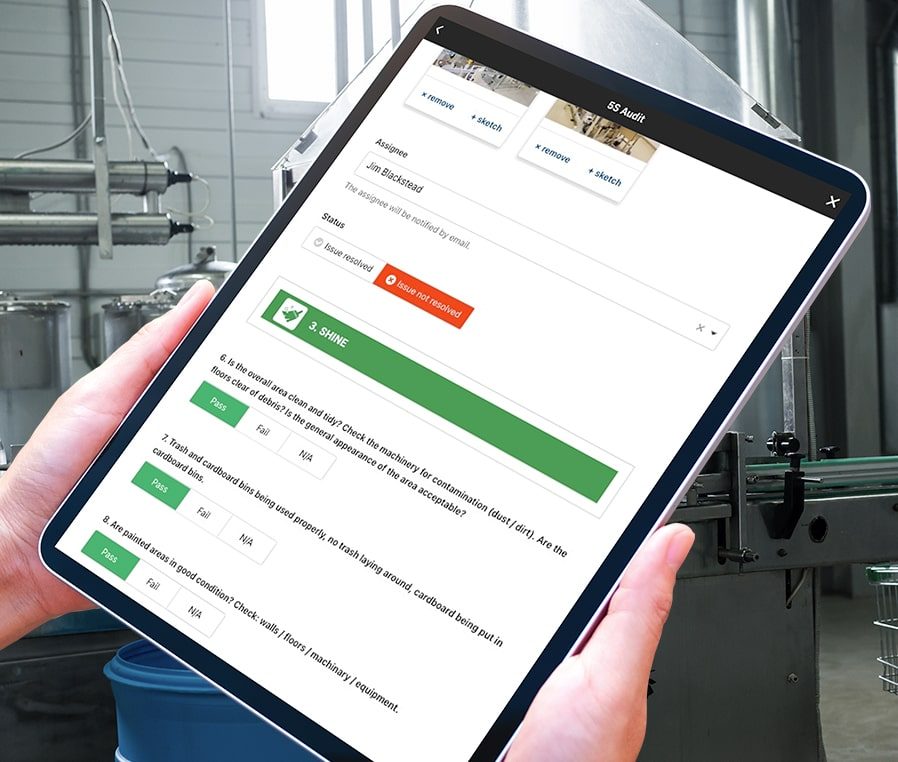
Digital platforms ensure the accuracy and consistency of audit data. Standardized checklists and protocols minimize variations, leading to more reliable audit results and improved compliance.
3. Cost Savings
The transition to digital auditing often results in cost savings. Reduced paperwork, streamlined processes, and optimized resource utilization contribute to a more cost-effective approach to 5S auditing.
4. Improved Visibility and Reporting
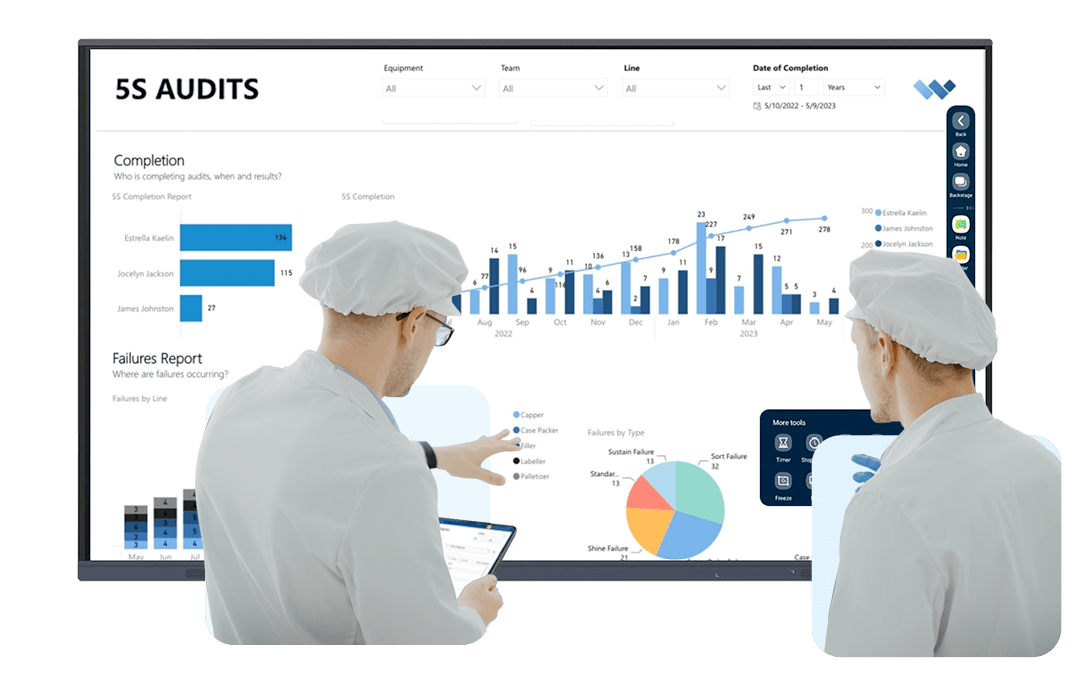
Digital tools provide enhanced visibility into audit data, enabling organizations to generate comprehensive reports and analytics. These insights facilitate informed decision-making, continuous improvement, and strategic planning.
5. Employee Engagement

The user-friendly interfaces of digital platforms encourage greater engagement from auditors and employees. Interactive features, such as mobile accessibility, make it easier for teams to participate in audits and contribute to a culture of continuous improvement.
6. Adaptability to Change
Digitization allows organizations to adapt to evolving industry standards and regulatory requirements with greater ease. The flexibility of digital platforms accommodates changes in auditing protocols and ensures compliance with the latest standards.
In essence, the digitization of 5S auditing is a transformative step towards creating more agile, efficient, and forward-thinking manufacturing and warehouse environments. As organizations embrace the digital shift, they position themselves for sustained success in an ever-evolving industrial landscape.
If you'd like to put the benefits into hard ROI terms, feel free to toggle the inputs on our handy 5S Digitization ROI calculator.
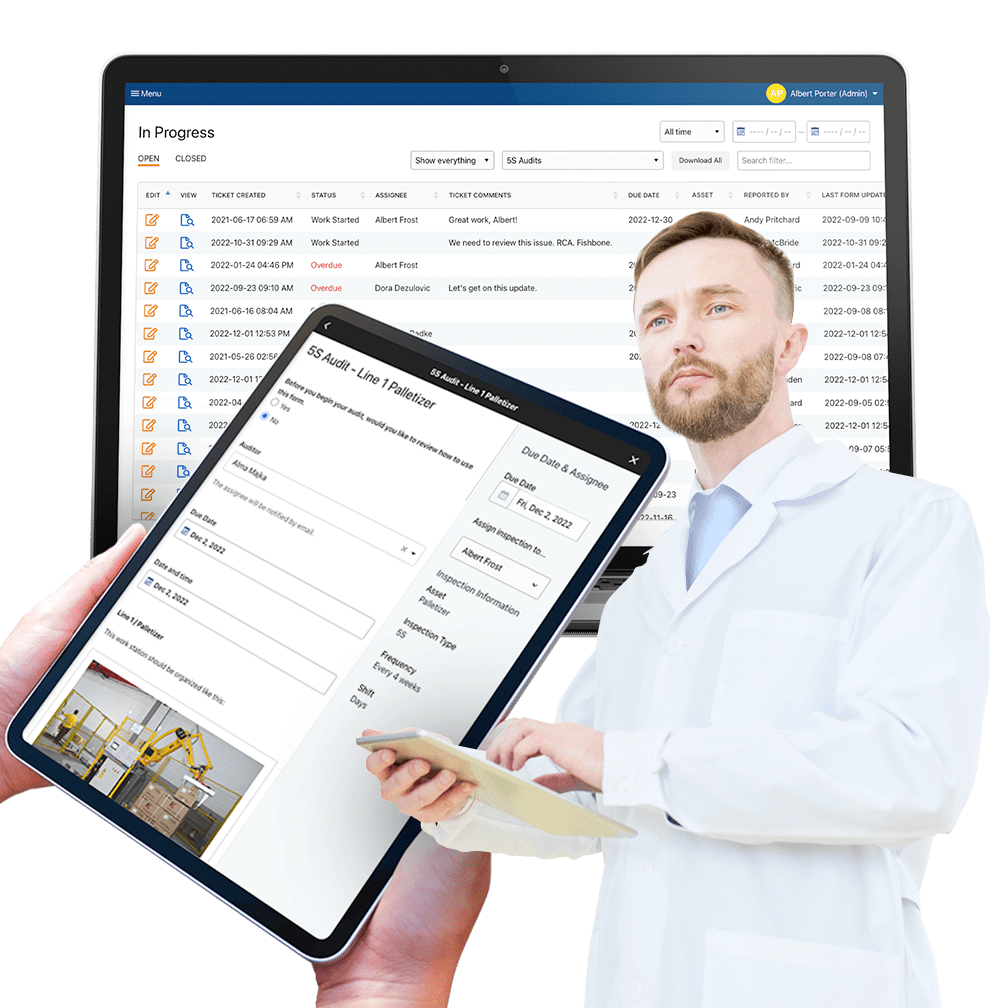

The Importance of Digital Data Capture in Manufacturing (And What Paper Is Costing You)
If you run a department in a manufacturing plant, you already capture a lot of data. Checks get completed. Logs get signed. Binders get filled. Somebody keys a stack of forms into a spreadsheet a shift and a half after the work actually happened.
The problem is not volume. It is that the data arrives too late to act on, gets recorded differently depending on who is on shift, and leaves out the one thing you actually needed: why it happened. The operator knew. The form did not ask.
Done right, digital data capture turns every check, observation, and sign-off into something you can see in real time, compare across shifts, and prove to an auditor in minutes. Done on paper, the same work produces a filing cabinet you cannot query and a recurring failure nobody ever spotted as recurring.
That gap is now measurable. In August 2026, Weever surveyed 167 manufacturing leaders at companies with 500 or more employees about the operational data underneath their AI programs. This article walks through what they told us, what digital data capture actually changes on the floor, and what to look for if you are replacing paper this year.
What manufacturers told us about their own data
We asked 167 operations, production, plant, manufacturing, and continuous improvement leaders a simple question: is the frontline data your AI will run on actually ready?
84% said yes. They are confident their frontline operational data is trustworthy enough to support AI. And they have earned some of that confidence. 86% capture more frontline operational data than they did three years ago.
Then the survey kept asking. Of the leaders who said their data was ready, 90% also reported at least one condition that undermines it: knowledge that lives only in an operator's head, the same issue logged three different ways, or manual processes they themselves say block AI-readiness.
Here is the rest of what they reported:
- 62% say critical knowledge stays in people, not systems. Important operational knowledge frequently or very frequently remains only in the experience of operators and inspectors. Only 8% say it rarely happens. Nobody said never.
- 51% say the same issue gets logged differently depending on who logs it. One operator writes "leak." The next writes "seal weeping." The third writes "minor drip, monitored." Same failure, three records, never counted together.
- 66% of quality programs and 63% of safety programs still run primarily on paper, spreadsheets, or homegrown tools. So do 41% of autonomous maintenance programs and 29% of sanitation programs. Two thirds of respondents run at least two programs this way. Only 10% run none.
- 36% name manual and paper-based processes as the single biggest factor hurting frontline data quality. That ranked ahead of disconnected systems at 26% and lack of standardized processes at 19%. Inconsistent software adoption came last among operational causes at 10%. Leaders are not blaming their people or their training budget. They are pointing at the method of capture.
- 73% say limited trust in frontline data already prevents them from relying on AI. Not as a future risk. Right now, while 83% of them have AI deployed or in pilot.
[Source: Weever, The State of Data Capture in Manufacturing, 2026 Edition, n = 167]
More data is not the same as more answers. A plant can go from two hundred completed checklists a month to two thousand, and every one of them can say the same thing: check complete, no issues found.
The volume grew tenfold. The number of captured reasons why anything happens did not grow at all. And because volume shows up on every dashboard while the missing reasons show up nowhere, it is easy to grade your data on the half of it you can see.
Why digital data capture matters more than it did five years ago
Real-time visibility instead of yesterday's paperwork
Paper data has a built-in delay. The check happens at 6:40am, the form gets collected at shift end, and the number reaches a manager sometime the next day, if it reaches them at all. By then the decision window has closed.
With digital capture, the entry exists the moment the work happens. Out-of-range values trigger an alert on the line instead of surfacing three days later in a review. Completion data reflects what actually got done, not what got initialled. Dashboards build themselves, so managers review results instead of spending hours compiling them.
Weever's managers solution page covers what this looks like in practice: data flowing from the floor into dashboards and Power BI automatically, with reports that update themselves.
The "human" context behind the event, not just the event
This is the finding most plants underestimate. Machine data tells you what happened: the line stopped at 2:14am, the temperature drifted, the changeover ran long. Most plants have had that for years.
What machine data cannot tell you is why. The operator knows the guard rattles when humidity is high. The inspector knows this particular blend runs differently. The night shift lead knows which changeover always slips and has a workaround nobody wrote down.
That context is what turns an event into a root cause, and 62% of leaders say it is not being captured. Not because anyone is hiding it. Because nobody gave the operator thirty seconds and a place to put it.
Digital capture closes that gap when it is designed for the floor: voice-to-text on a shared tablet, a photo attached to the entry, a required note field on any out-of-spec reading. Thirty seconds of context on the line is worth more than an hour of reconstruction eighteen months later. See how this works for abnormality reporting in autonomous maintenance.
Consistency, so a thousand entries become a dataset
Capturing data is half the requirement. Capturing it the same way every time is the other half, and free text is where consistency goes to die.
Structured fields, defined answer options, and evidence attached at the source are what let you count the same failure forty times instead of describing it forty ways. That is the difference between knowing issues were logged and knowing which issue keeps coming back.
It gets harder when quality, safety, sanitation, and AM each run on a different tool with a different set of fields, because the same failure gets described differently depending on which program caught it. One capture process across programs, with one set of field conventions, is what lets you compare an issue logged on a quality check against the same issue logged on a safety observation.
Compliance and audit readiness you can prove in minutes
Compliance is where paper costs are most visible and least negotiable. Digital capture gives you three things a binder cannot:
- A real audit trail. Timestamps, device, user, and photo evidence attached to the entry itself, not reconstructed later from memory.
- Electronic signatures. Sign-off captured at the point of work, which is what makes verification defensible rather than administrative.
- Traceability and instant retrieval. Search, filter, and export every task, record, and corrective action. Answer an auditor's question in minutes instead of digging through packets hoping nothing is missing. Weever's master sanitation schedule page walks through this for FSMA and GFSI programs specifically.
Security matters here too, because compliance records and proprietary process data are the same data. Weever is SOC 2 Type 2 certified; the details are on the security policy page.
Hours handed back to higher-value work
Paper checks take five to seven minutes each. Multiply that across every line, every shift, every program, and the number gets uncomfortable fast. Then add the downstream admin: re-keying, chasing missing forms, building the weekly report, following up on action items by email.
The point of removing that work is not a smaller team. It is a team that spends its hours on improvement instead of transcription. Adient's Liverpool plant, an automotive seating manufacturer we worked with, recovered four hours a week from paper audits and spreadsheet tracking and moved that time onto larger continuous improvement projects, while cutting carried open issues from 60-plus a month to fewer than five and lifting plant 5S scores from 85% to 97%.
That is the pattern across programs: fewer hours on admin, more capacity for the work that actually moves OEE, audit outcomes, and incident prevention. More examples are in the Weever case studies library.
Digital data capture is now the AI bottleneck
Line up the four majority findings from the research and the bottleneck describes itself.
The industrial AI bottleneck
| The condition | Manufacturing leaders reporting it |
|---|---|
| Critical knowledge stays trapped in operator and inspector experience | Leaders reporting it 62% |
| The same issue is recorded differently by person or shift | Leaders reporting it 51% |
| Disconnected systems limit AI effectiveness | Leaders reporting it 81% |
| Manual processes prevent frontline data from being AI-ready | Leaders reporting it 77% |
Source: Weever, The State of Data Capture in Manufacturing, 2026 Edition. Q13, Q16, Q20, Q27. n = 167.
These are four descriptions of one failure. Knowledge that is never captured cannot be standardized. Data that is not standardized cannot be connected. Data that is not connected cannot be analyzed with confidence. And an organization that cannot analyze its frontline data with confidence will not rely on AI built from it, no matter how much it has invested.
The difference between AI and a dashboard is what happens when the data is incomplete.
A dashboard built on incomplete frontline data looks incomplete. Somebody notices the blank column and goes to find the answer. AI does not behave that way. Ask it why line three underperforms and it will give you a fluent, confident explanation built from whatever data exists, and it will not tell you what was never captured in the first place.
The gap between what your plant knows and what your plant has recorded used to be an inconvenience. It is now the difference between AI worth trusting and AI that is confidently wrong. Which means the highest-leverage AI investment most plants can make this year is not another model. It is capturing what their people already know.
What good digital data capture looks like
The research points to four requirements. They are sequential, because each one depends on the one before it.
1. Make capture something operators will actually do.
If the tool is harder than the paper it replaces, the data will not exist. Most forms fail this test before an operator ever sees them, because nobody asked which fields belong there. Eliminate what nobody acts on, combine readings that always move together, reduce frequency where drift is slow, and simplify anything requiring a tool, a ladder, or a walk.
2. Structure it so the data becomes consistent.
Defined fields, controlled answer options, acceptable-value ranges, and evidence attached at the source. Conditional logic so operators only see questions relevant to what they are actually looking at.
3. Close the loop so the data keeps coming.
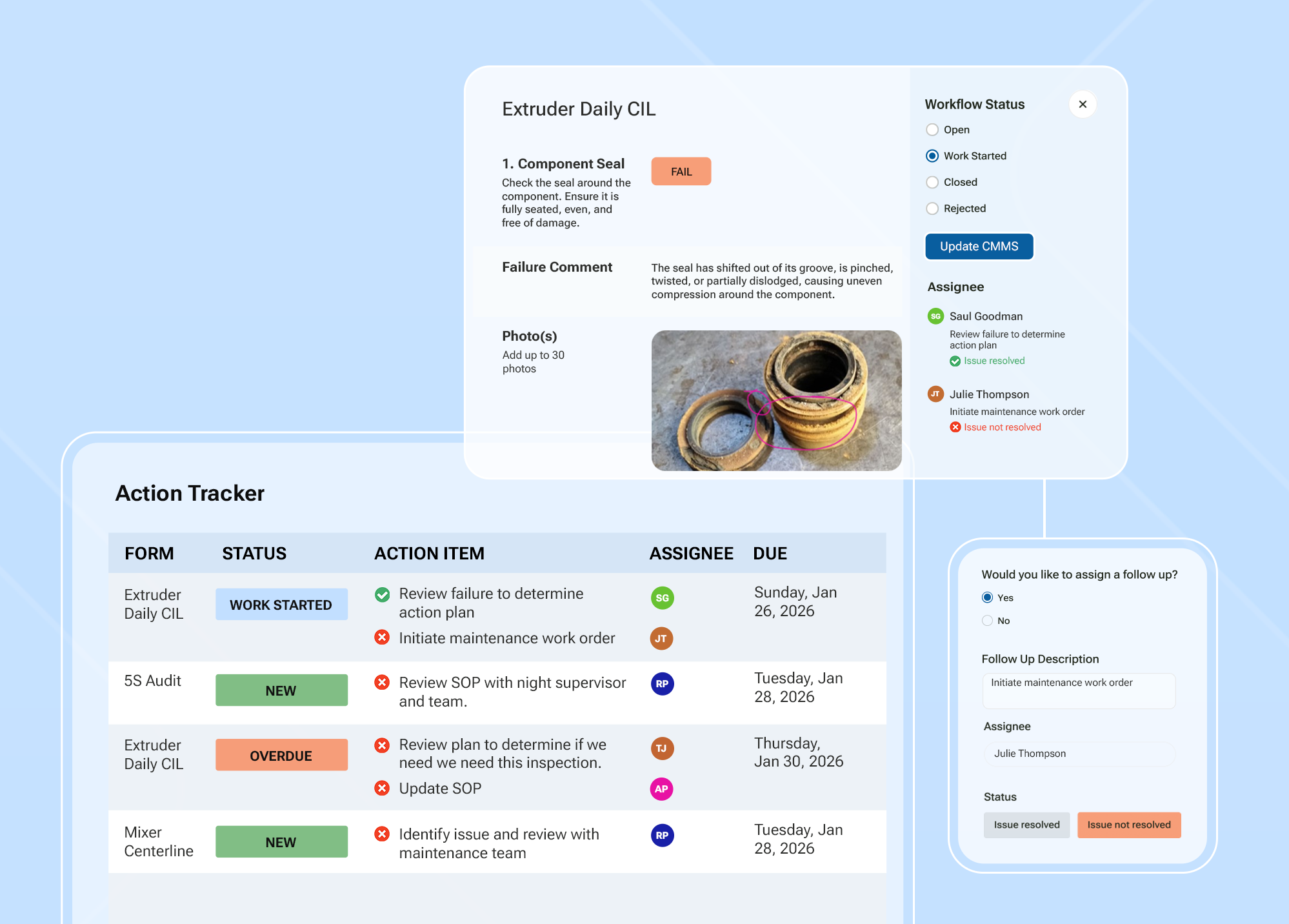
Every issue captured needs an owner, a due date, and follow-through tracked to closure. This is usually framed as accountability, and it is. It is also the only reliable way to sustain capture. When operators see their observations lead to changes, they keep reporting. When they do not, capture quality decays within a quarter and no policy will stop it.
4. Connect it, and keep it portable.
Frontline data has to connect across programs and sites, and it has to be able to leave. If it can only be read inside the tool that captured it, it cannot feed your BI stack, your enterprise systems, or any AI you want to rely on.
Judge any platform against those four in order. And judge the tool the way you would judge the form: can an operator complete it on a shared device, in their own language, in the middle of a shift, without training. If the answer is no, nothing downstream matters.
Why manufacturers choose Weever for digital data capture
Weever is the Connected Worker Platform built for food, beverage, and CPG manufacturers. Safety, sanitation, quality, autonomous maintenance, 5S, and continuous improvement run on one system instead of five point solutions that cannot share data.
Built for the floor, not the office. Weever runs in any mobile browser on shared tablets, phones, or kiosks. No app install, no personal accounts, no per-seat licenses, so everyone participates. Forms are modelled on the paper checklists your team already knows, with multilingual support and visual task guidance for diverse workforces and third-party crews. More on that on the operators page.
Rich capture, not just checkboxes. Photo, video, and OCR capture. Voice-to-text for context. QR codes that link a physical asset or location to the right form. Automated calculations for scoring audits and qualifying readings. Conditional logic so forms adapt to the answers given.
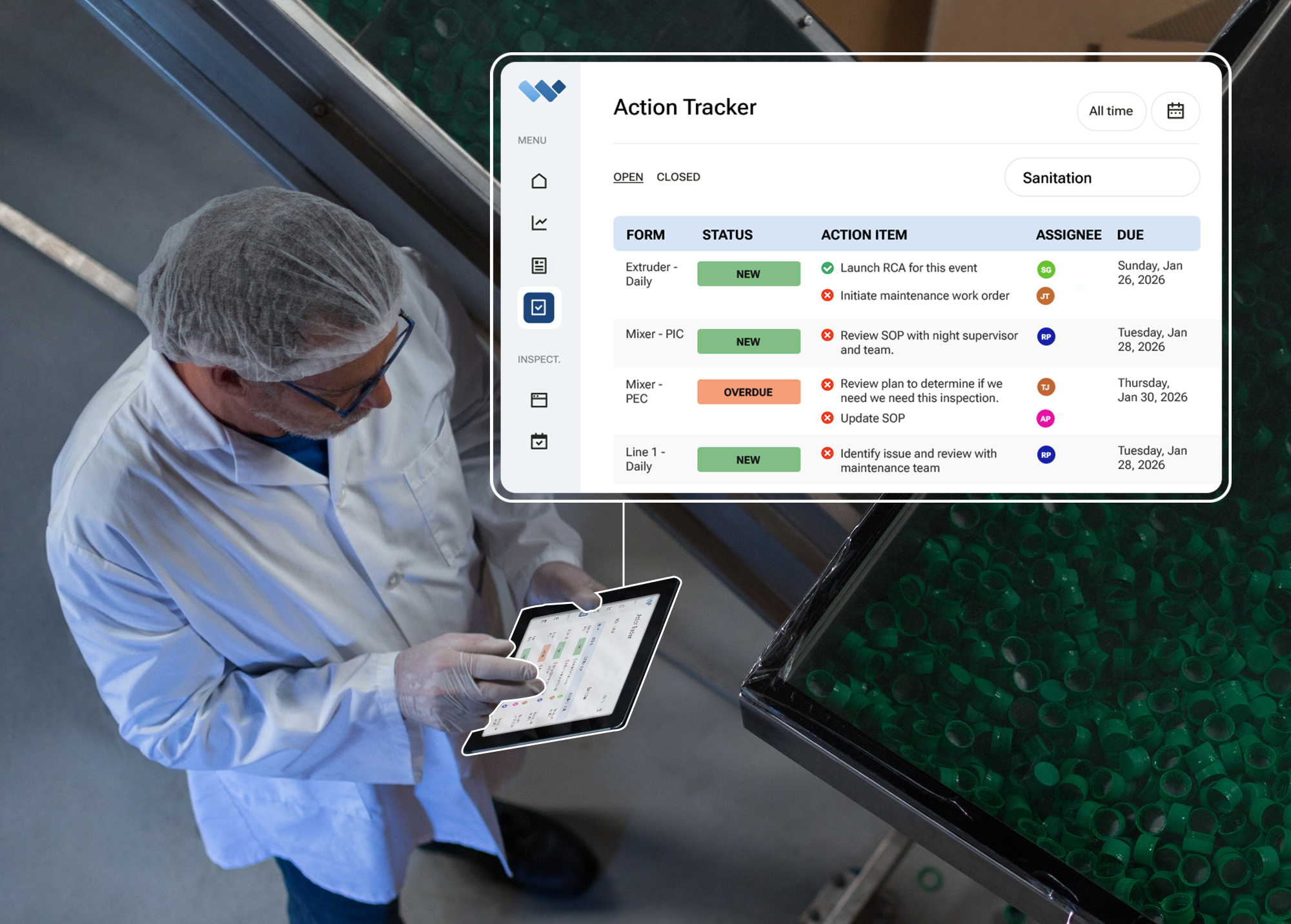
Every issue gets closed. An out-of-spec entry creates an action item automatically, with an owner, a due date, and reminders. Nothing waits in an inbox or on a whiteboard.
Live in weeks, not months. No process redesign, no year-long rollout, minimal IT. Our team builds the first version of your forms and supports each rollout. See why plants choose Weever.
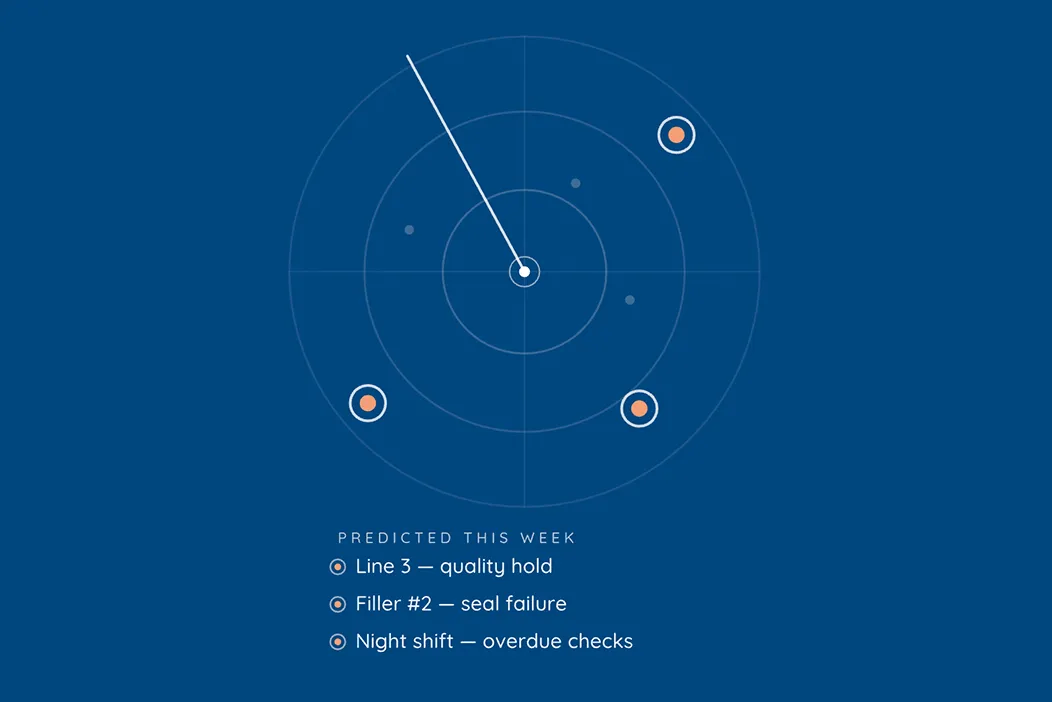
And when you are ready, the data is ready. Weever Radar is the optional AI layer that sits on top of your captured data, finds the patterns nobody has time to dig for, and tells you what is happening, what it means, and what to do about it. It works because the capture underneath it is complete, structured, and trustworthy. That is the whole argument of this article in one product decision.
The takeaway
73% of manufacturing leaders say limited trust in frontline data is already preventing them from relying on AI. That is a solvable problem, and it does not start with a model. It starts with giving the people doing the work thirty seconds and a place to put what they know.
Want to see what your own forms look like in Weever? Book a demo and we will walk through one of your current checks end to end, from capture to action item to dashboard.
5S Action Plans: Implementation Guide
Ensuring 5S Sustainability by correcting failures and continuously improving through action plans and follow-up audits.
FREE RESOURCEs
Auditing is essential to ensuring adherence to 5S principles, but many 5S programs struggle to sustain their impact due to a lack of follow-through on audit findings. When issues identified in audits go unaddressed, it undermines confidence in the program. Implementing corrective actions and follow-up audits is crucial to driving continuous improvement.
The Power of Action Items
Action Items play a key role in revitalizing 5S programs by ensuring that identified issues are resolved promptly. By leveraging digital platforms like Weever and using SMART action items, organizations can enhance workplace organization, cleanliness, and efficiency while maintaining long-term success.
- Ensure Prompt Action: Action items have clear deadlines, preventing issues from lingering unresolved.
- Promote Communication: They facilitate communication among team members and departments, fostering collaboration.
- Track Progress: Action items provide a structured way to monitor the progress of issue resolution.
- Drive Continuous Improvement: By addressing issues systematically, action items contribute to the ongoing improvement of the workplace.
Guide to 5S Action Items
Implementing effective actions and conducting follow-up audits aren't merely tasks; they're integral components driving the success and sustained improvement of 5S programs. These steps enable organizations to address deficiencies, evolve processes, and cultivate a culture of continuous enhancement and excellence.Before you can implement corrective action items, you will need to:
- Establish Audit Criteria and Checklists
- Train Auditors
- Schedule Audits
- Conduct Audits
- Generate & Review Reports
1. Create a simple to use digital form
The first step in effective 5S corrective actions is to analyze findings and develop action plans based on audit results. This involves identifying areas of non-compliance, defining corrective measures, and setting clear objectives with timelines.To ensure action items are impactful, they should follow the SMART criteria:
✅ Specific - Clearly define the issue and desired outcome.
✅ Measurable - Establish criteria for success using quantifiable metrics.
✅ Achievable - Ensure feasibility with available resources.
✅ Relevant - Align with 5S program goals.
✅ Time-bound - Set deadlines to drive accountability.Using SMART action items ensures that identified issues are effectively addressed, leading to sustainable improvements in workplace organization and efficiency.
2. Assign & schedule recurring audits
Ensure action plans are assigned with due dates to ensure accountability.
- Allocate Tasks: Assign responsibilities to individuals or teams for executing corrective measures.
- Ensure Accountability: Clarify roles and expectations to ensure accountability for implementation.
- Prioritize Issues: Determine which issues require immediate attention based on severity and impact
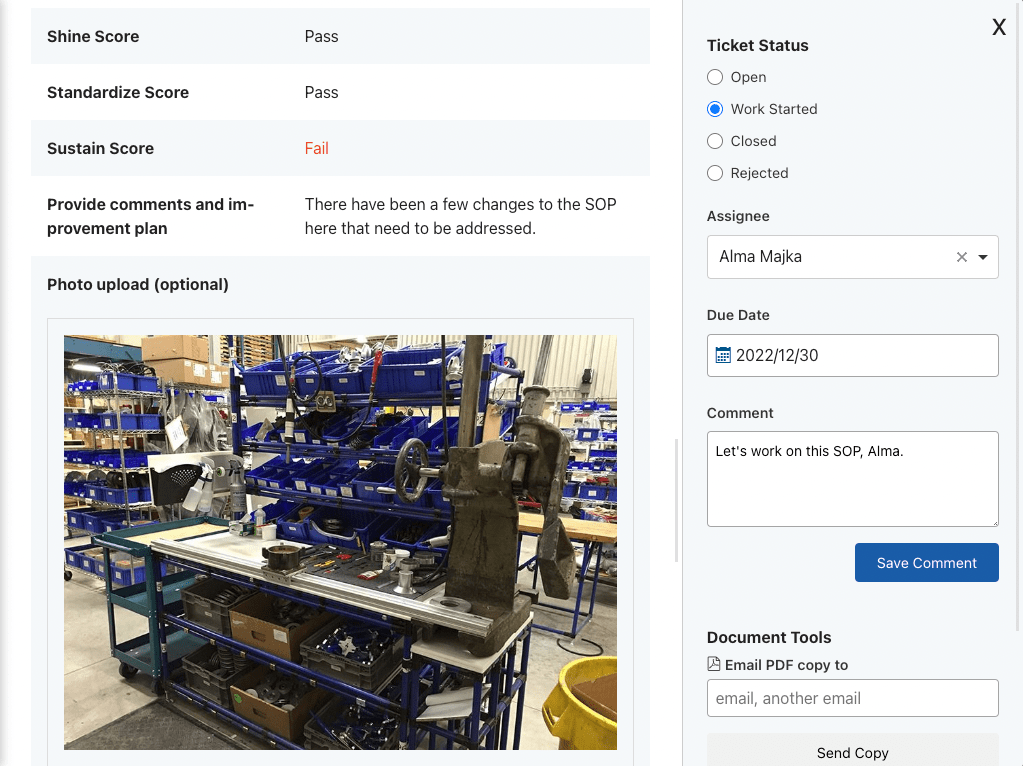
3. Analyze Findings & Develop Action Plans
Put strategies into action, addressing identified deficiencies systematically.
- Monitor Progress: Regularly track the implementation status to ensure timely execution.
- Schedule Re-assessments: Plan follow-up audits to evaluate the effectiveness of implemented corrective actions.
- Compare Against Previous Findings: Assess whether the corrective measures have resolved identified issues.
4. Track results & Continuously Improve
Set benchmarks and measure results. Update processes, checklists and schedules to accommodate analysis findings.
- Evaluate Progress: Compare follow-up audit results with initial findings to gauge improvement.
- Adjust Strategies: Modify action plans as needed based on the effectiveness of implemented measures.
- Iterate and Refine: Use findings from follow-up audits to further refine processes and practices.
- Sustain Improvement: Integrate successful changes into standard practices to ensure sustained improvement.
5. Celebrate Success and Recognition key contributors
Acknowledge and celebrate the achievements resulting from the corrective actions. Recognizing efforts boosts morale and reinforces a culture of continuous improvement.
Automate 5S Auditing to ensure compliance and radically increase workstation productivity.
- Extremely simple and easy to use.
- Save time with automated reporting and administration.
- Capture richer data and manage improvement workflows.
- Automate schedules to ensure compliance.
Ultimate Guide to Success with 5S

Unlock the Power of Engagement with Weever
Are you struggling to retain and engage employees? This is a common issue in the manufacturing industry so you are not alone. Disengaged workforces can slowly rote companies from the inside out, making it next to impossible for them to improve and grow. Conversely, engaged workforces are the driving force behind today's most successful manufacturing organizations.
Unlock the full potential of your frontline employees with Weever. Provide them with on-demand instructions to do the job correctly, the tools and resources to get the job done on time, and the ability to provide suggestions, be heard and affect positive organizational change.
What is Employee Engagement?
Employee Engagement is the degree to which your employees are invested in the pursuit of positive organizational outcomes. While disengaged employees are drifting off and dragging their feet, engaged employees are alert, positive, and continuously thinking about how they can bring value to your organization.
Why is Employee Engagement Valuable?
Fostering a culture of engagement benefits every facet of your operations, from safety incidents to product quality, equipment up-time, OEE and profitability. Engagement is the "rising tide that lifts all boats" and the "gift that keeps on giving". An engaged culture is worth 10X its investment.
How do you increase Employee Engagement?
The degree to which your employees are engaged is driven by how much your employees are:
- Empowered - Are your employees asked to be accountable for the success of your organization? Empowerment demands involvement and provides employees with permission and the accessible tool required to act. It is the gateway to Employee Engagement.
- Energized - Are your employees motivated to go above and beyond? If you do not energize your employees, your culture will lack the willingness to affect change and staff will do the bare minimum to achieve the only reward that matters to them - the paycheck.
- Enabled - Do your employees have the tools, skills, and resources they need to be successful? If your tools are inefficient or hard to access, staff will not want to participate and, eventually, your programs will lose momentum.
Focusing on these drivers makes it easier to strategically manage and measure engagement growth.
How does Weever help?
Weever automates administrative tasks, simplifies work and unlocks the full potential of your frontline employees. Discover how the Weever platform will revolutionize your organization's engagement.
Empower Employees to Drive Operational Excellence
Weever makes it easy for frontline employees to get involved in continuous improvement. Employees can report abnormalities quickly by snapping a photo. They can be assigned action items for improvements and scheduled inspections. Operators can be asked to execute simple maintenance tasks on their machines, saving time for maintenance technicians to drive more value-add, preventive maintenance projects. Empowered frontline employees are invited to participate in the success of the company and Weever makes it easy for them to get involved.
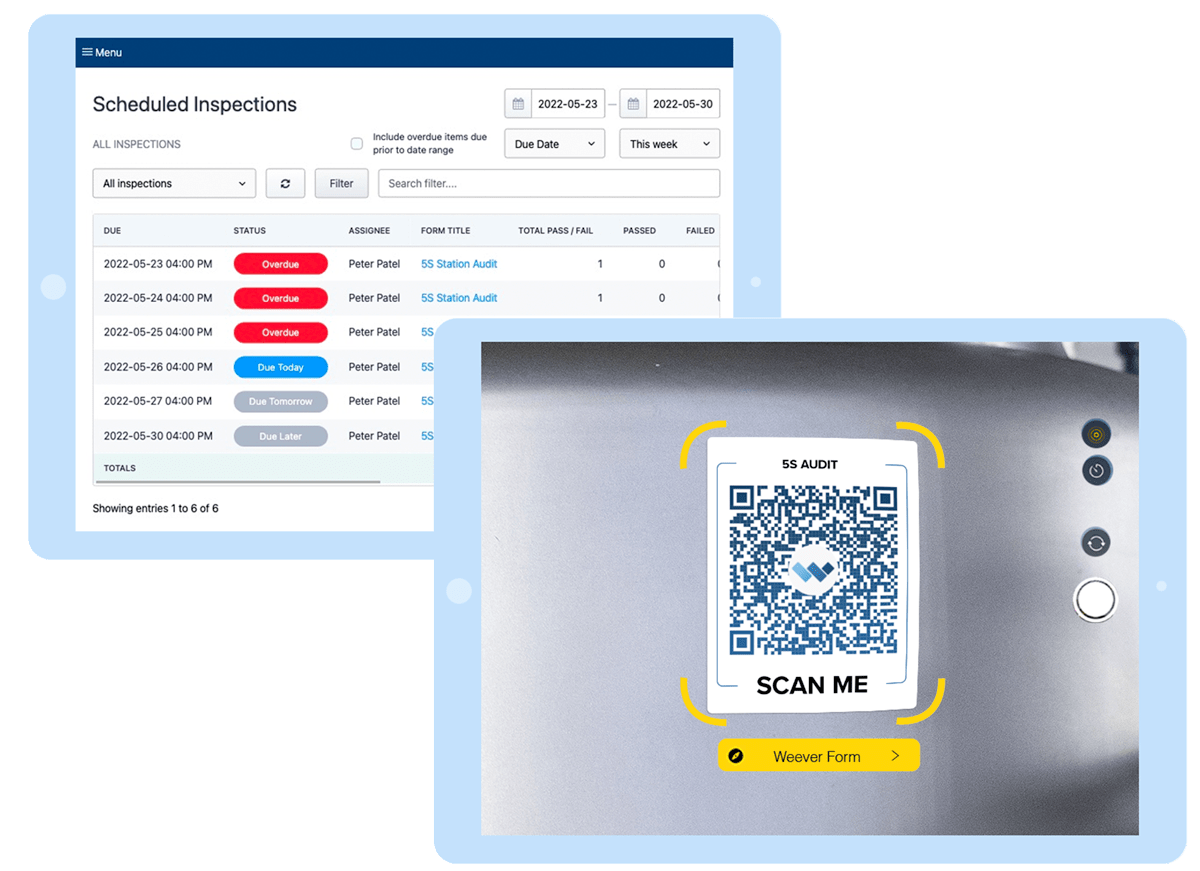
Weever's interface is designed to be super easy to use in a manufacturing environment.
- Access Anywhere, Anytime: Weever's cloud-based software allows your frontline employees to access critical information and tasks from anywhere, at any time, ensuring they remain connected and informed.
- Drive Accountability: Implement accountability measures that empower your frontline employees to take ownership of their tasks, leading to increased productivity and higher job satisfaction.
- Enhanced Training and Onboarding: Streamline the training and onboarding process for new frontline employees, reducing time-to-productivity and ensuring they quickly become valuable team members.
- Create and Manage Schedules: Easily create and manage schedules, ensuring that your frontline employees are always where they need to be, when they need to be there, improving overall efficiency.
Energize your Culture
Motivating employees is not a one-time project. Energized employees are fostered over a continuous effort by management to drive a culture where staff feel intrinsically and extrinsically rewarded. Weever automates KPI reports that illustrate how their extra effort has created real, tangible benefits to the organization. You can also use Weever Rewards & Recognition to award positive contributions and behaviors.
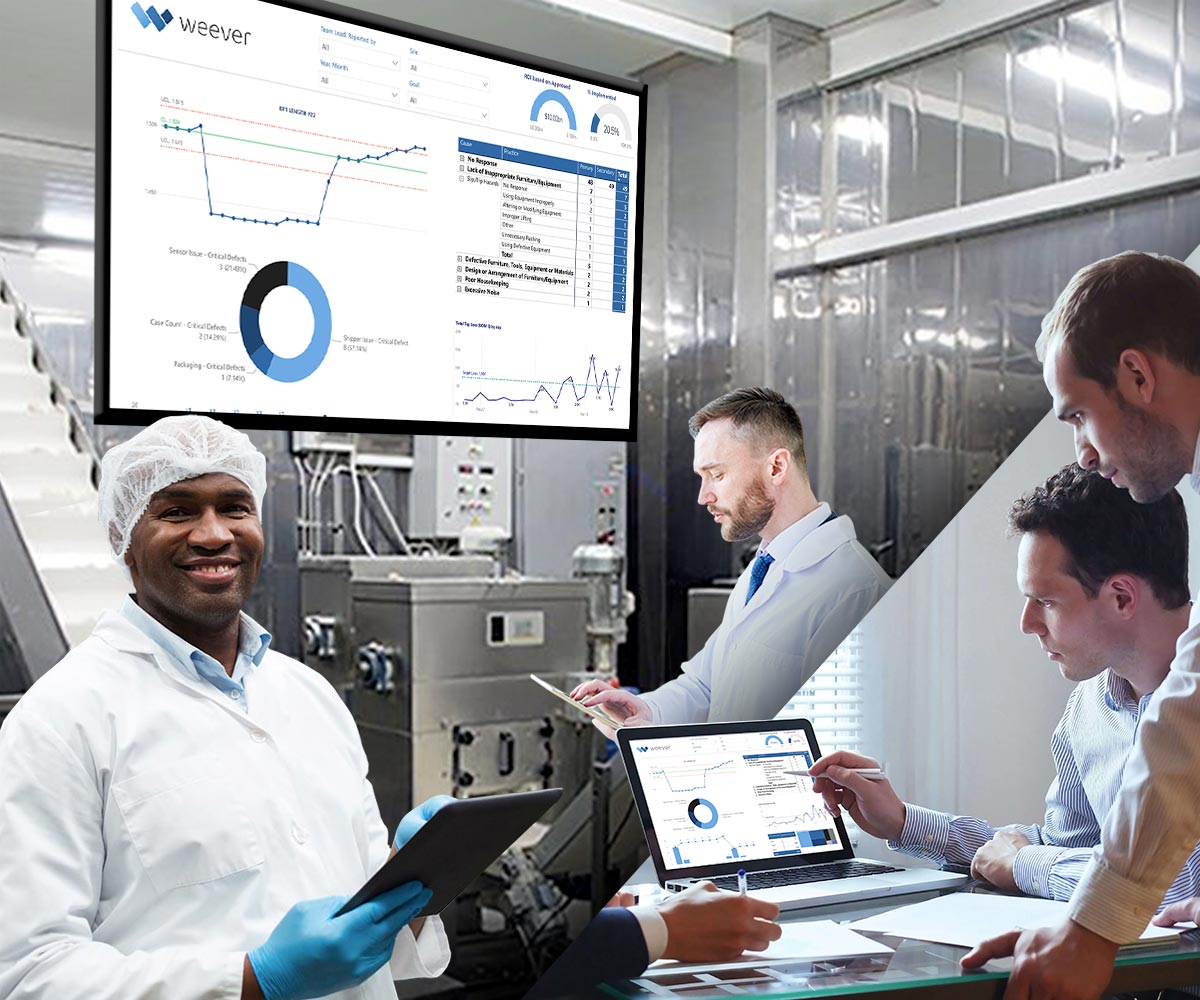
Weever makes it easy to show employees the impact their effort has had on the business.
- Boost Employee Satisfaction: By providing frontline employees with the tools and support they need to excel, Weever can significantly boost job satisfaction, retention and overall engagement.
- Automate Reports: Save valuable time by automating the creation and distribution of reports, providing your frontline employees with real-time insights and freeing them to focus on critical tasks.
- Rewards & Recognition: This optional add-on allows administrators and supervisors to reward points, either manually or automatically, that can be redeemed in your self-managed rewards marketplace.
- Optimize Workflows: Weever's intuitive platform allows you to effortlessly implement workflows, streamlining operations and enabling your frontline employees to work more efficiently.
Enable Successful Outcomes Every Time
Weever enables frontline staff to do their job more effectively so they can become engaged in your organization's pursuit of Operational Excellence. Weever takes the guesswork out of day-to-day operations. Using notifications, schedules and QR codes, staff understand what is required. Access to on-demand resources ensure frontline employees get the job done correctly, whether it's their first day on the job or their closing in on retirement. If there is an issue, Weever makes it easy for staff to report failures and get the help they need to move forward.
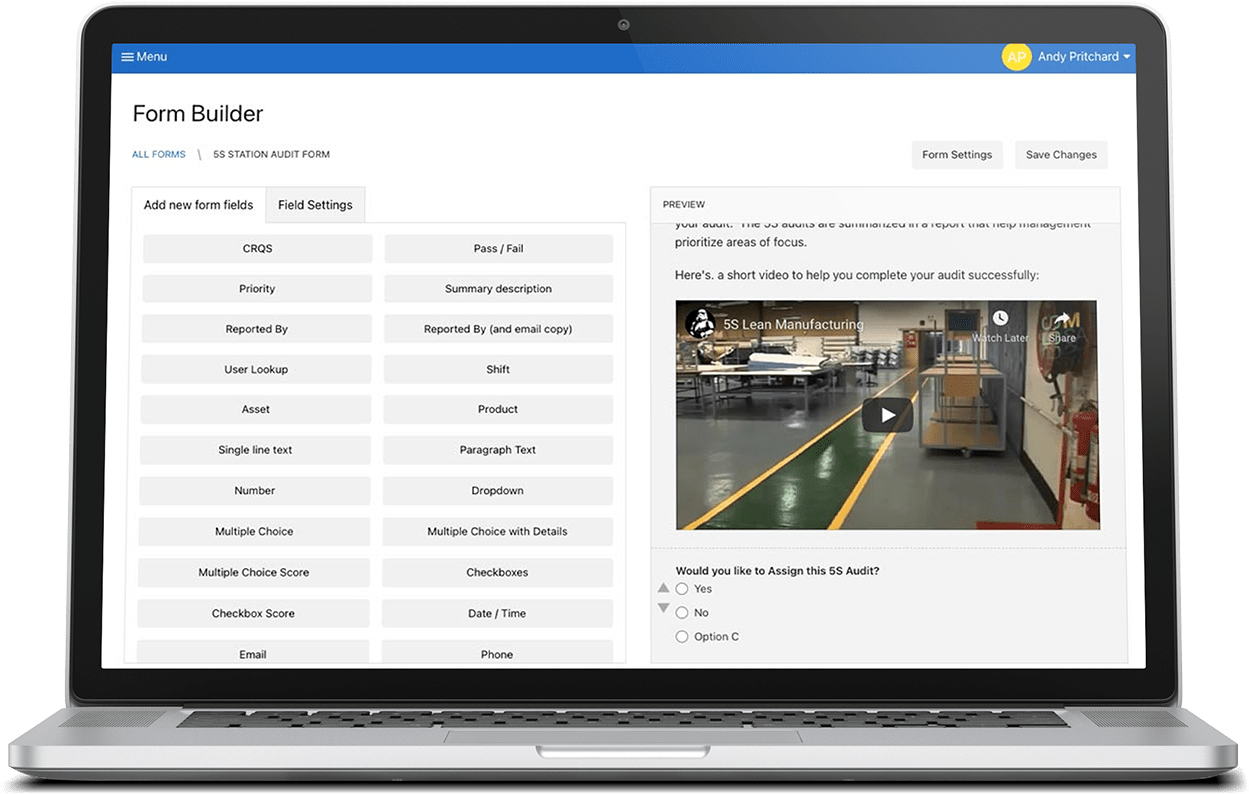
Our platform includes entirely customizable pre-built templates that you can easily adapt to your unique needs.
- Customizable Forms: Tailor forms to your specific needs, ensuring that your frontline employees capture the exact data you require, streamlining processes and enhancing accuracy.
- Enhance Communication: Foster open and transparent communication between management and frontline employees, promoting a collaborative environment that drives engagement and productivity.
- Improve Decision-Making: Make data-driven decisions by leveraging the insights gathered through Weever, leading to more informed choices and better outcomes for your organization.

How to Build your 5S Audit Digitization Project Plan
In today's fast-paced and ever-evolving business landscape, digitization is not just an advantage, it's a necessity. For companies looking to implement 5S methodologies—a cornerstone of lean management—the shift from traditional paper-based systems to digital platforms can be transformative.
Creating a comprehensive project plan, or Business Case, is a critical step in this transition. It serves as a strategic blueprint, detailing the need, goals, and anticipated benefits of digitization. More than just a document, it’s a persuasive communication tool to present to leadership, succinctly conveying how digitization aligns with broader business objectives and the tangible efficiencies it promises.
Let's delve deeper into each of the Project Plan sections to provide you with everything you need to impress senior management and get the ball rolling on your digitization project.
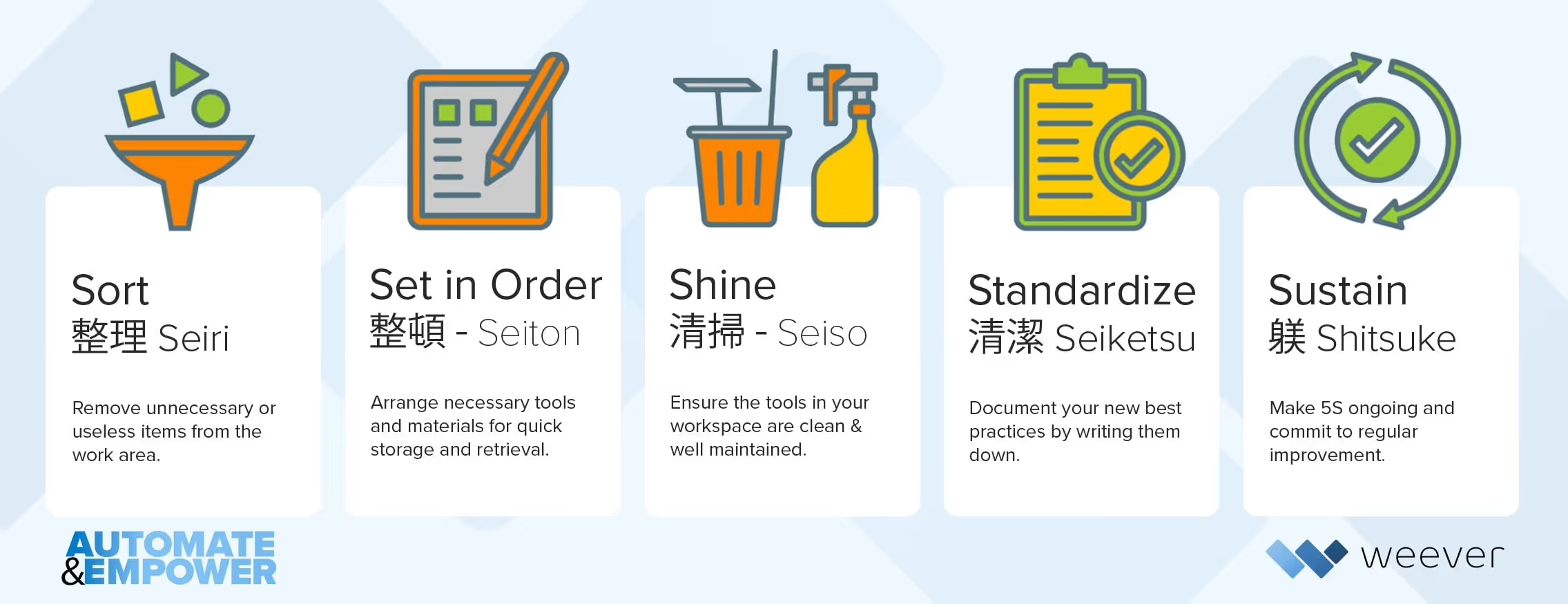
What is the 5S Methodology?
The 5S methodology embodies a structured approach to workplace organization and efficiency. It entails the systematic arrangement, cleanliness, and standardization of workspaces to optimize productivity, safety, and quality.
Planning within the 5S context plays a pivotal role, setting the stage for successful implementation, adherence to principles, and continuous improvement.
How to Build a 5S Audit Digitization Project Plan
Creating a project plan (or Business Case) is helpful for communicating the need, goals and benefits of digitization to leadership. The project plan also helps you elicit help from leaders within your organization.
To Build a Business Plan for 5S Digitization follow these steps:
- Align Project Goals with Organizational Objectives
- Gather Evidence & Benchmark Data
- Establishing a Baseline for Improvement
- Outline Implementation Plan
- Calculate Potential Return on Investment (ROI)
- Develop a Compelling Presentation
1. Align Project Goals with Organizational Objectives
Digitizing your 5S program is going to take resources, so you will need to compel senior leadership to provide them. The best path to do this is to demonstrate how 5S digitization aligns with the current corporate objectives.
The specific objectives of your 5S digitization project should become clearer when you have completed this exercise. It is helpful to keep your goals crystal clear during the implementation so you do not stray off track. Goals are helpful for making decisions as you go.
2. Gather Evidence & Benchmark Data
Now that you are clear on what you want to achieve, you can begin digging deeper into your current auditing program to assess specifically how it can be improved through digitization. It is crucial to gain a deep understanding of the current 5S processes in place, especially relating to the pain points that can be solved through digitization.
Review Auditing Program
Begin by reviewing your current documentation, audit frequency and consistency and the data you are capturing:
- Audit Documentation: Begin by reviewing existing 5S audit documentation. Analyze the structure, frequency, and thoroughness of audits to understand the current state of compliance and adherence to 5S principles.
- Schedule Frequency and Consistency: Assess the frequency of 5S audits and their consistency across different areas of the organization. Identify if there are variations in audit practices that may lead to discrepancies in compliance levels.
- Audit Data: Does the information captured from audits contain enough information to spot trends and insights? Are you capturing data around audit completion time, non-compliance rates, and corrective action turnaround times. What is the data not providing that you need to be successful?
Engage with Key Stakeholders
Once you have reviewed the program documentation, schedule and data, you should engage with key stakeholders, including auditors, employees, and department heads, to gather qualitative insights. Explore their perspectives on the effectiveness of current auditing practices and any challenges they face. Some practical ways to identify pain points and inefficiencies that can be addressed with digitization include:
- Employee Feedback Sessions: Conduct feedback sessions with employees involved in or affected by 5S audits. Collect input on pain points, bottlenecks, and inefficiencies they encounter during the auditing process.
- Analysis of Non-Compliance Trends: Examine historical data on non-compliance incidents. Identify recurring issues or trends that may indicate systemic inefficiencies in the current 5S auditing practices.
- Surveying Auditors: Survey auditors to understand their experiences and challenges. Identify any roadblocks they encounter in conducting effective audits, documenting findings, and implementing corrective actions.
SWOT Analysis for Current 5S Auditing Practices
Armed with information from your interviews, you may want to consider presenting this information to senior leadership through a SWOT (Strength, Weaknesses, Opportunities, Threats) analysis. This analysis provides a holistic view of the internal and external factors influencing the effectiveness of the auditing processes.
3. Establishing a Baseline for Improvement
Now that you understand the goals and pain points, you need to capture quantitative baseline metrics that you can use to establish a return on investment (ROI) for digitization. This process involves evaluating key performance indicators (KPIs) to understand the current state of the auditing system.
Metrics such as audit completion time, non-compliance rates, and corrective action turnaround times play a pivotal role in providing insights into the efficiency and effectiveness of existing practices.
In paper-based systems, auditors manually compile information from completed audits, creating reports by hand. Administrative tasks, such as updating communication boards, are also time-consuming and rely on manual effort.
4. Outline Implementation Plan
Now that you have assessed your goals, the specific pain points you want to address, and the baseline quantitative metrics you are looking to improve, it is time to outline the phases and steps in your implementation plan.
This guide includes a whole section on implementation best practices that you can review later in this guide. For the Project Plan, however, it is useful to present an overview of the phases involved in the project.This can include the goals for each phase, resource requirements and estimated timelines.
Below is an example of an Implementation Plan that you can use to create your own. Each company operates differently and at their own pace, however, following this process is the best way we have witnessed to deliver a successful implementation.
5. Calculate Potential Return on Investment (ROI)
Understanding a potential ROI is a great way to show senior management that you have thought through the costs and benefits of the program and you are interested in the financial success of the organization.
To calculate the return on investment for digitizing your 5S audits, you will need to understand the costs and the hard returns associated with the program. Once you have a handle on these figures you can easily find ROI %, which is the net annualized benefit divided by the total annualized costs multiplied by 100, or simply:
ROI (%) = ((Total Benefits - Total Costs) / Total Costs) x 100
What are the potential costs?
Cost estimates can vary widely depending on factors such as the chosen software, the organization's size, complexity, and specific requirements. Here is a list of estimated costs you may want to include in your Project Plan.
- Software Licensing Fees: Costs associated with purchasing licenses for the 5S audit digitization software or platform. Licensing fees can vary widely depending on the chosen software's features and scalability.
- Implementation and Setup: Expenses related to the initial setup and configuration of the digitization platform, including data migration, customization, and integration with existing systems if necessary. Typically, this cost is calculated based on the scope of customization and the complexity of the implementation project. It can be estimated through discussions with software vendors or implementation partners. This can vary widely but may range from $20,000 to $100,000 or more for a comprehensive implementation.
- Training and User Adoption: Costs associated with training employees and auditors on how to use the digital audit platform effectively. This includes training materials, instructor fees, and productivity losses during training. Estimate the number of users who require training and the duration of training sessions. Multiply this by the cost per user or per training session. Training costs can range from $50 to $500 per user, depending on the complexity of training requirements.
- Maintenance and Support: Ongoing expenses for software updates, technical support, and maintenance of the digitization platform. Typically, maintenance and support costs are a percentage of the initial software licensing fees. It can be estimated by considering the vendor's support pricing model. This may be around 15-20% of the annual licensing fees, so if the licensing fee is $20,000, the annual maintenance and support cost could be $3,000 to $4,000.
- Hardware and Infrastructure: Costs related to hardware and infrastructure upgrades or enhancements required to support the digital audit platform, such as networking and wi-fi improvements or tablets and mobile devices. Calculate the costs associated with any necessary hardware upgrades or additional equipment purchases. This can vary significantly based on the existing infrastructure and requirements but may range from a few thousand to tens of thousands of dollars.
What are the hard and soft benefits of 5S digitization?
Now it is time to estimate the benefits of 5S digitization to complete your ROI calculation. Some benefits will translate easily to dollars. These are considered “Hard ROI” benefits. Other benefits are not as easy to convert into dollars directly but it is easy to understand how they positively affect the organization. These are “Soft ROI benefits”.
You can get into trouble trying to convert these to hard dollar benefits, so we recommend separating the 2 benefits and simply listing soft benefits but not including them in your equation.
Hard ROI Benefits
Time Savings: The reduction in the time required to conduct and manage 5S audits due to streamlined processes and real-time data access. Calculate the average time spent on manual audits before digitization and compare it to the time spent on digital audits. Multiply the time saved by the hourly wage of auditors. Potentially thousands of hours saved annually, resulting in significant cost savings.
Reduced Document Management Costs: The elimination or significant reduction of costs associated with printing, storing, and managing paper-based audit forms and documents. Calculate the annual expenses related to paper, printing, storage, and document management before digitization. Savings could range from several thousand to tens of thousands of dollars per year.
Soft ROI Benefits
Increased Efficiency: Improved operational efficiency and productivity resulting from quicker identification and resolution of issues identified during audits.
- Estimate the percentage increase in efficiency due to digitization and apply it to relevant operational costs.
- Efficiency gains can lead to substantial savings in operational costs, depending on the extent of improvement.
Improved Compliance: Enhanced adherence to 5S principles and regulatory requirements, leading to fewer compliance issues and potential penalties.
- Assess historical compliance issues and estimate the reduction in non-compliance incidents after digitization.
- The savings can be significant, potentially avoiding penalties and fines.
Enhanced Data Analysis: The ability to analyze audit data in real-time, identify trends, and make data-driven decisions for continuous improvement.
- Assess the impact of data-driven decision-making on operational improvements and potential cost savings.
- This benefit can result in significant cost reductions by optimizing processes and resource allocation.
Employee Engagement and Satisfaction: Increased employee engagement, satisfaction, and retention due to user-friendly digital tools that simplify the audit process.
- Consider the potential impact of improved employee morale on productivity and turnover rates.
- While harder to quantify, improved employee engagement can have long-term financial benefits.
To help you in this process, we have a handy ROI calculator you can use to assess and monetize time savings for auditing, corrective actions and administration. You can toggle the inputs to suit your estimates and email yourself the results.
6. Develop a Compelling Presentation
After you have completed the above steps you will have an excellent understanding of what you want to achieve, how you are planning to achieve it, and how your company will benefit from the investment of time and money to make it happen. Now it is time to present your findings to senior management to gain alignment and access to the resources you need.
The presentation template outlines:
- Goals of the program
- Pain points to overcome
- KPIs to improve
- Implementation plan
- Expected ROI
Best Practices
In the pursuit of successfully digitizing 5S auditing processes within manufacturing and warehouses, adhering to best practices is paramount. These practices not only enhance the efficiency of the digitization effort but also contribute to the overall success of 5S implementation.
Establishing Clear Standard Operating Procedures
The foundation of effective 5S digitization lies in establishing clear and comprehensive Standard Operating Procedures (SOPs). Documenting step-by-step guidelines for the use of digital tools, auditing processes, and corrective actions ensures consistency and adherence to best practices. Clearly defined SOPs serve as a reference point for employees, facilitating a standardized approach to 5S practices and minimizing the risk of errors or deviations. Regularly updating SOPs in response to changes in technology or industry standards is crucial for maintaining relevance and effectiveness.
Leveraging Analytics for Continuous Improvement
Utilizing analytics is a key best practice for organizations committed to continuous improvement in their 5S digitization journey. By collecting and analyzing data generated from digital audits, organizations can identify patterns, trends, and areas for enhancement. Analytics enable proactive decision-making, allowing companies to address inefficiencies, optimize processes, and predict potential issues before they impact productivity. Regularly reviewing analytics also supports evidence-based decision-making, providing valuable insights into the overall health of the 5S digitization initiative.
Encouraging Collaboration and Communication
Promoting a culture of collaboration and communication is essential for the success of 5S digitization efforts. Encouraging cross-functional collaboration among different departments and teams fosters a holistic approach to digitizing auditing processes. Establishing open lines of communication ensures that feedback from end-users is considered, leading to improvements in user experience and overall satisfaction. Regularly scheduled meetings, training sessions, and forums for knowledge sharing contribute to a shared understanding of the digitization goals, creating a collaborative environment that supports the long-term success of 5S practices within the organization.
Step-by-Step Guide to running a successful Safety Observation Program
If you're a safety or operations manager in a manufacturing company, you know that a strong safety culture is the foundation of success. One of the most effective tools at your disposal is Behavior-Based Safety (BBS) observations.
If you're interested in learning how BBSO programs work, you've come to the right place. In this practical guide, we're going to break down the process, ensuring that you become a BBS expert and lead your team towards a safer, happier workplace.
Successful BBSO strategies will change from company to company - so start slow, work out the kinks, and be ready for some trial and error before rolling out fully. That being said, all BBSO programs include a method to capture observations, a process to evaluate and action plan, and a means to review program results and KPIs.
Implementing a Behavior-Based Safety Observation (BBSO) program is essential for fostering a proactive safety culture within organizations. The following steps outline a structured approach to establishing an effective BBSO program.
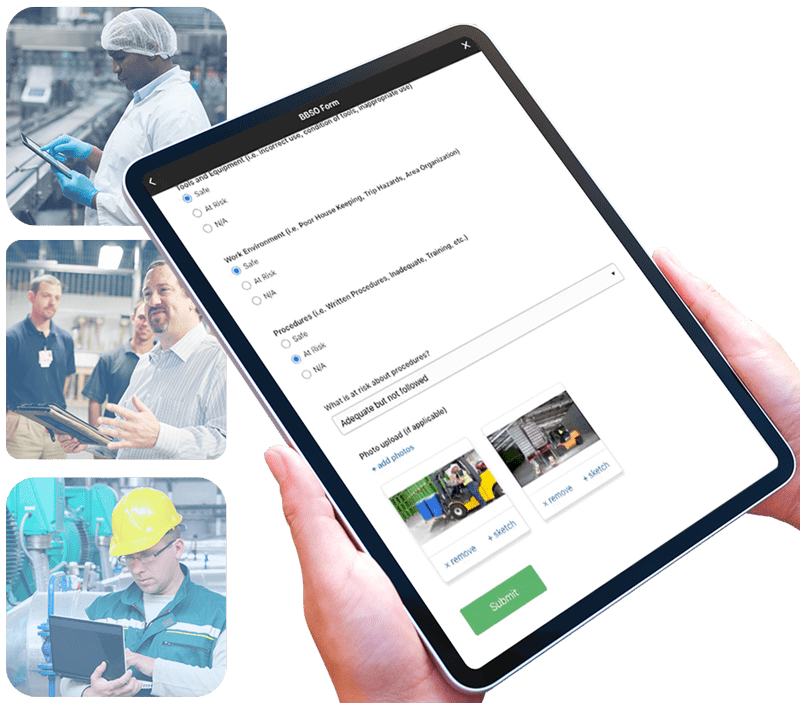
1. Define Clear Objectives
Before launching your program you need to consider the overall objectives of your program, the format of your observation form, who will be observing employees and capturing data, BBSO training and setting a schedule to ensure compliance.
Establishing specific, measurable goals is the foundation of a successful BBSO program. These objectives should align with the organization's overall safety strategy and address identified risks. For instance, aiming to reduce near-miss incidents related to personal protective equipment (PPE) non-compliance by 20% within six months provides a clear target for the program.
- To establish effective BBSO program objectives, start by identifying the specific safety behaviors or practices you want to target, such as the proper use of personal protective equipment (PPE) or adherence to lockout/tagout procedures.
- Determine the desired outcomes, which could include reducing the number of safety incidents, lowering injury rates, or enhancing overall safety culture.
Ensure that your objectives are SMART: Specific, Measurable, Achievable, Relevant, and Time-bound. For instance, an objective could be to "reduce the number of near-miss incidents related to PPE non-compliance by 20% within six months." These well-defined objectives provide a clear roadmap for the BBSO program, aligning efforts with tangible safety improvements.
Select Observer Methodology
You can either select and train specific staff members (such as members of the safety committee) to be observers or provide all staff with the ability to submit safety observations (Peer-to-Peer).
- Limiting observers makes the program a bit easier to manage but it does reduce the amount of teachable moments that can arise from safety observations.
- Peer-to-peer behavior-based safety observation programs create a collaborative, engaging, and proactive approach to safety that can significantly enhance the overall safety culture within an organization. Learn more about how one of our customers transformed their safety culture with peer-to-peer observations.
By leveraging the power of employees to monitor, provide feedback, and support each other in safe behaviors, companies can reduce incidents, improve safety performance, and create a workplace where safety is everyone's responsibility.
2. Develop User-Friendly Observation Forms
Creating standardized and straightforward observation forms ensures consistency and ease of use.
When creating a Behavior-Based Safety Observation (BBSO) form, it's essential to focus on capturing relevant and actionable data that contributes to improved safety practices.
- Start by identifying the critical safety behaviors specific to your workplace. These are the behaviors that, if followed or corrected, have the most significant impact on safety.
- Ensure the BBSO form is user-friendly, with clear instructions and checkboxes or fields for observations, including antecedents (what led to the behavior), the behavior itself, and consequences (results of the behavior).
- Make it practical and concise to encourage regular use by observers.
- Consider including space for positive reinforcement and corrective actions to promote a collaborative approach to safety improvement.
- Regularly review and update the form to reflect changing safety priorities and maintain its relevance in driving a safer work environment.
At Weever, we have a few BBSO templates for you to customize to your unique requirements. Our templates focus on capturing data in the following categories:
- Body Position - Are the employees pivoting or twisting? Is there a risk of falling? How is their posture?
- PPE - Are they wearing the appropriate protective equipment for the job?
- Tools & Equipment - Were the tools appropriate for the job? Are they in good condition and used appropriately?
- Work Environment - Was the area clear of hazards or unorganized? Are there any sanitation or housekeeping issues?
- Procedures - Were required procedures followed as outlined by your documentation?
3. Conduct Comprehensive Training
Proper training equips observers with the skills necessary to identify and document both safe and at-risk behaviors.
Safety managers should provide training around what to observe, when, and how often. Usually BBSO training is mandatory on-boarding for new hires. BBSO training is crucial to instill a strong safety culture from the very beginning. Training should consist of:
- Introduction to Safety Culture - Emphasize the organization's commitment to safety
- Basic Safety Principles - Provide an overview of basic safety principles
- Explanation of BBS - Define what Behavior-Based Safety is and why it's essential.
- Critical Behaviors Identification - Identify and explain the critical safety behaviors relevant to the specific job roles within your organization.
- Reporting Procedures - Describe the process for reporting safety concerns, near misses, and incidents.
- Positive Reinforcement - Highlight the importance of positive reinforcement in BBS.
- Feedback and Communication Skills - Provide training on effective communication skills for giving feedback. Emphasize the need to be respectful, non-judgmental, and solution-oriented when addressing safety concerns with colleagues.
- Safety Resources: Familiarize new employees with safety resources within the organization, including safety committees, safety officers, and any safety training materials or online platforms.
Consider scheduling follow-up training sessions or refreshers to reinforce BBS principles and address any questions or concerns that may arise after the initial onboarding. By incorporating these elements into the onboarding process, you can ensure that new employees are well-equipped to embrace the organization's safety culture and actively contribute to a safer workplace through Behavior-Based Safety practices.
This training ensures that observers can effectively contribute to the program's success.
4. Schedule Regular Observations
Implementing a consistent observation schedule is crucial for maintaining momentum and focus on safety. Regular observations allow for the timely identification of unsafe behaviors and reinforcement of safe practices. This consistency helps in building a culture where safety is continuously monitored and improved.
Creating a Behavior-Based Safety Observation (BBSO) schedule is crucial to ensure consistent and effective safety monitoring.
- Start by identifying the frequency and scope of observations needed for your organization's safety goals.
- Consider factors like the size of your workforce, the complexity of your operations, and any specific safety concerns.
- Divide your employees into observation pairs or groups if needed.
- Establish a regular schedule, which may include daily, weekly, or monthly observation slots, depending on your safety objectives and resources.
- Ensure that observation times are varied to capture different shifts and work conditions.
- Be flexible and allow for adjustments as needed to accommodate operational changes or evolving safety priorities.
- Communication and coordination among observers are key, so make sure the schedule is accessible and understood by all involved parties.
Finally, regularly review and update the schedule to align with changing safety needs and continuously improve your BBSO program.
How to properly conduct a Safety Observation
Conducting a behavior-based safety observation involves systematically observing and documenting workplace behaviors to identify potential safety hazards and promote safe practices.
- A BBSO consists of one or more persons completing a task, while at the same time one or more persons are observing that task with the explicit goal of identifying safe and at-risk practices.
- The observers then share those observations and offer suggestions on how to improve the at-risk work habits.
In this phase, employees and/or safety committee members are tasked with executing behavioral observations periodically on other staff and/or on-site contractors.
Observations include monitoring body position, PPE, tools & equipment, the general work environment and procedures.
This feedback should be conversational while encouraging discussion between the observer and observed employees.
In the end, safe and at-risk observations are reported and feedback is provided to the observed party.
When you're ready to begin the observation:
- Ask First: Remember to ask if it's okay to observe before beginning. It's all about growth, not getting people in trouble.
- Record Data: Use your observation form to document what you see. Be objective and specific in your notes. Include details about antecedents (what led to the behavior), the behavior itself, and any consequences (results of the behavior).
- Maintain Observer Neutrality: Avoid interfering with the observed employee's actions. Do not provide feedback or correction during the observation itself.
- Stay Non-Judgmental: Maintain a non-judgmental attitude and refrain from assigning blame. The goal is to gather data for improvement, not to criticize.
Providing Feedback
After the observation you should acknowledge safe behaviors. Start with positive feedback.
- Recognize and commend employees for safe behaviors you observed.
- This reinforces the importance of safe practices. Then you can address any unsafe behaviors you observed.
- Use constructive language and focus on the behavior, not the individual.
- Explain the potential consequences and emphasize the importance of safety.
Collaborate for Improvement
Encourage open communication. Ask them for their perspective on the observed behaviors and any barriers they face in performing safely.
- Collaborate with the employee to identify potential solutions to address safety issues.
- Discuss strategies to prevent unsafe behaviors and improve safety.
- By following these steps, you can conduct behavior-based safety observations effectively, promote a culture of safety, and contribute to a safer and healthier workplace for your team.
- Remember that the key to success is continuous improvement and a commitment to fostering safe behaviors.
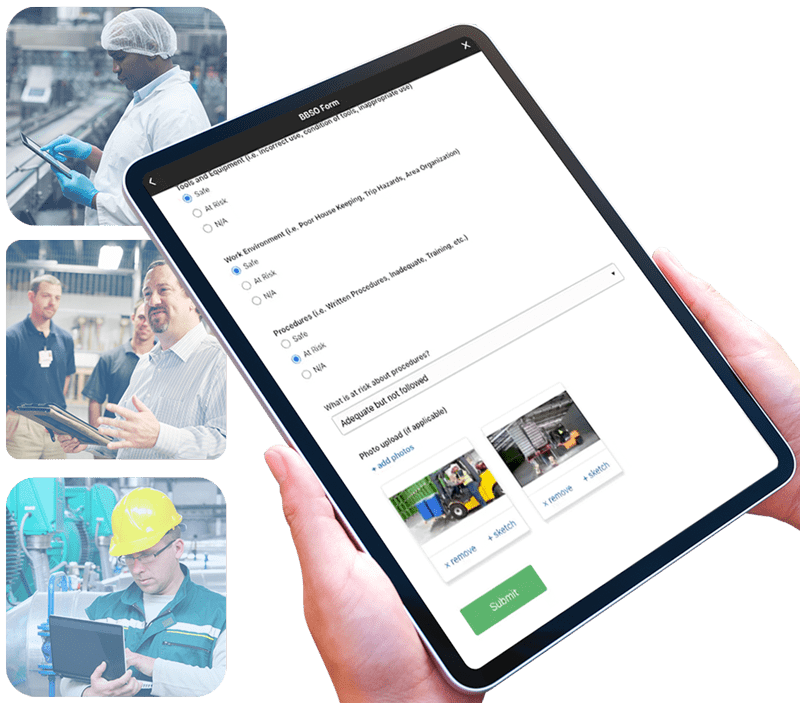
5. Action Plan and Provide Constructive Feedback
When observations are submitted, supervisors and manager can review them and create action plans. While evaluation is usually focused mostly on at-risk behaviors, safe observation reports are still worth reviewing, especially if comments are provided.
With digitized solutions, photos and videos of safe behaviors can help by providing content for training purposes. All data, including safe reports, should be summarized to inform KPIs. Digital solutions, again, help with this because the reporting can be automated, which saves loads of time and ensures accuracy.
At risk behaviors can create a few different action plans:
1. One-on-One Follow Up
If you feel that the at-risk behavior could present a problem in the future, you can plan a quick follow-up with the observed parties to review appropriate safety SOP and best practices.
2. One Point Lessons & Training
If an at-risk situation continues to arise, managers can create a One Point Lesson or "Toolbox Talk" session where all staff will review the best practice.
- Video showing the safe behavior can be helpful. In some cases, simply asking area or shift supervisors to reiterate the importance of avoiding the at-risk behavior during a shift huddle is enough to make the
point clear. - For compliance purposes, it is best practice to get staff to sign a document that they received the training, which is much easier to manage using software.
3. Update Visual Controls
Add signs, indicators, and other visual cues to ensure commonly reported issues do not continue to occur.
For example, if there is a recurring issue with staff not using the appropriate hand protection in a certain area, hang a big sign that makes expectations clear.
Regularly review and analyze the collected data. Look for trends, patterns, and recurring safety issues. Use this analysis to drive continuous improvement initiatives.
____
Based on your analysis, implement corrective actions to address identified safety concerns. Monitor the effectiveness of these actions. Behavior-based safety observations should be an ongoing process. Regularly repeat observations to track progress and ensure that safety behaviors continue to improve.
By systematically implementing these steps, organizations can enhance their safety performance, reduce incidents, and cultivate a workplace where safety is a shared responsibility. This structured approach not only mitigates risks but also promotes a culture of continuous improvement and employee engagement.

Peer-to-Peer vs. Top-Down Behavior-Based Safety Observations: Which One Actually Changes Behavior?
Ask a safety manager how their BBS program is going and you'll usually get one of two answers. Either "we're drowning in cards nobody follows up on," or "we stopped asking supervisors to do observations because they didn't have time." Both answers point to the same root cause: a program built around a small group of designated observers trying to watch an entire plant.
Peer-to-peer observation flips that model. Instead of routing every safety observation through a supervisor or EHS lead, everyone on the floor watches out for everyone else, and anyone can log what they see.
Done right, that means more eyes on more tasks, faster feedback, and a workforce that treats safety as a shared job instead of someone else's checklist. Done wrong (on paper, or in a system nobody opens), it means the same stack of forms in a binder, just with more names on them.
Here's what makes peer-to-peer BBS work, where it tends to break down, and what the data says about programs that get it right.
Why does a peer-to-peer model change participation?
Supervisors and EHS leads can only be in one place at a time. A peer-to-peer program spreads observation coverage across every shift and every task, because the people already doing the work are the ones reporting on it.
- Cultural buy-in. When observation isn't something that happens to the floor, it becomes something the floor does for itself. Teams that see safety as a shared responsibility report more, not less, because reporting stops feeling like getting someone in trouble.
- Reduced hierarchy barriers. Workers are far more likely to be candid with a peer than with a supervisor. Reporting an at-risk behavior to someone in the chain of command can feel like getting a coworker in trouble, so it gets softened or skipped. Reporting it to a peer doesn't carry that weight, which means the observation actually gets made, honestly and in the moment, instead of filtered on the way up.
- Behavior reinforcement. Positive feedback from a peer carries differently than a compliance checkbox from management. Gallup's Q12 research found the most engaged teams report 64% fewer safety incidents than the least engaged (Gallup Q12), and engagement is built shift by shift, observation by observation, not from a policy memo.
What's the cost of staying top-down?
A top-down model isn't free just because it uses fewer observers. It's expensive in a different way: it's slow, and it misses what happens when no one official is watching.
Organizations with mature leading-indicator programs, meaning programs built on observations and near-misses rather than after-the-fact injury counts, see an average 77% reduction in incident rates. Peer-to-peer reporting is what generates that volume of leading-indicator data in the first place. A top-down model that relies on a handful of trained observers simply can't produce the same wide base of the safety triangle: Heinrich's research puts roughly 300 near-misses beneath every major injury, and most of those near-misses are only visible to the people standing next to them when they happen.
Preventing a single major incident can save an organization $100,000 to $250,000 or more. That's the real cost of a program that only a few people are running.
Where peer-to-peer programs earn their keep
- Continuous improvement. Observations don't stop at "compliant" or "non-compliant." Peers surface the small process fixes that prevent the next near-miss, because they're the ones who'll hit the same hazard tomorrow.
- Real-time feedback and correction. Peer observers share a shift and a work area with the person they're observing, so an at-risk behavior gets corrected in the moment, not flagged a week later in a report nobody reads.
- Enhanced learning and skills transfer. Experienced operators pass on the safety knowledge that never made it into a training manual. That transfer happens naturally when observation is built into the job, not bolted on as a separate task.
- Customization and flexibility. A peer-to-peer program can flex to match how a specific line or shift actually works, instead of forcing every area into one standardized observer checklist.
- Cost-effectiveness. No dedicated observer headcount, no separate data-collection system. The program runs on the team that's already there.
What peer-to-peer programs need to actually work
Peer-to-peer programs are not executed well using paper forms or in a shared spreadsheet. When a peer files an observation and it disappears into a binder or an inbox, participation drops off within weeks, the same pattern the Center for Behavioral Safety found when programs lack a visible follow-through loop: sites with strong leading-indicator programs saw missed workdays fall 86.3% (from 10.9 to 1.5 days a month) within 18 months, and that kind of result only happens when every observation is tracked to a named owner and closed out, not just logged.
In our experience, peer-to-peer programs radically shift safety outcomes. One example is Walmart's shift to 60-70% proactive reporting after launching peer-to-peer BBSO.
Why manufacturers run peer-to-peer BBS on Weever
Built for the floor, not the office. Observations take seconds on a phone or tablet at the point of work, so peer reporting doesn't compete with getting the job done.
Nothing gets lost between shifts. Every observation routes to a named owner and stays visible until it's closed, so the team that reported it can see that it actually went somewhere.
Site-wide participation, not a designated few. Because Weever runs on a site-wide license, every employee can observe and report, which is the entire premise of a peer-to-peer program in the first place.
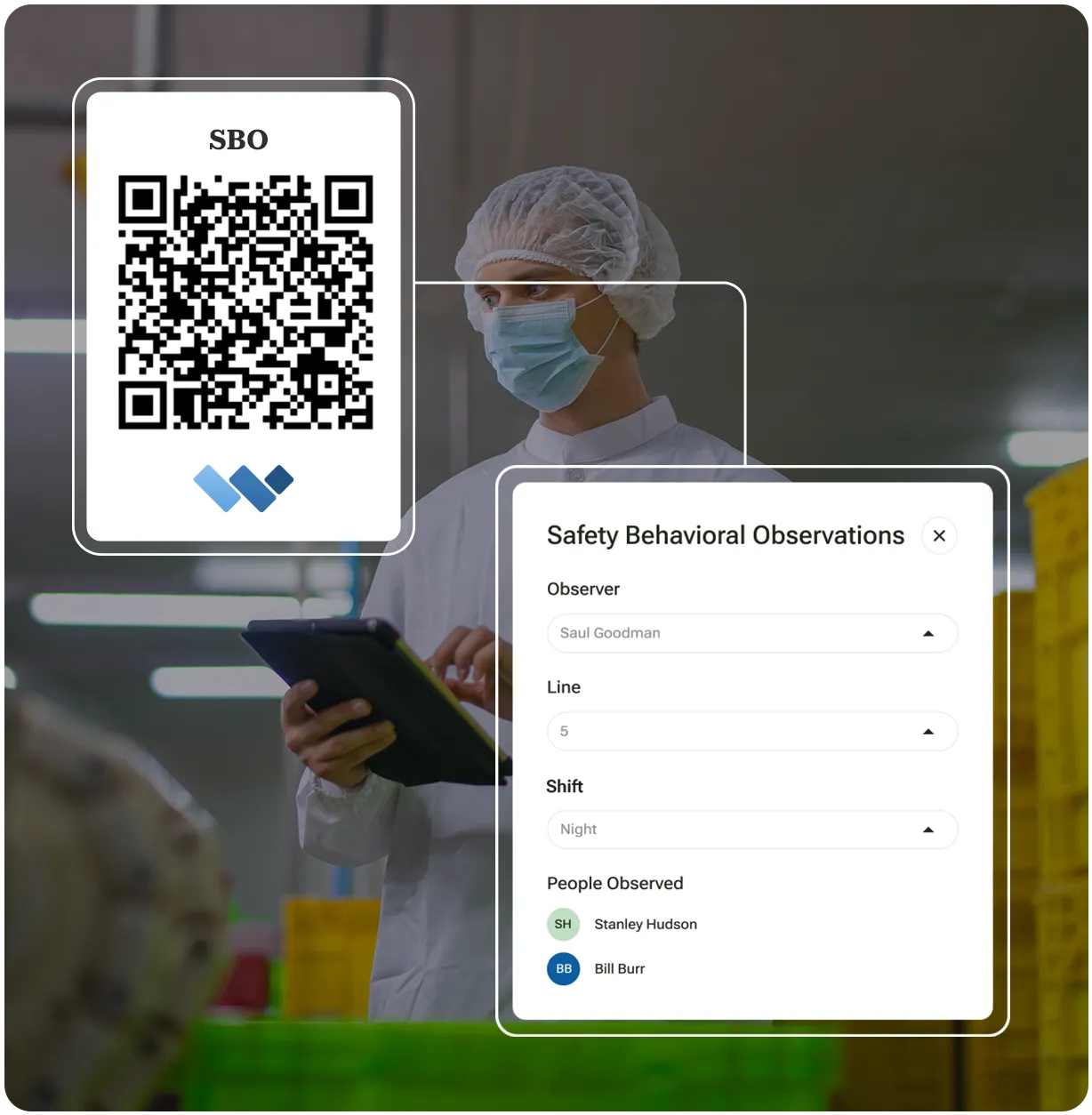
Want to see what a peer-to-peer BBS program looks like on your own floor? Book a Demo and we'll walk through it using your process, not a generic script.

Boosting Safety and Efficiency
It's a scene every manufacturing organization dreams of. But what's the secret behind achieving such a harmonious environment? The answer lies in the implementation of a Behavior Observation Safety System (BOSS).
The practice of Behavior-Based Safety can have a massive positive impact on the health and safety of your site. The methodology is relatively simple to implement, make safety more "top-of-mind" to staff and, ultimately, reduce incidents.
The potential benefits of implementing a Behavior-Based Safety Observation (BBSO) program in your facility are enormous. Building a ground-up safety culture will increase staff morale, retention, engagement and participation while at the same time reducing missed days due to injury.
Other benefits include improved product quality, increased health and wellness, and reduced worker's compensation costs. This in turn will have a positive effect on your plant's productivity and bottom line.
Here are the Top 5 Benefits for implementing a Behavior Observation Safety System that we have witnessed with our customers:
BENEFIT 1
Enhanced Safety Culture
First and foremost, a BOSS fosters a safety-first culture within your organization. It's like having a guardian angel watching over your workforce 24/7. Employees become more aware of safety hazards and are encouraged to speak up about potential risks. When safety becomes a shared responsibility, accidents become rarer than a unicorn sighting! Plus, a culture of safety boosts morale and makes your organization more attractive to top talent.
An Industrial Safety & Hygiene News 2015 survey reported that over half (52%) of HSE managers said that safer employee behaviors was having a major impact on their operations, while 54% said in the same survey that increasing employee participation and engagement was a priority. A properly designed BBSO program should feel like a "grassroots" or "ground-up" movement, empowering and enabling your frontline staff to take ownership over the maintenance of a safe work environment. This, in turn, improves employee morale and reduces turnover by promoting a sense of team spirit and accountability.
BENEFIT 2
Real-time Risk Mitigation
Imagine having a crystal ball that shows you potential risks before they turn into accidents. With a BOSS, you're essentially gifted with such foresight. Employees can report unsafe behaviors and conditions in real time, allowing for immediate corrective actions. This means hazards can be nipped in the bud, reducing the likelihood of accidents and costly downtime. It's like having a superhero swoop in to save the day!
The Center for Behavioral Safety released a case study where they tracked missed workdays due to injury for 18 months prior to, and 18 months following, the implementation of a BBSO program. For a workforce of 450 employees, over two shifts, they found a staggering 86.3% reduction of missed days due to injury or illness, from an average of 10.9 days/month down to 1.5 days/month
BENEFIT 3
Data-Driven Decision Making
No more guessing games! A BOSS provides you with valuable data on safety trends, allowing you to make informed decisions. You can identify recurring issues, pinpoint areas for improvement, and allocate resources where they're needed most. It's like having a GPS for safety, ensuring you're always on the right path to a safer workplace.
Kody Crossen, Operations Manager EHS Walmart, has dramatically increased preventive safety metrics at his Distribution Center by using better data to drive real safety results.
"It's shifted our safety culture because now we are much more focused on what we should be looking at. And it also allows the associates to understand what we are looking for so it's not as arbitrary as it once was. It's creating a lot more conversation and I think it's making the associates much more mindful of their actions."
Kody Crossen, Operations Manager of EHS, Walmart
Review the full case study and video here: https://weeversoftware.com/case-study/how-walmart-utilizes-weever-to-drive-proactive-safety
Benefit 4
Increased Efficiency
A safer workplace is a more efficient one. When employees feel secure and supported, they can focus on their tasks with peace of mind. Fewer accidents mean less time lost to injury recovery and investigations. Plus, a BOSS can help identify inefficiencies in workflows and suggest improvements, optimizing your manufacturing processes. It's like turbocharging your production line!
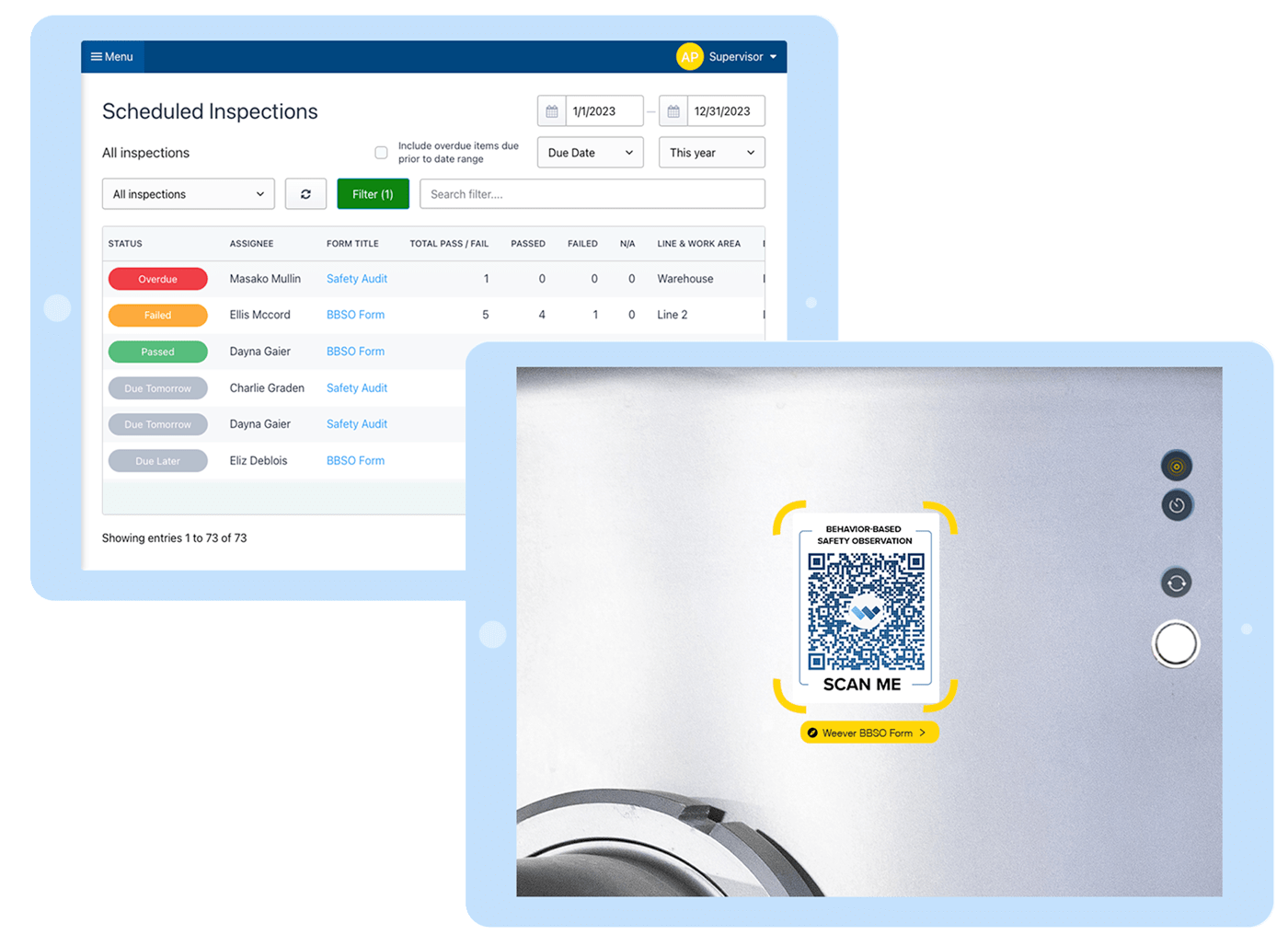
Benefit 5
Cost Savings
Let's talk dollars and cents. A BOSS might sound like a superhero with a hefty price tag, but it's actually your financial guardian angel. Fewer accidents mean reduced workers' compensation claims, lower insurance premiums, and fewer legal fees. Not to mention the priceless benefit of avoiding damage to your brand's reputation. Over time, the cost savings add up, and your BOSS becomes a money-saving, crime-fighting machine!
In the world of manufacturing, a Behavior Observation Safety System (BOSS) is the ultimate sidekick you need. With its ability to enhance safety culture, provide real-time risk mitigation, drive data-driven decision making, increase efficiency, and save you money, it's like having a trusted companion on your journey to a safer and more productive workplace.
When compared to other more advanced HSE programs, BBSO programs can be relatively easy to set up and manage. The practice simply requires staff to make and report safety observations. Supervisors evaluate the reports to determine what safety practices need to be implemented.
So, if you're still hesitating about implementing a BOSS in your manufacturing organization, remember that it's not just a safety tool - it's a game-changer. Embrace the BOSS, and watch your organization soar to new heights of safety and success. After all, every great manufacturing operation needs a hero, and your BOSS could be just the one you've been waiting for!

Top 5S benefits for manufacturing companies
Aside from the cultural shift towards lean manufacturing that quick 5S wins can bring for your teams, there are over 50 years of well documented benefits worth discussing. 5S methodology will bring you improvements in productivity, safety, waste reduction, employee engagement, and staff morale.
What is the 5S Methodology?
5S is a systematic methodology aimed at organizing and optimizing workspaces for efficiency, safety, and productivity. It consists of five foundational principles, each starting with the letter "S": Sort, Set in Order, Shine, Standardize, and Sustain.
The methodology begins with sorting through items in the workspace, eliminating unnecessary clutter to keep only essential items. Then, it focuses on arranging necessary items in an organized manner (set in order) for easy access and efficient use. Subsequently, regular cleaning and maintenance (shine) are emphasized to uphold cleanliness and identify potential issues. Standardization involves establishing and maintaining standardized processes and procedures to sustain the improvements made in the first three steps. Finally, sustaining the established standards through discipline and ongoing commitment (sustain) becomes a part of the organizational culture, ensuring continuous improvement.
5S is important as it fosters a culture of organization, cleanliness, and efficiency within workplaces.
It leads to improved productivity, safety, and quality by eliminating waste, reducing errors, and optimizing workflows. Additionally, it enhances employee morale and engagement by creating a more pleasant and organized work environment, ultimately contributing to overall operational excellence and continuous improvement within organizations across various industries.
Here is a list of the benefits you will realize through the 5S methodology:
1. Increased Efficiency
The 5S methodology stands as a powerhouse for enhancing efficiency within manufacturing organizations through its systematic principles. When your staff is unable to find the tools or materials they need because of clutter, inefficient workspace design, or missing items, they stop working to find it. This is wasted time and loss of productivity.
Streamline and Optimize Workstation Efficiency
Fundamentally, 5S is about optimizing the efficiency of workstations to maximize productivity and employee engagement.
- Starting with "Sort," this principle streamlines workspaces by removing unnecessary items, minimizing clutter, and optimizing available space. This reduction in excess not only declutters physical areas but also slashes the time spent searching for tools or materials, bolstering productivity.
- Following this, "Set in Order" ensures everything has a designated place, reducing search times further and enhancing accessibility. Clearly labeled and organized workspaces lead to fewer errors and smoother operations, underpinning enhanced quality and reduced rework.
- "Shine" emphasizes regular cleaning and maintenance, acting preventatively to stave off breakdowns and unexpected downtime. This principle creates a safer work environment, reducing interruptions caused by accidents or unsafe conditions.
Consistency and Visual Cues
"Standardize" builds on these improvements by implementing consistent procedures and visual cues, ensuring uniformity across operations. This consistency simplifies training, fosters clarity, and significantly contributes to streamlined workflows.
Fostering a Culture of Excellence
Finally, "Sustain" nurtures a culture of continuous improvement. Regular audits, employee engagement, and long-term adherence to 5S principles lead to lasting efficiency gains, minimizing waste, and driving continual enhancement.
In essence, the 5S methodology isn't merely about organizing physical spaces; it's a holistic approach that transforms organizational culture and operational efficiency. By optimizing processes, reducing waste, standardizing procedures, and nurturing continual improvement, 5S becomes a catalyst for sustained efficiency gains within manufacturing organizations, promoting safer, more organized, and highly efficient workplaces.
By making the right tools and materials easily available while removing unhelpful ones you can help your staff stay focused on the highest value activities while they work
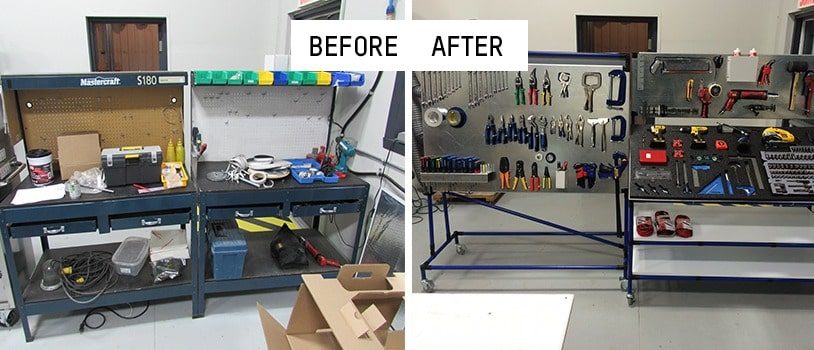
2. Increased Safety
Implementing the 5S methodology significantly bolsters safety measures within manufacturing facilities.
Reduce Incident Risk by Decluttering Workstations
A clean and organized workspace reduces the risk of accidents and injuries by removing hazards and making potential dangers more visible. You can also limit travel through areas that contain hazardous chemicals, thus reducing exposure.
The "Sort" step eliminates unnecessary items that might pose safety hazards, decluttering work areas to reduce the risk of trips, falls, or accidents. By removing unneeded materials and equipment, employees navigate the workspace more safely, minimizing the chances of injuries caused by obstructions.
"Set in Order" further enhances safety by organizing tools, equipment, and materials in designated and easily accessible locations. Clear labeling and structured storage systems reduce the time spent searching for items, preventing rushed movements or reaching for tools in unsafe positions.
This organization also ensures that potentially hazardous materials are stored separately and clearly marked, minimizing the risk of exposure or mishandling. Moreover, established and consistent placements for items reduce the likelihood of incidents caused by incorrect tool usage or improper storage, contributing to a safer work environment.
3. Enhanced Engagement
Implementing the 5S methodology within a workplace not only organizes physical spaces but also fosters a culture that actively engages employees in the improvement process.
A well-organized and clean environment fosters a positive work culture, boosts employee morale, and encourages ownership and pride in the workplace. By engaging and empowering your staff to be actively involved in 5S you give them a sense of ownership, increasing job satisfaction and reducing absenteeism.
Engage Employees in the Solution
Through the "Sort" phase, employees become directly involved in decision-making regarding what items are necessary for efficient operations. This involvement empowers them to take ownership of their workspaces, creating a sense of responsibility and pride in contributing to a streamlined and efficient environment.
Encourage Collaboration and Teamwork
"Set in Order" and subsequent phases, such as "Shine" and "Standardize," encourage collaboration and teamwork. As employees organize work areas, establish cleaning schedules, and create standardized processes, they work together to develop and maintain these standards. This collaborative effort cultivates a sense of unity and shared responsibility for the workplace, fostering a culture where employees feel valued and integral to the success of the organization.
Additionally, involving employees in continuous improvement initiatives during the "Sustain" phase keeps them engaged, as their feedback and suggestions for enhancements are actively sought and implemented, creating a sense of involvement and impact.
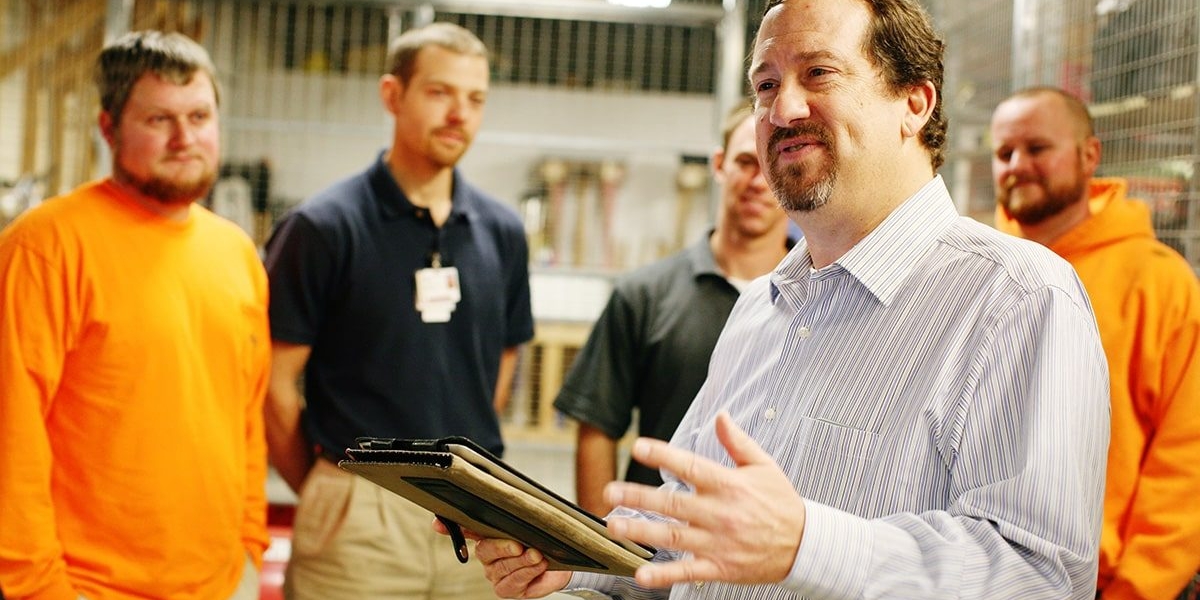
4. Reduced Waste
Waste in manufacturing has many forms - time, materials, motion, and energy - and 5S is geared towards reducing them all. The 5S methodology serves as a foundational element in Lean Manufacturing, primarily targeting waste reduction across various forms.
Eliminate Waiting & Excessive Motion
Through "Sort," organizations eliminate unnecessary items, reducing inventory and the potential for overproduction, a key lean waste. This decluttering process also minimizes excessive motion and transportation waste by optimizing workspaces, ensuring tools and materials are easily accessible, reducing unnecessary movement.
"Set in Order" and subsequent steps enhance efficiency by organizing workstations. Clear layouts and designated storage spaces diminish the waste of waiting by ensuring tools are readily available.
Eliminate Transportation Waste
Streamlining work processes between workstations can reduce worker downtime waiting for parts or instructions, unnecessary transportation of parts and materials, or under-utilized floorspace.
Eliminate Defects, Excess Processing and Overproduction
Additionally, by implementing visual controls during "Standardize," the methodology aids in reducing defects and rework, aligning with Lean principles by establishing standardized processes that minimize errors.
Overall, by systematically addressing waste through the 5S methodology, organizations effectively align with Lean Manufacturing principles, targeting key areas of waste to streamline operations and bolster efficiency.
5. Improved Product Quality
Implementing the 5S methodology significantly contributes to elevating product quality within a manufacturing facility. With standardized procedures and organized workspaces, the likelihood of errors decreases, leading to improved quality control and consistency in output.
Reduce the Chance of Errors Occuring
The initial phase of "Sort" ensures that only necessary items remain in the workspace, minimizing clutter and reducing the chances of errors caused by misplaced tools or materials. This organization and decluttering process mitigate the risk of defects or inconsistencies in the manufacturing process, setting the stage for improved product quality.
"Set in Order" continues to enhance product quality by organizing workspaces in a manner that facilitates efficient operations. Clear labeling and designated locations for tools and materials minimize the potential for errors during production.
Quicker Identification of Quality Issues
Moreover, this organized setup allows for quicker identification and retrieval of required items, reducing assembly errors or delays due to missing parts.
Better Adherance to SOPs
As the subsequent phases like "Shine," "Standardize," and "Sustain" reinforce cleanliness, standardization, and ongoing adherence to best practices, the methodology promotes consistency and reliability in manufacturing processes, contributing significantly to enhanced product quality.
Disorder and lack of standardization can contribute to errors, defects, and inconsistencies in products or services. 5S establishes clear standards to uphold quality.
6. Cost Savings
Implementing the 5S methodology leads to substantial cost reductions and enhanced cost-saving measures within manufacturing organizations.
Optimize Inventory
The initial phase of "Sort" eliminates unnecessary items, optimizing inventory and reducing excess stock. This reduction in inventory levels directly cuts costs associated with storing, managing, and procuring surplus materials. Moreover, by streamlining workspaces and eliminating unnecessary tools or equipment, organizations reduce spending on replacements and repairs, contributing to significant cost savings.
Reduce Cost per Unit
"Set in Order" further drives cost reductions by organizing workspaces, minimizing search times, and preventing misplaced items. Efficient layouts and clearly designated storage areas reduce downtime caused by employees searching for tools or materials, subsequently increasing productivity and reducing labor costs. Additionally, as the methodology emphasizes preventive maintenance during "Shine" and "Standardize," organizations reduce unexpected breakdowns and repair costs.
Reduce Machine Downtime
Regular maintenance schedules and standardized processes further contribute to operational efficiency, optimizing resources and minimizing production downtime, leading to substantial cost savings over time. Overall, the holistic approach of 5S systematically targets various areas of waste and inefficiency, resulting in notable cost reductions and improved financial performance for manufacturing organizations.
By reducing waste, optimizing processes, and minimizing downtime caused by disorganization, companies can achieve cost savings in various aspects of their operations.
7. Continuous Improvement
The 5S methodology instills a culture of continuous improvement by setting standards and habits that encourage ongoing evaluation and enhancement of processes and work environments.
Foster the Continuous Improvement Mindset
The 5S methodology serves as a cornerstone for fostering a culture of continuous improvement within manufacturing organizations. Its structured approach aligns perfectly with the principles of continual enhancement. "Sort" initiates the process by encouraging employees to evaluate and eliminate unnecessary items, sparking an ongoing mindset of optimization and efficiency. This step sets the tone for continuous improvement, prompting employees to regularly reassess and refine processes.
Establish Standardized Practices
"Set in Order," "Shine," and "Standardize" further reinforce the continuous improvement mindset by establishing standardized practices and visual cues. These elements not only streamline operations but also provide a framework for continual refinement. The visual management tools introduced during these phases aid in quickly identifying anomalies or areas for improvement, promoting a proactive approach to problem-solving.
Reinforce with Audit Schedules
Additionally, the "Sustain" phase, with its focus on regular audits and reinforcement, embeds the principles of continuous improvement into the organizational culture. Employees engage in ongoing discussions, suggestions, and adaptations, driving a perpetual cycle of enhancement and growth within the organization. The 5S methodology, with its emphasis on sustained adherence and perpetual refinement, acts as a springboard for organizations striving for continual improvement.

Is 5S right for you?
Implementing the 5S lean methodology is a strategic move that can revolutionize your manufacturing organization in terms of efficiency, productivity, and overall profitability. The 5S methodology, derived from Japanese principles, stands for Sort, Set in order, Shine, Standardize, and Sustain. Its benefits are not merely theoretical; they are grounded in proven facts that have transformed countless manufacturing facilities worldwide.
First and foremost, 5S improves workplace organization and cleanliness, leading to a safer and more pleasant work environment for your employees. Studies have consistently shown that cleaner, well-organized workplaces reduce the likelihood of accidents and injuries, thereby reducing workers' compensation claims and downtime. Additionally, an orderly workspace promotes employee morale and engagement, enhancing overall job satisfaction and retention rates.
Furthermore, 5S streamlines your manufacturing processes, resulting in reduced waste and increased efficiency. By eliminating unnecessary items (Sort), arranging tools and materials for easy access (Set in order), and maintaining equipment (Shine), you'll minimize downtime and maximize productivity. Standardizing these processes ensures consistency and quality, while sustaining 5S practices ensures continuous improvement over time. Manufacturers who have embraced 5S have reported significant cost savings, reduced lead times, and higher product quality, all of which contribute directly to your bottom line.
In today's competitive market, customer satisfaction is paramount, and 5S plays a pivotal role in meeting and exceeding customer expectations. With a well-organized and efficient manufacturing process, you can deliver products on time and with consistently high quality, fostering customer loyalty and positive word-of-mouth referrals. The 5S methodology is not just a trend; it's a proven framework that can enhance your manufacturing organization's performance, safety, and profitability. It's time to embark on this journey toward operational excellence and secure a brighter future for your company.
Is 5S right for you?
If you are uncertain whether 5S is right for your facility ask yourself and your team the following questions. If the answer was "yes" to one or more of these questions you may find 5S to be very beneficial to your organization.
- Do people in your workplace struggle to locate documents or files, whether in physical or digital format?
- Are there loose, sagging electrical cables in the workplace?
- Are there files, drawers, and cabinets that are unlabeled, or do they contain unmarked content that is hard to identify?
- Is valuable space taken up by useless items?
- Are there papers in your workplace that are not used and are gathering dust?
- Does everybody know how to keep the workplace organized and are fully aware of their roles and responsibilities?

5S Audit Scorecard: How to Score a 5S Audit With Weever
Efficiency and productivity are the keys to a successful business, but achieving them is often easier said than done. Using methods like the 5S audit can help improve safety, reduce waste, and encourage ongoing improvement in your organization.
Read on and uncover how a 5S audit scorecard can not only enhance your workspace's organization but also significantly contribute to your business growth.
What is a 5S Audit Scorecard?
A 5S audit scorecard is a practical tool designed to evaluate your organization's 5S implementation efforts. For each step, you can assign a score, enabling you to measure performance and identify areas that need improvement. Not only does it give a score for each part, but it also provides a median overall score. This scorecard proves invaluable for manufacturing and other industrial companies, reinforcing strong organization and quality principles that typically lead to quality outcomes and products. By downloading and utilizing this scorecard today, you can start enhancing your 5S efforts and results immediately.
How to Score a 5S Audit
A 5S audit serves as a litmus test for how effectively an organization has embraced the principles of 5S. Achieving a high score in this audit signifies a commitment to excellence, efficiency, and continuous improvement. The 5th "S" stands for Sustain (Shitsuke), which is a long term proposition that involves regular auditing and training.
Although 5S is a continuous process, the initial optimization project does much of the heavy lifting associated with workstation optimization. Standardize and Sustain are about ensuring the workstation maintains and improves productivity over time.
Who Should do the Auditing?
5S audits can be performed by a certified lean practitioner or some of our customers deploy a peer-to-peer evaluation process.
Certified lean practitioners will execute better audits because they have more experience with identifying opportunities and removing efficiency barriers.
However, peer-to-peer processes have the advantage of getting frontline staff and supervisors more involved in the 5S auditing process, which increases engagement and the likelihood of long term program success.
Best practice is to start with more experienced practitioners executing the audits and training as they do it. Over time, more operators can be included in the auditing schedule.
Compare to Photos
We recommend taking photos of the optimized workstation after the initial workstation optimization process is completed (the first 3 Ss).
At the beginning of the audit the auditor should review the workstation photos to familiarize themselves with how the workstation should look and operate.
Also, documenting the current state of the workstation with photos is a great way to "tell the story" quickly, especially in the event of audit failure.
Don't Use Too Many Audit Templates
We recommend using one standard audit template that is augmented with a document or information pertaining to the specific workstation. Each audit contains the same questions that are "Passed" or "Failed" by the auditor. This process makes the auditing process faster and simplifies reporting.
The 5S Audit "Pass/Fail" elements
We recommend breaking the audit "Pass/Fail" elements into each individual "S".
1. Sort (Seiri): Declutter
- Is the area is free of unnecessary or aged clutter or debris?
- Is there any obsolete or unneeded paperwork in Work Area? Expired quality alerts, outdated data
2. Set in Order (Seiton): A Place for Everything
- Locations for tools, equipment, paperwork, furniture, and materials are clearly marked and labeled and stowed properly when not in use
- Are there required things that are NOT in their specified location? Check for stock / trolleys and equipment that are out of footprint / location.
- Abnormal or NOT OKAY conditions are easily identified from OKAY flow, process, and conditions. Stop switches, breakers, and emergency equipment are highly visible and located for easy access in case of emergency
3. Shine (Seiso): Cleanliness Breeds Productivity
- Is the overall area clean and tidy? Check the machinery for contamination (dust / dirt). Are the floors clear of debris? Is the general appearance of the area acceptable?
- Trash and cardboard bins being used properly, no trash laying around, cardboard being put in cardboard bins.
- Are painted areas in good condition? Check: walls / floors / machinery / equipment.
- All cleaning materials and supplies are properly stored and readily available. Cleaning schedule including frequency and responsibilities displayed and maintained in work area.
4. Standardize (Seiketsu): Consistency is Key
- All improvement actions from previous audit are addressed
- Is the Visual Standard of ideal condition up to date? Check when the standard was last reviewed. Has there been any changes to an area that would effect the standard?
- All charts and metrics in the area are current and complete - Example: Safety/Quality / Scrap/Production/Output
5. Sustain (Shitsuke): Cultivate a Habit of Excellence
- 6S activities are resourced with time and materials needed
- Is there progress being made in the area? Or are the standards in the area being maintained? Progress should be seen in areas that have had open issues raised in previous audit. If the area is consistently at the required score are they maintained.
- Recognition is given to teams that demonstrate 6S excellence, compliance, or improvement
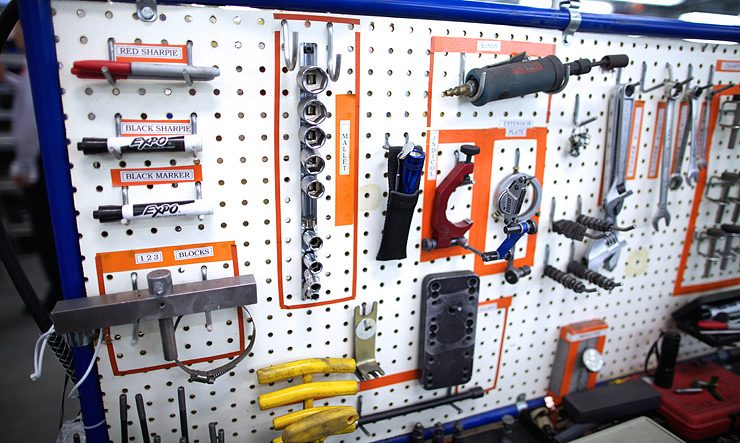
Putting It All Together: Aiming for a Perfect 5S Score
Scoring a 5S audit isn't just about achieving excellence in each individual "S." It's about creating a holistic and transformative approach to workplace organization and culture. By implementing the 5S principles, you're not only setting your organization up for success but also fostering an environment of continuous improvement and innovation. Weever automatically scores 5S audits and provides next steps based on the rules set up by the program administrator.
FAQ - 5S Audit Scorecard
What is a 5S Audit Score?
A 5S audit score is a number that shows how well a place of work follows the 5S rules - Sort, Set in order, Shine, Standardize, and Sustain. A higher score means a better organized and safer workplace.
How Do You Score and Audit The 5S Exercise?
To score a 5S exercise, you need to check the workplace based on the five S's. You look at each "S" separately, and add the results together for a total score. Scoring is not just about checking off items-it's all about finding places to improve.
What is 5S Audit Methodology?
The 5S audit methodology is a step-by-step way to check if a workplace follows the 5S rules. This often involves using a checklist or scorecard to look at different parts of the workplace, like organization, cleanliness, and efficiency. The aim is to find places where the 5S rules can be used better to increase productivity and safety.
How Do You Write a 5S Audit Report?
When you write a 5S audit report, you write down what you found in your 5S audit. Start by explaining how the workplace looks now, and include pictures if you can. Then, analyze each "S," noting what works well and what needs to get better. Lastly, give clear steps for improving the use of the 5S rules in the future.
5S Data Sheet Thank you
Thank you downloading the 5S Data Sheet.
Please check your email.
Please let us know if you would like to set up a time to chat with a Weever representative.
Millions of jobs completed worldwide. View Testimonials

5S Audit Software
5S Audit Software
Weever includes everything you need to sustain your 5S workstation improvements, ensure compliance and identify insights that fuel continuous improvement.
- Extremely simple and easy to use.
- Save time with automated reporting and administration.
- Capture richer data and manage improvement workflows.
- Automate schedules to ensure compliance.
Customizable Templates
Dashboard Reporting
Workflow Management
Schedules & QR Codes
Real-time Visibility
On-Demand Instructions
Schedules & QR Codes
Ensure quick adoption and compliance.
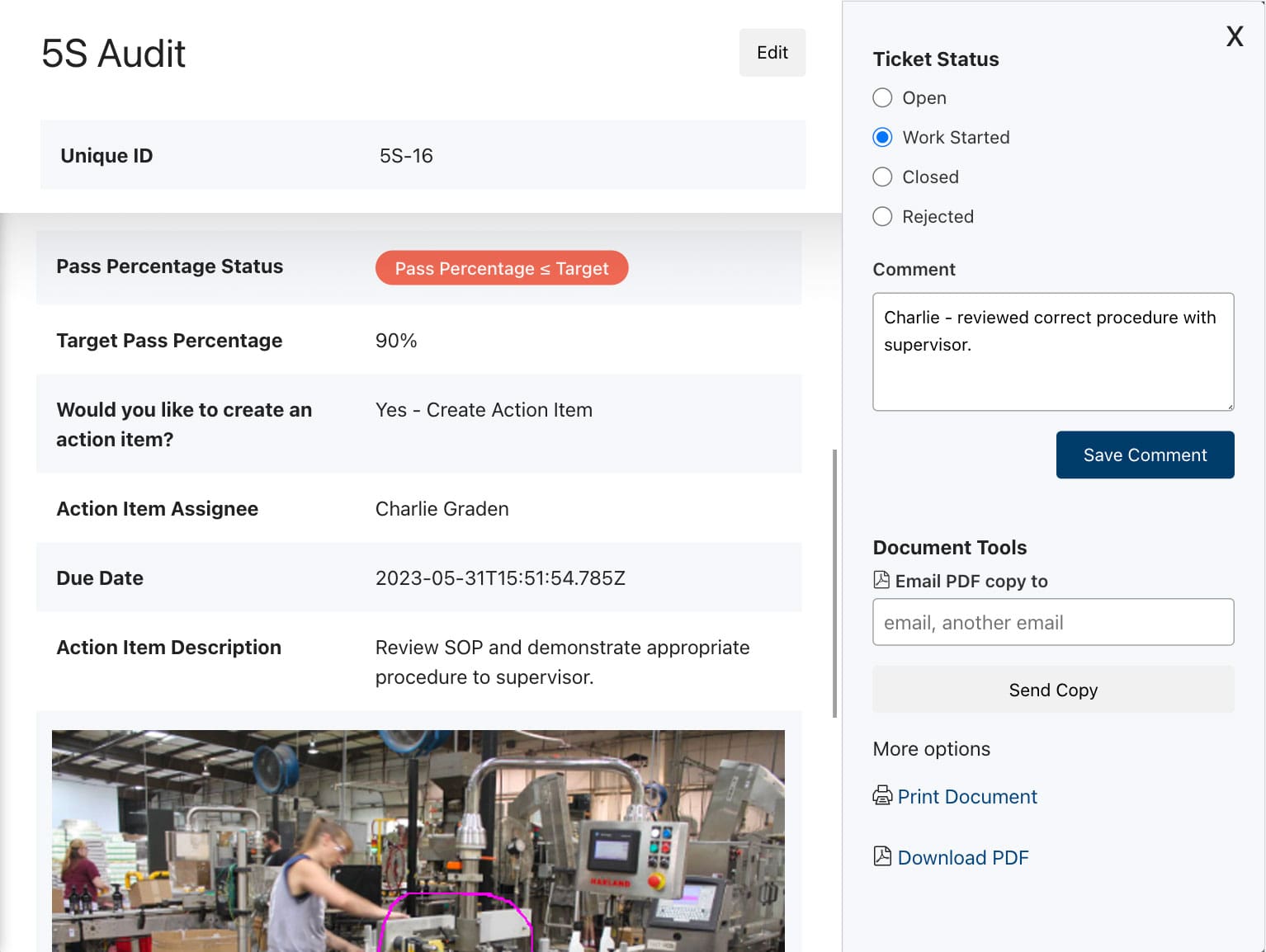
DATA CAPTURE & Workflows
Get it done correctly every time.
REAL-TIME REPORTING
Automate Business Intelligence.
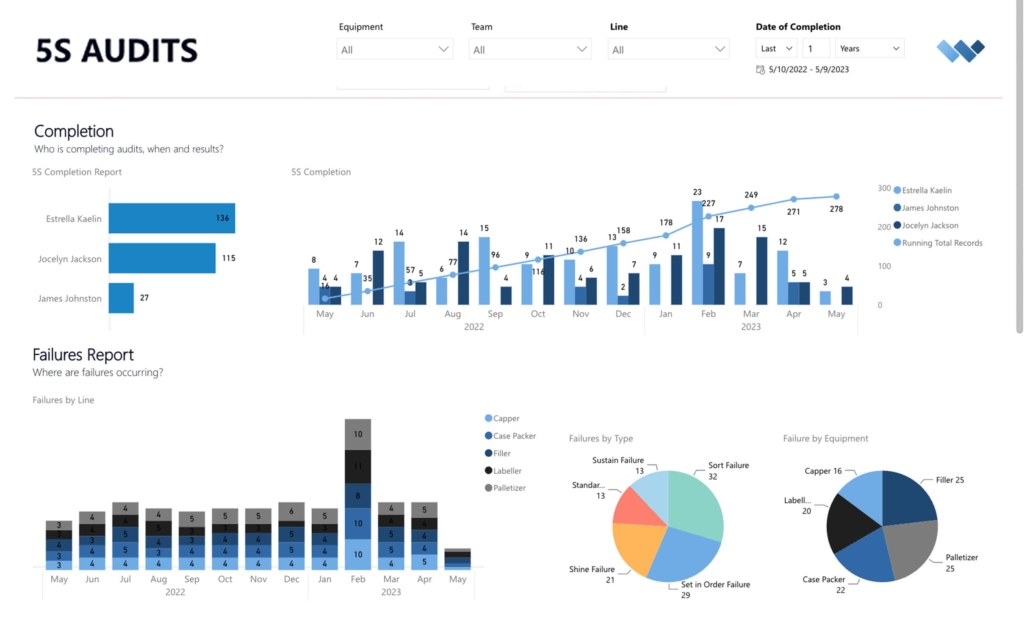
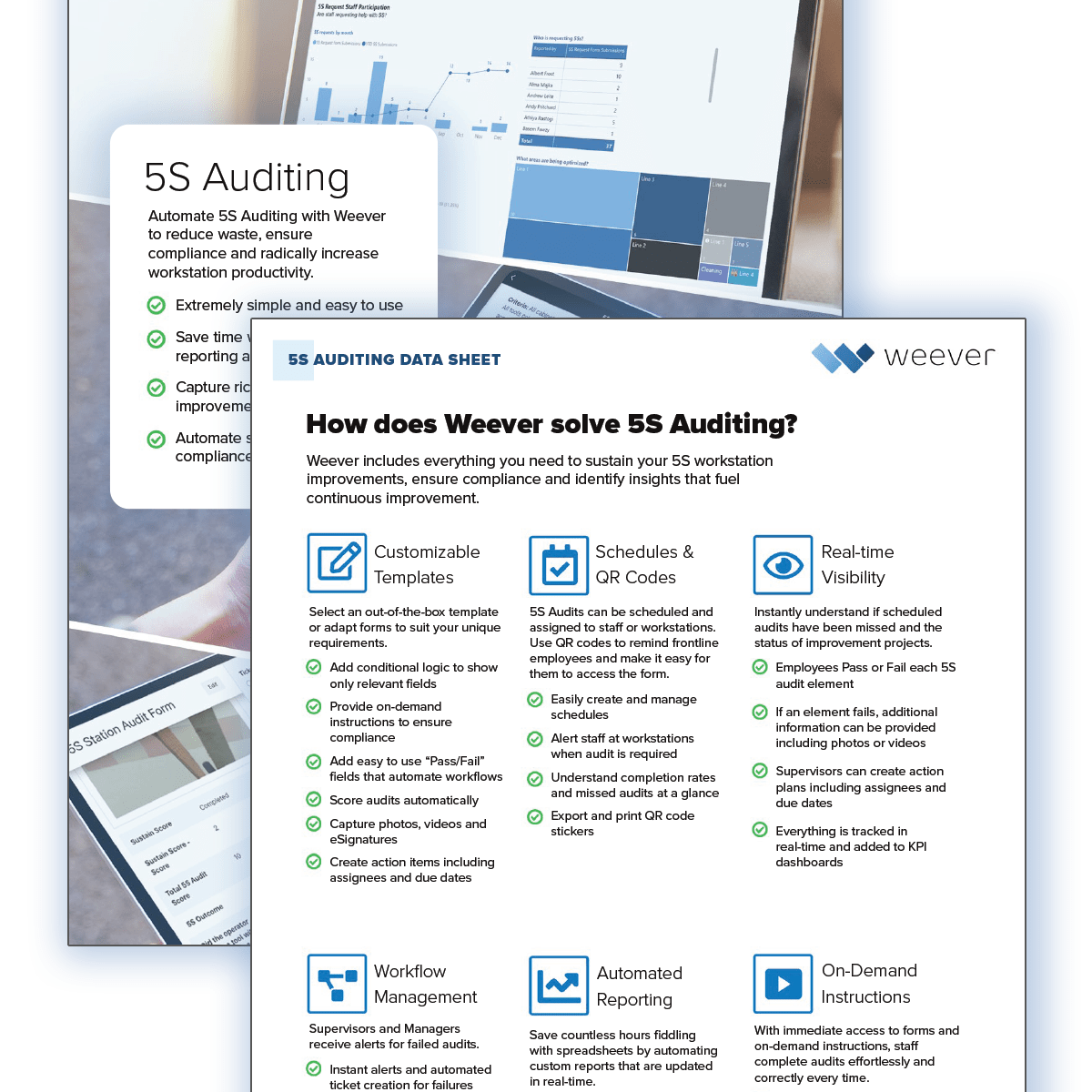
Download 5S Data Sheet
The 5S methodology is a great way to radically enhance productivity, reduce waste and build a culture of excellence.
However, without an effective 5S Auditing program, the work to optimize workstations will be wasted as frontline staff fall back into old routines.
The Weever Platform ensures audits occur based on a schedule. The platform also makes it easy for staff to conduct audits, escalate issues, and automate KPI reports.
Download our 5S Auditing Software Data Sheet to understand how Weever solves 5S auditing.
Book a Free Demo with Weever
Take 30-minutes with a Weever expert who will review your core challenges and show you how the Weever platform can radically enhance productivity, reduce waste and foster a culture of excellence.
"Having cloud-based forms on devices around the facility makes them so much more accessible, which makes it painless for operators to quickly provide a report."
Johanna Velez, VP Quality Assurance
Ultimate Guide to Success with 5S
5S Workstation Optimization
5S Workstation Optimization & Action Planning
Customizable Templates
Dashboard Reporting
Automated Workflows
Schedule Management
Real-time Visibility
On-Demand Instructions

Digital DATA CAPTURE
Get it done correctly every time.
- Capture photos, sketches and digital signatures.
- Automate real-time instructions for each equipment type.
- Create action items with assignees and due dates.
- Capture notes and eSignature to confirm completion of tasks.
WORKFLOW AUTOMATION
Evaluate. Improve. Sustain.
- Evaluate submissions in real-time
- Automated workflows for "at-risk" observations.
- Foster collaboration and monitor project status to completion
WORKFLOW AUTOMATION
Evaluate. Improve. Sustain.
- Understand project status immediately.
- Track 5S implementation to completion.
- Foster supervisor and frontline staff collaboration.
"Having cloud-based forms on devices around the facility makes them so much more accessible, which makes it painless for operators to quickly provide a report."
Johanna Velez, VP Quality Assurance
"Weever is really user friendly and will have a massive positive impact on our operations and training team."
Mel Cadle - Op Ex Lead Process Engineer
Automate 5S Auditing to ensure compliance and radically increase workstation productivity.
- Extremely simple and easy to use.
- Save time with automated reporting and administration.
- Capture richer data and manage improvement workflows.
- Automate schedules to ensure compliance.
Ultimate Guide to Success with 5S
Learn about the Platform.
Download the brochure to get all the details about how Weever works.

Why 5S Matters in Manufacturing (and How to Tell If Your Plant Needs It)
Walk into most plants and you can tell within thirty seconds whether 5S has ever been run there. Tools have a home or they don't. Cables are managed or they're a hazard waiting to happen. Someone can find what they need in under a minute, or they're digging through a drawer that hasn't been sorted since the equipment was installed.
5S isn't a cosmetic exercise. It's a structured, five-step method, Sort, Set in Order, Shine, Standardize, Sustain, for organizing a workspace in a way that actually holds up under daily production pressure. The gains it produces are documented, not theoretical, and the signs that a facility needs it are usually obvious once you know what to look for.
Here's what 5S actually delivers, backed by real numbers, and a quick way to tell whether your plant is a candidate.
What does 5S actually improve?
A safer, more organized workplace. 5S removes the everyday hazards that accumulate quietly, loose cables, cluttered walkways, unlabeled storage, and replaces them with a workspace where the safe way to work is also the obvious way to work. The most engaged teams, the kind a well-run 5S program tends to produce, report 64% fewer safety incidents and 41% fewer quality defects than the least-engaged teams (Gallup Q12).
Less waste, more consistent output. Sort removes what isn't needed. Set in Order arranges what's left for fast, logical access. Shine keeps equipment clean enough to catch wear or leaks early. Standardize locks the improvement in as a repeatable process, and Sustain is what keeps it from quietly eroding. One structured 5S rollout took a production system from 67% to 88.8% efficiency; another documented a 20% productivity increase in targeted process areas alongside a 5% reduction in overall production time.
Stronger engagement and retention. An organized, well-maintained workspace isn't just easier to work in, it signals that the operation takes the work seriously. Top-quartile employee engagement correlates with 23% higher profitability, 18% higher productivity, and 81% lower absenteeism (Gallup), and a disciplined 5S program is one of the most direct ways floor teams experience that investment day to day.
Better on-time delivery and product quality. A workspace where tools, materials, and standards are exactly where they should be is a workspace that produces consistent output. Manufacturers running mature 5S programs report the kind of consistency that shows up downstream in customer satisfaction and repeat business, not just on the plant floor.
The first three S's clean up a workspace. Standardize and Sustain are what decide whether it stays that way.
Is 5S right for your facility?
If you're not sure whether 5S would move the needle at your plant, ask yourself and your team these questions. A "yes" to even one is usually a sign the answer is worth pursuing.
- Do people struggle to locate documents or files, physical or digital, when they need them?
- Are there loose, sagging electrical cables anywhere in the workplace?
- Are files, drawers, or cabinets unlabeled, or full of content nobody can quickly identify?
- Is valuable floor or storage space taken up by items nobody actually uses?
- Are there papers sitting around gathering dust that serve no active purpose?
- Does everyone on the team actually know how to keep the workplace organized, and understand their specific role in doing it?
If several of these sound familiar, the opportunity isn't just tidiness. It's the safety incidents, quality defects, and lost productivity that disorganization quietly produces every single shift.
Why 5S programs stall (and how to keep yours from fading)
Most 5S programs don't fail at Sort, Set in Order, or Shine. Those are the visible, satisfying steps. They fail at Sustain, the discipline of auditing consistently enough that the standard holds instead of slowly drifting back to where it started. Without that discipline, the program becomes a memory: a before-and-after photo from the initial blitz, and a workspace that's quietly reverted six months later.
How Weever supports a 5S program that actually sustains
Weever is the Connected Worker Platform built for food, beverage, and CPG manufacturers, built around a simple idea: engage your team, unlock your data, and improve your plant. A 5S program depends on all three, engaged operators who actually follow the standard, trustworthy data on whether they are, and a system that turns that data into action, and that's the loop Weever runs.
Capture. Audits, findings, and before-and-after documentation get captured digitally at the source, with photos, instead of scattered across paper checklists and someone's camera roll.
Act. Every finding gets an owner, a due date, and a status you can track to closure, so a failed audit item doesn't sit unresolved until the next review.
Analyze. Score trends across workstations, shifts, and sites are visible in real time, so leadership can see whether Sustain is actually holding, not just whether the last audit looked fine.
Adient used this approach to take a plant-wide 5S score from 85% to 97%, cut open issues from more than 60 a month to under 5, and go fully paperless in under three months. It's now their global 5S standard.
Want to see how Weever helps your plant sustain 5S past the initial blitz? Book a demo and we'll show you.
5S Auditing Demo
5S Auditing Demo Preview
This video provides a brief overview of how the Weever platform solves 5S Auditing, from frontline data capture to workflow management and KPI reporting.
"Having cloud-based forms on devices around the facility makes them so much more accessible, which makes it painless for operators to quickly provide a report."
Johanna Velez, VP Quality Assurance


"Weever is really user friendly and will have a massive positive impact on our operations and training team."
Mel Cadle - Op Ex Lead Process Engineer


Millions of jobs completed worldwide. View Testimonials
Spend Less Time on Admin. Get More Insights by Email.
Subscribe to receive practical tips, updates, and ideas to improve operations without the extra admin work.