
-%20smaller.webp)
Explore More Blogs
Manual vs. Automated Data Collection in Manufacturing How to Make the Right Decision for Your Plant
If you’re weighing whether it’s time to move your manufacturing plant from manual data collection — paper forms, spreadsheets, and binder-bound audit records — to an automated system, you’re not alone.
The question most leaders struggle with isn’t whether going digital makes sense. It’s whether switching will create more problems than it solves.
Automated data collection promises real-time visibility, fewer errors, and less administrative time. But it also brings a familiar set of risks. Many site managers we’ve worked with have lived through digital transformation projects that forced them to redesign their processes and endure change-management nightmares that left their programs worse off than before. So it’s no wonder so many are skeptical of moving away from the status quo.
The good news is there’s a better way to approach this challenge. This article will walk you through the real cost of manual data collection, what the right automated system actually delivers, and what switching looks like, so you can make the right call for your operation.
How manual and automated data collection compare in a manufacturing environment
Whether your plant captures data manually or through an automated system might not seem like a big deal. However, the methodology you choose actually has a real impact on how your operation runs day to day. Here’s how the two approaches stack up across six key areas that matter most on the plant floor.
Manual vs. Automated Data Collection
Data capture at the point of work
When plants rely on manual data collection, teams capture information using whatever tools are at hand. Operators write on paper forms attached to clipboards or stored in binders. Auditors carry printed scorecards through the facility. Supervisors update whiteboards and physical AM boards with flip cards. And administrators maintain spreadsheets alongside email threads and shared drives. No matter how the data is recorded, it ends up scattered and hard to consolidate.
With the right automated data collection system, every role that previously used a different tool can work from a single platform instead. Operators enter data directly into digital forms on shared tablets or kiosks, often launched by scanning a QR code at the equipment or workstation. Auditors run digital scorecards on any shared device. Supervisors see real-time dashboards instead of updating whiteboards. And administrators get consolidated reporting automatically, rather than reconciling spreadsheets. Required fields, dropdowns, and conditional logic guide information entry, and photos and videos can be attached at the point of work. The result is consistent, complete data captured in one place, instead of scattered across paper, spreadsheets, and whiteboards.
Entry error potential
Manual data collection introduces errors at two stages. The first is at the point of capture — operators miss fields, produce illegible handwriting, or lose records entirely in wet or high-traffic environments. The second is transcription, when someone takes that handwritten data and re-enters it in another system. Each step is another opportunity for mistakes to multiply. By the time those errors surface, they show up as repeat audit findings — a signal to regulators that your programs aren't under control.
The right automated system eliminates both problems. Data is collected once at the source, with validation rules that prevent incomplete or invalid submissions. No transcription means no compounding errors — just clean, accurate records from the moment information is captured.
Information visibility across the plant and sites
In a manual data collection process, information is buried across binders, paper logs, spreadsheets, and whiteboards. Even when teams can track down the data they need, it’s often out of date because someone has to gather the forms, transcribe the entries, or compile a report to make it usable. That means by the time supervisors and managers see the numbers, the window to respond to an issue has often already closed.
With the right automated data collection system, completion rates, open issues, and trends appear in real-time dashboards that anyone can access. The data can also feed directly into the systems and reporting tools the plant already uses, giving everyone a single source of truth for decision-making and responding to issues before they escalate.
Follow-up on flagged issues
When frontline teams flag an issue in a manual data collection system, it might be handwritten on paper, entered into a spreadsheet, or emailed to a supervisor. Follow-up depends on someone remembering to assign it, track progress, and ensure it is resolved, which is why it can easily fall through the cracks.
Compare that to the right automated data collection system, where corrective actions and follow-ups are auto-assigned to owners with due dates and escalation rules built in. Notifications go directly to the person responsible, and the system tracks the action through to closure, so issues are resolved before they become bigger problems.
Scaling and standardization across the business
With manual data collection, administrative work multiplies every time you add a line, shift, or site. There are more forms to print, more binders to maintain, more spreadsheets to reconcile, and more people to train on a local version of the process. Every site ends up running its own version of the same program, which makes standardization nearly impossible.
However, when you implement the right automated data collection system, it’s easy to roll out one standardized program across the business. Adding a new area doesn’t add proportional admin overhead. Instead, every site runs the same way, data flows into a single, consolidated view, and leadership can compare performance and implement best practices that make the entire organization run more effectively.
Audit readiness
Before an audit, manual programs require massive reconstruction projects. Teams must pull logs from binders, reconcile spreadsheets, and spend days assembling records that are often incomplete, illegible, or missing the traceability an auditor expects. And because corrective actions rarely close reliably on paper, the same findings tend to surface cycle after cycle
The right automatic data collection system makes audit prep a non-event. As operators complete work, the audit trail builds automatically — timestamping every task and tracking every corrective action to closure in the same system. When an auditor asks about a specific room, shift, or issue, the answer is easy to find.
Why manual data collection feels like the safe choice (and what that assumption misses)
For most manufacturing plants, manual data collection is simply the default. Programs have run this way for years, and when nothing appears to be broken, changing course can feel like introducing risk where none exists.
The problem is that manual systems tend to look more reliable than they are. Forms get filled out, binders accumulate, and on paper, everything appears to be under control. But what the records show and what's actually happening on the floor are often two different things.
Part of what masks that gap is the informal infrastructure people build around it. When the official process has known limitations, experienced team members quietly compensate — laminating instruction sheets and posting them at equipment, passing critical details verbally at shift handoffs that never get formally documented, keeping personal notebooks to track the context that standard forms don't have room for. These workarounds keep processes moving, but when those people move on, or when an auditor starts asking questions, the gaps that were always there suddenly become visible.
What manual data collection is actually costing your manufacturing plant
Even if your manufacturing facility has been using manual data collection for years, sticking with the status quo is likely costing you more than you realize. Here’s where the costs add up:
Manager and supervisor time lost to coordination
Sanitation managers who run Master Sanitation Scheduling (MSS) on paper lose an average of 933 hours a year to manual admin work such as scheduling, data entry, chasing signatures, reconciling spreadsheets, and following up on corrective actions Weever’s Master Sanitation Gap Report, 2026. That’s about 23 working weeks. The bigger problem is who’s doing the manual work. More often than not, it’s the CI Managers, sanitation managers, and supervisors who are stuck reconciling forms instead of focusing on the work they were hired to do, like overseeing the floor, coaching operators, or improving the programs themselves.
Errors and incomplete records create compliance exposure
Missing signatures, illegible entries, and incomplete corrective-action trails are common recordkeeping problems that can become audit findings, and the data collection process itself is often a root cause. When manufacturing records are handwritten and later re-entered into spreadsheets, errors become easier to introduce and harder to catch. The risk is especially clear in two-step, paper-based calibration processes, where manual re-entry has been estimated to produce errors in roughly 40% of calibration records.
Those errors can carry serious financial consequences, particularly when they affect food safety, quality, or compliance decisions. In food manufacturing, information gaps can make small problems harder to contain, increasing the risk of product holds, investigations, and, in the worst cases, recalls. The average food recall in the U.S. has been estimated at $10 million in direct costs alone, while 23% of companies in a GMA recall-cost survey reported recall-related financial impacts above $30 million. To make matters worse, when something goes wrong, the records you need to defend the plant are often the same paper records that make the problem harder to prove, trace, and resolve. One facility we worked with went from one to two PCQI holds per period to zero after implementation, avoiding more than $200,000 in annual costs.
Audit prep takes days, and the same findings keep showing up
Audit prep in a manual system rarely takes less than a few days. By the time the records are assembled into something an auditor can review, the team has spent anywhere from 2 to 5 days on preparation. And this isn’t the only problem. Because there's no way to automatically assign those actions to an owner, set a due date, and ensure a verified close, the same findings tend to recur cycle after cycle, costing the team up to 40 hours each time there's an audit.
Manual processes don’t scale across lines, shifts, or sites
Manual admin load grows in lockstep with the size of your operation. Each new line, shift, or site adds proportional overhead to your sanitation, safety, quality, and maintenance programs, and plants often end up assigning someone solely to keep the data-collection process running.
But the higher cost occurs at the corporate level. Without standardization across sites, plant managers and corporate leadership can’t compare performance, identify best practices, or govern these programs consistently across the business. Every site runs its own version of the same programs, and nobody can determine what’s working, how to avoid repeating costly mistakes, or how to improve efficiency.
The cost of paper itself
In our experience, a mid-size manufacturing plant goes through roughly 200,000 sheets a year. Once you account for printing, controlled storage, and proper disposal, that's around $60,000 annually before labor, delays, or rework are counted. For most plants, it's a cost that's been there all along, but nobody has ever considered adding it up.
How to decide if it’s time to switch from manual to automated data collection
The case for moving off manual data collection is straightforward: hundreds of hours in admin, audit exposure, findings that keep coming back, and programs that hit a ceiling the moment you try to scale them. The real question isn't whether to digitize. It's whether you can do it without creating more disruption than the problem you're trying to solve.
Why most automation projects in manufacturing fail
Most generic automation tools are built with a one-size-fits-all mindset. They use preset templates, locked-in workflows, and assume your plant will conform to the software. But real manufacturing programs don’t fit a prescribed mold, so even when the technology itself works, the implementation creates more friction than the paper system it replaced.
You’ve probably seen how this plays out. Operators start pencil-whipping the digital forms because the new process is slower than the old one, and managers stop trusting the data because the system can’t capture the exceptions and shift context embedded in your programs. Eventually, everyone reverts to the spreadsheets and clipboards they used before, while the software collects dust.
A failed implementation doesn't just waste the license fee. It consumes months of management time, creates organizational fatigue, and leaves your team no further ahead than when you started. And because a failed digital rollout is visible to everyone, the next attempt is harder to get off the ground.
How to digitize your frontline without redesigning your programs
Instead of forcing your plant to conform to generic software, there’s a better way to automate the programs you’re already running without changing how they work. That means digitizing your existing forms, scoring criteria, workflows, and action-item processes exactly as they are. The only thing that changes is how your team captures information.
McKinsey research shows manufacturers implementing digital tools see 15% to 30% improvements in labor productivity. Here’s what implementing the right software looks like in practice:
- View data in live dashboards the moment work happens, so supervisors can act on today’s problems instead of last week’s
- Capture information once at the source with validation rules, so there’s no transcription step and no illegible entries to chase down later
- Create corrective actions automatically, assign them to an owner, and track them through to closure, so the same findings stop coming back
- Roll out one standardized program across every line, shift, and site without rebuilding from scratch each time
3 signs you’re ready to make the switch from manual to automated data collection
In our experience, change typically happens when someone new joins your organization and doesn’t want to spend their time using outdated manual processes. But the signs that it was time to switch were usually there long before that.
- Your managers spend more time on admin than on the floor. When the people responsible for improving your programs are the same people who spend most of their time reconciling forms and chasing signatures, they’re not focused on the work they were hired to do.
- Audit prep takes days, and the same findings keep coming back. If your team spends a week pulling records together every audit cycle and the corrective actions from the last audit still aren't closed, you don’t have the right system in place.
- You can't see what's happening across every site without asking someone to compile a report.
When every site runs its own version of the same program and numbers only come together manually, there's no way to proactively identify gaps before they become problems.
If any of these sound familiar, you already have a case for automating data collection. The next step is making sure the tool you choose doesn’t create the disruption you’re trying to avoid.
What automating your manual programs looks like with Weever
If you decide to move forward with automating your data collection, getting up and running is simpler than most manufacturers expect.
That’s why we built Weever, a connected worker platform designed to digitize your frontline programs without changing how they work. Your frequencies, workflows, scoring criteria, action-item process, and anything else you've put in place stay intact, so the transition doesn't require you to adopt someone else's version of how your plant should operate.
Sanitation, safety, 5S, and AM — digitized as they already run
Manual data collection creates the same challenge for each of your manufacturing programs — information spread across binders, spreadsheets, and other tools that make it impossible to see what’s happening in real time. Here’s what changes when you run them through an automated, digital tool like Weever that was purpose-built for the manufacturing floor:
Sanitation (MSS)
Schedules, task assignments, and data verification all live in one place, giving sanitation teams a fully paperless sanitation log that’s always audit-ready. Operators scan a QR code at the workstation to pull up what needs to get done, and supervisors see completion rates in real time instead of compiling them after the fact.
Safety (BBSO)
Operators submit observations from any shared device in seconds. Action items get assigned automatically, and closure rates become visible across the organization.
5S Audits
Audits run faster than the paper version they replace. Scoring criteria sit inside the form, and open issues get tracked through to closure.
Autonomous Maintenance (AM)
Operators capture CIL and centreline checks at the equipment with photo evidence. Defects flow into the same reporting view leadership already uses.
The same frontline process, just faster and more reliable
What doesn't change during digitization is the process itself. Operators follow the same steps they always have, just in a digital workflow instead of on paper. Most plants are up and running in weeks, and because the programs look and feel familiar from day one, adoption happens quickly.
Built to integrate with the manufacturing systems you already use
If your plant has already invested in SAP, a CMMS, an OEE platform, or a QMS, Weever connects directly to these systems. Action items flow into SAP work orders, completion data feeds into Power BI dashboards, and defects sync with your CMMS. This ensures your frontline has the capabilities it needs without replacing the systems your plant already relies on for other parts of the business.
Results from manufacturers that have made the switch to automating data collection
We’ve worked with leading manufacturers across sanitation, safety, 5S, and AM to help them transition from manual to automated data collection without disrupting how their plants already run. Here’s what changed for them.
Master Sanitation Schedule (MSS)
Mars Fort Smith, a food manufacturing facility, digitized its sanitation program with Weever and now runs at a 100% completion rate across all tasks managed through the platform, with 89% of flagged abnormalities tracked and closed without anyone having to chase them down.
Safety (BBS)
Baywater Pipeline struggled to get frontline workers to submit safety observations until it digitized the process with Weever. Monthly submissions increased by 230%. Additionally, a Fortune 100 CPG manufacturer revived a stalled BBSO program with Weever, increasing participation by 500% and generating more than 6,000 submissions across 10 focused behavior categories.
5S Audits
Adient, an automotive parts manufacturer, moved its 5S audits from paper and spreadsheets into Weever. The team sustained plantwide 5S scores in the 85% to 97% range, reduced open issues from more than 60 per month to fewer than 5, and saved about four hours a week on audit administration. The program was fully integrated into daily plant operations in under three months.
Autonomous Maintenance (AM)
At one global CPG manufacturer, manual AM reporting accounted for about 30% of the Maintenance Manager’s day. After digitizing CIL and centerline workflows with Weever, participation increased by more than 500%, with 3,000+ reports completed in the first eight months. Automated reporting also gave the Maintenance Manager back the time previously lost to spreadsheets and manual data entry.
Getting started: how to digitize without disrupting production
Most manufacturing leaders we work with start with a single program at a single plant. We built the following ADAPT framework to help them get up and running quickly while minimizing disruption to existing operations.
A - Assess the current reality.
Before configuring anything, we work with you to understand how your program actually runs on the floor. That means understanding what your operators need in the flow of their work, what supervisors need to see without having to chase people down, and what managers need to make decisions without drowning in manual data entry.
D - Digitize what already works.
We digitize your existing forms and routines exactly as they run today, so operators follow the same process they already use. Supervisors and managers gain structure and consistency without change-management headaches.
A - Align the solution to real conditions.
We configure Weever to match your plant’s reality. Operators access digital forms instantly, conditional logic shows only the fields they need, and real-time dashboards give everyone clear visibility into completion status and follow-up needs. The system feels natural on the floor and useful in daily management.
P - Prepare the team for quick adoption.
We start with one high-impact program, usually the one causing the most pain, configure it to match how your team already works, and get people using it within weeks. From there, the success builds momentum for the next program.
T - Tune and improve continuously.
Once your team is using Weever consistently, the focus shifts to continuous improvement. Real-time data shows you exactly where to streamline, where to coach, and where to invest. Because Weever connects the work on the floor to the systems that report on it, you get a continuous cycle of refinement based on what’s actually happening in your facility.
By the end of the process, your plant is running the same programs it always has, just faster, with cleaner data, and without the admin burden that comes with paper.
Make the move from manual to automated data collection in your manufacturing plant
Discover what automating your sanitation, safety, 5S, or AM program data could look like for your plant. We’ll digitize part of your existing paper process in Weever as-is, so you can see exactly how simple the transition can be.
Book a Demo
.webp)
Food Manufacturing Sanitation: Closing the Master Sanitation Gap
In late 2025, Congress directed the FDA not to enforce the Food Traceability Rule until July 2028. For a lot of sanitation managers, that sounded like a reprieve.
It isn't. The federal date moved. Your biggest retailer's requirements didn't.
Walmart, Kroger, Costco, and other major grocery chains set their own supplier documentation standards independently of the FDA, and those standards haven't been extended. Plants selling into large retail channels are already being asked to demonstrate digital, retrievable sanitation records. The 2028 date tells us when the FDA starts enforcing. It doesn't tell you when your biggest customer will stop asking.
That disconnect is the clearest symptom of a bigger problem. Food manufacturing sanitation programs are under more pressure than ever. Regulatory requirements are tightening. Audits are more rigorous. And the administrative burden of managing all sanitation programs on paper, spreadsheets, and disconnected tools is no longer sustainable.
What the sanitation gap actually is
This report draws on survey responses and interviews with sanitation and food safety leaders. The findings show a consistent gap between what sanitation programs are supposed to deliver — real-time compliance visibility, efficient execution, audit-ready documentation — and what most plants can produce with the tools they have today.
The blueprint of a complete sanitation system includes daily sanitation, MSS and PIC/PEC programs. Each piece is critical to the success of creating safe, quality products for consumers and requires schedules and documentation to verify and validate both completion and effectiveness.
- Daily sanitation tasks are those that occur upon completion or before each production cycle. This includes production lines, floor drains, tools, and conveyance equipment used in manufacturing.
- Master Sanitation Schedule (MSS) includes tasks throughout the facility that support production but are not directly in production areas. These include the warehouse, coolers & freezers, and are completed less frequently, generated by a Risk-Based Analysis. These items will be scheduled based on the RBA assessment.
- Periodic Infrastructure Cleaning / Periodic Equipment Cleaning (PIC/PEC) occurs when equipment is fully disassembled to access niches that regular, daily sanitation cannot reach. It includes ceilings, cooling units, belt removal, and opening control panels. Again, this happens less frequently, generated by the RBA and scheduled appropriately. PIC/PEC sanitation covers all production areas.
Across our research, the gap showed up in four places:
1. Compliance & Regulations
For most plants, the hardest part of compliance isn't knowing the rules. It's proving you followed them when someone asks. The procedures exist. The schedules are written.
Auditors want a specific answer: was this surface cleaned, when, by whom, and was it done correctly? With paper documentation, answering these questions could easily require four different documents. Paper records were never meant to provide quick or reliable answers. When the expectation is 24-hour documentation, the gap between what paper can deliver and what auditors expect keeps widening.
"Compliance and documentation requirements have tightened several times over the last 10-12 years, leading to more and more paperwork. Companies must adapt their programs accordingly, yet they are reluctant to change the way they collect and verify their information." - Sean Berdan, CleanOps Quality Consulting
2. Software & Technology
The manufacturing industry has embraced digital tools across production, maintenance, and quality. Sanitation programs have largely been left behind. Most plants are still running all of their sanitation programs the same way they did 20 years ago: printed packets, paper binders, and manual spreadsheets that take hours to maintain and can't answer a simple question in real time.
The gap is wider than most leaders realize. Fewer than 10% of food and beverage manufacturers qualify as digital leaders, while 65% describe themselves as laggards who have stalled at the early stages of digital transformation.
Staying on paper carries a real financial cost. The average direct cost of a food recall is approximately $10 million, covering notifications, product retrieval, disposal, and labor. In 23% of cases, direct recall costs exceed $30 million. Those figures don't include canceled contracts, lost shelf space, retailer penalties, or brand damage that can take years to recover from. In 2024, hospitalizations and deaths from foodborne illnesses doubled compared to 2023.
3. Training & Retention
Sanitation programs are only as reliable as the people running them. And right now, those people are dealing with high turnover, language barriers, and training that doesn't keep pace with change on the floor.
Food manufacturing has lost 15% of its workforce since 2020. When experienced staff leave, the knowledge they carry walks out with them. Paper-based programs, with handwritten instructions and physical binders, are the hardest systems to hand off to someone new.
The connection between labor turnover and sanitation compliance failure is direct. Turnover creates a training gap, which leads to execution failures. These failures then increase compliance risk. A digital MSS system breaks this chain because the procedure is stored in the platform, not in someone's memory. By adding video SSOPs to your digital MSS platform, you can ensure that, regardless of turnover, new hires are properly trained and follow the correct procedures.
4. Continuous Improvment
Managers aren't just maintaining the status quo. They're under real pressure to improve. The survey found an average pressure-to-improve score of 7 out of 10, with 37% giving it a perfect 10. This is a program area where leaders expect progress, not just compliance.
Continuous improvement requires data. And most sanitation programs running on paper and spreadsheets don't produce the kind of consistent, comparable data that makes CI possible. Scores vary by who recorded them. Action items get missed. The same problems show up in audit after audit. With a digital MSS system, the delay virtually disappears; you gain real-time visibility that enables you to make decisions and implement improvements more quickly than with a paper-based system.
What the gap costs you
When asked whether their time is well spent, over 90% of respondents said 'No' or 'Somewhat.' These hours come from three main sources: managing issues from incorrectly executed tasks, forecasting and managing schedules, and building reports for leadership and auditors. All of it is recoverable with the right digital tools, adding up to 933 hours saved per manager, annually.
The path forward doesn't require a transformation project. Managers who have moved to digital consistently report faster adoption than expected, because the tools mirror how their teams already work. The cleaning routines don't change. People don't have to relearn their jobs. The records just become reliable, visible, and ready when an auditor asks.
Four things every sanitation leader should act on in 2026
- Prepare for FSMA 204 now. Federal enforcement begins in 2028, but retailer requirements and GFSI audits don't wait. Paper records cannot meet the 24-hour documentation standard.
- Digitize all your sanitation programs and mirror your existing process, so you can make it reliable and audit-ready.
- Reclaim the data gathering and manual data entry. 1000+ hours per year is recoverable per manager; that's not a nice-to-have, it's a business case.
- Build the tools for CI and reduced food safety incidents. Consistent digital data is the starting point for everything else.
The gap between where most sanitation programs are today and where they need to be isn't a technology problem. It's a prioritization problem. The tools exist. The proof points are real.
"Your company can preach CI, but if all your documentation and verification is completed on paper, you will never deliver on improving your sanitation program." Sean Berdan, CleanOps Quality Consulting
Get the full report
This is the overview. The Master Sanitation Gap report goes deeper on the survey data, the regulatory timeline, and what the managers who've already closed the gap did differently. Download the full report to see all of it.
Download the Master Sanitation Gap here.
About Weever
Weever is a Connected Worker Platform built for the people doing the work and trusted by the people leading it. It digitizes core frontline programs, including Master Sanitation Scheduling, Behavior-Based Safety Observations, 5S Audits, Quality Checks and Autonomous Maintenance. Our approach mirrors how your teams already work. No process redesigns. No heavy retraining. No complex rollout. Operators use it from day one, adoption happens quickly, and leaders get the real-time visibility they need.
Ready to see what Weever can do for your MSS program? Book a demo.
How to Reduce Equipment Downtime in Manufacturing
Your TPM program is up and running. Staff training is complete, CIL schedules are set, your team is logging defects, and you've even moved the line status to “AM Step 3.” So why does unplanned downtime continue to cost U.S. manufacturers an estimated $50 billion per year, with equipment failures alone causing 42% of those incidents? In most manufacturing plants we work with, reducing equipment downtime has nothing to do with the maintenance plan or the people executing it. It's a data problem, and it's hiding in plain sight.
Why unplanned downtime happens, even when your maintenance plan looks fine
Most equipment downtime-reduction strategies are based on a reasonable assumption: if the autonomous maintenance (AM) program is solid and the team follows it, equipment reliability will improve. But there's a gap most programs don't account for — the space between what the records show and what's actually happening on the floor. And that gap is bigger than most teams realize.
In our experience reviewing autonomous maintenance programs in CPG, food and beverage, and automotive manufacturing facilities, managers have usually implemented thorough equipment inspection processes, and the teams are doing everything they're supposed to.
The problem is that when your AM program runs on paper forms, physical boards, and spreadsheets, you can't trust what the records tell you. Completion rates look fine, but nobody can verify whether those checks were actually done at the machine or filled in later at the board. Defects are documented, but without automatic ownership or follow-up, many sit unresolved for weeks. The CI Manager knows the numbers don't tell the full story. They just don't have a better source.
That's what causes equipment issues to persist from shift to shift. It’s only when a machine breaks down that the problem becomes impossible to ignore. But research from McKinsey shows that manufacturers who implement digital tools across their operations can see 30–50% reductions in machine downtime. We're going to show you how.
7 practical ways manufacturers can reduce equipment downtime
Major manufacturers experience an average of 25 unplanned downtime incidents per month, resulting in roughly 27 hours of lost production time. In most cases, solving this challenge doesn't require rebuilding your AM program. But you do need to fix the data problem underneath it. Here are seven practical ways to make that happen:
1. Make CIL checks evidence-based, not just completion-based
Pencil-whipping doesn't happen because operators deliberately cut corners. It happens because the system makes it easy and offers no way for anyone to verify the work. In most plants that run AM on paper, the board where operators record CIL checks is separate from the equipment they're supposed to be inspecting.
This means an operator can flip a card on the board at the end of a shift without being near the machine, and a supervisor reviewing the record has no way to tell the difference. On the surface, completion rates look fine, but the data can't be trusted.
To make your CIL checks evidence-based, you need three things:
- A digital timestamp that confirms when the check happened and where
- Photo evidence that documents what the operator actually found on the equipment
- A guided digital checklist — launched from a QR code at the machine — that confirms the operator completed the check at the asset, not back at the board
When your CIL records include this level of detail, supervisors trust that tasks were completed correctly, and maintenance can proactively address issues that could lead to equipment failure before they escalate.
2. Bridge the equipment defect loop from discovery to closure
Finding an equipment defect is only half the job. The other half is making sure someone fixes it before it becomes a production problem. That's where most AM programs break down.
Let's say an operator notices a leak, a worn component, or another issue that's clearly not right. In most plants, the typical process is to attach an F-tag to the machine and record the issue in a paper log, on a board, or in a spreadsheet. But without the ability to automatically assign an owner, set a due date, or receive a notification when someone actually fixes it, the issue can easily get buried. Weeks can pass without the CI Manager knowing whether anyone acted on it at all.
What makes this situation worse is that even when the maintenance team knows about the defect, they often can't act on it. That's because a paper log or board entry rarely captures what they actually need. Without a photo, precise location, or context on when the problem began, maintenance has to either track down the original operator who identified it in the first place or make a judgment call with incomplete information. In many cases, the defect sits open because no one has enough detail to close it confidently, and without a clear owner, no one is accountable for resolving it.
This breakdown in follow-through causes another problem. When operators report defects and hear nothing back, they conclude that reporting is pointless. Participation drops, and the abnormality management process — the primary early-warning system for equipment failures — collapses from within.
To close the defect loop, you need a system that does three things automatically the moment an operator logs a defect:
- Assigns a clear owner with a due date
- Sends reminders that follow the issue across shift handoffs
- Notifies the right people when — and only when — someone confirms the fix
As we mentioned earlier, the system also needs to capture the right information at the point of submission, such as a photo, the specific asset and component impacted, and enough context for maintenance to act without having to track anyone down.
Pet food manufacturer, Royal Canin, did exactly this. After implementing the right tool, they cleared a backlog of more than 300 open AM abnormalities and reached a 95% corrective action closure rate across more than 6,000 monthly submissions.
3. Match your autonomous maintenance schedule to real production conditions
A CIL schedule that doesn't reflect what's actually happening on the floor creates more than just extra admin. It corrupts your completion data.
When a line goes down unexpectedly, the CIL schedule doesn't adjust. Tasks keep appearing for equipment that isn't running, and operators either skip them or rush through checks on idle machinery. Either way, your completion data stops reflecting reality, and the CI Manager ends up spending time in the next leadership meeting explaining why the numbers look worse than they are instead of actually driving improvement.
To keep your completion data accurate, you need production-aware scheduling — a system configured to do two things automatically:
- Suppress CIL tasks when a line goes down
- Resurface them when production resumes
When your schedule works this way, your completion data reflects real execution. A completion rate of 95% actually means 95%. And if a task shows as missed, it's because someone actually missed it on running equipment — not because a line was down and the schedule didn't adjust.
4. Give your operations team real-time visibility into equipment risk
In most AM programs running on paper, the only way to understand what's happening across your lines is to physically walk the floor. There's no dashboard showing what's overdue, no alert when a check is missed, and no automatic flag when a defect has been sitting open for days. The CI Manager finds out what happened last week by pulling data from spreadsheets and boards that operators filled in hours after the fact.
What makes this situation worse is that whatever information does exist tends to live in different places. Maintenance sees open work orders in the CMMS or SAP, operations sees the AM board, and quality has its own tracking system. By the time someone manually assembles the full picture, defects have aged, and the window to intervene has already closed.
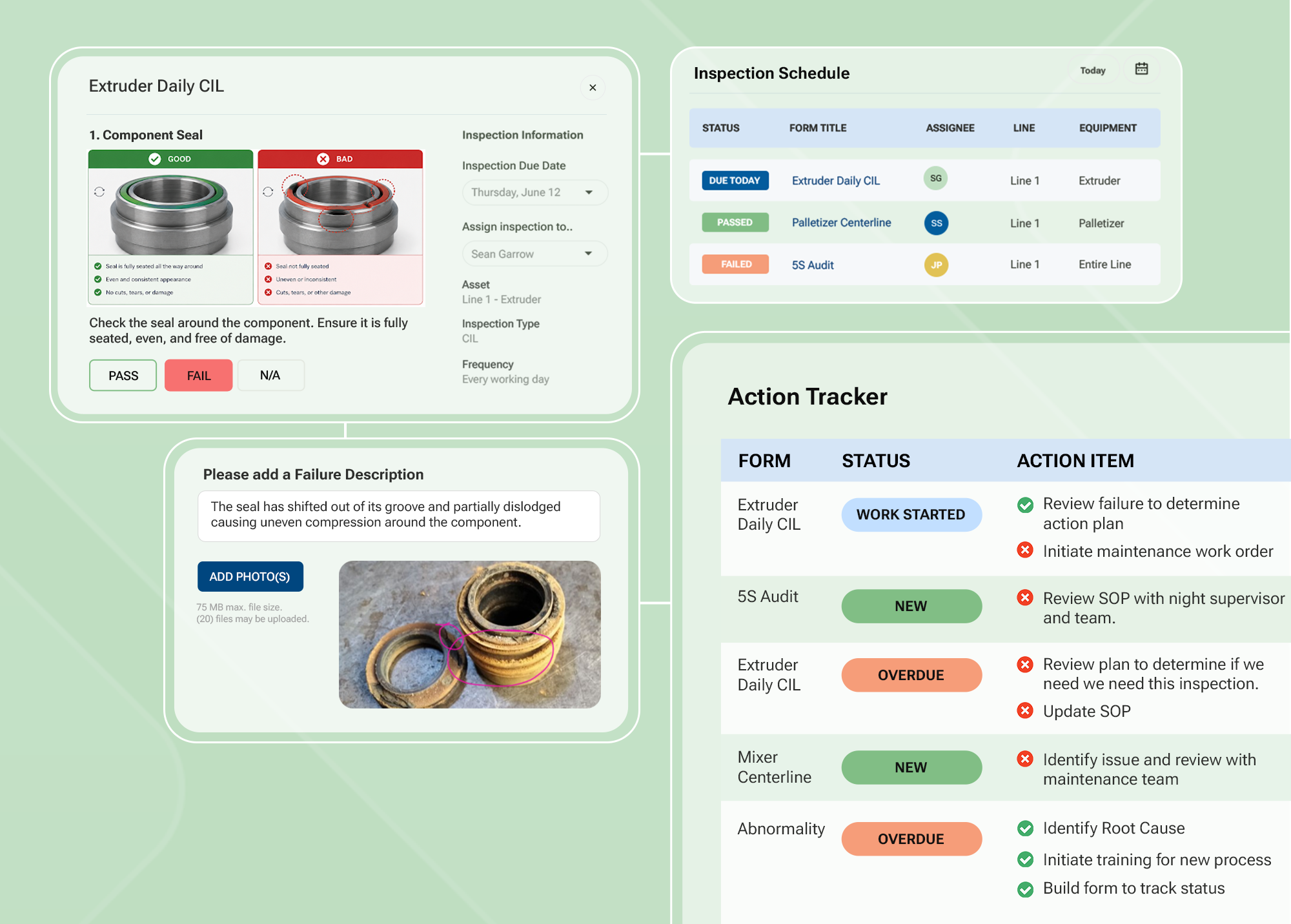
To give your team real-time visibility, you need a live dashboard that automatically surfaces CIL completion rates, open defects, overdue checks, and participation trends across every line and shift, without anyone having to build a report. Specifically, it should:
- Flag missed CIL checks the moment they occur
- Escalate defects that have been open too long to the right owner
- Surface recurring patterns on the same line or machine before they become breakdowns
When your team has a real-time view of AM performance across every line and shift, the transition from reactive to proactive maintenance happens naturally. And that shift is what actually reduces machine downtime over time.

5. Track the leading indicators that actually predict equipment failures
It’s common for plants to track metrics like MTBF, OEE, and downtime frequency. These are all important to measure. But by the time they start to deteriorate, the problems that caused them have usually been building for weeks. That's why relying on these numbers alone means you're always reacting to failures rather than preventing them through planned, preventive maintenance.
To get ahead of these problems, you need to shift your focus to leading indicators — metrics that show you whether your AM program is working before equipment fails. Specifically, you need to automatically track:
- CIL completion quality — not just whether checks were done, but whether they were done at the machine with evidence you can trust
- Defect closure rate and average time from issue to confirmed fix — which verifies whether your corrective action process is actually closing the loop
- Repeat issues on the same equipment — which tells you whether fixes are holding or the same problem keeps resurfacing
- Schedule attainment against running equipment — which shows whether your completion data reflects real execution or scheduling noise
When your team can predict equipment failures before they happen, you can protect production output, reduce maintenance costs, and minimize the unplanned downtime that can cost your manufacturing plant up to billions each year.
6. Bridge the gap between your enterprise systems and frontline operations
Most manufacturers already have enterprise systems in place, whether that's SAP, a CMMS, an OEE platform, or some combination of all three. And on the surface, it's reasonable to assume these tools are enough to manage your AM program. The problem is these tools were built for people who plan and manage maintenance, not for the operators who perform it:
- SAP and CMMS platforms manage formal maintenance jobs — work orders, scheduling, inventory, and planned maintenance tasks. But their complex interfaces weren't designed for operators who need to complete quick, routine checks dozens of times every shift on the floor.
- OEE platforms automatically track machine performance — measuring speed, availability, and output. But they don't provide a way to record whether an operator actually performed a lubrication check, inspected a component, or flagged a defect. They track machine output and performance, not the hands-on work operators do to keep equipment running.
That gap — the space between your enterprise systems and what operators are actually doing on the floor — is exactly where your AM data breaks down. Your team logs defects in one system and tracks them in another. Maintenance works from a different list than operations. And your CMMS plans maintenance based on records that don't accurately reflect the equipment's actual condition.
To get accurate, verified, real-time data flowing from the floor into your enterprise systems, you need a tool built specifically for operators — one that integrates directly with your existing tools. Specifically, it should:
- Work on shared devices on the manufacturing floor without complex logins
- Capture timestamped CIL completion data with photo evidence at the point of work
- Route defects directly into SAP work orders without duplicate entry or manual handoffs
The goal is to give your operators a tool that works on the floor and feeds the systems you already rely on, rather than ripping and replacing everything you’ve put in place.
7. Implement a digital AM tool built for the floor, not the boardroom
If you've been through a failed digital AM rollout before, you already know how it goes. Vendors show leadership impressive-looking dashboards and reports, and everyone signs off. Then the tool reaches the floor, and it doesn't work the way operators actually need to do their jobs.
Before long, the team finds their own workarounds — shadow systems, makeshift binders, spreadsheets — just to fill the gaps. They're not trying to resist change. They're just trying to make the tool work because it was chosen for the boardroom, not for how they operate. The culture is not sustained.
To ensure operators can actually use the digital system you put in place, it has to be faster and easier than the way they typically work. Specifically, this means they can do things like:
- Scan a QR code at the machine and pull up the right checklist instantly on any shared tablet or phone — no personal login, no app to install, no navigation required
- Follow embedded instructions and capture required photos at each step, so every operator completes the check correctly, regardless of experience level
- Flag a defect and automatically trigger a workflow that assigns an owner, sets a due date, and tracks it to completion
When a tool integrates with existing frontline operation processes and allows operators to perform their tasks more easily, they adopt it without being pushed. Similarly, when new operators can complete a CIL correctly on their first shift, they can provide immediate value because the guidance is built into the form rather than stored in someone's head.
Case in point: one global CPG manufacturer we worked with saw a 500%+ increase in genuine AM participation after implementing our software because operators were actually performing checks.
Getting Started
Implementation best practices that don’t disrupt how your team works
Once you've decided to reduce equipment downtime by digitizing your AM program, how you roll it out matters just as much as the tool itself. At Weever, we use our proven ADAPT framework to help frontline manufacturing teams get up and running without disrupting how their teams already operate. Here's how it works.
A- Assess how your AM program actually runs on the plant floor - Before configuring anything, take time to understand how work actually happens on the manufacturing floor. Don't just map out the process in a slide deck. Examine real behavior, where operators juggle tasks under time pressure, and supervisors spend half their day chasing updates. That understanding shapes everything that follows.
D - Digitize the manufacturing processes that already work, rather than redesigning them - The most common mistake plants make is trying to improve the program and digitize it at the same time. Instead, take your current CIL routines, check sequences, and asset hierarchy, and translate them directly into digital forms. This allows the process your operators already know to stay intact. The only thing that changes is how the data gets captured — accurately, in real time, at the machine.
A - Align the digital system to how your plant actually runs - No two plants run the same way, and your digital system needs to reflect that. Before you go live, identify where you will position tablets or phones, how operators will access shared devices across shifts, which checklist steps are relevant for each asset, and how defects will flow into your existing maintenance workflow. The goal is a system that feels natural from day one. Otherwise, operators will just find workarounds.
P - Prepare for plant-wide adoption by starting small - Start with one high-impact line or area — usually the one causing the most pain — and ensure operators are using the digital system you’ve put in place. When the tool makes their job easier, adoption takes care of itself. That early success builds the confidence and momentum to expand across other lines, shifts, and sites.
T- Tune and improve your AM program as you go - Once your team is using the new digital system consistently, shift your focus to continuous improvement. Real-time data can show you where execution is slipping, which lines are generating recurring concerns, and where defects are sitting too long. Because the data reflects what's actually happening on the floor — and isn’t reconstructed after the fact — the improvement cycle can easily transition from reactive repairs to proactive planned maintenance decisions.
How Weever fixes the data problem causing unplanned equipment downtime
Reducing equipment downtime starts with trusting your AM data. But when your program runs on disparate paper forms, physical boards, and spreadsheets, it's impossible to solve this problem.
That's why we built Weever — a connected worker platform designed specifically for how plants actually run. It gives you and your team the accurate, real-time AM program data you need, so equipment issues are caught before they cause unplanned downtime, significant production losses, and unnecessary costs.
Built for the manufacturing floor
Weever is built around how your team actually operates, rather than forcing them to change how they work. It runs on shared tablets and phones, across multilingual crews, without a personal login or an app to install. QR codes at each machine launch the right CIL checklist instantly, so operators get to the right procedure at the right time without any navigation. For plants with diverse workforces, multilingual forms and visual guidance mean every operator can participate fully regardless of language. And when Wi-Fi drops, Weever works offline and syncs automatically when connectivity returns.
AM execution that actually closes the loop
The two biggest data trust problems in AM are checks that can't be verified and defects that never get resolved. Weever addresses both. Digital CIL checklists mirror your existing maintenance procedures, adding timestamps, photo evidence, and conditional logic that shows operators only the steps relevant to the equipment they're working with. This makes it structurally harder to pencil-whip a check because the record has to be created at the asset, with evidence, at the time it happens. When a check fails, or an operator finds a defect, the system automatically creates an action item with a clear owner, a due date, and escalation rules that track the issue through shift handoffs until someone confirms the fix.
Real-time AM performance visibility that drives action
In most AM programs, the only way to know what's happening is to physically walk the floor or wait for someone to compile a report. Weever replaces that with live dashboards that show CIL completion rates, open defects, overdue checks, and performance trends across every line and shift, without anyone having to build a report.
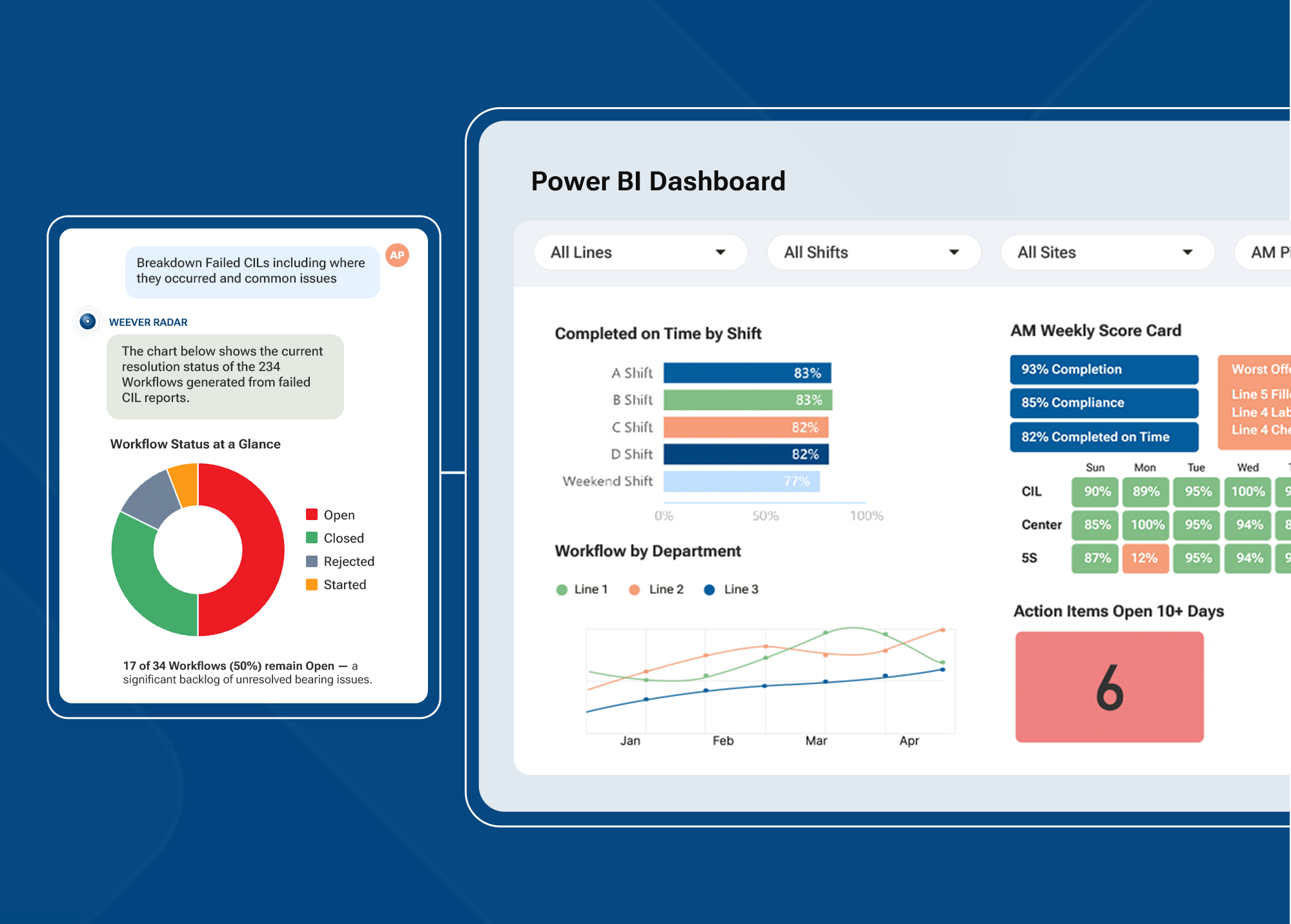
When a check is missed, the system flags it. When a defect has been open too long, it escalates automatically. The right people get notified immediately, rather than finding out at the next shift handoff or in a weekly meeting.
Because Weever is built to complement your existing systems rather than replace them, your CIL standards, processes, and workflows remain in place. For plants already running SAP or CMMS, Weever integrates via API so defects flow directly into work orders and execution data feeds into the dashboards your leadership team already uses, including Power BI: no duplicate entries, and no separate workflows.
This means your maintenance team can spend less time reacting and more time building equipment reliability.
Results that speak for themselves
Plants that implement Weever see results quickly:
- One global CPG manufacturer increased AM participation by 500%+ and completed more than 3,000 CIL and centreline reports in the first 8 months
- Mars Fort Smith achieved an 89% completion rate for abnormalities addressed and corrected
- A Maintenance Manager at a global CPG company recovered 30% of his working day — time previously spent on spreadsheets and manual data entry — and redirected it to improvement work
- Royal Canin cleared a backlog of more than 300 open abnormalities and reached a 95% corrective action closure rate across more than 6,000 monthly submissions
None of these plants rebuilt their AM program from scratch. They just used Weever to close the gap between their documented AM program and what was actually happening on the floor.
Reduce equipment downtime in your manufacturing plant with an AM program your team can actually trust
If you can't trust your AM data, you can't reduce equipment downtime. See how Weever provides the real-time, verified data you need so your team can catch equipment issues while there's still time to act.
Continuous Improvement in Food Sanitation: Why Paper Data Is Holding Your Programs Back
TL;DR — Sanitation managers report an average pressure-to-improve score of 7 out of 10, with over a third rating it a 10. But continuous improvement requires consistent, comparable data, and paper-based sanitation programs do not produce it. The most common CI activities, SOP updates and kaizens, are also the hardest to measure. Digital sanitation platforms give managers real-time visibility, eliminating data delays and enabling faster, measurable improvements across daily sanitation, MSS, and PIC/PEC.
In This Guide
- How much pressure sanitation managers are under to improve
- Why the shift to 24/7 production makes the scheduling problem worse
- Why paper and spreadsheet data cannot support continuous improvement
- Why the most common CI activities are the hardest to measure
- Why efficiency and compliance are tied as the top challenge
- How digital sanitation platforms close the CI data gap
- FAQ
/
How Much Pressure Are Sanitation Managers Under to Improve?
More than most plant leaders realize. Surveyed sanitation managers gave an average pressure-to-improve score of 7 out of 10. Over a third gave it a perfect 10. This is not a program area where leadership is satisfied with maintaining the status quo. They expect progress.
That pressure is compounded by production demands. Three in five food manufacturing professionals expected throughput to increase by an average of 20% in 2025. Meanwhile, 78% say total cost per product has increased. Sanitation programs are being squeezed in the process. Sanitation cycles have been shortened, budgets cut, and workforces reduced, yet standards continue to rise.
7/10
Average pressure-to-improve score reported by sanitation managers — 37% rated it 10/10
Where Does the Time for MSS and PIC/PEC Come From on a 24/7 Schedule?
This is the question many manufacturers are now facing. As more plants move to 24/7 production schedules, the window for sanitation work shrinks. Daily sanitation tasks still need to happen between production cycles. MSS tasks for warehouses, coolers, and freezers need to be scheduled around operations. And PIC/PEC deep cleans, where equipment is fully disassembled to access niches that daily sanitation cannot reach, need downtime that 24/7 production does not naturally provide.
On paper, scheduling around these constraints is already difficult. When the schedule lives in a spreadsheet that must be manually updated whenever production changes, the risk of missed tasks and scheduling conflicts multiplies. Digital sanitation platforms manage this scheduling complexity automatically, flagging conflicts and rescheduling tasks in real time as production plans shift.
Why Can’t Paper-Based Sanitation Programs Support Continuous Improvement?
Continuous improvement requires data that is consistent, comparable, and available for analysis. Paper-and-spreadsheet-based sanitation programs fail on all three counts.
Scores vary by who recorded them. Action items get missed or lost in transition between shifts. The same problems show up in audit after audit because there is no systematic way to track whether corrective actions were completed. A sanitation manager looking at paper logs cannot answer basic CI questions: Which line consistently takes the longest? Which shift has the most missed tasks? Are we actually getting better, or does it just feel like we are?
The industry is investing heavily in digital tools. Most food manufacturers allocate 26 to 50% of their equipment and systems budgets to digital and automation projects. Yet the execution of all sanitation programs, one of the most compliance-critical functions in the plant, is still the last to get digitized. Companies are investing in analytics and automation while the foundational data layer — who cleaned what, when, and whether it was done correctly — is still captured on paper.
Why Are the Most Common CI Activities the Hardest to Measure?
The survey identified the most common continuous improvement activities in sanitation programs:
- Updating SSOPs (36%): the most common activity, but often reactive rather than proactive. SSOPs get updated after an audit finding, not based on trend data.
- Kaizens (16%): structured improvement events, usually tied to a broader Lean or TPM initiative. Effective but resource-intensive.
- Statistical analysis (12%) and suggestions (12%): used less frequently, often because the data needed to support analysis is not readily available.
- Abnormality reports (8%): a strong CI tool, but only useful when tracked systematically.
Here is the problem: the first two activities, SSOP updates and kaizens, are the most common but are also very difficult to measure in terms of continuous improvement. Performing these tasks does not guarantee improvements. You can update an SSOP and have no way to know whether the update improved execution.
Statistical analysis and abnormality reports depend on gathering information, which takes time and usually occurs after the fact. By the time the data is compiled, the issues have already happened and the improvements lag behind. With a digital sanitation system, that delay virtually disappears. You gain real-time visibility, enabling you to make decisions and implement improvements more quickly than a paper-based system ever could.
Why Are Efficiency and Compliance Tied as the Top Challenge?
Survey data shows compliance and efficiency are tied as the number one challenges for sanitation managers. That is not a coincidence. They are two sides of the same problem.
The efficiency challenge is not about crews working harder. It is about lines being down too long during changeovers and sanitation cycles. When a sanitation event takes 45 minutes instead of 30, that is not a labor problem. It is a process visibility problem. The manager cannot see which tasks are running long, which crews are consistently faster, or which lines need different sequencing, because paper does not produce that data.
Meanwhile, the compliance challenge feeds the efficiency problem. When sanitation managers spend 18+ hours a week on administrative tasks — building reports, chasing down missed tasks, updating schedules — that is time they cannot spend on the process improvements that would make the program more efficient.
Digital daily, MSS, and PIC/PEC programs help close this gap by flagging delays in real time and giving managers the data to identify the who, what, when, why, and how behind tasks that are consistently causing issues, before the next audit or the next downtime event.
How Does Digital Sanitation Close the CI Data Gap?
A digital sanitation platform captures every cleaning event with consistent, structured data: who performed the task, when, how long it took, whether it was completed correctly, and what issues were flagged. That data is available in real time, comparable across shifts and sites, and ready for the analysis that CI demands.
The delay between issue and improvement virtually disappears. Instead of waiting for an audit to discover recurring problems, managers can see them as they happen. Instead of relying on a supervisor’s memory to know which line is the bottleneck, the data shows it. Instead of updating SSOPs reactively after a finding, managers can update them proactively based on trend data.
- Real-time visibility into task completion, duration, and quality across daily sanitation, MSS, and PIC/PEC
- Automatic flagging of missed tasks, delays, and recurring issues
- Data that supports statistical analysis, trend identification, and ROI measurement
- Consistent scoring that does not vary by who recorded it or which shift captured it
Frequently Asked Questions
What is the biggest barrier to continuous improvement in sanitation?
Data availability. Most sanitation programs running on paper and spreadsheets do not produce consistent, comparable data. The most common CI activities, SSOP updates and kaizens, are also the hardest to measure. Without real-time data, managers cannot identify trends, measure improvement, or prove ROI.
Can I do continuous improvement without a digital sanitation platform?
You can do some CI activities, like SSOP updates and occasional kaizen events. But data-driven CI, identifying which lines run long, which crews are most efficient, and whether changes are producing measurable results, requires consistent data that paper programs cannot provide. And the improvements will always lag behind the issues.
How does digital sanitation help prove ROI for improvements?
Digital sanitation captures baseline data from day one: task completion rates, time per task, issue frequency, and corrective action closure rates. As improvements are made, the data shows the impact in measurable terms. That gives sanitation managers the proof they need when leadership asks whether the investment is working.
How do plants on 24/7 production schedules fit in MSS and PIC/PEC work?
It is one of the biggest scheduling challenges in food manufacturing right now. Digital sanitation platforms automatically manage scheduling complexity, flagging conflicts with production schedules and rescheduling tasks in real time. On paper, this coordination requires manual effort that grows exponentially as production hours expand.
Are food manufacturers actually investing in digital sanitation tools?
The investment intent is there. In a 2025 industry survey, 93% of food and beverage end users said they expect to spend the same or more on food safety and sanitation in the coming year. Most food manufacturers are already allocating 26 to 50% of their equipment budgets to digital projects. The question is whether that budget reaches the sanitation program or stops at production and maintenance.
Conclusion
Sanitation managers are under real pressure to improve, and they are doing CI work with the tools they have. But paper-and-spreadsheet-based programs are fundamentally limited: they do not produce the data that makes continuous improvement sustainable, and the most common CI activities are the hardest to measure.
Digital sanitation platforms close the gap by capturing structured data on every cleaning event across daily sanitation, MSS, and PIC/PEC, making it available in real time, and eliminating the delay between issue and improvement. The result is a sanitation program that can prove its improvements, not just describe them.
The industry is investing in digital tools. The budget is there. The question is whether it reaches the programs that need it most: the ones still running on paper, under the most pressure, with the least visibility.
Ready to see what digital sanitation looks like for your plant? Talk to Weever → CLICK HERE
How High Turnover Breaks Food Plant Sanitation Programs (And How to Fix It)
TL;DR — Labor turnover creates a training gap. The training gap creates execution failure. Execution failure creates compliance risk. Paper-based sanitation programs make this chain reaction worse because the procedure lives in someone’s memory, not in the system. Digital sanitation platforms break that chain by storing procedures in the system and putting on-demand instructions, video SSOPs, visual guides, and multilingual resources near the point of work.
In This Guide
- Why labor turnover is a direct threat to sanitation compliance
- How paper-based programs amplify the impact of turnover
- What the shift toward autonomous sanitation means for training
- How video SSOPs help new hires execute correctly from day one
- What effective sanitation training programs include
- How digital sanitation platforms break the turnover-to-compliance failure chain
- FAQ
How Bad Is the Labor Shortage in Food Manufacturing Right Now?
It is not easing. As of January 2024, there were 622,000 unfilled manufacturing positions in the U.S. The manufacturing sector will need an estimated 3.8 million new workers by 2033, and nearly half of those roles could go unfilled.
Food manufacturing has been hit especially hard. The industry has lost 15% of its workforce since 2020. Unit labor costs rose 7.5% in 2024. And 47% of industry respondents cite the inability to attract and retain employees as their biggest challenge.
For sanitation leaders, these numbers are not industry trends. They are the reason the new hire on third shift does not know the cleaning sequence for Line 4, and the supervisor who trained the last crew left two months ago.
622,000 unfilled manufacturing positions in the U.S. as of January 2024
Why Does Turnover Hit Plant Sanitation Teams Harder Than Other Functions?
When experienced staff leave, the knowledge they carry walks out with them. In production or maintenance, that knowledge is often captured in ERP systems, CMMS platforms, or digital work instructions. In sanitation, it is captured in handwritten notes, physical binders, and the memory of the person who just quit.
Paper-based sanitation programs are the hardest systems to hand off to someone new. There is no searchable database of procedures. There is no on-demand instruction set that a new operator can pull up near the point of work. There is a binder on a shelf, and the new hire either finds the right page or guesses.
The connection between turnover and compliance failure is direct. Industry surveys show that 61% of food and beverage end users cite labor shortages and turnover as their top operational trend, and 65% say getting employees to consistently follow SSOPs is their top sanitation challenge. Those two figures describe the same issue.
Turnover creates a training gap. The training gap leads to execution failures. Execution failures increase compliance risk. And paper makes every link in that chain worse.
How Do Video SSOPs Help Break the Turnover-to-Compliance Chain?
A digital sanitation platform stores procedures in the system, not in someone’s memory. But the most impactful addition for high-turnover environments is video SSOPs, short instructional videos embedded directly in the digital work instruction that show the operator exactly how to perform each task.
By adding video SSOPs to a digital sanitation platform, you ensure that, regardless of turnover, new hires are properly trained and follow the correct procedures. The video does not show the person calling in sick. It does not transfer to another plant. It delivers the same instruction, the same way, every time, on every shift.
This is especially valuable for PIC/PEC tasks where equipment is fully disassembled. These are complex, infrequent procedures that even experienced operators may not remember step-by-step. A video SSOP at the point of work eliminates the guesswork.
What Is Autonomous Sanitation and Why Does It Require Digital Tools?
Survey data shows a split in how sanitation work is executed across plants. Some facilities rely entirely on dedicated sanitation crews. Others are moving toward operator-led or autonomous sanitation strategies, in which production operators assume responsibility for cleaning their own lines and equipment.
Plants making that shift report gains in efficiency, productivity, and engagement. But without the right digital tools, autonomous sanitation creates more training burden, not less. Instead of training a dedicated crew, you are now training every operator on every line to execute sanitation procedures they may not have performed before.
Sanitors need better access to instructions, visual guides, and multilingual resources to execute sanitation tasks consistently, without having to search for a sanitation leader. Paper cannot deliver that. A binder on a shelf does not help the operator standing at the machine at 2 AM on a Saturday shift.
What Does Effective Plant Sanitation Training Actually Look Like?
Training employees on regulatory requirements is the top compliance challenge reported by food manufacturers, cited by 54% of end users in a 2025 industry survey. That is not a knowledge problem at the corporate level. It is a delivery issue on the plant floor. Most plants have the regulations. They lack a reliable way to communicate them effectively to the workers.
Effective sanitation training programs share common elements:
- Standardized programs tailored to different job roles, delivered consistently across shifts
- Hands-on training with supervised exercises and practical demonstrations
- Specialized training with subject matter experts (SMEs)
- Ongoing reinforcement with regular refreshers as regulations and SSOPs evolve
- Multilingual and visual materials that work for diverse frontline teams
- On-demand access to instructions and resources near the point of work
The last three elements are where paper programs fail most visibly. A printed SSOP packet that only exists in English does not help a multilingual workforce. A binder that lives in the supervisor’s office does not help the sanitor on the floor. And paper cannot deliver video. Digital tools close all three gaps by delivering the right instruction, in the right language, with the right visual support, directly on the device the operator is already using.
How Does Digital Master Sanitation Break the Turnover Chain for Good?
When a new operator or sanitor starts, the instructions are already there: step-by-step, visual, multilingual, with video SSOPs, and available on-demand near the point of work. The cleaning routine does not change. The documentation is automatic. And the manager has real-time visibility into whether the task was completed correctly, without having to walk the floor to check.
- Mars Fort Smith achieved a 100% MSS task completion rate with digital work instructions
- Monin saved 3 to 4 hours per day on sanitation administration, time that went back to training and oversight
- Plants report adoption that is faster than expected, because the tool mirrors how crews already work
Frequently Asked Questions
How do video SSOPs work inside a digital sanitation platform?
Video SSOPs are short instructional clips embedded directly in the digital work instruction for each task. When an operator opens a task on their device, the video is right there showing exactly how to perform it. No searching for a binder, no asking a supervisor, no guessing. The video delivers the same instruction on every shift, regardless of who is working.
How does a digital sanitation platform help with multilingual teams?
Digital platforms can deliver instructions with visual guides, video SSOPs, and multilingual content near the point of work. Instead of a printed SSOP in one language, operators see step-by-step instructions in their preferred language on the device they are already using.
Does autonomous sanitation work for every plant?
Not necessarily. The shift toward operator-led sanitation depends on plant culture, crew structure, and production schedules. But the trend is clear: plants that empower operators to own their sanitation tasks see gains in efficiency and engagement. The key is giving operators the digital tools they need to execute consistently without having to search for a sanitation leader.
How long does it take a new hire to get up to speed on a digital sanitation system?
Most plants report that new operators are productive within days, not weeks. The digital system provides step-by-step instructions with video SSOPs near the point of work, so the new hire does not need to memorize procedures or rely on a coworker. The learning curve is significantly shorter than paper-based onboarding.
What happens to sanitation compliance when a key person leaves?
In a paper-based program, it deteriorates. Institutional knowledge walks out the door. In a digital sanitation platform, the procedures, schedules, video SSOPs, and instructions live in the system. When someone leaves, the program continues without interruption because it is not dependent on any individual’s memory.
Conclusion
The labor crisis in food manufacturing is not temporary and it is not easing. Every experienced crew member who leaves takes institutional knowledge with them. Paper-based sanitation programs are the most vulnerable to that knowledge loss because the procedures live in people’s memories, not in the system.
Digital sanitation platforms break the chain that links turnover, training gaps, execution failure, and compliance risk. Video SSOPs ensure new hires are properly trained regardless of who left. On-demand instructions near the point of work, in the right language, with visual guides, help operators execute correctly from day one.
The plants that have made the shift are not running transformation projects. They are replacing the binder with a digital tool that mirrors how their teams already work. The cleaning routine stays the same. The knowledge stays in the system. And the next time someone leaves, the program keeps running.
Ready to see what digital sanitation looks like for your plant? Talk to Weever → CLICK HERE
Why Food Manufacturing Sanitation Programs Are Still Stuck on Paper (And What It Costs)
Manufacturing has gone digital across production, maintenance, and quality. Sanitation is the holdout. Most plants still run their daily sanitation, MSS, and PIC/PEC programs on printed packets, paper binders, and manual spreadsheets. The cost is not just inefficiency. It is on average a $10 million recall, 18+ hours per week of recoverable admin time, and a compliance risk that grows with every audit cycle. Switching to a digital platform with linked documents, automated data collection, and built-in reminders changes the equation.
In This Guide
- Why is sanitation the last program to get digitized
- How much time sanitation managers lose to paper-based administration
- What a food recall actually costs when paper is the documentation system
- What sanitation managers want most from technology
- How linked documents and automated reminders change MSS and PIC/PEC execution
- Why budget is the top barrier and how pricing models affect adoption
- FAQ
Why Is Sanitation Still Running on Paper When Everything Else Has Gone Digital?
The manufacturing industry has embraced digital tools across production, maintenance, and quality. ERP systems track inventory. CMMS platforms manage maintenance schedules. Quality management systems generate real-time dashboards. But walk into most food manufacturing plants and ask how the sanitation programs get managed, and the answer is the same: printed packets, paper binders, and spreadsheets that take hours to maintain.
All sanitation programs have been left behind. Most plants are running their daily sanitation, MSS, and PIC/PEC the same way they did 20 years ago.
The gap is wider than most leaders realize. Industry data shows that fewer than 10% of food and beverage manufacturers qualify as digital leaders. Meanwhile, 65% describe themselves as laggards who have stalled at the early stages of digital adoption. Sanitation is not just behind other departments. It is behind the industry’s own assessment of where it should be.
How Much Time Are Sanitation Leaders Losing to Paper-Based Processes?
When surveyed, over 90% of sanitation managers said their time is not well spent. The data shows where the hours are going:
- 9.2 hours per week on forecasting and managing schedules
- 4.75 hours per week on building reports for leadership and auditors
- 4 hours per week on managing issues from incorrectly executed tasks
That is nearly 18 hours per week, almost half a sanitation manager’s working hours, spent on administrative work that digital tools can reclaim. These are not edge cases. These are the hours that every sanitation leader running paper-based programs recognizes immediately.
At one plant, digitizing the sanitation program saved 3 to 4 hours per day on administration alone. That is time returned to the manager for actual program oversight, crew development, and continuous improvement, the work that moves programs forward instead of just keeping them running.
90%+ of sanitation managers say their time is NOT well spent
What Does a Food Recall Actually Cost When Paper Is the Documentation System?
The average direct cost of a food recall is approximately $10 million. That covers notifications, product retrieval, disposal, and labor. In 23% of cases, direct recall costs exceed $30 million.
Those figures do not include cancelled contracts, lost shelf space, retailer penalties, or brand damage that can take years to recover from.
The connection to paper documentation is direct. When sanitation records live in binders and spreadsheets, there is no real-time way to verify that procedures were followed correctly. A missed cleaning event, an improperly executed task, or a documentation gap only becomes visible after the fact, often during an audit or, worse, during a recall investigation.
In 2024, hospitalizations and deaths from foodborne illnesses doubled compared to 2023. There are 48 million foodborne illness cases in the U.S. every year. For sanitation leaders, these are not abstract statistics. They are the direct consequences of the programs they run every day.
$10M average direct cost of a food recall — 23% exceed $30 million
What Do Sanitation Managers Actually Want from Technology?
When surveyed about which automated reports would be most valuable, sanitation managers ranked their priorities clearly:
- Which lines, machines, or employees are taking the longest (25%)
- Who is completing assigned sanitation tasks on time and who is not (22.5%)
- Which issues have been resolved and which are outstanding (20%)
- Which lines, machines, or employees are producing the most task failures (20%)
But the most requested technology overall was not a report. It was on-demand instructions for operators: providing frontline teams with everything they need to do the job correctly the first time, without requiring a supervisor to step in.
That request reflects a fundamental truth about sanitation programs. The problem is not that managers lack data. It is that the data does not exist in a usable form, and operators lack real-time guidance near the point of work. Paper cannot provide either.
How Do Linked Documents and Automated Reminders Change Sanitation Execution?
Switching to a digital platform changes how daily sanitation, MSS, and PIC/PEC tasks are managed at the structural level. Instead of disconnected paper records, digital systems link schedules, SSOPs, completion records, and corrective actions together in one place.
Automated data collection means every task captures who completed it, when, how long it took, and whether it was done correctly, without the manager having to chase it down. Built-in reminders ensure MSS and PIC/PEC tasks are finished promptly and documented accurately, not discovered as missed three days later when someone checks the binder.
This is not about replacing paper for the sake of going digital. It is about eliminating the gaps paper creates: missed tasks, unlinked records, and documentation that cannot answer questions on demand.
Why Is Budget the Top Barrier, and Does Pricing Model Matter?
Nearly 70% of food manufacturers cite budget as their top challenge for digital adoption. That is not surprising given how most enterprise software is priced: per-user licensing that scales with headcount, implementation fees that rival the software cost, and multi-year contracts that lock plants in before they see results.
For sanitation programs, this pricing model is especially punishing. Daily sanitation, MSS, and PIC/PEC involve large crews across multiple shifts. Per-user pricing means the cost scales with exactly the people who need the tool most: frontline operators and sanitors.
Site-based pricing with unlimited users changes the calculation. It means every operator, supervisor, and manager on every shift can use the system without increasing costs. Adoption is not gated by budget approvals for each new user. That is a meaningful difference for programs where broad adoption is the entire point.
See how Weever’s site-based pricing works for sanitation teams → CLICK HERE
Frequently Asked Questions
How is a digital sanitation platform different from a generic form builder?
Generic form builders can digitize a checklist, but they cannot manage a complete sanitation system. A purpose-built connected worker platform handles task assignment, scheduling, real-time completion tracking, automatic escalation of missed tasks, linked documentation across daily sanitation, MSS, and PIC/PEC, and audit-ready reporting. It mirrors how sanitation programs actually run, not just how a form gets filled out.
What does 90% of time being poorly spent actually look like?
It looks like a sanitation manager spending Monday morning building last week’s completion report from paper logs, Tuesday chasing down which tasks were missed, and Wednesday updating the printed schedule for the week ahead. The cleaning routines are not the problem. The administration around them is.
Is the $10 million recall cost figure realistic for mid-size plants?
The $10 million figure is an industry average covering direct costs only. Mid-size plants may face lower absolute costs, but the relative impact can be larger: a single recall can represent a significant portion of annual revenue. The indirect costs, lost contracts, retailer penalties, and brand damage, hit smaller operations disproportionately hard.
How quickly can a plant go from paper to a digital sanitation system?
Plants using a connected worker platform that mirrors existing workflows typically go live within weeks. The key factor is that operators do not need to relearn their routines. The cleaning process stays the same. The documentation becomes digital, linked, and automatic. That is why adoption rates consistently exceed expectations.
What is site-based pricing, and why does it matter for sanitation?
Site-based pricing means one price per facility, with unlimited users. For sanitation programs that involve large crews across multiple shifts, this eliminates the per-user cost barrier that prevents broad adoption. Every operator and sanitor can use the system without driving up cost.
Conclusion
Sanitation programs have been left behind in the digital transformation that has already reached production, maintenance, and quality. The cost of that gap is not just inefficiency. It is measured in $10 million recalls, doubled hospitalization rates, 18 hours of recoverable admin time per week, and a growing compliance risk that paper cannot address.
Switching to a digital platform with linked documents, automated data collection, and built-in reminders changes the equation for daily sanitation, MSS, and PIC/PEC. The most commonly cited barrier for most plants is budget. But the cost of staying on paper is already real and measurable. And site-based pricing with unlimited users means the cost does not scale with the size of your crew.
Sanitation leaders are not asking for a transformation project. They are asking for tools that work the way their teams already work, give them the data they need, and take the administrative burden off their plate.
Ready to see what digital sanitation looks like for your plant? Talk to Weever → CLICK HERE
.webp)
Food Manufacturing Sanitation Compliance: Why Paper Records Are a Liability in 2026
The hardest part of sanitation compliance is not knowing the rules. It is proving you followed them when an auditor asks. Paper binders and spreadsheets cannot produce the documentation that GFSI auditors, retailer requirements, and the FDA Food Traceability Rule now demand across daily sanitation, MSS, and PIC/PEC programs. Answering a single auditor question on paper can require four different documents. Digital sanitation programs close this gap without changing how your teams already work.
In This Guide
- Why the compliance bar is rising across all sanitation programs
- What auditors actually want from your sanitation documentation
- Why paper fails when one question requires four documents
- How retailer requirements are outpacing federal enforcement timelines
- What digital sanitation programs change for compliance readiness
- FAQ
Why Is Sanitation Compliance Getting Harder for Food Manufacturers?
If you manage a sanitation program in a food manufacturing plant, you already know the answer. The regulations are not new. The SSOPs are written. The schedules exist. What has changed is the expectation around documentation and the speed at which you need to produce it.
A complete sanitation system has three layers: daily sanitation tasks that happen every production cycle, the Master Sanitation Schedule covering facility areas outside direct production, and PIC/PEC programs for deep cleaning when equipment is fully disassembled. Each layer requires its own schedules and documentation to verify and validate both completion and effectiveness. And each layer is under more scrutiny than it was a year ago.
In a 2025 industry survey, 27% of food manufacturing professionals identified sanitation procedures as one of the most difficult preventive controls to manage, alongside allergen controls and cross-contamination prevention. That is not a knowledge gap. It is a documentation gap. The procedures are on paper. The problem is that paper-based sanitation doesn’t help to answer an auditor’s question fast enough.
Why Do Paper-Based Sanitation Programs Fail When Auditors Ask a Simple Question?
Auditors want a specific answer: was this surface cleaned, when, by whom, and was it done correctly?
With paper documentation, answering that single question can easily require four different documents. The schedule lives in one binder. The completion record is on a separate sheet. The SSOP is in a different folder. And the corrective action log, if it exists, is somewhere else entirely.
Paper documents are not designed for multiple users with different documentation requirements. They do not allow records to be easily linked. It takes time and effort to pull the pertinent information from four sources into one place, usually a spreadsheet. When the expectation is 24-hour documentation retrieval, the gap between what paper can deliver and what auditors expect continues to widen.
What Does the FDA Food Traceability Rule Mean for Sanitation Programs?
Congress has directed the FDA not to enforce the Food Traceability Rule before July 20, 2028. For plants producing foods on the FDA’s Food Traceability List, leafy greens, ready-to-eat deli salads, shell eggs, nut butters, soft cheeses, fresh-cut fruits, and certain seafood, that date may feel like breathing room.
It is not.
The federal date moved. Retailer requirements did not. Walmart, Kroger, Costco, and other major grocery chains set their own supplier documentation standards independently of the FDA. Plants selling into large retail channels are already being asked to demonstrate digital, retrievable sanitation records. The 2028 date tells you when the FDA starts enforcing. It does not tell you when your biggest customer stops asking.
Are GFSI and Third-Party Audits Moving Faster Than Federal Regulations?
Yes. GFSI standards, including SQF, BRC, and FSSC 22000, increasingly expect records that can be produced in hours, not assembled from binders over three days. The audit environment is already operating at a standard that most paper-based sanitation programs cannot meet without significant manual effort.
For facilities not on the FDA’s Food Traceability List, the direction is the same. Third-party audit expectations are converging around digital documentation, regardless of the federal enforcement timeline. The question is not whether your plant will face this expectation. It is whether your documentation is ready when it does.
59% of food and beverage manufacturers cite new or changing regulations as a top trend affecting operations (PMMI 2025)
Why Is the Execution Gap the Real Compliance Problem?
The compliance challenge is not just regulatory. It is operational. A 2025 PMMI survey found that 59% of food and beverage manufacturers cite new or changing regulations as a top macro trend affecting their operations. But the more telling number is what happens once those regulations reach the floor: 65% of end users say getting employees to follow SSOPs properly and consistently is their top day-to-day challenge.
The regulation exists. The procedure is written. The gap is in execution, and the paper does not close it. When the SSOP lives in a binder on a shelf, and the operator is standing at the machine on the third shift, there is no mechanism to ensure the procedure was followed correctly, completely, or at all.
What Does Digital Sanitation Change for Compliance?
A digital sanitation platform does not change the cleaning routines. It does not require process redesign or retraining. What it changes is the documentation layer across all three program types, daily sanitation, MSS, and PIC/PEC, replacing printouts, binders, and spreadsheets with linked digital records.
Linked documents, automated data collection, and built-in reminders ensure tasks across all sanitation programs are finished promptly and documented accurately. When an auditor asks a question, the answer comes from a single system, not from four separate documents.
Managers who have made the switch consistently report that adoption was faster than expected, because the digital tool mirrors how their teams already work.
See how Weever digitizes daily sanitation, MSS, and PIC/PEC without changing how your team works → CLICK HERE
Frequently Asked Questions
Does the FDA Food Traceability Rule apply to all food manufacturers?
Not directly. The rule targets specific foods on the FDA’s Food Traceability List, including leafy greens, shell eggs, nut butters, and certain seafood. However, GFSI standards and major retailer audit requirements are moving in the same direction for all food manufacturers, regardless of the federal list.
Why does answering one auditor's question require four documents on paper?
Because paper-based sanitation programs store schedules, completion records, SSOPs, and corrective actions in separate locations. They were never designed to link these documents together. Pulling the answer to a single question requires manually finding and cross-referencing information from multiple binders, folders, and spreadsheets.
What is the difference between daily sanitation, MSS, and PIC/PEC?
Daily sanitation covers tasks performed during each production cycle, including production lines, floor drains, and conveyance equipment. MSS includes facility areas outside direct production, like warehouses, coolers, and freezers, scheduled based on risk-based analysis. PIC/PEC involves deep cleaning where equipment is fully disassembled to access niches that daily sanitation cannot reach, including ceilings, cooling units, and belt removal.
Can paper-based sanitation programs pass a GFSI audit?
Technically, yes, but the burden is increasing. Auditors expect records that can be produced in hours. Paper-based programs often require days of preparation. Plants relying on paper are spending more time on audit prep and facing more findings related to documentation gaps.
How long does it take to switch from paper to a digital sanitation system?
Most plants using a connected worker platform like Weever are operational within weeks, not months. The key is that the digital system mirrors existing workflows. Sanitation crews do not need to relearn their routines. The cleaning process stays the same; the documentation becomes automatic and linked.
Conclusion
Sanitation compliance in food manufacturing is no longer just about knowing the rules. It is about proving you followed them, quickly, completely, and on demand, across daily sanitation, MSS, and PIC/PEC programs. Paper binders and manual spreadsheets were not built for that standard. When one auditor question requires four separate documents, the system is working against you.
GFSI auditors, retail buyers, and the FDA are all converging on the same expectation: digital, retrievable, traceable sanitation documentation. The plants that are moving to digital are not undergoing transformation projects. They are replacing the documentation layer while keeping the cleaning routines their teams already know.
The cost of waiting is not abstract. It is $10 million per recall, doubled hospitalization rates, and an auditor who expects an answer you cannot produce from a binder.

Problems with Paper-Based Manufacturing Workflows, Why They Persist and How to Fix Them Without Disrupting Production
If you manage a manufacturing facility, you already know that problems with paper-based manufacturing workflows create friction. Sanitation logs lag a shift behind reality, safety observations are buried in inboxes and never get resolved, and AM inspection records show full compliance but tell you nothing about actual equipment condition.
Every shift generates more documentation. And whenever someone assigns a corrective action, either verbally, by email, or on a board, there’s no system to track it, no due date alert, and no way to surface it when it’s overdue.
Important information gets buried, and by the time anyone assembles the full picture, the window to prevent the next incident, product hold, or equipment failure has already closed.
Most site managers who try to fix these paper-based workflow problems run into a second challenge. The software tools that promise to replace paper force them to fit their workflows into predefined templates and rebuild their processes. So they end up stuck with paper, spreadsheets, inboxes, shadow systems, and digital forms that never fit how the plant actually runs, and often make things worse.
Why paper-based manufacturing workflow problems persist even when the issues are obvious
In most plants, managers are fully aware of why paper systems break down. What’s harder to see is why they remain broken even after they’ve tried to fix them.
The typical response is to add more tools: a spreadsheet to track corrective actions, an email chain to route observations, or a whiteboard to capture what the paper misses. But each layer adds more coordination overhead without solving the core problem: the absence of a system that provides full visibility into operations and forces corrective actions to be assigned, tracked, and closed.
Another common response is to purchase a digital tool that promises to solve this challenge. It’s also where we see the most significant failures, which is why we cover it in detail below.
3 Reasons most attempts to digitize paper-based manufacturing workflows fail
In most cases, when plant leaders decide to implement a digital system to solve their paper-based manufacturing workflow problems, it introduces new challenges without fixing the root cause. Knowing the common failure patterns ahead of time puts you in a much better position to evaluate your options and make the right decision before selecting a solution.
Here are the most common issues we see when working with manufacturers:
1. Digital tools force you to rebuild processes that are already working
Most digitization tools are built with a one-size-fits-all mindset, designed with generic templates and locked-in workflows they claim to work across every manufacturing plant. So when you try to implement them, you’re forced to rebuild your processes around the vendor’s logic rather than how your plant operates.
Here’s how this plays out in practice:
- Your MSS program covers daily sanitation, scheduled deep cleans, and PIC/PEC tasks across multiple zones and frequencies, but most platforms can’t accommodate that full structure without requiring you to rebuild it from scratch.
- Your BBSO program is built around the specific behavior categories and hazard types that matter on your floor. Generic tools come with predefined observation fields you can’t change, which means your safety coordinators end up recategorizing submissions into fields that don’t reflect what they’re actually tracking, and the data loses its value.
- Your AM inspection sequence is tied to specific equipment, the order your operators follow on the floor, and who in maintenance gets assigned when a check fails. Generic tools require you to rebuild that sequence to fit their system, and when the digital process doesn’t align with how the work actually gets done, operators either find workarounds or stop using it altogether.
- Your 5S program uses weighted scoring criteria that your team developed to prioritize safety and quality findings. Most platforms flatten it into a standard checklist, which means your scores no longer reflect what actually matters on your floor.
- For site managers who have spent years aligning their paper-based processes with lean manufacturing principles, removing waste, standardizing work, and continuously refining what works, tools that force unnecessary changes create exactly the kind of friction that lean manufacturing is supposed to eliminate.
- Instead of removing administrative burden, the rollout increases it. Operators find workarounds because the digital process is slower than the paper process it replaced. Adoption stalls. And eventually, everyone drifts back to the habits they were trying to leave behind.
2. Digitizing forms doesn’t fix corrective action workflows
Most digital tools stop at data capture. Your operator fills out a form, submits it, and the system creates a record. But nothing happens next. The system doesn’t automatically assign an owner, notify the right supervisor, log the due date, or surface overdue items. Your team still has to manually pull each submission, decide what action it requires, assign it by email, and remember to follow up.
The same manual coordination that made paper slow is still there. It just starts with a digital form instead of a paper one. So, even though you end up with more efficient documentation, you still can’t resolve problems any faster.
3. The software works for executives. It doesn’t work for the people on the floor.
Most enterprise software evaluations focus on what the system delivers to managers and executives: compliance dashboards, corrective action trend reports, and cross-site audit scorecards. But the people who need to use the software and determine whether a rollout succeeds or fails are rarely part of those evaluations.
When the system can't accommodate the way operators work on the floor, including sharing devices, accommodating multiple languages, and completing tasks in under two minutes, they find workarounds.
Executives see clean dashboards and conclude the rollout is working. In reality, operators pencil-whip digital forms the same way they pencil-whipped paper ones, supervisors stop enforcing the process, and the floor quietly drifts back to the clipboards and spreadsheets everyone was trying to leave behind.
Because leadership believes the problem is solved, they don’t understand that the floor is still running inefficiently, the same issues remain unresolved, and nothing has actually improved. Meanwhile, the costs of staying in this cycle continue to add up.
The hidden cost of failed digital transitions and ongoing problems with paper-based workflows
A failed digitization effort doesn’t just waste the license fee. It consumes months of management time, creates organizational fatigue around change, and leaves you back where you started, or worse, running paper and digital systems in parallel. The opportunity cost is significant: every month spent managing a system that doesn’t work is a month that could have gone toward reducing downtime, cutting product defects, or improving safety performance.
In fact, failing to solve problems with paper-based manufacturing workflow costs more than most site managers realize. The costs rarely show up as a single line item. They distribute across admin time, delayed responses, repeat audit findings, product holds, and decisions made on records nobody fully trusts. Based on our experience working with manufacturers across food, automotive, CPG, and pharma, here’s where the numbers add up:
Manager and supervisor time lost to administrative coordination
Sanitation managers lose an average of 933 hours per year to manual administrative tasks, such as scheduling, data entry, chasing signatures, reconciling spreadsheets, and following up on corrective actions that should already have an owner (Weever’s Sanitation Gap Report, 2026). That’s roughly equivalent to 23 full working weeks spent on paperwork coordination rather than on floor oversight, operator coaching, or program improvement.
Expenses due to errors and incomplete records in frontline documentation
In a two-step, paper-based calibration process — where data is first written down in the field and later re-entered manually into a system — about 40% of calibration records may include an error, according to a Beamex-authored analysis published in Quality Magazine. And when missing signatures, illegible entries, and incomplete corrective-action records show up during an audit, they can trigger findings, remediation requirements, and potentially warning letters. If broader food-safety failures escalate into a recall, the financial consequences can be enormous: the average food recall costs about $10 million in direct expenses, and 23% of recalls exceed $30 million in direct costs.
Preventable costs in quality, safety, and equipment reliability
Paper-based and poorly implemented digital workflows create measurable, preventable costs. In quality management, product holds in food and beverage manufacturing typically run $15,000 to $20,000 each. In fact, one plant we worked with averaged one to two per month, totaling up to $200,000 in avoidable losses annually. After moving off paper, they had zero.
The safety costs are just as high. A single preventable lost-time injury can exceed $120,000 when you factor in compensation, investigation time, replacement labour, and lost productivity. And the equipment reliability costs may be even larger: unplanned downtime costs industries an estimated $50 billion annually, with equipment failure causing 42% of that unplanned downtime — the exact kind of breakdown autonomous maintenance programs are designed to help prevent.
Direct cost of paper materials in manufacturing operations
Then there’s the paper itself. A reasonable estimate for a mid-size manufacturing plant is approximately 200,000 sheets annually at roughly $0.30 per sheet, once printing, controlled storage, and regulatory-compliant destruction are included. That’s approximately $60,000 per year before labor, delay, or rework are counted. In our experience, most site managers have never totaled the full cost. When they do, it tends to be the figure that finally makes staying on paper impossible to ignore. That said, the path forward doesn’t have to be as disruptive as previous attempts.
How to fix paper-based manufacturing workflow problems without disrupting production
To properly fix problems with paper-based workflows, you need a solution that fits how your site actually operates. That means a system that digitizes your existing workflows without forcing you to rebuild them, automates corrective action assignment and follow-through, and works for everyone in the plant — from the operators completing inspections and submitting observations on the floor, to the site managers and leaders who need real-time visibility into what’s complete, what’s overdue, and where things are getting stuck.
That’s exactly why we built Weever — a connected worker platform that digitizes frontline manufacturing programs like MSS, BBSO, 5S, and AM without requiring you to change how you operate. Here’s how to make the transition without disrupting production.
1. Start with the manufacturing program causing the most measurable disruption
If MSS binder preparation and corrective action tracking are consuming 10 or more hours of your sanitation team’s time each week, start there. If BBSO observation-to-corrective-action cycle times exceed two weeks or participation is declining, that’s your priority. If AM inspection completion rates look acceptable on paper but your maintenance planner tells you defect cards are routinely missed between shifts, that’s where the investment will produce the most immediate return.
Prove value in one program first. That creates internal confidence, measurable ROI, and a replicable model for the next one.
2. Digitize existing frontline workflows before trying to optimize them
When sites try to redesign paper-based workflows and migrate to a digital system simultaneously, the likelihood of failure increases. It’s too much change all at once, and can stall digitization efforts before they deliver any value.
Instead, start by replicating your current workflows digitally. Use the same MSS frequencies and zone structure, same 5S scoring criteria and audit cadence, same AM inspection sequences and abnormality classification, and same BBSO observation submission and routing logic.
Then focus on process optimization after the digital baseline is firmly established. The message to the floor is simple: the process you already follow now runs without the binders, spreadsheets, and manual follow-up. When people don’t have to change how they work to go digital, adoption takes care of itself.
3. Run a contained pilot and include frontline operators from the start
Scope the initial rollout to one production line, one shift pattern, or one facility. This gives you room to resolve practical deployment issues before they multiply: where QR codes should be positioned, how form sequences should adjust to match the actual order of work, and how shared device access should be structured for shift changes.
Also include operators and supervisors in configuration and testing. After all, they know best which form sequences match real task flow and which don’t, which devices are reliable in practice, and which zones have connectivity problems.
Any vendor can demonstrate executive reporting capabilities. The real test is whether a sanitation operator or AM technician can complete their standard workflow faster and with less effort than on paper, in the actual work environment, during a real shift.
4. Ensure everyone who generates compliance data has access
A digital workflow that requires frontline operators to hand off paper records to a supervisor for data entry doesn’t fix the documentation-to-action gap. Additionally, per-user licensing models often drive sites to restrict individual access to control costs, leaving frontline operators on paper and turning supervisors into data entry intermediaries. If sanitation operators, AM technicians, BBSO observers, 5S auditors, and production associates are all part of the compliance workflow, they all need direct system access from the start. Site-based or unlimited-user licensing makes full-floor access economically practical.
What a paperless manufacturing workflow solution looks like when it works
When you get digitization right, the most significant change isn't the forms. It's that the compliance and corrective action workflows no longer depend on manual coordination. Here’s what success looks like:
Site managers recover time for floor oversight and improvement work
Sanitation managers, CI coordinators, and safety leads are usually the first to notice the change. Instead of printing packets, collecting logs, chasing signatures, assembling audit binders, and manually following up on corrective actions, they can focus on what they were hired to do: verification, coaching, escalation, and improvement.
Monin, a food manufacturer on the Weever platform, recovered 3 to 4 hours per day previously spent on paperwork coordination and data entry, then expanded their digital compliance program from one facility to all North American sites within five months.
Audit preparation becomes a routine task instead of a last-minute scramble
When your digital workflows run correctly, responding to an FDA auditor or preparing for a GFSI certification is a retrieval exercise, not a reconstruction effort. Quality managers and sanitation leads can pull complete, timestamped records, corrective action histories, and verification evidence for any date range or cleaning zone directly from the system in minutes, not days. When an auditor walks in, you’re ready, not because you spent three days preparing, but because the system has been building the audit package automatically during every shift.
Corrective actions happen in hours, not days, and programs run consistently across shifts and sites
Once you have the right digital system up and running, you no longer have to rely on email threads, verbal handoffs, or a coordinator’s memory to move things forward. And because the workflow has built-in ownership, routing, and escalation, it doesn’t degrade when specific people are unavailable. The result is consistent execution regardless of who’s running the program on a given shift.
Adient, a major automotive parts manufacturer, reduced open 5S findings from more than 60 per month to fewer than 5 and sustained audit scores in the 85 to 97 percent range using Weever. Royal Canin, a premium pet food manufacturer, had similar success. The company cleared a backlog of more than 300 open AM abnormalities and reached a 95 percent corrective action closure rate across more than 6,000 monthly submissions.
Fix your manufacturing workflows, not just the forms
Paper-based manufacturing workflows don't fail because of a lack of effort. They fail because the system was never designed to automatically move information from documentation to action. Most digital tools don't fix that either. They just make the documentation step faster while requiring the same manual coordination.
The plants that get digitization right start with a solution that respects how they already work, not one that requires them to change their processes. The standard for success isn't going paperless. It's whether deviations reach corrective action faster, compliance records surface instantly when someone asks for them, and managers spend their time on the work they were actually hired to do.
Those outcomes are achievable, but only if the solution you choose is built to truly solve the problems with paper-based manufacturing workflows in the first place.
Ready to solve your paper-based workflow problems without disrupting production?
Ask us to build part of your current process in Weever so you can see exactly how it works.

The real problem behind manufacturing digitization no one wants to admit
Talk to any site manager after your plant has "digitized operations," and chances are they'll tell you they're still dealing with the same problems they had before you started:
- Programs scattered across paper, Excel, email, and disconnected tools, resulting in wasted time and errors
- Hundreds of unresolved action items across safety, quality, and maintenance, with no clear owner or path to closure
- No real-time visibility into compliance, program completion, and production performance across shifts, lines, and sites, leaving leaders to make decisions in the dark
These are exactly the problems digitization was supposed to solve, so why do they still exist?
Well, after more than 14 years of working with manufacturers, we can tell you there's a deeper issue at the root of these problems that no one ever talks about.
We call it the Boardroom Blind Spot.
Every manufacturing organization has one. Walk into any executive office, and you’re immediately removed from the noise, the machines, and the people doing the work on the floor. That distance is just the reality of how most organizations are structured. But it means leadership rarely sees the daily reality of what’s actually happening at the line level. And because they lack this visibility, this causes them to make “blind” decisions that might work for executives but don’t work for the people actually running the operation.
How the Boardroom Blind Spot plays out (and why it's so hard to see)
When it’s time to invest in digitizing operations, leaders go looking for a solution. Vendors pitch what executives want to see — reports, dashboards, executive-level visibility. It looks like everything they need. And because of the blind spot, the solution makes perfect sense to them. They don’t see any issues because they don’t know what they don’t know.
That’s where everything falls apart.
Typically, leaders aren’t familiar with the specific capabilities each person on the floor requires from a solution. So they don’t realize they need to confirm with vendors that the safety manager will be able to run audits across three shifts, that the maintenance manager can schedule equipment inspections, log completed tasks, and follow up when a CIL task gets missed, or that the operator filling out quality checks, sanitation verifications, and autonomous maintenance forms at 5 am will actually have what they need on screen.
Essentially, the people closest to the work — the ones who will have to use the software every day — aren’t part of the conversation.
So the new tool gets rolled out, and it doesn't fit how anyone in the plant actually works. Site managers and operators are forced to restructure their checklists around the software's logic instead of their own, enter data in a sequence that makes sense to the vendor but not to them, and find workarounds just to capture the information they need.
This causes them to build shadow systems to force-fit the technology into their day-to-day operations. In the meantime, they continue to run their existing process on paper or in spreadsheets, while someone manually re-enters that data into the software. (It’s the only way to get the dashboards in the boardroom to show the numbers leadership expects.)
But now the plant has two processes running in parallel — the one leadership sees, and the one that's actually happening. And the problem snowballs from there:
- Operators start pencil-whipping just to get through the digital version faster
- Site managers stop trusting the data
- Adoption stalls, and the whole initiative loses momentum
Site managers know the Boardroom Blind Spot exists. But by the time the software reaches them, the decision is already made. Raising concerns at that point looks like resistance to change, not insight. So they stay quiet, find workarounds, and watch the same problems persist.
Leadership sees a clean report and thinks everything’s working as planned. But the floor knows it isn't. And everyone keeps grinding away, growing more frustrated by the day — doing work in a system that was never built for them.
The Boardroom Blind Spot has an invisible price tag
The Boardroom Blind Spot might not sound like a big deal. But the consequences are bigger than most executives realize, and they show up in places leadership rarely sees:
- Safety observation programs that have so little participation, at-risk behaviors go unnoticed and unreported
- Quality checks that take so long on paper that teams start cutting corners just to keep up
- Abnormality reports that pile up unresolved, with no clear owner and no path to closure
- Action items take weeks to close because nobody has real visibility into what's outstanding
These aren't just operational headaches. The dollar figures are hard to ignore.
Take safety incidents, for example. A single preventable injury can easily cost six figures once you factor in investigation, workers' compensation, lost productivity, and the human impact on those involved. Then there are product holds. They translate into tens of thousands of dollars in lost value almost immediately because in many manufacturing environments, an hour of lost production can cost tens of thousands to more than $2 million USD. Add it all up, and large manufacturers lose an estimated $129 million USD per year per facility to unplanned downtime alone. And because nobody has clean data to close the loop on root causes, the same incidents, holds, and breakdowns keep happening over and over again.
But there's another cost that rarely gets talked about. Safety managers, quality managers, and continuous improvement leads weren’t hired to spend their days building spreadsheets. They were hired to make improvements that save money and boost revenue. When the system prevents them from doing that, frustration builds, and eventually they leave — taking years of operational knowledge and institutional expertise with them. That's a cost that never shows up in a dashboard, but every plant that's been through it knows exactly how much it hurts.
The fix for the Boardroom Blind Spot starts before you buy
The Boardroom Blind Spot isn’t inevitable. But it won’t fix itself.
Solving it starts with changing who gets included before a decision gets made. The people closest to the work need to be part of the conversation from the start, not brought in after the contract is signed.
Here are two more things we always recommend leaders do to make sure a solution will actually work for everyone in the plant:
- When evaluating software, demand to see it work at the floor level.
Any vendor can show you an executive dashboard. Ask them to show you what the operator sees. Ask how a frontline worker logs a safety observation, closes a maintenance action item, or submits a quality deviation on a tablet, in a noisy plant, in under a minute. If they can't show you that, you know the tool won’t work for everyone on your team. - If you’ve already purchased software, measure adoption on the floor.
If the system generates clean executive reports but frontline teams haven't changed their paper habits, the system has failed — even if it appears to be working from the top. Adoption on the floor is the only metric that actually matters.
What happens when you finally get digitization right
The difference is striking when you experience it.
Plants that were drowning in paper become fully digital in weeks. Safety programs that initially generated only a trickle of participation begin generating hundreds of observations a month. Site managers who spent most of their time on admin finally get to do the work they were hired to do.
But the opportunity only gets bigger from here. AI-powered tools are already reshaping manufacturing, and the plants that will benefit most are the ones with clean, accurate, real-time data coming straight from the floor. That’s only possible when the right digital tools are in place. And the leaders who will succeed recognize that closing the blind spot before they buy is critical. It’s the only way to implement solutions that work for everyone — from the executive suite to the operator on the line.
If you're ready to digitize your manufacturing organization the right way, let's talk.
We'll show you how Weever works for your entire operation — from the executives in the boardroom to the operators on the floor.
.webp)
You Shouldn't Have to Change Your Manufacturing Processes to Go Digital
Most digitization projects don't fail because site leaders and operators resist change. They fail because you're handed software that requires you and your team to reinvent how you work.
In fact, the irony is that you likely already paid for safety software, quality management systems, and maintenance platforms that were supposed to solve this. But none of them work for the people on the floor. So instead of simplifying how work gets done, you're left managing multiple disconnected tools while your team still runs on clipboards and Excel because it's actually faster.
All this wastes your time rebuilding your processes to match predefined templates, remapping your workflows to fit generic logic, and retraining your frontline teams to work as the software expects rather than the software adapting to how they operate.
And since you're essentially forced to launch a full-time change-management project just to "go digital," this completely disrupts the very systems you already put in place to make the plant run efficiently in the first place.
If you've been through this, you're already familiar with the chaos that happens next. If you haven't, here's what you're walking into.
The Incorrect Assumption Behind Generic 'Digital Transformation' Software
So why do most generic digital transformation tools require manufacturing plants to change how they operate? Well, it's because the companies behind these software platforms typically build them with a one-size-fits-all mindset. They create generic tools that they claim will work across industries, from oil and gas to field services, laboratories, and more, with preset templates and locked-in workflows that can't flex to fit how your manufacturing facility actually runs.
Basically, they treat their software as the standard and expect your plant to conform to it. But we couldn't disagree more with this approach. In fact, we know it causes more problems than it solves.
How Generic Tools Boost Complexity and Cost
When you implement software that forces you to adapt your processes to it rather than the other way around, three main problems emerge, adding unnecessary complexity and cost.
Problem 1: Generic tools violate core lean manufacturing principles
Most site managers we talk to rigorously apply lean principles to their processes. They're always making improvements like removing time-wasting steps, standardizing work practices, continuously refining what works, and eliminating what doesn't. But most generic software tools that promise digital transformation ignore these practices entirely. Instead, they require you to take on extra work that adds no value.
Specifically, you end up redesigning Autonomous Maintenance programs, remapping BBSO observation workflows, or rebuilding 5S audit methodology - tasks that completely disregard the processes you already have in place that run smoothly and you know work.
The result? You're left with exactly the type of friction lean principles are supposed to eliminate. And all that redesign pulls your team away from focusing on the production improvements that actually move the numbers.
Problem 2: Generic tools force teams to find workarounds that kill adoption
When your team can't perform their tasks properly, they're forced to find workarounds. Operators pencil-whip checklists because the digital system is slower and more difficult than the previous process. Managers stop trusting the data. Adoption stalls. And, eventually, the software collects dust as everyone reverts to the paper checklists and spreadsheets they used before.
You might have even seen this happen:
- Teams running MSS, 5S, or Autonomous Maintenance abandon digital templates when they slow down the job or don't match how they actually work.
- QA leads and supervisors quietly return to manual notes and whiteboards when the system can't capture the exceptions, important details, or shift context needed for accurate handovers.
- Safety programs like BBSO lose engagement because digital observations introduce steps that didn't exist with paper, such as recategorizing entries and adding missing fields.
The plant also loses something harder to quantify: momentum.
People stop pushing for improvements, stop experimenting with new ways of working, and stop believing the software will ever deliver. Instead of building on early wins, everyone drifts back into the old habits they were hoping to leave behind.
But here's the real kicker: you probably didn't even choose this software in the first place. Leadership made the decision without your input and told you to roll it out. But when adoption stalls, you're the one left explaining why.
Even worse, you know the software didn't fail because you and your team resisted change. It failed because the system was never designed to work in your plant. The cost isn't just the license fee you're paying for software nobody uses. It's the six months you lost that could have been spent on improvements that would have reduced unplanned equipment downtime, cut product defects, or increased safety performance.
Problem 3: Generic tools undermine operator ownership of the process
Beyond these challenges, generic software creates a deeper problem. When you force site leaders and operators to change how they work to accommodate a system, you undermine their ownership of the process.
The best manufacturing teams don't just blindly follow a list of steps. They work to continuously improve results. Specifically, they do their best to spot when something goes wrong, flag issues before they escalate, and improve execution over time. Teams feel engaged because the process reflects how they actually work. But when you remove that ownership and force them to use a system that knows nothing about how they operate, everyone feels frustrated and disrespected.
And once that happens, you lose the thing that made you successful: the people who care about the outcome. When operators disengage, you don't just lose productivity. You lose the insights, problem-solving, and continuous improvement that made your operation competitive in the first place.
The Process-First Approach Every Plant Needs
Digitizing your manufacturing facility doesn't have to be this difficult. In fact, after working with plants across almost every manufacturing industry for more than 14 years, we know there's a better way to approach this challenge.
Instead of requiring you to conform to the software, we believe the software must conform to how you run your plant. That's why we built Weever, a connected worker platform designed to fit the way your team actually works, not the other way around. Weever enables digitization to happen the same way you'd approach any other lean improvement: by eliminating waste, preserving what works, and making the team more effective.
After all, if the software doesn't work for operators, supervisors, and managers, it won't work at all. But great software alone isn't enough. How you implement it makes all the difference. That's why every Weever deployment follows the same proven process.
Introducing the Weever A.D.A.P.T. framework
This five-step process starts with your current reality and ends with continuous improvement, without forcing you to redesign how you work.
Step 1: Assess the current reality
Before we configure anything, we need to understand how work actually happens on your factory floor- not the perfect process in a slide deck, but the noisy, time-pressed reality where people juggle multiple tasks. That means understanding what operators need in the flow of their work, what supervisors need to see without chasing people down, and what managers need to make decisions without drowning in manual data entry. This lets us respect what people already know, preserve what works, and change only what genuinely needs improvement.
Step 2: Digitize what already works
After examining your current environment, we work with you to digitize your forms and routines exactly as they run today, so operators see the same process they already use, just without the paper, data re-entry, and clipboard hunting. At the same time, supervisors and managers get structure and consistency without asking everyone to change how they work. We don't force people to redesign anything just to go digital. We give them a better way to do what they already do. And everyone benefits from minimal training, less friction, and faster adoption.
Step 3: Align the solution to real conditions
When new software and systems are slow, confusing, or hard to access, operators will go back to what's easiest, which is usually paper. Similarly, if supervisors don't have visibility into what's complete and what needs follow-up, they'll revert to whiteboards and spreadsheets. And if managers can't see what's actually happening on the floor, they won't trust the data. That's why we configure Weever to work the way your plant works. Operators access digital forms instantly, conditional logic shows only the fields they need, and real-time dashboards give operators, supervisors, and managers clear visibility into completion status and follow-up needs. This ensures the system feels natural on the floor and useful in daily management, resulting in better data quality, more consistent follow-up, and faster improvement.
Step 4: Prepare the team for quick adoption
Adoption is about making work easier from day one, not staging a big launch event. We start with one high-impact process (usually the one causing the most pain), configure it to match how your team already works, and get people using it within weeks. When that happens, adoption takes care of itself: Operators save time and know exactly what's expected. Supervisors spend less time chasing paper and more time coaching and solving problems. Managers finally have reliable data without taking on extra reporting work. And that success creates the momentum to expand to other programs and sites.
Step 5: Tune and improve continuously
Once your team adopts Weever and uses it consistently, we shift the focus to continuous improvement. With real-time data at your fingertips, there's no more guesswork - making decisions easier and more accurate. The data shows you exactly where to improve. From there, you can streamline processes to reduce unnecessary complexity for operators, help supervisors focus on the right work by reducing admin burden and surfacing which tasks to prioritize, assign, and follow up on, and give managers visibility into which programs actually drive results in compliance, uptime, safety, and quality. Because Weever connects the work on the floor to the systems that report on it, you get a continuous cycle of refinement based on what's actually happening.
What Changes When Software Fits the Plant
When software adapts to your plant instead of forcing your plant to adapt to it, three things happen immediately.
1. The administrative burden disappears.
Managers and supervisors stop compiling shift reports, chasing paper audits, and manually updating compliance records, and start tracking corrective actions and program performance in real time. Operators stop filling out paper forms and start completing sanitation checks, safety observations, quality inspections, and equipment maintenance digitally, right on the floor. Regional directors stop guessing what's happening across their sites and start seeing data that updates automatically across every program and every facility - without asking anyone for it.
One global CPG manufacturer's operational excellence program was stalling under the weight of paper forms and spreadsheets. After digitizing with Weever, they reduced the average time to close reported incidents by over 400% and improved factory OEE by 11% within a year. "Weever has changed how I run our business," said Ingrid K., Plant Director.
2. Operators actually use it.
They're not fighting an unfamiliar system or learning a new process. They're doing the same work they've always done, just faster and with less friction. Pencil-whipping disappears not because you're enforcing compliance, but because the digital process is genuinely easier than paper.
After digitizing their autonomous maintenance program, a global CPG manufacturer increased AM participation by over 500% and completed 3,000+ CIL and centreline reports in the first eight months. "Weever has been a dream for our facility. The software is very accessible and easy to use both by our operators as well as the administrators who set it up," said Mark, Maintenance Manager.
3. You stop reacting and start leading.
Issues flagged twenty minutes ago don't sit in someone's inbox for two weeks. Action items don't fall through the cracks. You can spot trends in safety, quality, and performance before they become problems.With Weever, Royal Canin transformed a stalled reporting process, eliminating a backlog of 300+ unresolved abnormalities and achieving a 95% close rate across over 6,000 monthly submissions. "Weever removed barriers, making it easy for associates to report issues, and the data's accuracy gave everyone confidence in the process," said Sergei Pinchuk, Supply Excellence Manager.Besides these outcomes, after implementing Weever, our customers have won European safety awards, become North American leaders in continuous improvement reporting, and saved millions of dollars annually.
This is what digital transformation software should deliver!
The bottom line: you don't have to change your plant to go digital
Going digital shouldn't mean starting from scratch. There's no reason you should have to retrofit your entire operation to a software tool that forces you to retrain your team, remap your processes, or build internal change management programs just to replace paper with a screen.
Instead, digitize without ditching your processes with Weever. We've done it time and time again across manufacturing environments - CPG plants, automotive, food production, and pharma. That's why we know we can help you, too.
Ready to go digital without the disruption? Click the link below and we'll digitize part of your paper process in Weever as is, so you can see how easy it can be.
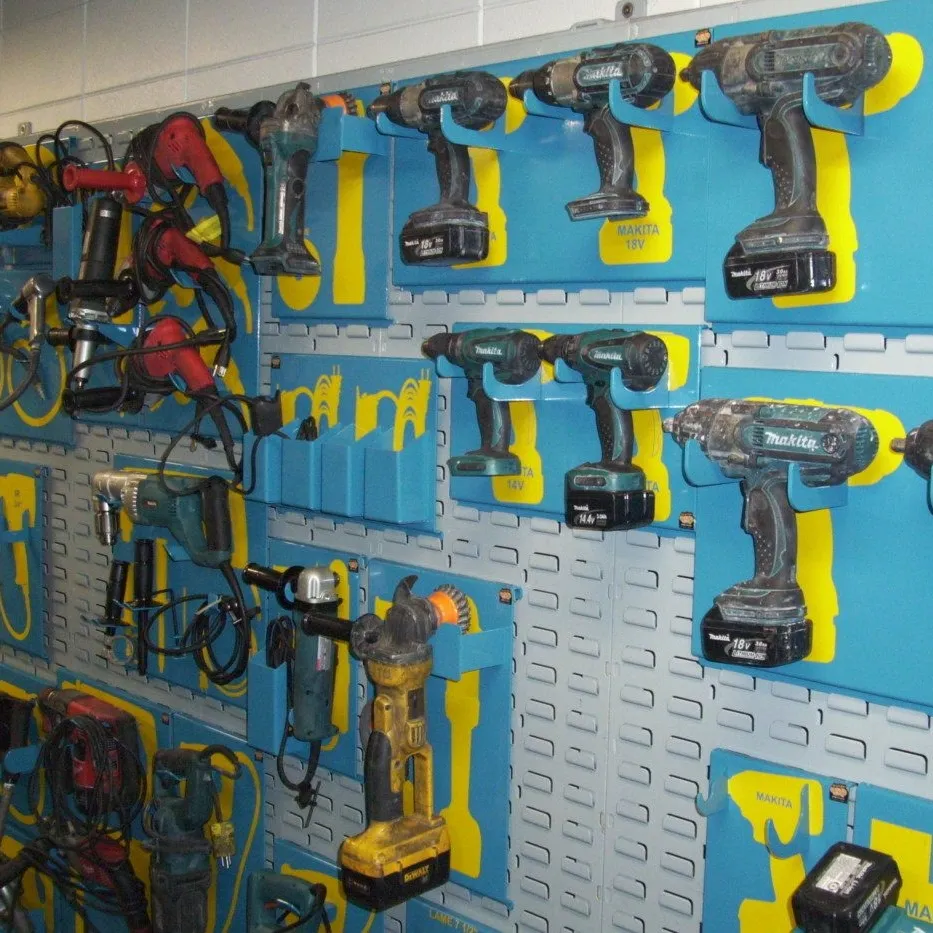
Simple 5S Implementation Action Plan
The 5S methodology is built on 5 easy to remember steps that have a natural flow to them as each step builds upon the success of the last. Although there are 5 principles, the methodology is best implemented in 3 Phases:
This article provides an overview for each phase. But before we get into the phases of your implementation plan, it is important to understand first what the 5S methodology is and why it is important.
What is 5S?
The 5S methodology is a systematic approach aimed at organizing a workspace for efficiency and effectiveness. It consists of five steps, each starting with the letter "S":
- Sort: Eliminate unnecessary items from the workspace, keeping only the essentials.
- Set in Order: Organize and arrange necessary items in a logical and accessible manner for easy retrieval and use.
- Shine: Clean the workspace regularly to maintain cleanliness and identify any issues or abnormalities.
- Standardize: Establish and maintain standardized work procedures to sustain the improvements made in the first three steps.
- Sustain: Develop a habit of maintaining the established standards and continuously improving the workspace.
This methodology is often applied in manufacturing, service industries, and various workplaces to streamline processes, reduce waste, and enhance productivity.
Learn more about the 5S methodology ⇒
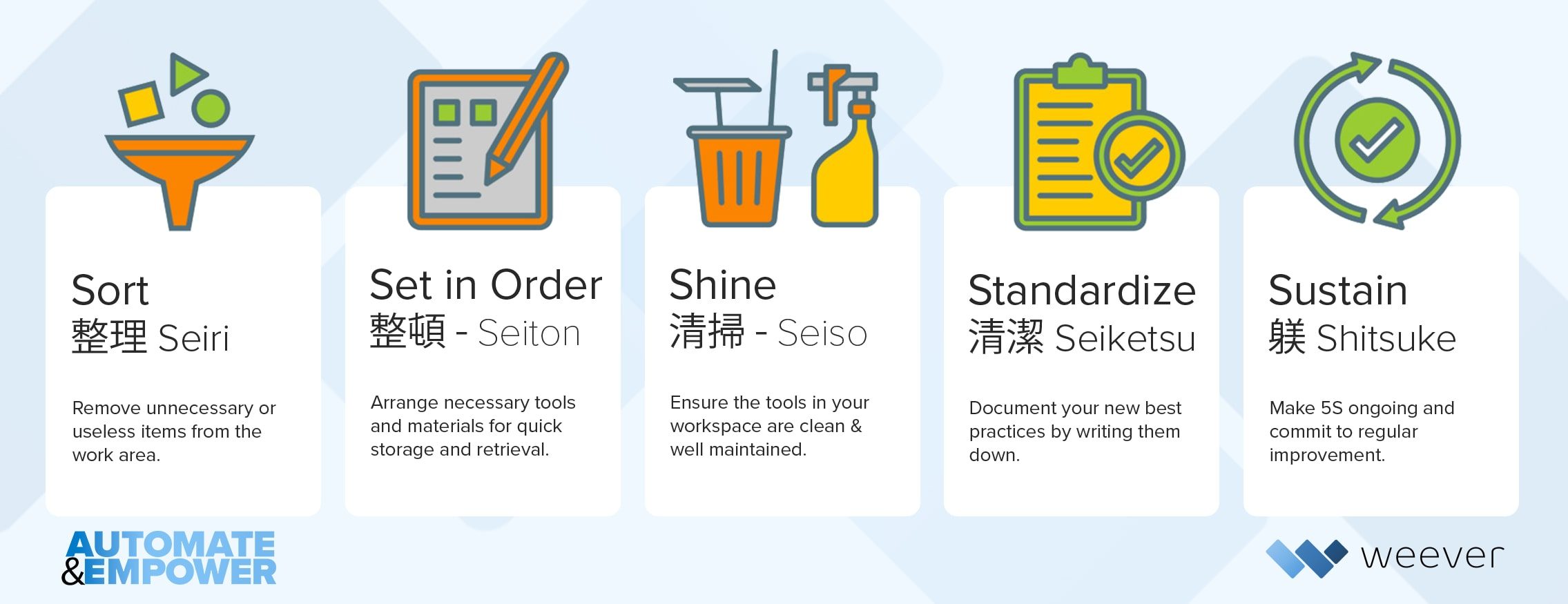
The Benefits of 5S
The 5S methodology can have a significant positive impact on many success factors for your business, including:
- Efficiency
- Safety
- Quality
- Employee Morale
- Cost Savings
- Continuous Improvement
Overall, 5S isn't just about tidying up; it's a systematic approach that contributes to operational excellence, safety, and a culture of continuous improvement within organizations.
Learn more about the benefits 5S can provide ⇒
3 Phase 5S Implementation Plan
Although the 5S methodology uses 5 "S" principles to structure how workstations are optimized, the implementation of 5S is actually comprised of 3 unique phases:
- Plan - Build a business case for 5S and train frontline staff and auditors
- Optimize - Work with operators to optimize each workstation using the first 3 "S" principles
- Normalize - Ensure optimization is sustained and improvements are implemented.
PHASE 1: PLAN
Ensure you have everything in place before moving forward.
Before embarking on your 5S journey its important to have the buy-in of all the key stakeholders in affected departments - production, safety, maintenance, and quality.
Build a core cross-departmental team of 5S champions from that you can leverage to help brainstorm how best to proceed based on the specifics of your plant.
Remember that this team will be responsible for not only organizing your 5S program, but also encouraging others to participate, so be sure to select managers that are credible and experienced leaders interested in guiding others through organizational change.
Build a Business Case
Create a comprehensive implementation plan that is aligned with your organization's corporate strategic goals and provides an overview of resource requirements, potential benefits and Return on Investment (ROI). A solid business case is essential to "selling" your plan internally and attaining the budget allocation required for a successful implementation.
Learn more about building a 5S Business Case ⇒
Frontline Staff Training
Once you have gained alignment, you can start implementing 5S by providing training to your staff to understand the system.
This may be followed up with one-day sessions with each employee or team to ensure they are on the same page as far as implementation is concerned. The best results for training usually occur by quickly reviewing the 5Ss and then executing a 5S on an actual workstation. Use small groups and ask for participation.
Learn more about frontline staff training best practices ⇒
PHASE 2: OPTIMIZE
Optimize each workstation for efficiency and productivity.
The Optimization Phase is best executed over a 3 day "Blitz". The Blitz is where you work with operators and frontline staff to optimize workstations based on the first 3 “S” principles:
- Sort - Declutter to enable flow.
- Set in Order - Everything in its right place
- Shine - Dirty work environments are inefficient work environments.
Schedule a 3 day 5S action plan with your teams after basic training is completed.
You will probably want to stagger these days out to one per week over a 3 week period to allow for follow up items like ordering visual guide labels, new equipment and storage, or the right cleaning materials.
When executing each step you will take notes of the final optimized state, which will be used to establish and maintain the workstation moving forward.
Interested in learning more about Weever?
Sort (Day 1)
Declutter to enable flow.
It's very easy for unnecessary items to build up in workspaces and seriously inhibit the optimal manufacturing flow. This can lead to all sorts of issues including quality defects, safety hazards, unneccesary duplication of tasks, employee frustration and productivity concerns.
As a result, Day 1 of the blitz focuses on identifying and eliminating any items that are known to be unnecessary, hazardous or duplicated.
When sorting and decluttering using the 5S methodology, several considerations can help ensure an effective process:
- Necessity
- Frequency of Use
- Redundancy
- Purpose
- Safety and Compliance
- Future Needs
- Team Input
Learn more about the Sorting step ⇒
Set in Order (Day 2)
Everything in its right place.
Once all the clutter has been removed during Day 1 (Sort), your team can get started on finding the ideal spot for tools, materials, and equipment.
The priority for the Set in Order step is efficiency - how can you organize work spaced to reduce wasted time and energy looking for equipment and other critical items. Consider the following when optimizing work areas:
- Evaluation - Complete the evaluation of the tagged items from Day 1. If the item is critical, find a new home for it during Set in Order. If the item hasn’t been used in the prior week, move it to your central storage location to reduce clutter.
- Appropriate Storage - New areas in the workplace may be required for specific items, such as hanging wall or modular storage.
- Visual Identification - Label all storage so that once a tool or item is removed it's easy to figure out how to put it back correctly.
Log Book Documentation - You may also want to consider a log book to record the new storage location of items to avoid confusion and lost time in the following days.
Just like your Day 1 (Sort), remember to document your Set in Order efforts thoroughly using before and after photos and notes.
Learn more about how to Set workstations in Order ⇒
Shine (Day 3)
Dirty work environments are inefficient work environments.
The presence of dirt, dust, and leaked fluids all contribute to equipment failures and workplace hazards. Machine downtime and injuries are the ultimate result of a failure to keep workspaces clean, both of which can sap the productivity and profitability of your facility.
A 5S shine is far more than a quick sweep and dust.
The 5S Shine is closer to a full clean, inspect, and lubricate of your entire plant, similar to one you might find in a new autonomous maintenance program. Clean work environments have been proven to improve the operating efficiency of equipment, reduce workplace safety risks, and improve employee morale.
Completing a single day of Shine is a good start, but should be a never ending process. By elevating cleanliness standards you are not just making a cleaner workplace, you are making a cultural change and moving towards the ideals of continuous improvement.
Some “Shine” activities you may want to consider are:
- A thorough sweep or dust of all surfaces Removal of grease, rust and stains
- Simple repairs to surfaces and storage areas
- Replacement of equipment components experiencing wear-and-tear
- Tightening of bolts and screws
- Repainting floors, walls, and equipment
As always, take photos to document the before and after to help reinforce the value of your ongoing 5S efforts. Review and resolve any outstanding action items from your Sort and Set in Order days, and take an inventory of what went well and areas of improvement for your next round of 5S Days.
Learn more about the Shine step ⇒
PHASE 3: NORMALIZE
Sustain efficiency gains and ensure improvements are implemented.
The final step in 5S is all about the all-important process of cultural change and maintaining the forward momentum of your new continuous improvement culture.
In order to do this, the 5S methodology requires 2 unique, yet associated, principles are executed:
- Standardize - Establish and maintain consistent procedures, practices and visual controls.
- Sustain - Create a systemized process to ensure all principles are adhered to moving forward.
Merging these principles into a singular phase emphasizes the interconnectedness of maintaining standardized practices and sustaining them over time, fostering a culture of continual improvement and stability within the workplace.
5S auditing involves assessing and evaluating the implementation and adherence to the 5S methodology within a workspace or organization. It's a systematic process that examines how well the Sort, Set in Order, Shine, Standardize, and Sustain principles are being followed.
Standardize
The 5S Methodology is not a “one and done” type of process.
Although your first few 5S were based around specific days, the real value comes from codifying your gains as the new normal. The goal of standardization is to document, and implement actions, to maintain the new standards of cleanliness and efficiency your Blitz has created. This involves making 5S duties a part of your regular daily, weekly, and monthly duties.
You and your team undoubtedly learned a lot during the planning and optimization phases. Use that as a starting point to build a first draft of new 5S duties and make sure to get feedback from your staff and managers to ensure your list is complete and impactful.
Some examples of what you might do to standardize your 5S methodology include:
- Standardized Workstations
- Visual Standards
- Procedural Documentation
- Checklists and Guidelines
- Training Programs
- Performance Metrics
- Establish Communication Channels
- Continuous Improvement Plans
The goal of standardization in the 5S methodology is to create uniformity and consistency in work practices, processes, and visual controls across the organization, leading to increased efficiency, safety, and sustained improvements.
Learn more about how to Standardize 5S ⇒
Sustain
Sustain efficiency gains and ensure improvements are implemented.
Sustaining 5S principles involves on-going efforts to maintain the organized, efficient, and standardized work environment established through the initial implementation.
Although Sustain is only one of the 5 principles of the 5S methodology, it encompasses 90% of the work. Sustain is the long-tail of 5S. And it is where the real results lie. It is also, conversely, the stage in which most 5S programs fail.
In order to realize the benefits of 5S, you must ensure principles are sustained using an efficient and effective 5S auditing program. This article outlines what sustain means, the benefits of an efficient auditing program and a simple and practical way to ensure success.
Learn more about how to Sustain 5S ⇒
5S Auditing
Establishing a 5S auditing schedule is the most important factor to ensure workstation optimization is sustained. 5S audit schedules ensure standards are maintained, enhance employee engagement, and provide a means for improvements to be captured and implemented.
Implementing an effective 5S auditing program involves several practical steps to ensure a comprehensive assessment of the workspace:
- Establish Audit Criteria and Checklists
- Train Auditors
- Schedule Audits
- Conduct Audits
- Generate & Review Reports
- Implement Corrective Actions & Follow up Audits
- Celebrate Success and Recognition
By following these steps, organizations can systematically conduct 5S audits, drive improvements, and maintain a culture of continuous enhancement within their work environments.
Learn more about 5S Auditing ⇒
Digitizing 5S Auditing
The 5S methodology is a great way to build productivity and employee engagement from the ground up.
However, using paper forms and spreadsheets to manage the auditing process is a recipe for disaster. You should consider purpose-built 5S auditing schedules software to ensure success.
Learn more about how to digitize your 5S auditing program ⇒

Manufacturing Managers Are Underutilized
Manufacturing Managers Are Underutilized
Feb 3, 2026 - Steve McBride
Can you imagine a safety, quality, sanitation, or continuous improvement (CI) manager earning an average North American salary of $100,000, spending 20-80% of their day manually entering data from paper into Excel, building spreadsheets, or assembling reports with charts and graphs?
Is this really the best use of their time?
These roles exist to manage and improve critical areas of a manufacturing operation. Safety managers are tasked with reducing incidents. Quality managers work to minimize defects and ensure compliance. Sanitation managers must ensure cleans are executed properly and meet regulatory standards. CI managers look across the entire facility for opportunities to reduce waste, improve productivity, address maintenance issues, and drive operational excellence.
These are highly strategic, analytical roles. When done well, they create tremendous value for the organization.
Yet far too often, these talented managers are bogged down with administrative work. Instead of leading teams and driving improvement, they spend their days buried in paper, spreadsheets, and disconnected data sources-trying to assemble reports that explain what already happened. By the time the report is finished, the data is often outdated and no longer actionable. This creates a self-reinforcing cycle that limits progress and frustrates everyone involved.
These managers were never meant to be Excel administrators or paper processors. They are meant to be change agents-leaders who drive safer, higher-quality, more productive operations.
So why does this persist?
Why are so many manufacturing operations still relying on paper? For many companies, the barriers feel significant. There are concerns about change management, limited internal resources, and the risk of disrupting compliance with OSHA, ISO, FDA, or other regulatory requirements. There is also a common fear in the digital age: What if the data is lost?
As a result, many manufacturers remain stuck in manual processes. In fact, multiple industry studies suggest that roughly 60% of manufacturing companies still rely on paper and spreadsheets to collect data on the factory floor.
The shift to digital changes everything.
Once data is captured digitally, it becomes immediately accessible and usable. Managers gain real-time visibility into safety, quality, sanitation, and operational performance. Instead of reacting to issues after the fact, teams can be proactive. KPIs improve faster because insights are available when they matter-not weeks later.
The result is better safety performance, stronger compliance, fewer defects, and higher productivity.
Now imagine a manufacturing environment where safety, quality, and operational data is available in real time. No paper to collect. No spreadsheets to build. No digging through files to find critical information. The insights are simply there.
In this environment, managers can focus on what they were hired to do: lead their teams, identify opportunities for improvement, and drive meaningful change. With digital data supporting continuous improvement, it becomes possible to fundamentally change the trajectory of a department-and the facility as a whole.
There are cultural benefits as well. Teams are more engaged. Operators feel empowered using modern tools instead of clipboards. Managers feel valued because their time is spent on high-impact work rather than administrative tasks. These changes often translate into measurable financial results, with manufacturers seeing six or seven-figure improvements per site within the first year.
Manufacturers using Weever have documented double-digit reductions in safety incidents, faster audit preparation, and significant decreases in quality nonconformances, enabled by real-time visibility and standardized digital workflows.
The Next Level
Digitizing the factory floor also unlocks the next stage of operational improvement: AI.
Why? Because digital systems create structured, accessible data-the foundation required to apply AI in a meaningful way.
In my next article, I'll explore how AI can support frontline operators and deliver measurable improvements to your bottom line.
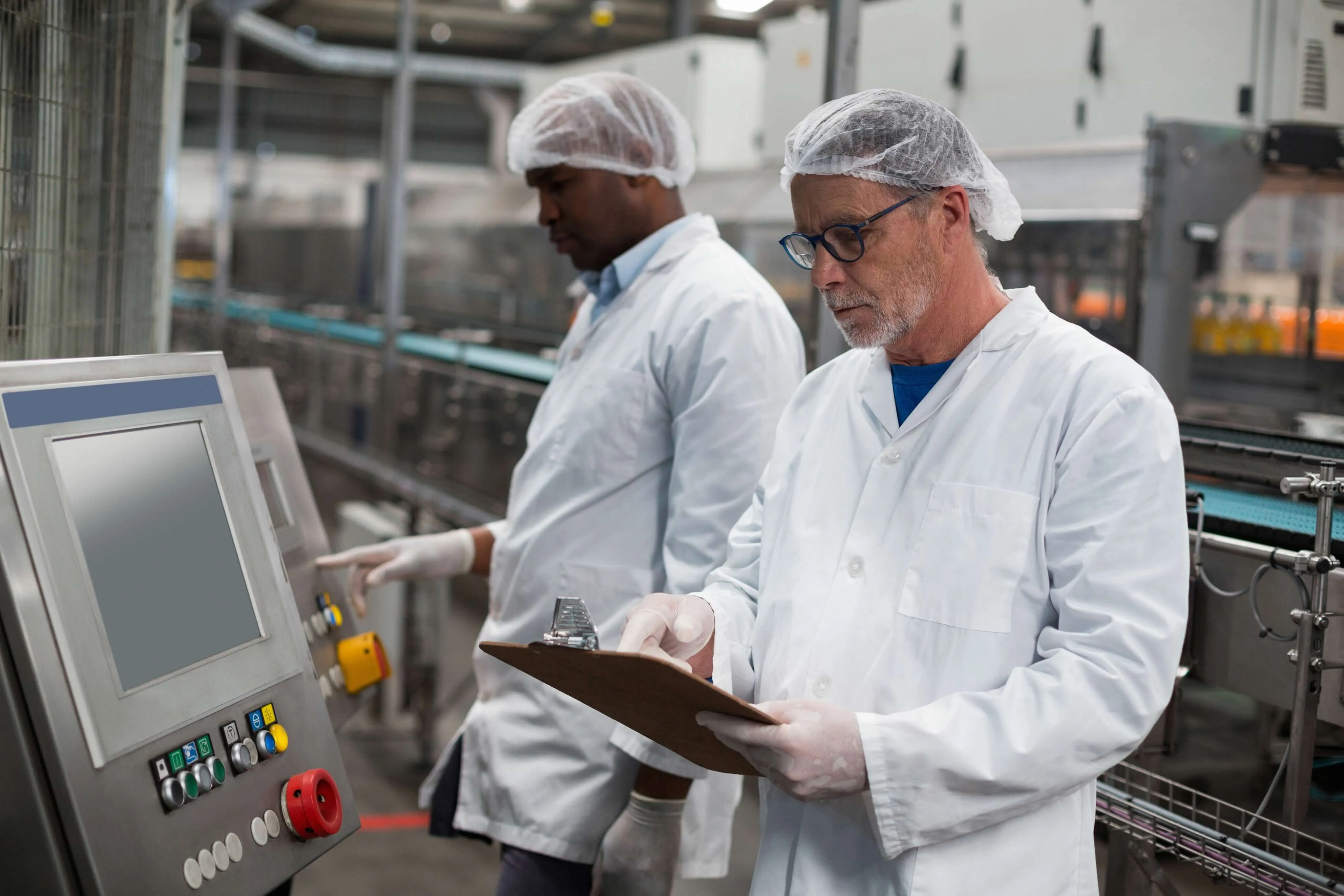
How to Execute the Set in Order Step of 5S in Manufacturing
Sort gets all the attention in 5S. It's the step with the dramatic before-and-after photo, the dumpster full of stuff nobody needed, the satisfying reset. Set in Order is quieter, and harder. It's the step that decides whether the newly decluttered workspace actually functions better, or just looks better for a week before things drift back to wherever's convenient.
Get Set in Order right, and every tool has a home, every operator can find what they need without hunting, and the workspace itself starts enforcing the standard instead of relying on someone's memory. Get it wrong, and Sort's clean slate slowly fills back up with the same disorganization it just removed.
Here's what the Set in Order step actually involves, a practical walkthrough for executing it, and the best practices that make it stick.
A quick refresher: what is 5S?
5S is a systematic method for organizing a workspace for efficiency, safety, and consistency. It breaks into five sequential steps:
- Sort — remove what isn't needed from the workspace, keeping only the essentials.
- Set in Order — arrange what's left so it's logical, accessible, and easy to use.
- Shine — clean the area regularly, using the process to also surface wear, leaks, or abnormalities.
- Standardize — turn the new organization into a documented, repeatable standard.
- Sustain — build the habits and audit discipline that keep the standard in place.
Many manufacturers run the first three S's as a concentrated "blitz," tackling one step per day with a small, focused team. It's an effective way to get real momentum without letting the rollout drag on for weeks. Set in Order is the step right after Sort, and it's worth treating as its own project, not an afterthought squeezed in after decluttering.
What is the Set in Order step?
Set in Order is where you decide exactly where everything that survived the Sort step belongs, and organize the workspace around that decision. It's less mechanical than Sort (which is mostly a matter of removing what's unnecessary) and more of a design exercise: workflow, ergonomics, safety, and frequency of use all factor into where something should live. Because of that, some manufacturers bring in a Lean practitioner to help run this step well, especially the first time through.
How to execute the Set in Order step
1. Evaluate the current layout
Start by documenting how the workspace is arranged today. Walk the station and identify inefficiencies, awkward reach patterns, and any layout choices that create a safety hazard, whether that's a heavy item stored overhead or a walkway that's regularly blocked.
2. Determine the optimal layout
Work with the frontline staff who actually use the station to design the layout that should replace it. Factor in workflow sequence, how often each item gets used, ergonomics, and any safety requirements specific to that equipment or process.
3. Establish item placement guidelines
Turn that design into clear placement rules: which items go where, based on frequency of use and where they fall in the workflow sequence. Designate specific zones for specific categories of items rather than leaving placement to individual preference.
As you set these guidelines, weigh three things directly:
- Accessibility — items should be reachable without unnecessary bending, reaching, or walking.
- Safety — hazardous or heavy items need secure, appropriate storage that doesn't create risk during retrieval.
- Space utilization — organize to avoid clutter and obstruction, not just to look neat.
4. Redesign the workspace layout
Rearrange the physical space according to the guidelines. The items used most often should be within arm's reach, and items used rarely can move further away, freeing up the prime, easy-to-reach space for what the operator actually touches every shift.
5. Implement visual controls
Add color-coded labels, signage, or floor markings that show exactly where each item belongs and how movement should flow through the space. Visual controls are what let the workspace enforce the standard on its own, since a missing tool or item out of place becomes immediately obvious to anyone walking past, not just the person who set the layout originally.
Best practices for a Set in Order step that actually sticks
- Involve the team, not just the 5S leader. The people who work the station every day know its real friction points better than anyone designing the layout from the outside. Build their input into the redesign directly instead of presenting a finished layout for them to adopt.
- Use clear, standardized labeling. Labels and signage should be consistent across the facility, not reinvented station by station, so an operator moving between lines or shifts doesn't have to relearn a different labeling convention every time.
- Review the layout periodically, not just once. Workflows change, equipment gets swapped, and product mixes shift. Build a periodic review into the schedule so the layout keeps matching how the station actually operates, not how it operated the day it was set.
- Document the decision, with photos. Capture before-and-after photos for each section of the workstation, along with the reasoning behind the placement decisions. That documentation becomes the foundation for the Standardize step's SOPs and the audit checklists used in Sustain.
- Treat it as continuous improvement, not a one-time project. Encourage ongoing feedback from the team on what's still awkward or inefficient, and treat small adjustments as expected, not as a sign the original layout failed.
A workspace that's organized once looks good in a photo. A workspace that's organized to be maintained is what actually holds up six months later.
Why the documentation step matters more than it seems
Structured 5S rollouts have measurable impact: one study documented a jump from 67% to 88.8% production-system efficiency after a structured 5S implementation, and a separate case study recorded a 20% productivity increase in targeted process areas alongside a 5% reduction in overall production time.
None of that holds without Standardize and Sustain, and neither of those steps works without the documentation Set in Order should already be generating: the before-and-after photos, the placement guidelines, the reasoning behind the layout.
Paper documentation makes that handoff fragile. Photos get lost, guidelines live in someone's notebook, and the standard depends on whoever happened to be involved in the original blitz still being around to explain it.
Why manufacturers digitize 5S with Weever
Weever turns each 5S step, including Set in Order, into a digital record instead of a folder of loose photos and notes.
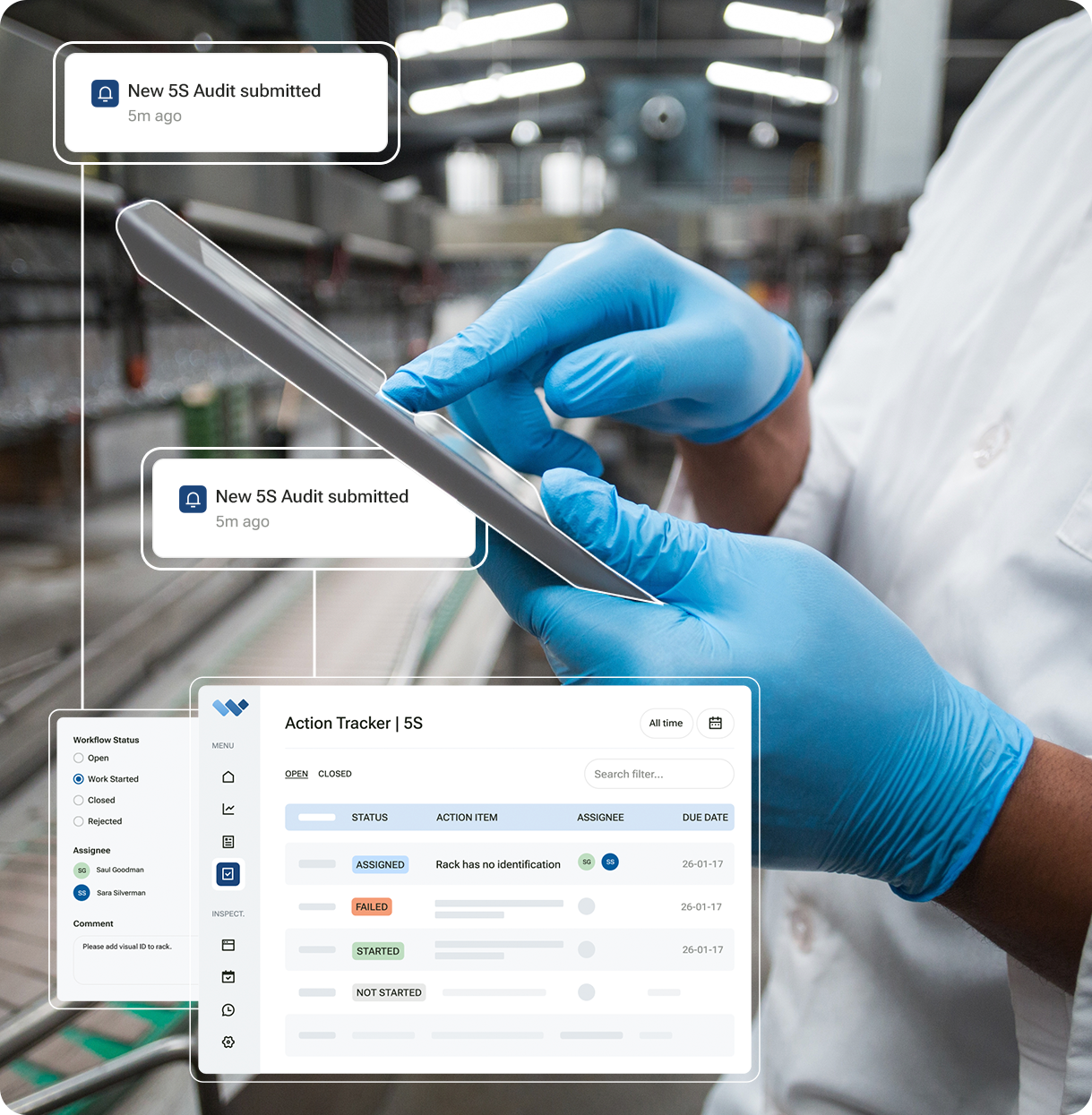
Placement guidelines, before-and-after photos, and layout decisions get captured directly in the platform, so they carry forward cleanly into Standardize's SOPs and Sustain's audit checklists, with nothing depending on paper surviving the handoff between steps.
.png)
Want to see how Weever documents your Set in Order layouts and carries that record through the rest of your 5S program? Book a demo and we'll show you.
5S Is the Simple System That Transforms Manufacturing
5S Is the Simple System That Transforms Manufacturing
The secret to success in manufacturing isn't new equipment, according to W. Edwards Deming, widely regarded as the "father" of quality. According to Deming, "If you don't understand how to run an efficient operation, new machinery will just give you new problems of operation and maintenance. The sure way to increase productivity is to better administrate man and machine."
For Deming and others, this means utilizing the 5S methodology, which stands for Sort, Set in Order, Shine, Standardize, and Sustain. 5S is a cornerstone of workplace organization and efficiency in manufacturing, and its principles help create cleaner, safer, and more efficient work environments.
In this competitive manufacturing environment, waste and production delays can be hazardous to your business. "The most dangerous kind of waste is the waste we do not recognize," said Shigeo Shingo, a Japanese industrial engineer who helped develop and promote the Toyota Production System. According to him, maintaining consistent results requires regular audits to ensure adherence and uncover opportunities for improvement.
Unfortunately, for many companies, traditional audit processes rely on manual tracking and data entry, which can lead to inconsistencies, delays, and missed action items. In other words, waste. Weever software transforms the 5S auditing process by automating it, making it easier to schedule, execute, and follow up on audits. With streamlined workflows and real-time insights, Weever ensures consistent, accurate results that drive workplace efficiency. Let's explore how automating 5S audits with Weever makes this possible.
A Platform That Simplifies Audits for Everyone
For 5S audits to be effective, your employees need to engage with the process. Audits need to be easy for employees to perform, because complex systems or extensive training requirements can result in a lack of ownership and engagement in the auditing process. Weever addresses this challenge with a platform designed for simplicity and ease of use.
An intuitive interface allows employees to complete 5S audits quickly and with minimal effort. Pre-configured checklists guide employees through the process, ensuring that every aspect of the 5S methodology is addressed. Whether your employees are using a desktop computer or a mobile device, they can log observations, document findings, and submit audit results in real time. This accessibility reduces audit time and ensures that all team members can participate, regardless of their technical expertise.
By making audits straightforward and user-friendly, Weever helps foster a culture of accountability and consistency. Employees can focus on upholding 5S standards rather than struggling with cumbersome audit tools or manual audits.
Keeping the Process Consistent with Automation
Manual 5S audit processes often suffer from inconsistency and a lack of oversight. Missed deadlines, unclear responsibilities, and incomplete follow-ups can erode the effectiveness of the 5S process.
With Weever, audits are automatically scheduled at regular intervals, so teams never miss a review. Tasks are assigned to the appropriate personnel, ensuring clarity and accountability.
When abnormalities or defects are identified during an audit, the system generates actionable follow-up items and tracks them to completion. This eliminates the guesswork of manual tracking, reduces the risk of human error, and ensures that every issue is promptly addressed. By providing a standardized process for conducting and managing audits, Weever ensures consistency across teams and departments.
Real-Time Insights and Trend Analysis
Henry Ford stated, "Quality means doing it right when no one is looking." This is a core principle that 5S audits measure. The value of 5S audits lies in the insights they provide into workplace organization and cleanliness.
Conducting an audit is only the first step; analyzing the data and using it to drive improvements is where the real impact is made. Weever helps manufacturers unlock the full potential of their 5S audits by delivering real-time insights and trend analysis, enabling your teams to address abnormalities or defects as soon as they are discovered. Comprehensive reporting tools make it easy to identify recurring issues and track improvement over time. For example, managers can use visual dashboards to monitor trends in workplace cleanliness or evaluate the frequency of specific deviations. This data-driven approach allows you to make informed decisions and implement targeted improvements.
Real-time insights enable your teams to shift from a reactive to a proactive approach. This allows them to anticipate and prevent future issues, resulting in a more stable and efficient workplace.
Standardizing Excellence Across the Organization
For manufacturers with multiple facilities or departments, achieving consistency in 5S audits can be a challenge without a tool like Weever. Variations in audit methods or standards can lead to discrepancies that undermine the program's effectiveness. Weever's structured rollout methodology ensures that automated 5S audits are implemented smoothly and consistently across the organization.
The rollout process begins with a seamless integration into existing workflows, minimizing disruptions to day-to-day operations. Predefined templates and checklists ensure that every team follows the same audit procedures, creating a unified approach. Weever provides training resources and ongoing support, helping your employees quickly adapt to the new system and allowing teams across different locations or shifts to operate under the same high standards, fostering a company-wide commitment to efficiency and safety.
How Weever Supports 5S Audits
Automating 5S audits with Weever goes beyond simplifying the process. It fundamentally transforms how manufacturers maintain workplace organization and efficiency. With a platform that combines ease of use, automation, real-time insights, and consistent implementation, Weever ensures that 5S principles are upheld and improved over time, for example:
- Weever's user-friendly interface simplifies audits and makes them accessible to all employees.
- Automation ensures regular scheduling, clear task assignments, and effective follow-ups.
- Actionable insights track trends and drive continuous improvement utilizing real-time data.
- A consistent rollout standardizes audit practices across teams and facilities.
By reducing reliance on manual processes and equipping teams with powerful tools, Weever enables manufacturers to achieve consistent, accurate results that support a cleaner, safer, and more efficient workplace.
Measurable Impact on Manufacturing Excellence
35%
Reduction in Safety Incidents
28%
Increase in Operational Efficiency
42%
Reduction in Unplanned Downtime

Unlock Operator Engagement and Equipment Reliability with Autonomous Maintenance and Weever
Unlock Operator Engagement and Equipment Reliability with Autonomous Maintenance and Weever
Autonomous maintenance (AM), one of the foundational pillars of Total Productive Maintenance (TPM), is no longer reserved for cutting-edge manufacturing operations. It's quickly becoming essential for all types of facilities looking to improve equipment reliability, reduce downtime, increase operator engagement, and extend machine lifespan, all while relieving pressure on already stretched maintenance teams.
At its core, autonomous maintenance empowers operators to take responsibility for routine maintenance tasks such as cleaning, inspection, and lubrication. But today's AM programs go far beyond wiping down equipment. Teams are digitizing inspections, using real-time data to drive decisions, and streamlining workflows to eliminate delays and inconsistencies. And increasingly, manufacturers are turning to tools like Weever to modernize AM, simplify adoption, and accelerate results.
Why Autonomous Maintenance Matters More Than Ever
Maintenance and facility managers face a trio of major challenges: aging assets, shrinking skilled labor pools, and growing production demands. Autonomous maintenance directly addresses these pressures by enabling operators to perform basic care activities, freeing technicians to focus on higher-value tasks, such as preventive and predictive work.
But that doesn't mean AM is easy to implement, especially when you're coordinating dozens or hundreds of operators, teams with different levels of experience, and equipment that varies in condition and complexity. That's where Weever, offering digital tools, automation, and structured workflows, changes the game.
Transforming an AM Program
Mark, a maintenance manager for a global CPG manufacturer, approached Weever for help digitizing his autonomous maintenance program. His plant was struggling with paper-based inspections, inconsistent adherence to CIL tasks, and high operator turnover.
"Weever made it really easy to digitize inspection schedules and build forms that included videos and images that helped guide my staff through the inspection process," said Mark. Initially, he admitted, "I was attracted to Weever because of the platform's single-site licensing fees, which meant I could get everyone involved without worrying about increasing costs."
Mark also came to the realization that the Computerized Maintenance Management System (CMMS) that he used for predictive maintenance couldn't support the structure required for AM like Weever could, with its inspection schedules, user-friendly forms, integrated guidance, and real-time compliance visibility.
Equally important, he needed a solution operators wouldn't resist, one that made AM feel achievable rather than burdensome.
"The machine operators really liked how easy it was to execute and submit inspections, including photos and videos. It gave them confidence and made the process more enjoyable," said Mark. "As a result, I didn't have to chase after them to complete their CILs nearly as much."
The results were dramatic: The facility experienced more than a 500% increase in participation, with over 3,000 5S, CIL, and Centerline reports completed in the first 8 months of the program. Via Weever's integration with Microsoft Power BI, the facility achieved a 30% time savings through automated reporting. Higher operator engagement and ownership of equipment care led to a noticeable reduction in unplanned maintenance.
Weever ultimately became the go-to workflow management solution for data capture, automation, and real-time reporting across all departments, because guess what? This is what modern autonomous maintenance looks like: empowered operators, crystal-clear workflows, and data-driven insights that enable plants to stay ahead of equipment issues rather than react to them.
A Simpler Way to Train, Standardize, and Scale AM
One of the biggest barriers to AM is complexity. Traditional training requires time, repetition, and hands-on reinforcement. Paper-based checklists often lead to missed steps, minimal accountability, and inconsistent results. Weever solves this by making AM accessible for every operator, regardless of experience level.
Weever's intuitive design reduces the learning curve, allowing operators to confidently complete the seven steps of autonomous maintenance without extensive retraining. That's especially important for facilities facing turnover or seasonal staffing.
Operators follow CIL tasks, inspections, and centerlining procedures through structured digital workflows that include images, videos, and step-by-step guidance. This ensures consistency, standardization, and near error-free execution.
Instead of relying on supervisors to follow up, Weever automatically routes issues to the right people and triggers the next steps, keeping AM activities on track and on schedule.
Turning Data into an AM Advantage
A key component of autonomous maintenance is learning from data collected during task execution. Weever's analytics tools collect data from inspections, KPIs, equipment logs, and operator submissions to reveal patterns and opportunities for improvement. As part of the process, maintenance managers gain:
- Real-time visibility into AM completion and compliance.
- Insight into recurring issues that may indicate deeper failures.
- Benchmarking against internal goals or industry standards.
- Clarity on how well AM activities are improving equipment health.
These insights help teams refine their TPM strategies, update AM checklists, and continuously improve maintenance processes, while real-time reporting helps them stay ahead of issues before they escalate.
Live dashboards give managers a minute-by-minute view of AM activity, equipment performance, and outstanding actions. This real-time visibility helps teams:
- Identify emerging problems before they become failures.
- Track operator engagement.
- Validate that AM activities are completed correctly and on time.
- Tie AM performance directly to overall equipment effectiveness (OEE) improvements.
The result? As Mark discovered, Weever resulted in more predictable operations, fewer surprises, and significantly less unplanned downtime.
A Structured Rollout That Actually Works
Implementing autonomous maintenance can feel overwhelming, especially in busy manufacturing environments. Weever's rollout methodology breaks implementation into manageable phases to ensure steady adoption, minimal disruption, and fast ROI:
- Assessment of current workflows and AM maturity
- Digitization of inspections, CIL tasks, and centerlining procedures
- Phased rollout to operators, with built-in training support
- Automated workflows integrated with existing systems (like Power BI)
- Ongoing monitoring, optimization, and expansion across departments
For Mark and his workers, the rollout looked like this:
- Mark worked with Weever's Customer Success team to digitize his paper CIL and centerline forms.
- He set up a small internal team to test the platform on a single line first before rolling the final solution across the entire plant.
- With a highly successful initial launch, the team expanded to all lines across the entire site and today, they are averaging over 1,500 AM submissions per month.
- Mark used Weever's insights to identify inspections that could be eliminated from the program to increase efficiency and simplify the process.
- The automated reporting gave him back a few hours each day that he now uses more proactively.
"Weever's inspection scheduling feature was a huge time saver. I could just set up the inspection schedule and not worry about it," said Mark. "I was alerted when an inspection was missed, and I could see at any time an overview of pass, failed, and missed inspections. It made it really easy to manage participation."
The Bottom Line
Autonomous maintenance isn't just about cleaning and inspecting equipment, it's about building a culture where operators feel confident, accountable, and supported. Mark's experience proves that when AM is done right, it drives real, measurable improvements in participation, uptime, performance, and reliability.
If your facility is looking to reduce downtime, boost operator engagement, and streamline maintenance workflows, there's never been a better time to embrace autonomous maintenance. And with its user-friendly tools, automated workflows, real-time insights, and a proven rollout framework, Weever makes AM achievable and scalable for manufacturing teams.
Sanitation Is a Team Sport: Building a Culture of Clean in Food Processing
Sanitation Is a Team Sport: Building a Culture of Clean in Food Processing
Sanitation is the foundation of food safety, quality, and trust. In any food processing plant, dirty surfaces, improperly rinsed equipment, or residual contaminants can lead to microbial growth, cross-contamination, and even deadly foodborne illnesses. Such failures not only threaten consumer health but also result in recalls, reputational damage, and costly downtime.
The Canadian Food Inspection Agency (CFIA) reported 2,754 consumer food-safety complaints in the 2024-2025 reporting year, a significant increase from the 1,918 complaints logged just two years earlier. Although nearly 99.4% of food samples tested in recent CFIA microbial-pathogen surveys were "satisfactory," there were still unsatisfactory (0.1%) and investigative (0.5%) findings, all of which could have resulted in a foodborne illness.
In the CFIA's 2024-2025 departmental report, 85.8% of non-compliant inspected food establishments resolved their issues by a follow-up inspection. That means nearly one in seven establishments remained out of compliance; a reminder that even in a highly regulated environment, proper sanitation remains a persistent challenge.
At Weever, we've worked with Fortune 100 manufacturing companies for over a decade to deploy 5S programs that improve organization, standardization, and sustain behavior change. In lean manufacturing, 5S stands for Sort, Set in Order, Shine, Standardize, and Sustain. When applied to sanitation, 5S helps ensure that cleaning tools are properly stored (Set in Order), used only where appropriate to avoid cross-contamination (Shine), and that the processes are documented and repeated reliably (Standardize and Sustain). By embedding 5S discipline into sanitation routines, teams build the habits and visual cues needed to maintain a safe environment over time.
Best Practices for Sanitation in Food Processing
Based on our experience working alongside world-class manufacturers, here are some key strategies to maximize sanitation effectiveness and sustain it.
Harness the power of operator-led sanitation - Don't outsource sanitation solely to a specialist crew. When equipment operators take ownership of cleaning, you expand capacity and tap into valuable insights. Operators know precisely how the equipment works, where food residue can hide, and which steps could be optimized. Empowering operators to clean and sanitize their own lines increases scalability and fosters accountability. But to make this work, management must supply time, training, materials, sanitizers, and clean water. Software tools can guide cleaning protocols, verify compliance, and reinforce correct methods.
Document every step with SSOPs - Standard Sanitation Operating Procedures (SSOPs) are your blueprint for consistency. Every cleaning activity should be recorded in a detailed, accessible protocol that ensures operators follow the same steps, enabling success to be replicated. These documents should specify the correct chemical to use, its concentration, contact time, application method, and rinsing procedure. Using the wrong dilution or skipping a step can render sanitation ineffective, risking contamination or regulatory non-compliance. Detailed documentation also makes it easier to spot deviations, investigate root causes, and identify continuous improvement opportunities.
Make resources instantly accessible - Cleaning regimes can be technical: different compounds, pressure settings, and temperatures all matter. Even well-trained operators can forget details, especially in high-stress situations or when performing infrequent tasks. Rather than relying on bulky binders or paper manuals, deliver your instructions in real time via digital checklists, mobile dashboards, or on-screen prompts. Real-time access to precise instructions helps ensure every sanitation task is done correctly and without delay.
Train thoroughly and regularly - Proper onboarding of new operators is crucial, but so are ongoing refreshers for seasoned employees, coaching for all employees, and hands-on demonstrations. Training encourages employees to understand how to clean and why it matters, underscoring sanitation's role in preventing foodborne pathogens, protecting consumers, and preserving brand integrity. Equipping your workforce with both the knowledge and context helps drive compliance and engagement.
Establish a robust cleaning schedule with verification - A regular cleaning cadence is vital to your sanitation program. Develop a calendar that defines what needs cleaning, how often, who is responsible, and how to verify completion.
Critical tools such as metering pumps should be routinely calibrated based on your food safety team risk assessment or Hazard Analysis and Critical Control Point (HACCP), which identifies, evaluates, and controls potential biological, chemical, and physical hazards from production to consumption. Calibration frequency should be documented, and the rationale logged.
Beyond that, verify cleaning through environmental monitoring, swabs, or ATP testing, which can rapidly measure adenosine triphosphate, a molecule found in all living cells. By swabbing a surface and using a specialized kit, the presence of organic matter from microorganisms or other living things can be detected through a bioluminescent reaction, providing a quick check on the effectiveness of cleaning protocols. Regular monitoring ensures the cleaning program is effective.
Safely use the right chemicals - Not all sanitizers are created equal. Use food-plant-approved cleaning agents, and train your team on how to dilute, apply, handle, and store them safely. Misuse of chemicals can lead to residue, ineffective sanitation, and even safety risks. Safety protocols and chemical handling procedures (PPE use, first-aid measures) must be part of your SSOPs and training.
Use audits to improve and sustain results - Sanitation programs should be treated like any process improvement initiative: Run periodic internal audits to check whether procedures are being followed, identify gaps, and assess efficiency. Encourage operators and sanitation staff to report abnormalities and suggest improvements. Use the Plan-Do-Check-Act (PDCA) cycle to trial changes, measure ROI, and standardize improved practices. Update SOPs with your new, better approach to training and sanitization.
Motivate employees - Cleaning is hard, often thankless, but essential work. Use recognition, rewards, or incentive programs to spotlight employees' efforts. Broadcast sanitation KPIs on dashboards to show how sanitation contributes to overall operating efficiency, recall prevention, and product quality. Visibility helps people feel their work matters, fostering a culture of ownership and pride.
Continuous improvement - Although many think of production when discussing continuous improvement, it applies equally to sanitation efforts. Document process anomalies, suggestions, or near-misses. Use these insights to run PDCA improvement projects. Measure and benchmark against your sanitation baseline, then update SSOPs, retrain, and communicate wins. Sustainable improvement ensures your sanitation program evolves and scales with your operation.
Use visual cues to prevent cross-contamination - Minimize the risk of cross-contamination with clear, visual controls. Have dedicated cleaning tools such as mops, scrubbers, buckets, and hoses exclusively for sanitation and color-code them. For instance, red could be for restrooms, blue for food-contact areas, and green for non-food zones. This simple 5S-aligned practice (Shine and Set in Order) makes it obvious which tools go where, reduces the risk of mixing, and reinforces discipline.
Sanitation As a Strategic Asset
Sanitation in food processing should be a strategic lever for food safety, operational efficiency, and continuous improvement. At Weever, our work with major manufacturers has shown that combining an operator-led sanitation model with 5S principles, digital tools, and a culture of continuous improvement yields not only safer products but also better productivity and team engagement.
By documenting procedures, providing effective training, offering real-time access to resources, and motivating your teams, you create a sanitation program that's resilient, scalable, and reliable. With internal audits, PDCA cycles, and visual controls, you don't just maintain standards, you raise them.
Building a sanitation program that is proactive, participatory, and built around continuous improvement is more critical than ever. When done right, sanitation protects people, reinforces trust, and safeguards your bottom line. Let Weever help you make it one of your competitive advantages.

How to build and manage a successful BBSO Program
If you're a safety or operations manager in a manufacturing company, you know that a strong safety culture is the foundation of success. One of the most effective tools at your disposal is Behavior-Based Safety (BBS) observations.
If you’re interested in learning how BBSO programs work, you’ve come to the right place. In this practical guide, we're going to break down the process, ensuring that you become a BBS expert and lead your team towards a safer, happier workplace.
Successful BBSO strategies will change from company to company - so start slow, work out the kinks, and be ready for some trial and error before rolling out fully. That being said, all BBSO programs include a method to capture observations, a process to evaluate and action plan, and a means to review program results and KPIs.
Implementing a Behavior-Based Safety Observation (BBSO) program is essential for fostering a proactive safety culture within organizations. The following steps outline a structured approach to establishing an effective BBSO program.
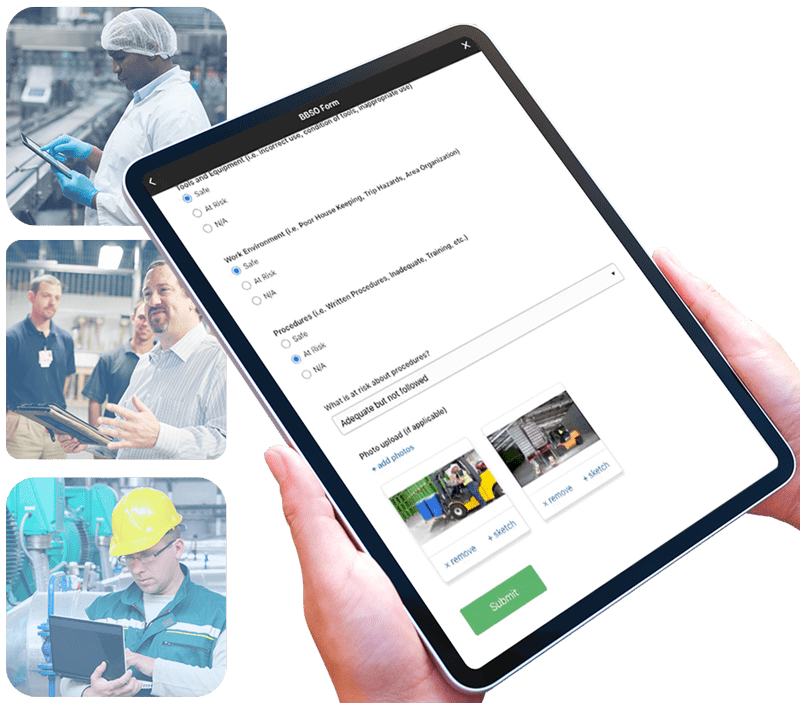
1. Define Clear Objectives
Before launching your program you need to consider the overall objectives of your program, the format of your observation form, who will be observing employees and capturing data, BBSO training and setting a schedule to ensure compliance.
Establishing specific, measurable goals is the foundation of a successful BBSO program. These objectives should align with the organization’s overall safety strategy and address identified risks. For instance, aiming to reduce near-miss incidents related to personal protective equipment (PPE) non-compliance by 20% within six months provides a clear target for the program.
- To establish effective BBSO program objectives, start by identifying the specific safety behaviors or practices you want to target, such as the proper use of personal protective equipment (PPE) or adherence to lockout/tagout procedures.
- Determine the desired outcomes, which could include reducing the number of safety incidents, lowering injury rates, or enhancing overall safety culture.
Ensure that your objectives are SMART: Specific, Measurable, Achievable, Relevant, and Time-bound. For instance, an objective could be to "reduce the number of near-miss incidents related to PPE non-compliance by 20% within six months." These well-defined objectives provide a clear roadmap for the BBSO program, aligning efforts with tangible safety improvements.
Select Observer Methodology
You can either select and train specific staff members (such as members of the safety committee) to be observers or provide all staff with the ability to submit safety observations (Peer-to-Peer).
- Limiting observers makes the program a bit easier to manage but it does reduce the amount of teachable moments that can arise from safety observations.
- Peer-to-peer behavior-based safety observation programs create a collaborative, engaging, and proactive approach to safety that can significantly enhance the overall safety culture within an organization. Learn more about how one of our customers transformed their safety culture with peer-to-peer observations.
By leveraging the power of employees to monitor, provide feedback, and support each other in safe behaviors, companies can reduce incidents, improve safety performance, and create a workplace where safety is everyone's responsibility.
Learn more the benefits of the Peer-to-Peer observation approach here: https://weeversoftware.com/blog/peer-to-peer
2. Develop User-Friendly Observation Forms
Creating standardized and straightforward observation forms ensures consistency and ease of use.
When creating a Behavior-Based Safety Observation (BBSO) form, it's essential to focus on capturing relevant and actionable data that contributes to improved safety practices.
- Start by identifying the critical safety behaviors specific to your workplace. These are the behaviors that, if followed or corrected, have the most significant impact on safety.
- Ensure the BBSO form is user-friendly, with clear instructions and checkboxes or fields for observations, including antecedents (what led to the behavior), the behavior itself, and consequences (results of the behavior).
- Make it practical and concise to encourage regular use by observers.
- Consider including space for positive reinforcement and corrective actions to promote a collaborative approach to safety improvement.
- Regularly review and update the form to reflect changing safety priorities and maintain its relevance in driving a safer work environment.
At Weever, we have a few BBSO templates for you to customize to your unique requirements. Our templates focus on capturing data in the following categories:
- Body Position - Are the employees pivoting or twisting? Is there a risk of falling? How is their posture?
- PPE - Are they wearing the appropriate protective equipment for the job?
- Tools & Equipment - Were the tools appropriate for the job? Are they in good condition and used appropriately?
- Work Environment - Was the area clear of hazards or unorganized? Are there any sanitation or housekeeping issues?
- Procedures - Were required procedures followed as outlined by your documentation?
Looking for a Scorecard Template (.docx) to get you started: https://weeversoftware.com/solutions/safety
3. Conduct Comprehensive Training
Proper training equips observers with the skills necessary to identify and document both safe and at-risk behaviors.
Safety managers should provide training around what to observe, when, and how often. Usually BBSO training is mandatory on-boarding for new hires. BBSO training is crucial to instill a strong safety culture from the very beginning. Training should consist of:
- Introduction to Safety Culture - Emphasize the organization's commitment to safety
- Basic Safety Principles - Provide an overview of basic safety principles
- Explanation of BBS - Define what Behavior-Based Safety is and why it's essential.
- Critical Behaviors Identification - Identify and explain the critical safety behaviors relevant to the specific job roles within your organization.
- Reporting Procedures - Describe the process for reporting safety concerns, near misses, and incidents.
- Positive Reinforcement - Highlight the importance of positive reinforcement in BBS.
- Feedback and Communication Skills - Provide training on effective communication skills for giving feedback. Emphasize the need to be respectful, non-judgmental, and solution-oriented when addressing safety concerns with colleagues.
- Safety Resources: Familiarize new employees with safety resources within the organization, including safety committees, safety officers, and any safety training materials or online platforms.
Consider scheduling follow-up training sessions or refreshers to reinforce BBS principles and address any questions or concerns that may arise after the initial onboarding. By incorporating these elements into the onboarding process, you can ensure that new employees are well-equipped to embrace the organization's safety culture and actively contribute to a safer workplace through Behavior-Based Safety practices.
This training ensures that observers can effectively contribute to the program’s success.
4. Schedule Regular Observations
Implementing a consistent observation schedule is crucial for maintaining momentum and focus on safety. Regular observations allow for the timely identification of unsafe behaviors and reinforcement of safe practices. This consistency helps in building a culture where safety is continuously monitored and improved.
Creating a Behavior-Based Safety Observation (BBSO) schedule is crucial to ensure consistent and effective safety monitoring.
- Start by identifying the frequency and scope of observations needed for your organization's safety goals.
- Consider factors like the size of your workforce, the complexity of your operations, and any specific safety concerns.
- Divide your employees into observation pairs or groups if needed.
- Establish a regular schedule, which may include daily, weekly, or monthly observation slots, depending on your safety objectives and resources.
- Ensure that observation times are varied to capture different shifts and work conditions.
- Be flexible and allow for adjustments as needed to accommodate operational changes or evolving safety priorities.
- Communication and coordination among observers are key, so make sure the schedule is accessible and understood by all involved parties.
Finally, regularly review and update the schedule to align with changing safety needs and continuously improve your BBSO program.
How to properly conduct a Safety Observation
Conducting a behavior-based safety observation involves systematically observing and documenting workplace behaviors to identify potential safety hazards and promote safe practices.
- A BBSO consists of one or more persons completing a task, while at the same time one or more persons are observing that task with the explicit goal of identifying safe and at-risk practices.
- The observers then share those observations and offer suggestions on how to improve the at-risk work habits.
In this phase, employees and/or safety committee members are tasked with executing behavioral observations periodically on other staff and/or on-site contractors.
Observations include monitoring body position, PPE, tools & equipment, the general work environment and procedures.
This feedback should be conversational while encouraging discussion between the observer and observed employees.
In the end, safe and at-risk observations are reported and feedback is provided to the observed party.
When you're ready to begin the observation:
- Ask First: Remember to ask if it's okay to observe before beginning. It's all about growth, not getting people in trouble.
- Record Data: Use your observation form to document what you see. Be objective and specific in your notes. Include details about antecedents (what led to the behavior), the behavior itself, and any consequences (results of the behavior).
- Maintain Observer Neutrality: Avoid interfering with the observed employee's actions. Do not provide feedback or correction during the observation itself.
- Stay Non-Judgmental: Maintain a non-judgmental attitude and refrain from assigning blame. The goal is to gather data for improvement, not to criticize.
Providing Feedback
After the observation you should acknowledge safe behaviors. Start with positive feedback.
- Recognize and commend employees for safe behaviors you observed.
- This reinforces the importance of safe practices. Then you can address any unsafe behaviors you observed.
- Use constructive language and focus on the behavior, not the individual.
- Explain the potential consequences and emphasize the importance of safety.
Collaborate for Improvement
Encourage open communication. Ask them for their perspective on the observed behaviors and any barriers they face in performing safely.
- Collaborate with the employee to identify potential solutions to address safety issues.
- Discuss strategies to prevent unsafe behaviors and improve safety.
- By following these steps, you can conduct behavior-based safety observations effectively, promote a culture of safety, and contribute to a safer and healthier workplace for your team.
- Remember that the key to success is continuous improvement and a commitment to fostering safe behaviors.
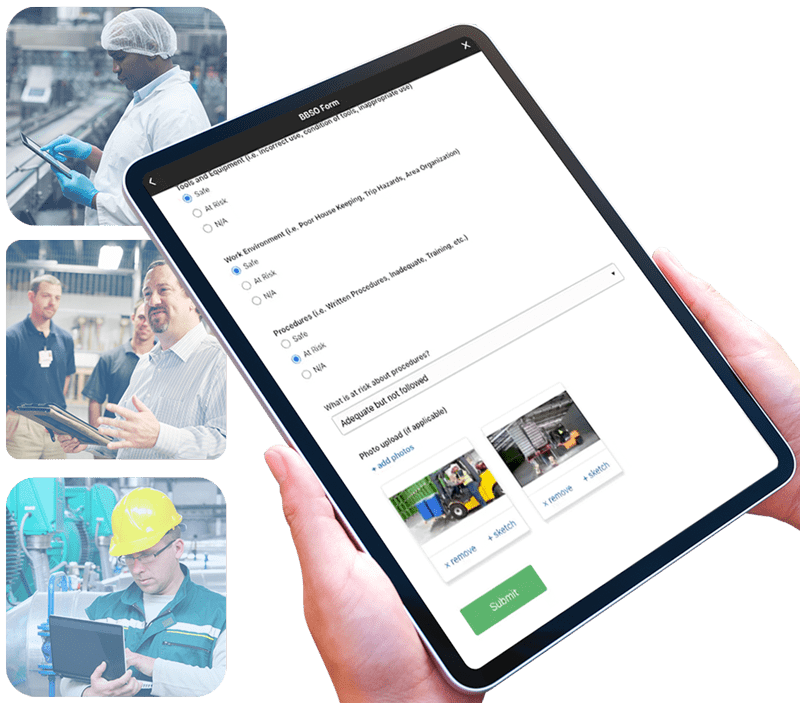
5. Action Plan and Provide Constructive Feedback
When observations are submitted, supervisors and manager can review them and create action plans. While evaluation is usually focused mostly on at-risk behaviors, safe observation reports are still worth reviewing, especially if comments are provided.
With digitized solutions, photos and videos of safe behaviors can help by providing content for training purposes. All data, including safe reports, should be summarized to inform KPIs. Digital solutions, again, help with this because the reporting can be automated, which saves loads of time and ensures accuracy.
At risk behaviors can create a few different action plans:
1. One-on-One Follow Up
If you feel that the at-risk behavior could present a problem in the future, you can plan a quick follow-up with the observed parties to review appropriate safety SOP and best practices.
2. One Point Lessons & Training
If an at-risk situation continues to arise, managers can create a One Point Lesson or “Toolbox Talk” session where all staff will review the best practice.
- Video showing the safe behavior can be helpful. In some cases, simply asking area or shift supervisors to reiterate the importance of avoiding the at-risk behavior during a shift huddle is enough to make the
point clear. - For compliance purposes, it is best practice to get staff to sign a document that they received the training, which is much easier to manage using software.
3. Update Visual Controls
Add signs, indicators, and other visual cues to ensure commonly reported issues do not continue to occur.
For example, if there is a recurring issue with staff not using the appropriate hand protection in a certain area, hang a big sign that makes expectations clear.
Regularly review and analyze the collected data. Look for trends, patterns, and recurring safety issues. Use this analysis to drive continuous improvement initiatives.
____
Based on your analysis, implement corrective actions to address identified safety concerns. Monitor the effectiveness of these actions. Behavior-based safety observations should be an ongoing process. Regularly repeat observations to track progress and ensure that safety behaviors continue to improve.
By systematically implementing these steps, organizations can enhance their safety performance, reduce incidents, and cultivate a workplace where safety is a shared responsibility. This structured approach not only mitigates risks but also promotes a culture of continuous improvement and employee engagement.
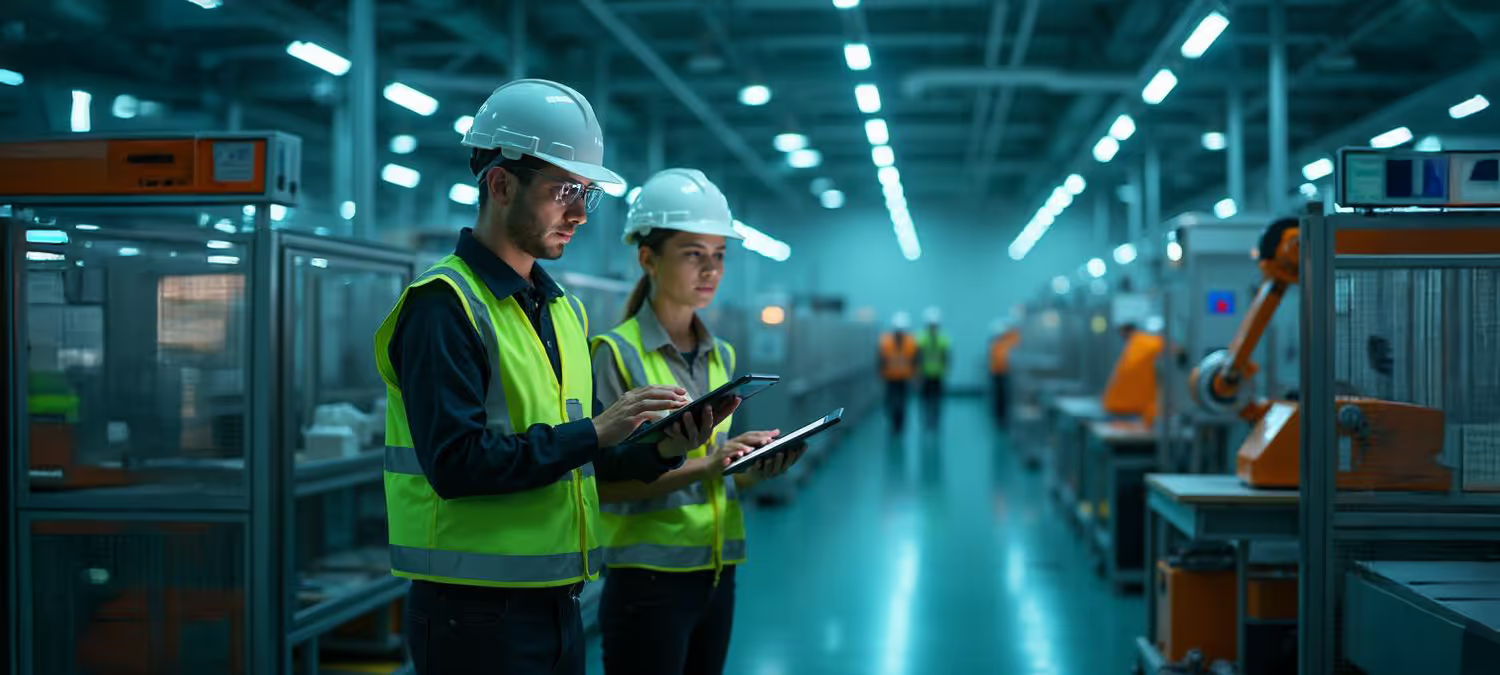
Dollars and Sense: Driving ROI in Manufacturing Safety with BBSO
Dollars and Sense: Driving ROI in Manufacturing Safety with BBSO
In manufacturing facilities, where every decision can impact both safety and output, behavior-based safety observations (BBSO) offer a powerful tool to shift from reactive to proactive risk management. By having team members observe each other's behaviors and provide structured feedback, BBSO helps embed safety into your corporate culture, and, if done right, delivers measurable safety outcomes and real financial returns.
What Is Behavior-Based Safety?
Behavior-based safety (BBS) is a proactive process that centers on observing and influencing workers' behaviors; not merely after incidents happen, but before they do. Rather than relying solely on engineering controls or policy enforcement, BBS targets "critical behaviors" (like proper PPE use, safe body position, correct tool handling, and adherence to procedures) and reinforces them through observation, coaching, and feedback.
"Safety culture is not a static state," said safety culture expert Dr. Dominic Cooper, PhD. "It is shaped by the reciprocal interaction of management systems, people's perceptions, and daily safety behaviour."
BBS observations matter, and here is how the mechanics of a BBSO program bring the process to life:
- Observers watch for key behaviors such as body position, PPE, work environment, equipment use, and procedure compliance.
- Employees know they're being observed, creating teachable moments. Even when they perform perfectly under observation, it can reveal patterns of complacency or risky habits once the observer leaves.
- Supervisors evaluate reports and if unsafe behavior is noted, they act immediately. Depending on the situation, this could mean stopping work if necessary, coaching the observer, or following up with the observed employee.
- Persistent issues spark learning. When trends emerge, safety leads can run toolbox talks or micro learnings.
- Results are shared with employees. KPIs like near-miss rates or incident reductions are broadcast site-wide, reinforcing that the BBSO program isn't just another form to fill out, but part of a living program something that's making a real difference.
The BBSO process builds a feedback loop: staff watch, supervisors act, and safety leadership broadcasts improvements.
The Strategic Value: It Builds Trust and Saves Money
"Observation and feedback lead to safe behaviors … effectively caring, self-management, behavior-based observation … build(s) self-esteem, empowerment, and a sense of belonging in the workforce," noted E. Scott Geller, PhD, a behavioral psychologist and BBS pioneer.
That insight cuts to the heart of why BBSO works. It's not about finger-pointing; it's about reinforcing a shared commitment to safe practices.
And let's not forget that there is real ROI from BBS programs. The financial upside from BBS can be substantial. In documented programs, safety teams have achieved:
- A 32% reduction in insurance premiums at a petrochemical site after implementing BBS.
- Annual operating cost savings (for example, from steam-leak repairs) of £250,000 thanks to observation-driven maintenance improvements.
- A striking ROI of up to 281%, when factoring in fewer incidents, lower compensation costs, and reduced insurance burden. bsms-inc.com+1
- Industry benchmarks also suggest that every $1 invested in an effective safety program returns between $4 and $6 in both direct and indirect cost savings.
Behavior-based safety isn't just about theory; it's acutely relevant to today's safety challenges. For example, according to the 2023 report from Employment and Social Development Canada, there were 18,796 disabling work-related injuries in federally regulated industries, up 665 from the previous year. That upward trend underscores the critical role of proactive approaches like BBSO.
For manufacturing safety professionals, BBSO offers a way to intervene before unsafe behaviors escalate, reducing both human and financial risk. By making safe behavior visible, coaching continuously, and sharing results, manufacturing safety professionals can reduce incidents and deliver a powerful financial return.
"Help workers perform more safely … don't try to control them," suggests Terry Mathis, founder of ProAct Safety, an international safety and performance excellence firm. "Give them a voice, coach common behaviours, and let safety become something they do with you, not to you."
(Sidebar or final section)
How Can Weever Help You Manage BBSO Programs?
Software offers many benefits over a paper-based program. Here is a rundown of how Weever automates data capture, workflows, and real-time reporting.
- Provide on-demand instructions: Like other "secondary" operational processes, behaviour-based safety observations (BBSO) are not a primary job requirement and they are not executed daily. As a result, having a quick "refresher" on hand is helpful.
- Create schedules: Paper-based processes rely on staff to remember to do their BBSO, while software can be used to remind with notifications based on a schedule.
- Capture data on any device: One problem that limits the performance of BBSO programs is the accessibility of the forms. Digitization allows staff to load the form on any device, go through it quickly and feel successful doing it.
- Configurable templates: Have you ever created a form and then needed to make changes, which required you to find and destroy all the copies of the old form, which still get submitted a year later? With digital form builders, updates happen in real-time, so you don't have to worry about staff using the wrong form.
- Automate rewards: Software makes it easy to allocate points to staff that can be redeemed in a rewards marketplace.
- Guide staff through the experience: Conditional logicallows you to guide staff through the experience to ensure they capture the correct information the first time and every time.
- Add photos: Photo capture is the most immediate benefit of going paperless. Multiple photos can be captured in the report, complete with sketches to highlight the issue.
- Real-time communication: If the observer requires immediate help, digital forms allow them to connect instantly with a safety manager.
- Optimize the evaluation process: Each submission creates a ticketthat is organized in the appropriate digital folder. Supervisors review each submission and create action plans if necessary. Supervisors can also receive notifications if you wish, although you may not want to load up their inbox.
- Assign next steps and due dates: Supervisors can create action plans, assign them, and add due dates. Assignees are notified and supervisors are made aware of approaching and overdue deadlines.
- Automate real-time dashboard updates: Save administrative time by automating reporting. Create stunning, highly configurable dashboard reports that update in real time. Spend less time in front of spreadsheets and more time doing what you want to make your site safer.
- Broadcast results: Set up real-time updates for staff that show how the BBSO program is "moving the needle" towards a safer worksite.
Ready to Transform Your Operations?
Discover how the Smart Connected Worker Platform can revolutionize your manufacturing operations. Our team of experts is ready to help you implement intelligent solutions that drive safety, efficiency, and operational excellence. Schedule A Demo Download Whitepaper

Real Savings in Real Time: Transforming Quality, Maintenance & Production with Digital Workflows
Real Savings in Real Time: Transforming Quality, Maintenance & Production with Digital Workflows
If you're a factory or operations manager, you've seen it all: clipboards lining workstations, spreadsheets piled high in offices, forms that get filled out and filed away and only looked at when someone finally notices a quality or maintenance issue that's been ignored. The reality is that the ongoing use of paper and spreadsheets on the factory floor creates delays and blind-spots and can contribute to costly errors or process breakdowns.
Weever Software empowers operational visibility, collaboration, and productivity by moving you away from the analog world and into a real-time digital environment. Replace paper, whiteboards, and spreadsheets with digital tools built for the plant floor. Capture real-time data, trigger alerts automatically, and give your team members the visibility they need to stay aligned and act fast.
Why Digitization Matters
Paper has its uses, for quick note-taking, brainstorming, and even filling out the A3 report that structures your team's thinking through a continuous improvement process. But when you're competing globally and pursuing perfection in manufacturing, the limitations of paper become clear.
Many manufacturers have implemented enterprise resource planning (ERP) systems, office productivity suites, and logistics digitization. Often, the biggest payoff from digitization is often on the shop floor itself, where production actually happens.
When you digitize factory-floor operations, five core benefits emerge:
Cost savings: Manual, paper-and-spreadsheet-based processes tie up people, time, and space. A survey by PwC found that companies can expect cost reductions of nearly 4% per year on average by applying digital technologies in industrial sectors. Another study indicates that digitized supply-chains can reduce operating costs by up to 30% and notes, "Digitization has become a crucial factor for manufacturers seeking to stay competitive, enhance efficiency, and grow their operations."
When you examine document handling alone, one estimate placed the cost of maintaining a paper document at as much as 206 times that of a digital one when you factor in labor, storage, retrieval, and error-correction costs for paper. In addition, digitizing your operations means less time wasted filling out forms, driving approvals by hand, chasing signatures, and surfacing issues only after damage is done.
Real-time visibility: With digitization of your forms, you capture data at the source and have immediate, real-time visibility into your operations. One Weever client was gathering information from its production lines via paper and pencil. Production logging and centreline data was being entered onto forms where the data was stagnating, rather than being analyzed for insights on how to improve overall equipment effectiveness (OEE) or productivity.
As noted by one of their process engineers, "…[T]he big opportunity was the ability to manipulate and trend data that we were collecting but was incredibly work intensive to go back and review. Whenever we were trying to do technically based troubleshooting, understand how the process or equipment is running, or how a particular abnormality was generated, it was very hard to get the information from our paper system."
The data was there, but it just wasn't accessible. That changed when digital forms were introduced via Weever that captured and fed data into a central repository that was easily accessed. Managers and engineers had the ability to analyze and manipulate data to generate the insights that would make the plant more productive, trouble-shoot issues, and spot trends. When you can intervene instantly when a quality threshold is violated, or a machine shows early signs of trouble, you reduce waste, shorten stop-time, and gain more consistent output.
Automation: Paper means manual work, either for one person or many: forms must be completed, logged, tabulated, and filed. Digitization allows for conditional logic, alert routing, and automated dashboards, among other time-saving benefits. Many manufacturers note they can go from "floor submission to bar graph" in minutes rather than days. That drives faster decisions, allows for fewer mistakes, and requires fewer employees who must spend time data wrangling.
Simplicity & structure: A digital form can guide your staff in their work, by showing only relevant fields, alerting them when numbers are outside expected ranges, and help them avoid misrouting (and wasted time and money). That means fewer errors, quicker training for new staff, consistent processes across shifts and plants, and a firmer foundation for continuous improvement.
Compliance: Paper forms leave you vulnerable to issues like missing signatures, falsified entries ("pencil-whipping"), lost files and audit failures. This means you're vulnerable to regulatory scrutiny and compliance failures. Digital workflows allow for time stamps, photo capture, required fields, audit trails, and automated checks. This means less risk for your company, faster audit readiness, fewer fines, and production line work stoppages.
So how does this play out on the plant floor? Imagine a technician finishing a shift and instead of filling out handwritten maintenance logs, he or she uses a tablet and submits a digital form. As a result, the system immediately sends a notice to maintenance because a machine's variables exceed a threshold. Or perhaps the quality team gets alerted because the operator logged a defect rate above plan. The technician's supervisors are able to view dashboards in real time that combine data across shifts, machines, and plants, allowing them to dispatch resources where needed.
Contrast that with paper: A spreadsheet waits until someone enters data manually, summary reports are delayed, issues are discovered after the fact, corrective action comes late, and as a result, costs mount.
Making the Transition to Digital
To be successful, you need more than software. You need clarity on the current state of your operations, including process mapping to help your teams identify bottlenecks, inefficiencies, and areas for improvement. You need a process to manage the changes digitization will bring to your facility and a way to communicate the digitization process and benefits to workers to ensure their engagement. Start by identifying key forms and workflows that currently generate delays, errors, or blind spots, then roll out digital versions, train staff, enforce structure, and measure results.
Digitization doesn't mean you ban paper from your facility forever. It's about replacing the heavy lifting around forms, reports, and approval flows so that you and your teams are freed up for more value-added work.
Weever's cloud-based software is designed for this kind of transformation: bringing visibility, collaboration, and productivity to quality, maintenance, safety, and production.
As an operations leader, you face pressure on cost, margin, quality, safety, and delivery. Digitizing your factory floor processes isn't just a technology play, it's a strategic play. Every minute saved, every error prevented, and every compliance risk avoided contributes to your bottom line.
The question isn't whether you should digitize it's how soon can you do it?
Ready to Transform Your Operations?
Discover how the Smart Connected Worker Platform can revolutionize your manufacturing operations. Our team of experts is ready to help you implement intelligent solutions that drive safety, efficiency, and operational excellence. Schedule A Demo Download Whitepaper
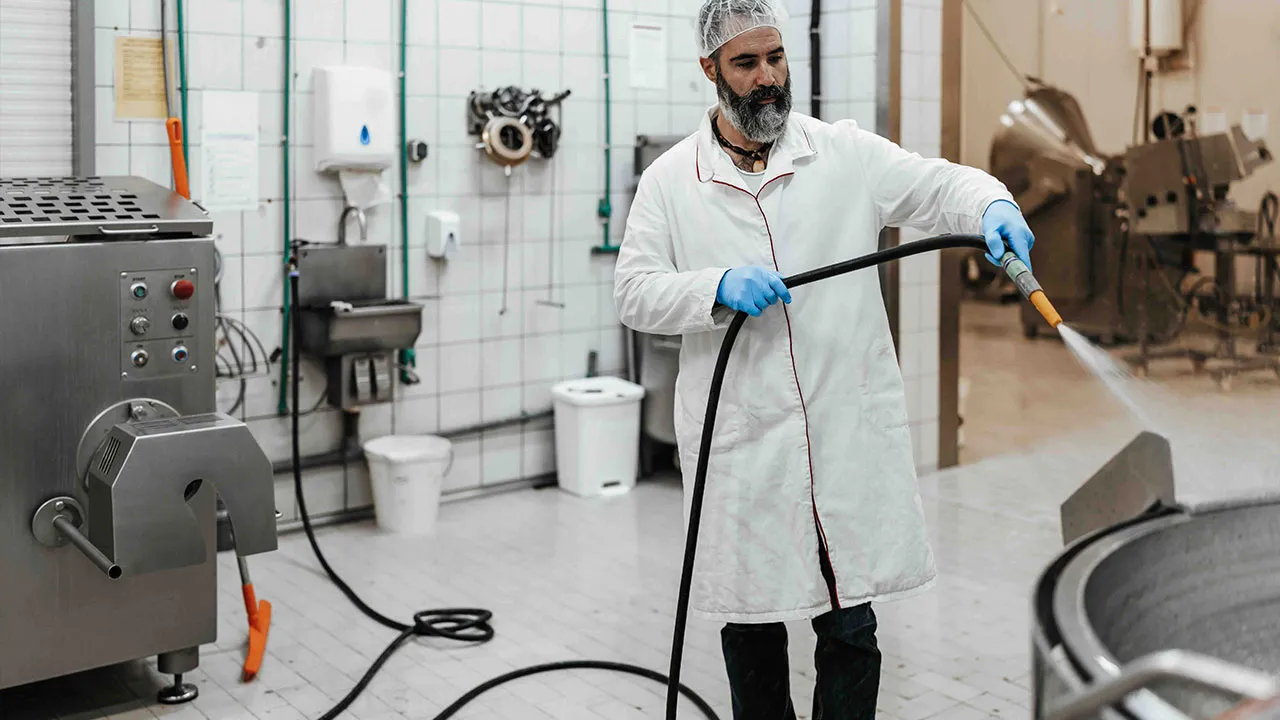
The Backbone of Biocontrol: Safeguard Quality & Reputation with a Master Sanitation Schedule
In the high stakes world of food manufacturing, a single missed inspection or round of cleaning and sanitation can contribute to illnesses or deaths, fines, lawsuits, and reputational damage. That's why a Master Sanitation Schedule (MSS), a structured plan that ensures every area of a plant, including equipment, surfaces, utilities, and contact points, is cleaned and sanitized at the correct frequency, with documented completion. An MSS isn't simply a weekly checklist: it is the backbone of a documented, repeatable program that supports both operational hygiene and regulatory compliance.
A recent real-life example illustrates how a breakdown in sanitation scheduling or process control can create a ripple effect and highlights why strict adherence to an MSS (and the processes behind it) matters not just for internal operations but for public trust and business continuity.
In 2025, an outbreak of Listeriosis attributed to precooked frozen pasta-meals has been linked to six deaths and 25 hospitalizations across 18 U.S. states. The contaminated products, pre-cooked pasta including fettucine, linguine, and farfalle (bowtie) manufactured by Nate's Fine Foods, Inc., were sold through major retailers such as Trader Joe's, Kroger, Sprouts Farmers Market, and Walmart.
According to the U.S. Food and Drug Administration, "All food-contact surfaces, including utensils and food-contact surfaces of equipment, must be cleaned as frequently as necessary to protect against contamination of food ... The condition and cleanliness of food-contact surfaces shall be monitored with sufficient frequency to ensure they are not a source of contamination."
As this recent foodborne illness outbreak shows, for manufacturers serving food and beverage markets, the stakes are high. A robust MSS isn't a luxury, it is a necessity; and one that can be challenging.
Manufacturers often face three recurring obstacles when managing their MSS: complexity of scheduling and tracking across areas, inconsistent cleaning routines, and lack of actionable sanitation data and documentation. A modern software solution can help transform these challenges into a competitive advantage for your company.
An Intuitive Interface Makes MSS Management Easy
Do you rely on spreadsheets, paper forms, or disconnected systems to manage your sanitation schedules? This creates error-prone workflows, limited visibility, and the risk that areas get overlooked. A platform like Weever Software provides a user-friendly interface that allows teams to build and manage their MSS in real time.
Manufacturers can configure cleaning tasks by area and equipment, define required cleaning frequencies, assign tasks to teams, and allow all personnel to access the schedule via a dashboard. With clarity and structure, there's less guesswork, fewer omissions, and a higher degree of consistency across shifts and lines.
By making scheduling accessible to all relevant stakeholders, from sanitation leads to line operators, you can embed the MSS into your day-to-day operations. Sanitation needs to become part of the operational rhythm of your production process, rather than an afterthought.
Eliminate Inconsistencies in Cleaning Routines
One of the most common pain points in sanitation programs is inconsistent execution. Tasks get missed, duplicated, or performed too infrequently. These gaps can quickly erode compliance and product safety.
Weever addresses this by automating task assignment and notification workflows. For example, the system can automatically generate cleaning tasks tied to production schedules or autonomous maintenance activities, assign them to specific operators or teams, and send reminders until completion is logged. That ensures no area is inadvertently omitted and reduces reliance on manual tracking.
Enable Better Decision-Making Backed by Real-Time Insights, Reporting
A sanitation program is only as strong as its data foundations, yet many manufacturers struggle because documentation is incomplete, tasks are logged offline, and managers lack real-time visibility into sanitation progress. In audit situations, these gaps can translate into significant operational and regulatory risk. The recall scenario cited above underscores how lack of visibility and traceability can escalate into a full-scale crisis.
With Weever, you and your sanitation teams get real-time dashboards, trend analysis, and reporting capabilities. The platform can identify recurring issues; for example: a specific equipment line that consistently misses its cleaning window, or a zone where cleaning cycles are delayed. That allows you to root-cause underlying issues like staffing, process bottlenecks, and equipment design, rather than simply chasing spreadsheets and sanitation logs. Accurate records are maintained and are available for audit at a moment's notice, thereby supporting traceability and accountability across your organization.
This real-time insight capability helps to empower you to move beyond reaction (fixing failures) to prevention (identifying and pre-empting weak spots in the MSS).
Seamless Integration Through a Structured Rollout
Adopting new sanitation-management software can raise concerns: Will operations be disrupted? Will employees resist? Will data from legacy systems be integrated? Weever addresses these through a structured implementation plan.
The rollout begins with a detailed integration roadmap designed to minimize disruption to current operations, includes training modules that help teams adopt the software quickly, and provides ongoing support to optimize usage over time.
Because sanitation schedules often intersect with production and maintenance, the ability to integrate across systems (e.g., maintenance management, production planning, cleaning logs) matters. With the right approach, you can go live quickly, and begin realizing benefits in the first production cycles.
Transforming Manufacturing
While the challenges of managing a master sanitation schedule, such as complex scheduling, inconsistent routines, incomplete data, and audit risk are real, they are not insurmountable. With the right tools and processes, you can secure higher levels of consistency, compliance, and operational efficiency.
Weever's solution addresses the most pressing MSS-management issues by simplifying scheduling, automating workflows, delivering real-time insights, and supporting seamless implementation. By embedding a robust MSS into everyday operations, you protect product quality, reduce unplanned downtime, guard against regulatory sanctions, and shield your brand's reputation.
Don't let the complexities of MSS management hold your operation back. With a platform like Weever, consistent sanitation execution, auditable data, and real-time visibility combine to transform your sanitation program into a strategic asset for the business.
Ready to Transform Your Operations?
Discover how the Smart Connected Worker Platform can revolutionize your manufacturing operations. Our team of experts is ready to help you implement intelligent solutions that drive safety, efficiency, and operational excellence.
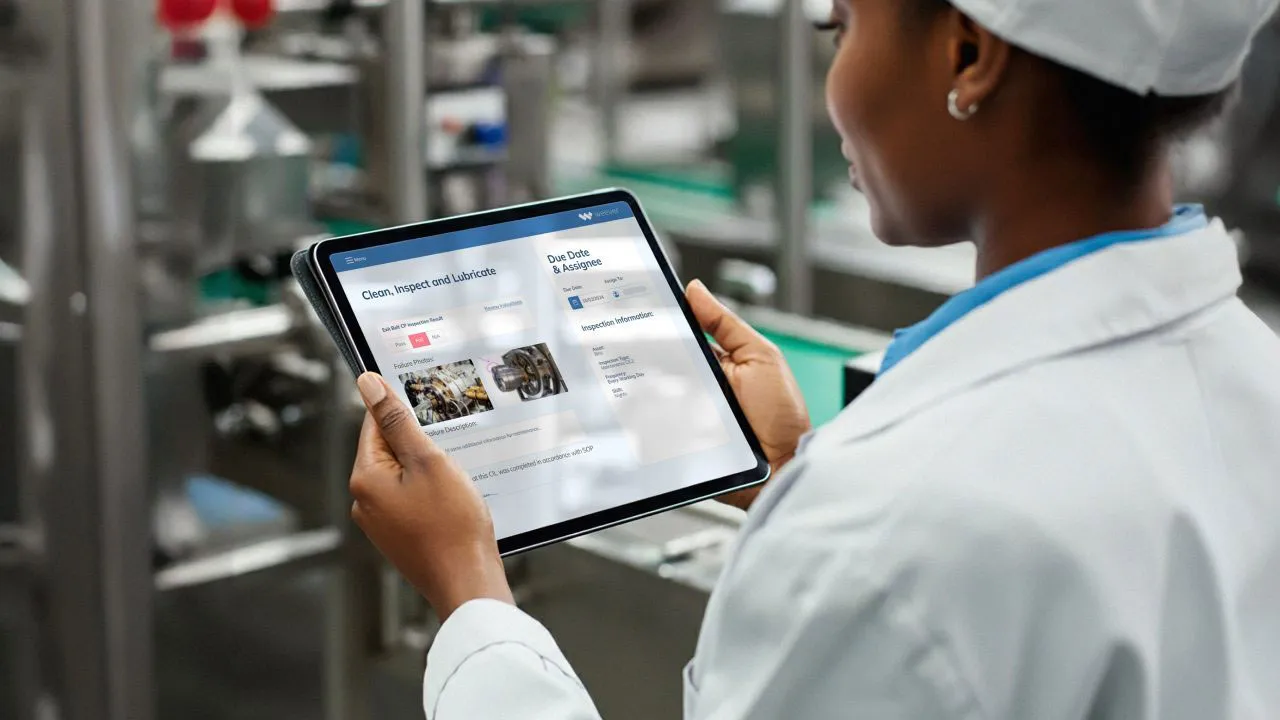
Autonomous Maintenance: Empower Operators and Maximize Uptime
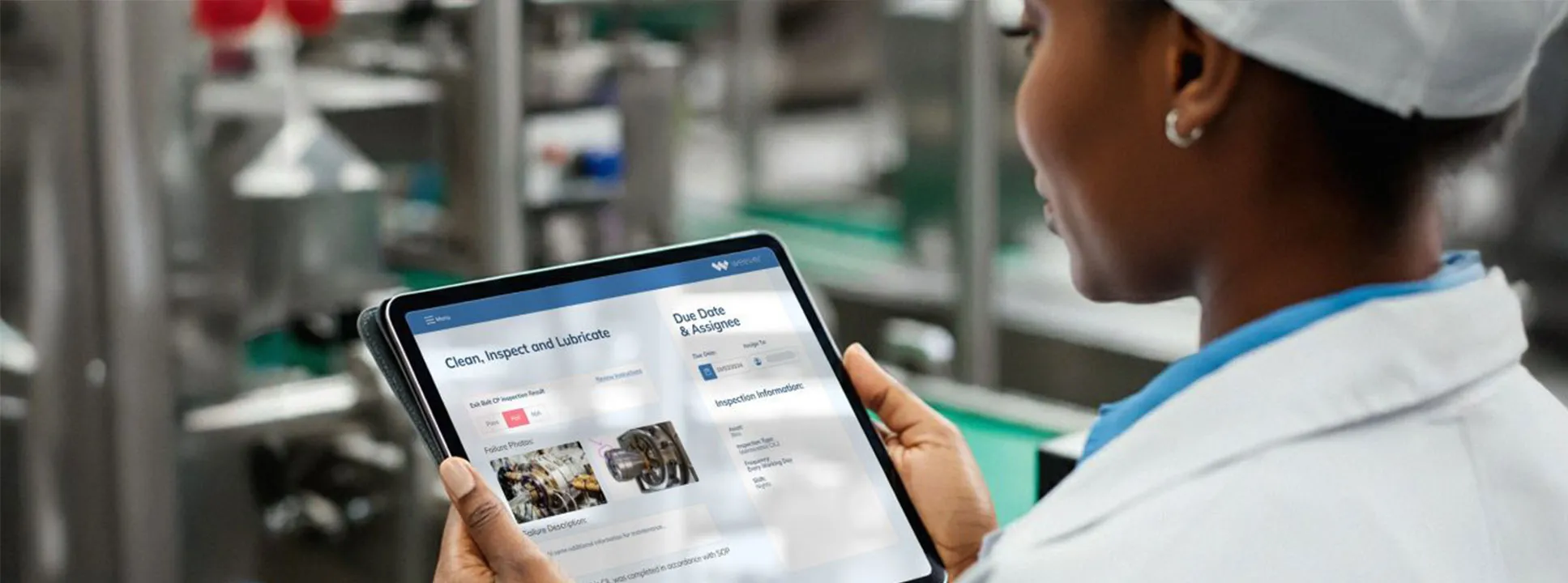
Autonomous Maintenance
In manufacturing, no one knows a machine better than the operator who runs it. They know its quirks, when it sounds "odd," and when it likely needs maintenance. That's the central idea behind autonomous maintenance (AM), a key pillar of Total Productive Maintenance (TPM). Like the name implies, AM gives operators the autonomy to take ownership of the basic care and condition of their equipment.A structured program in which operators are trained to perform routine tasks like cleaning, lubricating, and inspecting their machines, AM creates an environment in which employees take responsibility for the general upkeep of the equipment they operate. Instead of relying solely on maintenance technicians for minor issues, the machine operators handle small but critical upkeep responsibilities themselves, helping to prevent equipment wear and tear through proper operation and avoid breakdowns related to deterioration.By mastering basic technical skills such as detecting abnormalities, understanding components, and recognizing when intervention is needed, operators become your first line of defense against breakdowns. Meanwhile, your maintenance professionals can focus on what you're paying them to do: complex repairs, system improvements, and long-term reliability initiatives.A successful AM program means higher overall equipment effectiveness (OEE), fewer unplanned outages, and a workforce that's more skilled, engaged, and aligned.
Why Autonomous Maintenance Matters
Implementing autonomous maintenance pays off in three key ways: reduced downtime and labor costs, better use of skilled technicians, and stronger teamwork.Because operators are already at their machines, they can spot and fix small issues immediately, eliminating delays related to scheduling a repair or technician travel time. With operators handling inspections and routine adjustments, maintenance experts can focus on preventive strategies, root cause analysis, and capital improvement projects that move the needle on performance. Last but not least, autonomous maintenance breaks down the traditional "I run it, you fix it" mentality, replacing it with a shared sense of ownership and accountability. That shift improves communication, collaboration, and morale across production and maintenance teams.When done right, autonomous maintenance doesn't just improve the operation and longevity of your machines; it elevates and engages your employees. Because success depends on sustained engagement, here are some tips to keep operators engaged in AM.
5 Strategies to Ramp Up Operator Engagement
Getting operators to embrace new responsibilities requires more than a training session. It takes consistent reinforcement, clear communication, and the right tools. Here are five proven strategies to help make AM stick:1. Make tools and processes simple - Operators already have full plates running production. Ensure that adding maintenance duties don't feel like a burden to them. Keep inspection forms, lubrication logs, and data collection interfaces as intuitive as possible. Use clear visual cues, large buttons, and minimal navigation steps if using digital tools.
A simple, streamlined process ensures that AM tasks don't interrupt daily operations. When technology supports rather than complicates the process, participation rises dramatically.2. Schedule and assign clearly - How many times have you thought: "If it's not scheduled, it won't happen." We all know that's true. Assign AM tasks on a recurring schedule and make that schedule visible to the entire team. Public visibility fosters accountability, because operators know what's expected of them and everyone can see who's contributing.Digital maintenance platforms or tablets stationed on the shop floor make schedules easy to find and update in real time.3. Provide clear instructions and training aids - Operators aren't mechanics, and they don't need to be. But they do need clear, accessible guidance to perform new tasks confidently. Incorporate visual instructions, step-by-step walkthroughs, and even short videos that demonstrate tasks like lubrication or cleaning procedures.
Clear expectations help eliminate mistakes and builds trust in the system for your existing employees and provides new employees with a roadmap for success. When everyone is operating on a foundation built on the same instructions and training, legacy knowledge isn't "lost" when an experienced employee leaves or is reassigned and a new employee is hired.4. Recognize and reinforce success - Autonomous maintenance thrives when leaders make engagement visible and rewarding. Use daily huddles or shift meetings to highlight achievements such as a reduction in minor stoppages or improved inspection accuracy. (Or better yet, faster production!). Recognize individual and team contributions publicly to reinforce positive behaviors.5. Keep improving and measuring - Sustaining AM requires ongoing learning and improvement. Track key metrics such as mean time between failures (MTBF), mean time to repair (MTTR), and inspection completion rates. Use this data to identify which machines or shifts show the strongest results and conversely, where more support or training might be needed.Continuous improvement can also include single-point lessons, which are short, focused updates on specific tasks or safety reminders, as well as periodic audits led by maintenance technicians. Together, these practices keep standards high and momentum strong.
Create a Culture Shift with AM
Autonomous maintenance isn't just a maintenance initiative; it's a culture shift. When operators take ownership of their equipment's performance, they develop a deeper understanding of how their actions impact the production process. Your plant becomes cleaner, safer, and more predictable, while maintenance resources are used where they're needed most.For maintenance and plant managers, success means designing a system that's easy to follow, well-documented, and consistently reinforced. The payoff is a more capable workforce and equipment that runs better for longer, all of which helps you deliver measurable gains in uptime, quality, and cost control.
Ready to Transform Your Operations?
Discover how the Smart Connected Worker Platform can revolutionize your manufacturing operations. Our team of experts is ready to help you implement intelligent solutions that drive safety, efficiency, and operational excellence. Schedule A Demo Download Whitepaper

From Factory Floor to Digital Core: How Tech Empowers Frontline Teams
When you walk onto your shop floor these days, it's obvious: the manufacturing world isn’t what it was a decade ago. New pressures ranging from labor shortages and tariffs to faster product cycles and tighter safety and quality demands are forcing every production manager and plant manager to ask: What is the best way to navigate this rapidly changing manufacturing landscape?
The answer lies in digital transformation. This isn’t just an IT upgrade; it’s a change in how you run your plant, how your frontline teams work, and how your operations respond in real time.
How ‘Smart’ Is Your Business?
According to the International Society of Automation (ISA), digital transformation in manufacturing is “the adoption of sophisticated electronic tools and software applications to replace manual processes or simple spreadsheets to improve an organization’s efficiency, flexibility, resiliency, profitability, or other measure.” It involves technology integration throughout and across an industrial organization, fundamentally changing how it operates internally and how it delivers products or services.
Similarly, the International Standards Organization (ISO) defines smart manufacturing, a term closely tied to digital transformation, as leveraging disruptive technologies such as AI, edge computing, robotics, additive manufacturing (3D printing), and IoT to change traditional manufacturing. ISO describes smart manufacturing as a “fusion of the digital, biological and physical world” and says that its significance is so large that it’s sometimes called the fourth industrial revolution.
Digital transformation in manufacturing means more than just picking up new gadgets. It’s about weaving together cloud computing, automation, AI, the Internet of Things (IoT), and data analytics throughout both shop floor operations and back-office functions. It’s the deep integration of technologies into how a plant plans, produces, inspects, and delivers. According to McKinsey & Co., these digital advances will “transform every link in the manufacturing value chain, from research and development, supply chain, and factory operations to marketing, sales, and service.” By doing this well, manufacturers change not only what they make and how fast, but how they create value, how quickly they adapt, and how they stay competitive in volatile markets.
What Does Your Digital Transformation Look Like?
Experts advise that too many organizations pursue a digital manufacturing journey that ultimately fails to create enough value to justify its cost, time, and management attention. They suggest companies start from bottom-line value and work back. There are a lot of digital manufacturing solutions on the market, but don’t fall for the first pretty face. You need insight on how the various solutions address your operational pain points, create competitive advantage, and drive bottom-line impact.
Beyond automating labor‐intensive or hazardous manual work, digital transformation enables capabilities like predictive maintenance. How valuable is foreseeing when equipment is likely to fail before it actually does, having standardized inspection and service routines at your fingertips, and far greater visibility into workflows, quality metrics, and supply chain touchpoints? Deloitte describes the “smart factory” as a flexible system that can self-optimize performance, adapt in near-real time to changing conditions, and autonomously run parts of production, connecting shop floor decisions with the rest of supply chains and business processes.
Imagine replacing piles of clipboards, stacks of paper forms, and delayed shift‐handover conversations with tools that deliver the latest production data into the palm of your hand. Real‐time dashboards, alerts pushed instantly, workflows automated so that key tasks happen without follow-ups or guessing games. That’s more than convenience; it changes how quickly you can respond when something goes wrong and prevents things from going wrong in the first place.
The modern version of an old wives’ tale is that digital transformation means replacing people with robots. Not true. What it does do is empower your people by giving them data-driven insights, removing repetitive tasks so they can focus on higher-value work, and helping them make better decisions. According to a report from Method, “Effective digital transformation in the manufacturing industry empowers people to make better decisions through data-driven insights and process automation.”
The Benefits You (and Your Team) Actually See
When we talk benefits, here are what plant and production managers will notice first, and how they show up in everyday decisions.
Sharper decision-making and reduced errors: With sensors, automation, and real-time data collection, the lag between something happening (like a machine drift or defect) and you knowing about it shrinks dramatically. Frontline workers can flag issues, get alerts, and access records instantly. This leads to fewer mistakes, fewer reworks, better compliance.
Higher productivity, less waste: Think about how much time you and your teams spend filling in forms, logging issues, and redirecting work because something upstream wasn’t visible. When workflows are digitized, maintenance requests are logged and assigned automatically, audits get scheduled, and alerts pop up when bottlenecks form. Workers can focus on value-added tasks instead of paperwork, and materials or energy wasted because of oversight start dropping because of better monitoring and predictive insights.
Safety, compliance, and resilience: Digital checklists, automated alerts, and dashboards that flag unsafe conditions or non-compliance are not just “nice to have” options anymore. They're lifesavers. And when every shift, every corner of the plant is hooked into systems that enforce safety, the risk of accidents goes down. Add in predictive maintenance that allows you to catch wear and tear before it becomes a breakdown that puts people and production at risk, and the result is reduced downtime and safer operations.
Cost savings and long-term payoff: While there’s always an investment needed, like new tools, training, replacing or upgrading legacy systems, the savings compound over the long-term. Reduced downtime, more optimized use of assets, and more accurate scheduling have a large impact on overall running costs.
Making the Change Manageable (Without Chaos)
Your biggest challenge won’t be the tech: it’s getting people, process, and culture to align. Here are what tends to work:
Start small. Pick a use-case with high visibility and low risk. Digitize quality tracking on one production line, automate a maintenance schedule for one set of machines, or introduce a safety audit app. Get a win, so you can show results.
Involve the frontline. Let supervisors and operators tell you where the pain points are. If you don’t get their buy-in, even the best system money can buy will be ignored, bypassed, or resisted.
Ensure training is practical and ongoing. It’s not only about which buttons to click. Explain how this system helps their shift, reduces overtime, and lowers the workload. Emphasize that the change empowers them; it doesn’t replace them.
Make sure the infrastructure supports it. Check connectivity, devices, sensors and platform performance. There’s nothing more frustrating than promising real-time dashboards but having gaps because WiFi is intermittent or data flows are delayed.
“When digital transformation is done right, it’s like a caterpillar turning into a butterfly, but when done wrong, all you have is a really fast caterpillar,” “observed Principal Research Scientist George Westerman of the MIT Sloan Initiative on Digital Economy.
If you’re managing a plant or a production line, your job is to deliver output, quality, safety, and do it all while costs rise and expectations escalate. Digital transformation gives you the tools to maintain and improve your performance utilizing visibility, automation, and insight. You’ll be ready for whatever comes next, whether it’s supply chain disruptions, labor constraints, or shifting customer demands.
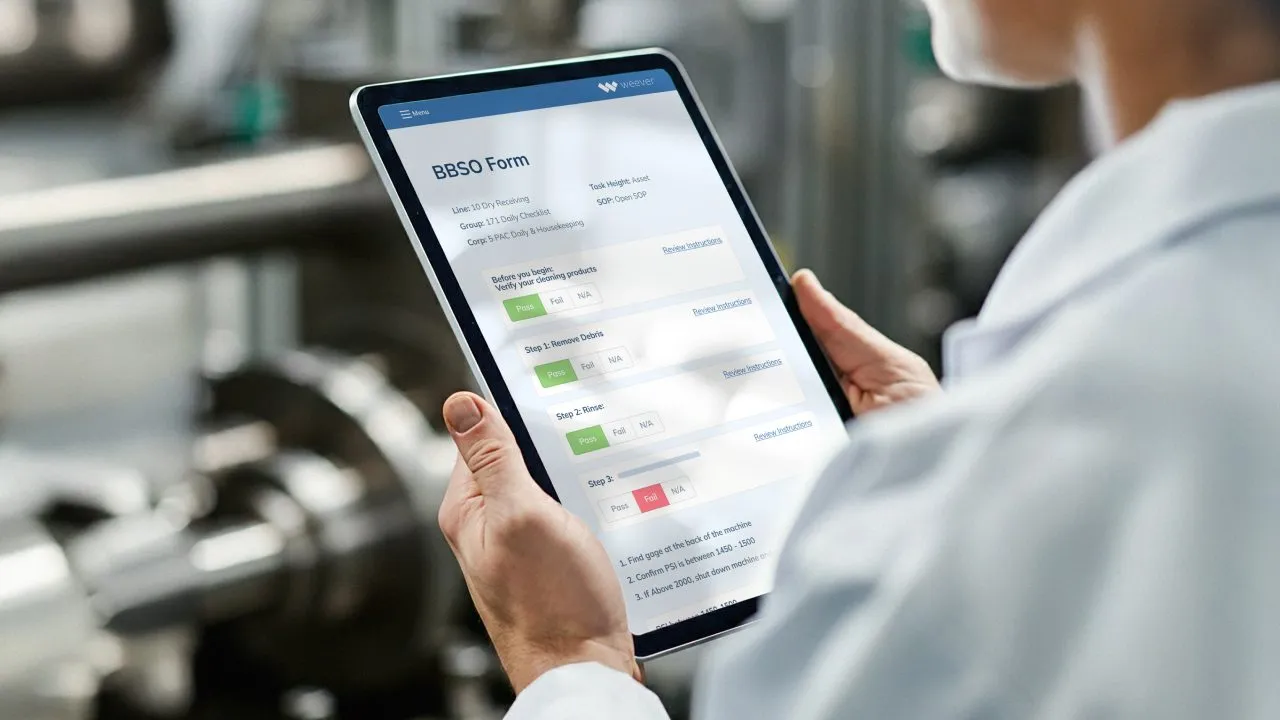
Behavior-Based Safety: Make Safer Choices the Habit, Not the Exception
Behavior-Based Safety: Make Safer Choices the Habit, Not the Exception
In manufacturing operations where speed, precision, and uptime drive success, the risk of incidents often lies less in catastrophic equipment failure than in everyday behaviors slipping into risky shortcuts. A well-implemented behavior-based safety (BBS) program helps shift the dynamic so that safe choices become the default, not the exception.
BBS is simple in idea but powerful in impact. Workers are safer when safe behaviors are noticed, reinforced, and made part of everyday work. Too often, safety programs focus only on rules, procedures, and incident reports. All are necessary, but insufficient if you really want to drive safety results.
BBS puts human behavior at the center of your safety efforts, using observation, feedback, and positive reinforcement to create a culture where workers consistently choose safer actions because that's what leadership expects and rewards. And because it's the right thing to do, for themselves and their co-workers.
At its core, a BBS program starts with careful observation. Trained observers, often peers rather than supervisors, watch work processes with a clear checklist of critical behaviors. Those observations are not about blame; they're about gathering reliable data on what workers actually do, identifying small slips that could lead to larger incidents, and learning what environmental or process factors encourage those risky shortcuts. When observations are followed by timely, specific feedback, teams can close gaps before the gaps evolve into accidents.
Success or Failure?
BBS succeeds or fails based on two human realities: trust and repetition. If workers feel they are being observed in order to punish them, they will resist the program. If feedback is vague, it won't change behavior. Effective programs train observers to give balanced, immediate feedback that recognizes safe behavior and gently corrects risky actions. Repetition turns those corrections into habits and habits are the engine that drives long-term safety improvement.
Data from a thoughtful BBS program is gold. Instead of waiting for injuries to reveal problems, BBS gives leading indicators: which tasks show the most unsafe behaviors, which shifts need targeted attention, and which controls are working. Teams can respond with focused training, engineering fixes, or process changes, not broad, expensive initiatives that miss the point. When leaders use BBS data to make visible, practical changes, employees see that observations matter and engagement rises.
Leadership support changes everything. When managers visibly prioritize safety by attending observation debriefs, discussing trends in daily meetings, and rewarding safe work, safety becomes a shared production priority rather than a regulatory checkbox. That alignment also clears the path for continuous improvement: small, iterative changes driven by observations and worker suggestions build momentum and credibility.
There are many real-world examples of the power of behavior-based safety observations and the data that can be gathered from them.
BBS: Exceeding Expectations
Several years ago, a company that was using a global safety platform to capture 10-15 reports of incidents and near misses per day from approximately 1,000 employees reached out to Weever.
"For people in my position, that's gold dust," explained the company's safety leader. "When you get engagement from people on the shop floor, identifying unsafe conditions, you can actually go in and start fixing those issues before they escalate."
When they analyzed the data, they discovered that 50% of injuries stemmed from recurring issues. This realization drove the organization to launch a 100-day improvement plan, targeting the root causes of their safety challenges. The initiative achieved remarkable success, reducing first aid incidents by 70%, from 28 to 8 per year in one department.
The organization still faced a hurdle: the majority of their safety improvement initiatives and actions were driven top-down, and frontline staff were reporting issues but not engaged in finding solutions.
Leadership recognized the need to empower employees at all levels to take ownership and be more responsible for their safety as well as the safety of their coworkers.
"Rather than relying on one departmental manager and two shift managers to police the whole team, it was about engaging the power of the team," shared the safety leader. "We wanted everyone to look out for their colleagues and themselves. If someone forgot a safety protocol for even a moment, we encouraged others to step in, have a conversation, and correct it."
Peer-to-peer safety behavior observations (SBO) were identified as the next critical step toward achieving the ultimate goal of zero incidents.
Initially, the company attempted to add SBO into their existing platform but found the results underwhelming, and frontline employees didn't think it was user-friendly. They turned to Weever, which offers a platform designed to streamline engagement and empower peer-to-peer accountability.
The change was transformative. Employees appreciated Weever's simple and user-friendly platform, which enabled them to complete safety observations in just a few minutes. Over time, the program became self-sustaining, with employees driving its growth organically.
The data collected was showcased in monthly safety forums, fueling productive discussions and informed decision-making. "Being able to get the data and chop that up into departmental buckets, enabling managers to see what is actually happening with their own team, being able to customize it to meet our needs, was probably why this has been so successful," said the safety leader.
When the SBO relaunch with Weever began, it was anticipated that achieving a full cultural transformation would take 3-4 years. However, the BBS program has surpassed expectations. employee engagement has significantly increased, making safety an integral part of daily operations. While the site originally set an aspirational goal of 200 Safety Behavior Observation (SBO) submissions per month, they are now exceeding expectations, averaging over 400 submissions monthly: double their target!
Making BBS Work for Your Company
BBS isn't a once-and-done program. It's a long-term investment in human systems that that requires patience, humility, and a willingness to learn. Start small, prioritize trust, and measure what matters. When done well, behavior-based safety doesn't just reduce incidents; it builds a workplace where people look out for one another, speak up about hazards, and take pride in doing the job safely: every shift, every day.
Here are a few practical tips for running a resilient BBS program:
- Keep observation forms short and focused on a few critical behaviors. Quality beats quantity.
- Use peers as observers whenever possible so that they're seen as partners, not enforcers.
- Provide immediate, constructive feedback and follow up on suggestions with real action.
- Share aggregated observation data transparently and celebrate improvements.
- Train observers relentlessly. Consistency in what is observed and how feedback is given matters.
Even the most dedicated safety manager can't be everywhere in the plant at once, and over time, even the best-trained employee develops the inability to recognize their own unsafe habits. Teachable moments to help improve the safety of your site often come and go silently, and without a program to observe and correct them, these habits can lead to workplace injuries or worse.
A behavior-based safety observation (BBSO) program empowers your staff to elevate the safety of their peers by giving them tools to identify at-risk behavior and provide positive feedback. This, in turn, enables your leadership to coach and mentor effectively with the ultimate goal of building a safer work environment.
Remember, safe behavior observations are leading indicators, allowing you to identify risky behaviors and interrupt them before an injury happens, rather than discovering root-cause only after the fact. When trained observers (including peers) use concise checklists, you gather data on specific behavior gaps, enabling targeted interventions rather than broad "retraining on everything" approaches. Successful BBS programs create a culture where safe work is seen as part of production excellence, not a competing priority. That alignment matters in manufacturing where throughput, quality, and safety must co-exist.
Implementation Checklist for Plant & Safety Managers
Safety managers can use this checklist to track their BBS rollout:
- Define 4-6 critical safe behaviors that impact your high-risk processes (e.g., lock-out procedure adherence, safe material handling, proper use of PPE).
- Develop a simple, one-page observation checklist aligned to those behaviors.
- Train selected peer observers and supervisors in how to observe neutrally (no blame), record behaviors, and provide rapid feedback.
- Launch an observation campaign. Target meaningful number per shift and emphasize feedback conversations.
- Provide immediate positive reinforcement for safe behaviors, such as verbal recognition, peer shout-outs, and team celebrations.
- Analyze observation data weekly: track safe vs at-risk behaviors, identify trends (shifts, lines, tasks), and share results at toolbox talks or daily startup meetings.
- Act on the insights you're observing. If a pattern of at-risk behavior emerges, engage engineering/maintenance/training to remove obstacles (e.g., tooling ergonomics, process unclear, equipment glitch).
- Ensure visible leadership engagement via plant manager walk-arounds, leadership speaking about BBS in meetings, and recognizing observed safe behaviors.
- Monitor for program sustainment. Routinely review observation quality, refresh observer training an rotate observers to avoid falling into "tick-box" mode.
- Celebrate and communicate successes to keep momentum alive.
Ready to Transform Your Operations?
Discover how the Smart Connected Worker Platform can revolutionize your manufacturing operations. Our team of experts is ready to help you implement intelligent solutions that drive safety, efficiency, and operational excellence. Book Your BBSO Demo Today! Download the Proactive Safety Practical Implementation Guide

From Paper to Productivity: How Workflow Automation Can Transform Your Manufacturing Operations
Manufacturers today face a familiar dilemma: how to increase output and efficiency without cutting corners on safety, quality, or compliance. Labor shortages, rising costs, and complex reporting demands make that balancing act even tougher. Yet one powerful, often underused tool consistently delivers measurable gains across production, quality, and maintenance: workflow automation.
Workflow automation involves using software to digitize and streamline routine, repetitive, or manual processes such as data entry, inspections, and reporting. By removing bottlenecks, reducing errors, and accelerating information flow, automation frees your employees to focus on value-added work instead of administrative busywork.
It's not about replacing workers; it's about amplifying their impact.
Eliminating Repeatable Tasks to Boost Productivity
Every manufacturer has processes that happen the same way every day, including pre-shift checklists, quality inspections, permit signoffs, and maintenance logs. When these are handled manually, often with paper forms, clipboards, and spreadsheets, they drain time and attention from higher-value work.
Before production at one food processing company, operators were required to complete equipment inspections and cleaning and report that these activities were completed. There were delays in filling out the forms and transporting them to the quality team for review, which cost the facility time. Also, each report needed to be manually added to production readiness reports.
Digitizing these workflows accelerated completion times and ensured nothing slips through the cracks. Data is automatically captured and routed to the right person for review, eliminating the handoffs and delays that come with manual processes.
By automating its production readiness reports, that manufacturer saved three to four hours each day previously spent on data entry and report compilation. That time was reinvested into improving product quality and line efficiency. As one of its quality leaders put it, the team had been "drowning in paper" before automation simplified everything.
This kind of time savings isn't unusual. Once forms, approvals, and task assignments become digital, production teams can start their shifts faster, maintenance teams can respond sooner, and managers can make real-time decisions based on live data instead of waiting for end-of-shift summaries.
The result? Faster task completion, better resource utilization, and a more engaged workforce.
Reducing Errors and Strengthening Compliance
Automation doesn't just make things faster. It makes them more reliable. Manual data entry and paper-based systems create opportunities for omissions, transcription errors, and lost documentation. In regulated environments, those mistakes can quickly turn into compliance risks.
By contrast, digital workflows enforce consistency. Required fields ensure that every form is complete before submission. Real-time validation catches irregularities as they occur. Automated notifications remind team members of outstanding tasks or missing approvals.
This structure is especially valuable for areas like safety reporting, root cause analysis, and corrective and preventive actions (CAPAs). With automated systems, incidents are reported immediately, photos and notes can be uploaded from the floor, and supervisors are alerted instantly. Follow-up actions are tracked through completion, creating a transparent and auditable trail for compliance. In the case of the food processing company, the vice president of quality assurance noted, "The safety team loved how photos could be added to reports, which helped save time and ensure accuracy for incident reports."
In short, automation minimizes human error while maximizing accountability, a critical combination for manufacturers that must demonstrate compliance to regulators, auditors, and customers.
Saving Time and Money Across Operations
The benefits of workflow automation ripple across departments. When administrative burden decreases, throughput and uptime tend to increase. Labor hours once spent compiling reports or sending follow-up emails can be redirected toward continuous improvement activities that add value to your operations.
Automation also helps manufacturers reduce rework, eliminate wasted motion, and shorten time-to-market, and who doesn't want that? Reports that once took hours to prepare are now generated automatically, using live data from the floor. Your supervisors gain a clearer picture of performance trends, allowing them to focus on root causes instead of symptoms. These efficiencies translate directly into financial performance through lower labor costs, fewer delays, and reduced material waste. The result? Leaner, more agile operations.
And there's a sustainability angle too. Many organizations, including the same syrup manufacturer that slashed reporting time by four hours a day, have found that automating workflows supports Corporate Social Responsibility (CSR) goals by reducing paper consumption and the overall carbon footprint. Fewer clipboards, printers, and filing cabinets mean a smaller environmental impact and a cleaner, more modern workspace.
Enhancing Collaboration and Continuous Improvement
Another underappreciated advantage of workflow automation is how it strengthens collaboration. When data moves instantly between teams, communication barriers start to fall. Production, quality, maintenance, and safety can all operate from a single source of truth, with real-time dashboards that show progress and highlight issues.
Instead of reactive email chains and siloed reports, teams gain proactive insight. Everyone, from operators to plant managers, can observe performance trends, monitor corrective actions, and pinpoint the areas most in need of improvement. This transparency speeds change.
The new-found visibility builds momentum for continuous improvement. As a manufacturing leader at that food company noted after adopting workflow automation, "Weever makes it easy to see where the issues are and make action plans to address them. Everyone can see how the facility is improving, so we all get excited and want to get more involved."
That sense of shared ownership is what turns isolated process gains into sustained cultural change at your facility.
Building the Future of Manufacturing Productivity
Workflow automation isn't a luxury reserved for large, high-tech factories. It's an accessible, scalable way for any manufacturer to enhance productivity, compliance, and collaboration. Starting small by digitizing a single process like production readiness or safety reporting often delivers immediate results. From there, the benefits compound, and each automated workflow reduces friction, shortens cycle times, and feeds better data you're your decision-making.
Whether your goal is to save hours per shift, accelerate reporting, improve OEE, or meet sustainability targets, workflow automation could be one of the most powerful tools available to you. After all, when routine work runs itself, your teams are free to focus on what really drives success: innovation, quality, and operational excellence.
Ready to go from paper to digital?
Discover how the Smart Connected Worker Platform can revolutionize your manufacturing operations. Our team of experts is ready to help you implement intelligent solutions that drive safety, efficiency, and operational excellence. Schedule A Demo Download the "Bulld a Culture of Excellence" Guide
Spend Less Time on Admin. Get More Insights by Email.
Subscribe to receive practical tips, updates, and ideas to improve operations without the extra admin work.